-
-
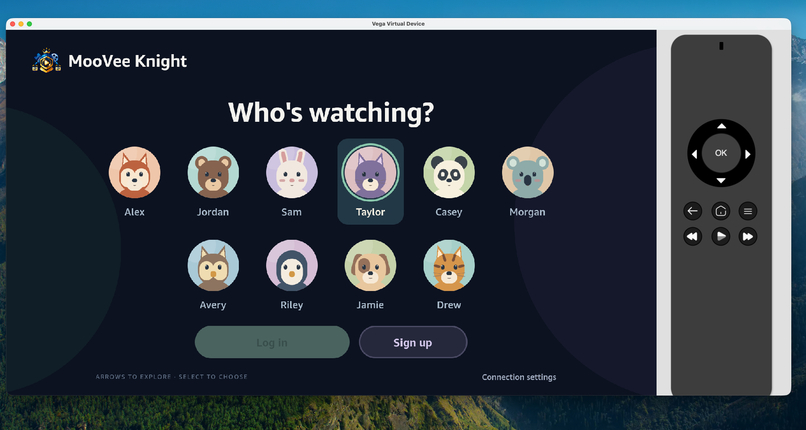
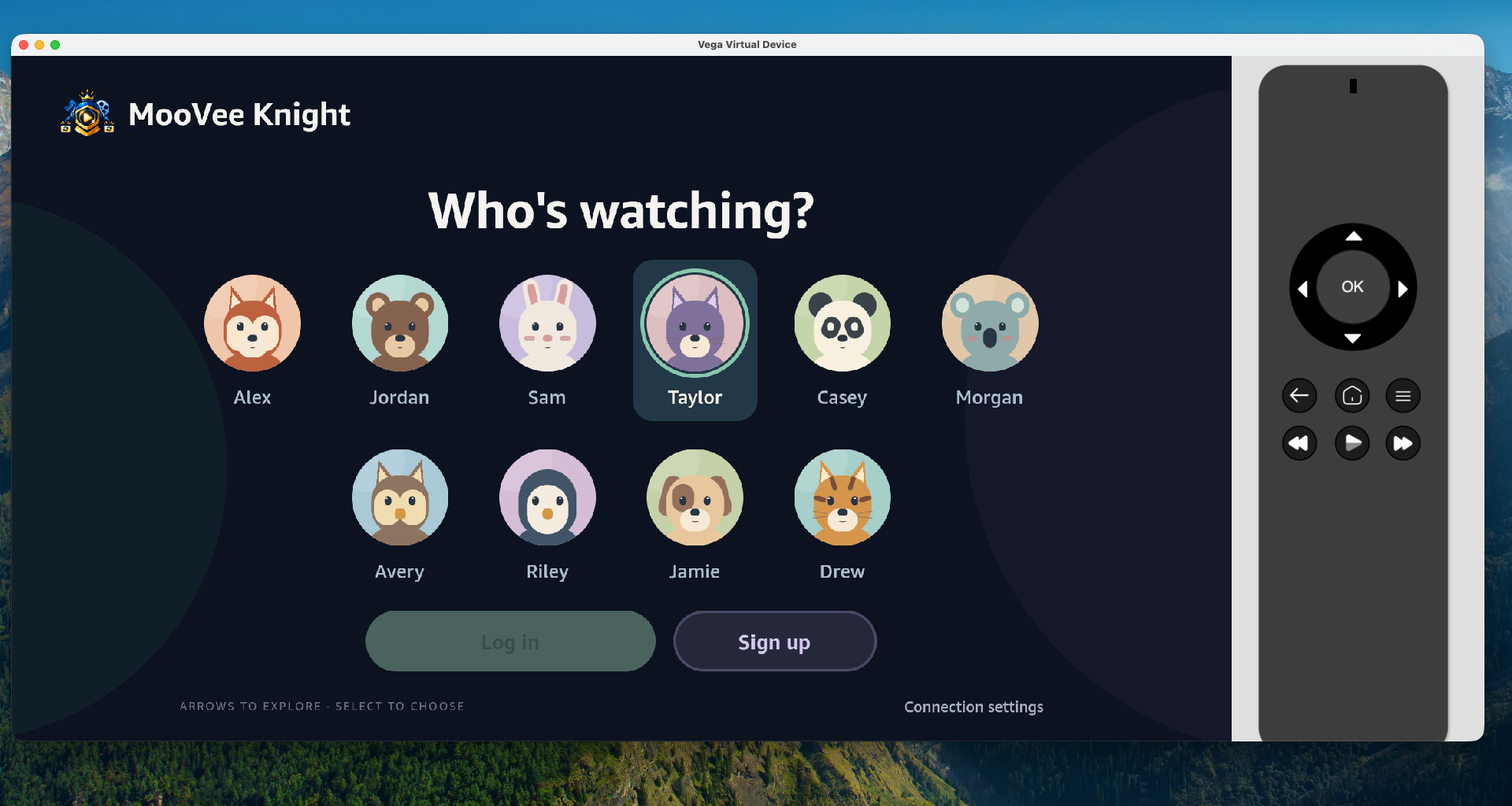
Accounts page
-
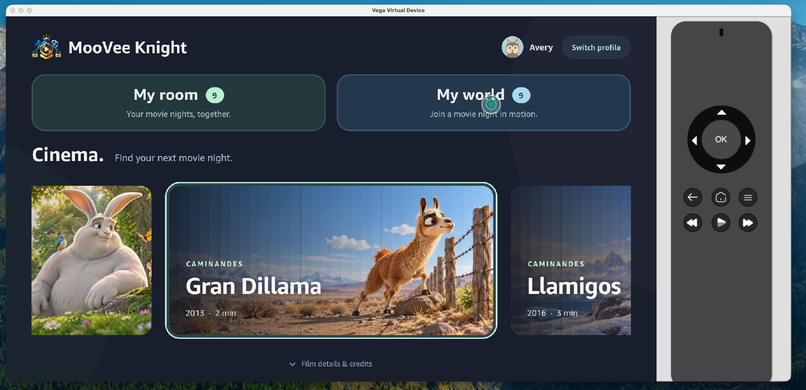
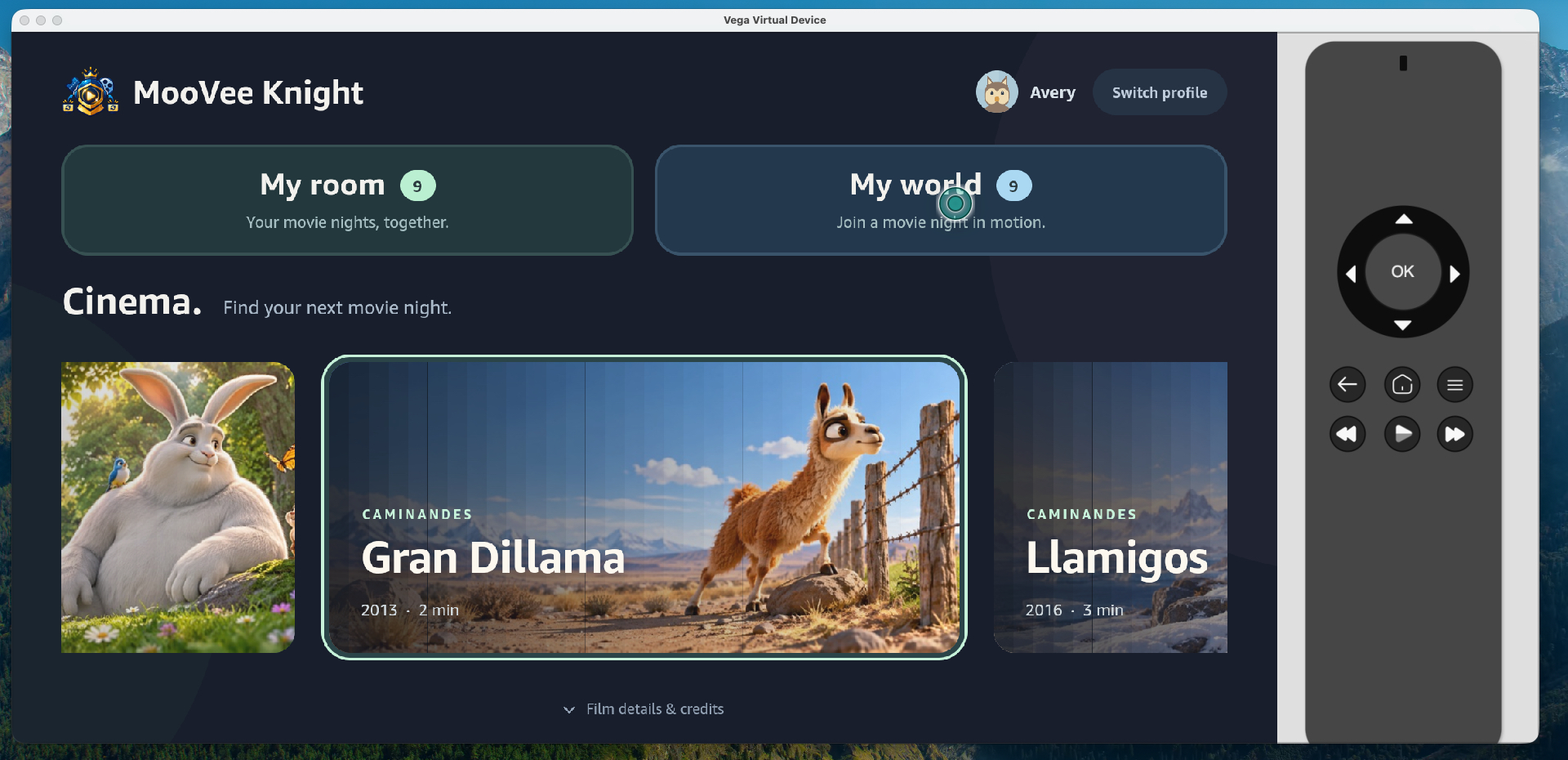
MooVee Knight theatre
-
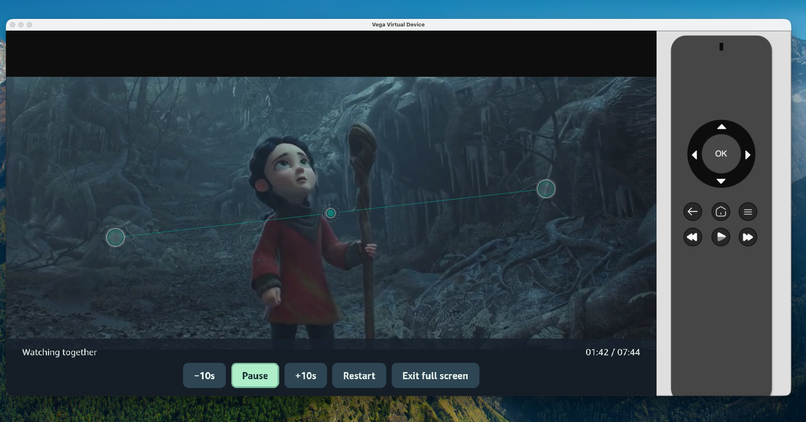
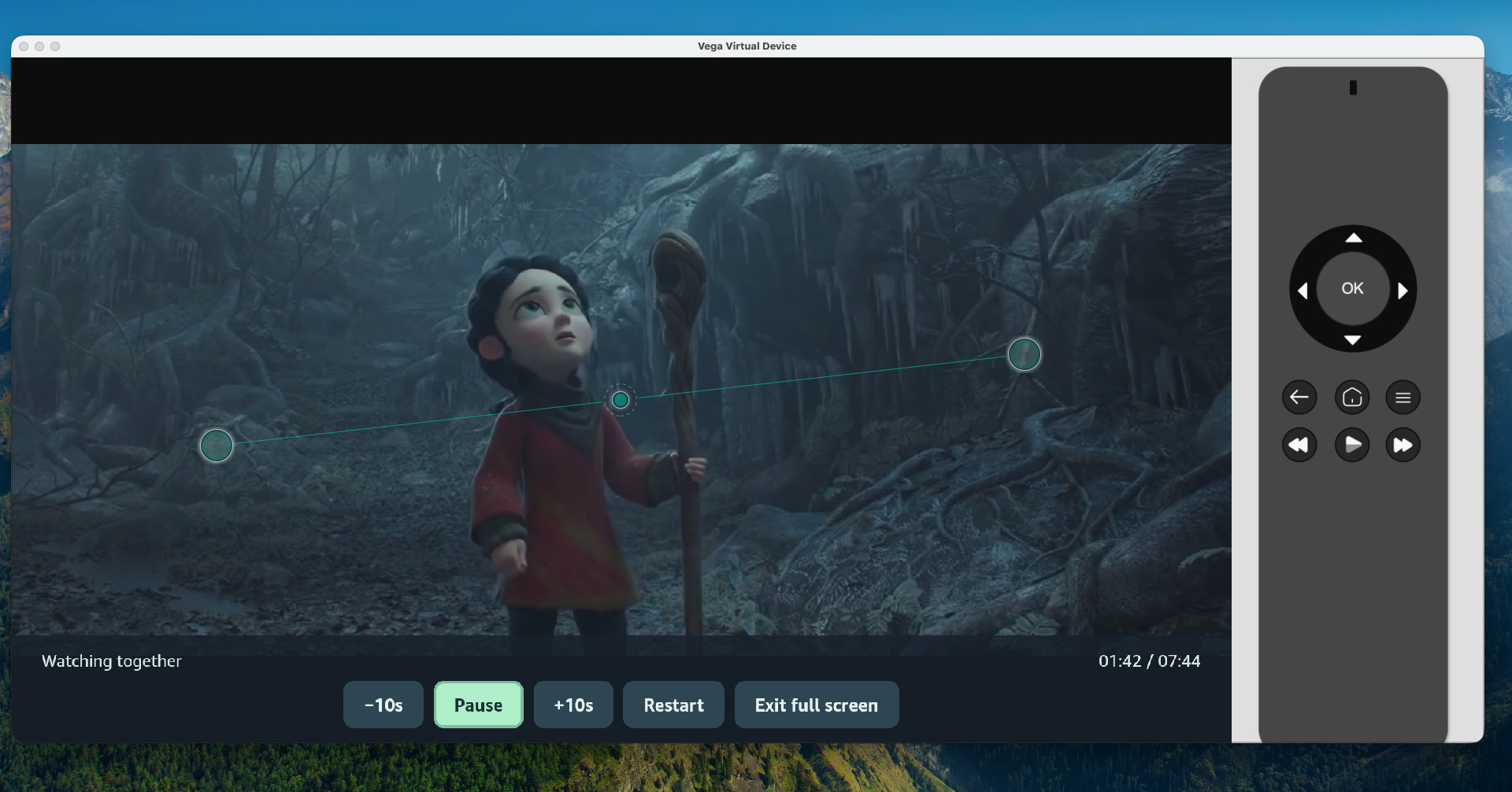
Viewing room with controls
-
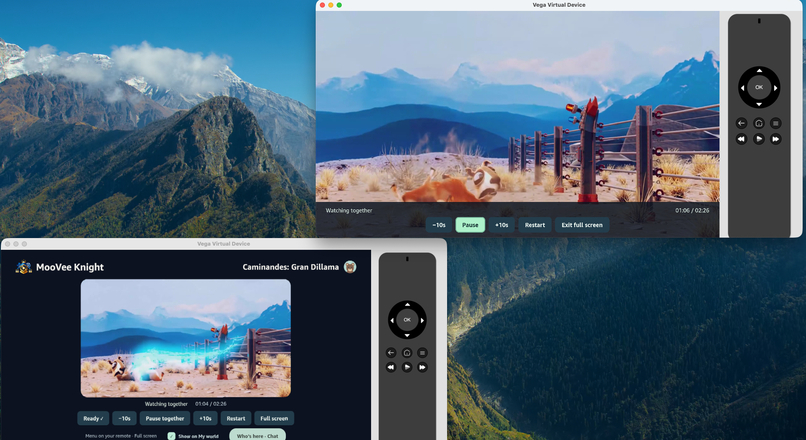
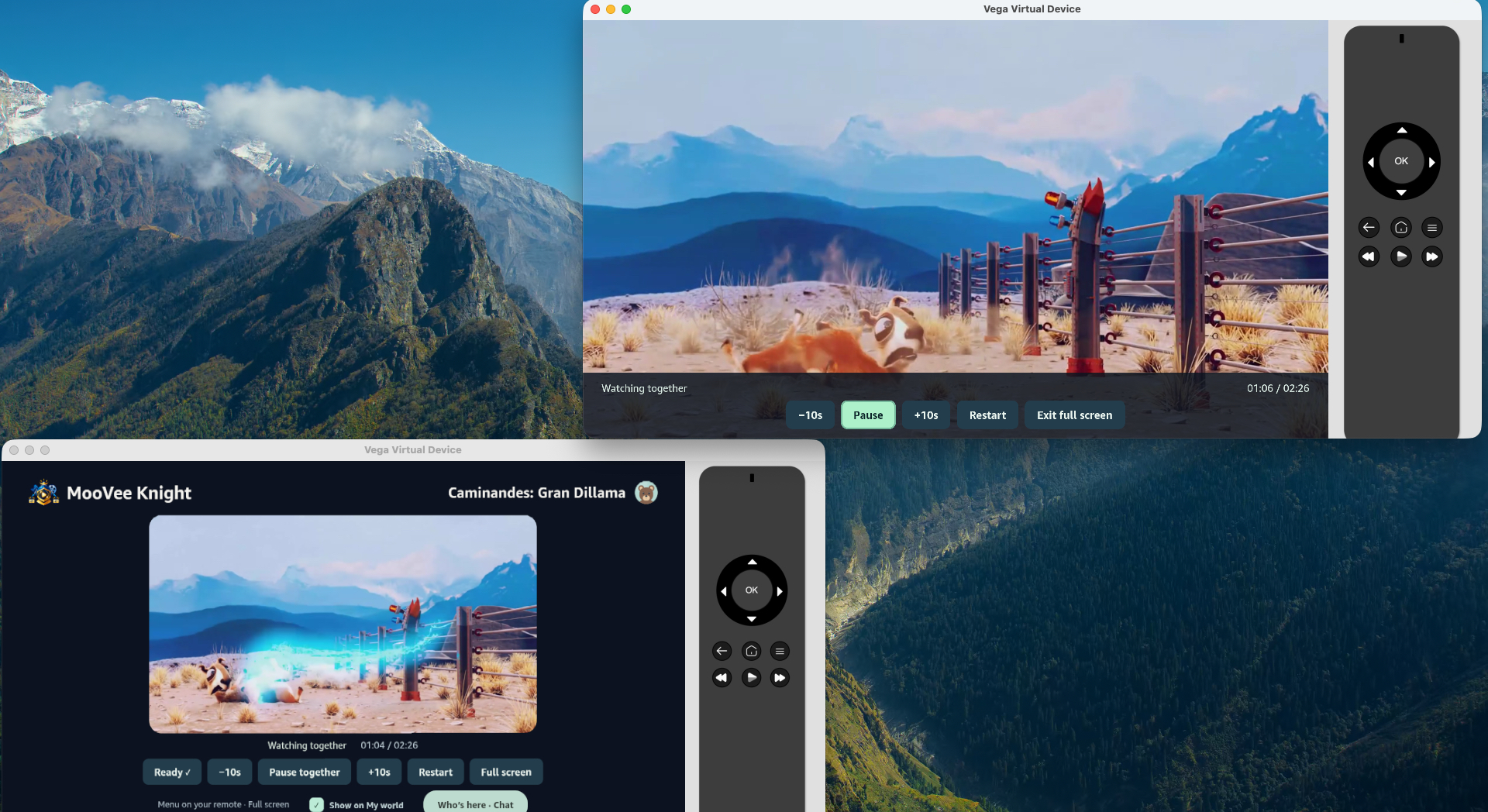
Shared viewing simulation
-
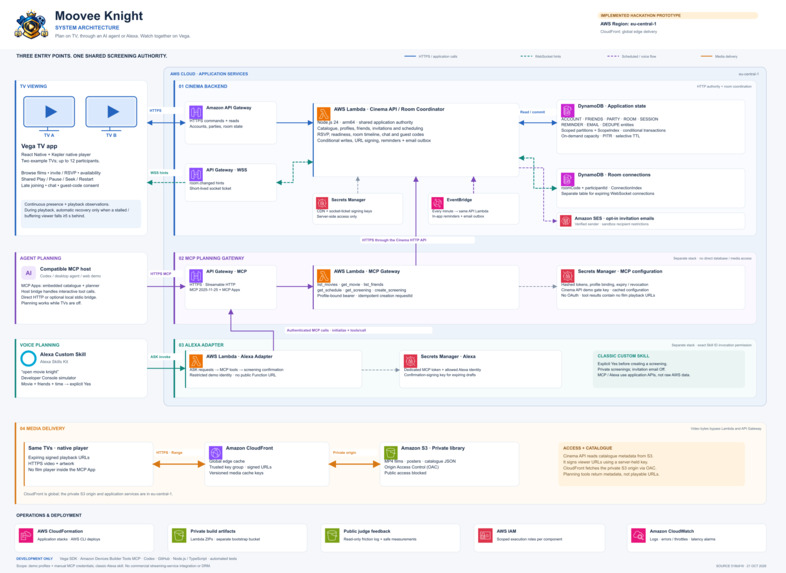
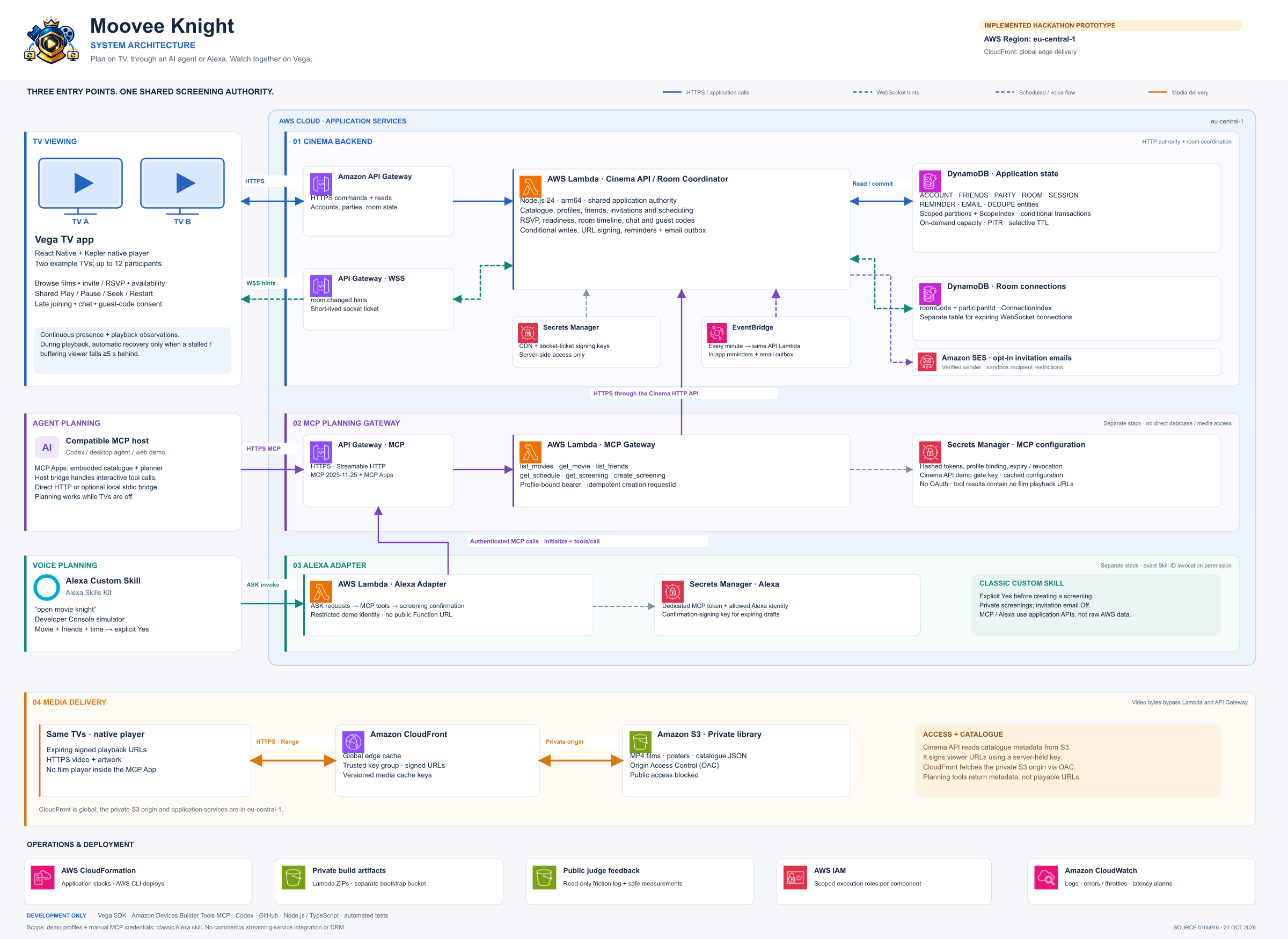
Architecture
-
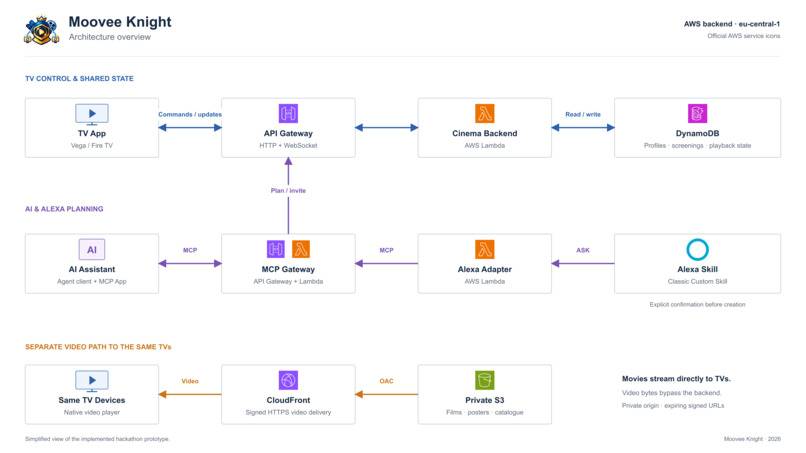
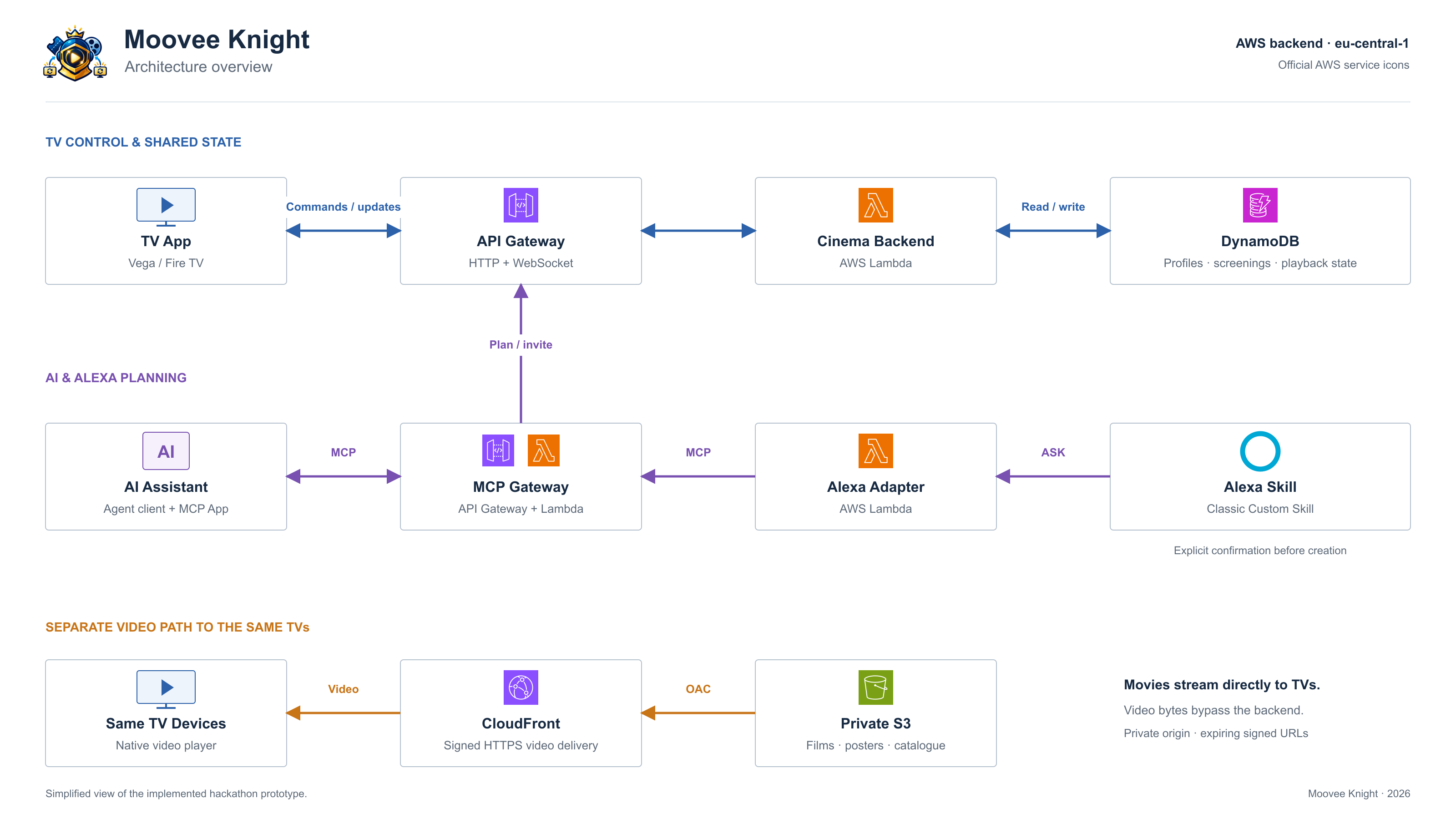
Simplified Architecture
INSPIRATION:
Being a team of immigrant origins, we wanted to build an app that could bring people together virtually across oceans and borders. Give the ability to enjoy video programs together.
WHAT IT DOES:
MooVee Knight is a multi-device application for Amazon Fire TV / Vega, with shared playback, invitations, scheduling, social features, conversational planning and an Alexa voice client. MooVee Knight turns your TV into a virtual theater. Choose a program, invite friends, agree on a time, and see who is ready. Guests can accept, decline or respond Maybe, opt into a reminder, and join a screening already in progress. Every participant can pause, rewind, fast-forward or restart the shared program with their TV remote.
The app treats small playback differences gently. On Pause/Play, a leading viewer waits while a follower finishes the missing frames. During healthy playback, the app does not interrupt everyone for ordinary drift.
My room collects friends, unread invitations, code entrance and schedules; My world lets viewers discover opted-in public screenings. Large attendee avatars and current waiting/live status emphasize the people sharing a film; a room chat sits below the player. An organizer can remove an attendee during playback. Sharing a new room code requires unanimous approval from eligible attendees, and membership changes revoke old sharing codes.
MooVee Knight MCP extends the same product into an assistant conversation: discover a film, choose friends, plan a showing and ask what is scheduled for a date. The TV can be off during planning. Account-bound tools use the existing application operations; a compatible MCP Apps host can show an interactive planning card. Clients without that extension receive ordinary MCP results. This is a separate conversational surface for the same screenings, with no raw database tool or commercial-provider playback integration.
The project also includes a classic Alexa Custom Skill voice client.
HOW WE BUILT IT:
MooVee Knight was built using AI-assisted development with Codex and Amazon Devices Builder Tools MCP. This allowed fast prototyping, with our guidance on technology, and architectural directions.
How the system fits together
The React Native TV app calls a shared application backend. In AWS, API Gateway exposes HTTP and WebSocket interfaces, Lambda executes application logic, and DynamoDB persists scoped state. Films are delivered separately from private S3, optionally through CloudFront, so video traffic bypasses Lambda.
Additional clients
The MooVee Knight MCP extension exposes account-bound planning operations and an embedded MCP Apps interface. A classic Alexa Custom Skill calls this MCP service through a separate Lambda adapter. The TV app remains the actual viewing client.
TV Interface
Amazon Fire TV and Vega OS 1.2 Fire TV / Vega is the target TV platform. The application is built for a remote-controlled, large-screen experience, including profile selection, movie discovery, screening creation and synchronized viewing.
React Native 0.83 React Native provides the TV interface and component model. App.tsx coordinates navigation and application state, while dedicated components implement the watch-mode chooser, screening form, invitations, schedule picker and room. Native views support focus, player surfaces and animations.
TypeScript and TSX The TV application and shared clients use typed .ts and .tsx modules. TypeScript helps keep account, party, room and playback interactions consistent; TSX defines component-based screens. The TV toolchain includes a separate type-checking command.
Shared backend
Amazon API Gateway HTTP API The cloud HTTP interface serves account, catalogue, screening and room operations. Requests authenticate access and validate membership and controls. It provides the authoritative API used by the TV clients, rather than treating socket notifications as trusted state.
Amazon API Gateway WebSocket API The WebSocket interface sends low-latency change hints to connected clients. It complements HTTP polling and enables prompt refresh after committed changes. The documented smoke checks include WebSocket events and access revocation.
AWS Lambda Lambda runs cloud application logic and adapters behind the APIs. A periodic worker handles reminder/email work, and Alexa has its own isolated Lambda adapter. Movie bytes do not flow through these functions; clients fetch media from the delivery layer.
Amazon DynamoDB The AWS backend stores scoped account, room and list entities rather than loading all application state. Per-entity revision conditions protect concurrent updates, and transactional index updates keep related access paths consistent. The migration process uses a writer freeze, backup and fenced activation.
Video delivery
Amazon S3 A private cinema bucket holds films and prepared artwork assets. Catalogue metadata identifies the app library and its delivery sources. Private backups also support state migration and maintenance. The deployed catalogue includes five Blender open films; the local fallback contains only Big Buck Bunny.
Amazon CloudFront, signed URLs and Origin Access Control CloudFront adds cached media delivery in front of the private S3 bucket. Signed viewer URLs restrict access, and Origin Access Control protects the origin path. The README reports checks for cache hits and rejection of unsigned or tampered URLs; immutable cache metadata is used for known media assets.
Integration
Model Context Protocol (MCP) The remote MooVee Knight MCP service lets assistants browse films, choose friends, create screenings and read plans while TVs are off. Tools use the same application operations and durable records as the TV app. They do not expose raw DynamoDB access or start TV playback.
MCP Apps and AppBridge Compatible MCP hosts can display an interactive planning interface inside the assistant experience. The README reports successful checks of the interactive AppBridge view. Ordinary MCP clients retain conversational text and structured tool results when they cannot render the embedded UI.
Alexa Custom Skill / Alexa Skills Kit (ASK) A classic Alexa skill adds voice and text planning, with the invocation “open movie knight.” It reads films, friends and schedules, then creates private in-app invitations only after an explicit Yes. It is a development skill rather than a published store skill or a direct Alexa+ MCP Add-on.
Isolated Alexa Lambda-to-MCP adapter The Alexa adapter calls the actual MCP endpoint through one separate Lambda function. It uses a dedicated expiring credential bound to the demo user Alex and permits only the configured Alexa account in the closed demo. It has no direct database or movie-bucket permissions.
CHALLENGES WE RAN INTO:
Getting two TV simulators running reliably on one laptop. Keeping both screens in sync after pauses, buffering and late arrivals without constantly interrupting the movie. Making navigation and fullscreen controls easy to use with a TV remote. Connecting the TV app, AI planner and Alexa so they shared the same schedules and invitations without creating duplicates.
ACCOMPLISHMENTS THAT WE'RE PROUD OF:
We’re proud of turning MooVee Knight into a working experience that connects movie planning with watching together.
- Synchronized playback across two simulated TV clients: Play, pause, seeking and restart affect the whole room. Late arrivals join the current timeline, and coordinated recovery helps when a viewer stalls or buffers.
- Three ways to plan the same movie night: Users can create screenings through the TV app, our MCP tools and interactive MCP App, or an Alexa Custom Skill. All three use the same backend, invitations and schedules.
- A complete social experience: We built invitations, RSVP responses, participant availability, reminders, room chat and guest codes requiring participant consent.
- Private cloud movie delivery: Films stream from private S3 storage through signed CloudFront URLs, while the backend manages room state separately from video delivery.
- A TV interface designed around the remote: We refined focus, navigation, fullscreen controls and participant visibility through repeated simulator testing.
- Verification beyond a successful build: We reached 477 passing automated tests, validated the Vega package and demonstrated shared playback on two Vega Virtual Devices. The most rewarding achievement was seeing a screening created through one interface appear in another—and then watching both TVs respond to the same remote-control action.
WHAT WE LEARNED:
Building MooVee Knight taught us that:
- A product needs one clear journey—from choosing a film and inviting friends to actually watching together.
- Adding TV, AI and voice interfaces means making different tools follow the same rules and share the same information.
- Cloud services provide useful building blocks, but connecting them reliably still takes careful design and testing.
- AI can speed up development, while people still need to make product decisions, review the results and test the experience.
- Trying the app ourselves revealed which features felt useful and which screens needed simplifying.
- Small details—clear buttons, friendly status messages and visible participants—can change how the whole product feels.
- Security, permissions and content licenses need attention throughout development.
- A clean repository and clear instructions make it much easier for a teammate or judge to run the project.
- Documentation, feedback and the demo video are real parts of delivering the project and need time in the plan.
- Knowing what to finish now and what to leave for later helps turn a growing idea into a working demo.
WHAT'S NEXT FOR MOOVEE KNIGHT:
- We envision adding the ability to also view programs from other streaming services all participants have subscriptions to. So we are exploring official provider integrations, subject to their APIs, DRM requirements, and permissions.
Built With
- alexa
- amazon-api-gateway
- amazon-dynamodb
- amazon-ses
- amazon-web-services
- aws-lambda
- codex
- javascript
- mcp
- react-native
- typescript
- vega-sdk

Log in or sign up for Devpost to join the conversation.