-
-
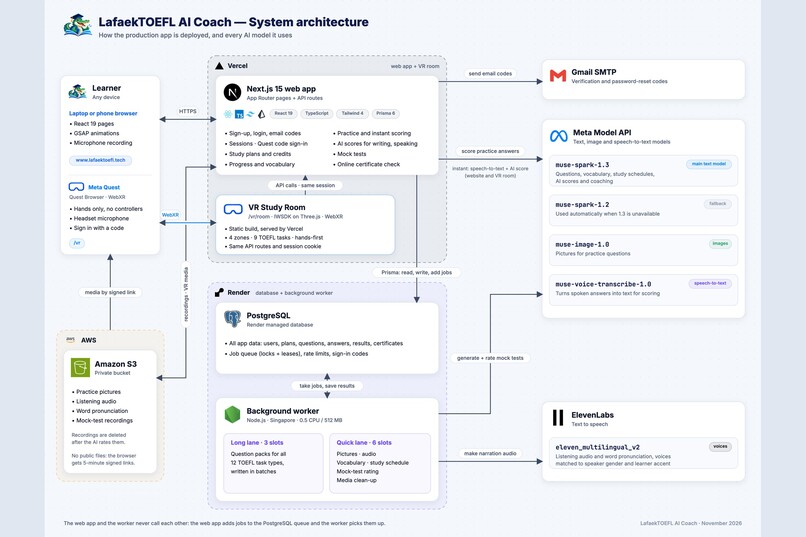
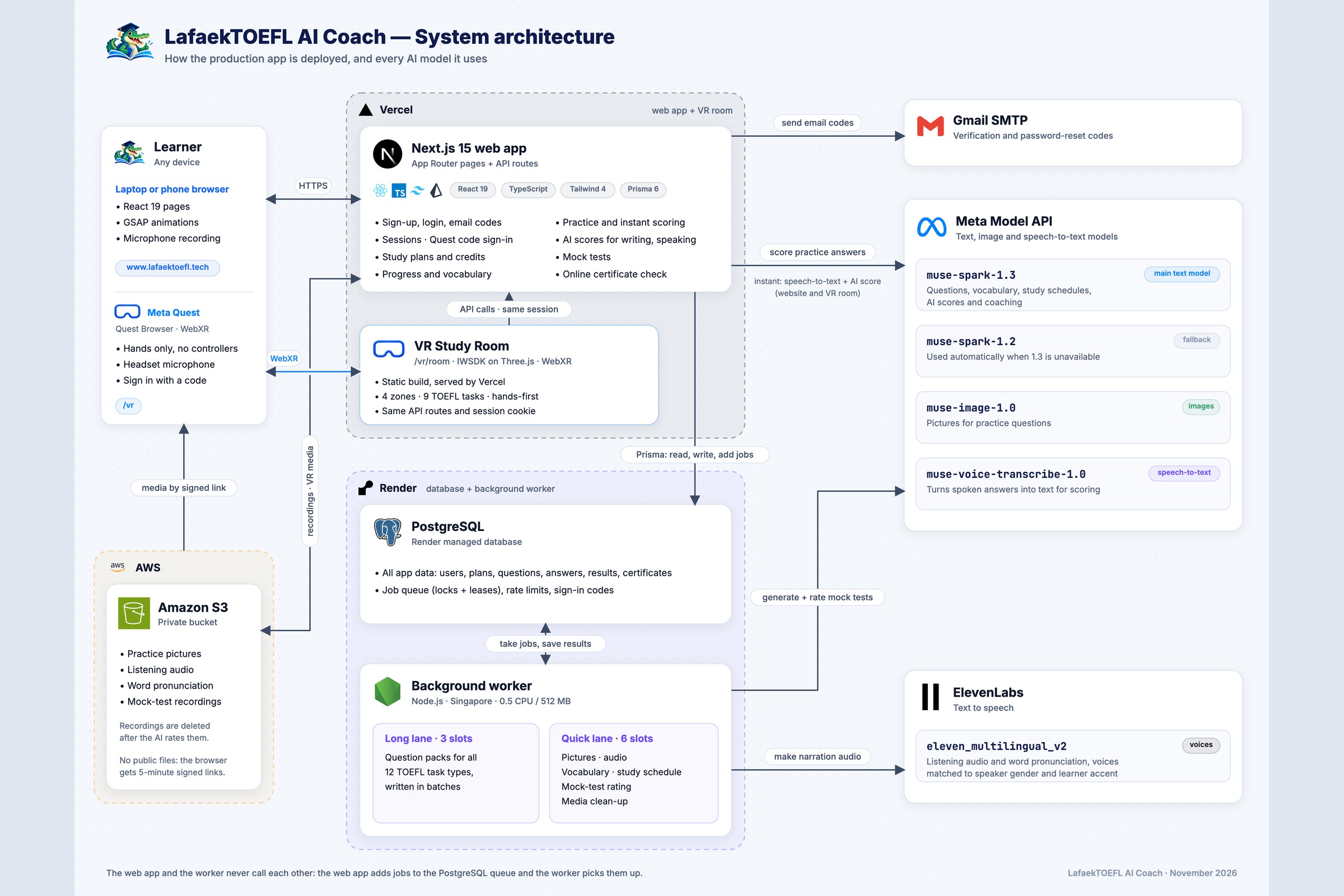
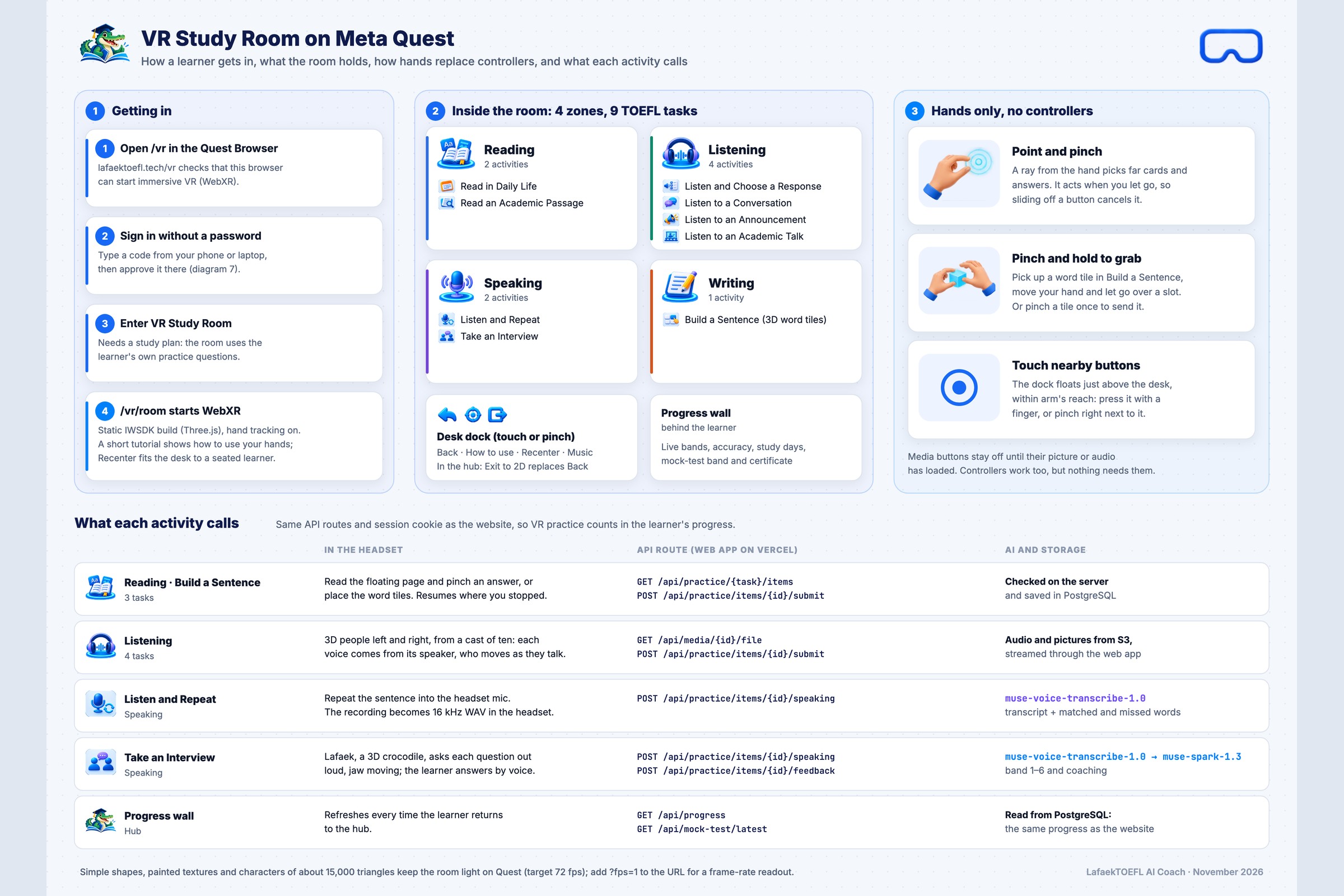
System architecture diagram
-
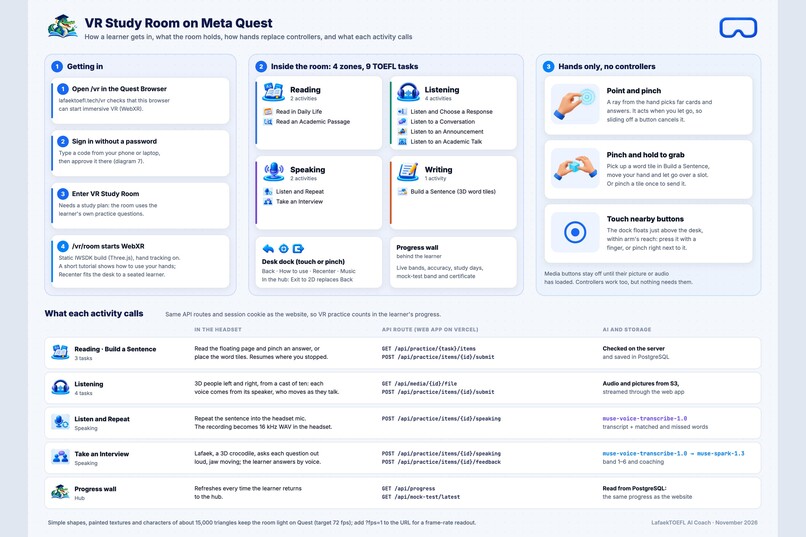
How the VR room works
-
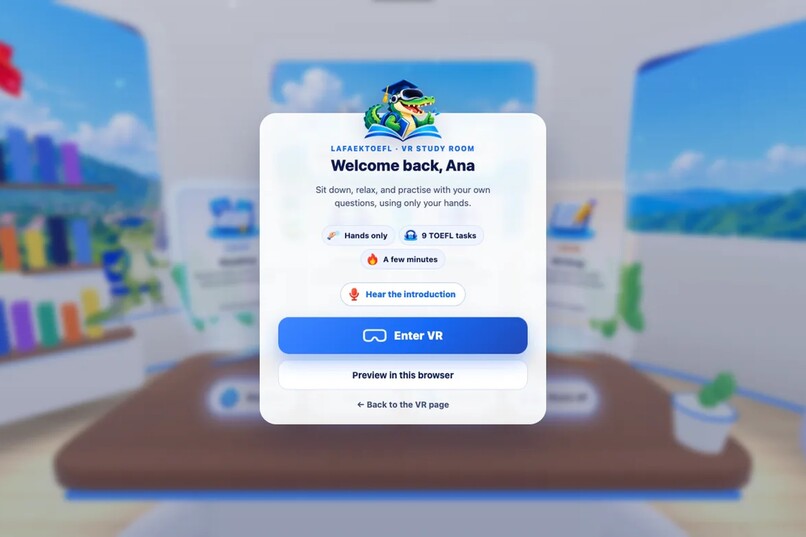
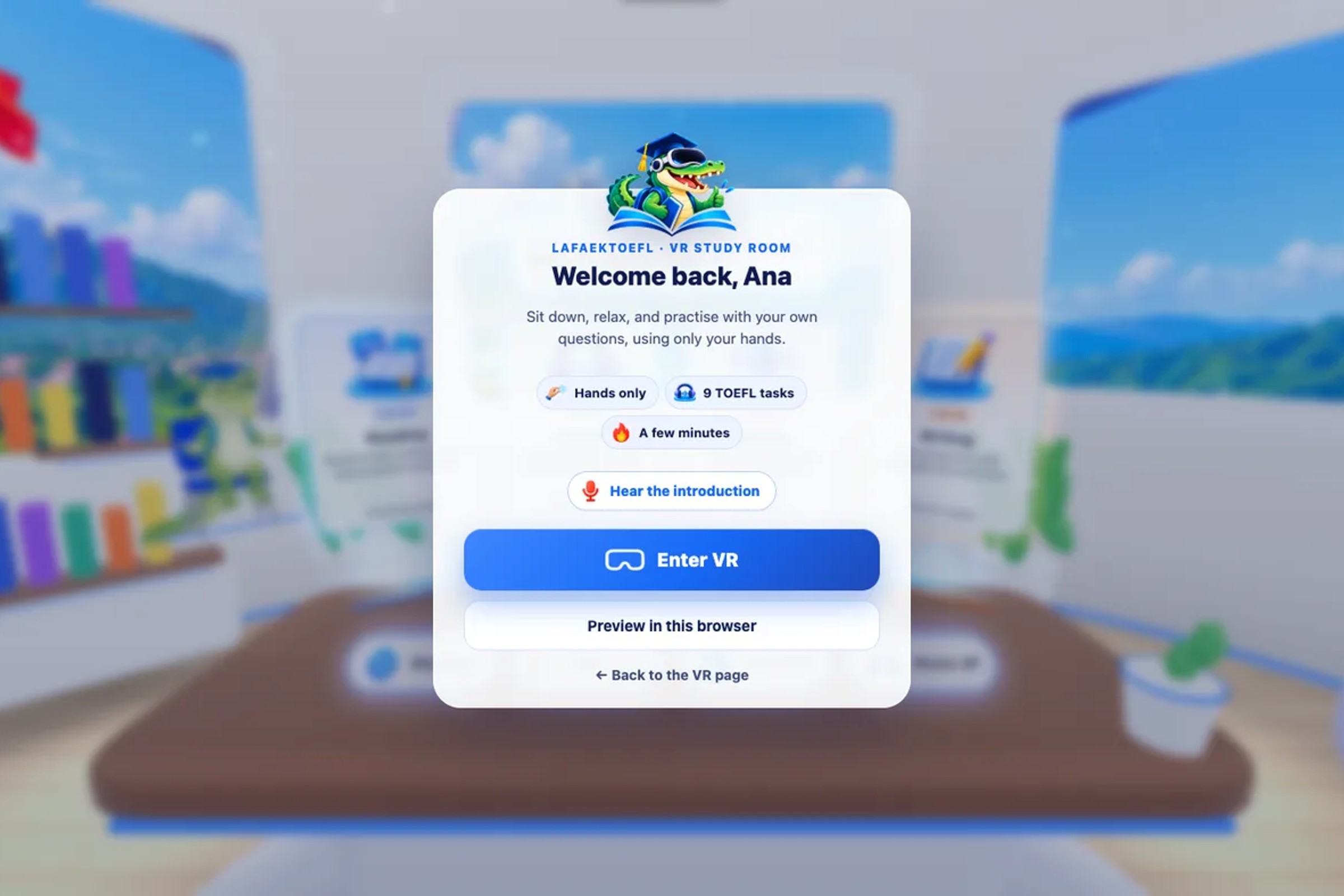
The welcome card before entering VR
-
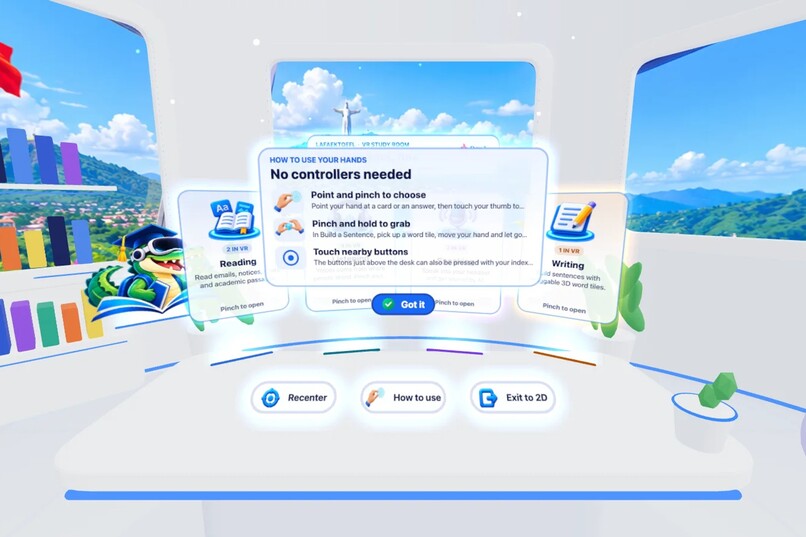
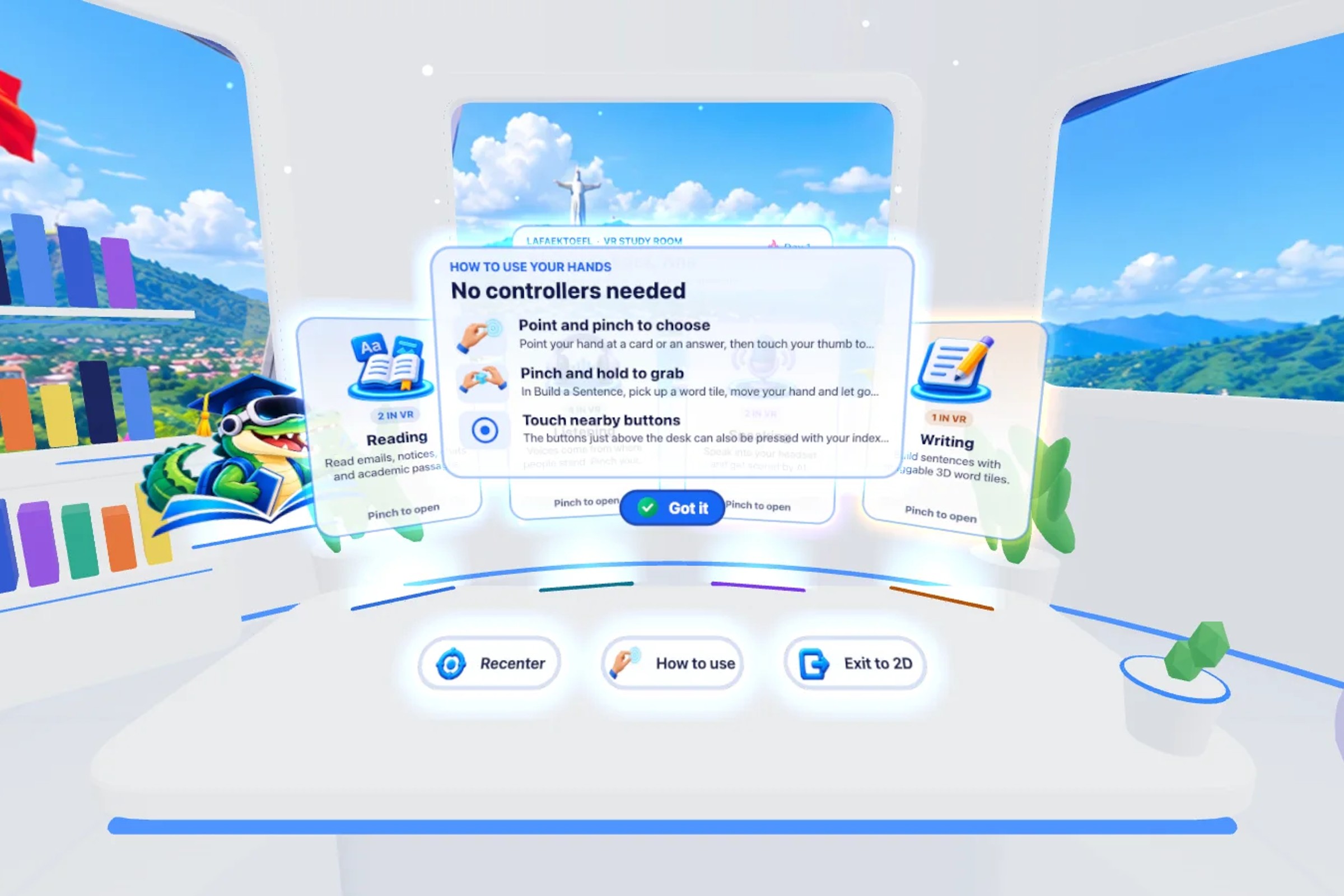
"No controllers needed" hand guide
-
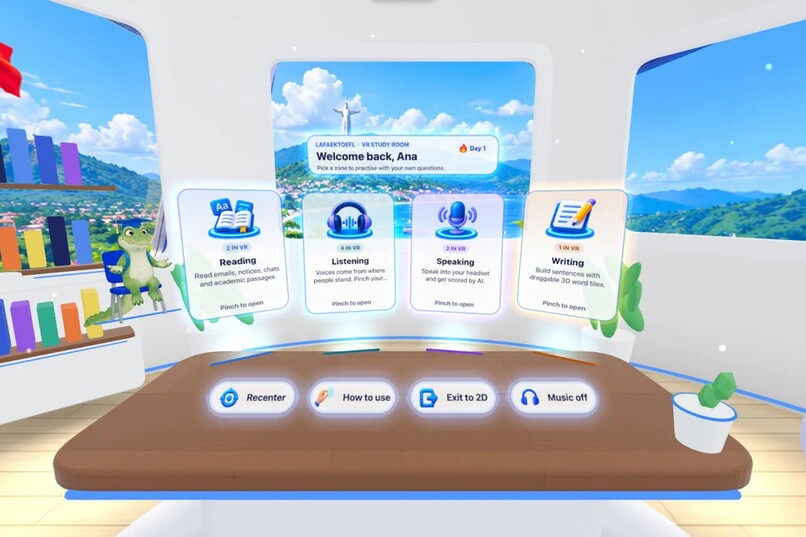
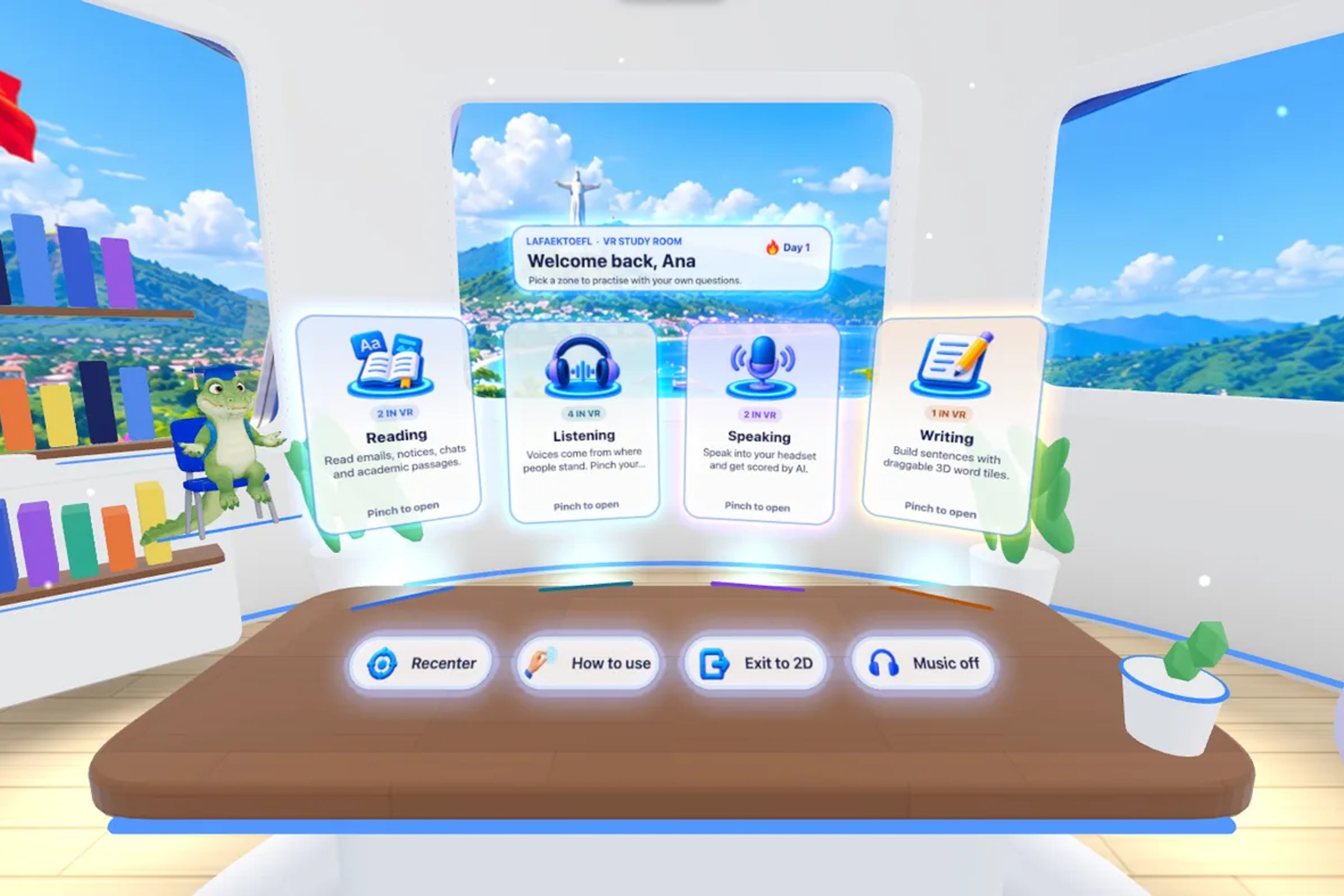
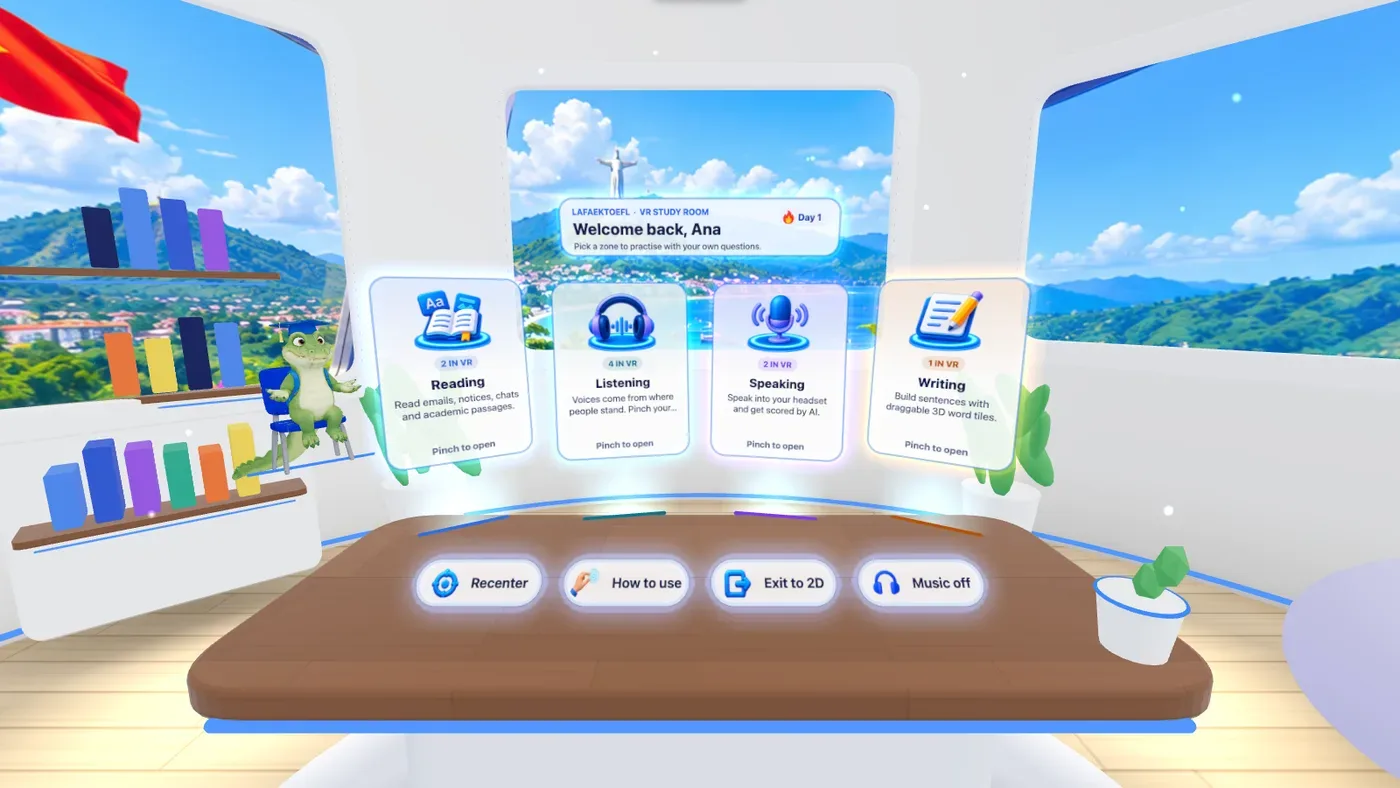
The room with the four skill cards
-
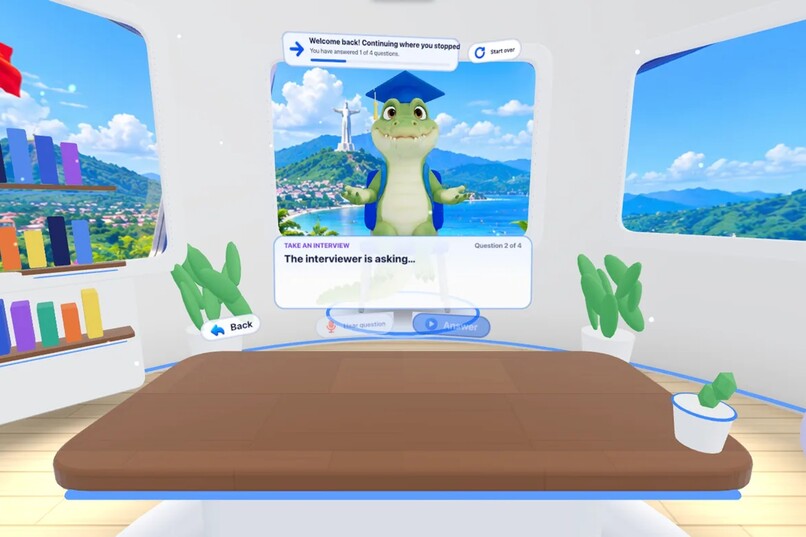
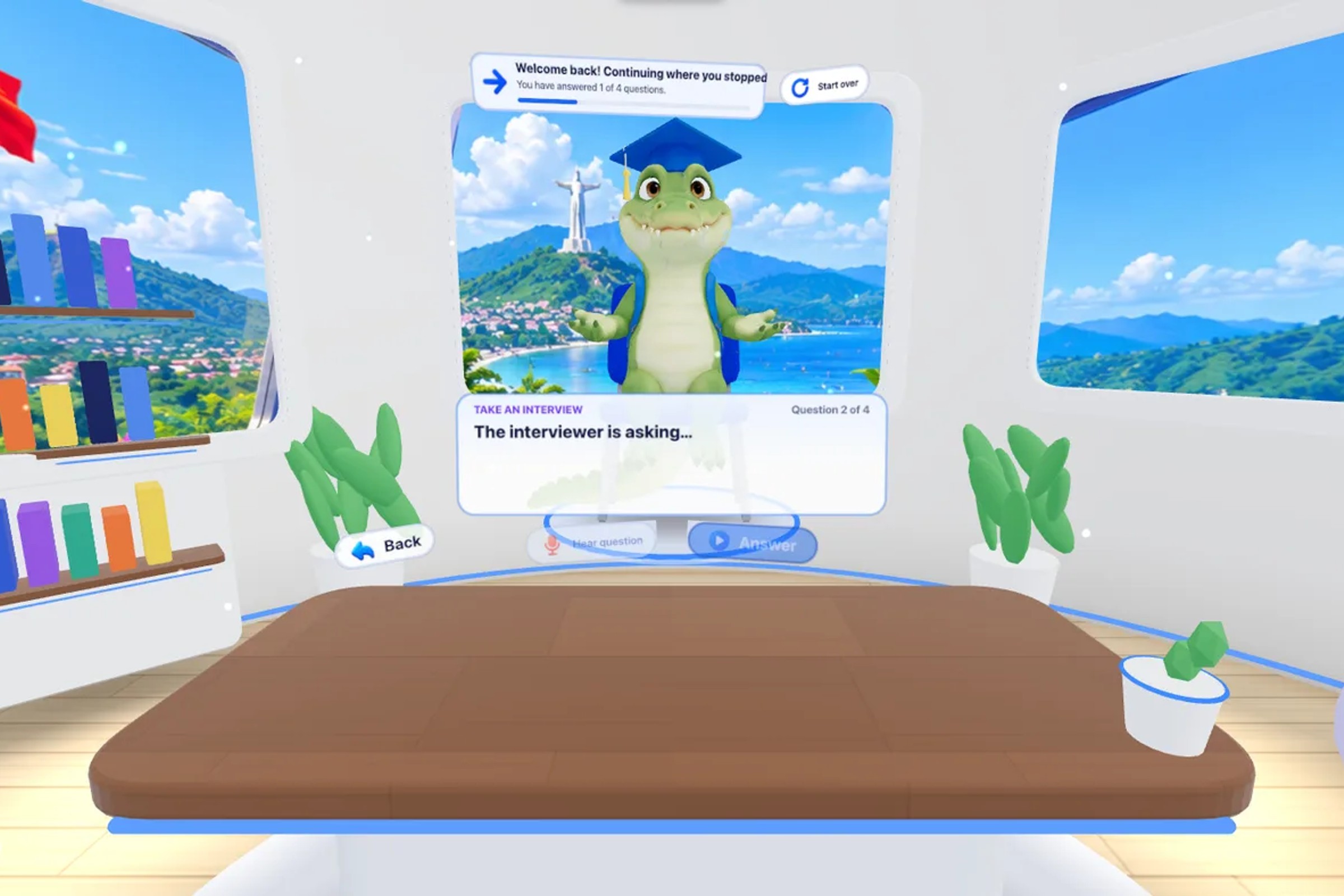
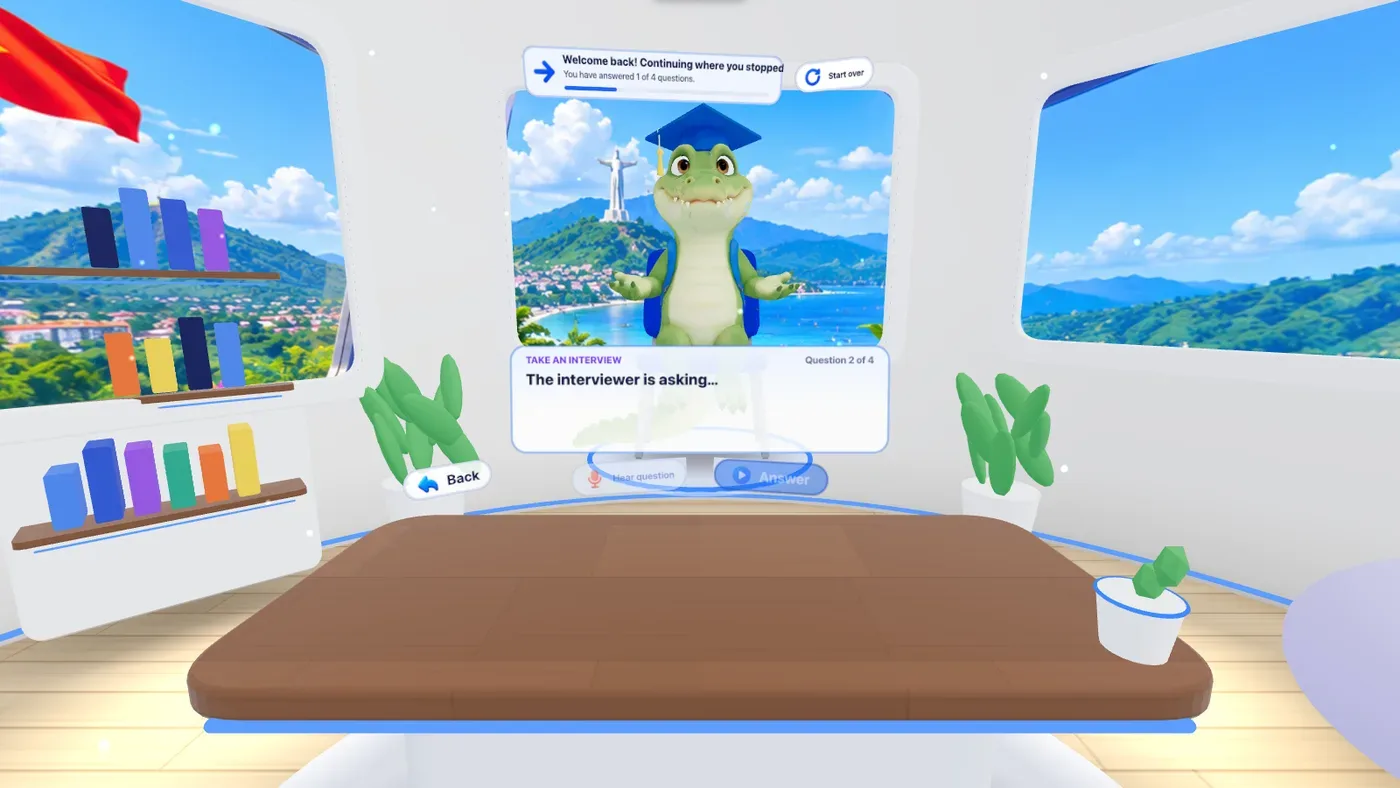
Lafaek asking an interview question
-
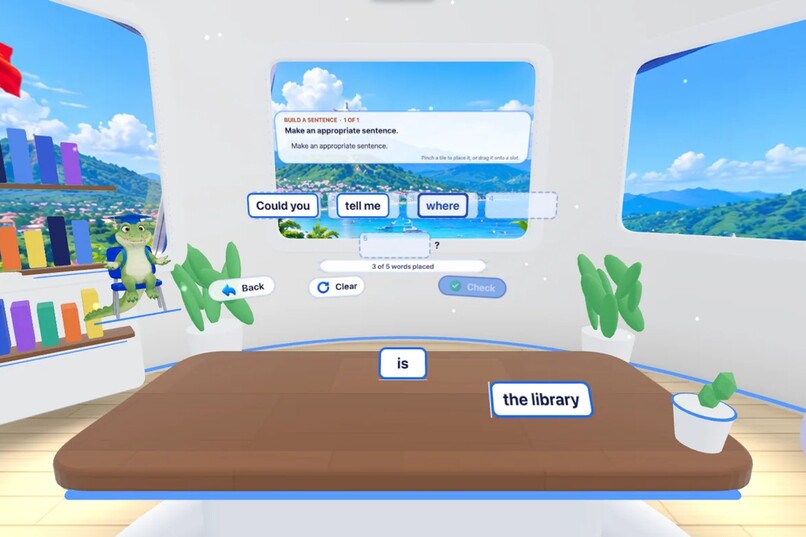
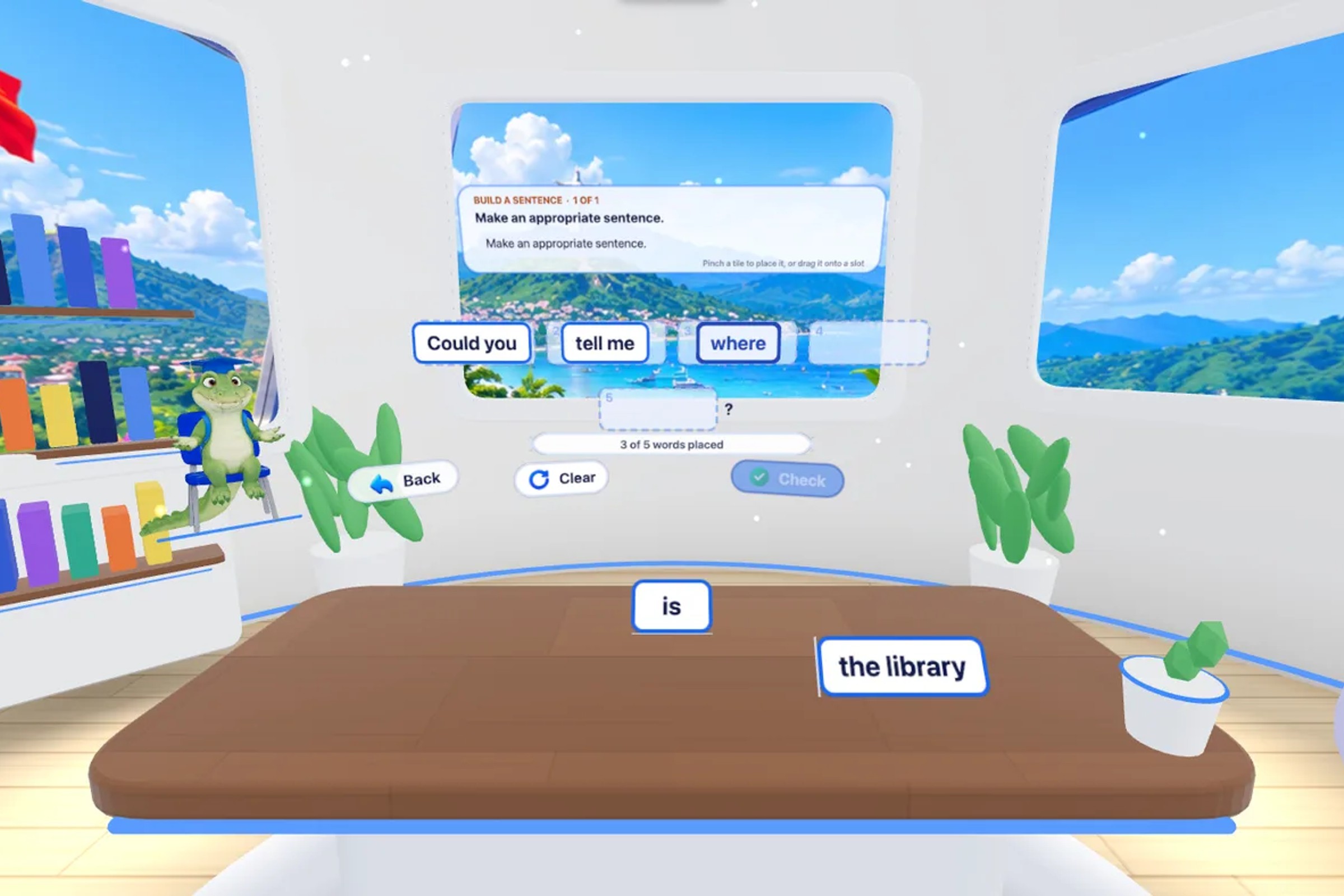
Word tiles being placed
-
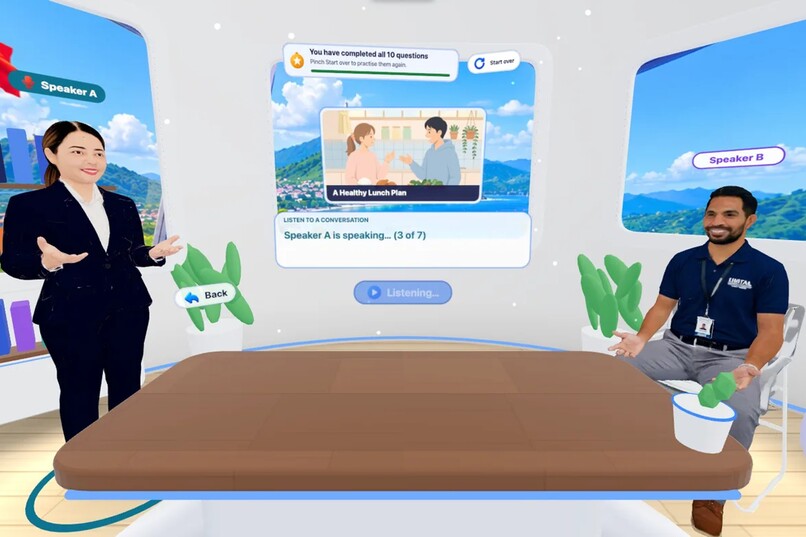
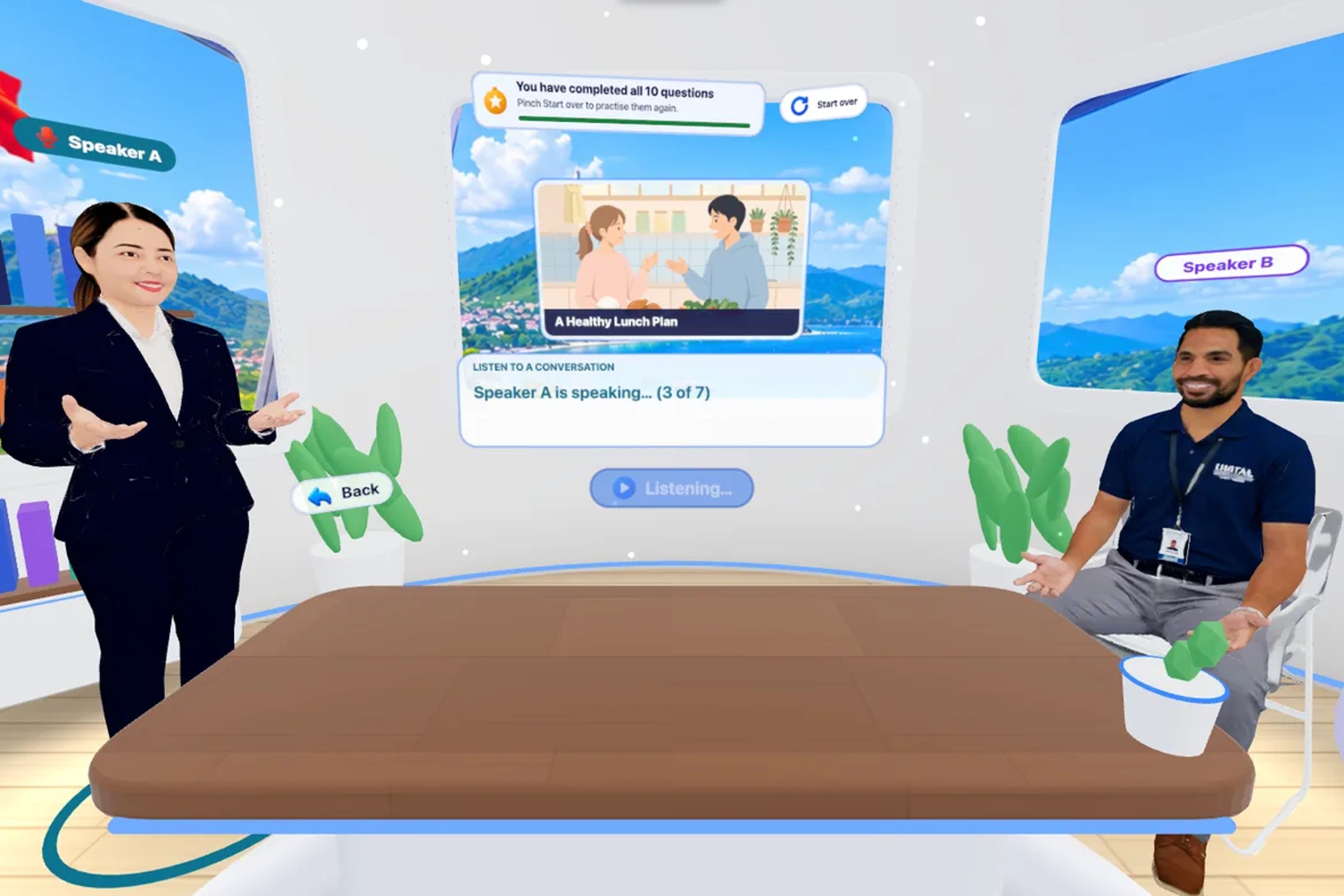
Two 3D speakers in a conversation
-
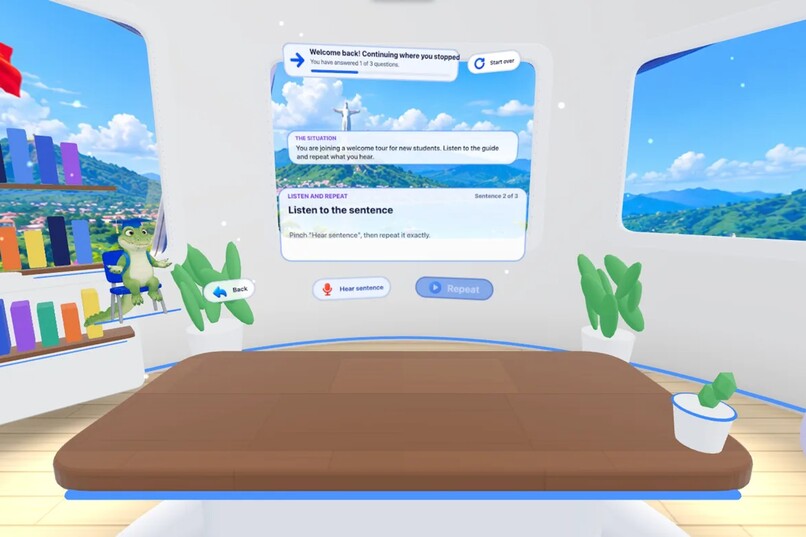
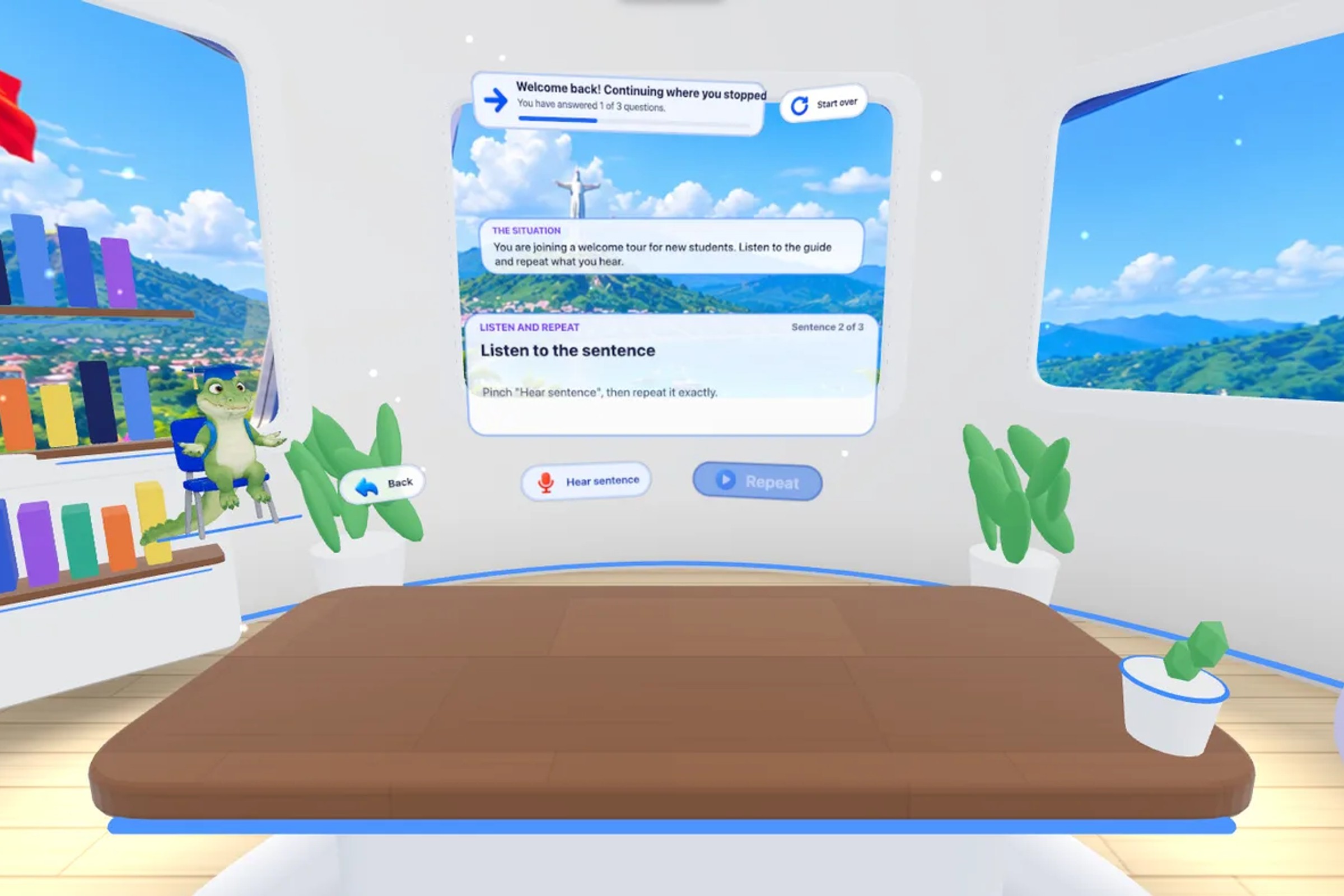
Listen and Repeat
-
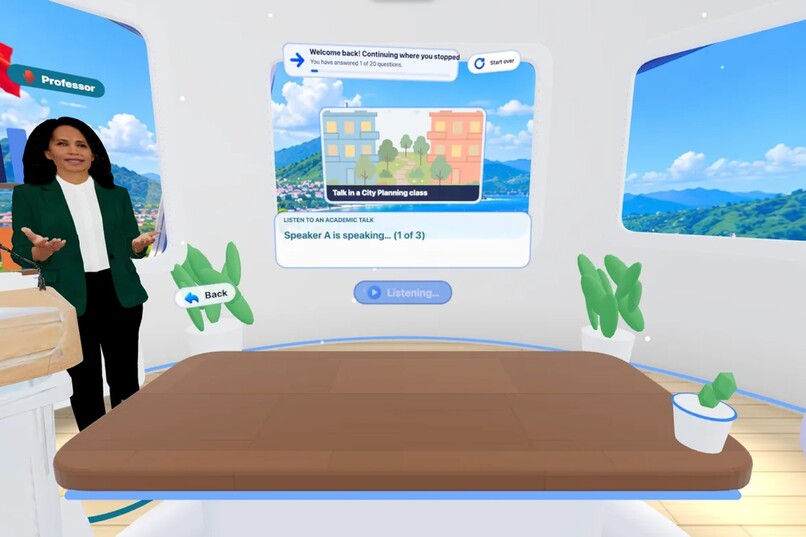
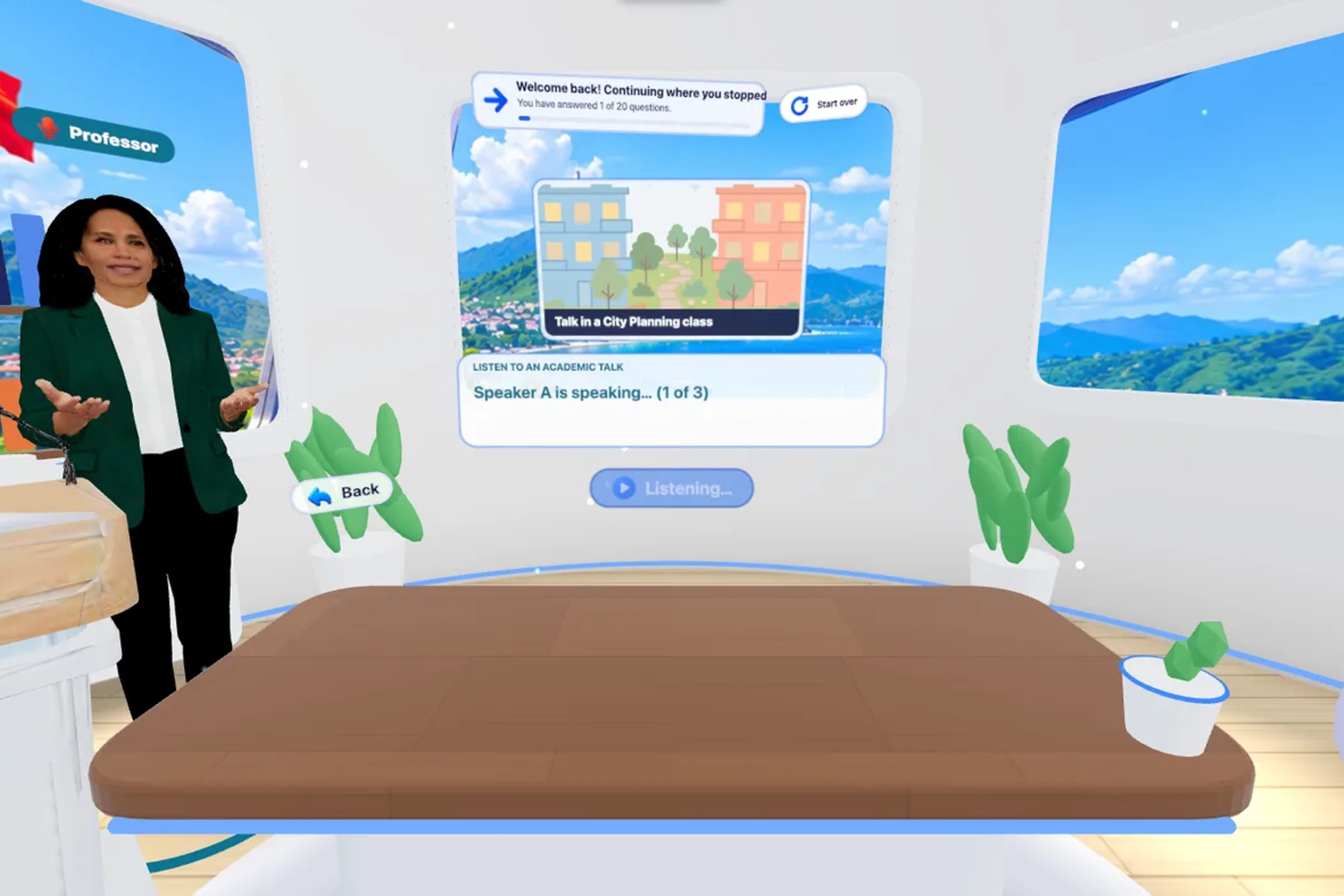
A professor giving a talk
-
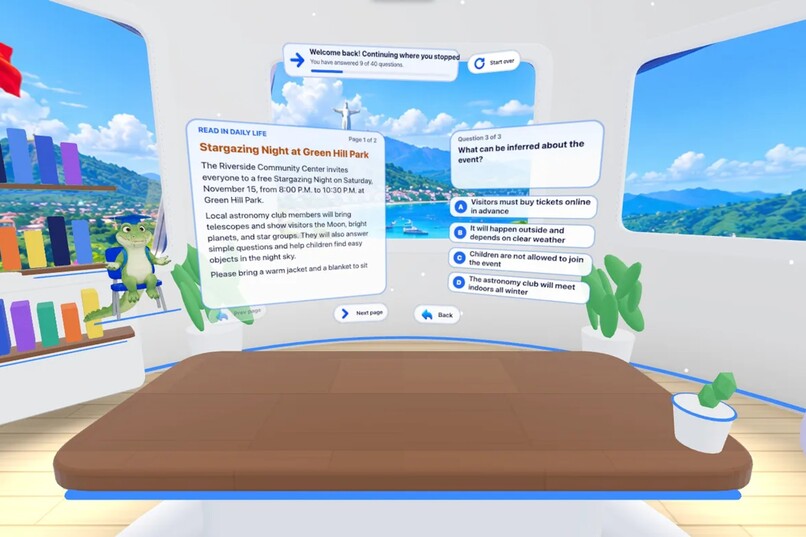
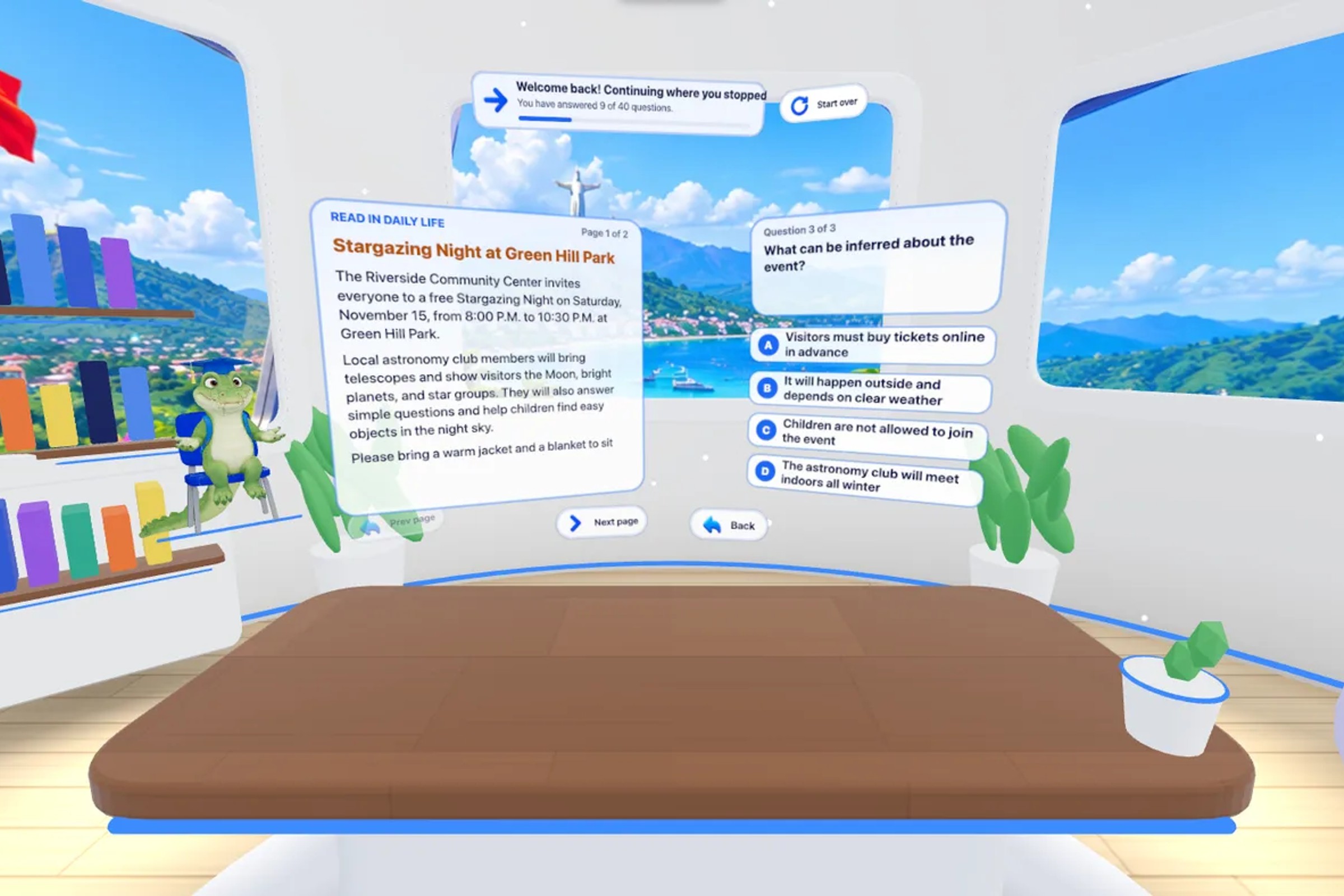
A reading passage with questions
-
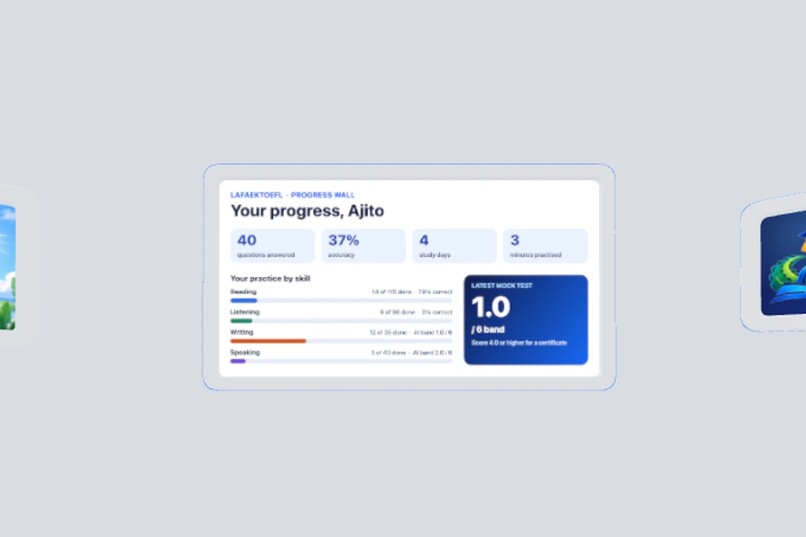
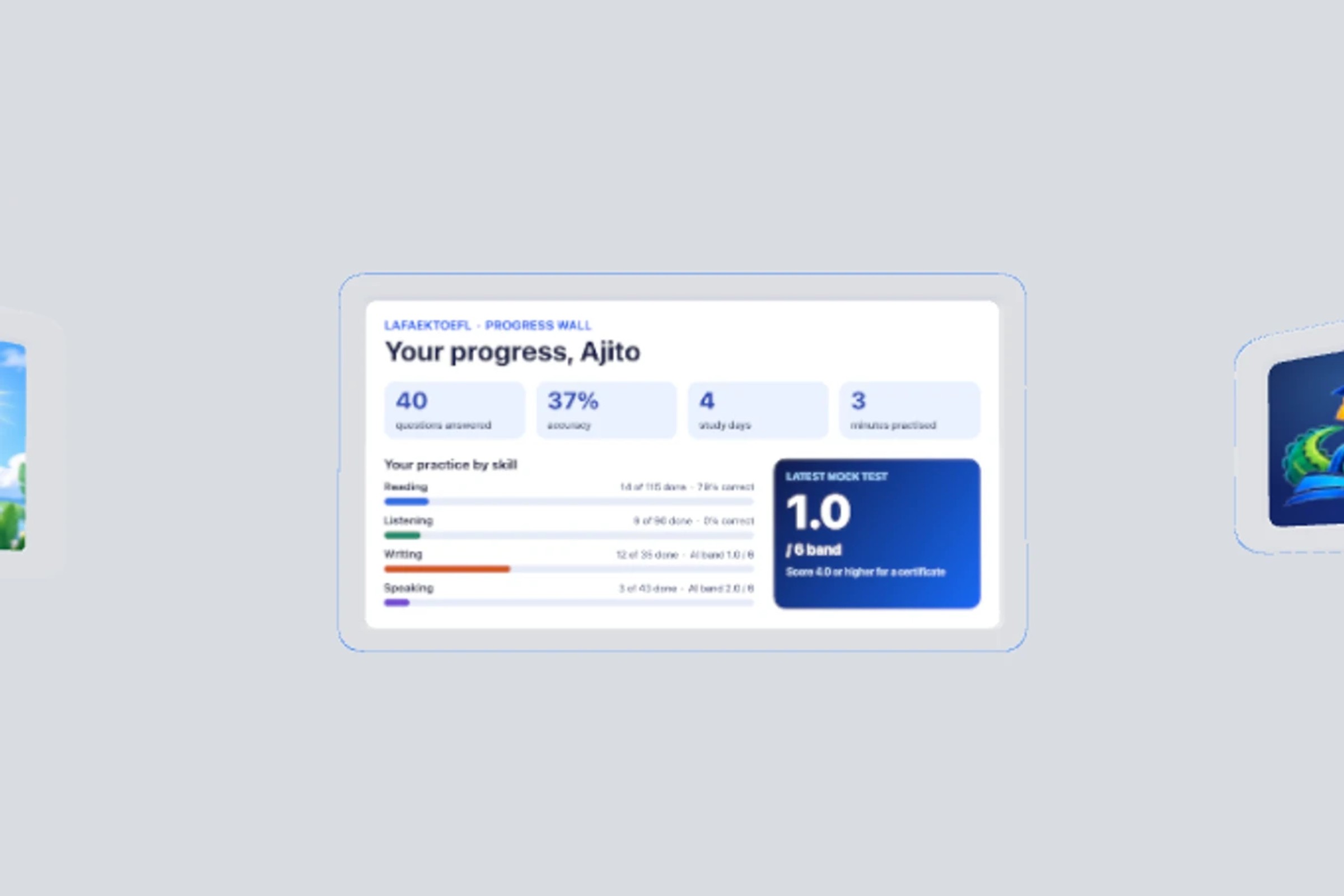
The progress wall
-
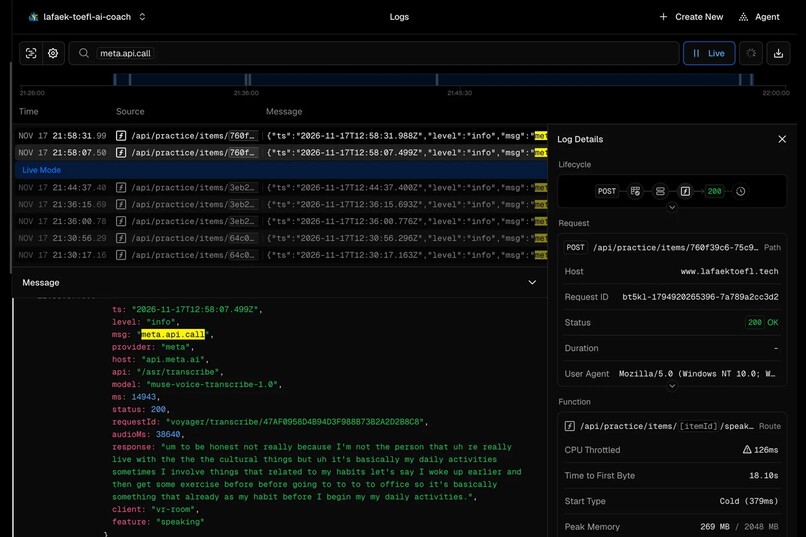
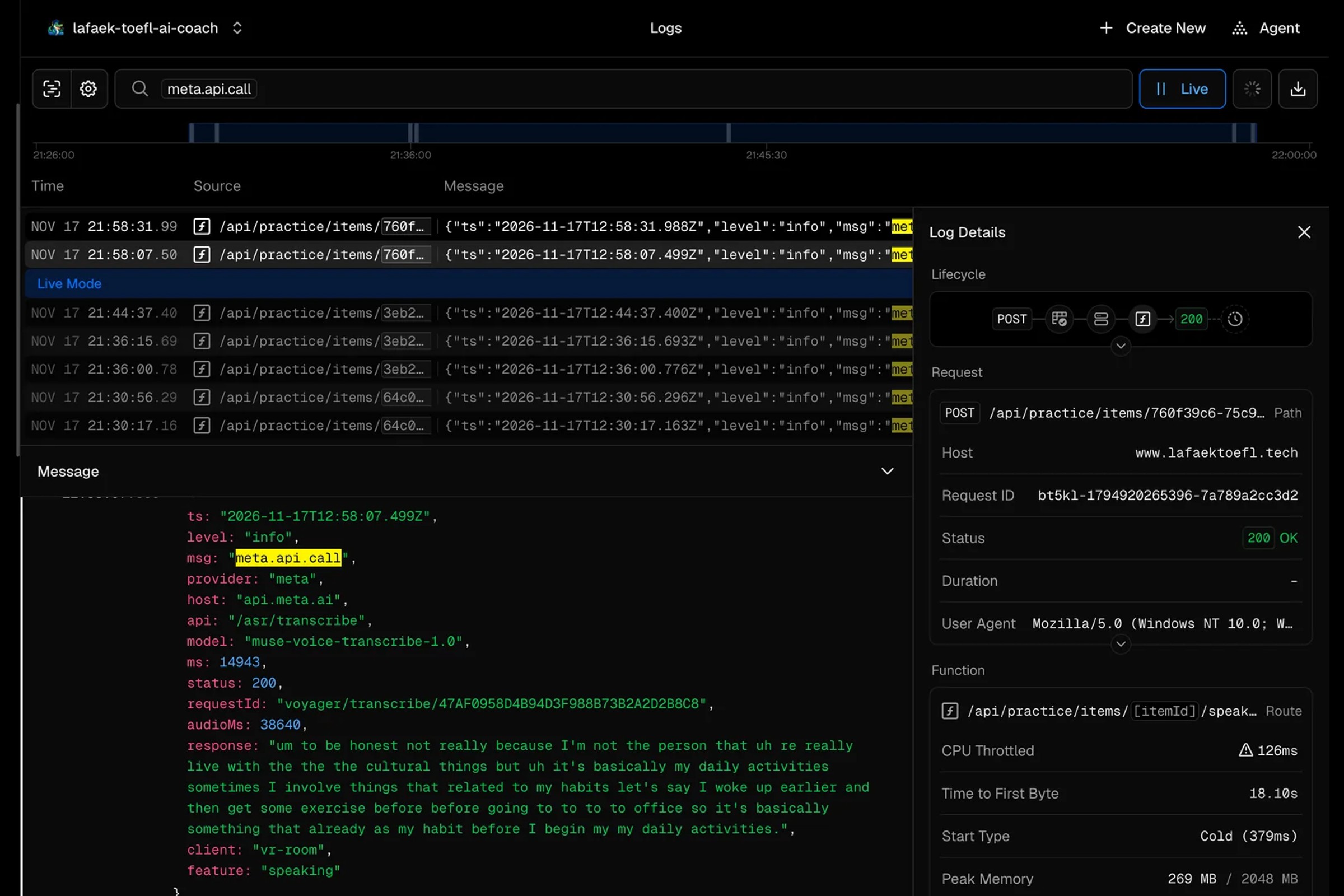
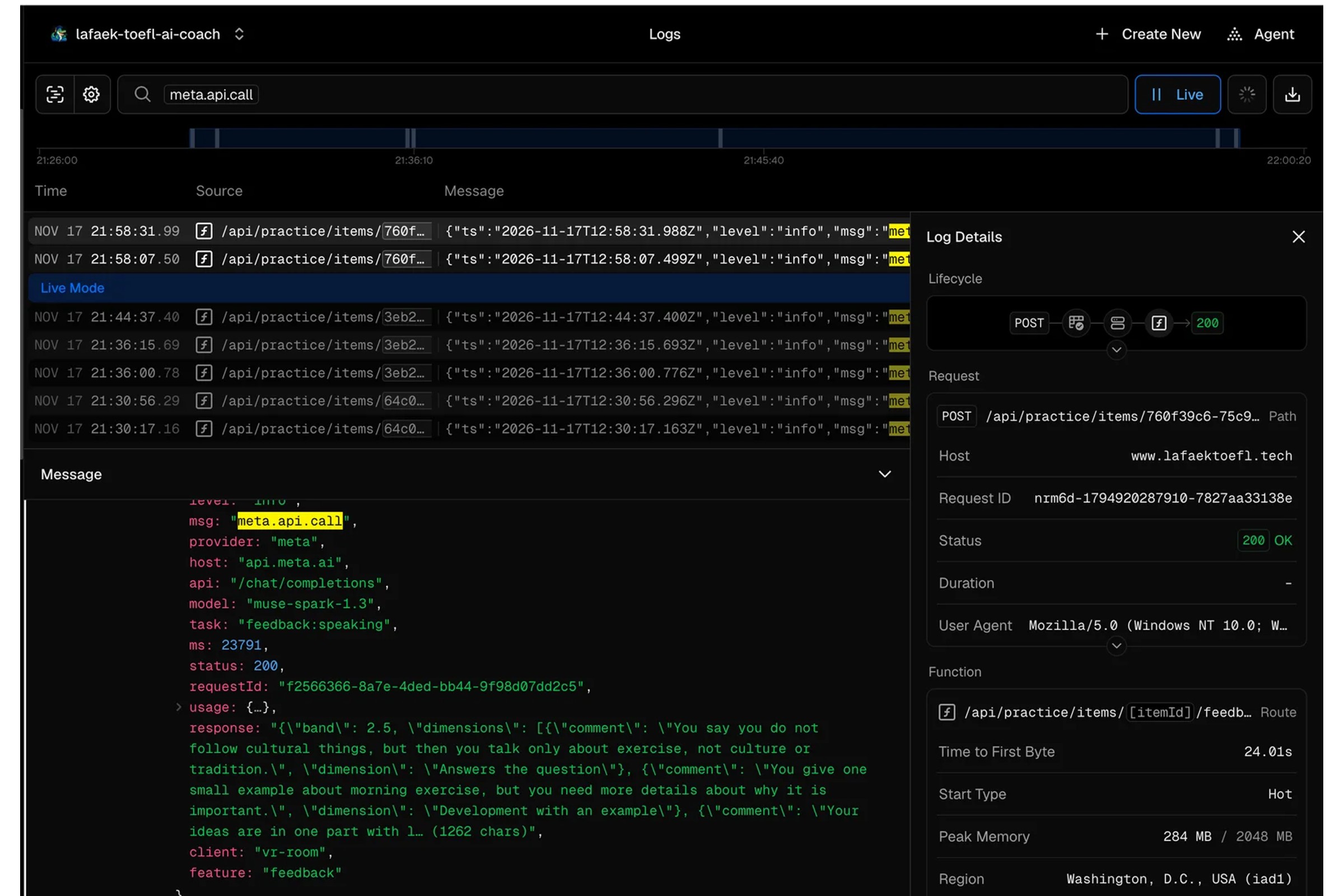
Server log: speech-to-text call to Meta
-
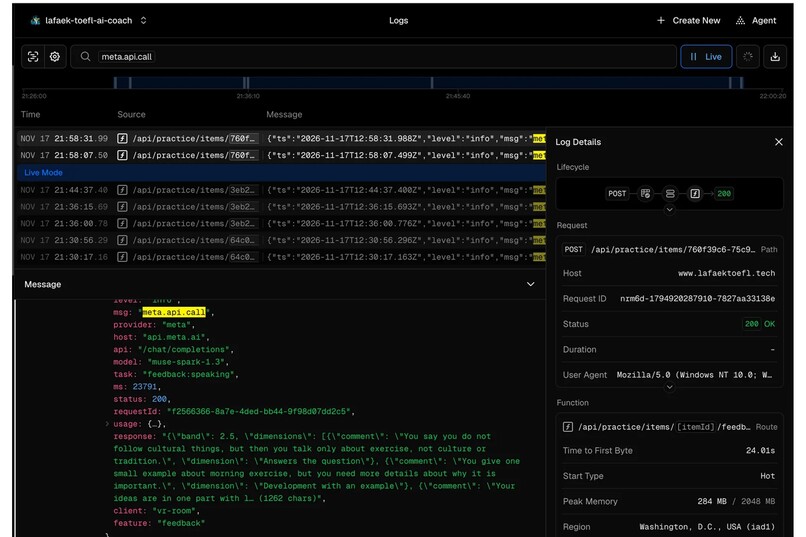
Server log: scoring call to Meta
-
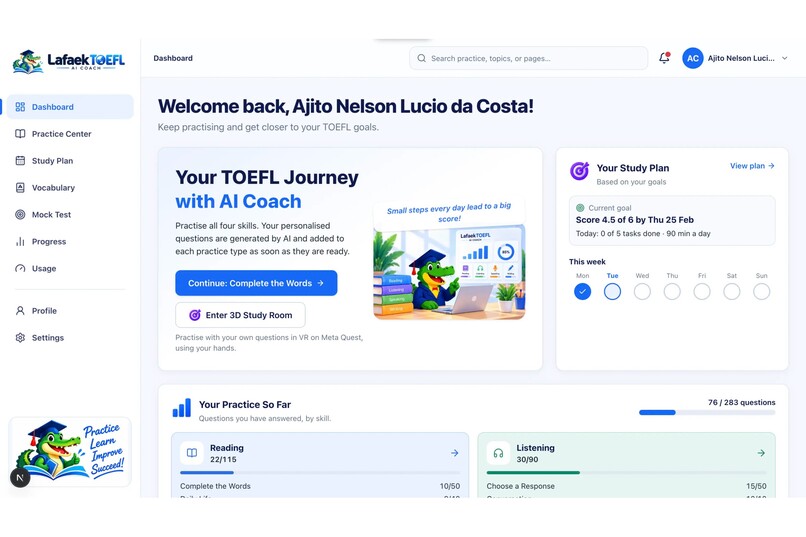
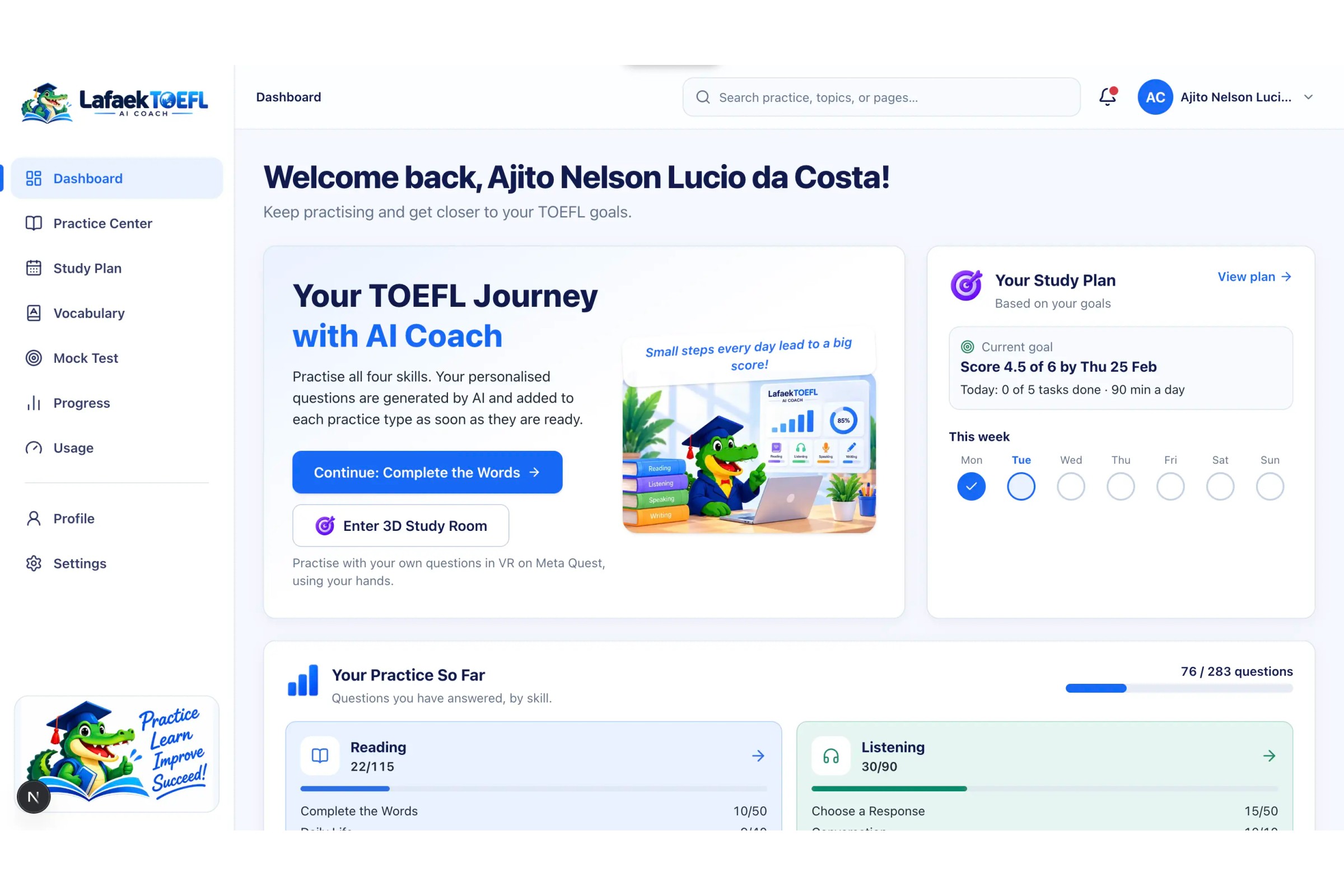
the dashboard, with the study plan and the "Enter 3D Study Room" button. It shows your full name in the greeting.
In one minute
LafaekTOEFL VR Study Room is a calm, seated study room for Meta Quest where you practise the TOEFL with your bare hands and get an AI score and coaching in seconds.
- Who it is for: learners who have no teacher to tell them how good their answer was.
- What is special: you speak out loud to a 3D interviewer, and Meta's Muse models score you right away.
- How to open it: in the Quest Browser, with nothing to install: https://www.lafaektoefl.tech/vr
Try it yourself
There are three ways in. Pick the one that suits you.
1. Quick look, no account (fastest). Open https://www.lafaektoefl.tech/vr and enter the room as a guest.
2. Use our demo account. It already has a study plan, questions and progress, so the room is full from the first second.
- Email:
[email protected] - Password:
Qot0lgXo0p82CHXyaC#7
Sign in at https://www.lafaektoefl.tech, then open the VR room.
3. Make your own room.
- Register a free account at https://www.lafaektoefl.tech
- Make your study plan. Muse builds the plan and generates all your practice content: questions, pictures and audio.
- Open the VR room. Your own plan is waiting for you in your room.
No headset? You can still go in
- Preview (nothing to install): choose Preview the room on the welcome card to look around on a laptop with the mouse.
- Enter VR on a laptop: install Meta's free Immersive Web Emulator extension for Chrome, reload the page, and Enter VR becomes active. Open the browser's developer tools and pick the WebXR tab to move the virtual headset and controllers. Steps are in our VR docs.
Inspiration
We are a team of two from Timor-Leste. Our TOEFL books were old, cost $50, and gave no feedback. You could answer a speaking question, but nobody told you how good it was. So we built the coach we needed, and put it in a calm VR room where you can practise out loud without feeling shy.
Read our full story: https://www.lafaektoefl.tech/docs/story
What it does
You sit at a desk in a bright room. Four skill cards float in front of you: Reading, Listening, Speaking and Writing. You pinch one and start practising.
- Build a Sentence: pinch word tiles into the right order.
- Listening: 3D speakers talk around you, then you answer.
- Take an Interview: Lafaek, our crocodile interviewer, asks a question. You answer out loud and get a band score (1–6) with coaching.
- Listen and Repeat: say a sentence back and see which words you missed.
- Reading: read a passage and answer questions.
- Progress wall: see how you are improving.
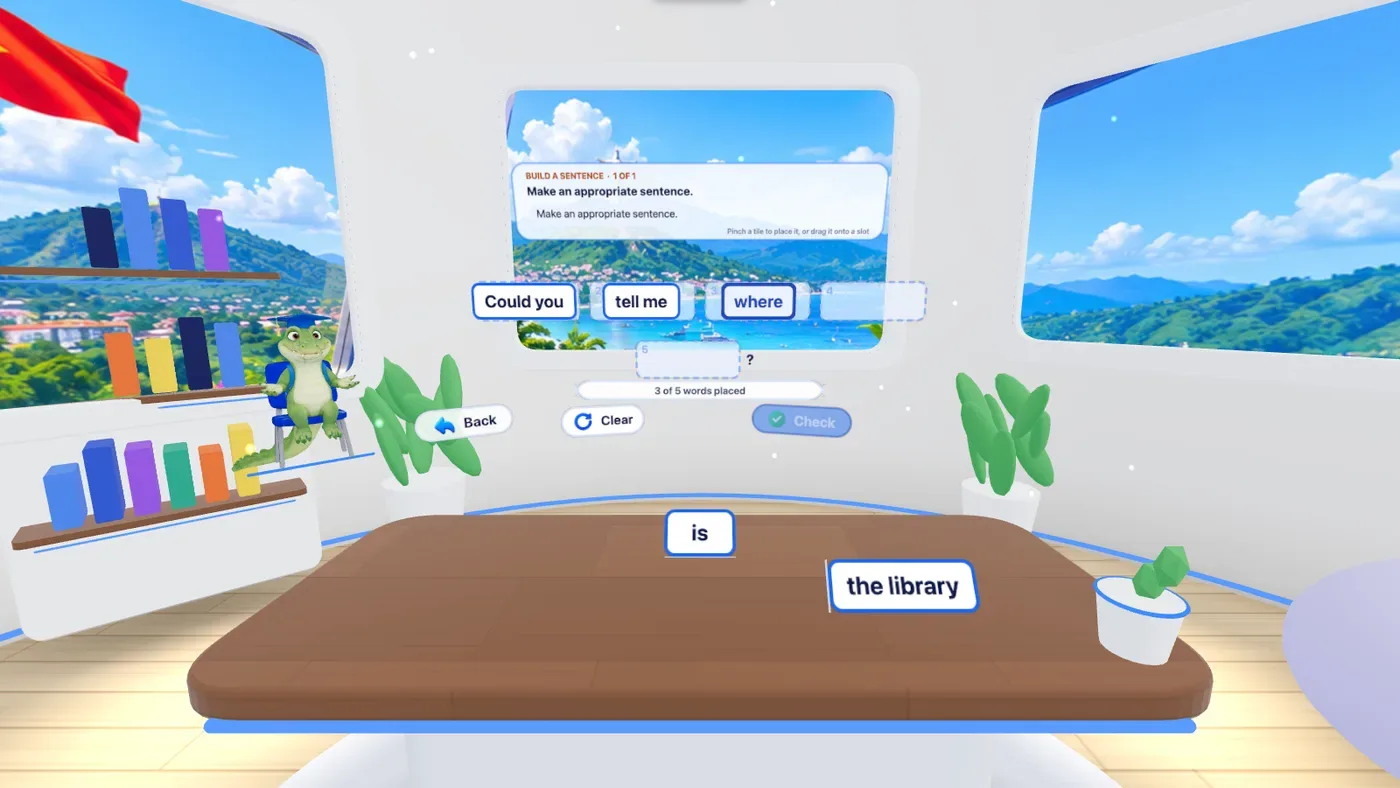
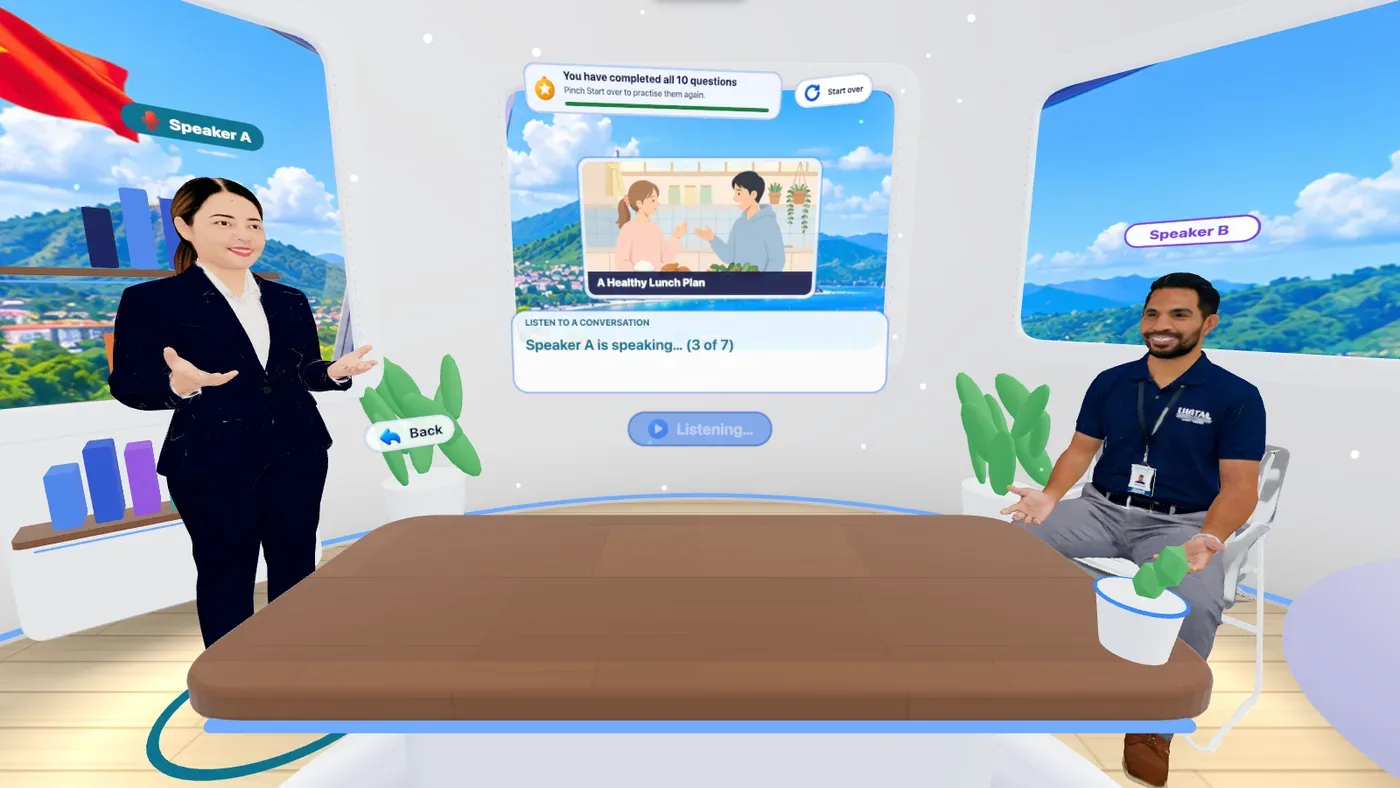
The room and the website share one account, so what you practise in VR counts on the website, and the other way round.
How we built it
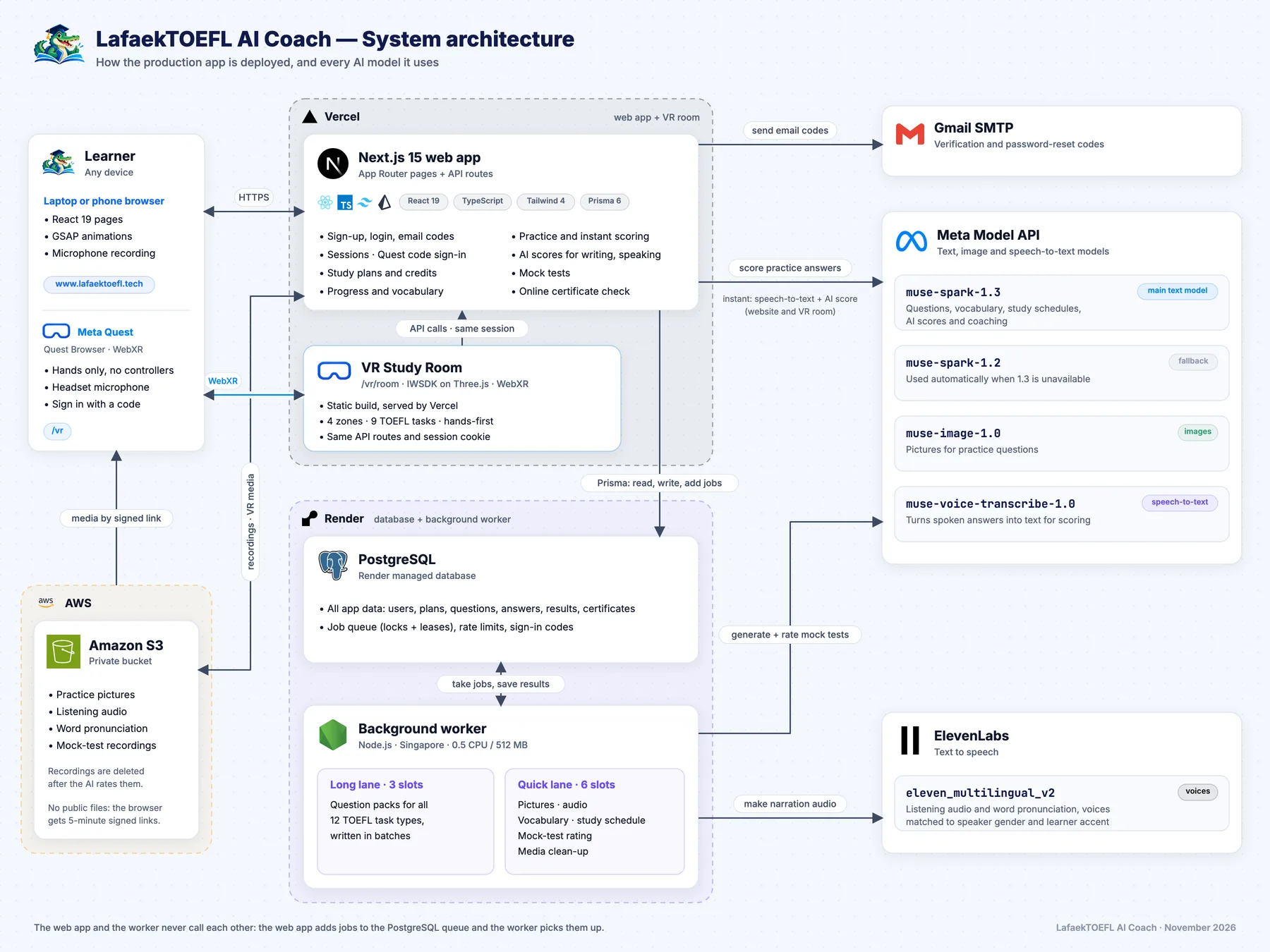
- VR room: Meta's Immersive Web SDK (WebXR), with hand tracking only.
- AI: Muse Voice Transcribe turns spoken answers into text, Muse Spark scores them and writes the coaching, and Muse Spark and Muse Image create each learner's questions and pictures.
- Web app and API: Next.js on Vercel. The VR room uses the same account and progress as the website.
- Data: PostgreSQL and a background worker on Render, with media on Amazon S3.
Challenges we ran into
- We do not own a Quest headset. We built and tested everything in the Immersive Web SDK emulator, including hand pinches and microphone input.
- Hands only. Small buttons were hard to press, so we made every button work with both a near pinch and a far pinch.
- Making 3D people talk. Our speaker models have no skeleton, so we move the jaw and hands in the shader, in time with the real voice.
- Signing in inside VR. Typing a password in a headset is painful, so you sign in with a short code from your phone or laptop.
Accomplishments that we're proud of
- A full TOEFL practice room, with nine task types, that works with hands only.
- Real AI feedback in seconds: in our demo video we answer in our own voices, and every score shown is real.
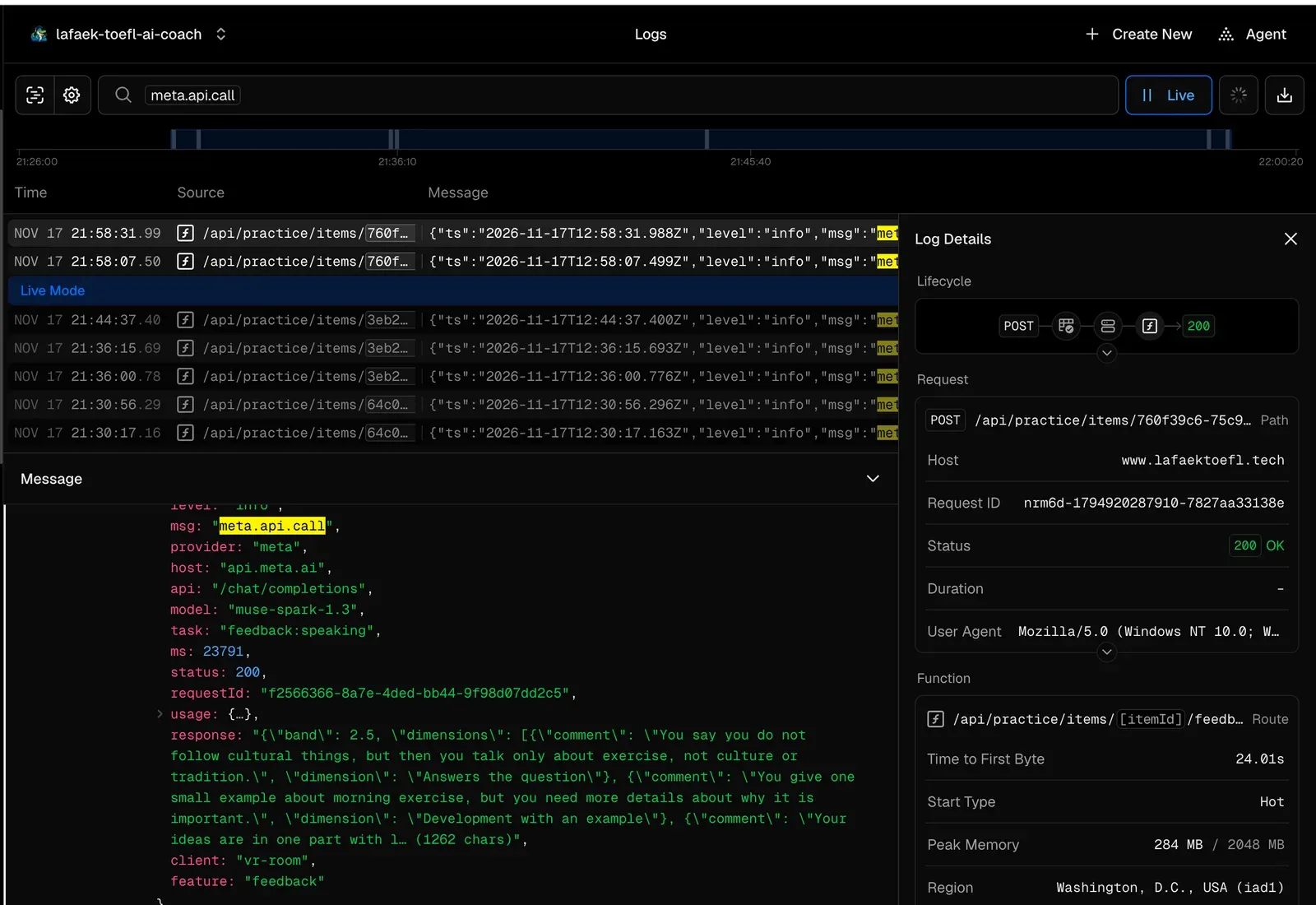
- Server logs that prove the VR room really calls Meta's AI models.
What we learned
- Good VR for learning is calm: one task in front of you, big targets, and clear feedback.
- WebXR lets a small team ship VR fast, with one codebase and one account for web and headset.
- AI feedback is most useful when it is specific: what was good, and one thing to add next time.
What's next for LafaekTOEFL VR Study Room
- Test and tune on a real Quest headset.
- A full timed mock test inside the room.
- Practise together with a friend in the same room.
- More languages for the coaching, starting with Tetum and Indonesian.
Full documentation
Everything is written up in our docs: https://www.lafaektoefl.tech/docs
| Read this | To find |
|---|---|
| Our story | Why we built it |
| VR Study Room | Every part of the room, the hand gestures, and proof of the Meta AI calls |
| User guide | How to register, make a plan and practise, step by step |
| How it works | Architecture, content generation and sign-in |
| Cost | What the AI costs per learner |
| Developer guide | How to run or deploy your own copy |
The code is open source (MIT): https://github.com/ajitonelsonn/lafaek-toefl-ai-coach
Built With
- amazon-web-services
- elevenlabs
- hand-tracking
- immersive-web-sdk
- meta-quest
- muse-image
- muse-spark
- muse-voice-transcribe
- next.js
- node.js
- postgresql
- prisma
- react
- render
- tailwindcss
- three.js
- typescript
- vercel
- vite
- webxr


