-
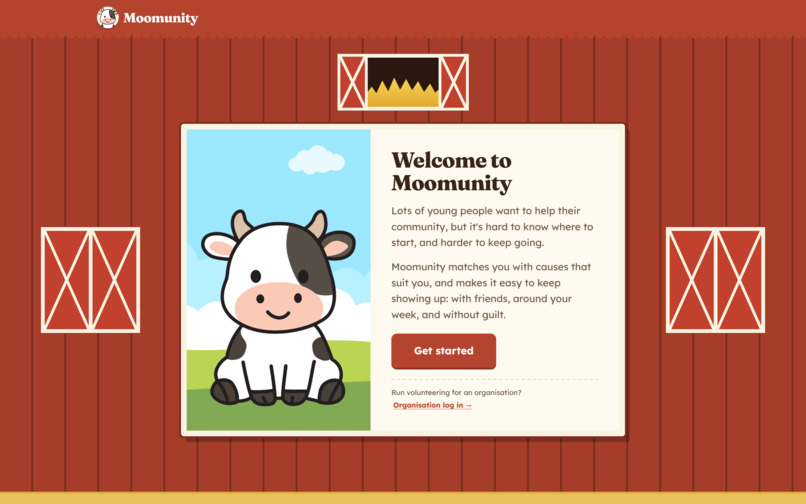
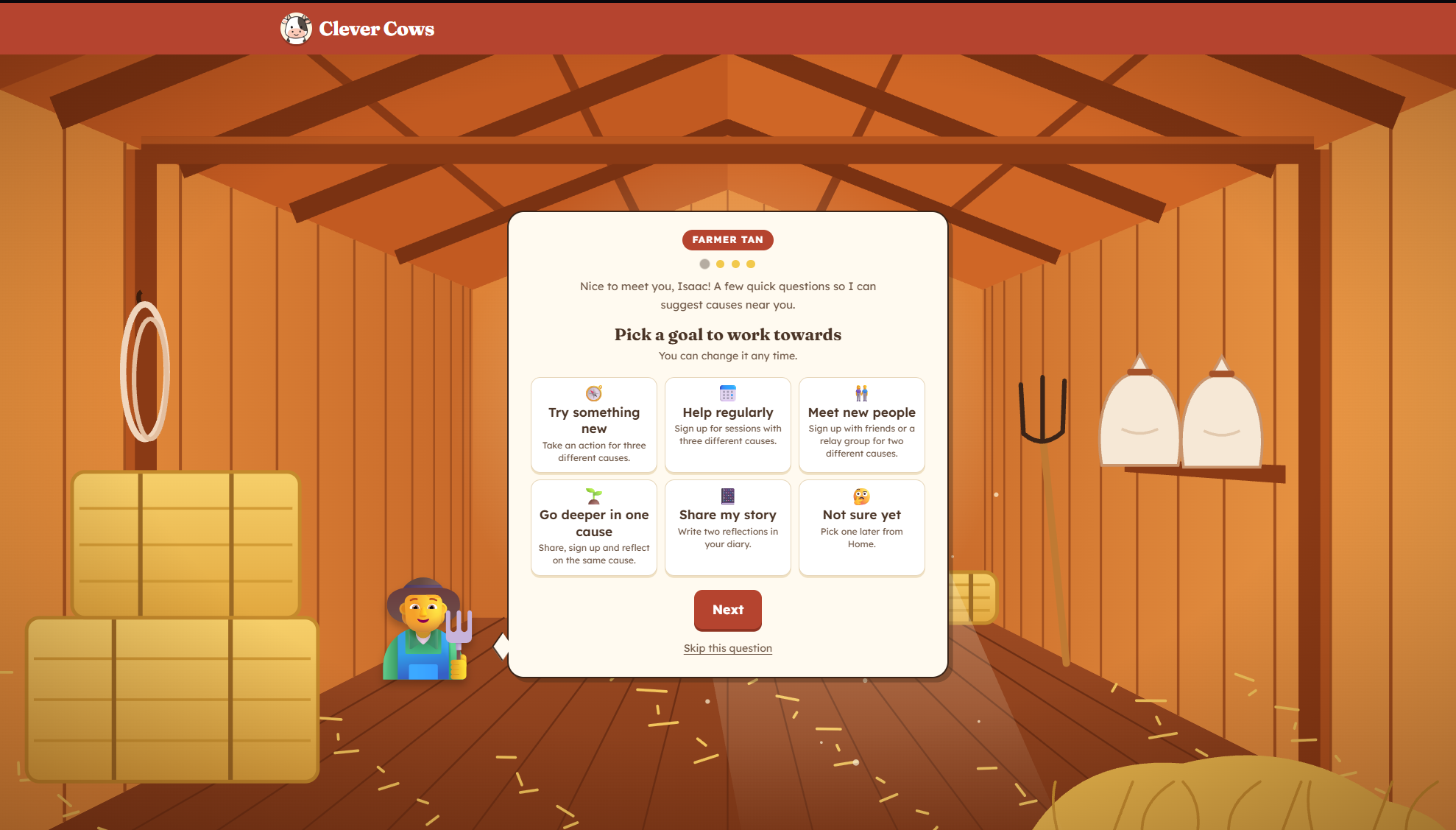
Welcome Page
-
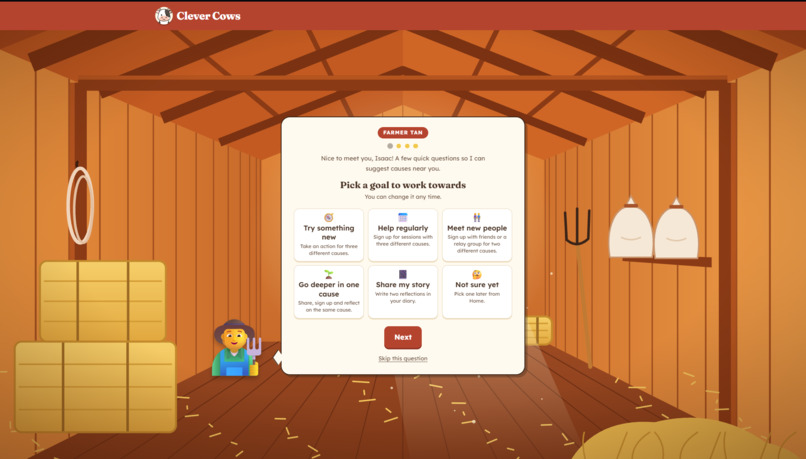
About me
-
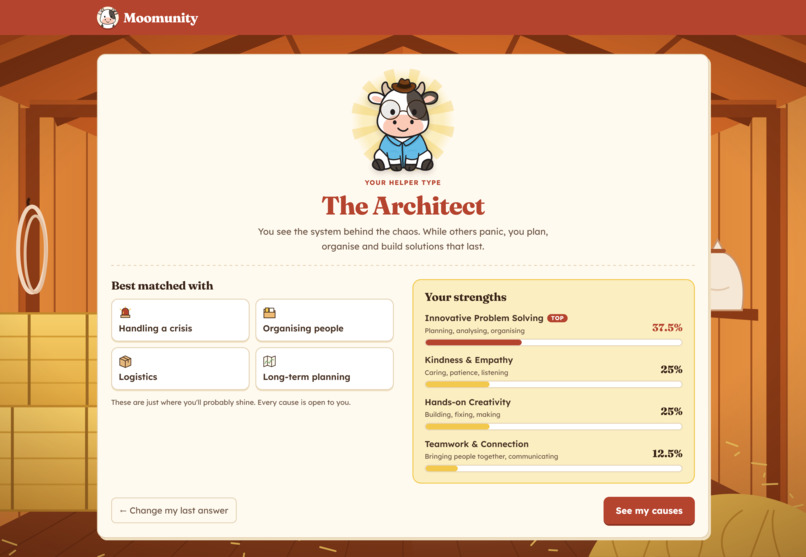
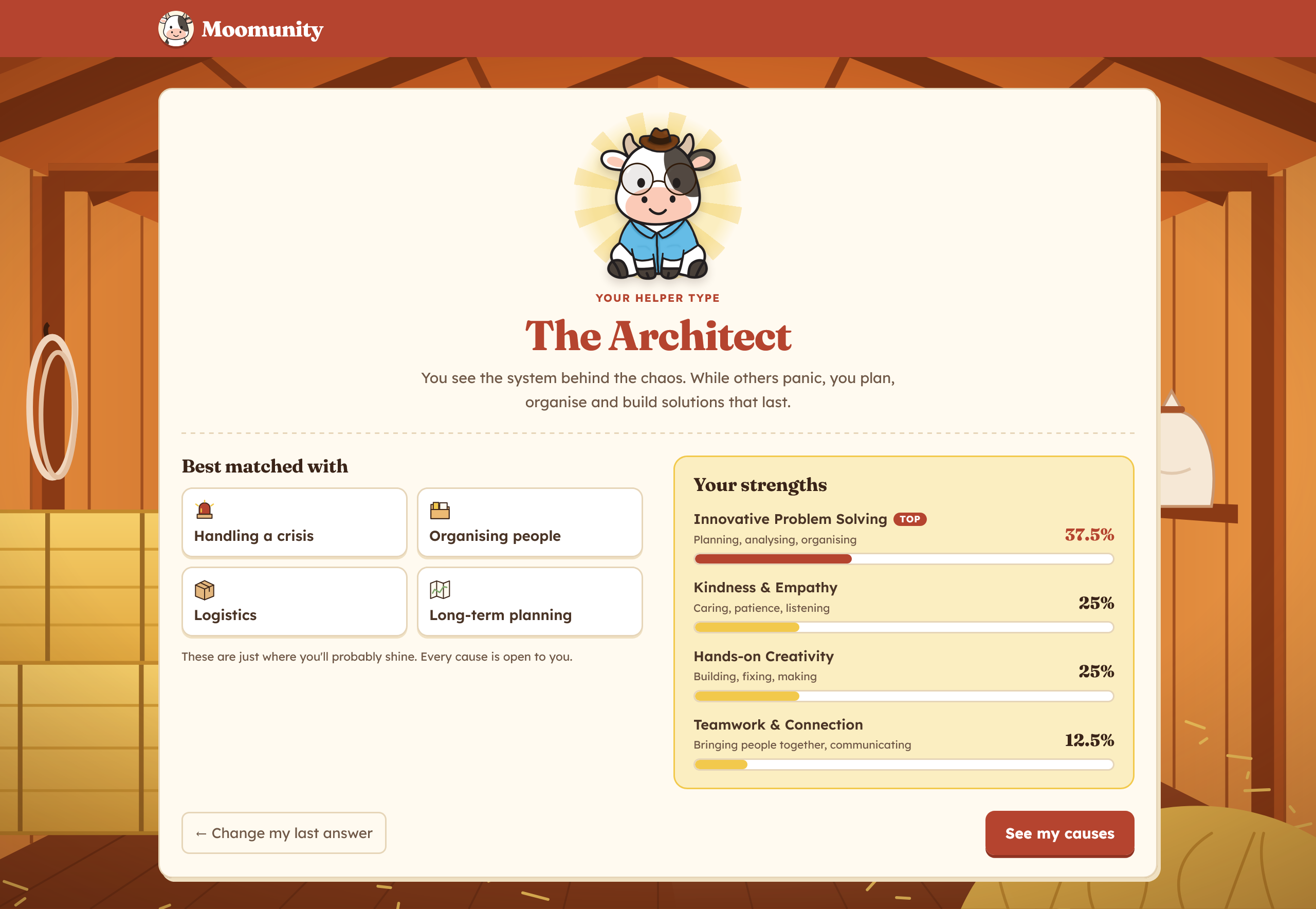
Helper Type Result (Personalised quiz to match users' strengths to matching causes)
-
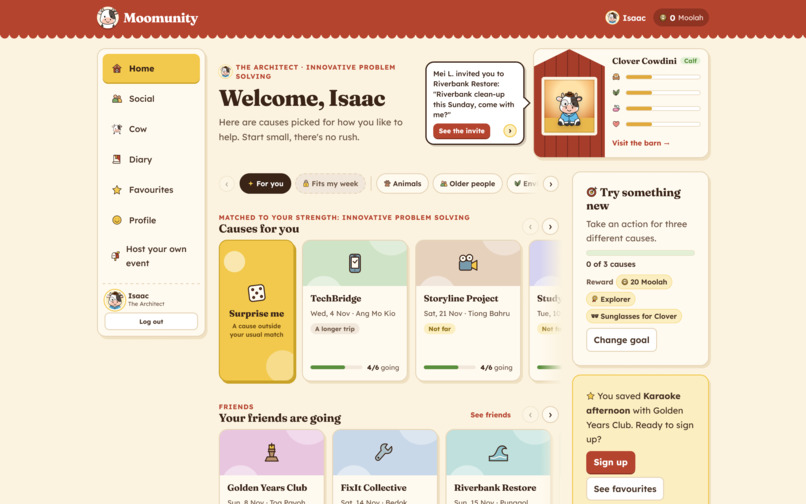
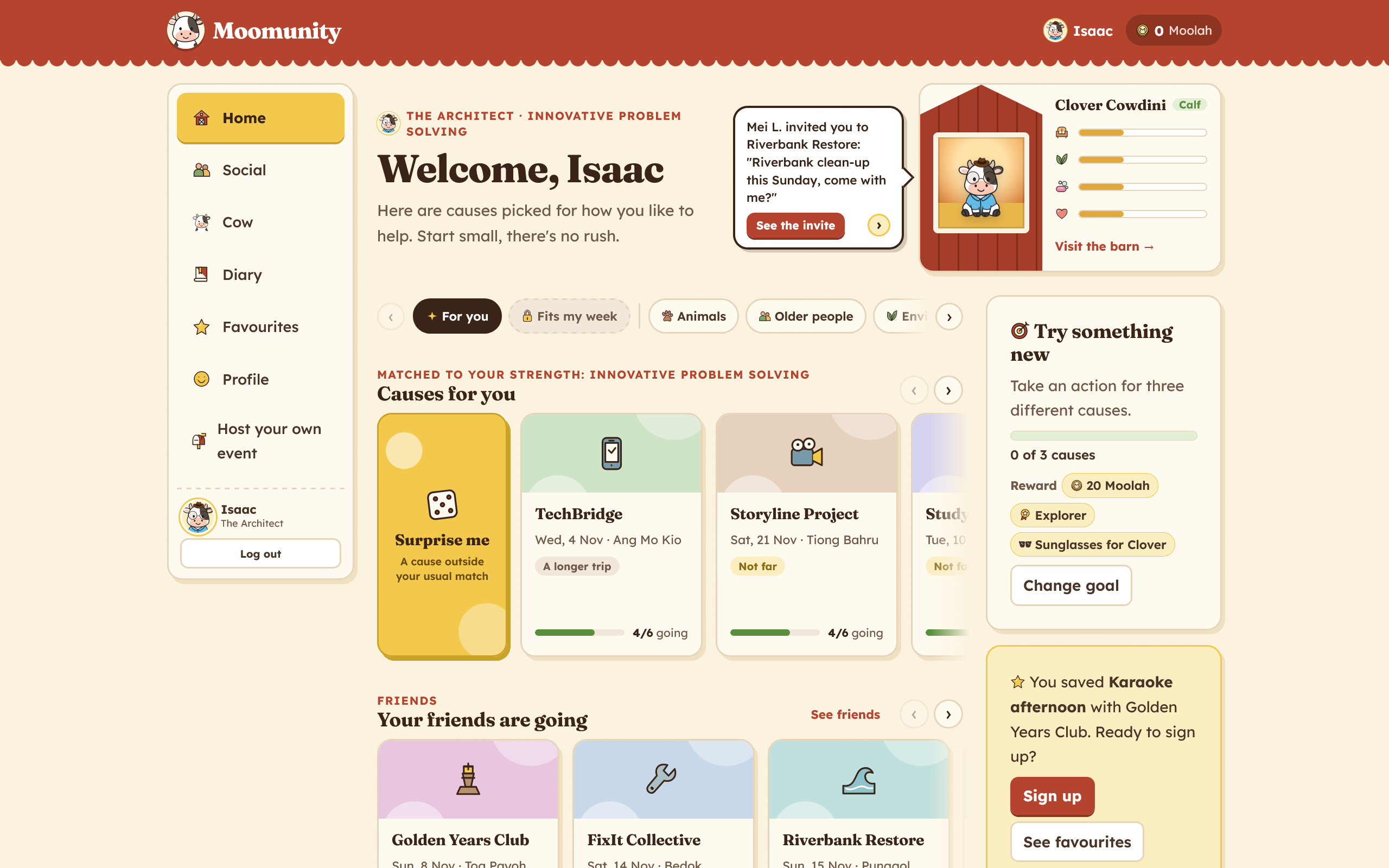
Home Page
-
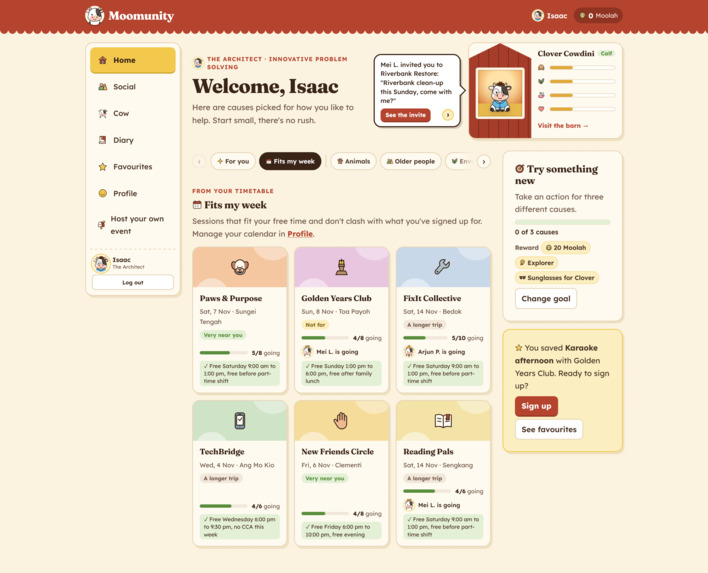
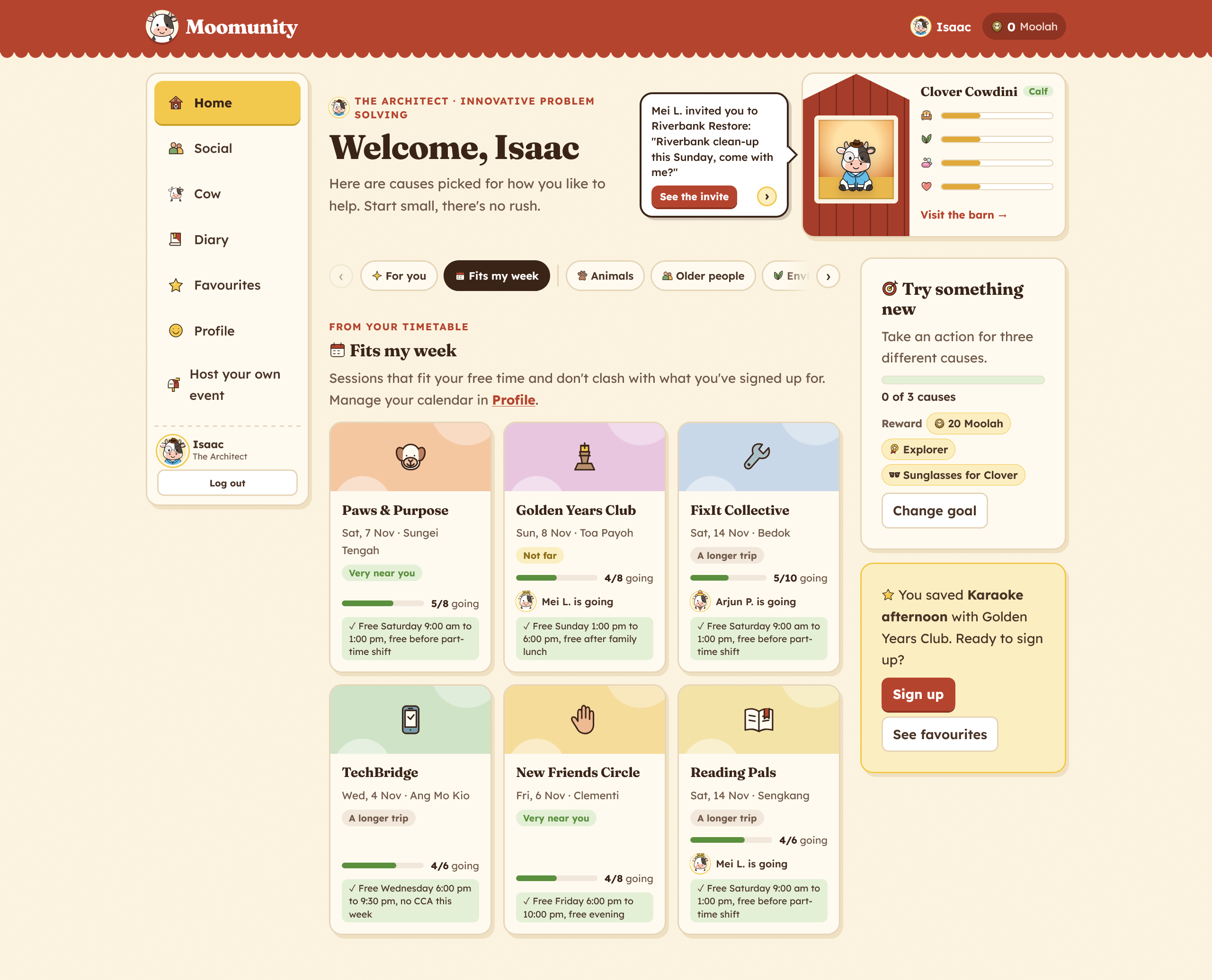
"Fits my Week" Home Page feature
-
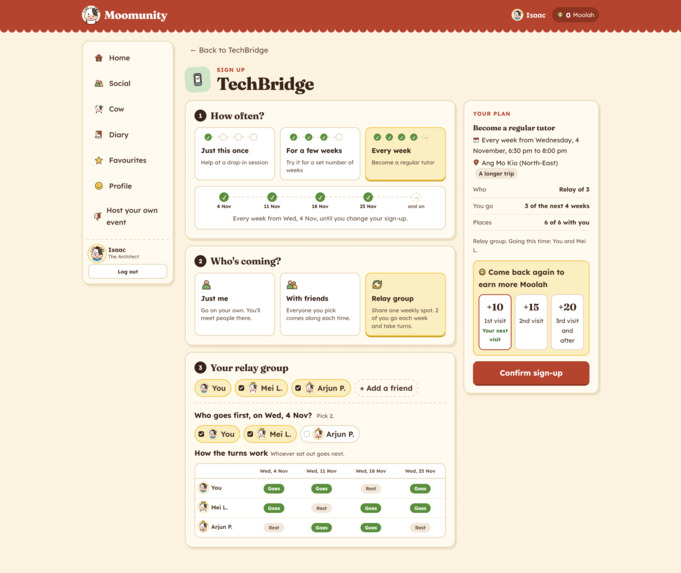
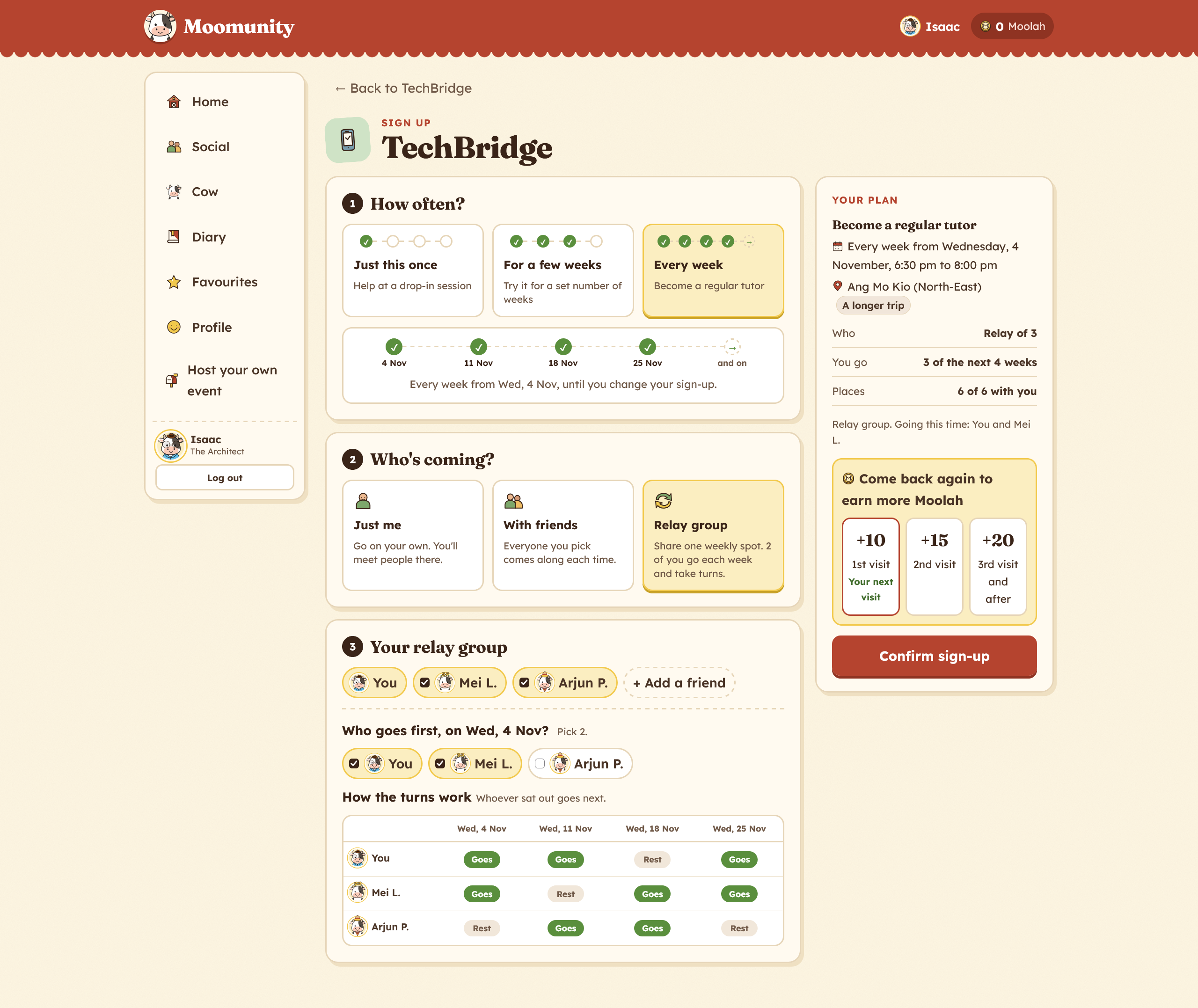
Signup Page
-
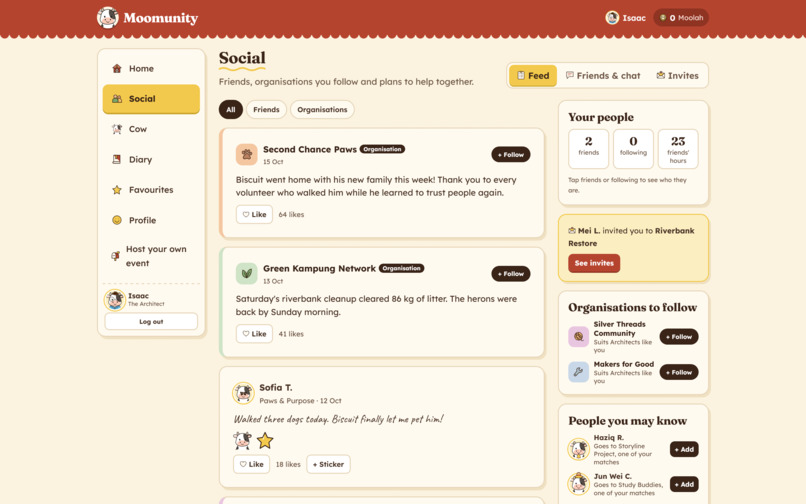
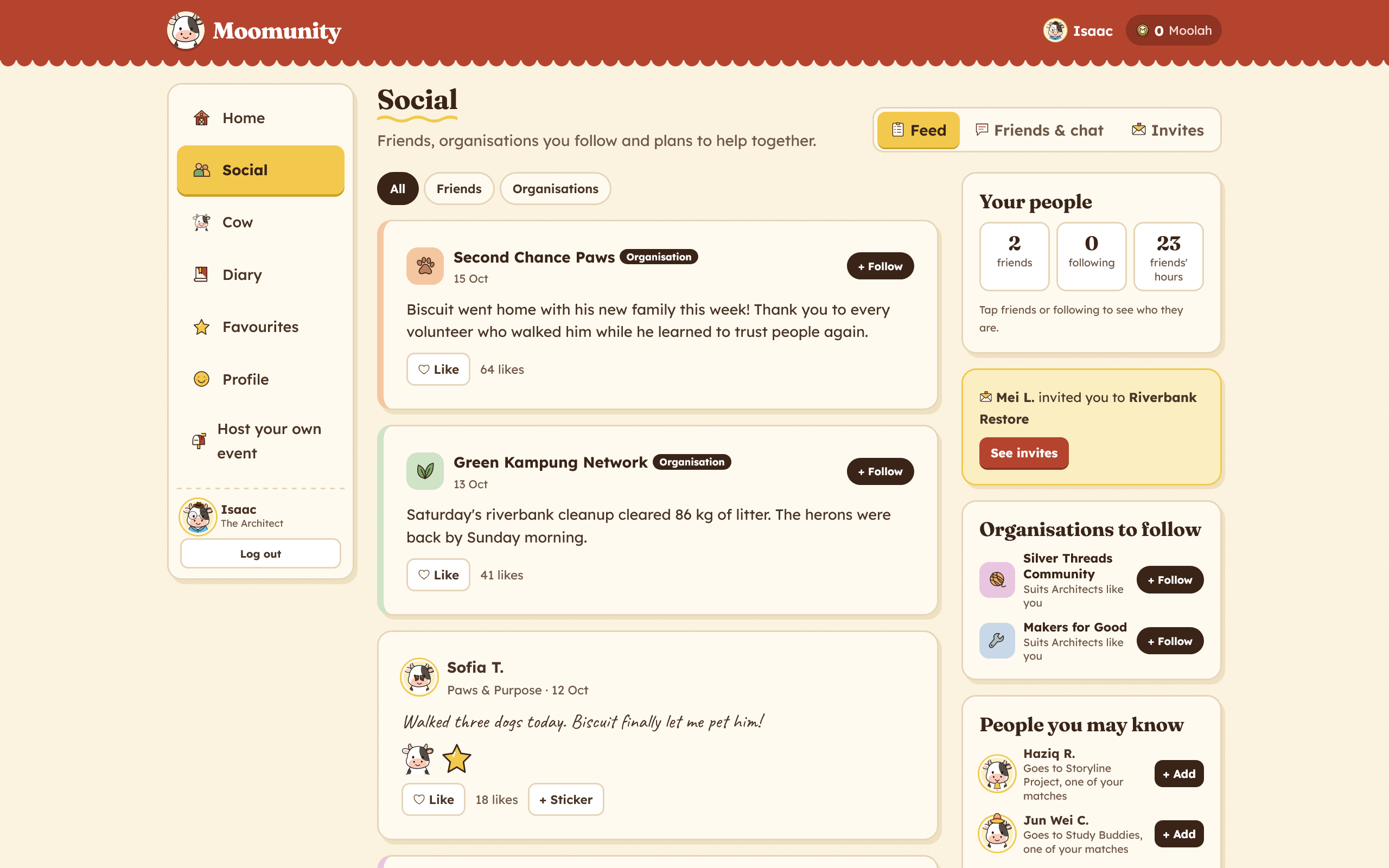
Social Page
-
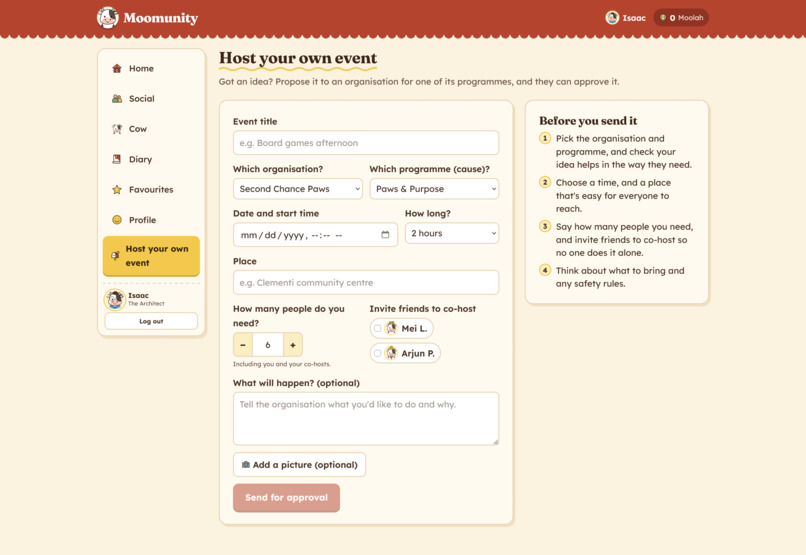
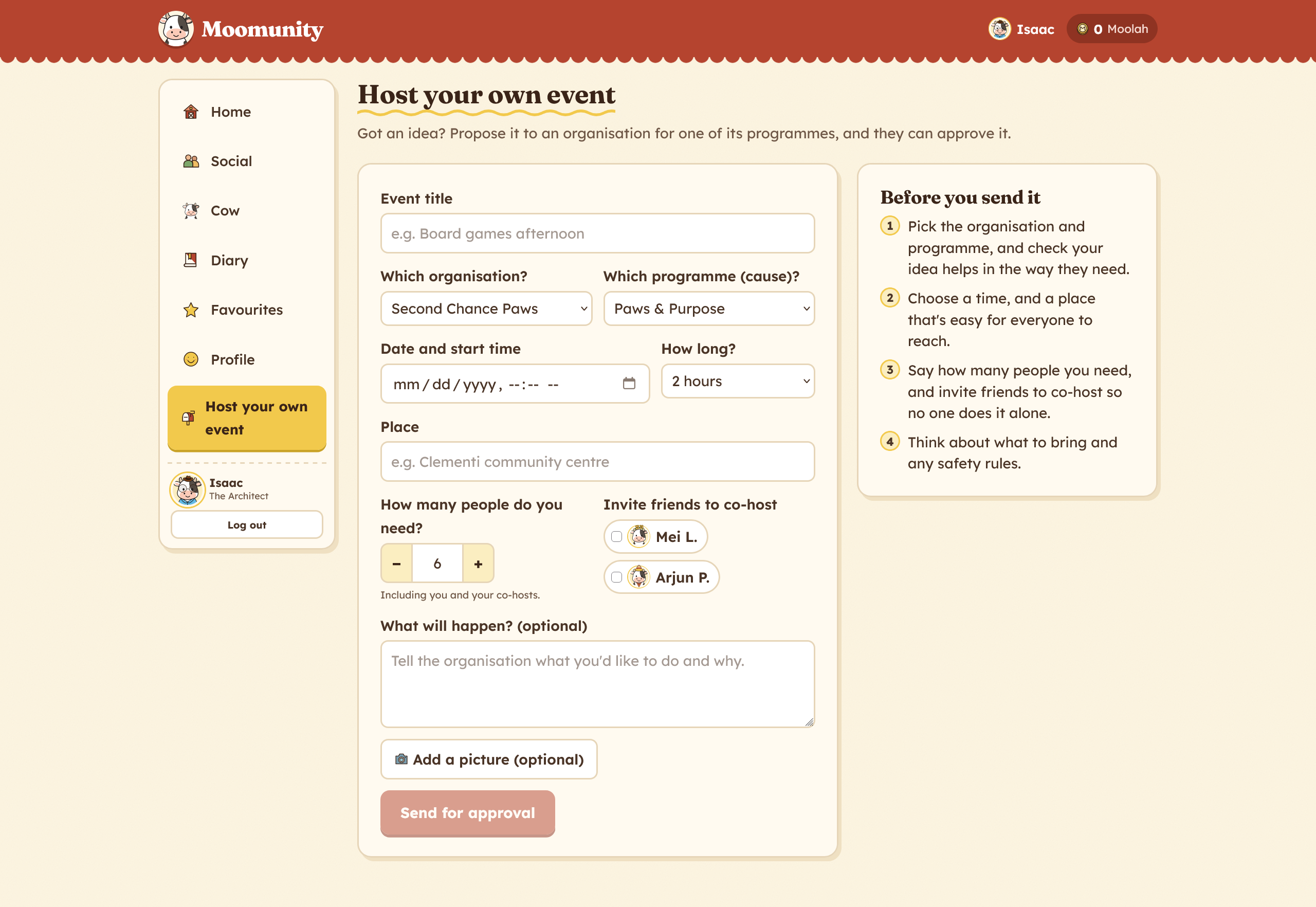
Host Your Own Event
-
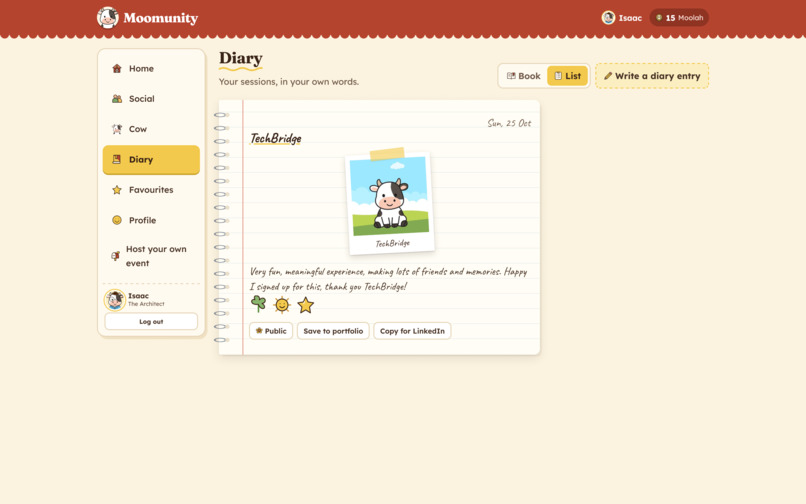
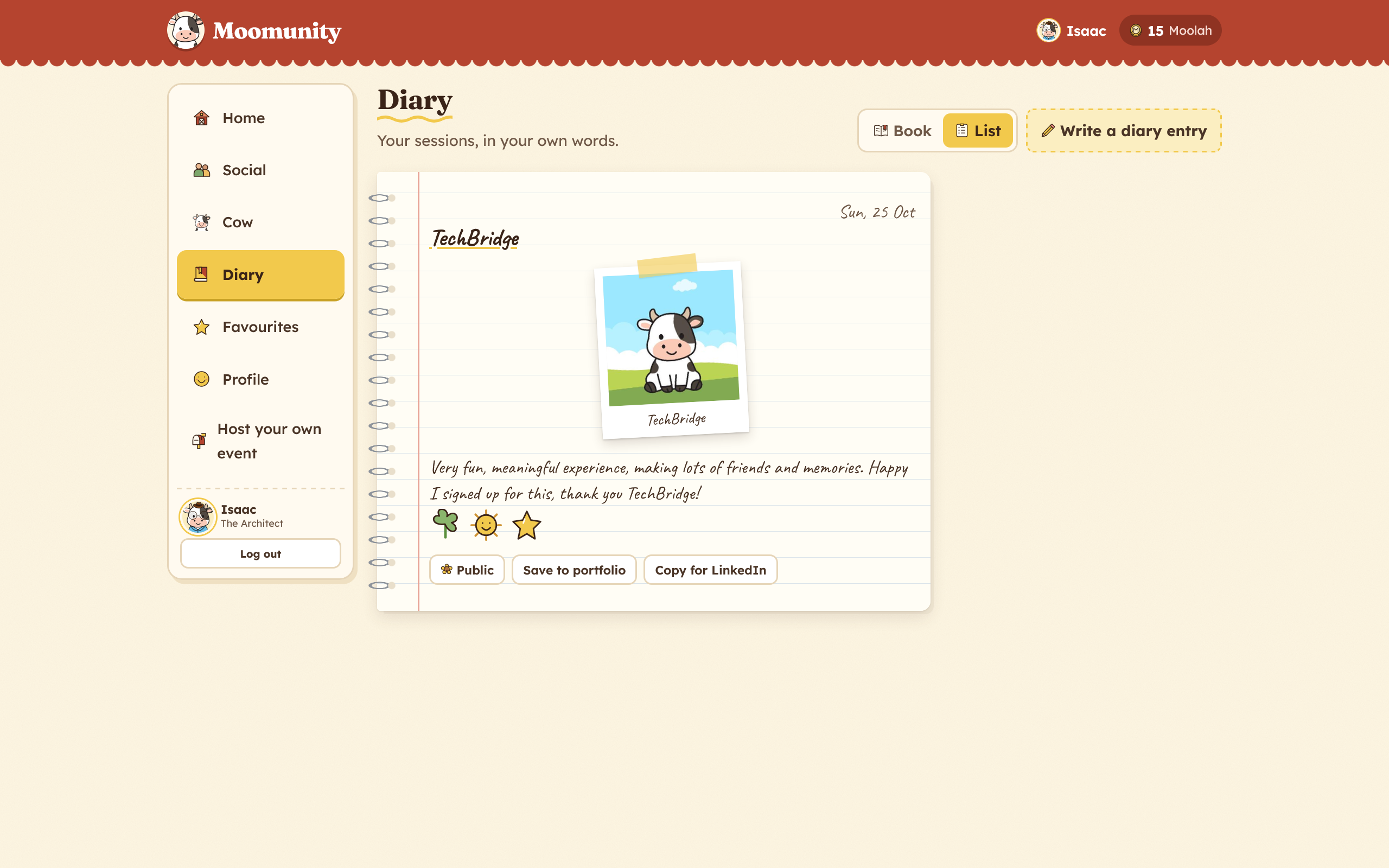
Diary Page
-
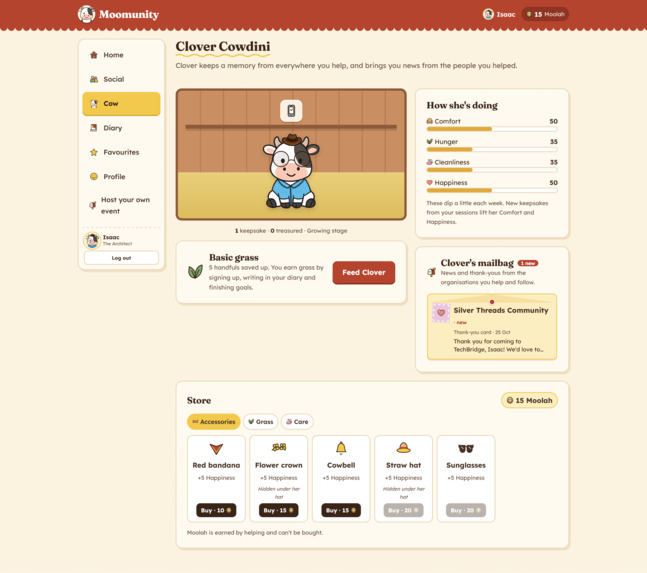
Cow Mascot Page
-
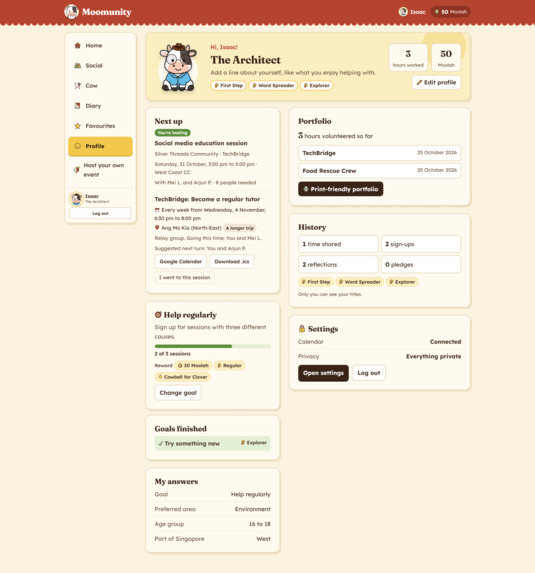
Profile Page
-
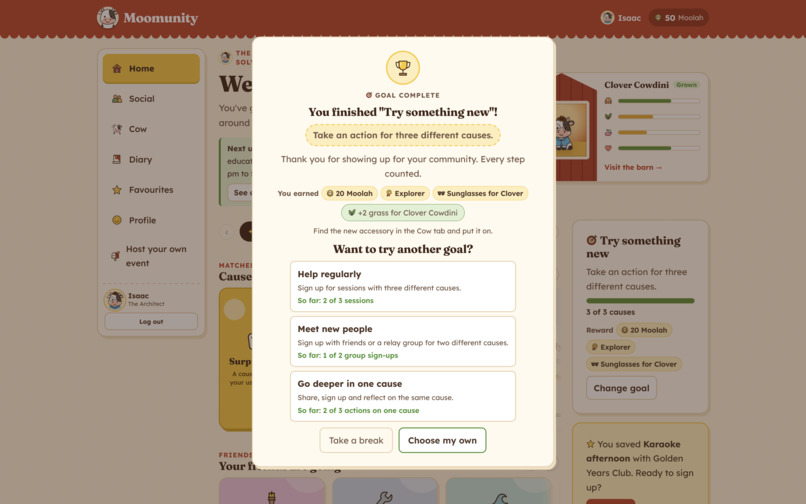
Goal Achieved Popup
-
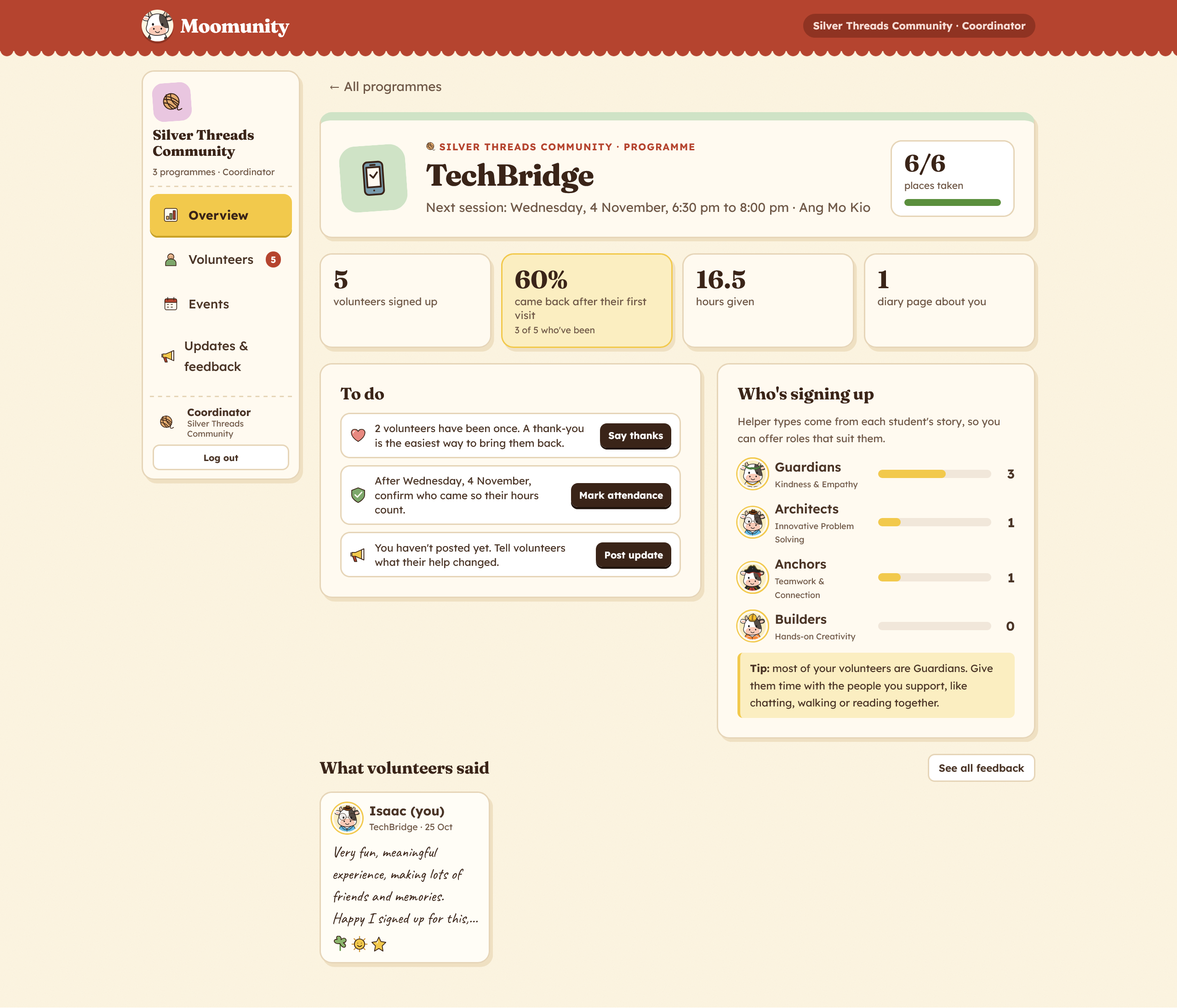
Organiser | Overall View
-
Organiser | Programme View
-
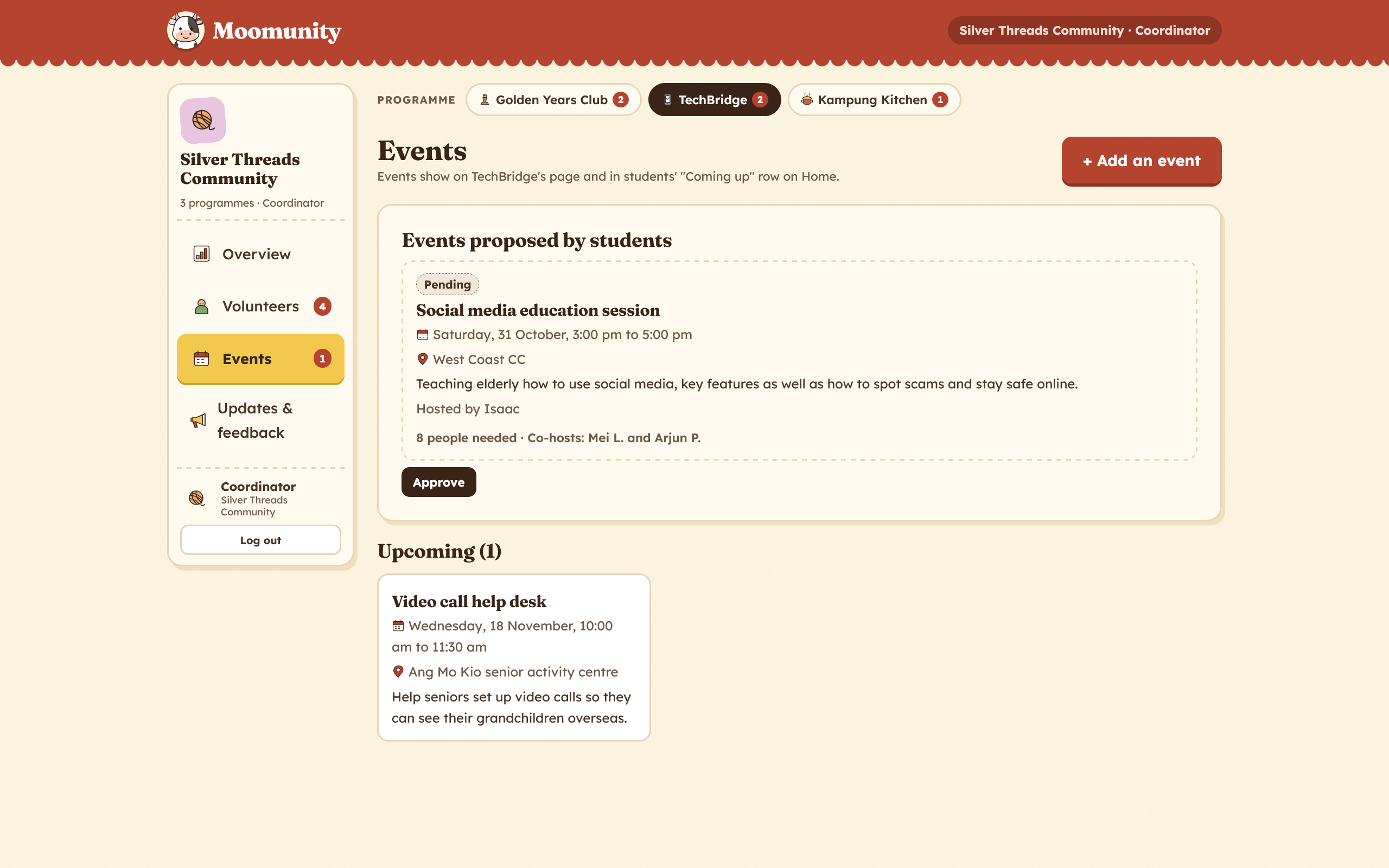
Organiser | Events View
Inspiration
Many students volunteer once and never return. Usually they do care. What's missing is a cause that feels like theirs, a friend to go with, a schedule that fits, and any word afterwards about what their help changed. Without those, volunteering becomes something to tick off.
We looked at apps young people come back to every day without being told to:
- Finch, the self-care app where looking after yourself helps a pet bird grow. A character you care about makes small, repeated actions feel personal.
- Character-style personality quizzes that Gen Z share widely, which give you a character that says something about who you are.
- Giving.sg and other Singapore volunteering websites, for core features and how they manage user flows.
We wanted that feeling of being seen, applied to giving back.
We were also wary of the usual incentives. Points, badges and "LinkedIn-maxxing" can make volunteering more transactional, not less. So in Moomunity, rewards point back to real people and places. The goal is a student who feels connected to a cause and the organisation behind it, and who comes back because they want to.
The problem
Students often stop after one event, and organisations lose them with little way to bring them back.
For students:
- Not sure where they fit: most platforms list opportunities but don't help a student work out which ones suit them.
- No personal connection: without a cause they care about, there's no reason to return.
- Too much commitment: school, CCAs, part-time work and travel make weekly commitments hard.
- Going alone is daunting: many students won't sign up without a friend.
- Starting feels hard: unclear requirements, training and checks put people off early.
- No follow-up: after a one-off event, students rarely hear what difference they made.
- "What's in it for me?": volunteering mainly for certificates keeps it short-lived.
For organisations: they put effort into first-timers who often don't return, struggle to place volunteers in roles that suit them, and have little time to stay in touch.
The gap between them: once the event ends, students and organisations have no shared space to keep the relationship going. Moomunity is designed to be that space.
What it does
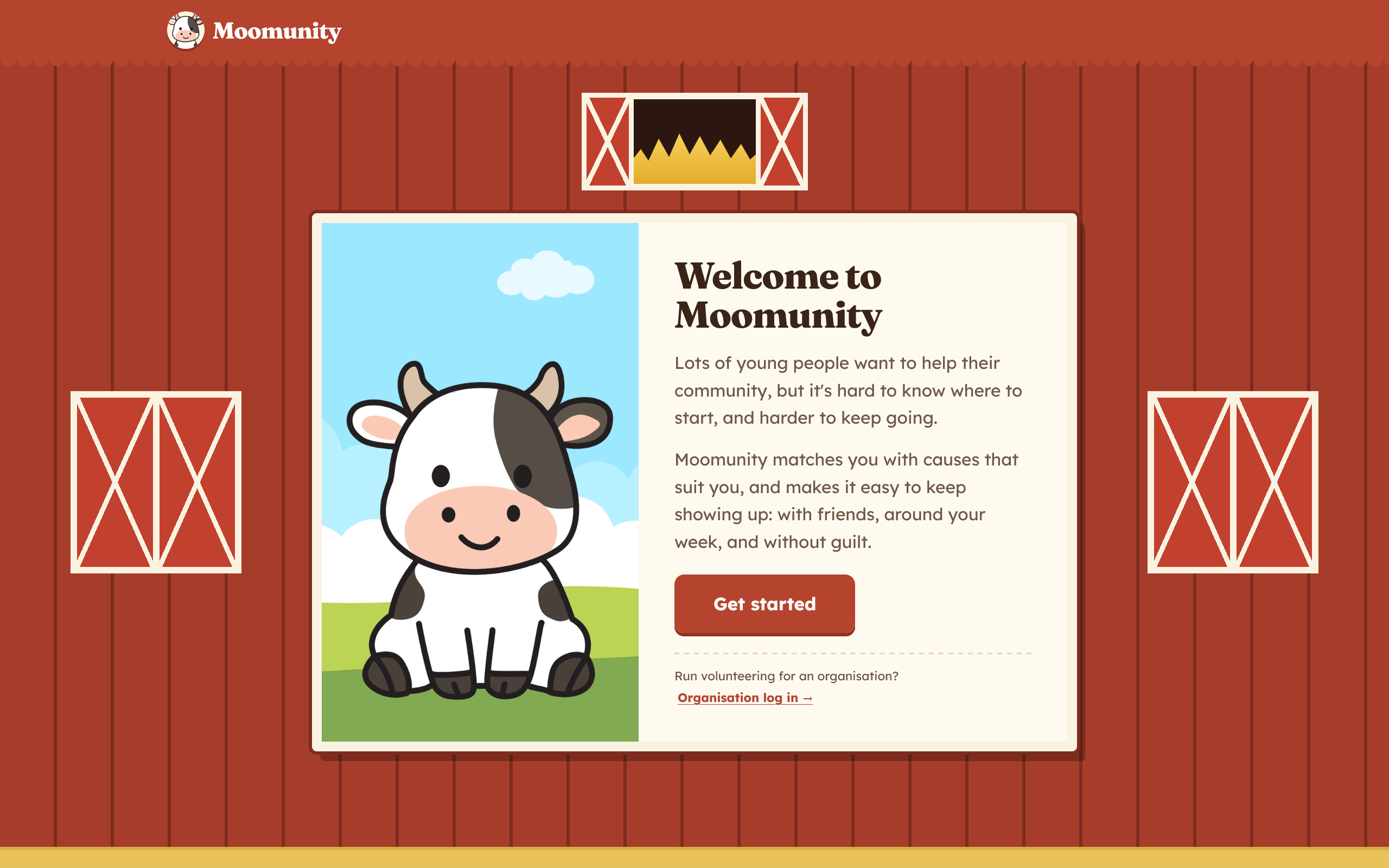
Moomunity is a web app for students and the organisations they volunteer with. The student journey is one loop: discover yourself → find a fit → go together → hear back → remember it → come back
1. Story-based discovery
Students play The Day Mooville Needed You, an 8-scene story where every choice reflects how they'd help. Their result is one of four helper types, each with its own cow character and a breakdown of strengths:
- The Guardian: empathy
- The Architect: planning
- The Anchor: bringing people together
- The Builder: hands-on making and fixing
Home is then built around them: matched causes, topics they picked, causes near them, what friends are doing, and organisations whose roles suit them. Surprise me always shows something outside their match, so the result never boxes anyone in.
2. Flexible ways to commit
- Sign up just once, for a set number of weeks (2 to 8), or every week, with a dated diagram showing exactly which sessions you're signing up for.
- Relay groups: friends share one weekly spot and take turns. Students pick who goes first, and a 4-week rota shows who goes and who rests each week.
- Places check: the app compares your group with the places left and explains what to change if it doesn't fit.
- Fits my week: with a calendar connected, shows only sessions that fit the student's free time.
- Calendar export to Google Calendar or as a calendar file.
3. Volunteering is social
- Sign up with friends, or invite them from any cause, and see which friends are going.
- A Social feed of friends' public diary pages and organisation posts, with likes and sticker reactions.
- Friend chat, one-tap invites, friend suggestions based on shared causes, and an opt-in friends' leaderboard.
4. Staying connected after the session
- When an organisation marks a student as attended, Clover, their cow, tells them their hours were confirmed and asks how it went.
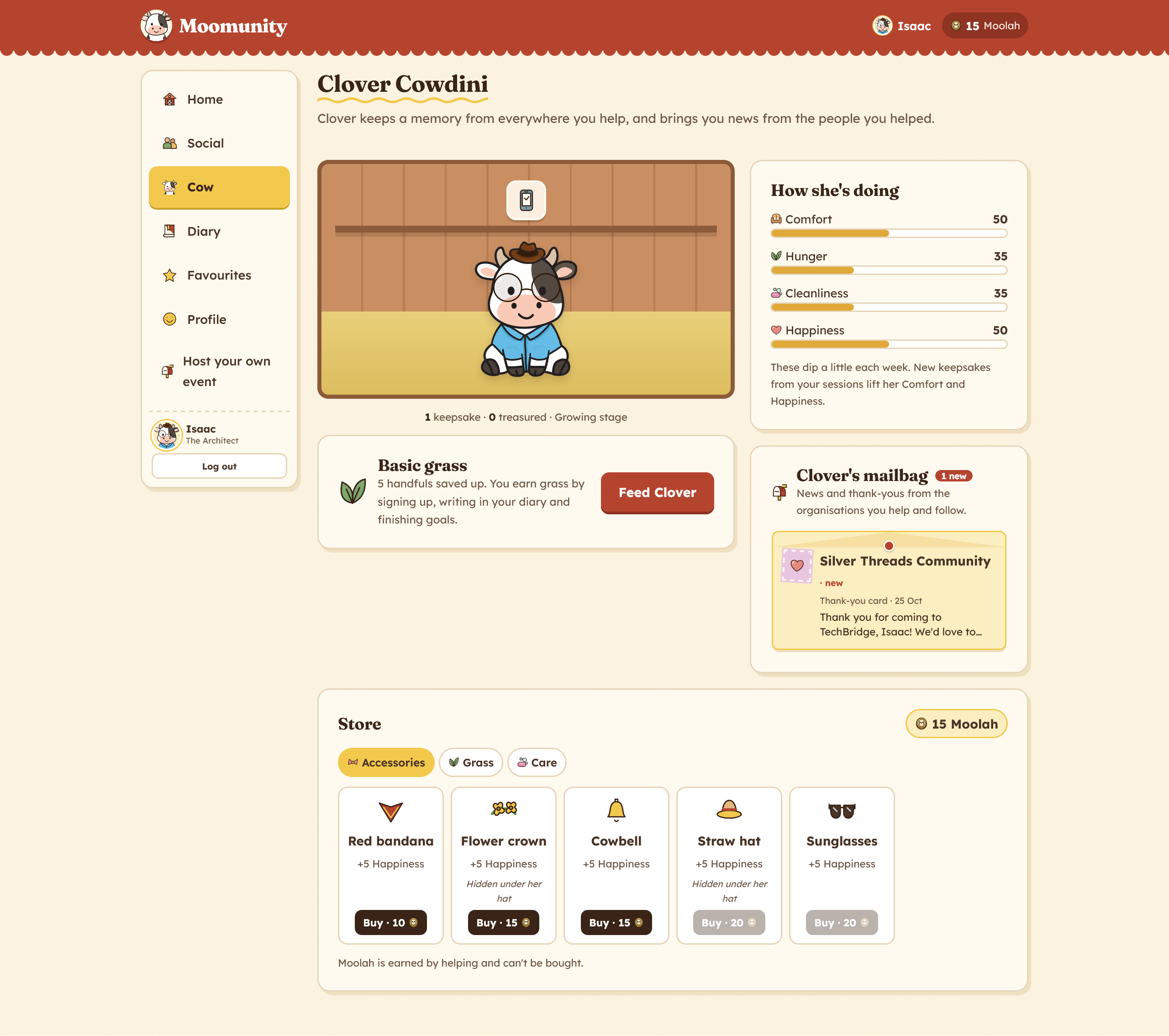
- Keepsakes: Clover keeps a memento from every cause the student attends (like "Biscuit's tennis ball" from the dog shelter). It becomes treasured on their third visit.
- Clover's mailbag: organisation updates and thank-you notes arrive as letters.
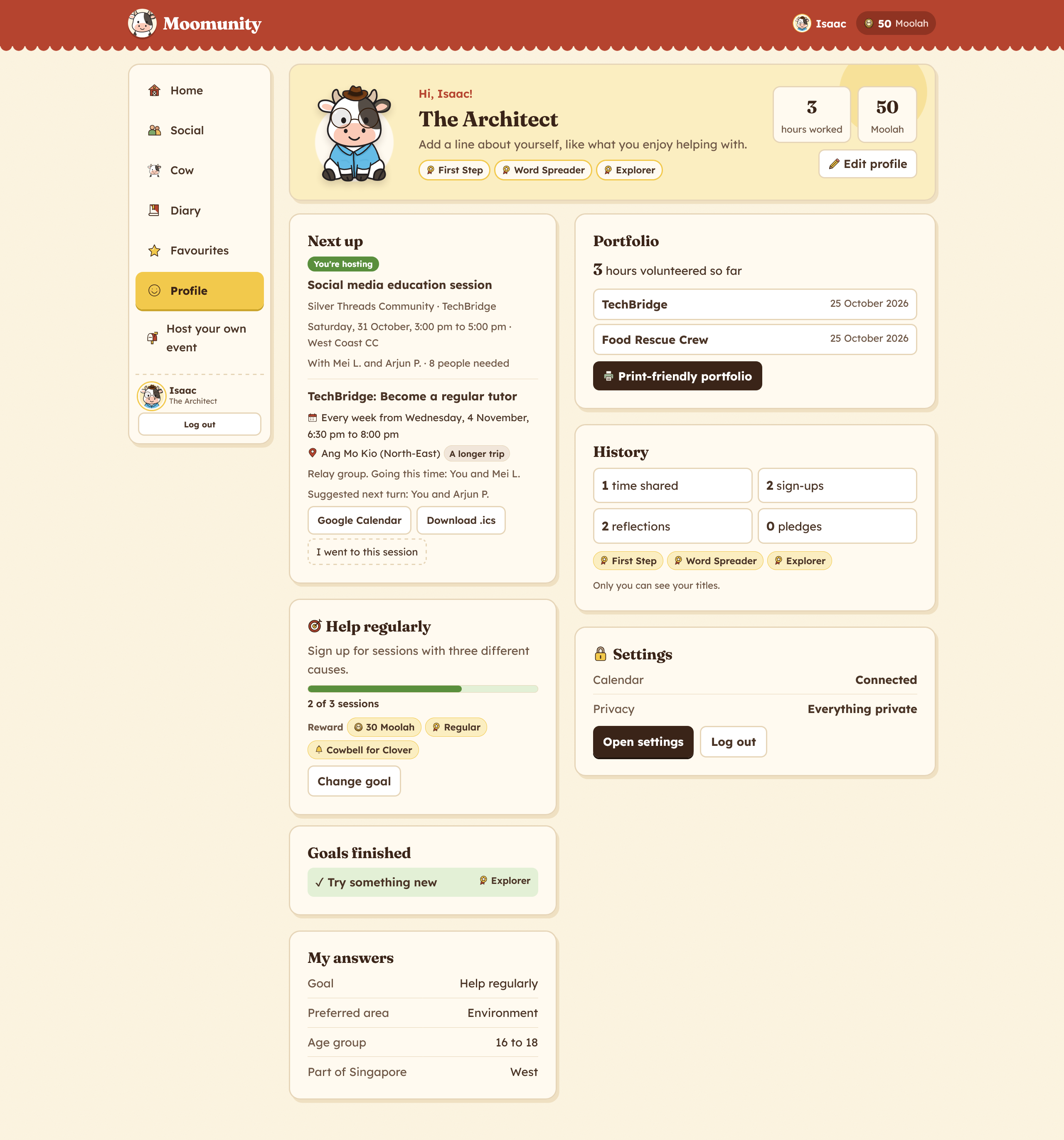
- Diary: each session becomes a page with words, a photo and stickers, private by default. Pages can go into a portfolio, be printed, or be copied as a LinkedIn write-up.
Clover's barn is the student's volunteering history, not a pet fed with points.
5. Bridging students and organisations
- Organisation pages with programmes, events, posts, roles that suit each helper type, and Good to know details (age limits, training, what to bring). Students can follow organisations.
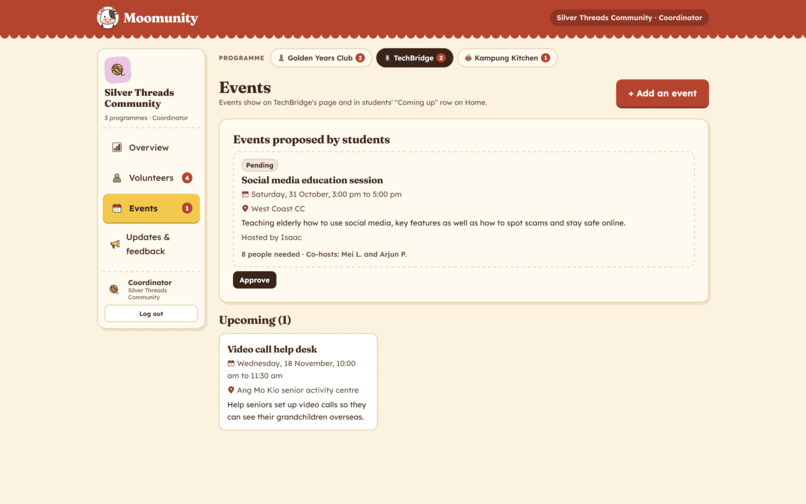
- Host your own event: students propose an event to an organisation's programme, set how many people they need and invite friends to co-host. When it's approved, Clover lets them know.
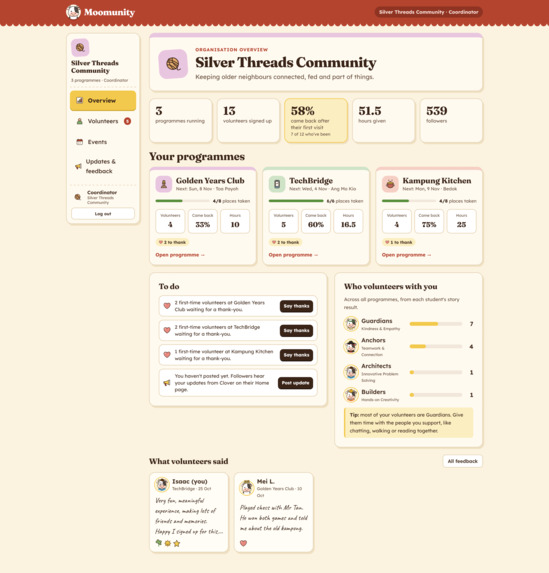
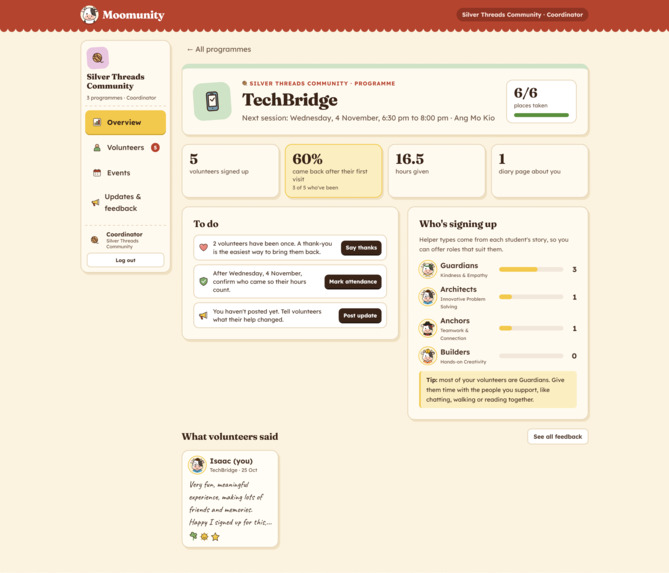
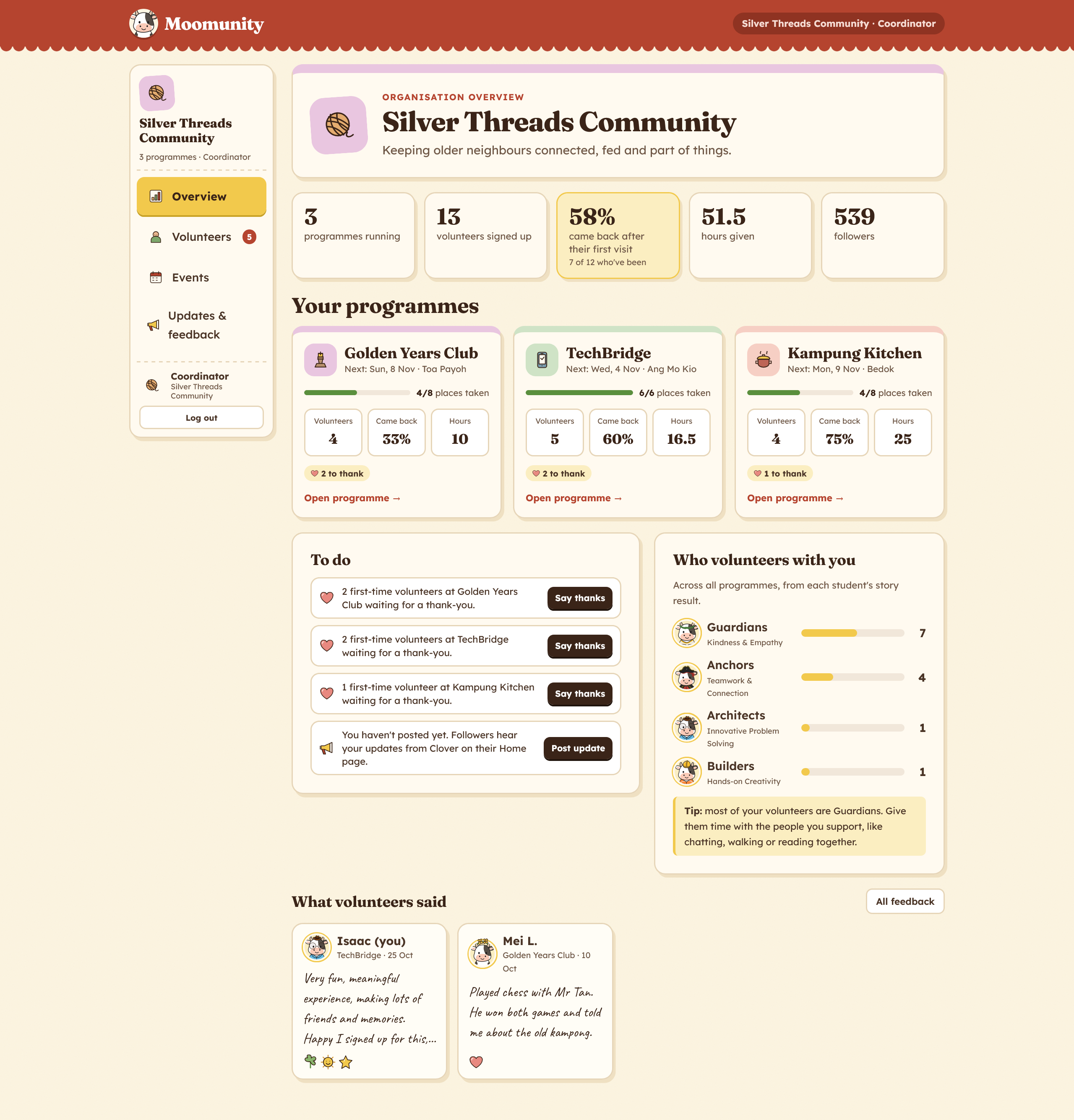
- Organisation view: coordinators log in to see how many first-time volunteers came back, a to-do list (e.g. "2 first-time volunteers waiting for a thank-you"), helper-type role tips, one-tap Mark attended and Say thanks, event approvals, event creation with dates and durations, and updates with a live preview of what Clover will tell students.
6. Rewards that come from showing up
- Moolah is earned only by helping, never bought, and grows when a student returns to the same cause (10, then 15, then 20 per visit).
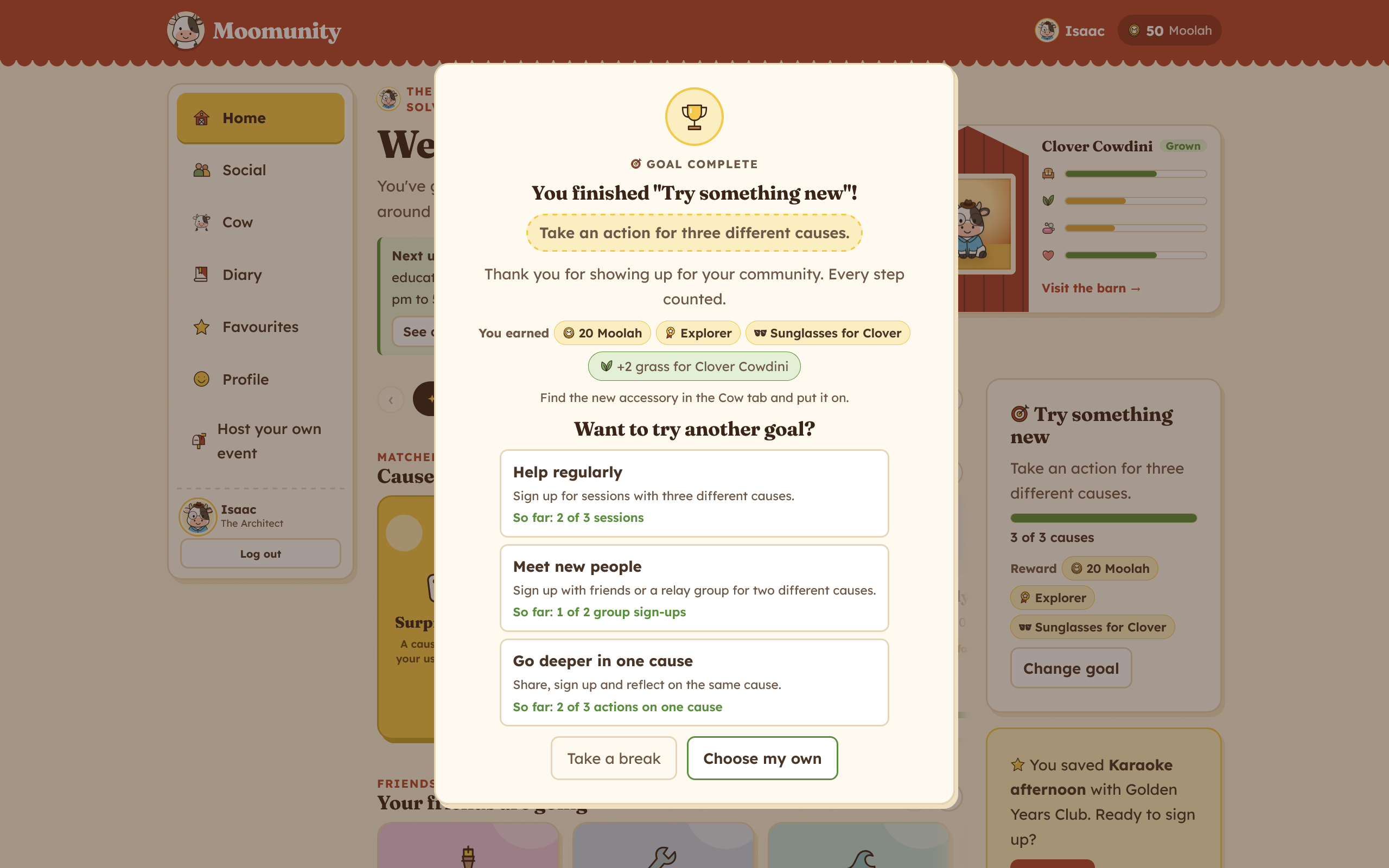
- Goals show their rewards upfront and celebrate when finished.
- Moolah buys care items and accessories for Clover, whose stats dip a little each week so there's a reason to check in.
- Donating is always optional and never earns anything, so time and effort count as much as money.
7. Built with care for young users
First name only, and every onboarding question can be skipped. Diary entries are private by default; titles and the leaderboard are opt-in. Students and organisations have separate log-ins. It works on phones and supports keyboards, screen readers and reduced motion.
How we built it
- React + Vite (JavaScript), with about 100 small components, each with its own stylesheet.
- One custom state hook holds nearly 30 pieces of saved data in the browser's local storage, so the student and organisation sides update each other instantly in the same browser.
- Derived state: goals, titles, keepsakes and organisation stats are worked out from the student's history every time, never stored twice, so they can't drift out of sync.
- Real .ics calendar files and Google Calendar links, including weekly and fixed-length repeats.
- Hand-drawn cow art and icons, with a warm farm palette and a consistent colour system across both sides of the app.
- Built with Claude Code as a coding assistant.
Challenges we ran into
- Making the cow mean something. Our first version risked being a gimmick: a pet you feed with points. We redesigned Clover around real visits (keepsakes, treasured items, letters from organisations) so she reflects what a student actually did.
- Fair relay groups. Sharing one weekly spot sounds simple, but the app has to handle group sizes, places left and whose turn is next, and explain the rules in plain words when something doesn't fit.
- Two apps in one. Students and organisations need very different screens, but every action on one side has to show up on the other.
Accomplishments that we're proud of
- A complete loop that works end to end: a student signs up, the organisation marks them attended and says thanks, and the student hears back through Clover with a keepsake.
- A personality story that beginners actually enjoy, in place of a skills form.
- Rewards that never pay for donating and only grow when students return.
What we learned
- Retention is a design problem as much as a motivation problem: small things like a friend, a flexible schedule and a thank-you matter.
- Incentives need care. Every reward we added, we checked against whether it pointed back to real people and places.
- Designing for under-18s means privacy by default, not as a setting.
What's next for Moomunity
- User testing: a pilot with one student group and one or two organisations, measuring second sessions within 60 days, sign-ups that turn into attendance, and coordinator time saved.
- Real organisations and listings: replacing our demonstration data, ideally connecting to existing platforms so organisations don't post twice.
- A stronger organisation side: confirmed hours for school records, per-programme settings (like turning off relay groups for roles that need the same volunteer each week), and simple impact reports.
- A proper backend: real accounts, a secure database, notifications and real calendar syncing.
- Refining what we've built: tuning the story and matching, more keepsakes and characters, and stronger safety for under-18 users, such as parental consent.
Built With
- react
- tailwindcss


Log in or sign up for Devpost to join the conversation.