-
-
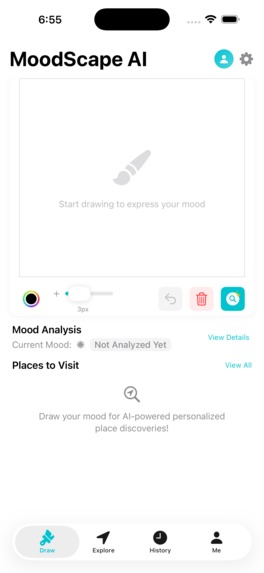
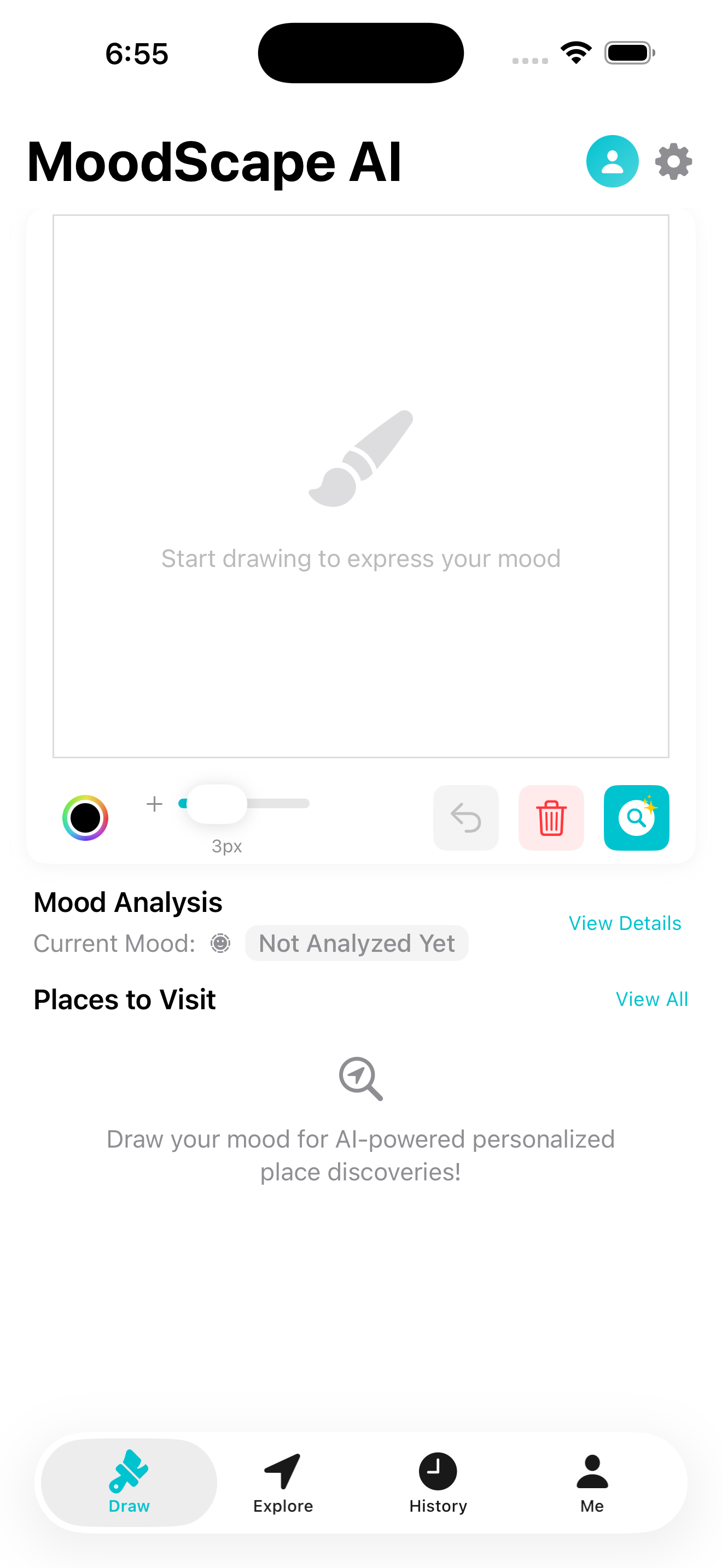
Drawing Canvas on Draw Tab
-
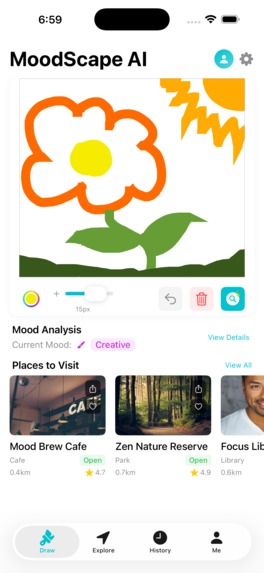
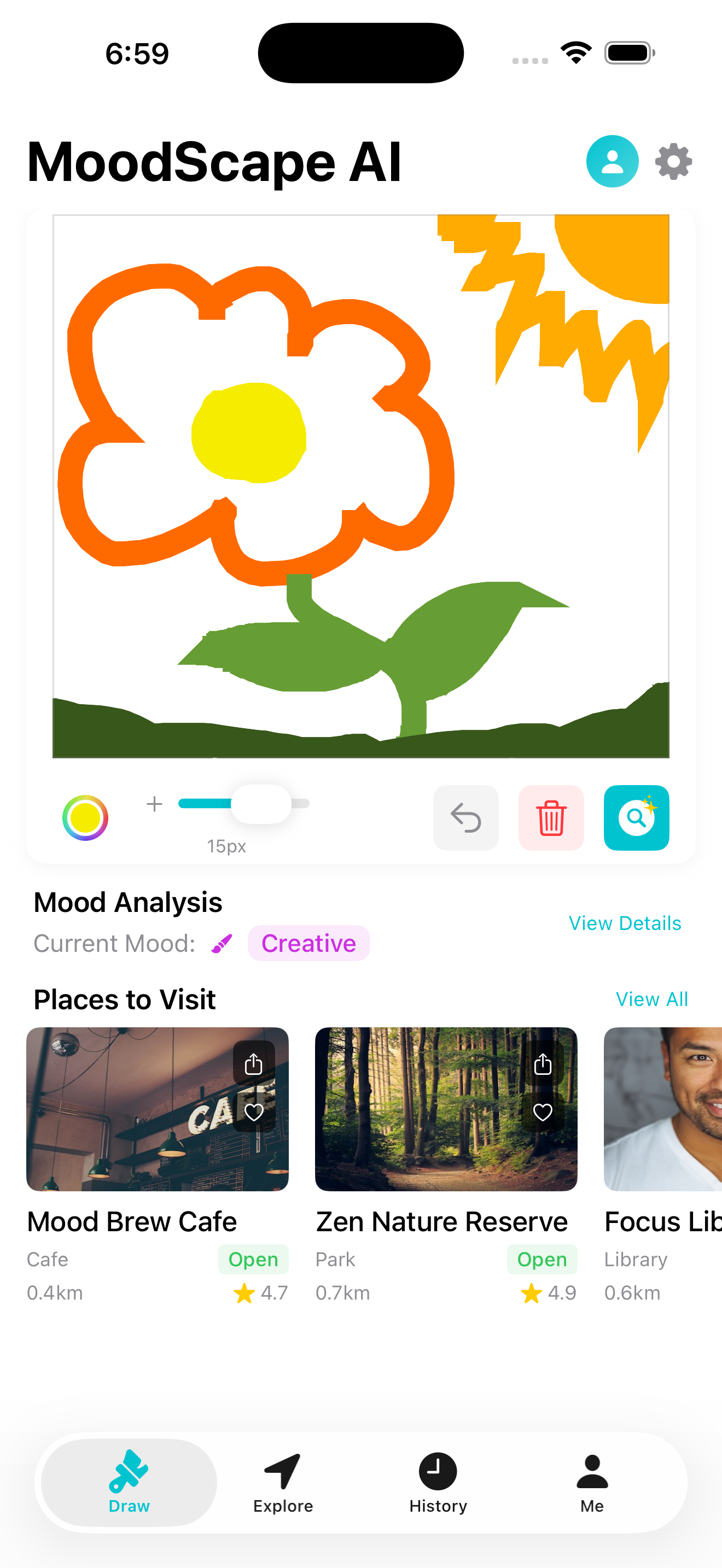
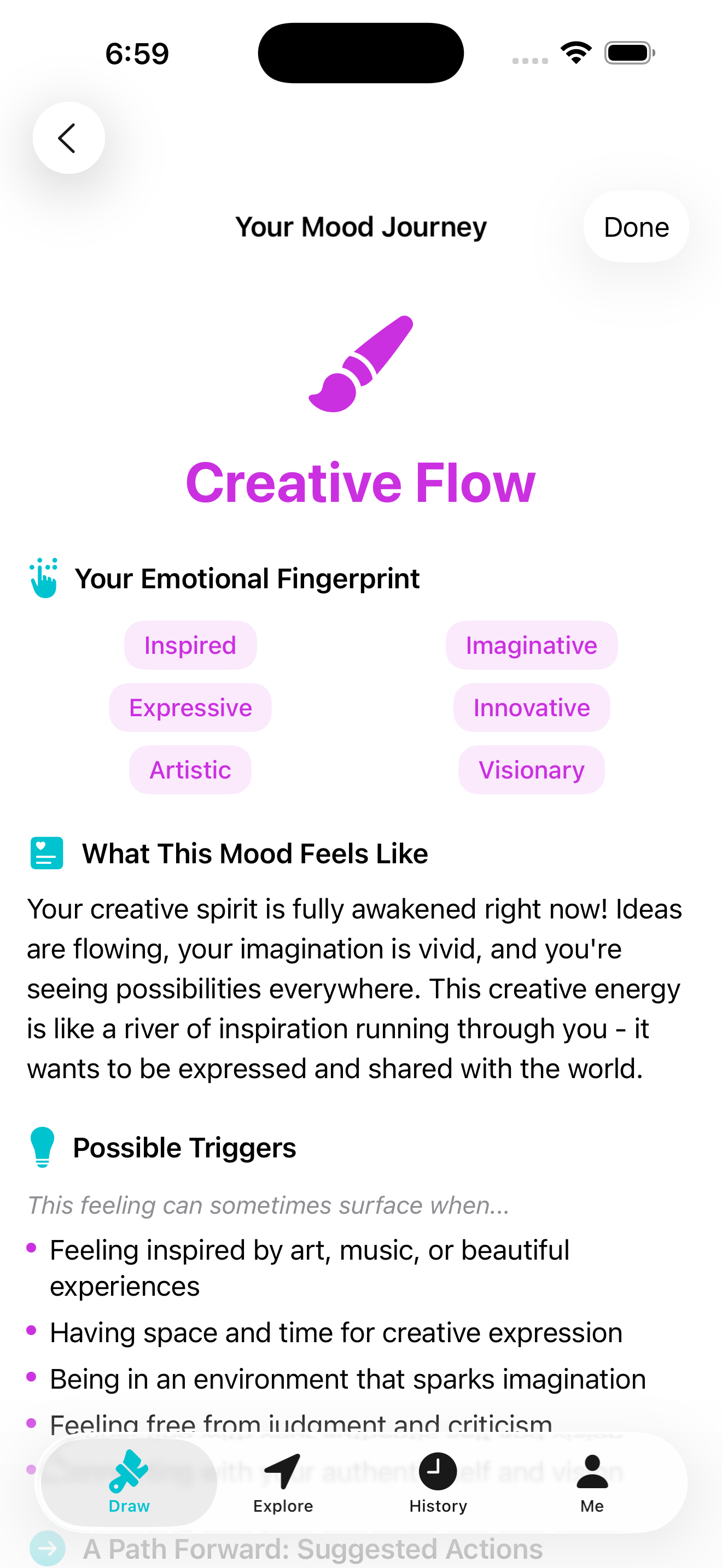
Mood Analysis & Place Recommendations
-
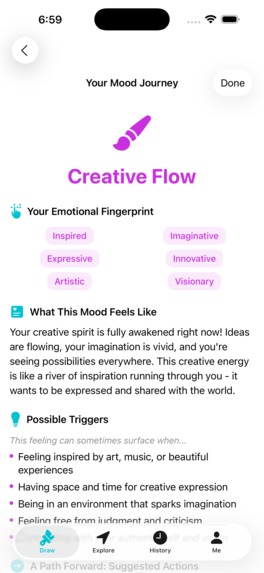
Detailed Mood Analysis 1
-
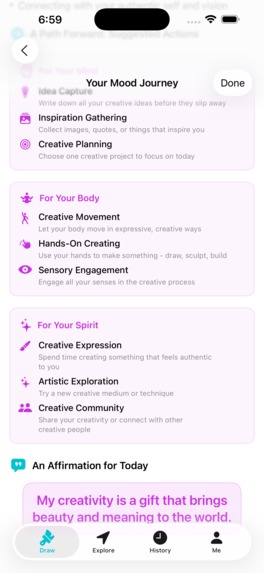
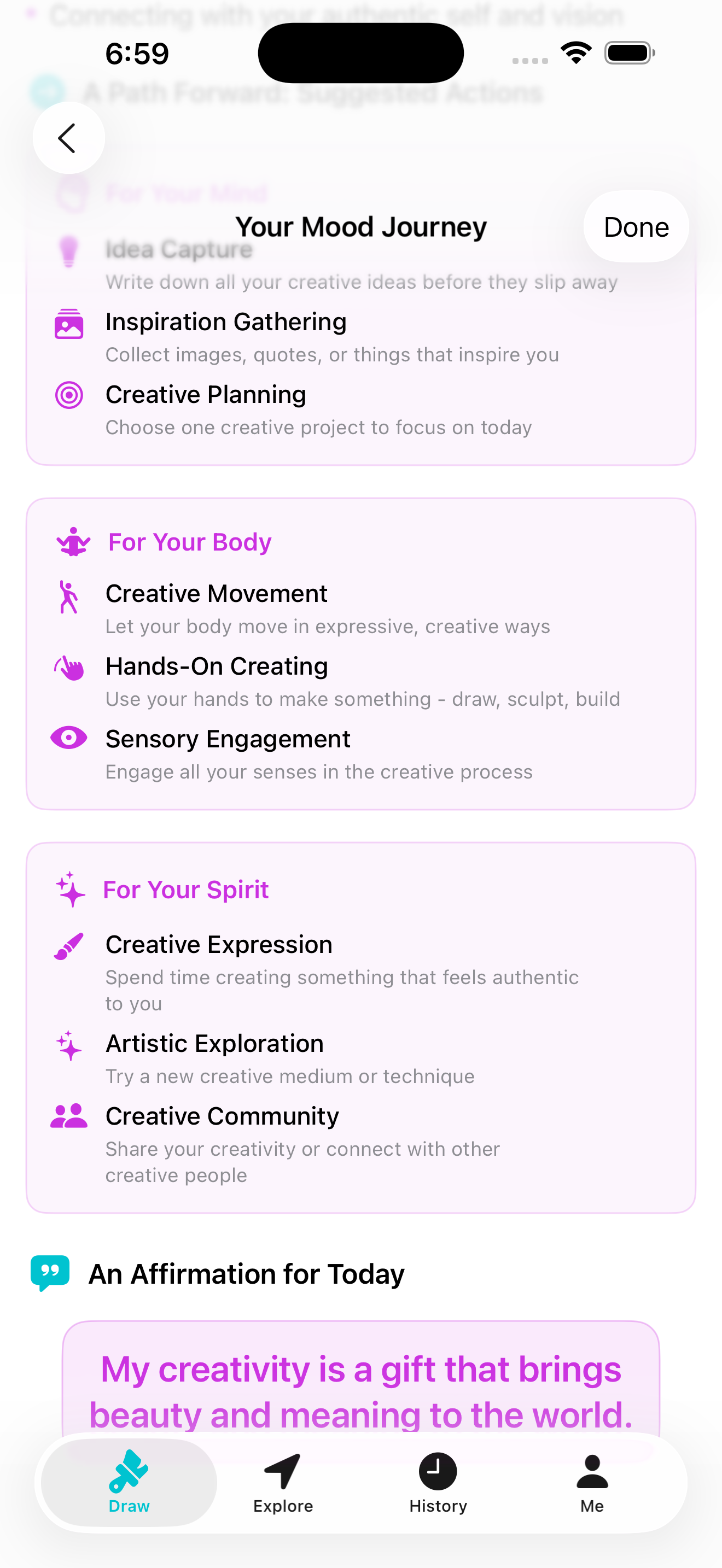
Detailed Mood Analysis 2
-
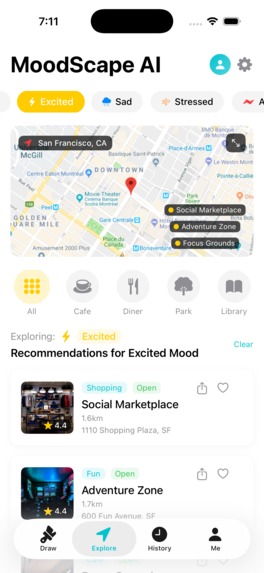
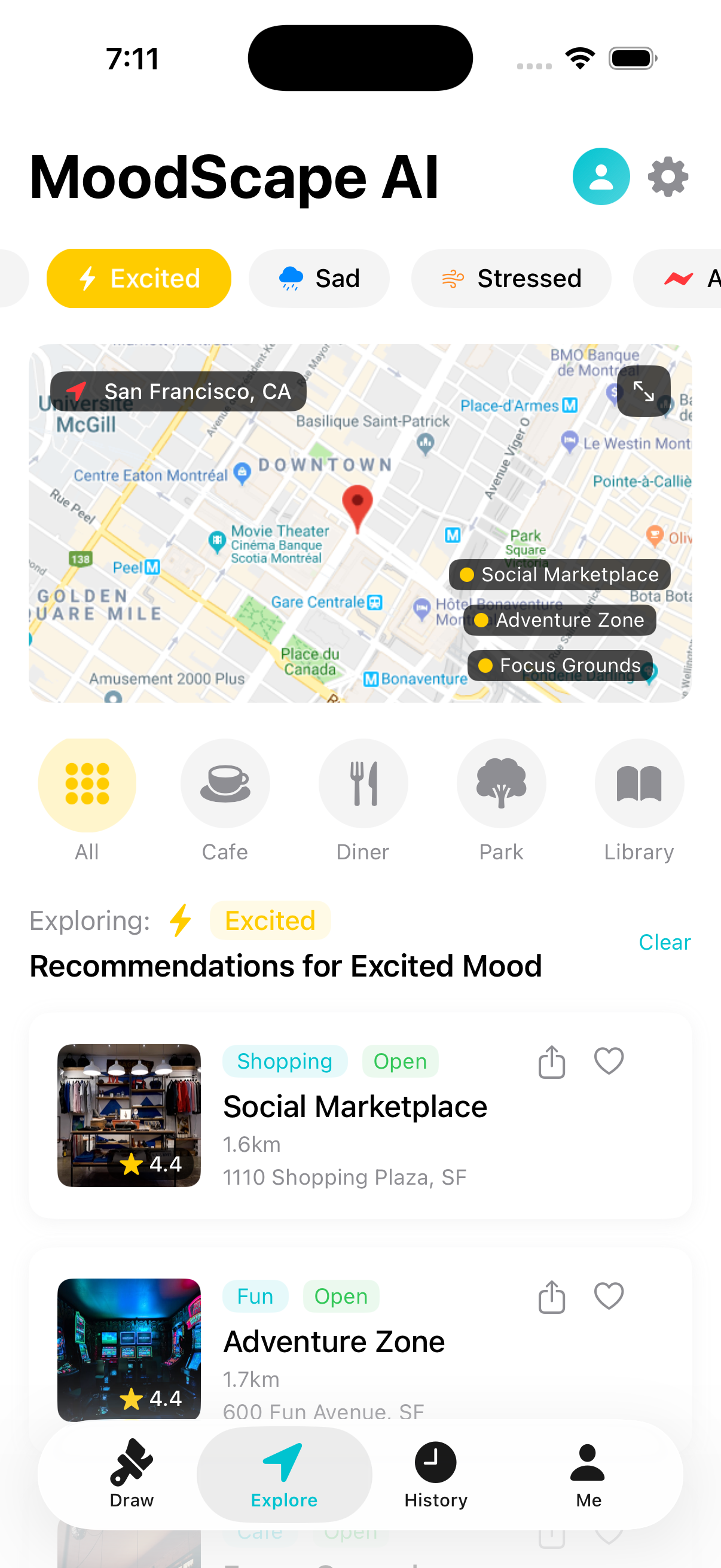
Explore Tab
-
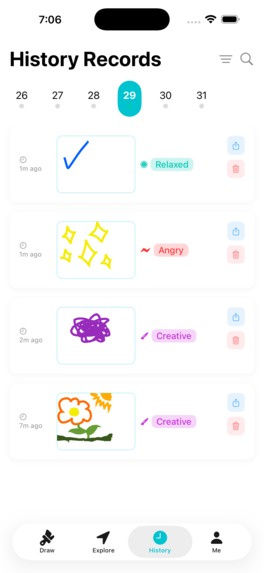
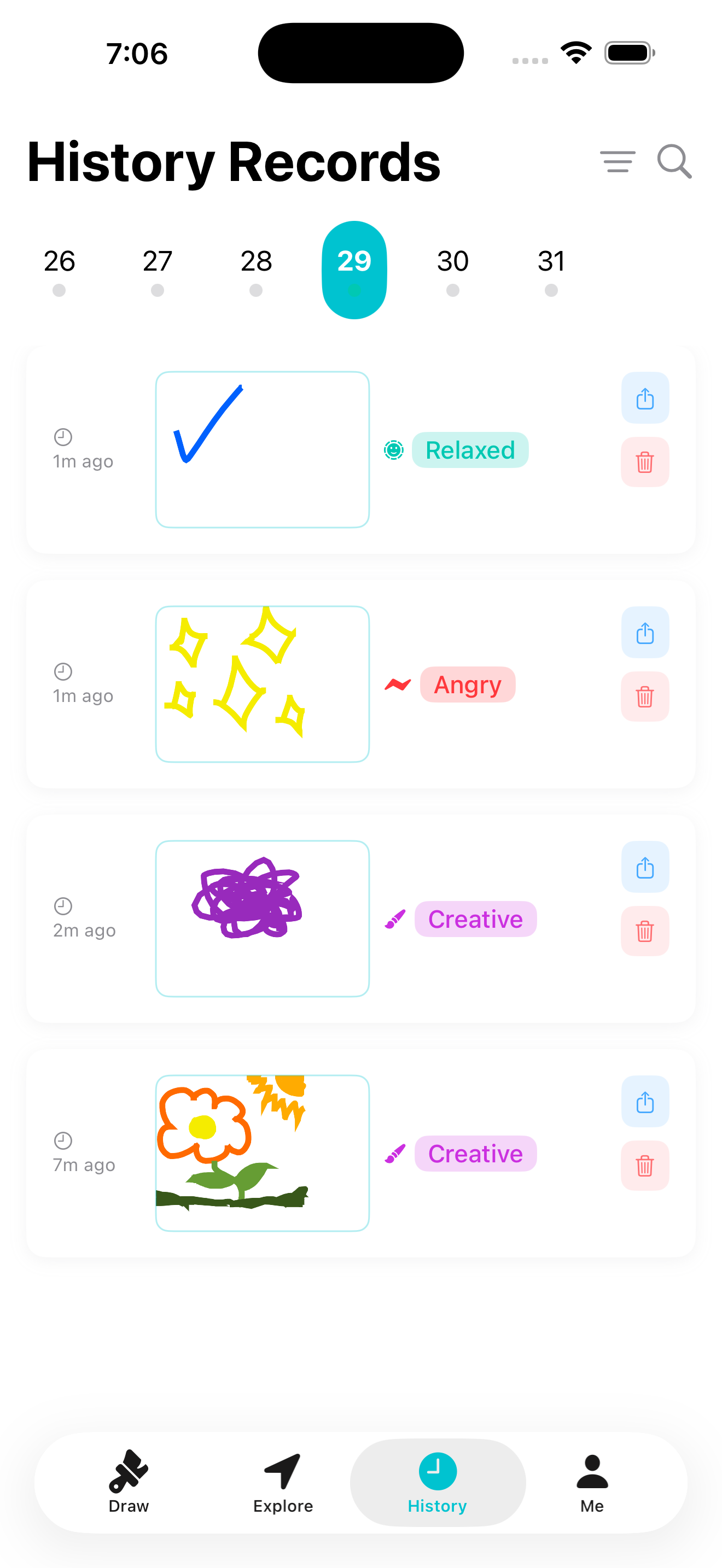
History Tab
MoodScape AI
Transform your emotions into art and discover places that match your mood.
MoodScape AI is an innovative iOS app that combines creative expression through drawing with AI-powered mood analysis. It provides personalized place recommendations using dynamic content mappings managed by Storyblok CMS and a mock API for place data.
Core Features
- Mood Drawing Canvas: An intuitive interface with advanced tools for freeform drawing to express your emotions.
- AI-Powered Mood Analysis: The app recognizes 14 moods (like Happy, Calm, and Creative) from your drawings, complete with confidence scores and visual indicators.
- Smart Place Recommendations: Get mood-based suggestions for cafes, parks, libraries, and more, with categories dynamically fetched from Storyblok.
- Favorites & Offline Support: Save your favorite places for later and get recommendations even when you're offline, thanks to a local data fallback.
- Comprehensive History & Profile: Track your mood journey over time and customize your experience with multi-language support and theme settings.
How to Use
MoodScape AI is designed to guide you from creative expression to personalized discovery in a few simple steps.
Express Your Mood (
DrawTab)- Navigate to the Draw tab, which features a blank canvas.
- Use the intuitive toolbar to select colors and brush sizes, and draw whatever comes to mind.
- Once your creation is complete, tap the analyze button (magnifying glass) to submit it to the AI for analysis.
View Your Analysis & Recommendations
- Instantly after analysis, your current mood (e.g., "Creative") will appear on the Draw screen, along with a few initial "Places to Visit" tailored to that feeling.
- For a deeper dive, tap "View Details" to explore your "Mood Journey," which includes your emotional fingerprint, triggers, and suggested actions.
- Tap "View All" to see a comprehensive list of all recommended places for your current mood, which you can then filter and sort.
Explore Your City (
ExploreTab)- Switch to the Explore tab for a broader discovery experience.
- Here, you can browse all places on an interactive map or filter by different moods ("Excited," "Stressed," etc.) or by place types like Cafe, Park, or Library.
Reflect on Your Journey (
History&MeTabs)- Visit the History tab to see a calendar and a chronological list of your past drawings and their associated moods.
- Tap on any entry to view the drawing details.
- Go to the Me tab to see your profile, view your stats (like total mood records), and access your saved creations and places.
Technical Architecture
- Frontend: Built entirely with SwiftUI and the Combine framework, following an MVVM architecture.
- Content Management: Integrates with Storyblok CMS via a live API to dynamically fetch mood-to-category mappings. This allows content to be updated without changing the app code.
- Data & Services: Uses a mock API for place data (simulating Google Places) and mock coordinates for location services to ensure a consistent demo experience.
- AI Engine: A custom
MoodAnalysisEngineanalyzes drawing patterns, colors, and stroke characteristics to determine the user's emotional state.

Log in or sign up for Devpost to join the conversation.