Inspiration
I wanted to make something simple but fun that connects people through feelings. Instead of using face detection, I thought text could also show moods—and adding humor would make it more engaging.
What it does
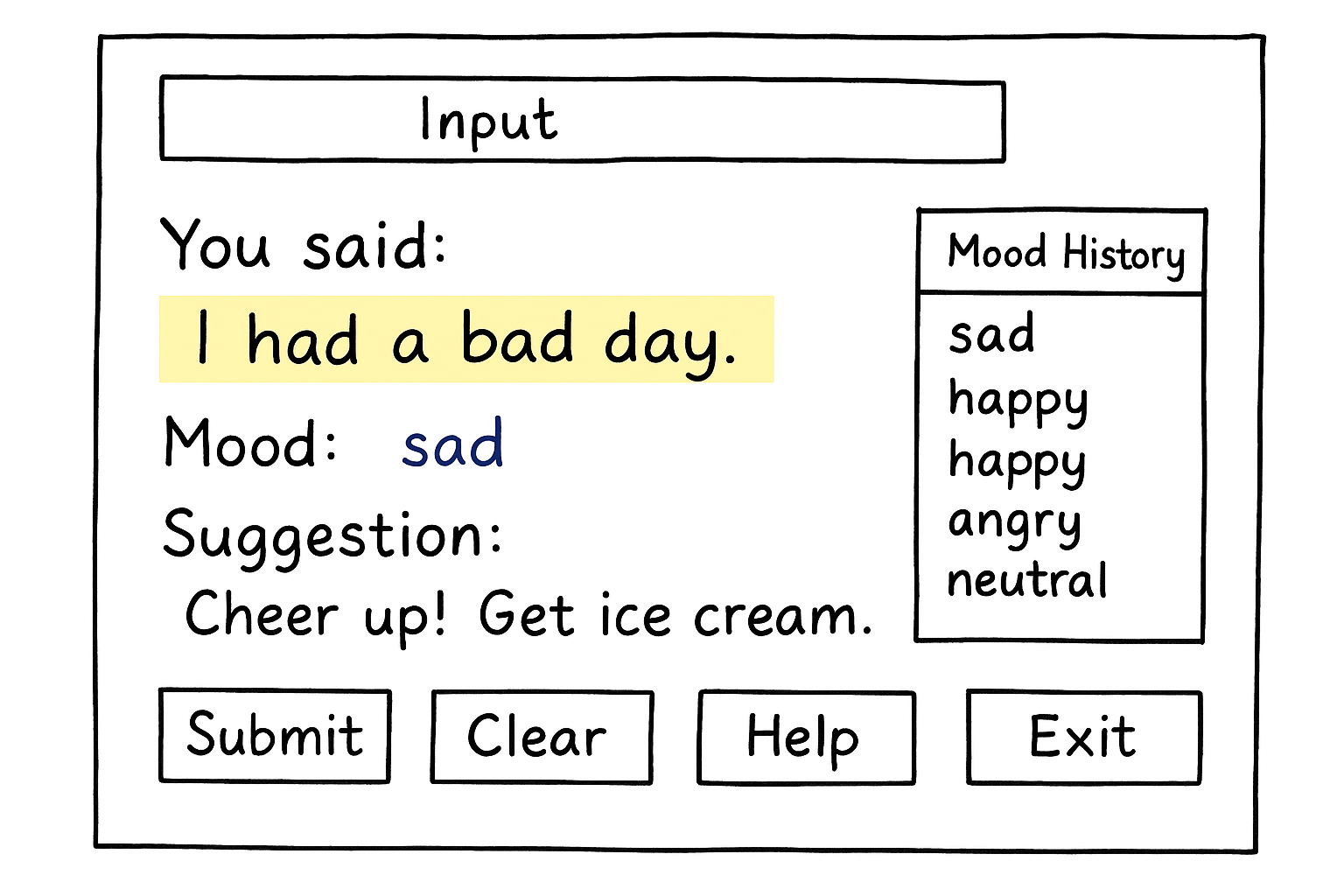
Moodmate is a text-based mood analyzer. Users type what they’re thinking, and the program detects their mood, shows it in color, and gives a funny suggestion. It also keeps a history of moods with timestamps so users can reflect on how they feel over time.
How I built it
I built Moodmate using Python and Tkinter for the interface. The program checks for keywords in the text, assigns a mood, and then displays a humorous suggestion. I designed the layout with an input bar at the top, results in the center, a mood history column on the side, and simple buttons at the bottom.
Challenges I ran into
At first, I wanted to use face recognition AI, but installing the required libraries was difficult on our system. I also faced challenges designing the user interface to be clear and fun, especially when aligning colors, highlights, and suggestions.
Accomplishments that I am proud of
I are proud that Moodmate is both simple and creative. Even without complex AI, it connects people by turning words into emotions and making interactions more fun. I also made the program user-friendly with features like Enter key submission, a help section, and mood history.
What I learned
I learned how to design GUIs in Python, how small design choices (colors, fonts, layouts) make programs more engaging, and that sometimes simple ideas can be more effective than complex ones. I also practiced problem-solving by adapting when our first idea didn’t work.
What's next for Moodmate
In the future, I want to expand Moodmate with more advanced mood detection, maybe using natural language processing (NLP) or AI sentiment analysis. We also plan to add sharing features so people can connect and support each other across communities, staying true to the hackathon theme.

Log in or sign up for Devpost to join the conversation.