-
-
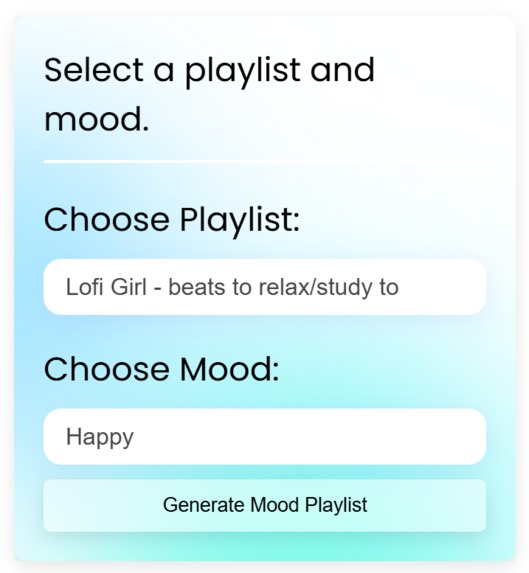
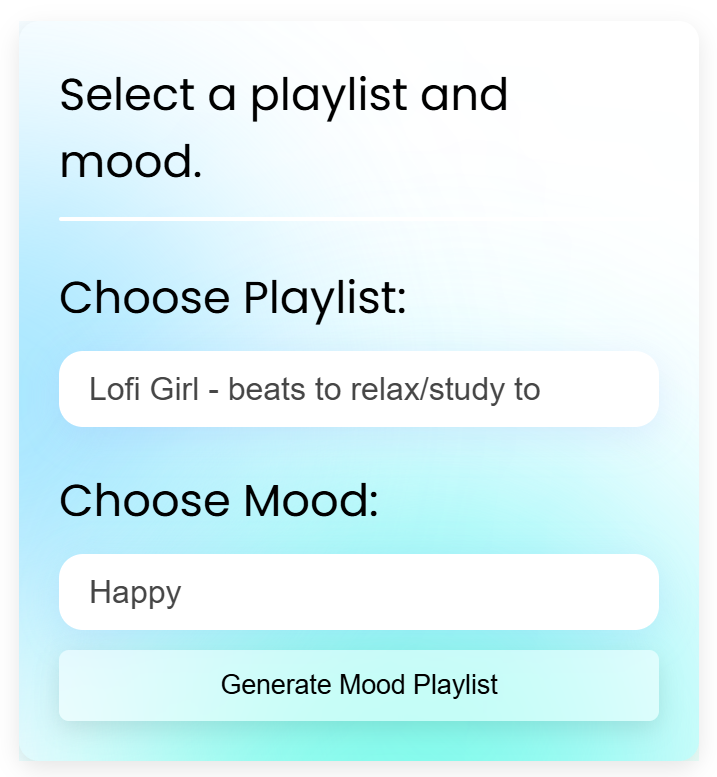
Home Page
-
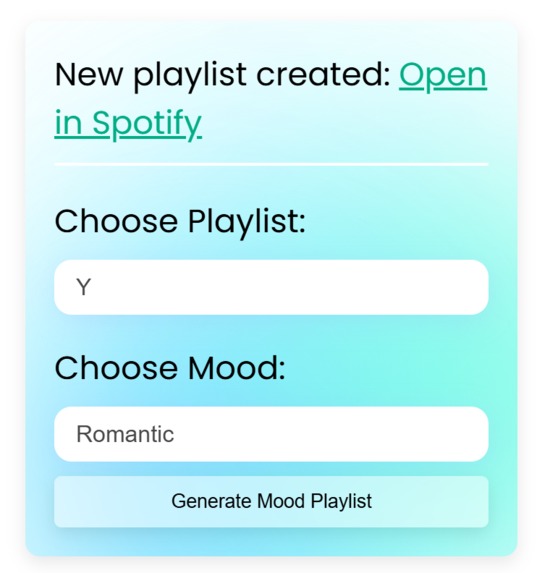
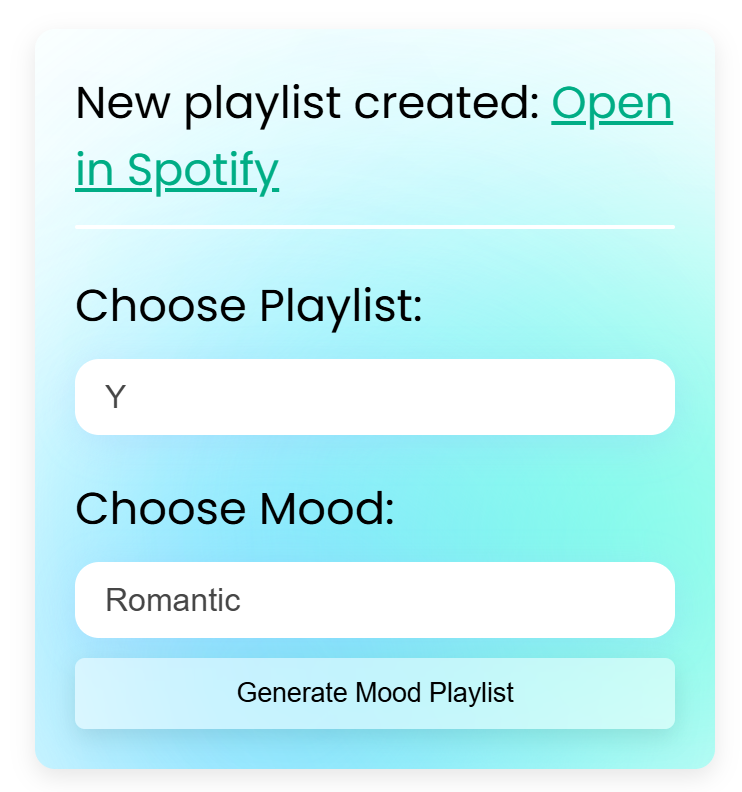
After Generating a Playlist
-
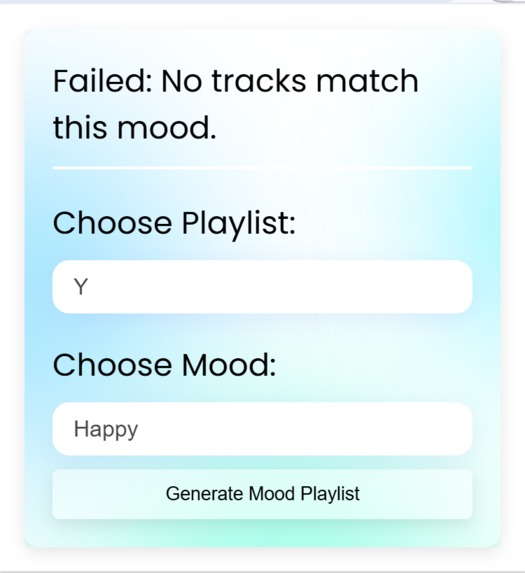
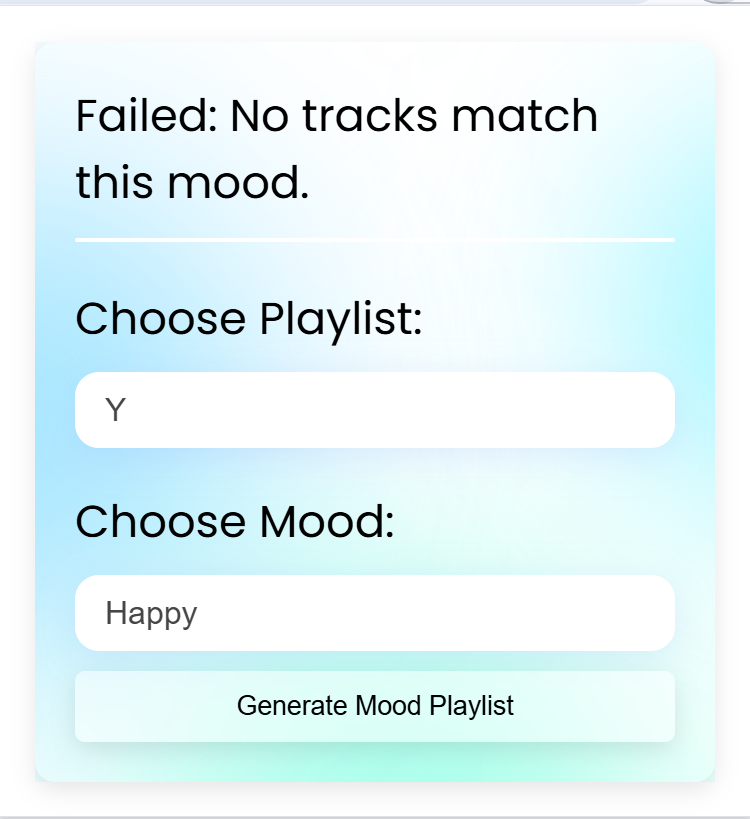
When no song matching the mood is found
-
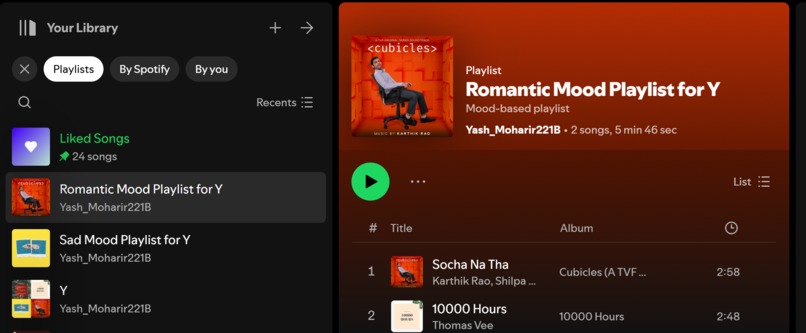
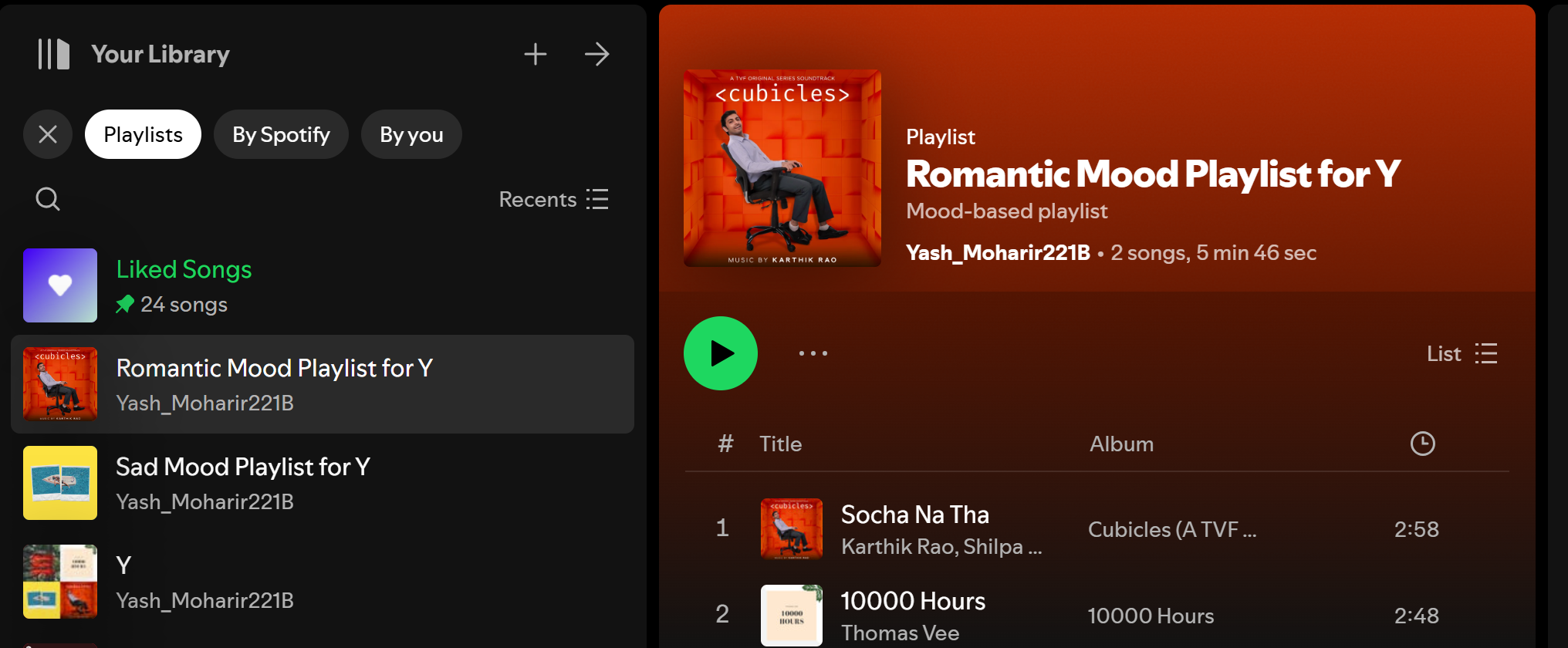
Added Playlist in Spotify
-
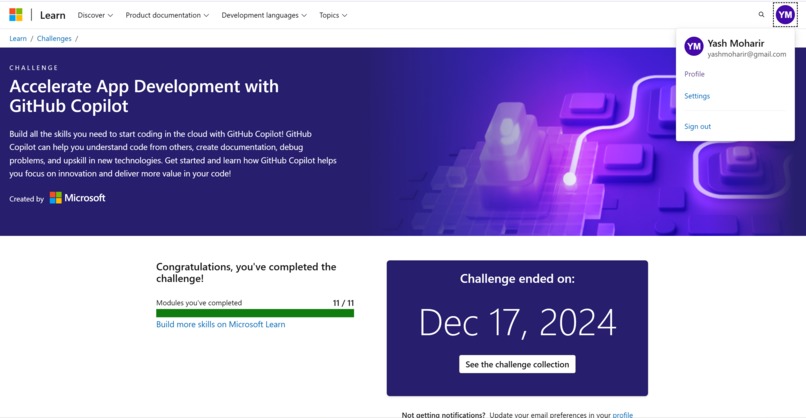
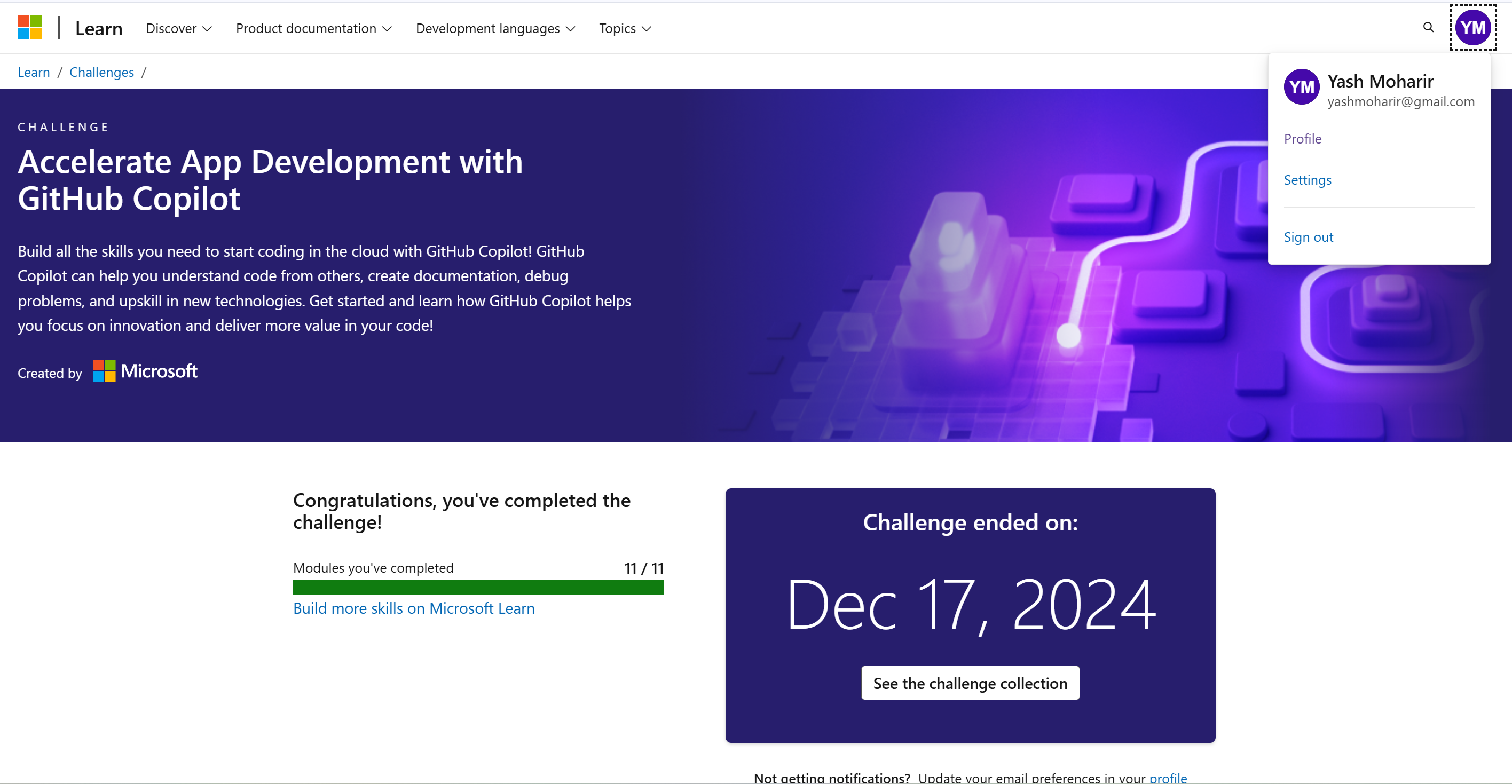
Github Copilot Course Completion Screenshot
Inspiration
I built this Chrome extension because I needed it. I wanted a way to filter songs from my OWN playlist that fit my mood without having to discover new ones. Music streamers like Spotify have a mood playlists that have all the songs for a mood, even the ones I don't know about and it doesn't give me the flexibility to select mood songs that I are in my playlist. Why would I want to hear some unknown sad song when I am in the mood for sad songs? How would I even relate to that song if I had never listened to it before? I should be given the flexibility to toggle suggestions. So, I wanted a more personal way to organize my music than just relying on genre-based playlists. Often, I found myself manually curating tracks that matched my mood at any given time, and updating the playlist every time I discovered a new song was extra work. I thought there would be other people who were like me. That’s why I envisioned Moodify—an AI-powered tool that could automate this process by analyzing song metadata and letting me create playlists that reflect how I feel in the moment.
What it does
Moodify is a Chrome extension I built to curate mood-based playlists by analyzing song titles and artists. It integrates AI (Gemini 1.5 Flash) to categorize tracks into moods like "happy," "sad," "romantic," "energetic," or "chill." All I have to do is pick a mood and one of my playlists—Moodify filters existing playlists or creates new ones, so I can just enjoy the tunes without the hassle of manual sorting.
How I built it
I used several key technologies to make Moodify:
- Github Copilot: To Ideate the flow and functioning of the app and to Construct basic structure of the app. Also aided in fixing bugs and optimising the app.
- JavaScript (Chrome Extension APIs) for managing playlists, handling user interactions, and talking to the Spotify API.
- Gemini 1.5 Flash API, which does the AI-driven mood analysis by reading track titles and artist names.
- Spotify API to fetch playlists, grab track data, and then create new mood-based playlists.
- Webpack to bundle the extension for Chrome.
- HTML/SCSS for the extension’s popup UI, ensuring it feels clean and intuitive.
Best Use of GitHub Copilot
- Accelerated Development: Using GitHub Copilot saved me a ton of time when integrating with Spotify’s API and handling OAuth flows. It felt like I shaved off about 40% of the effort I would’ve spent on boilerplate code.
- Enhanced Code Quality: Copilot suggested robust error handling and validation steps for the Spotify API, which kept my extension from crashing unexpectedly.
- Debugging Assistance:Offered helpful console log statements and debugging tips, making it easier to troubleshoot issues during development.
- Code Formatting: Ensured consistent code formatting and style, making the codebase cleaner and more professional.
- Innovative Problem-Solving: It helped me craft structured prompts for Gemini’s AI, improving accuracy for mood detection.
- Examples:
- Generated functions to parse Gemini API responses on the fly.
- Offered regex help when I needed to clean markdown JSON data.
- Generated functions to parse Gemini API responses on the fly.
- Adding Comments/Documentation: Copilot made it super easy to annotate my code with clear, explanatory comments. It helped me quickly update and read my code.
Best Use of VS Code Extensions
- VS Code Copilot Plugin: This extension sped up my coding by suggesting completions and pulling in Spotify API documentation right where I needed it.
- ESLint & Prettier: Ensured my code stayed consistent and error-free. Automated linting caught mistakes early.
- Live Server: Let me quickly spin up a preview environment to see how the extension’s UI looked and felt as I developed it.
- Auto Close Tag / Auto Rename Tag: Made writing and editing HTML much smoother.
- Lice Sass Compiler / SCSS Formatter: Streamlined my workflow for turning SASS into CSS, and kept my styles organized.
- Intellisense: Filled in the blanks when writing HTML and SCSS, making it easier to discover new properties and stay efficient.
- Bracket Pair Colorizer: colorizes matching brackets. Makes it easier to identify matching brackets, improving code readability.
- Material Icon Theme: Personalized my VS Code workspace with easy-to-identify icons for different file types.
Challenges I ran into
- Building A Chrome Extension: This was my first time building a Chrome extension which meant learning new skills and new structure altogether. Though Copilot was very helpful here.
- Limited debugging tools for chrome extensions: Debugging a bug in my extension was a bit difficult as the errors given by Google Chrome were not clear and difficult the figure out initially, yet again, Copilot was very helpful.
- Spotify API Limitations: I had to write my own logic for matching Gemini’s AI responses (track_name, artist_name) to Spotify’s track data since Spotify doesn’t provide native mood metadata.
- Service Worker Restrictions: Importing npm packages inside Chrome’s service worker meant I had to use Webpack to avoid import errors.
- AI Response Parsing: Gemini occasionally returned responses in markdown JSON, which caused trouble. I ended up crafting a regex-based solution to clean and parse the data properly.
Accomplishments I'm proud of
- Highly Extensible: There is no need to add any additional logic or code for new moods or new songs, as the AI will already be able to handle them. This makes the app highly extensible, I can add as many moods as I want to get granular personalized results.
- Making My First Chrome Extension: This was my first experience building a Chrome extension and I am proud of how quickly and efficiently I could do it, thanks to Copilot.
- Seamless AI Integration: I successfully combined Gemini’s AI to analyze moods without needing direct audio data.
- Dynamic Playlist Creation: Moodify can quickly filter entire Spotify playlists based on mood categories, something I personally love using.
- Robust Error Handling: I invested time in ensuring Spotify API calls and Gemini parsing errors wouldn’t crash the user experience.
What I learned
- API Management: Working with Spotify’s API taught me a lot about the limitations and possibilities of third-party playlist management.
- Building Chrome Extensions: This was my first experience building an extension.
- Debugging Chrome Extensions
- Azure Services: I experimented with deploying serverless functions and proxy APIs on Azure, which was a great learning opportunity.
- AI Prompt Engineering: I saw how crucial it is to structure prompts well if I want accurate results from Gemini’s AI.
- AI LLM Integration: I learned how to integrate an AI LLM into my app.
What's next for Moodify - Mood Playlist Filter
- Adding Custom Moods Input: I can give the user a text box where he/she can enter a mood that is not in the drop-down, for example: (motivational), and the list will be generated accordingly.
- Mulitple Playlist Support: The user will be able to select multiple playlists and make a common playlist with the selected mood with songs extracted from each playlist.
- User Feedback Loop: I plan to include a simple way for users to confirm or correct each AI mood classification, refining future suggestions.
- Multi-Platform Support: One of my goals is to expand Moodify for Apple Music, YouTube Music, and local music libraries.
Thank you for reading this far :) That's Rare ^^


Log in or sign up for Devpost to join the conversation.