MoodCast — Voice-Controlled Fire TV Entertainment
Inspiration
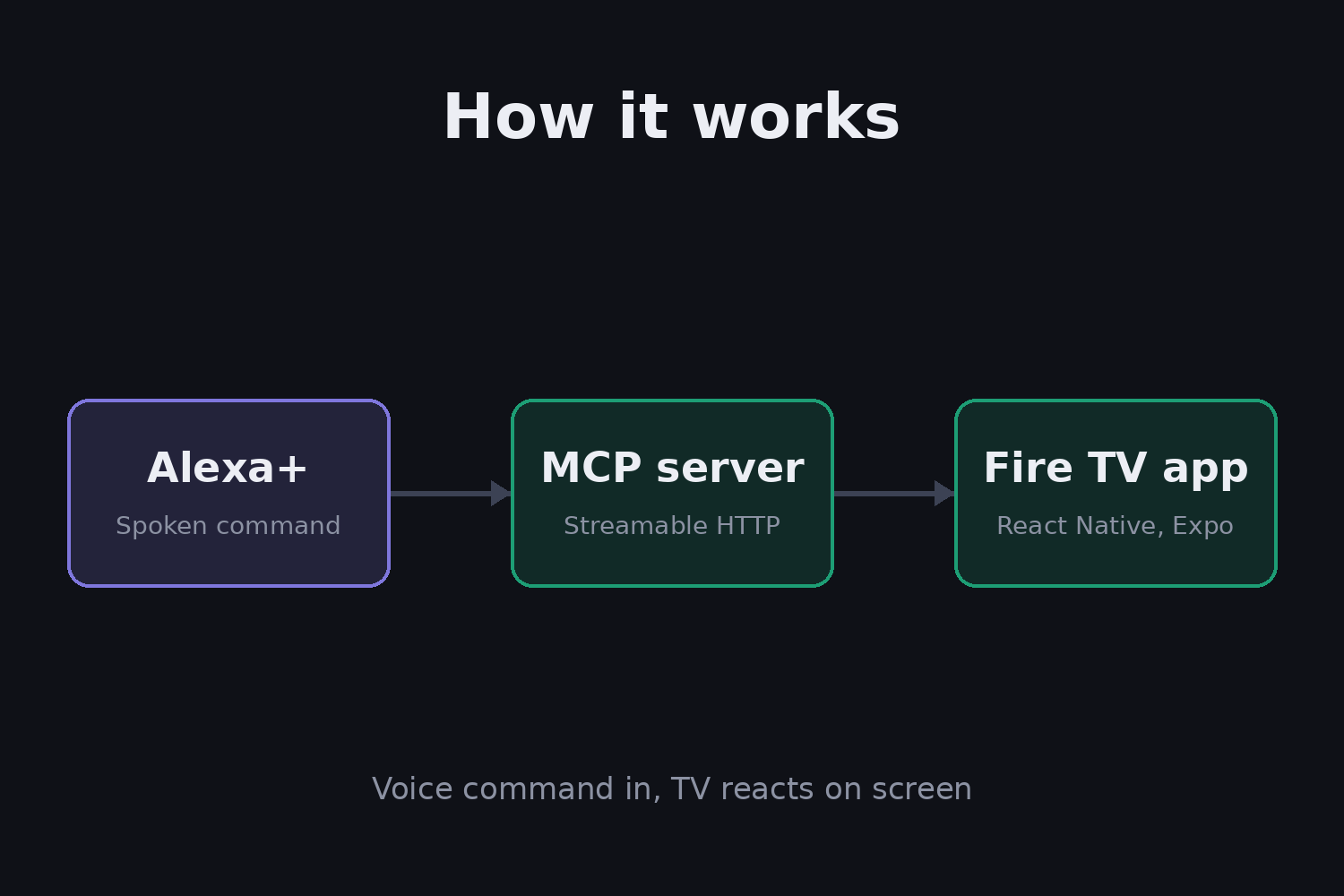
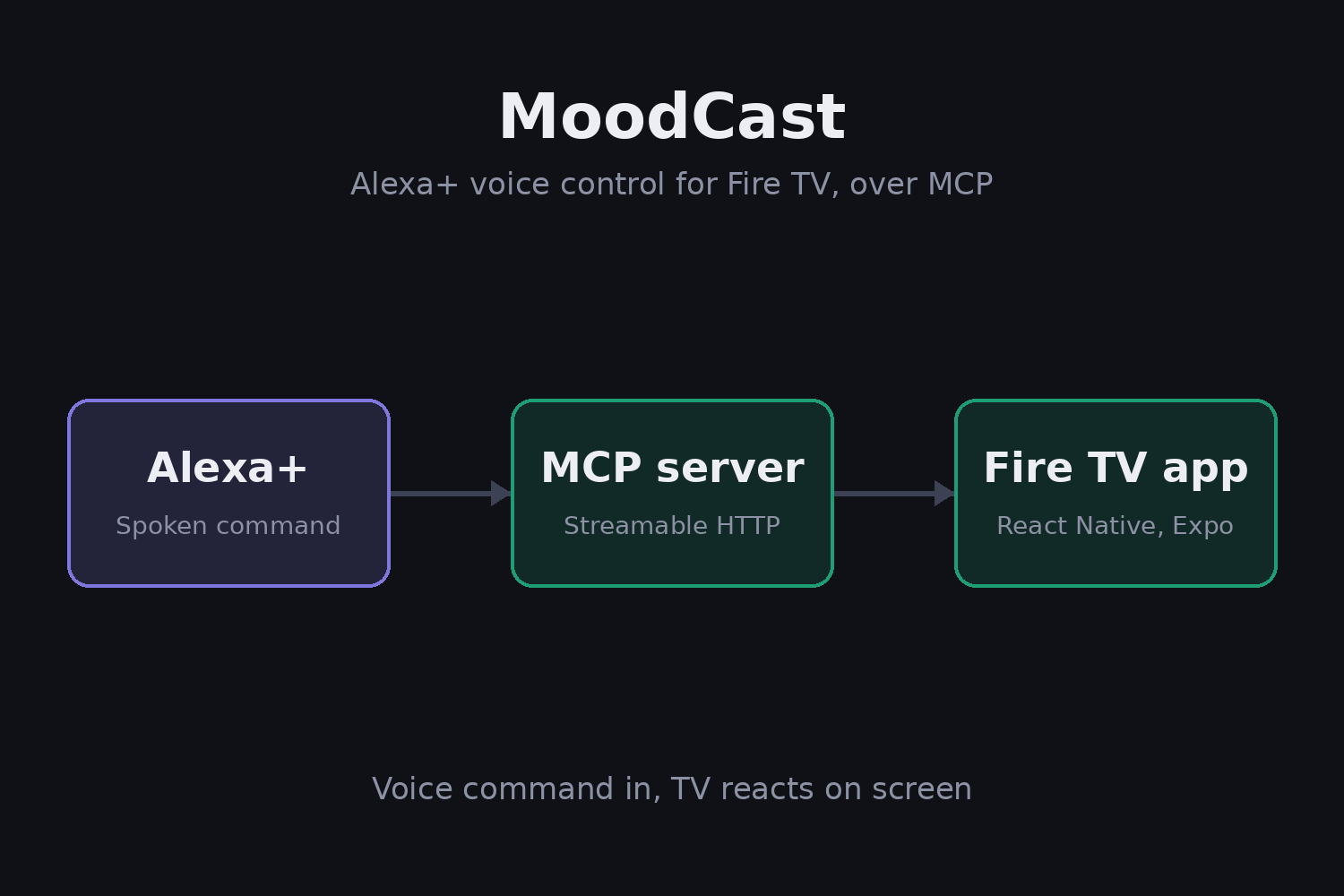
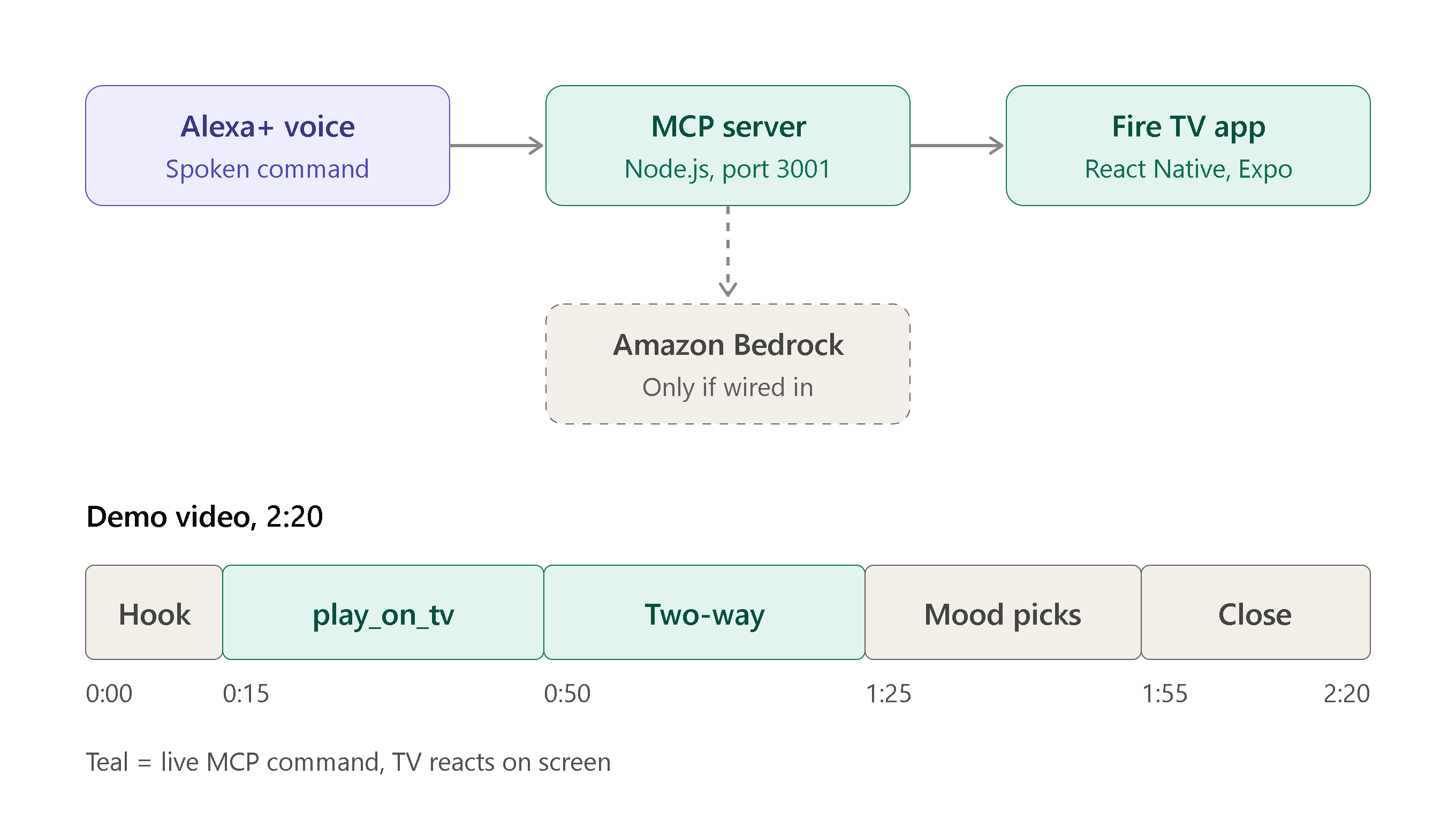
I wanted to build something that actually connects two Amazon products in real time: Fire TV and Alexa+. Most hackathon projects mention technologies in a README without actually calling them. MoodCast was built to demonstrate genuine cross-product integration: Alexa+ voice commands flowing through a Model Context Protocol (MCP) server to control Fire TV playback instantly.
The living room is the last screen that still feels disconnected from voice assistants. MoodCast bridges that gap — you tell Alexa+ what mood you're in, and a movie starts playing on your TV within seconds.
What I Built
MoodCast is a mood-based entertainment app for Fire TV with a real-time Alexa+ MCP bridge.
Fire TV App (firetv-app/): React Native + Expo TV app with:
- Mood-based content browsing (Adventurous, Relaxed, Energetic, Cozy, Mysterious, Focused)
- D-pad navigable focus cards for TV remote control
- Full-screen video player (expo-av)
- AI Insights screen powered by Amazon Bedrock
- Watchlist to save content for later
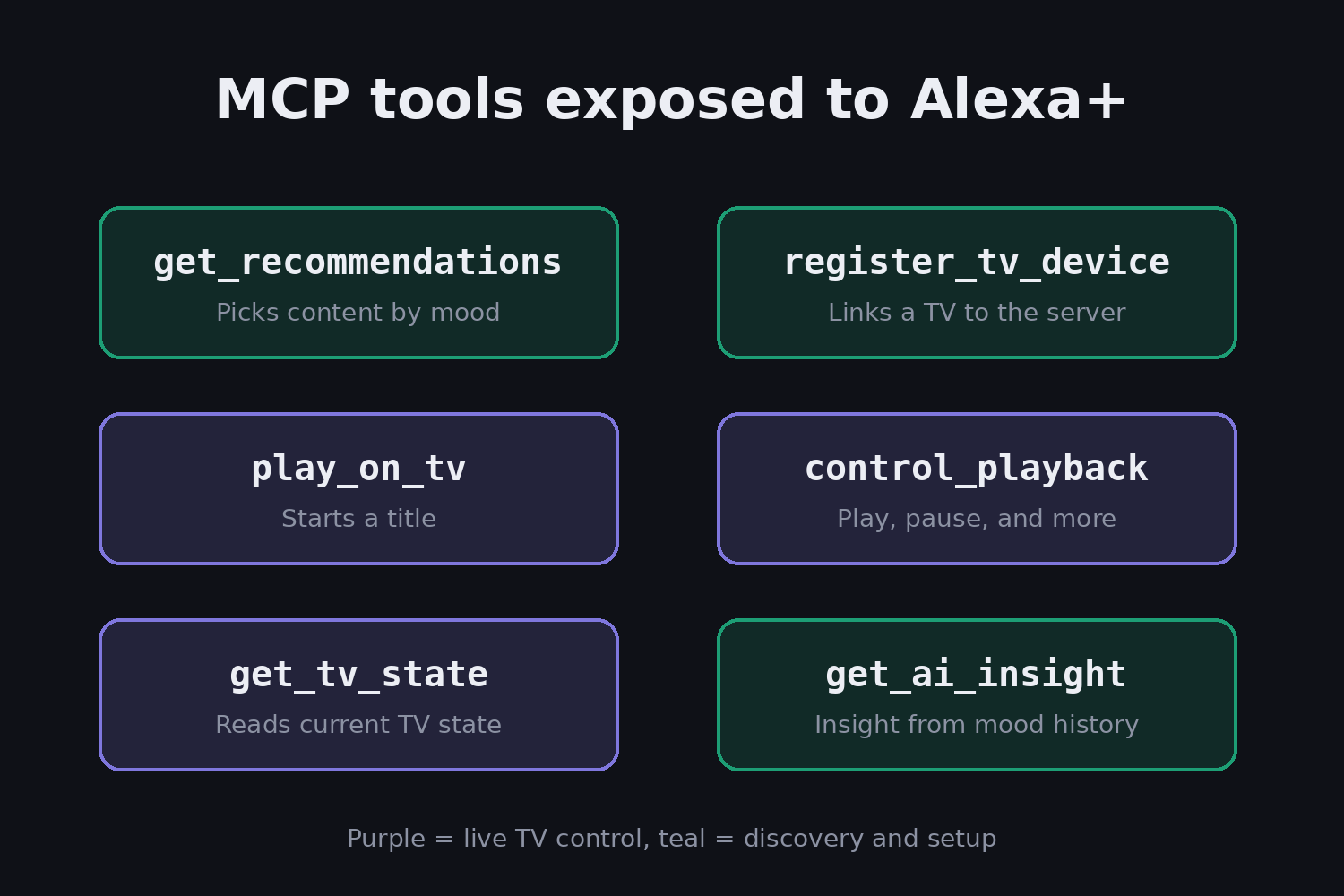
Alexa+ MCP Server (mcp-server/): Node.js Express server implementing Streamable HTTP transport (spec 2025-11-25) with 7 tools:
search_content,get_recommendations,play_on_tv,control_playback,get_tv_state,register_tv_device,get_ai_insight- Fire TV registers as an MCP-controlled device and polls for commands every 2 seconds
- Real-time voice-to-TV: Alexa+ calls
play_on_tv→ Fire TV auto-launches the video
How I Built It
- Frontend: React Native + Expo SDK 52, TypeScript,
expo-avfor video, D-pad focus management for TV remote navigation - Backend: Node.js + Express MCP server with JSON-RPC 2.0, Streamable HTTP transport
- AI: Amazon Bedrock (Claude 3 Haiku) for mood-based content descriptions and personalized viewing insights
- Persistence: Amazon DynamoDB for device registry and command history
- Deployment: AWS SAM template (Lambda + API Gateway + DynamoDB), Docker support included
- Testing: All MCP endpoints verified via PowerShell
Invoke-RestMethodcalls
Challenges Faced
- Vega SDK is Mac/Linux only — Windows developers cannot use the Vega Virtual Device. Pivoted to Fire OS + Android TV emulator, which works cross-platform.
- Missing npm packages —
@react-native-tvos/config-tvandreact-native-tvosweren't available on npm for the specified versions. Removed them; the app runs on standard Expo with Android TV emulator and web. - MCP Streamable HTTP spec complexity — Session management (
MCP-Session-Id), protocol version headers, and SSE streams required careful implementation to match the 2025-11-25 specification. - Asset configuration —
app.jsonreferenced missing splash/icon files. Added SVG placeholders so Expo builds cleanly.
What I Learned
- Building TV-first React Native apps with focus management and D-pad navigation
- Implementing MCP Streamable HTTP servers from scratch (JSON-RPC 2.0, sessions, SSE)
- Integrating Amazon Bedrock for contextual AI content generation
- Serverless deployment with AWS SAM (Lambda + API Gateway + DynamoDB)
- Cross-product integration patterns between Amazon device ecosystems
What's Next
- Deploy MCP server to AWS Lambda + API Gateway for public Alexa+ add-on registration
- Add more content sources and user authentication
- Support for multi-device Fire TV households
- Integration with Amazon Devices Builder Tools MCP server
Built for the Amazon Developer Hackathon — Fire TV Track + Alexa+ Track, with AWS Builder and Open Source mini challenges.
Built With
- alexa+
- amazon-bedrock
- amazon-dynamodb
- android-tv
- aws-api-gateway
- aws-builder
- aws-lambda
- expo-av
- expo.io
- fire-tv
- hackathon
- javascript
- json-rpc-2.0
- mcp
- mit-license
- node.js
- open-source
- react-native
- streamable-http
- typescript
- websocket

Log in or sign up for Devpost to join the conversation.