-
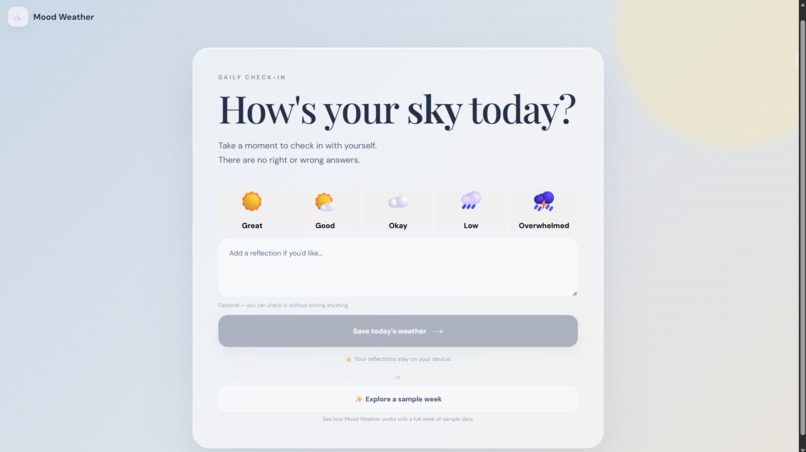
Start with a simple check-in.
-
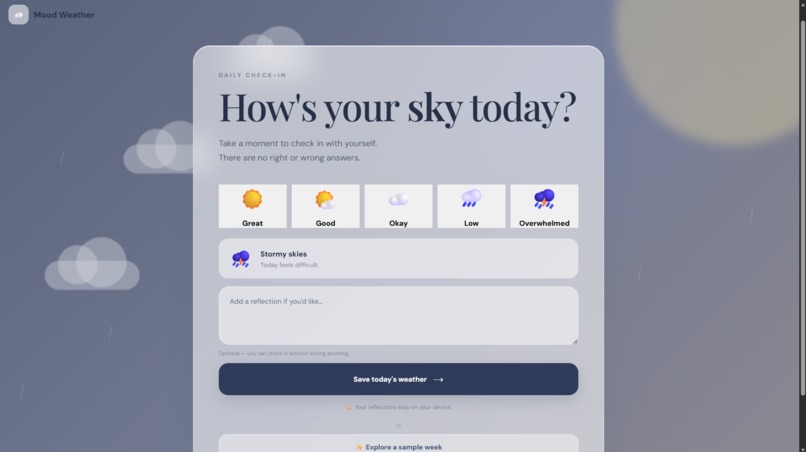
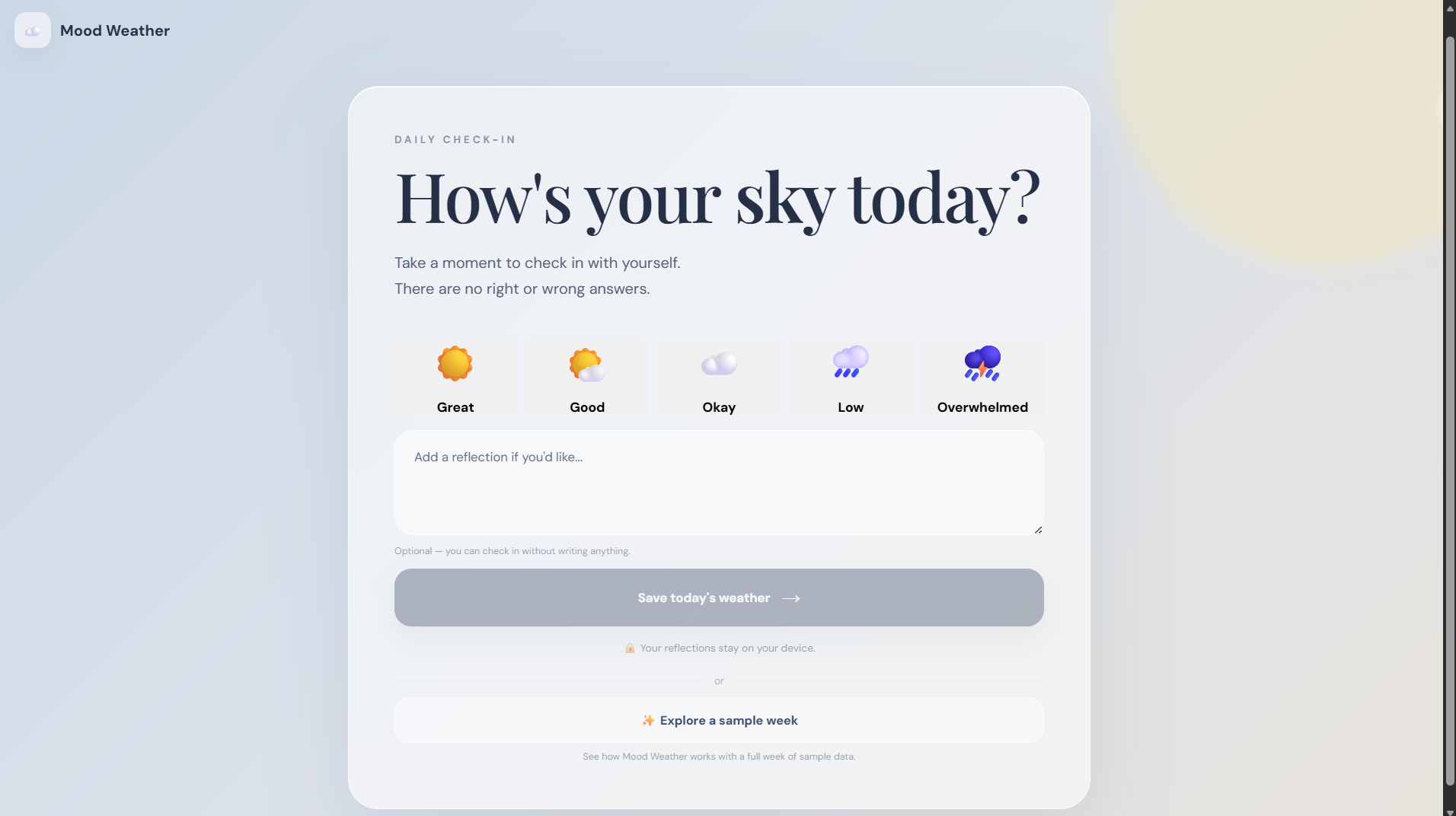
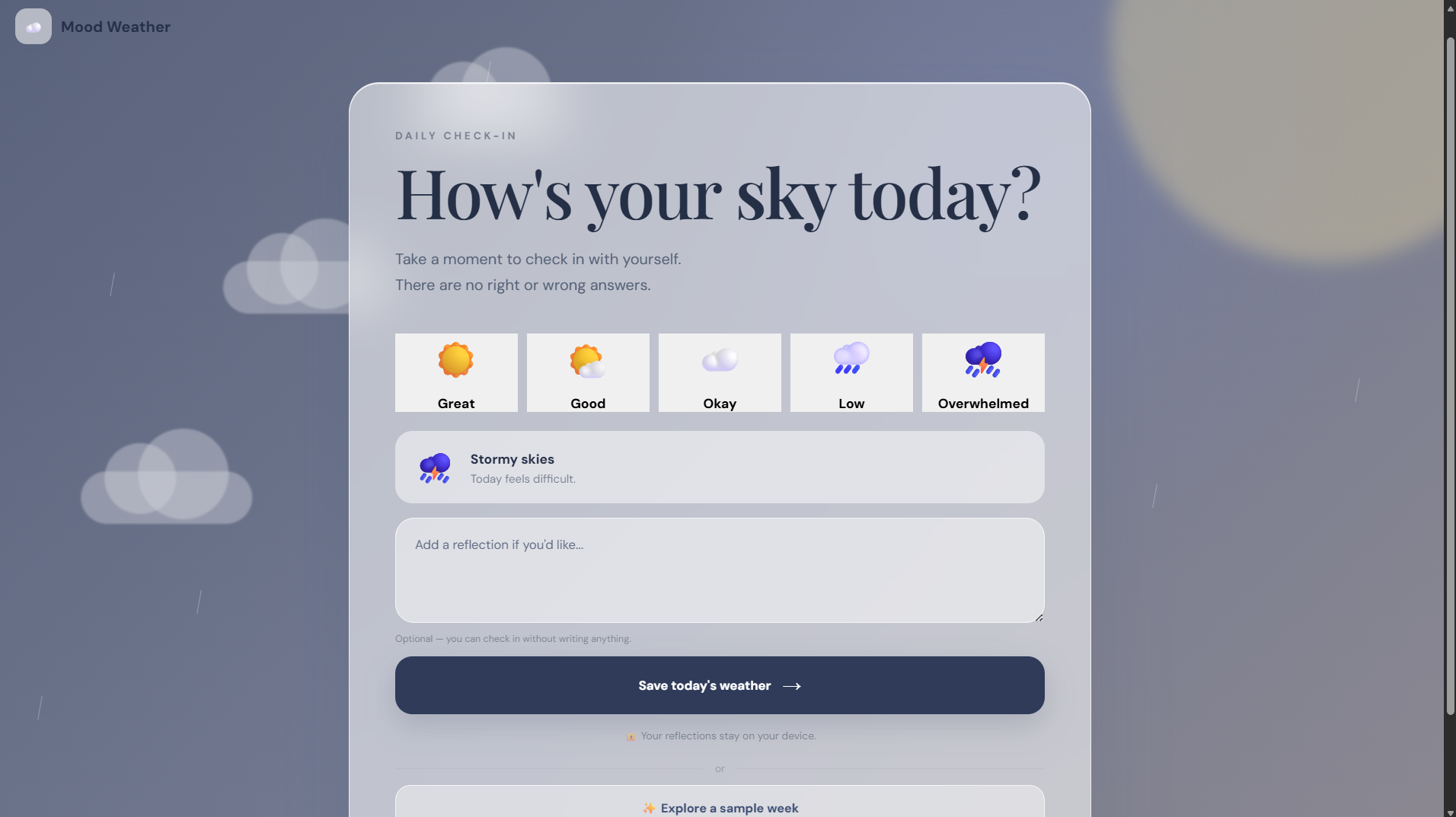
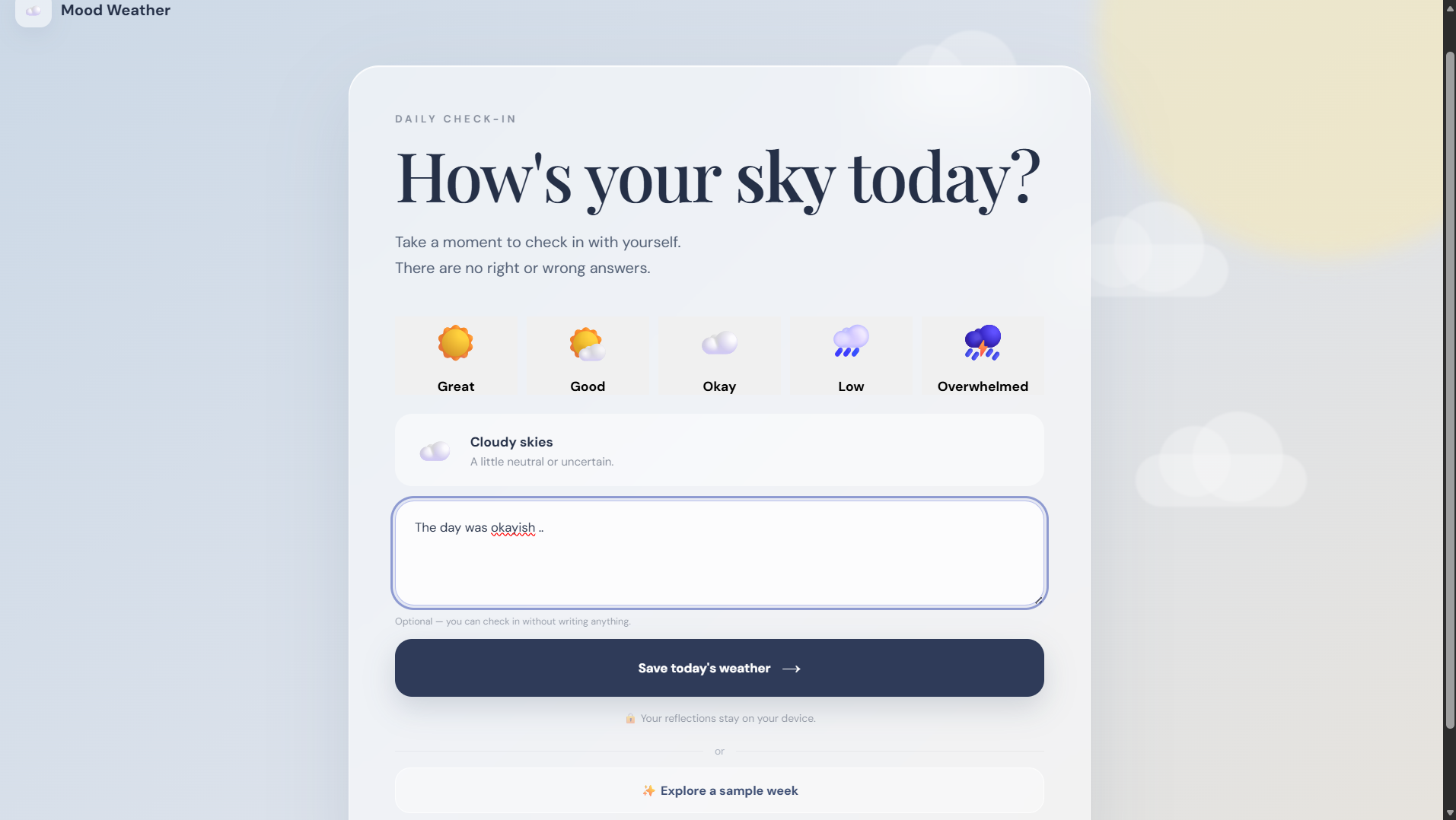
Emotional State Selection
-
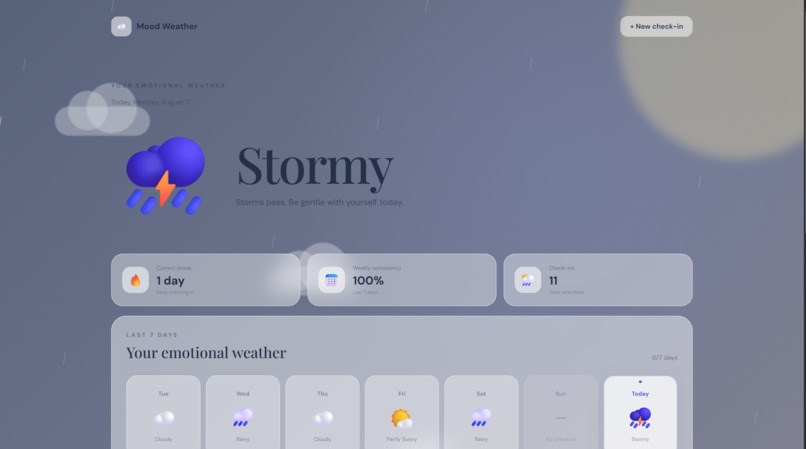
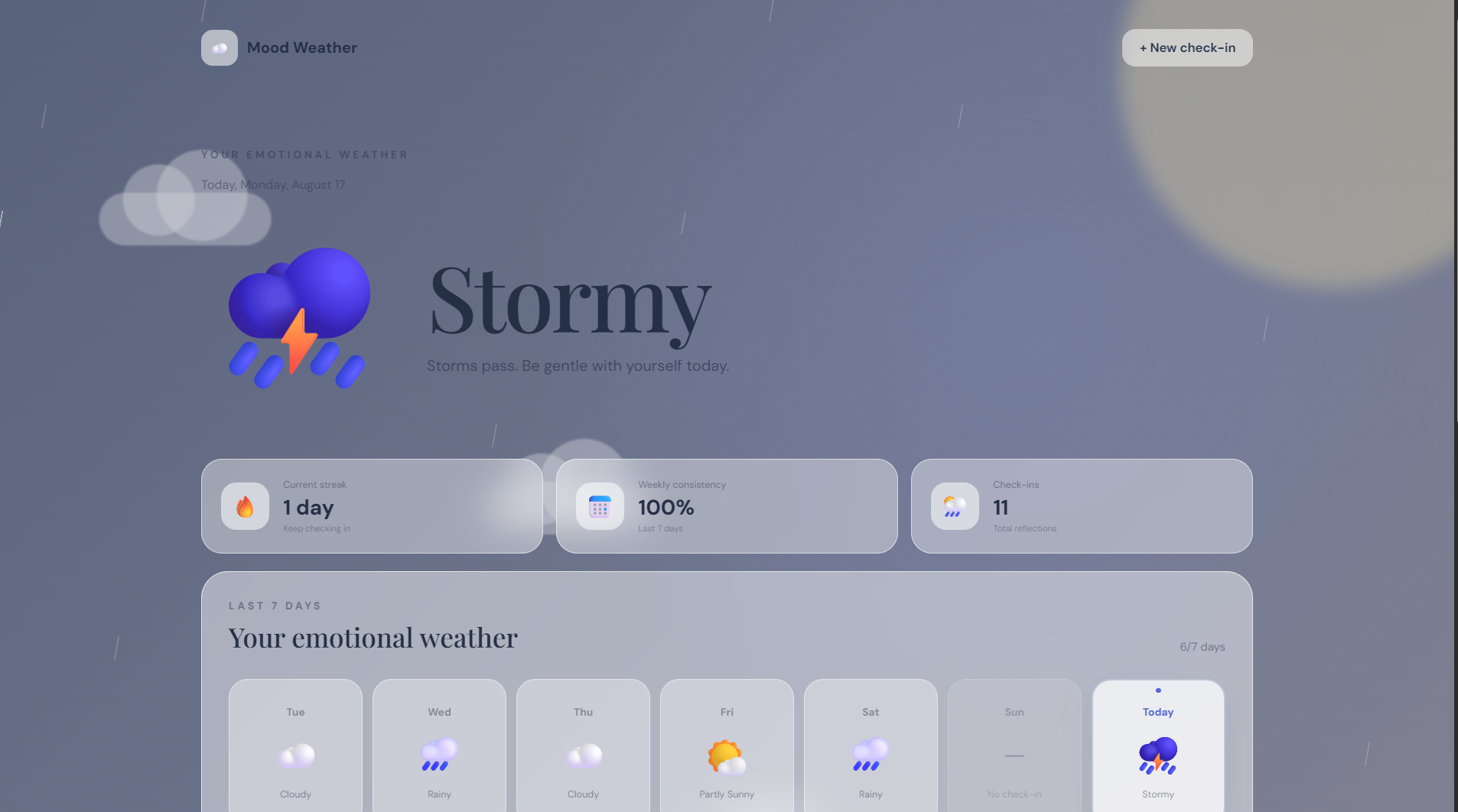
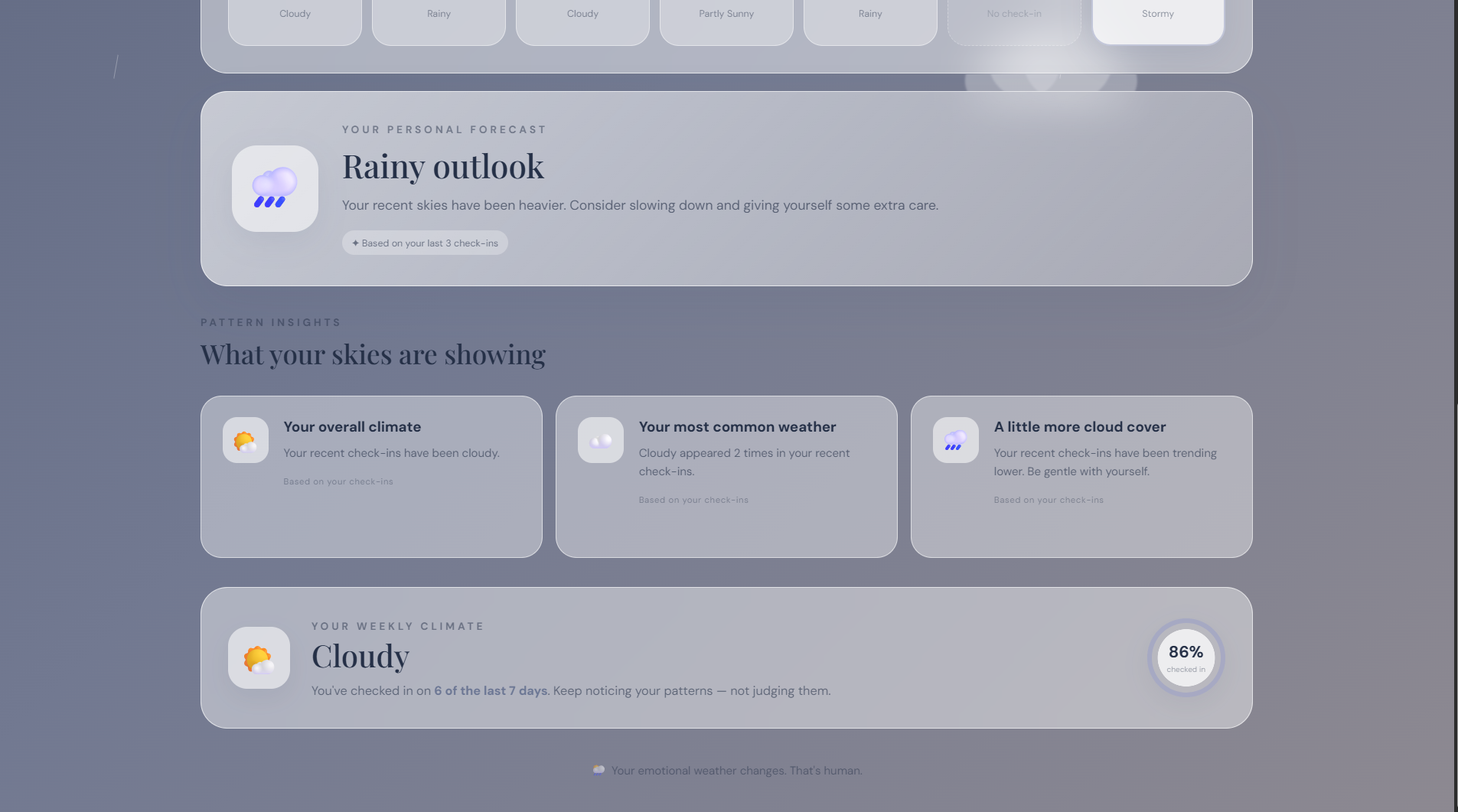
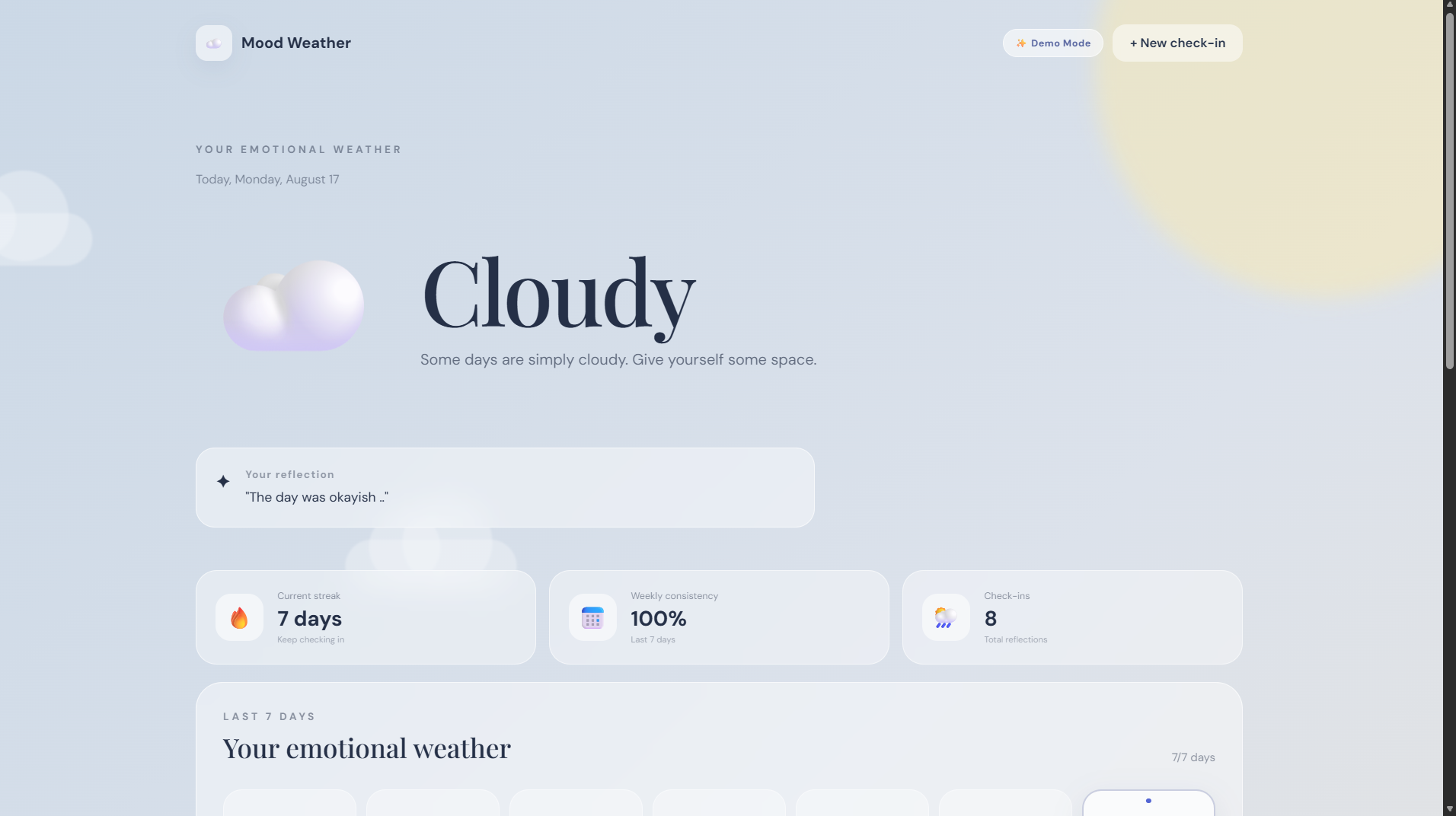
Stormy Dashboard — Emotional Overview
-
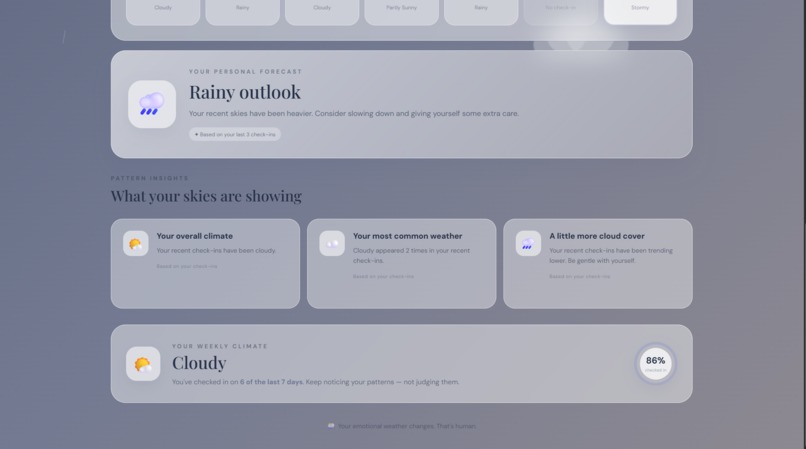
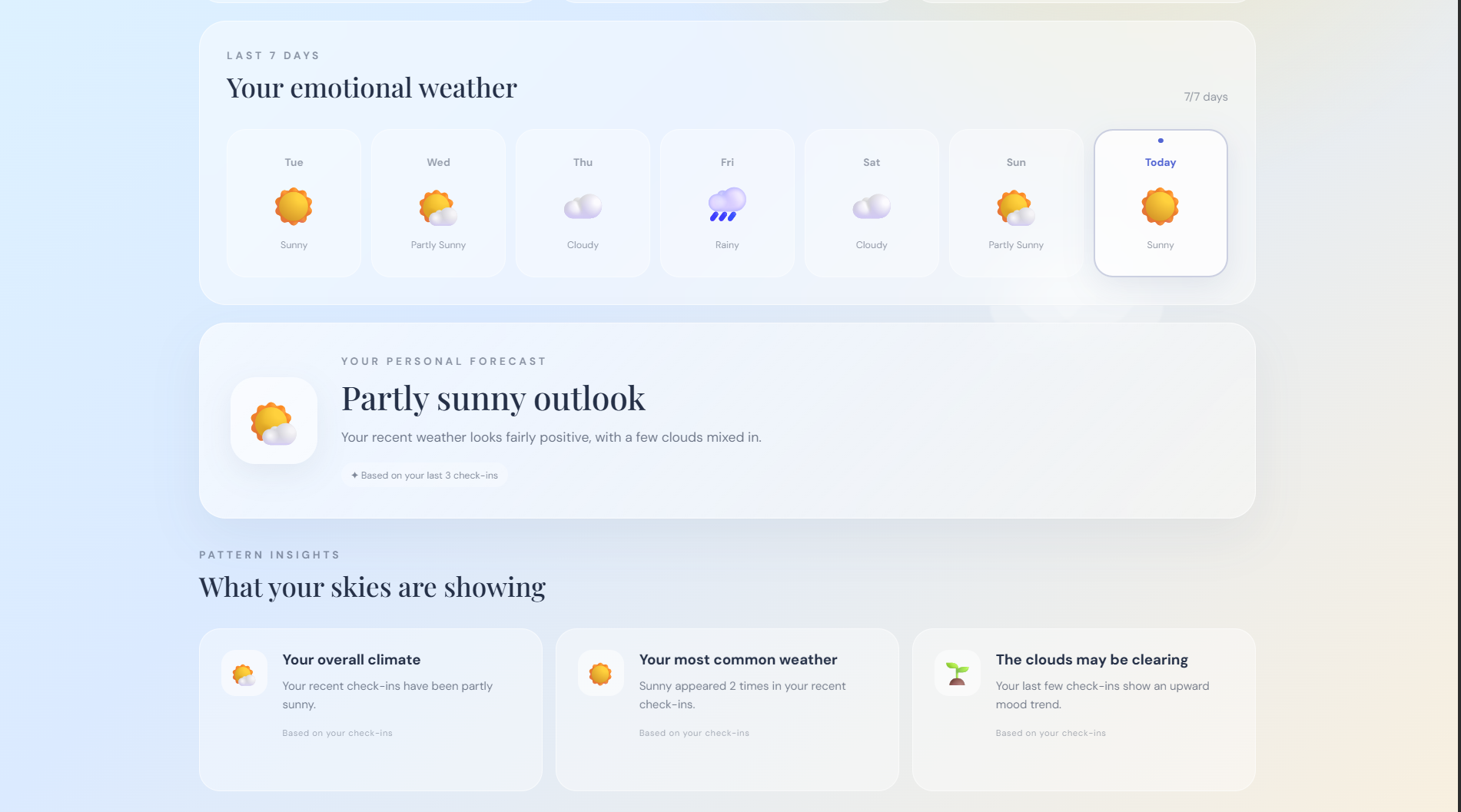
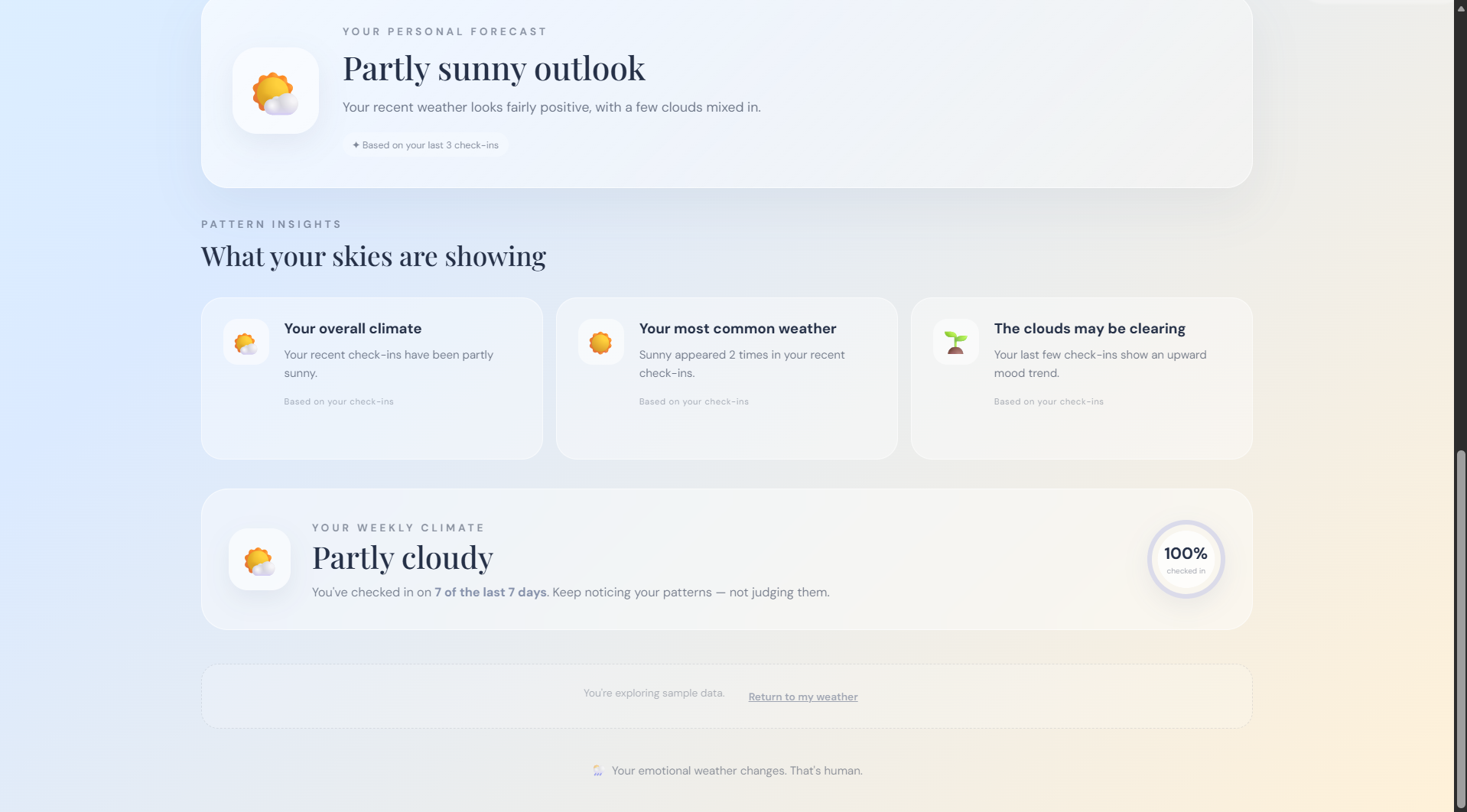
Personal Forecast & Pattern Insights
-
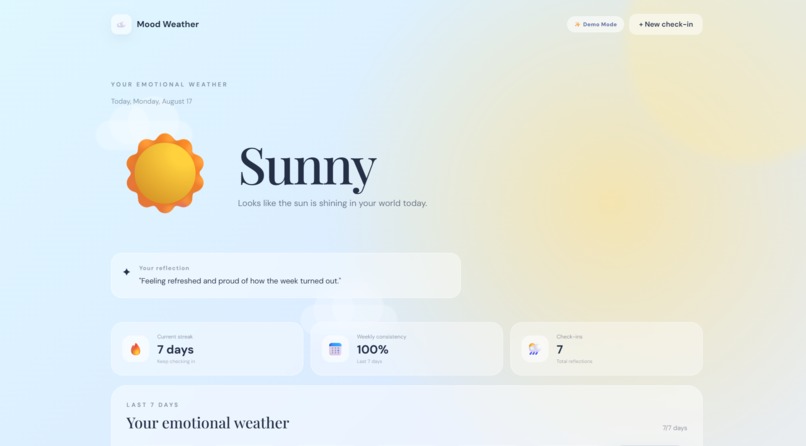
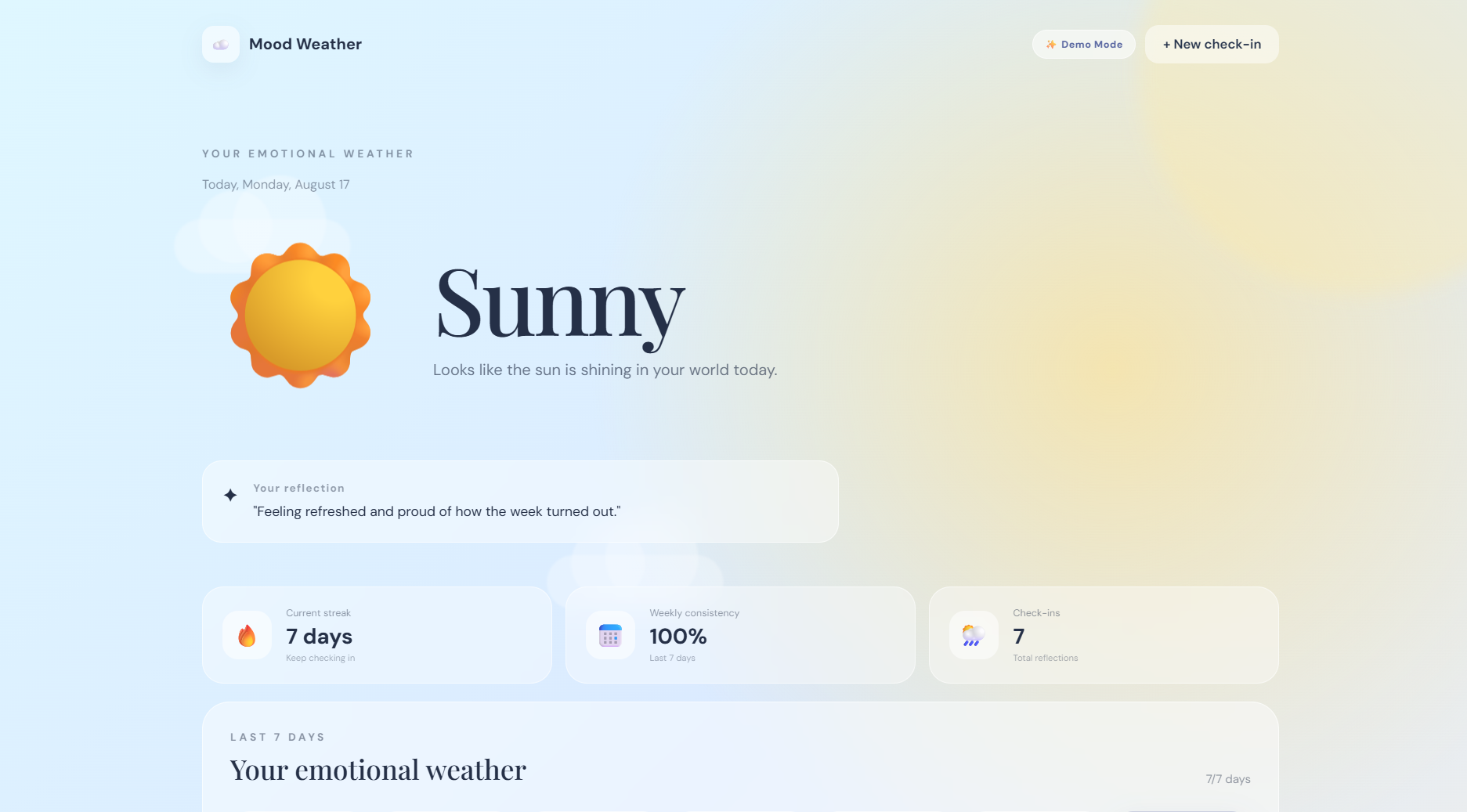
Demo Mode
-
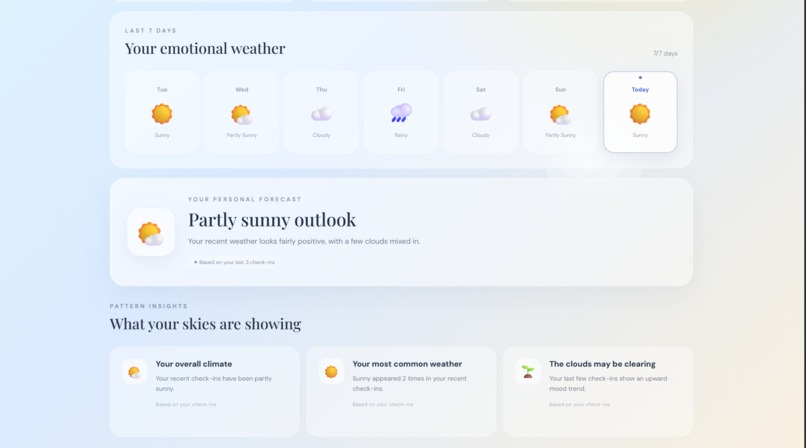
Demo Mode
-
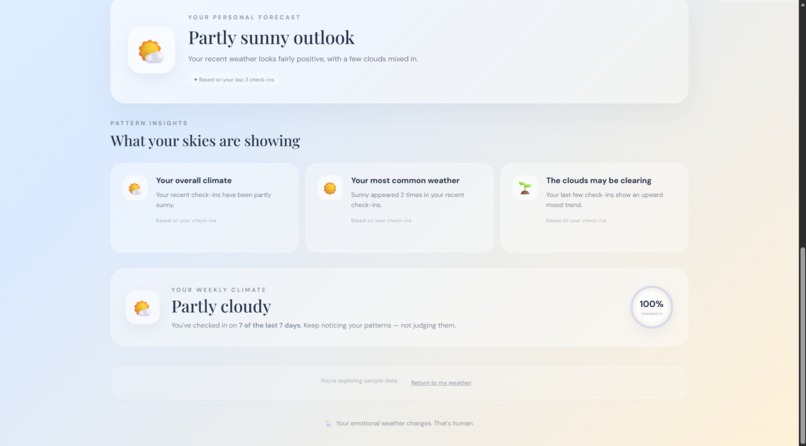
Demo Mode
-
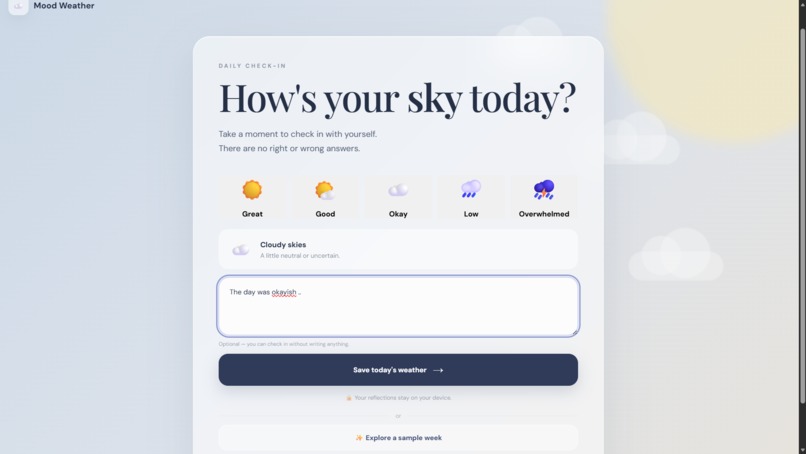
Add reflection of the day
-
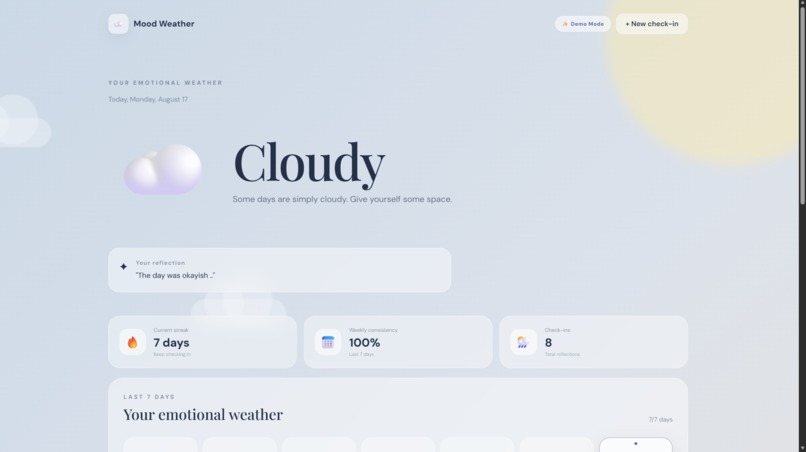
Reflection shown on dashboard
Inspiration
We often check the weather to understand what kind of day we're going to have, but we rarely pause to check in with ourselves in the same way.
Emotional self-reflection can feel like another task to complete. Traditional mood trackers can also rely heavily on numbers, charts, and text, which may make the experience feel clinical or repetitive.
I wanted to create a wellness experience that felt less clinical and more intuitive. Instead of asking users to interpret graphs and numbers, we wanted to give emotional patterns a visual language that people already understand.
That idea became Mood Weather.
What it does
Mood Weather turns a quick daily mood check-in into an emotional weather experience.
Users can:
1.Check in with their current mood. 2.See that mood represented as weather. 3.Build a 7-day emotional weather history. 4.Explore patterns in their recent check-ins. 5.View a transparent personal forecast based on their recorded patterns. 6.Track their check-in consistency and streak. 7.The weather metaphor connects individual emotional states with a larger picture of how the user's week has been feeling.
How we built it
Mood Weather was built as a React-based web application with a focus on keeping the experience simple, visual, and lightweight.
I started with a quick mood check-in system and built the rest of the experience around the weather metaphor. Each mood is mapped to a corresponding weather state, which is then used throughout the dashboard and the 7-day emotional history.
I used local storage to persist check-in data so users can return to the application without needing an account or backend setup. The application processes this data to calculate streaks, consistency, recent mood patterns, and a transparent emotional forecast.
The frontend was built with reusable React components and custom CSS. We also focused on animated weather visuals, responsive layouts, keyboard accessibility, semantic labels, reduced-motion support, and empty/error states.
For the hackathon demo, I added a Demo Mode with realistic sample data so judges can immediately experience the complete product without having to create a week's worth of entries.
Challenges we ran into
One of the main challenges was making the weather metaphor more than a visual theme. I had to connect the user's individual check-ins with the seven-day history, pattern insights, and forecast so that the metaphor remained meaningful throughout the experience.
I also focused on keeping the interface simple while adding animations, responsive behavior, accessibility features, and useful empty/error states.
Accomplishments that we're proud of
I'm proud that I was able to turn a relatively simple idea into a complete, working wellness experience within the hackathon timeframe.
I'm especially proud of:
1.Creating a distinctive weather-based metaphor for emotional wellbeing. 2.Building a 7-day emotional weather history instead of relying only on conventional mood charts.
- Adding pattern insights based on the user's actual check-in history.
- Creating a transparent forecast rather than presenting an unexplained prediction. 5.Implementing streak and consistency tracking to encourage regular reflection.
- Creating a Demo Mode with realistic data for a smooth presentation experience. 7.Including accessibility considerations such as keyboard navigation, semantic labels, and reduced-motion support. 8.Making the interface responsive across different screen sizes. 9.Building a cohesive visual language around weather instead of treating it as just a decorative theme.
- Most importantly, resisting unnecessary feature creep and focusing on making the core product polished and usable.
What we learned
Building Mood Weather taught me that a good product isn't necessarily about adding the most features — it's about making the core idea clear and meaningful.
I learned how to turn a simple concept like mood tracking into a consistent interaction system where the same metaphor is used across check-ins, history, insights, and forecasting.
I also learned more about managing state and persistent data in a React application, transforming raw user check-ins into useful patterns, and designing interfaces that remain understandable across different screen sizes.
One of the biggest lessons was learning to balance creativity with scope. Instead of continuously adding features, I focused on making the core experience reliable, accessible, and polished.
What's next for Mood Weather
Potential future improvements include:
1.Longer-term emotional trend analysis 2.Optional expanded journaling 3.More personalized recommendations 4.Privacy-focused cloud synchronization 5.Optional AI-assisted reflection 6.Optional integrations with sleep or activity data
These features are not part of the current implementation.
Built With
- css
- javascript
- localstorage
- node.js
- react
- vite


Log in or sign up for Devpost to join the conversation.