-
-
Thank you!
-
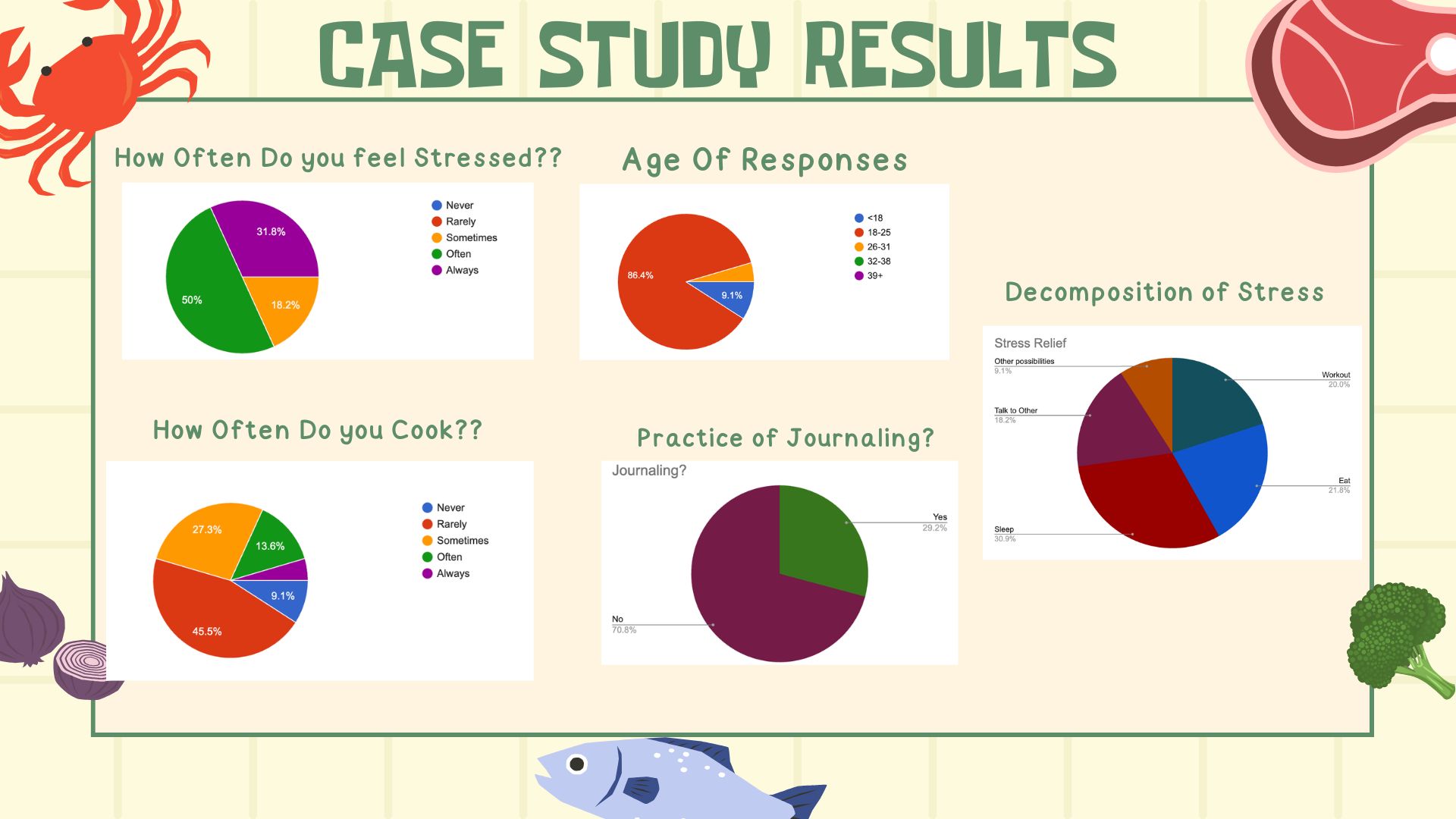
Case Study results
-
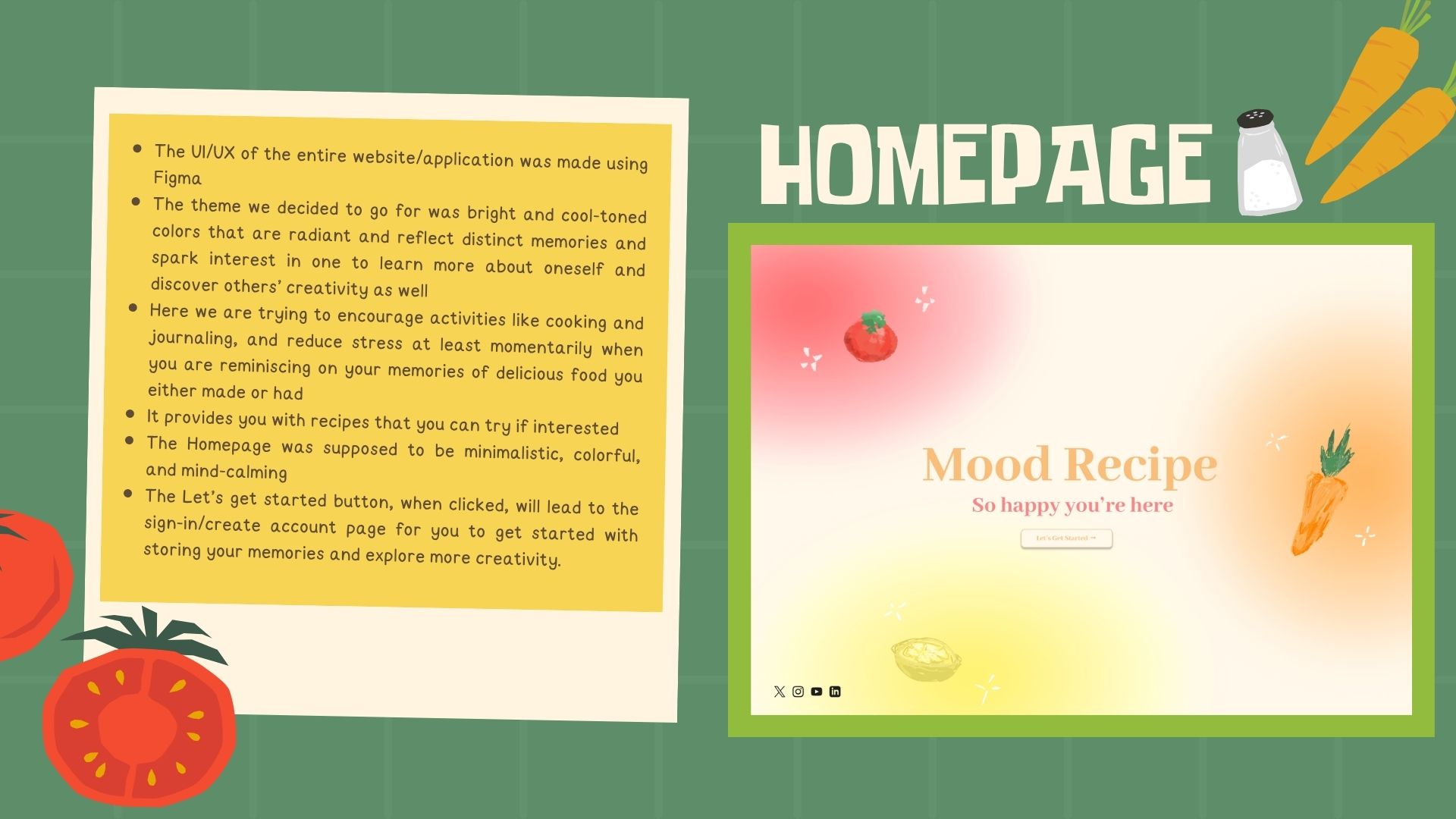
Homepage of website
-
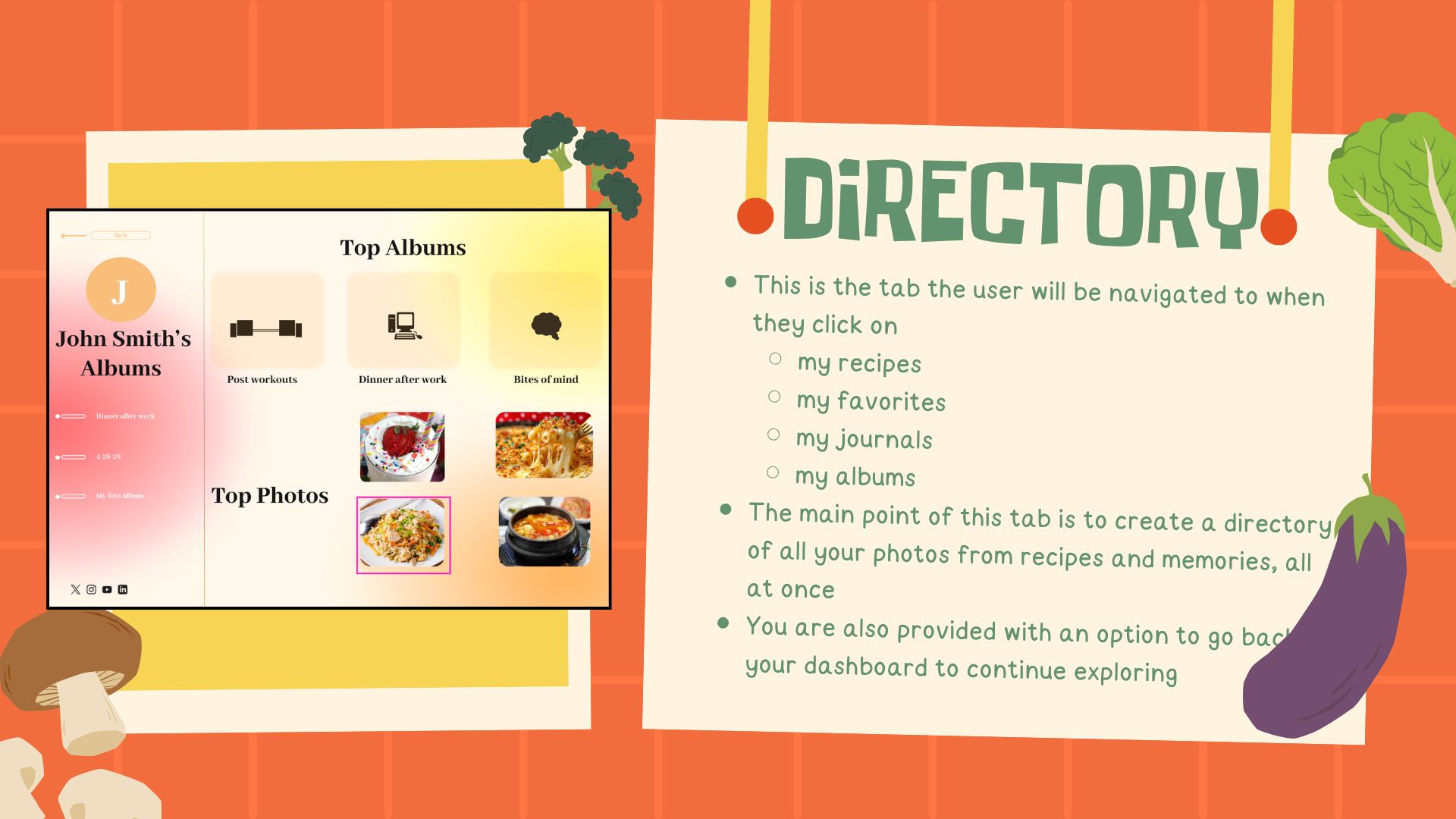
Directory of Memories and Recipes
-
Project and Team introduction
-
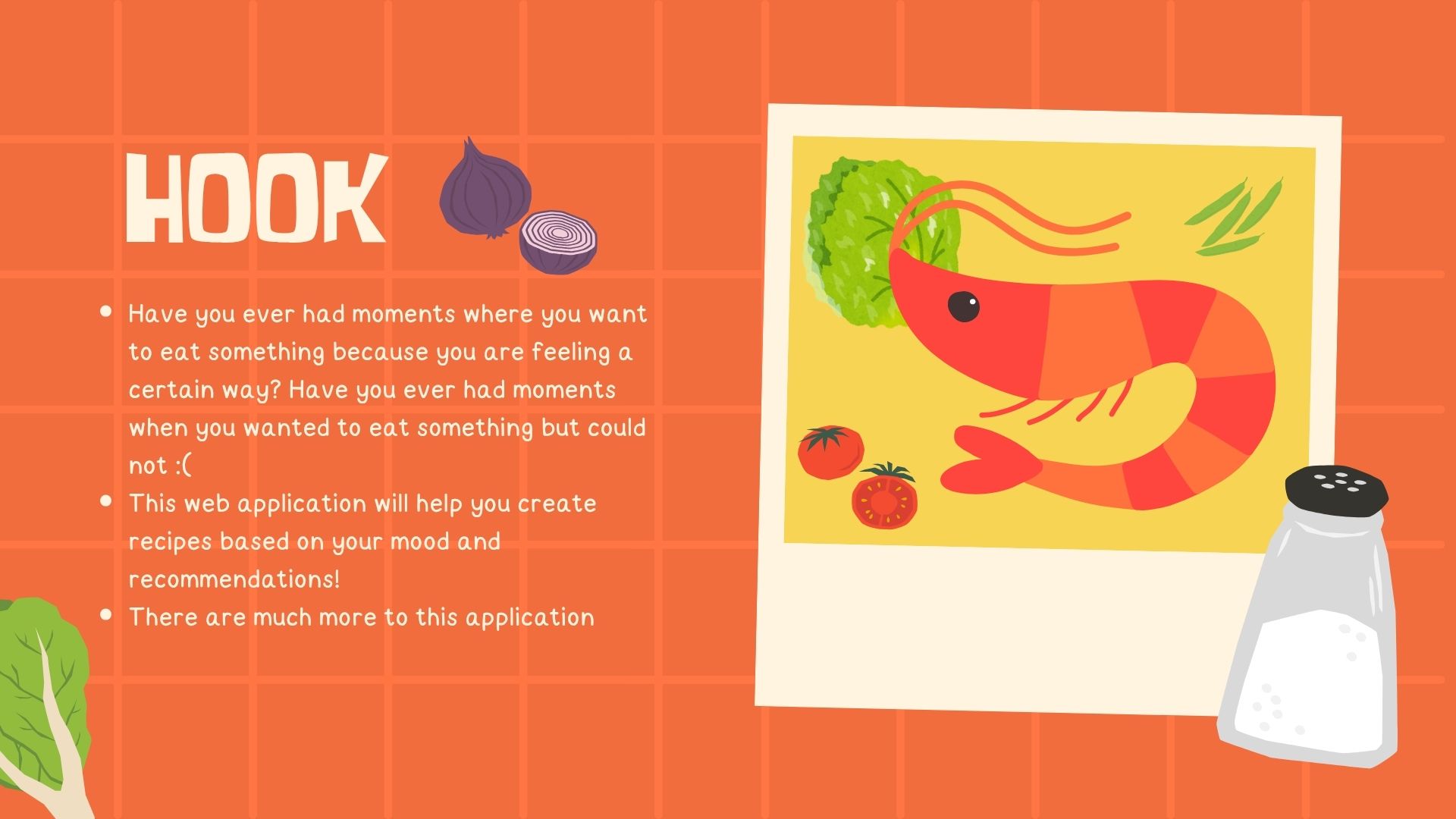
Project Hook
-
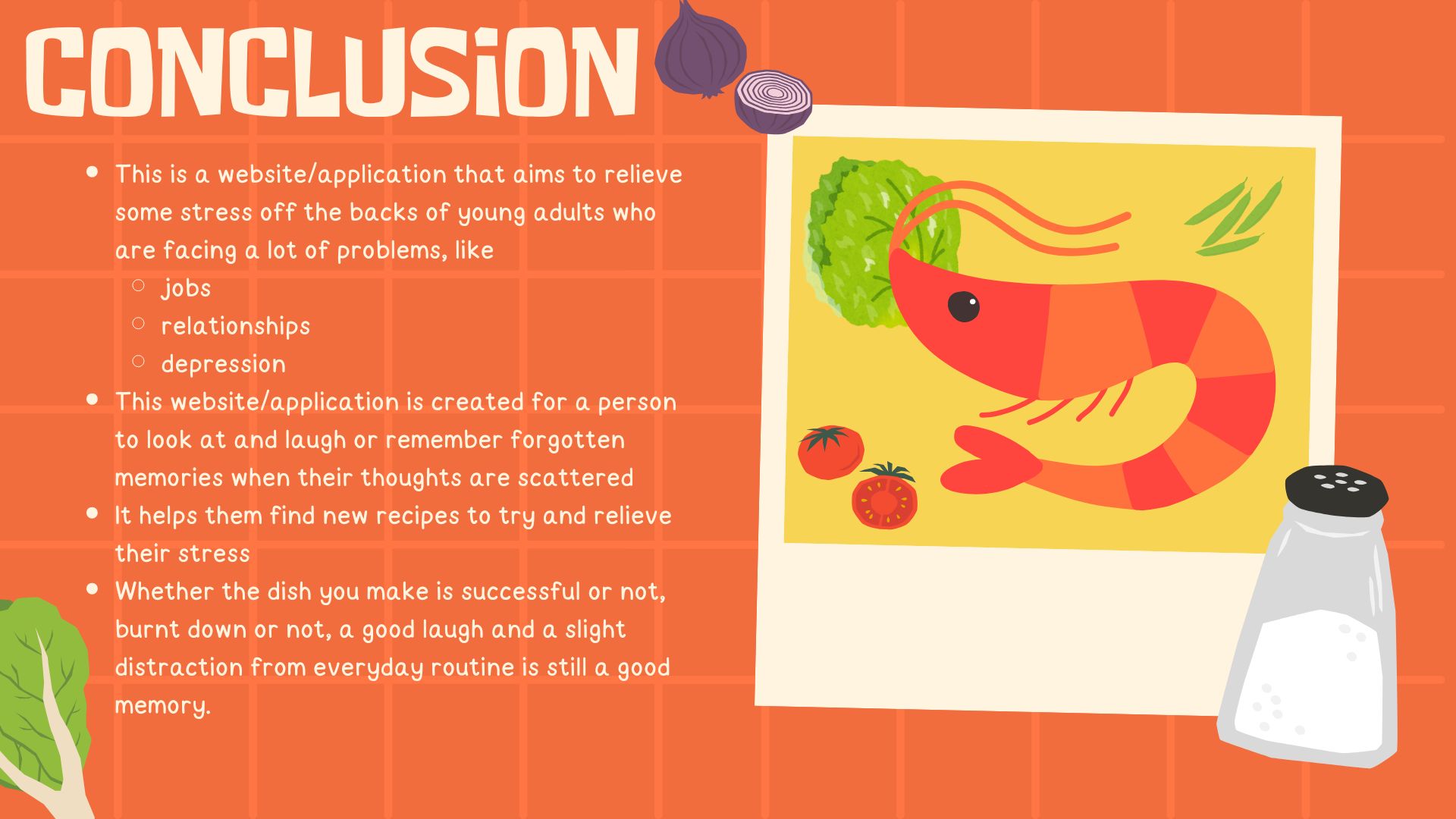
Conclusion of project
-
Project goal and inspiration (continued)
-
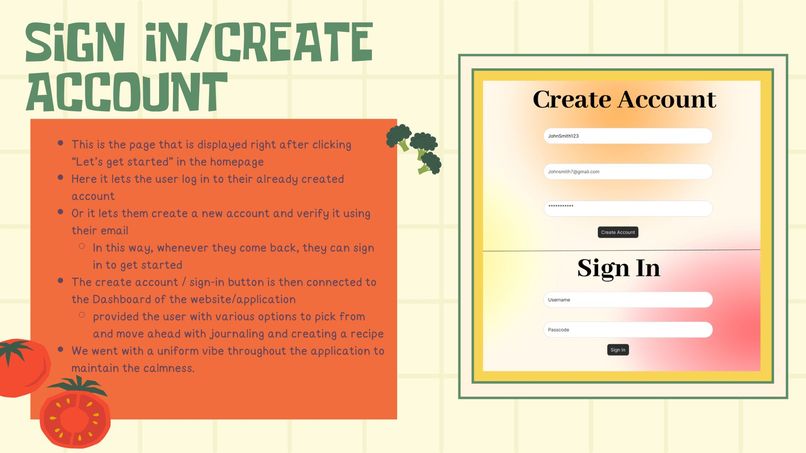
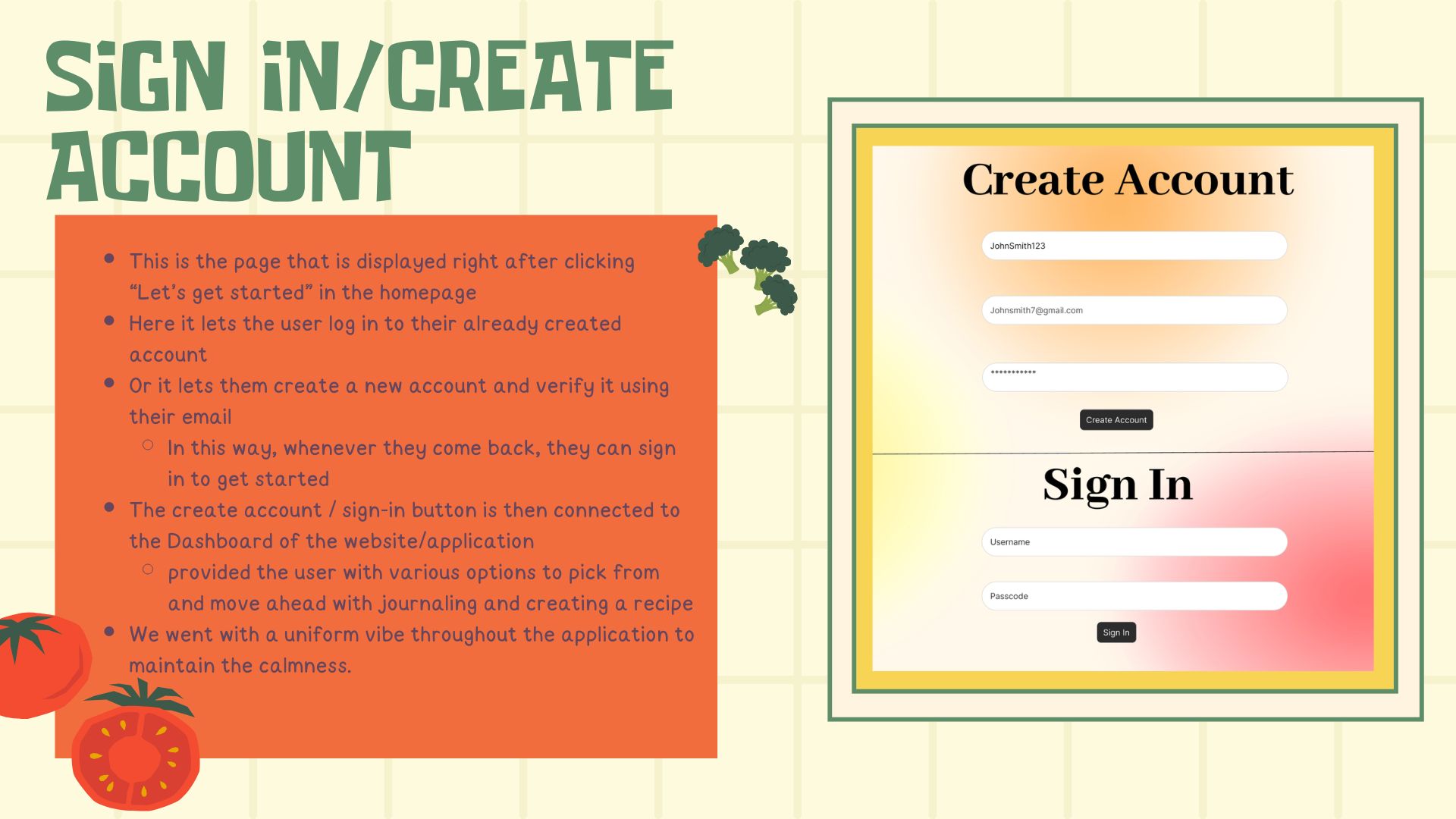
Sign In/Create Account of website
-
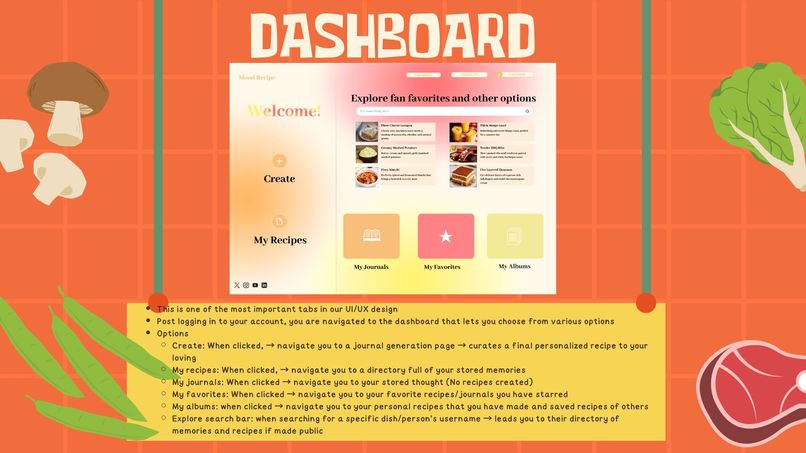
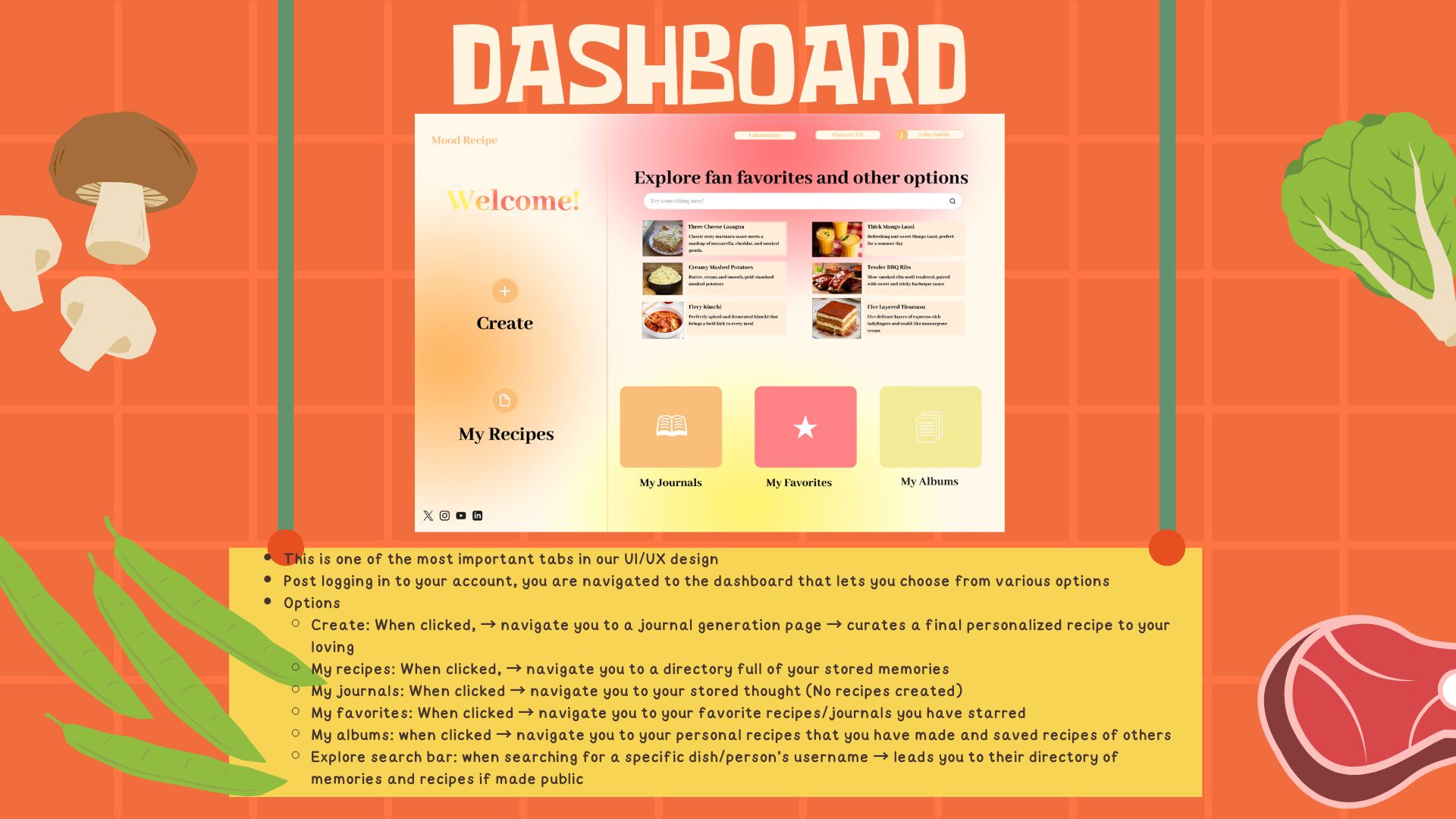
Dashboard of Web app
-
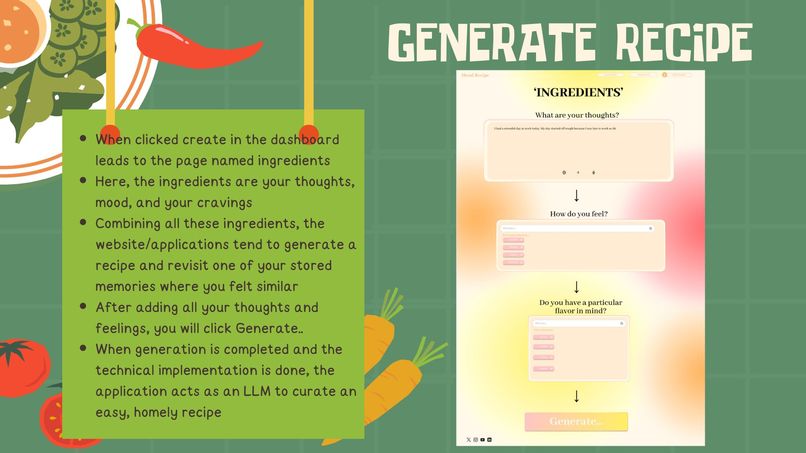
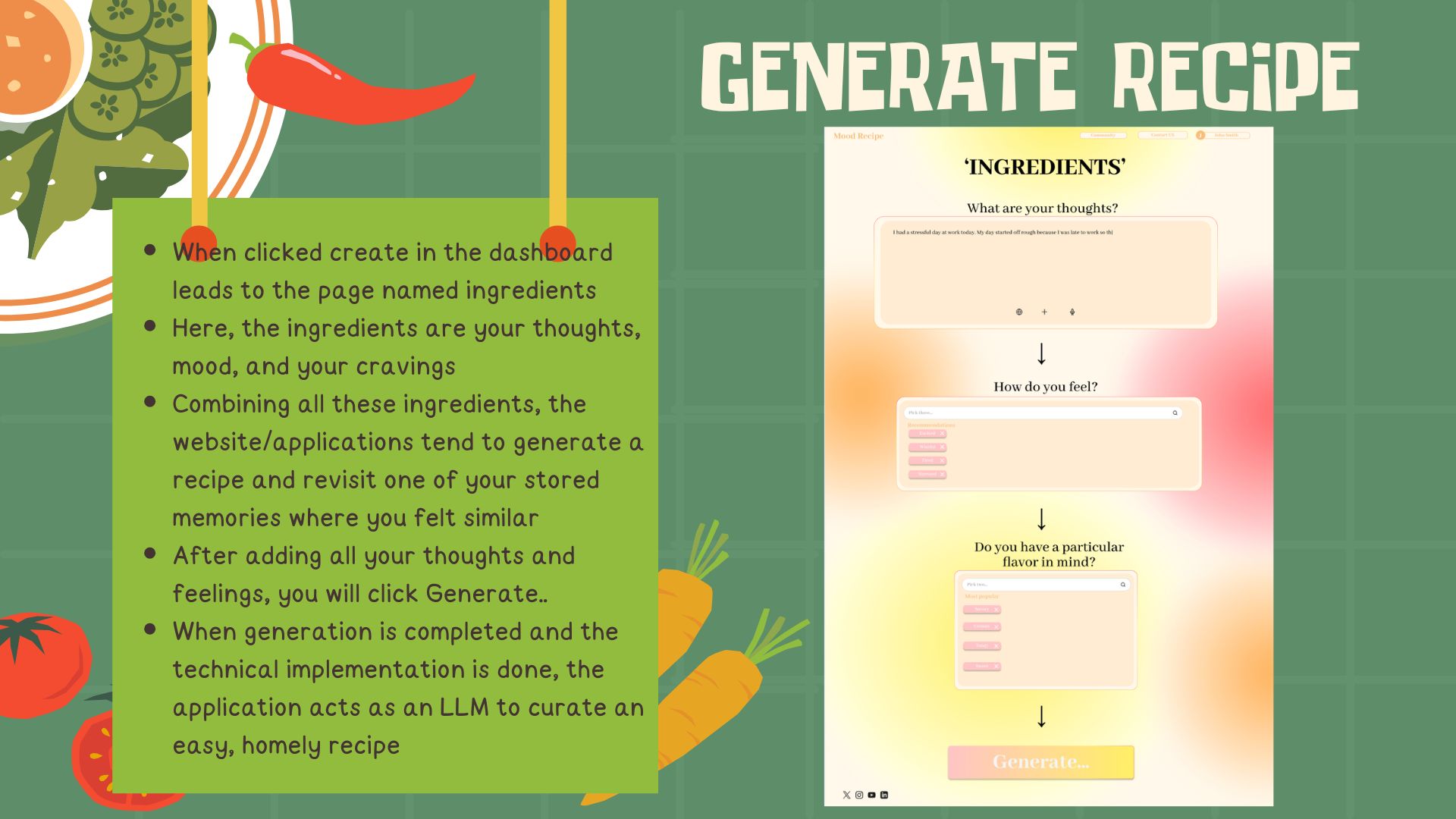
Recipe Generation.. of Web App
-
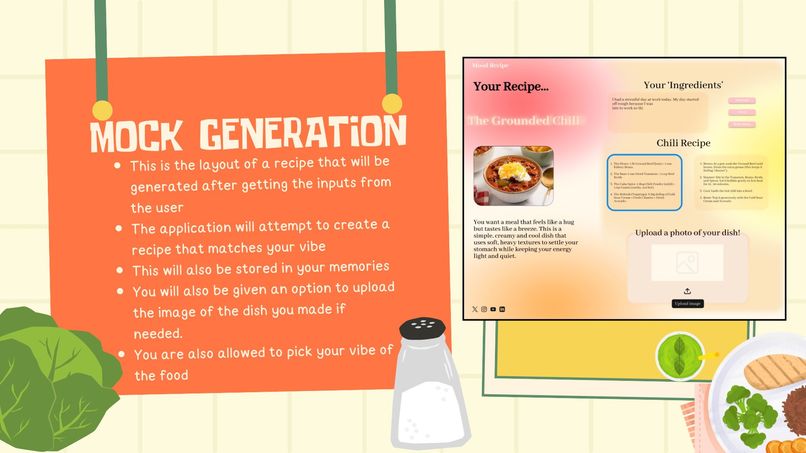
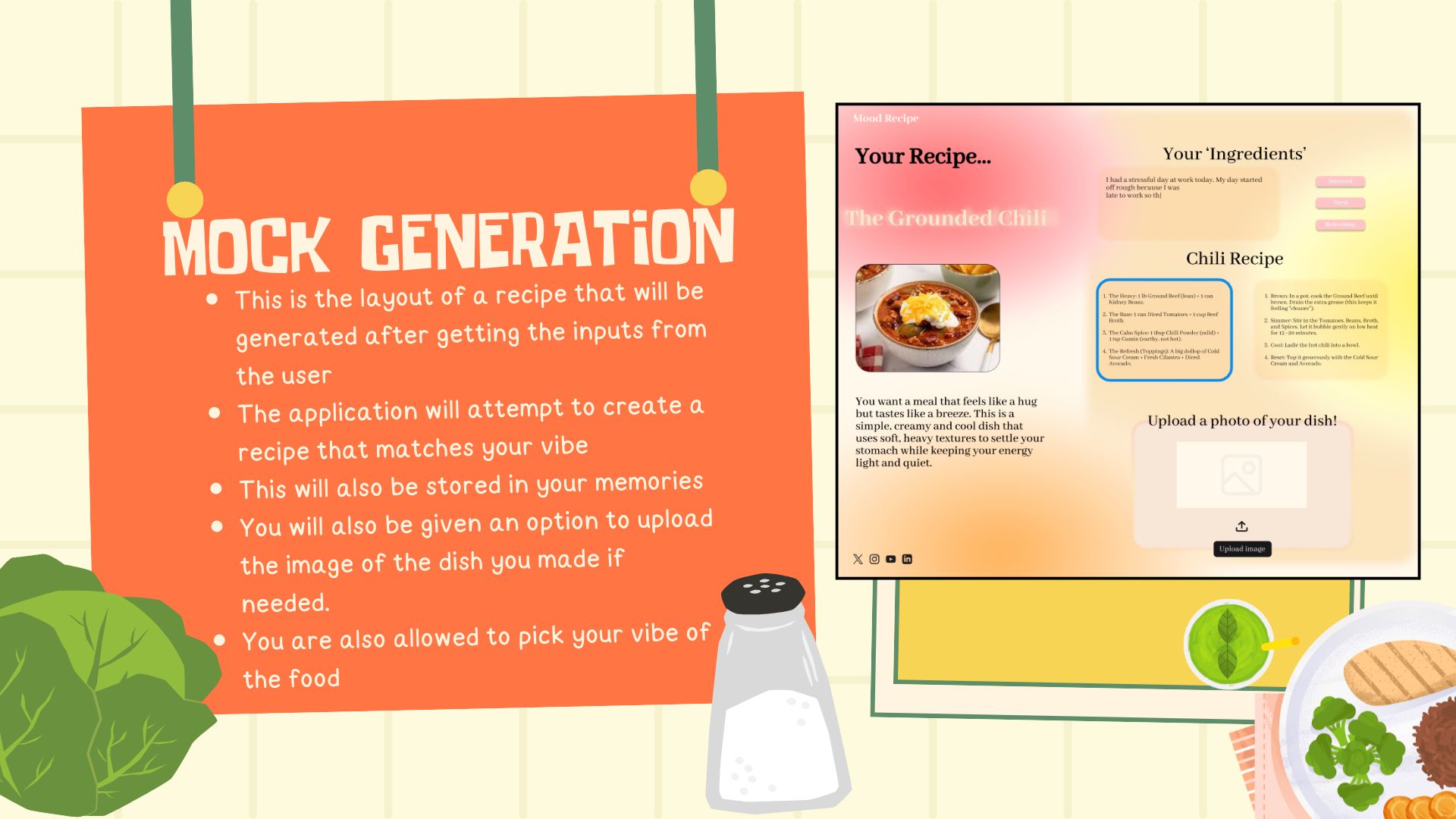
A mock Recipe Generated..
-
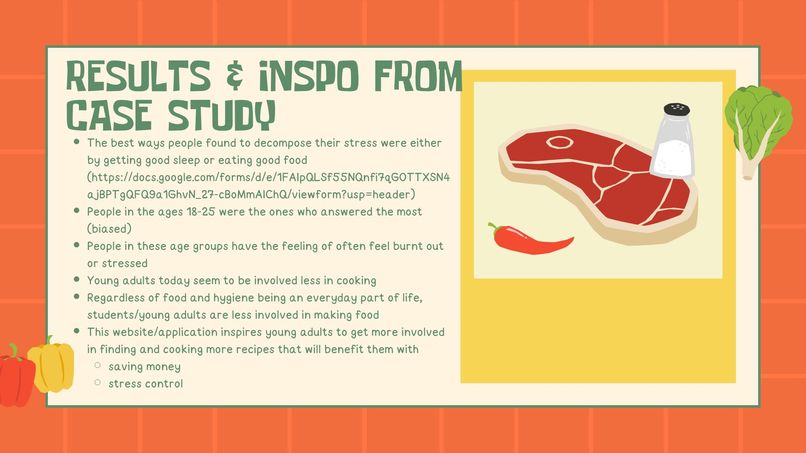
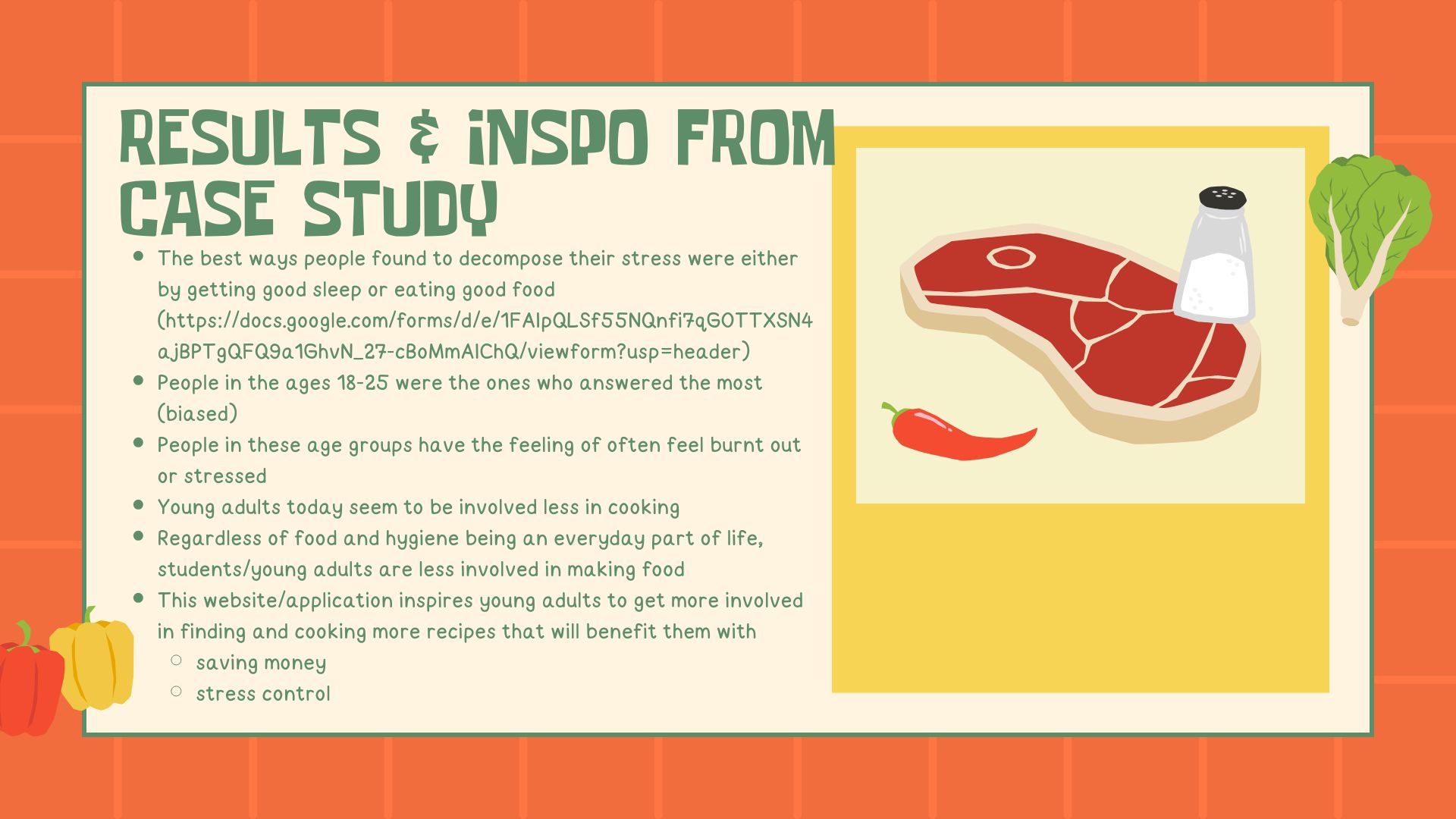
Results summarized and inspiration
Inspiration
This is a web application mock-up that will help you journal and save your memories in the form of recipes and images. The main inspiration behind the creation of this application is to emphasize the idea of journaling, and also aims to inspire people to get into easy and accessible cooking It helps people to explore easy recipes that are curated based on their moods of the people Makes cooking easy and allows you to reminisce about the taste. This cooking and reminiscence on the past is also formed to act as a stress reliever Gemini - Was used to generate ideas for the layout of the application and mention all the possible elements that can be added Notability - Used to create a mock-up layout for our easy understanding. A small flowchart..
What it does
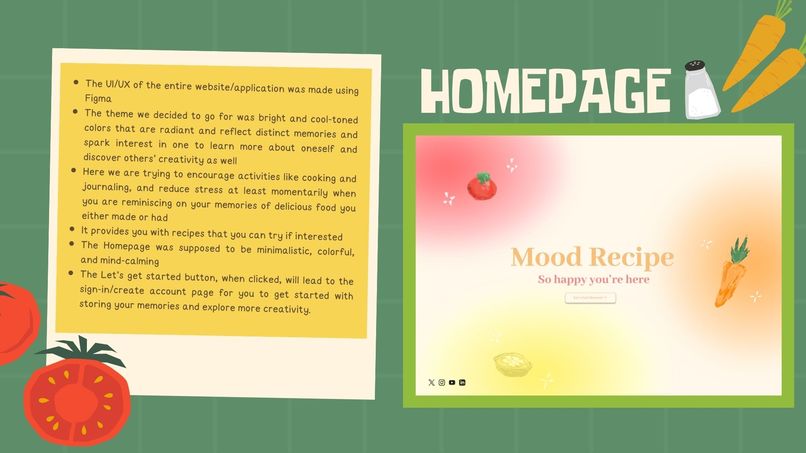
The theme we decided to go for was bright and cool-toned colors that are radiant and reflect distinct memories and spark interest in one to learn more about oneself and discover others’ creativity as well Here we are trying to encourage activities like cooking and journaling, and reduce stress at least momentarily when you are reminiscing on your memories of delicious food you either made or had It provides you with recipes that you can try if interested The Homepage was supposed to be minimalistic, colorful, and mind-calming The "Let’s get started" button, when clicked, will take you to the sign-in/create account page to get started storing your memories and exploring more creativity.
How we built it
Built this end product mainly using Figma. We used Gemini for ideas for layout or just the concept in general. In addition to framing our own ideas and incorporating Gemini's recommendations, we used Notability to create a paper version of what we wanted our web application prototype to be. We used this for our general understanding and also to visualize the prototype connections that we were going to make with our application
Challenges we ran into
The main challenge we ran into was figuring out the working of Figma and also the concept of the website. Additionally, we also had issues with surveying and understanding the weightage of the design requirements and the functional (code) requirements.
Accomplishments that we're proud of
We are proud that it was our first-ever design-a-thon, and as students with completely different technical backgrounds, despite finding it challenging to figure out the tools, we are proud that we managed to create a beautiful layout that lifts our mood and helps feed people's creativity. We are proud that we learned to use an entirely new tool and work our way through the design and gained valuable experience in creating UI/UX
What we learned
The biggest learning from this design-a-thon was that it is a challenging task, especially when stepping into a problem that you are not aware of, but taking the time to figure out the loopholes and make it happen was worth it!. The final mock-up of a web application with an aesthetic UI/UX and a great slide show explaining the work of the web application was indeed hard to manage in the given time crunch, but it was a great experience all along.
What's next for Mood Recipe - Design-a-thon 2026
The next part of Mood Recipe would probably be adding more detailed functionality like accepting inputs, navigation, and filtering options. Since we only had 24 hours to build this design, and as beginners, we were only able to focus on getting the design and prototyping part done. But the actual functionality and connection of other widgets to their respective tabs are yet to be developed, and that would be what's next for Mood recipe. For now, we have a partly navigable design, but there are still a lot more features and connections we can functionally add using coding languages later.
Built With
- figma
- gemini
- notability


Log in or sign up for Devpost to join the conversation.