-
-
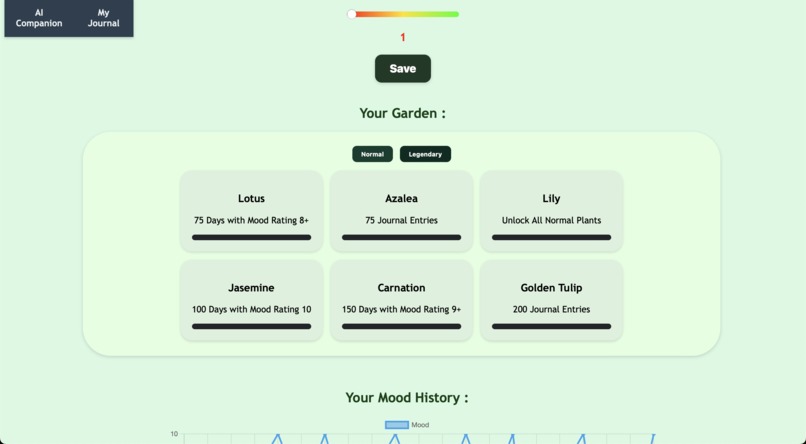
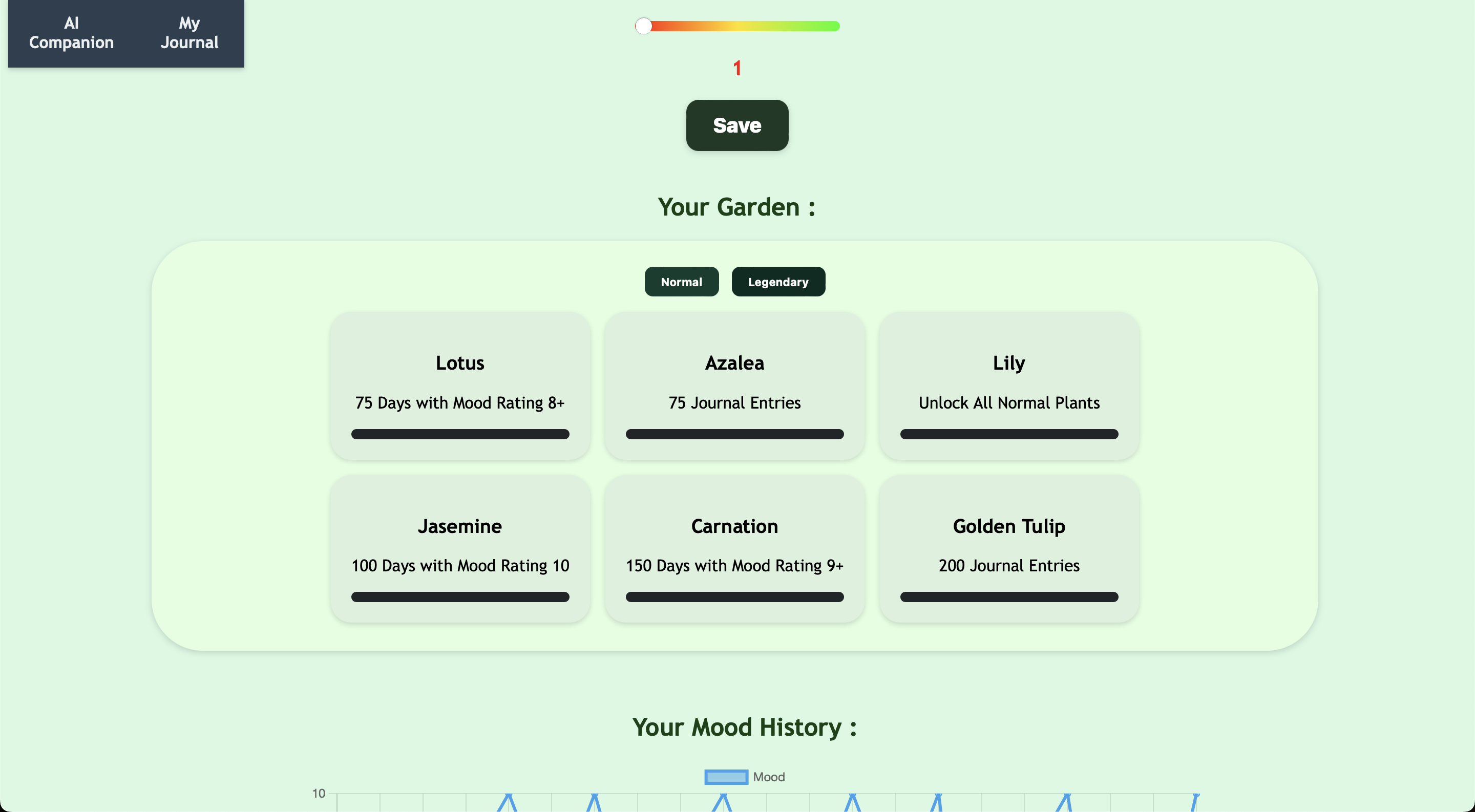
legendary garden items
-
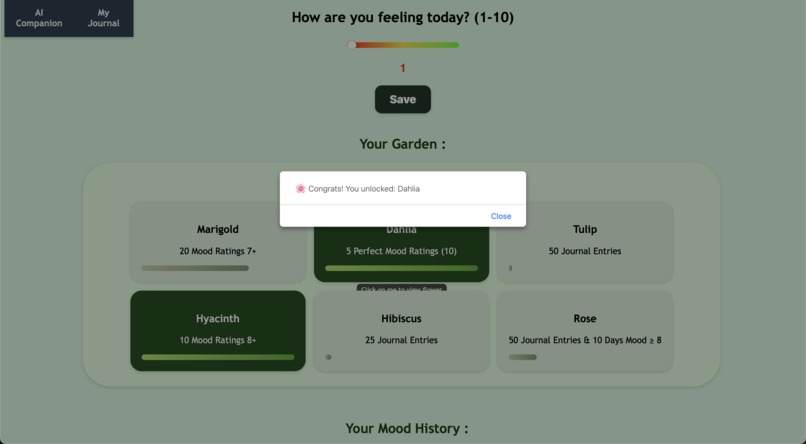
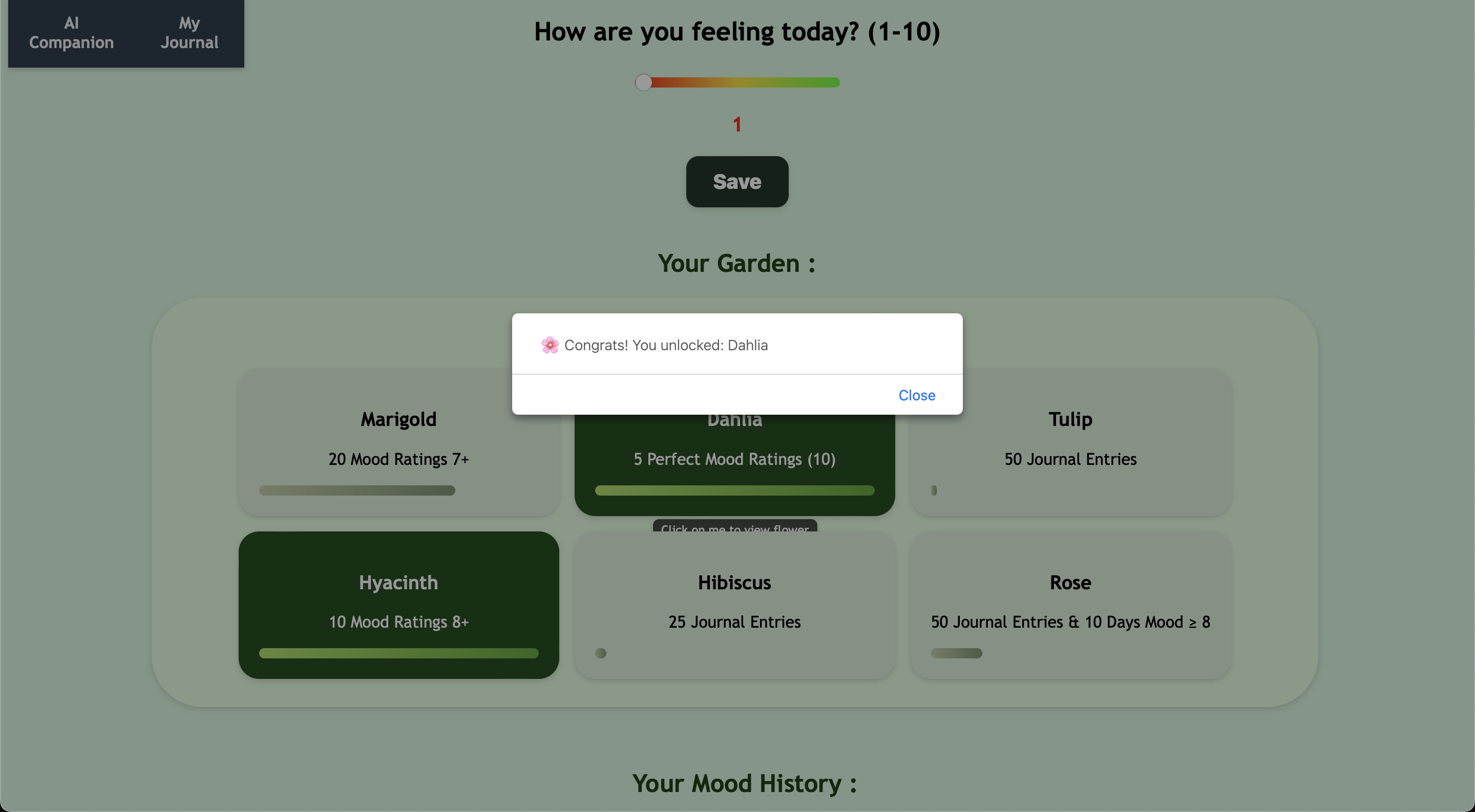
unlocked flowers
-
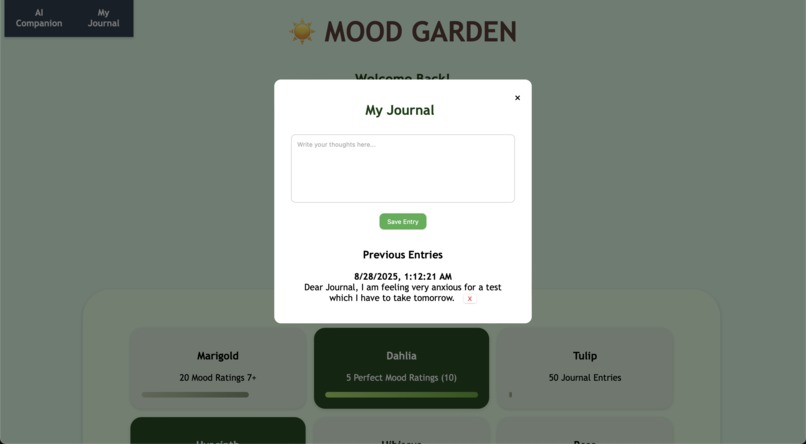
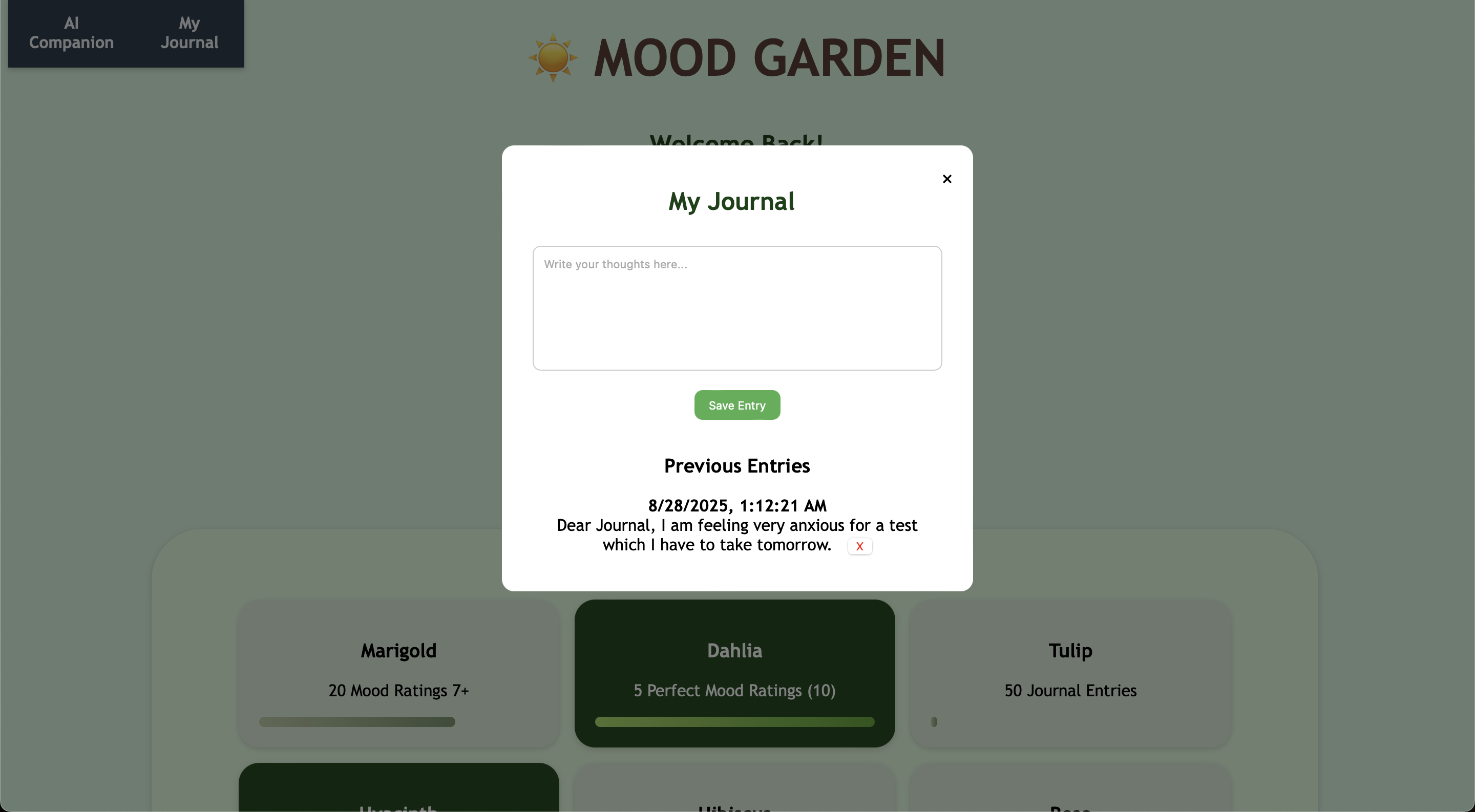
My Journal
-
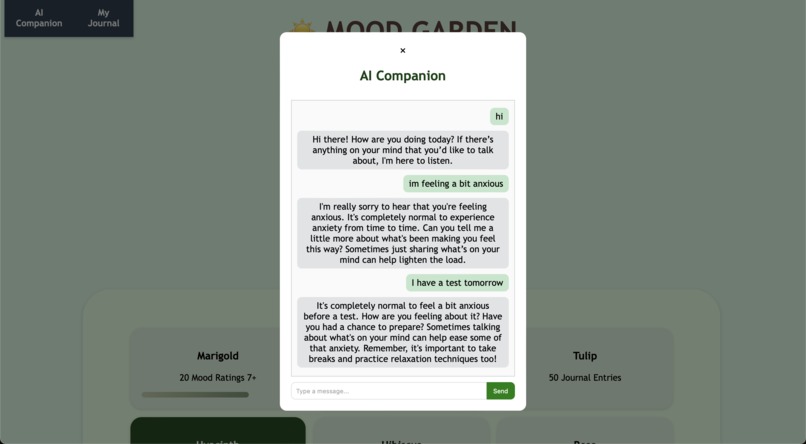
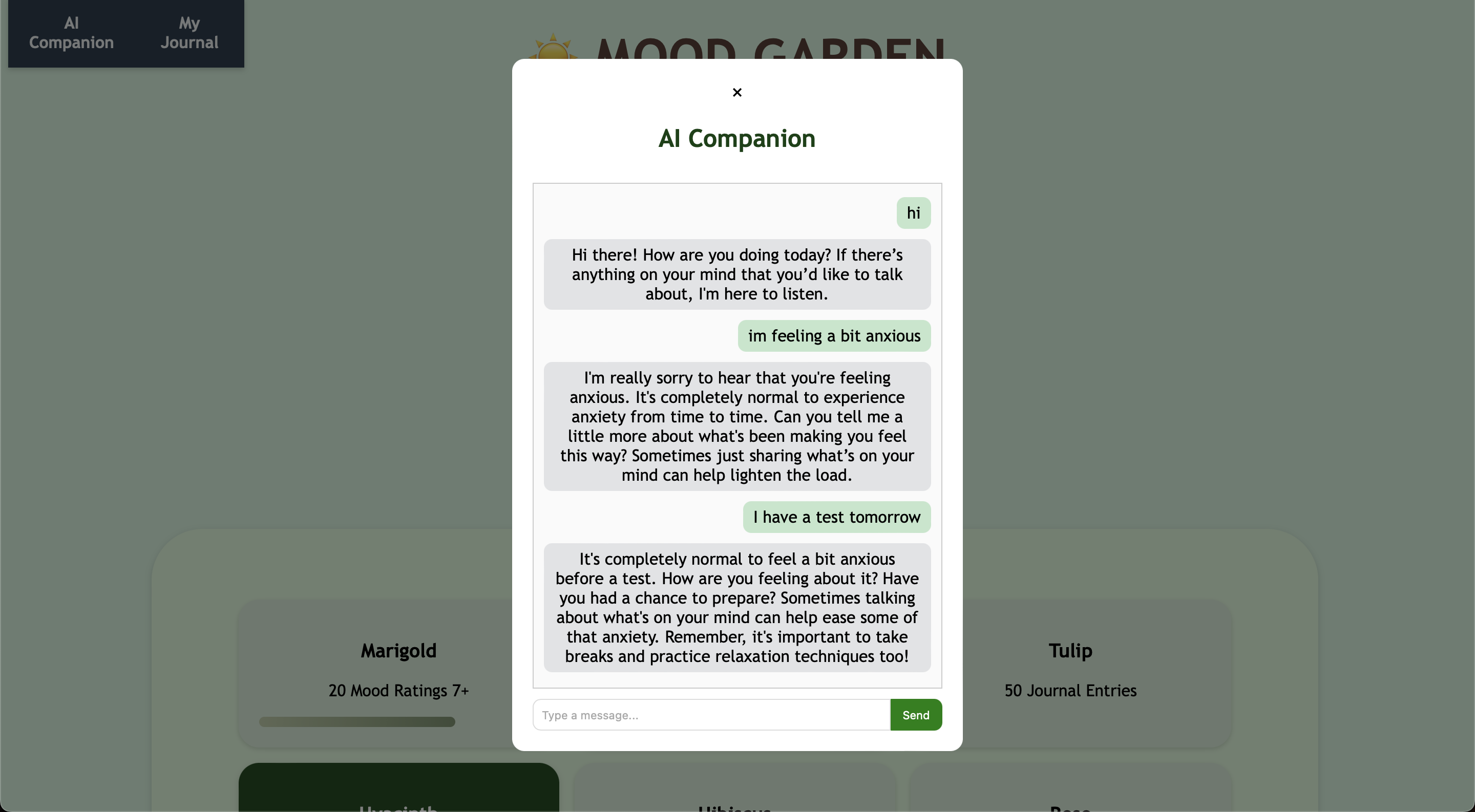
AI Companion
-
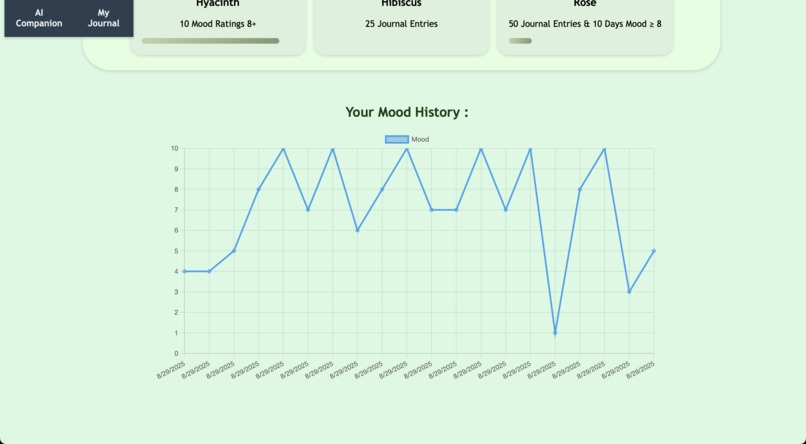
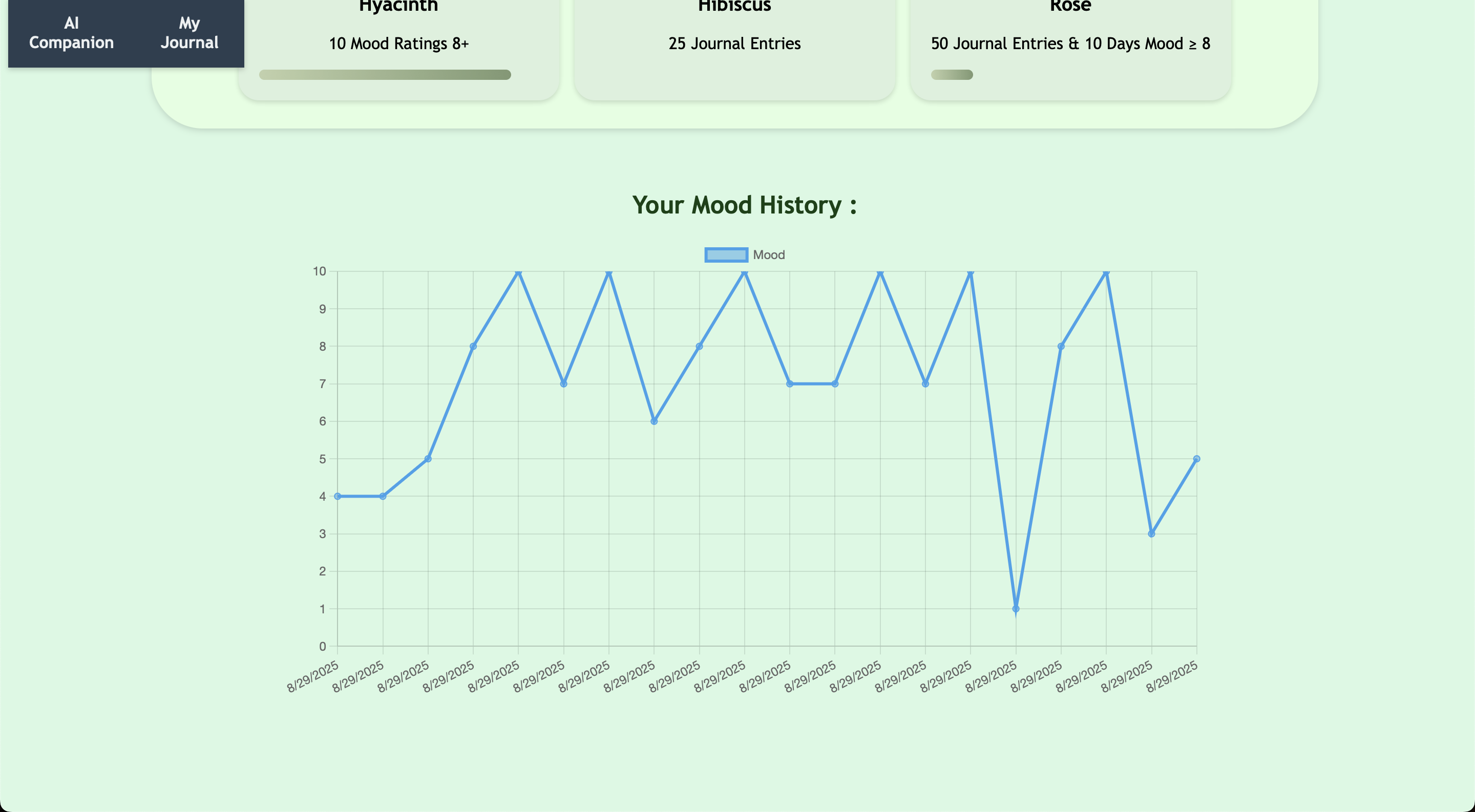
Mood History chart (chart.js)
-
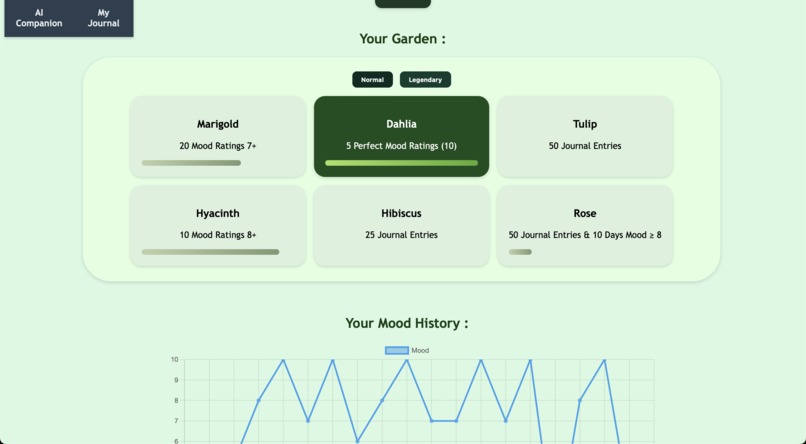
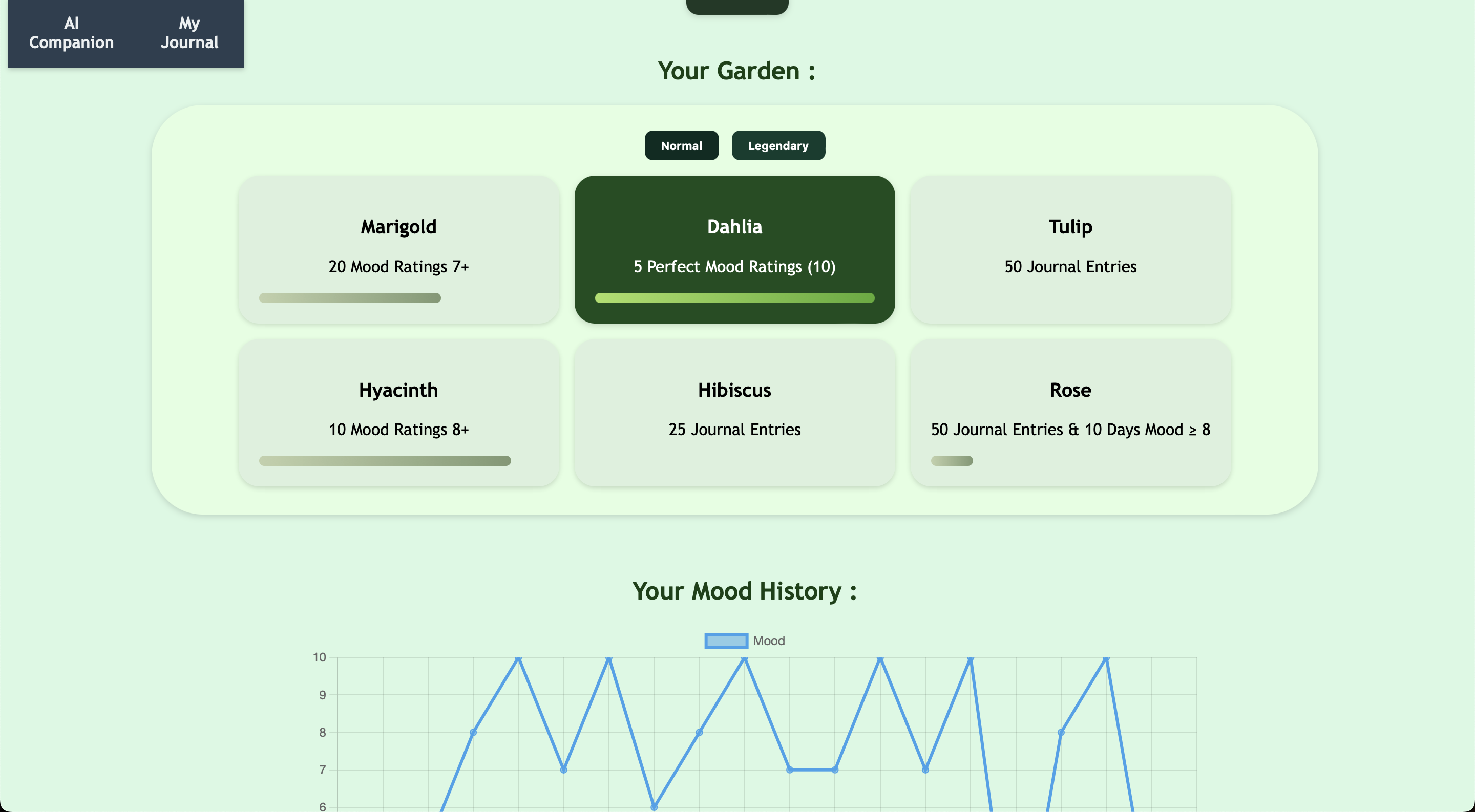
My Garden
-
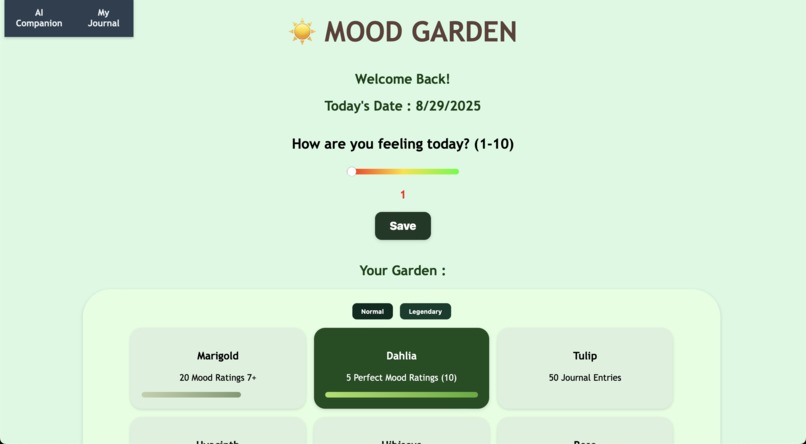
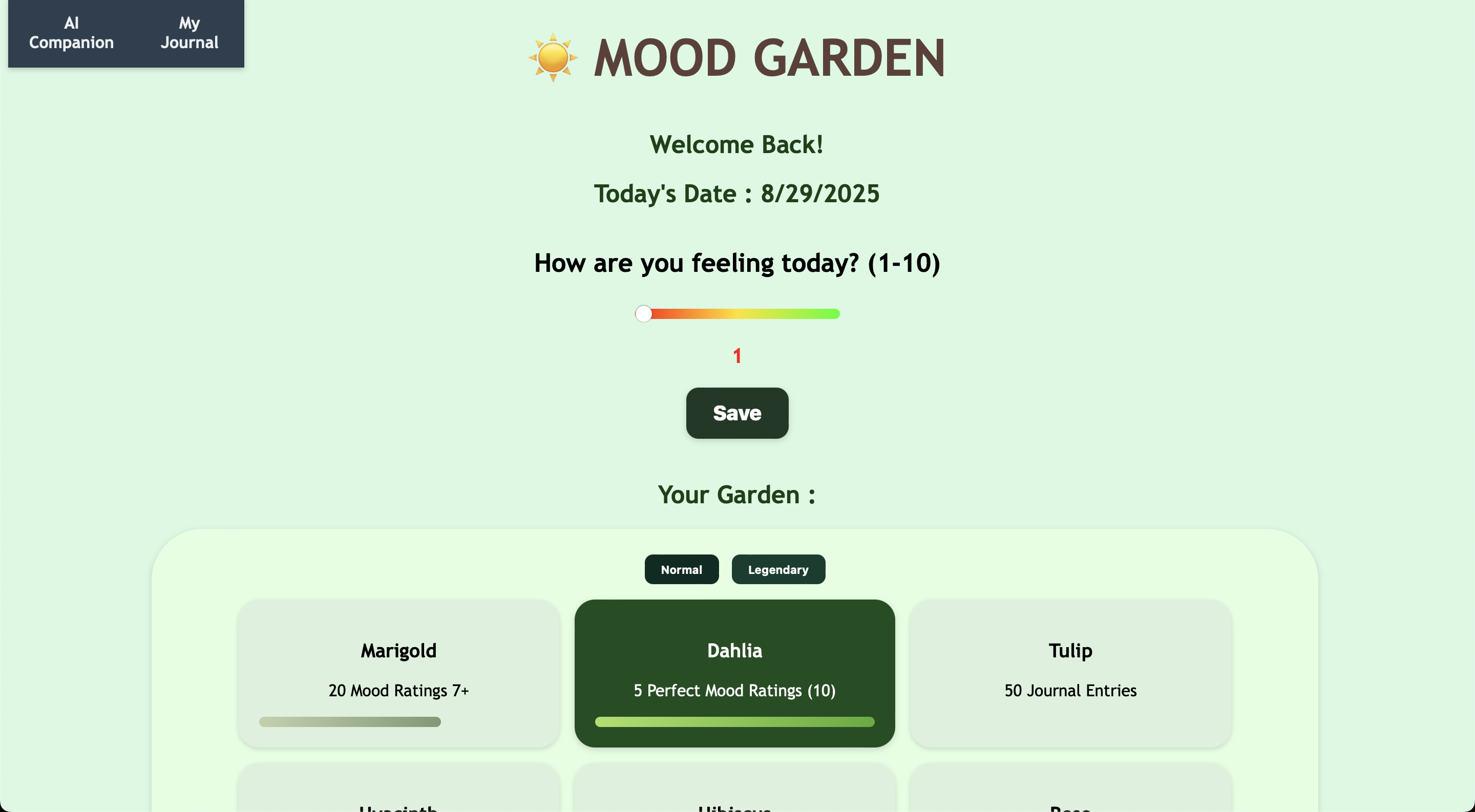
Mood Slider and Home Page upon logging in
-
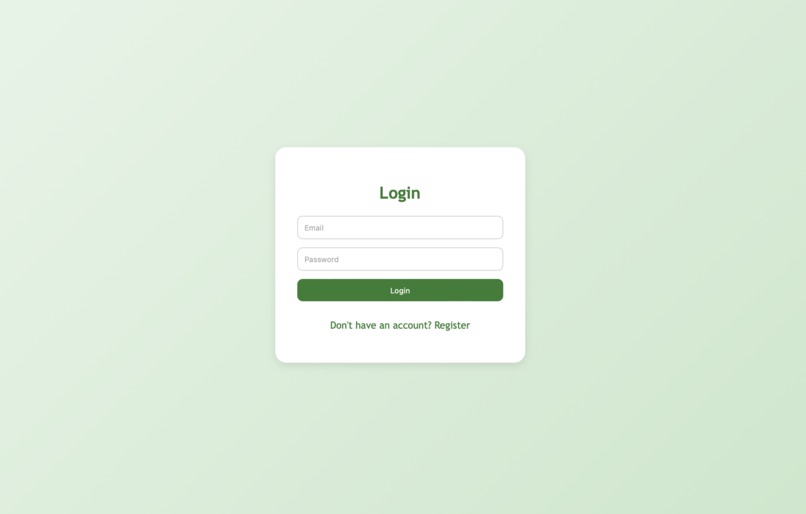
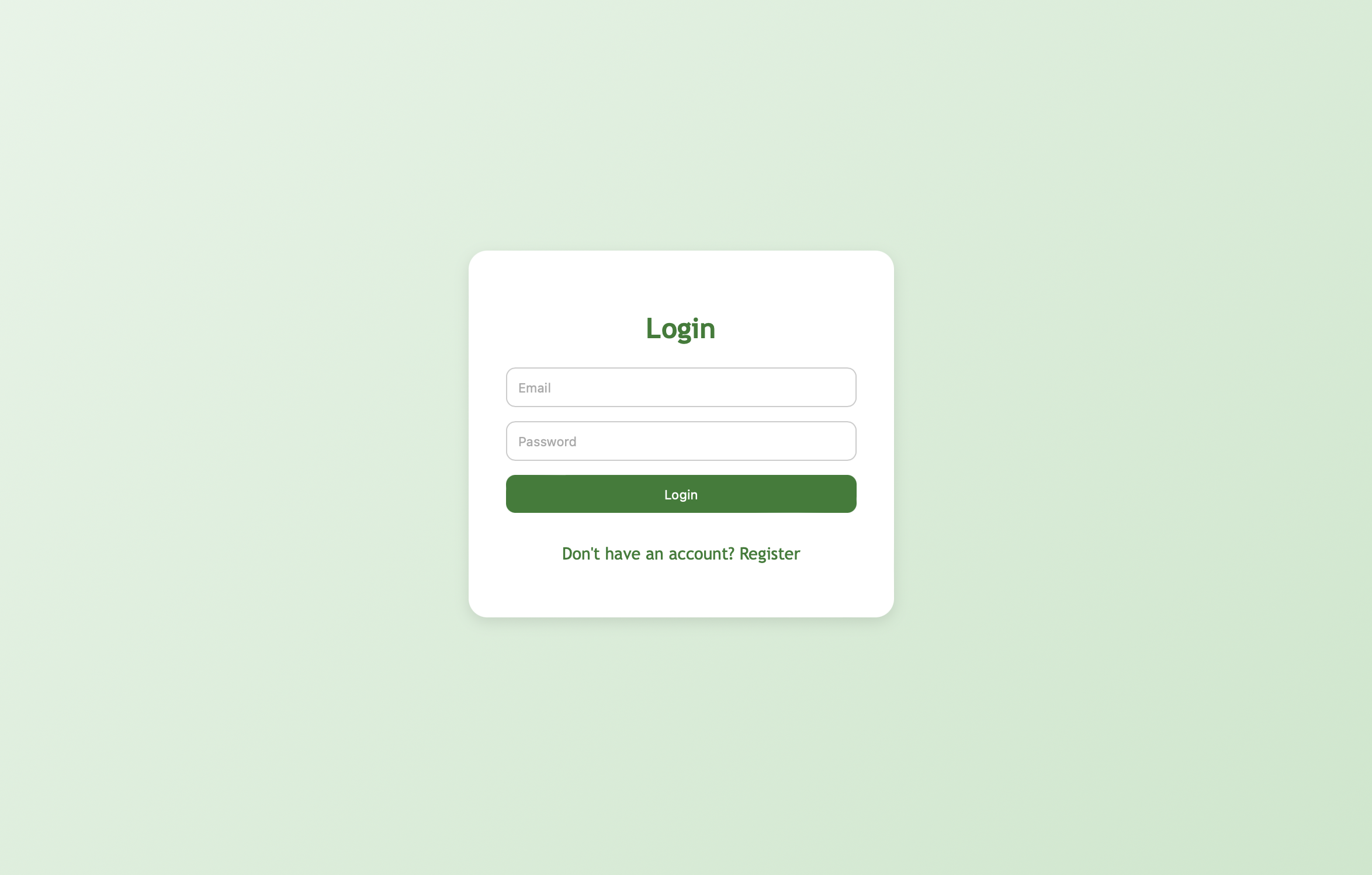
Login Page
Inspiration
This application, Mood Garden, is aimed to serve as a platform where teenagers and young adults can better their mental state and develop emotionally. The inspiration for the project comes from both my experiences and the general rise in emotional volatility in teenagers. According to Mental Health America, "Recent surveys indicate that as many as one in five teens suffers from clinical depression." This means that about 20% of teens reportedly suffer from clinical depression. Furthermore, in my personal experiences as a high school student, I have noticed many peers not being able to handle stress very well. For example, some of my peers may take the end of a relationship very seriously: not showing up to parties, not speaking to one another, isolating themselves. Such emotional states are not good for individuals, nor those who surround them. My application, Mood Garden, aims to tackle this global issue in an interactive and scintillating manner!
What it does
Mood Garden is an interactive web application with features to help alleviate emotional and mental stresses which users may be facing in their day to day lives. Upon opening Mood Garden, the user is prompted to a login screen. If the user is new, they can register with an email/id and their password. This is done so that each user has their data stored and it stays unique to them. The users will never lose their progress and will always build upon it. Upon login, the user is taken to the home page of the application. Here, the user is first greeted with an inspirational quote and a welcome message. Then, on the main page, the user can log their mood for the day (on a scale from one to ten). For example, if the user is not feeling too great, they may log a 2 or 3. Each "mood log" is saved and at the bottom of the page, users can see a chart of their mood history- a chart of all their logged moods. This serves as something which users can look back on to see their progress or to seek improvement. In the top left of the application, there is a nav-bar which has two tabs: AI companion and My Journal. The AI companion is an ai-chatbot. The user simply can click on it and see a modal which opens a chatbot. The user can then talk to a therapist-ai which will guide them and address any of their concerns. The My Journal tab opens up a similar modal where the user can log journal entries. This serves as a way for users to pour out their feelings and keep their entries all in one place. These entries are saved to the database and the user can view their previous entries upon logging in and opening the "My Journal" Modal. The final feature of the app is the Garden. The Garden is where users can track their progress and work towards unlocking new plants. In the garden, there are flowers such as roses, tulips and carnations which the user can work towards unlocking. The way users unlock these flowers is by continuing to make journal entries, making sure to track their moods, and speaking with the AI companion. The garden serves as a way for users to keep pushing and strive for the rewards. Because users will be motivated by the garden, they will also be keeping their emotions and mental health in check. These features culminate into a cohesive app which is aimed at keeping individuals' mental/emotional health in check and making sure they are progressing.
How I built it
Mood Garden was built using HTML, CSS, JS, node.js, and SQLite3. The front end consisted of the HTML, CSS, and app.js files while the backend consisted of the server.js and SQL database files. When initially developing the program, I began by establishing a node server on localhost. This was done through starting a node server via the server.js file. After establishing the environment, I began the app development. I started with the front end. I marked up the UI in HTML and then later styled it using CSS. The HTML and CSS was done in vanilla style. In the UI markup, these are some key features : for users to log their mood, I added slider; in the garden, the users can switch between normal and legendary plants so that (two different sets of plants which the users can collect); the graph which shows the mood history was done through chart.js; the navigation bar in the top left has two links which open modals which are kept hidden until the user clicks on the navigation link. After the UI work, I started working on the basic javascript. I added functionalities to all the buttons such as the save mood and nav bar. This was done through dom manipulation and other JS properties such as .addEventListener(). At first, I saved moods and journal entries onto local storage. I then realized that It would work better with a database and login page. I added a log-in / registration screen for the users to navigate. I then linked this to the back end. In the server.js(backend) I created a db/table to store usernames and passwords. In the app.js(frontend) when users logged in or registered, I made API requests to the localhost server in order to authenticate the activities. In this file, I also hid the login and registration page after it was successfully completed in order to reveal the application. Because I switched to using a database, I had to store the moods as well. This prompted me to create a separate SQL table to store the moods which each user logged. In the front end, I also made a similar API call to this different table and that way the application would load the moods specific to the user and draw the chart via chart.js. I repeated the same for the journal entries and also added a feature where users could remove journal entries if they wished to do so. By integrating the application with a database, I had a full blown front and back end running. This also aided in the garden. The Garden is the interactive feature which tracks the users' progress and is there to motivate them. When showing the progress bar on the UI side underneath each plant, I was able to take the users information (how many moods they logged, how many journal entries they had) and accurately depict their progress in the UI. For the AI - chatbot, I used the GitHub Models apis. These models mimicked mainstream AI models such as ChatGPT, Gemini and Deepseek. I generated an API Key for a GPT-4o mimic and used it. When calling in the api in the front end js, I made sure to concatenate the user message with instructions for the model which state that it should act as a therapist for teenagers/young adults and strive for emotional progress. Ultimately, with the use of languages such as HTML, CSS, & JS as well as frameworks/tools like node, and SQL, I was able to develop this application.
Challenges I ran into
During the application building process, I did run into a few challenges. When deciding to switch from local storage to the SQL database, I ran into challenges when getting rid of local storage. In some instances, while calling the database, I was making requests to the wrong localhost port and even pulling information from the wrong tables. Another challenge I had was with setting up the localhost server. At first, I had set the port to 3000. I was not aware however that the same port was occupied. This led to hours of frustration, and finally I changed the port to 8080. This resolved the issues and allowed me to continue with app development. Another issue I faced was when building the AI chatbot. In the frontend js, I had to make API calls in order to get AI-based responses. For previous projects, I had used the OpenAI API directly through OpenAI. However, I had run out of request credits and had to turn to experimental alternatives such as those on GitHub.
Accomplishments that I am proud of
One accomplishment I am particularly proud of is integrating chart.js into the program. I had never used chart.js and it was interesting to see how seamlessly it was able to create charts with data pulled from the SQL database. I am also proud of the extent to which I was able to use the database in the project. In previous projects, I had only integrated the database for login and password credentials and to store unique user ids. With this project, I was able to also store user data such as moods and journal entries. Apart from technical accomplishments, I am very proud that I was able to develop this application for a good cause, especially helping those who are of a similar age to myself.
What I learned
By building Mood Garden, I learned a lot of new skills. I learned about the GitHub models and how to integrate them into my own applications. I also learned about modals and how they can be hidden and brought into view. This was a seamless way to integrate the ai chatbot and my journal sections of the application. More than learning more about programming itself, I learned a lot about the issues surrounding mental health. Not only do many teens suffer from such ailments, there are many individuals who are discriminated against in things such as employment because of the mental health status and situations. This is a very unfair practice, and this application aims to better the mental health crisis and the stigma surrounding it.
What's next for Mood Garden
The next steps of Mood Garden is to try to obtain hosting for the application and make this a publicly available application. Amassing users who truly need this app and will benefit from it is the primary goal. There are further technical improvements which can be done to the application. The UI can be changed to seem more pleasing to the eye and the mood garden can become more interactive. As the primary feature of the application, the garden can be extended to depict images and icons of the plants which the users are unlocking instead of a simple emoji. This can perhaps better the connection which users have to the app/goals making the user experience more immersive.
Built With
- chart.js
- cors
- css
- express.js
- github-apis(ai)
- html5
- javascript
- node.js
- sqlite
- terminal
- visual-studio


Log in or sign up for Devpost to join the conversation.