-
-
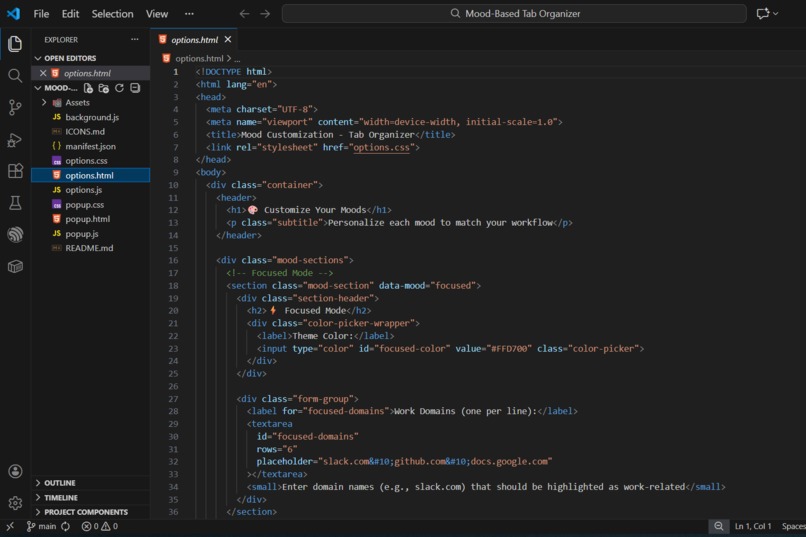
Project Structure
-
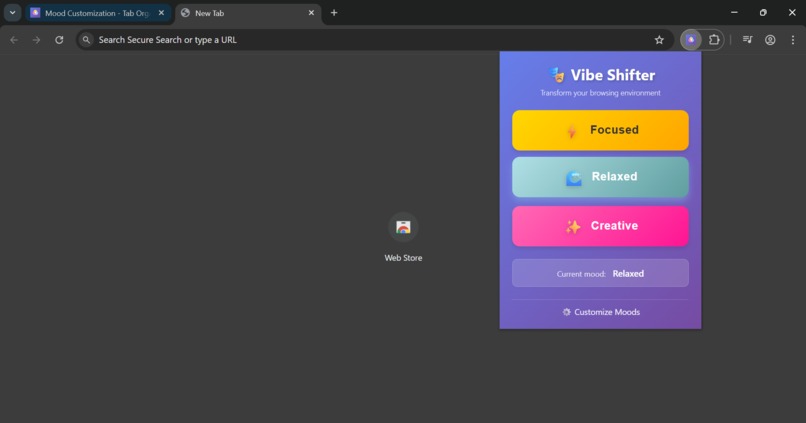
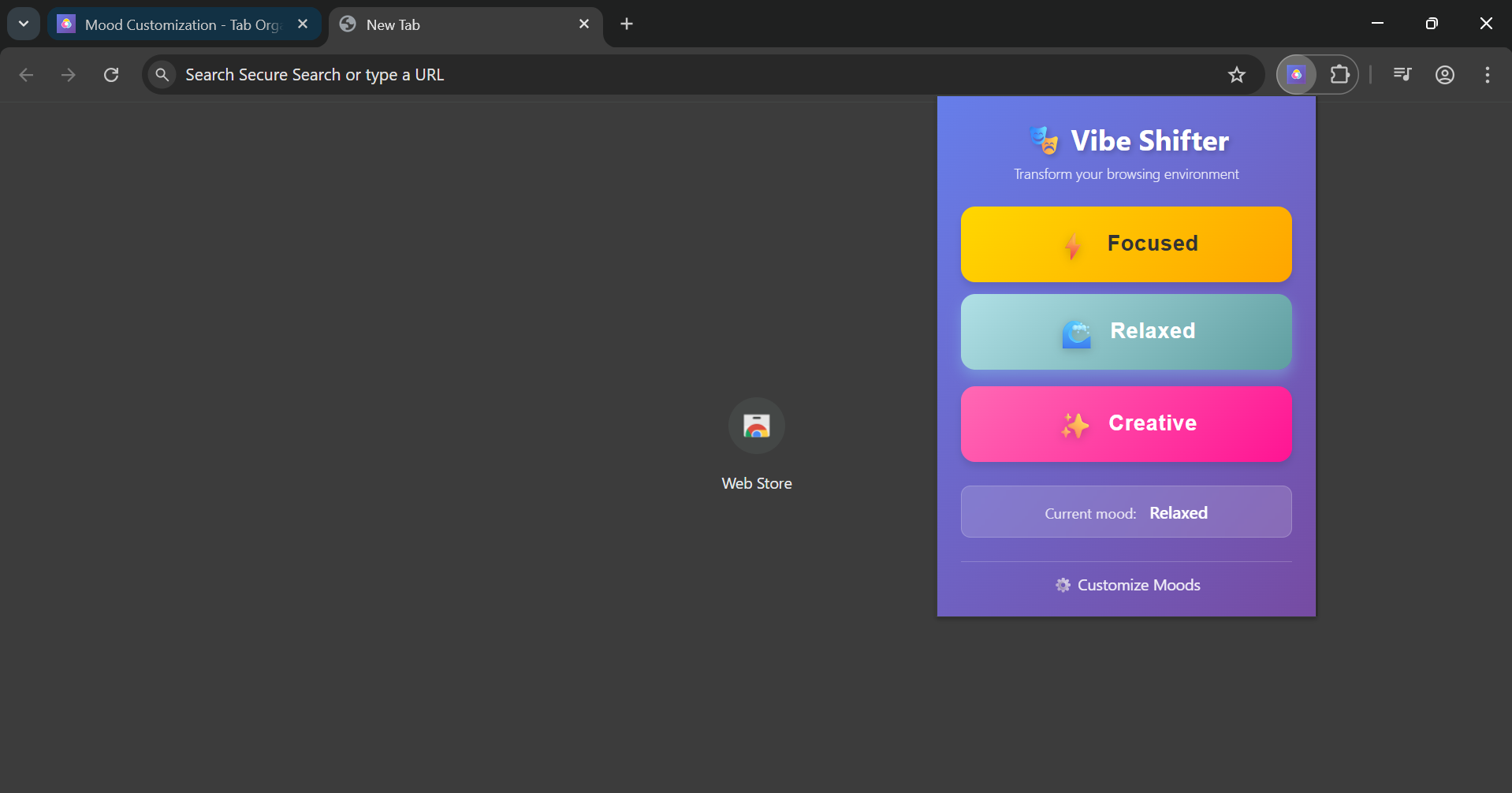
Extension UI Page
-
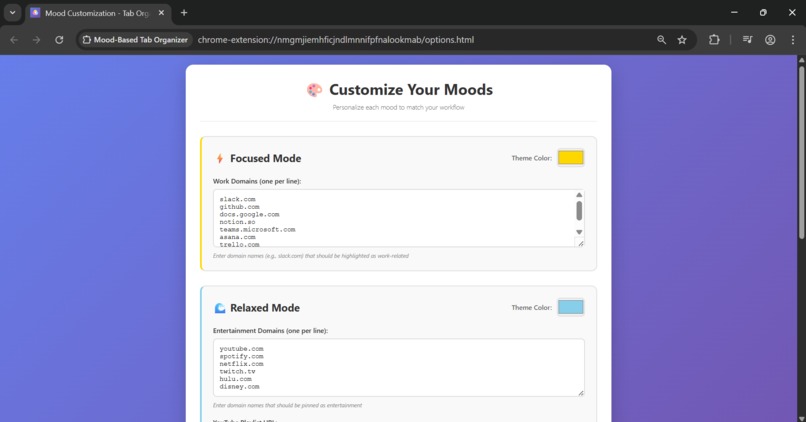
Customizing Page
-
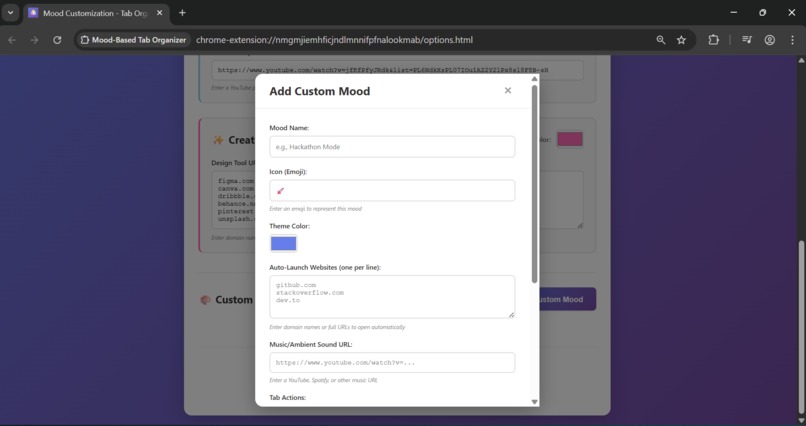
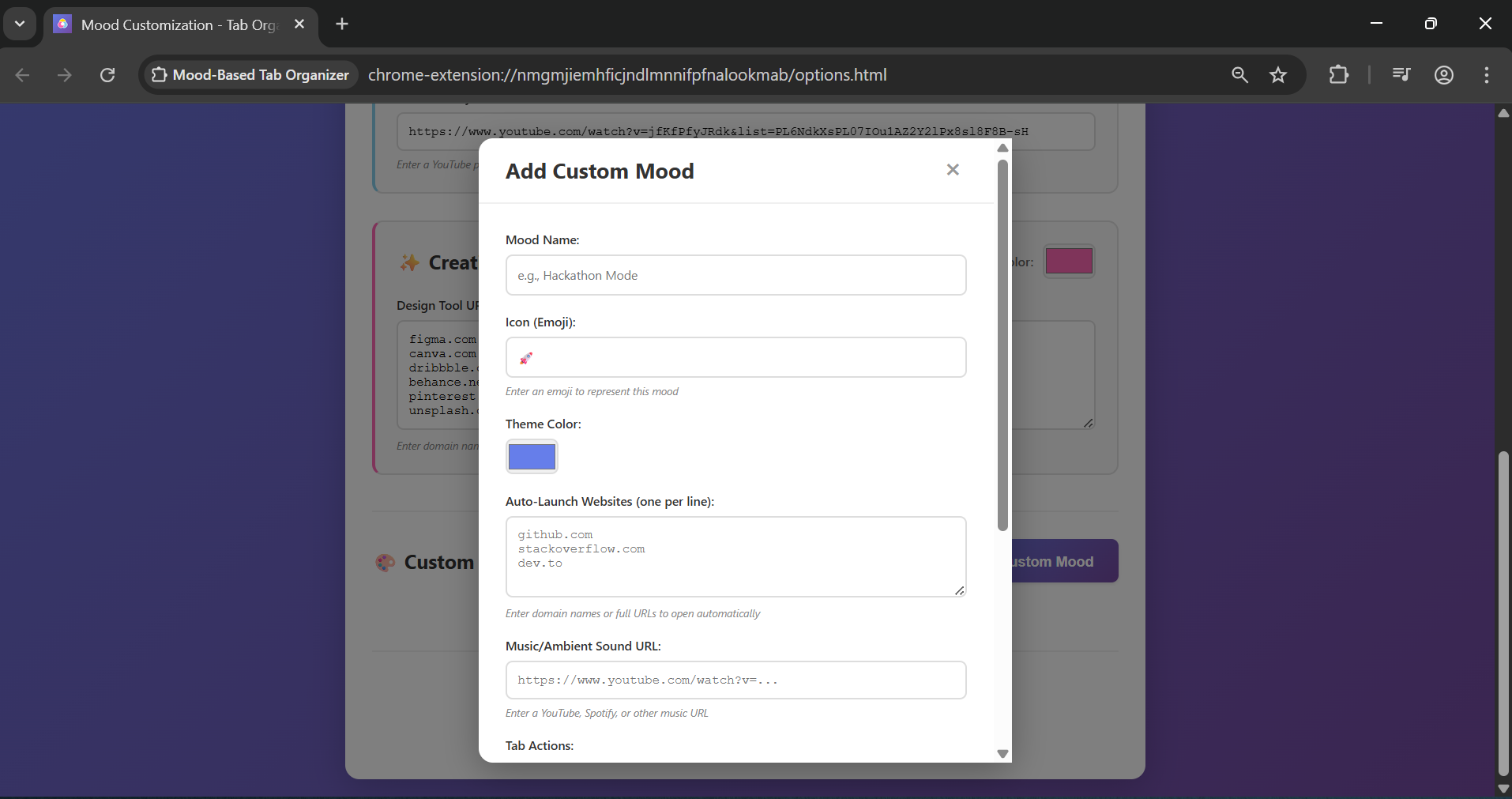
Creating Custom Mood Profile Page


About the Project
Inspiration
The idea for Mood-Based Tab Organizer came from observing that our digital workspace should adapt to our mental state, not the other way around. As developers and creators, we constantly switch between different modes—deep focus, creative brainstorming, or relaxed browsing—yet our browser environment remains static and cluttered with tabs from previous tasks. This extension brings contextual computing to browsers, creating an intelligent workspace that transforms itself based on your current mood and needs.
What it does
Mood-Based Tab Organizer transforms your Chrome browser into a mood-aware workspace. With three default modes (Focused, Relaxed, Creative) and unlimited custom mood profiles, it:
- Automatically organizes tabs by grouping, pinning, or closing based on your mood
- Applies color themes that match your current state of mind
- Auto-launches websites relevant to your selected mood
- Opens music/ambient sounds to enhance your workflow
- Synchronizes preferences across all your devices
Users can create custom moods like "Hackathon Mode" or "Deadline Panic" with personalized tab actions, colors, and auto-launch websites.
How I built it
Built with Manifest V3 and vanilla JavaScript, the extension follows a modular architecture:
Core Components:
- Popup Interface (
popup.html/js): User-facing UI for mood selection - Background Service Worker (
background.js): Handles Chrome API calls and tab operations - Options Page (
options.html/js): Configuration interface for customizing moods
Key Technologies:
- Chrome Tabs API for tab management
- Tab Groups API for organizing tabs (with window-aware grouping)
- Storage API for cross-device synchronization
- Theme API for dynamic color schemes
Development Process:
- Implemented three default mood modes with tab organization logic
- Built theme color generation using brightness calculations: $\text{brightness} = \frac{299 \times R + 587 \times G + 114 \times B}{1000}$
- Created custom mood system with modal-based UI
- Added comprehensive error handling and state validation
Challenges I ran into
Service Worker Lifecycle: Manifest V3 service workers can be inactive, causing message handlers to fail silently. Solved with timeout mechanisms and proper error handling.
Tab Grouping Constraints: Chrome's Tab Groups API only works within a single window, but users often have tabs across multiple windows. Implemented a window-aware grouping algorithm that processes tabs by window.
Theme API Availability: The
chrome.themeAPI might not be available in all contexts. Added defensive checks and graceful degradation to continue without themes if needed.State Synchronization: Ensuring the popup always displays the correct current mood after browser restarts or when custom moods are deleted. Implemented validation and auto-recovery mechanisms.
Custom Mood Actions: Balancing flexibility with performance for pin/group/close actions with optional domain matching. Created a modular system with error isolation.
Accomplishments that I'm proud of
- Unlimited Custom Moods: Users can create as many personalized mood profiles as they want, each with unique tab actions, colors, and auto-launch websites
- Robust Error Handling: Comprehensive error handling with user-friendly messages, detailed logging, and graceful degradation
- Cross-Device Sync: Preferences automatically sync across all devices using Chrome's sync storage
- Intuitive UI: Clean, modal-based interface for creating custom moods with real-time feedback
- Window-Aware Grouping: Successfully implemented tab grouping that works across multiple browser windows
- State Recovery: Automatic validation and recovery of invalid states, ensuring the extension always works correctly
What I learned
- Manifest V3 Migration: Deep understanding of service workers, event-driven architecture, and async message passing
- Chrome Extension APIs: Mastery of Tabs, Tab Groups, Storage, and Theme APIs with their constraints and best practices
- State Management: Designing flexible storage schemas that support extensibility and backward compatibility
- User Experience: Creating intuitive interfaces that guide users through complex operations
- Error Handling: Building resilient systems that fail gracefully and provide actionable feedback
- Algorithm Design: Efficient domain matching algorithms and window-aware tab organization with complexity $O(n \times w)$
What's next for Mood-Based Tab Organizer
- Machine Learning Integration: Detect user's mood from browsing patterns and automatically suggest mood switches
- Productivity App Integration: Connect with Todoist, Notion, or other apps for context-aware actions
- Browser History Analysis: Analyze browsing history to suggest optimal mood configurations
- Collaborative Moods: Share mood profiles between team members for consistent workflows
- Advanced Tab Actions: Add more actions like "mute tabs," "suspend tabs," or "archive tabs"
- Mood Scheduling: Automatically switch moods based on time of day or calendar events
- Visual Analytics: Dashboard showing mood usage patterns and productivity insights
Built With
- chrome-extensions-api-(manifest-v3)
- chrome-tabs/tabgroups/storage/theme-apis
- css
- html
- javascript
- youtube

Log in or sign up for Devpost to join the conversation.