-
-
Cover
-
-
-
-
-
Why I made MOOD
The beginning of a creative project is usually the messiest part.
You have a brief. Screenshots saved in five different places. References you love but cannot quite explain why yet. And very useful thoughts like "softer, but still bold" or "I know what I mean, I just can't explain it."
That messy part is also where a lot of the actual creative thinking happens.
I built MOOD because I wanted to explore what happens when an agent joins that process without trying to take it over.
References become directions. Directions become decisions. Decisions slowly become a design system, and the agent helps along the way.
The goal was never to let AI make the creative decisions. It was to give it enough context to be genuinely useful while I make them.
What MOOD does
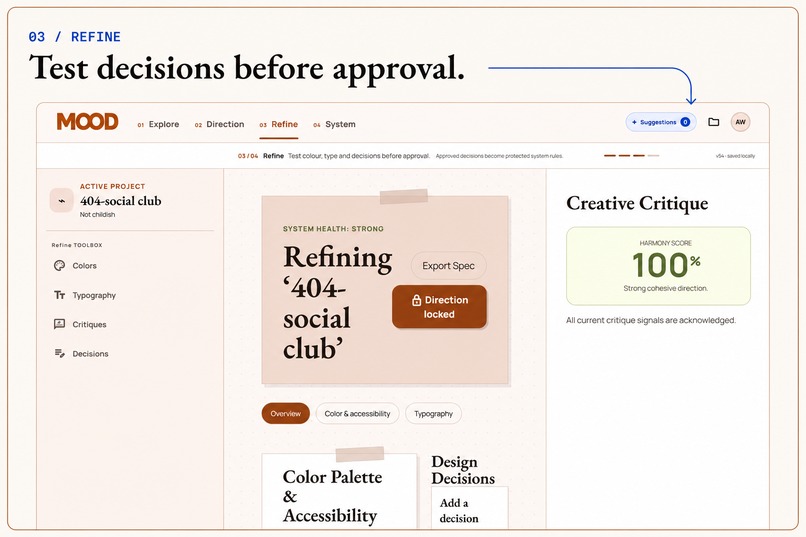
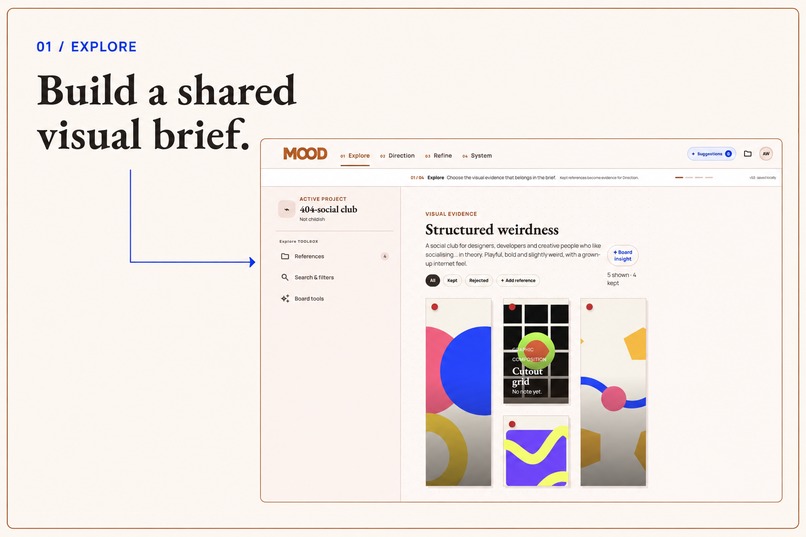
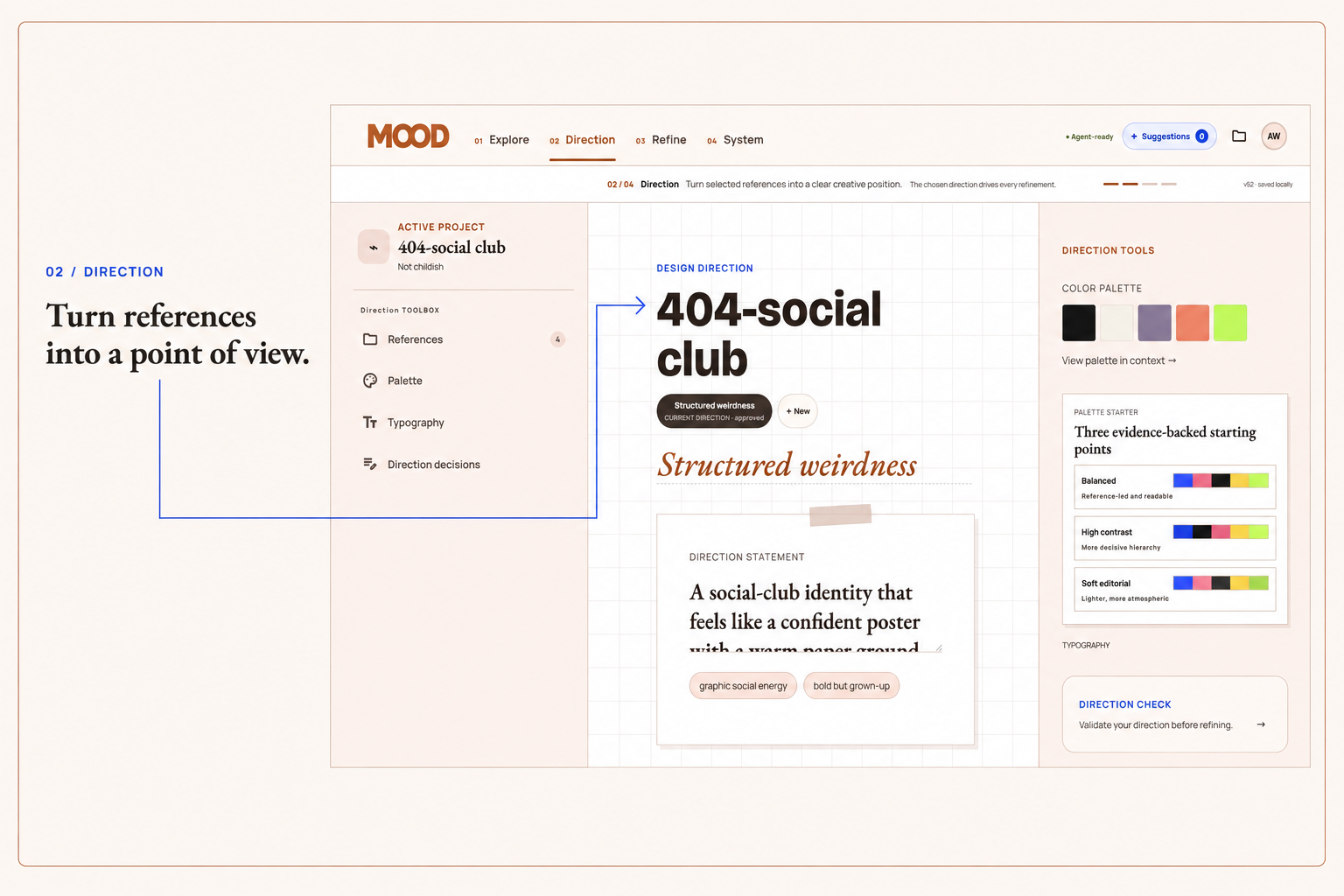
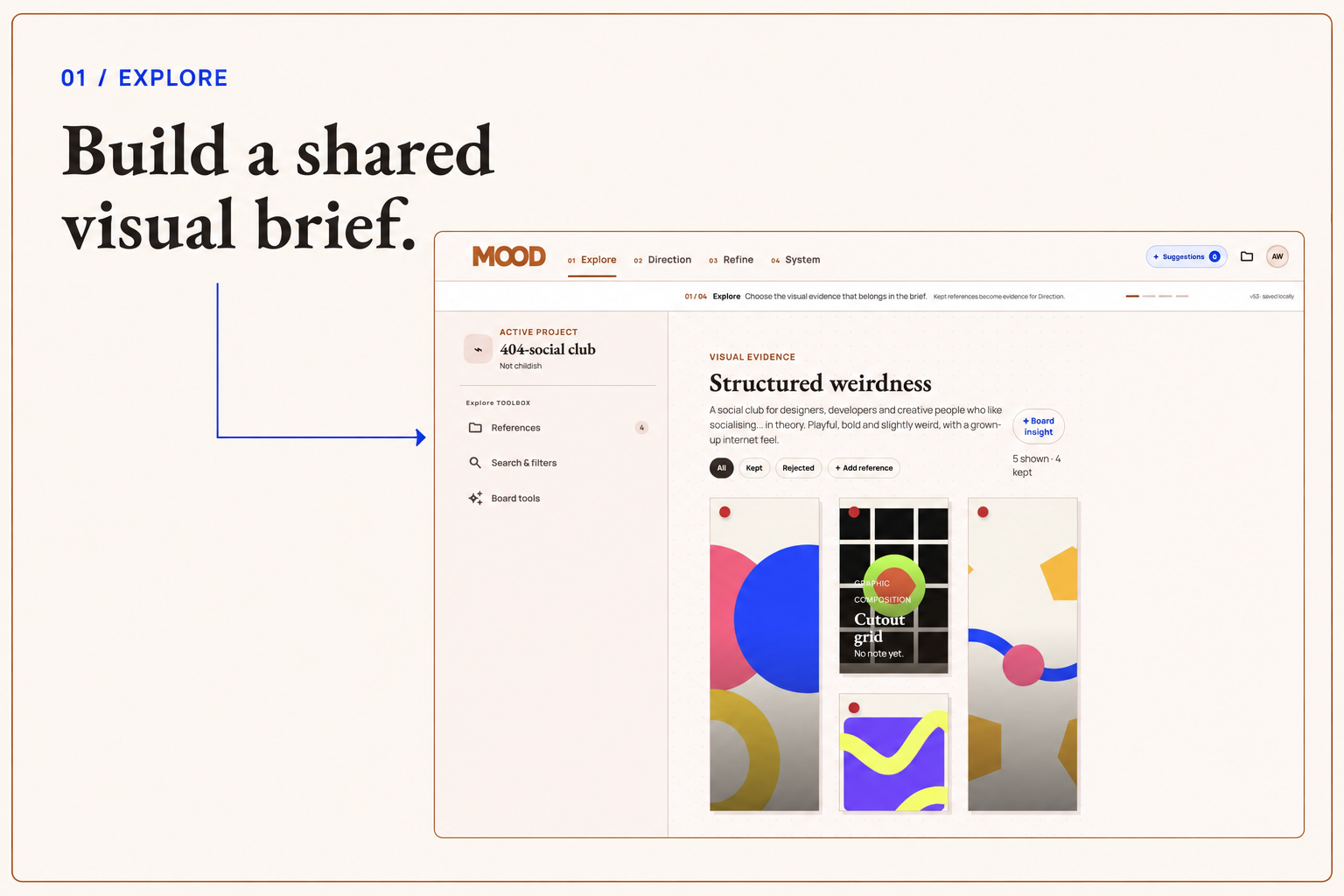
A project starts with a brief and visual references, then moves through four stages:
| Stage | What happens |
|---|---|
| Explore | Collect, organise and react to references |
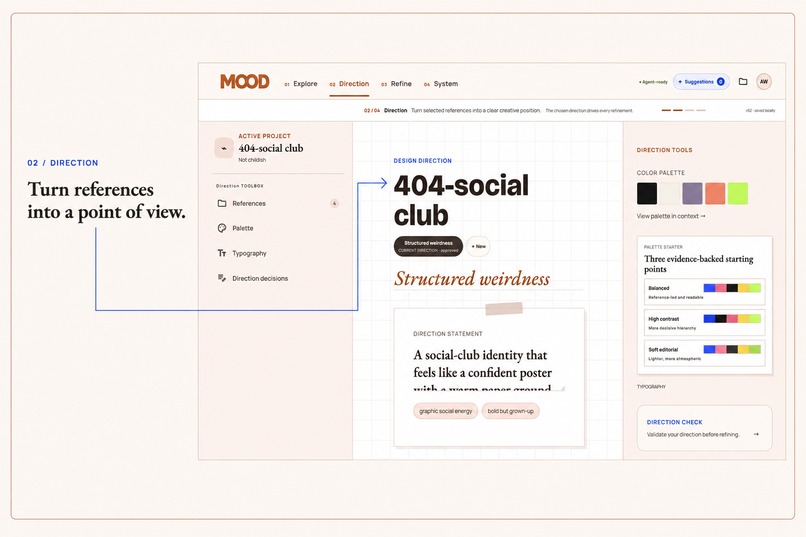
| Direction | Turn those references into possible visual directions |
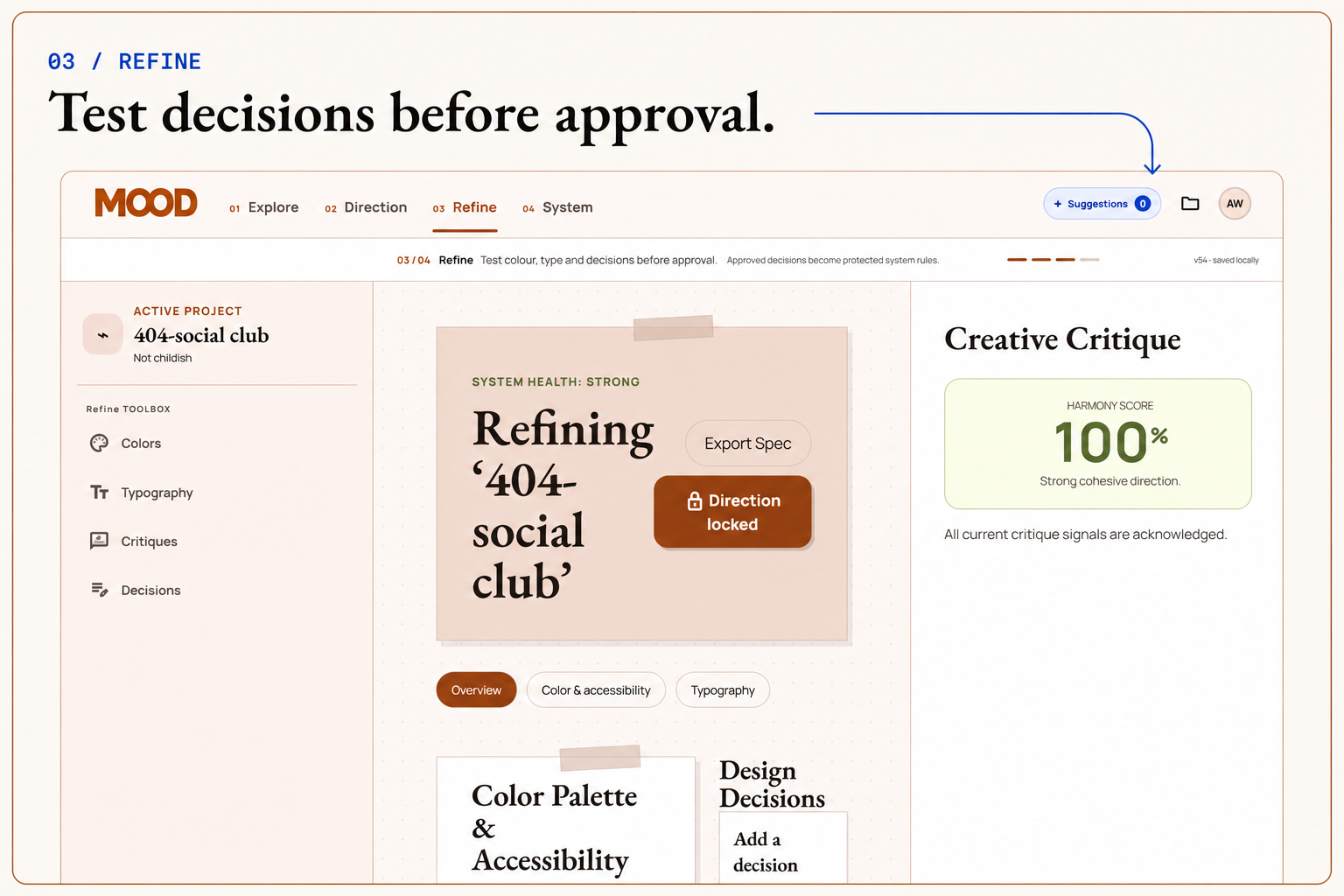
| Refine | Test choices, compare ideas and make actual design decisions |
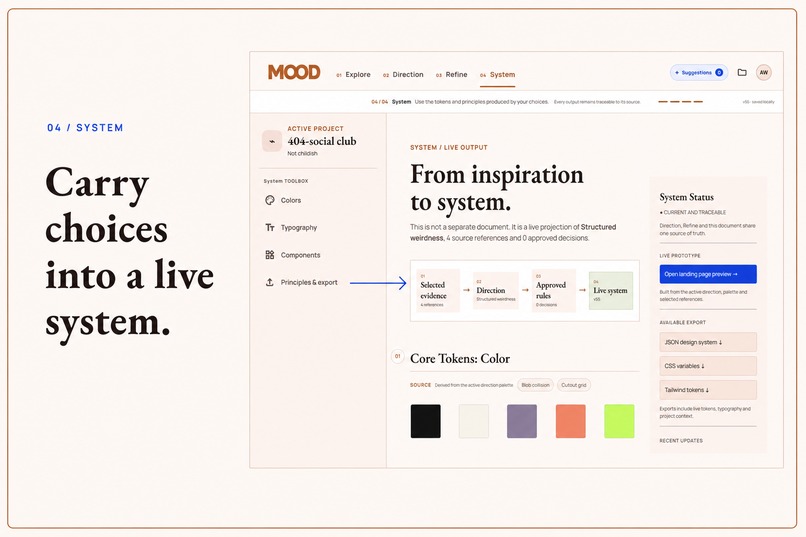
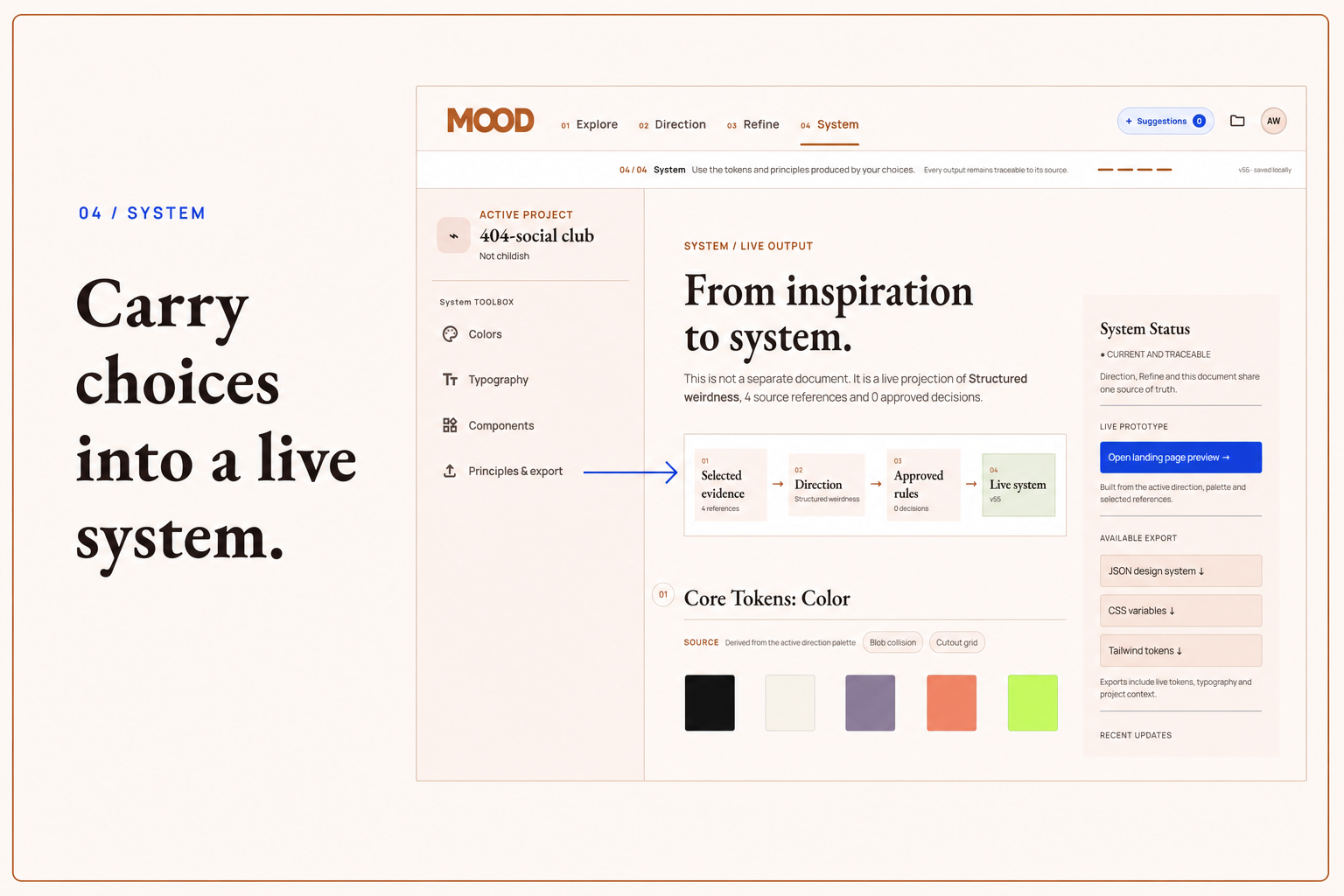
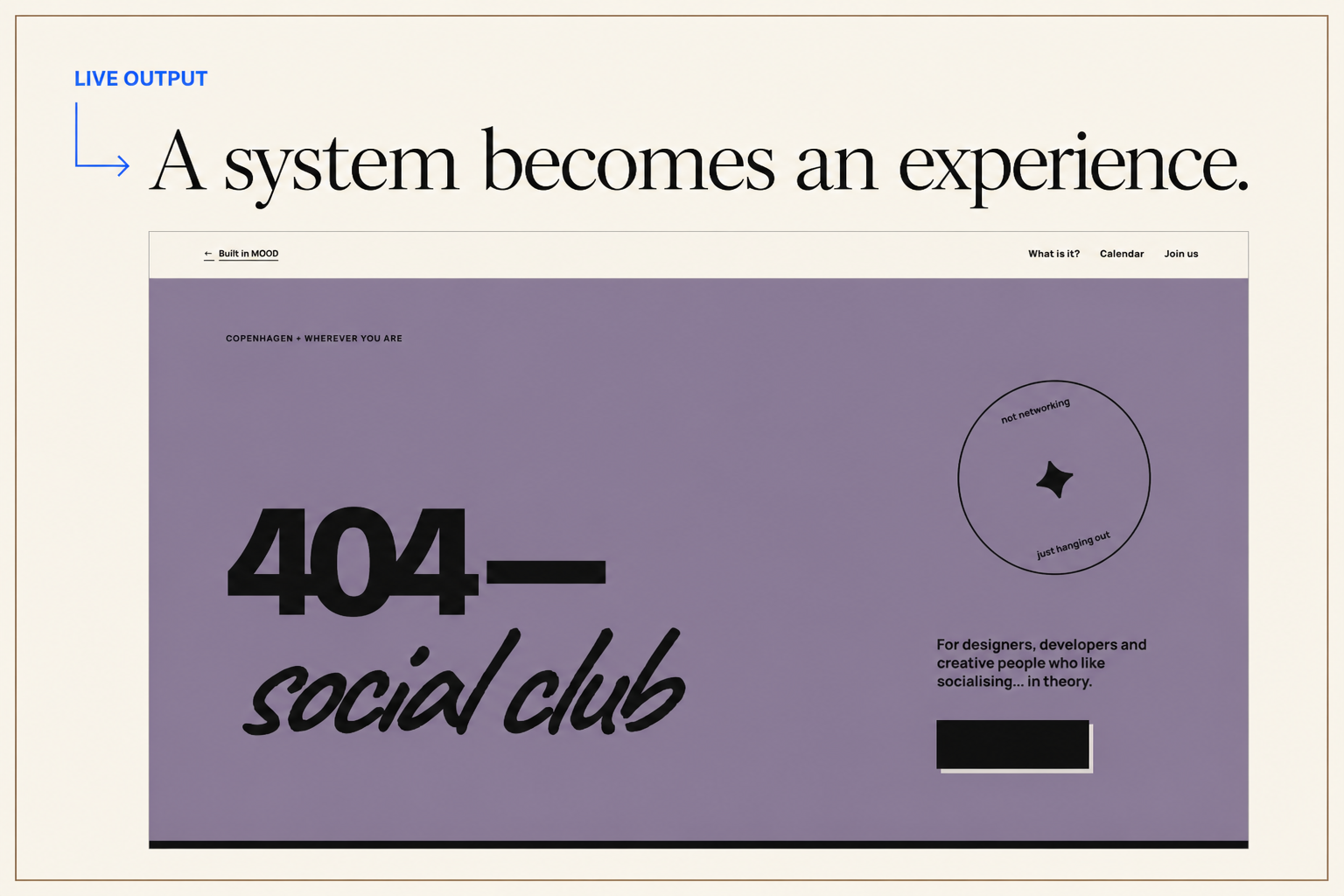
| System | Bring the approved direction into colors, typography, principles and a reusable design system |
The System view is not a separate document generated at the end. It is a live projection of the selected direction and the decisions made along the way, so the different parts of the project cannot quietly drift away from each other.
The same goes for the agent.
It works with the same project state as the designer. It can understand which references were kept, which direction is selected, what has already been decided, what is locked and what still needs work.
Then it can actually help.
Why WebMCP
This was the part of the project that really clicked for me.
Creative work carries a ridiculous amount of context.
A screenshot can show an agent what is on screen, but it does not explain why I kept one reference and rejected another. It does not know which decision I already approved. And it definitely does not know that changing one palette should update three different parts of the project.
With WebMCP, MOOD can expose that context directly.
The site currently registers 43 WebMCP tools, including 17 read only tools, through document.modelContext.registerTool().
They allow an agent to understand the live project before deciding what to do with it.
A few examples:
get_project_context
get_selected_references
get_selected_direction
get_design_decisions
get_design_system
evaluate_palette
create_suggestion
update_palette
navigate_to_phase
So instead of guessing its way through the interface or asking me to explain the whole project again every time, the agent can simply ask MOOD.
It can:
- inspect the current creative context
- understand the references behind a direction
- read existing and locked design decisions
- evaluate palettes and visual choices
- suggest changes with supporting evidence
- add or organise references
- create and refine directions
- update parts of the live design system
- move through the workflow itself
And these are not shortcuts sitting on top of the product.
WebMCP and the UI use the same underlying actions and the same state.
If I change a palette in the interface or an agent changes it through update_palette, MOOD handles the result through the same system. Direction, Refine and System update together inside the running application.
No separate "AI version" of the project floating somewhere else.
The agent is not sitting next to the product. It can actually work inside it.
The human part
I really did not want to build another "AI does the creative work for you" tool.
Taste is subjective. Context matters. And sometimes a suggestion can make perfect sense on paper and still just feel wrong.
So MOOD treats suggesting and deciding as two different things.
A suggestion contains:
- the reasoning behind it
- the references used as evidence
- the exact scope of the proposed change
- the mutation it would perform if applied
The suggestion itself does not need to change the creative work.
It can be inspected first, applied, rejected or simply ignored.
Important design decisions can also be locked, so they cannot quietly be overwritten later.
That separation became one of the most important ideas behind MOOD.
The agent can contribute to the process without becoming the owner of it.
You can disagree with the agent.
That matters.
The goal is not less human involvement. It is less time spent translating creative context back and forth.
How I built it
MOOD is built with React, TypeScript, Vite and Zustand, and deployed on Vercel. Project data lives locally in the browser.
The architectural rule behind almost everything else is simple:
There is one project state. The designer and the agent interact with the same thing.
The visual interface and WebMCP tools dispatch the same domain actions against the Zustand store.
For example, keeping a reference manually in the UI and calling keep_reference through WebMCP both update the same underlying project state.
I documented that relationship in docs/action-parity.md, mapping:
Human action → WebMCP tool → Domain action → Shared state
That helped me make sure the agent was not getting special shortcuts that behaved differently from the actual product.
Every WebMCP input is validated with Zod and exposed as JSON Schema. Mutating tools also return the current projectVersion, so changes to the shared state can be tracked consistently.
I also built a WebMCP debug mode that exposes:
- API and registration state
- expected and registered tools
- available tool names
- execution results
- errors
- a guarded self test
It started as something I needed while debugging and became one of the fastest ways to understand what the browser and the agent were actually seeing.
The tricky bits
1. Deciding what an agent should actually be allowed to do
Registering tools was not the hardest part.
Deciding what those tools should be allowed to do was.
There is a meaningful difference between:
"What do you think about this palette?"
"Suggest a better palette."
"Change the palette."
They sound almost identical in a conversation.
Inside a creative product, they absolutely should not behave the same way.
That meant thinking carefully about reads, suggestions and direct actions, and about where the human needs to remain in control.
2. Keeping one source of truth
An early version allowed the System view to hold its own version of palette and typography.
That worked until something changed somewhere else.
The moment an agent updated a color, the selected direction and the generated design system could start telling two different stories.
So I changed the model:
the selected direction became canonical, and System became a synchronized projection of it.
It sounds like a technical decision, but for me it was really a product decision.
If a designer and an agent are genuinely working on the same project, they cannot be looking at two different versions of the truth.
3. Translating creative language into structure
Creative feedback is rarely neat.
It sounds more like:
“This is too clean.”
“I like this, but not for this project.”
“It needs more personality.”
Or the timeless classic:
“Something feels a bit off.”
Turning those kinds of thoughts into something both a designer and a browser agent can meaningfully work with turned out to be a surprisingly fun design and data modelling problem.
What I learned
I came into this project as a web designer first, and that shaped the way I approached MOOD from the beginning.
One thing became very clear while building it: if you want a design system that actually feels specific to a project, a brand or an idea, the human part still matters a lot.
AI is incredibly useful in the creative process, but on its own it can easily move toward something technically good and visually coherent, yet still very generic and basic.
The harder decisions, the ones about taste, personality, context, what feels right and what does not, still need human judgement.
Where I found AI genuinely powerful was in everything around those decisions.
During Explore, it can connect references, spot patterns and suggest directions I might not have considered.
Later, while shaping the design system, it can analyse choices, surface inconsistencies, suggest alternatives and help turn a direction into something much more complete, much faster than I could alone.
That changed the way I started thinking about the relationship between human and AI.
They are not simply two different ways of doing the same job.
They are good at different parts of it.
| Human | Agent |
|---|---|
| Taste | Speed |
| Context | Pattern finding |
| Personality | Analysis |
| Creative judgement | Alternative directions |
| Final decisions | A second point of view |
The designer still decides what the project should feel like.
The agent can make the process of getting there faster, broader and better informed.
And together, they can get somewhere that would be much harder for either one alone.
That is probably the biggest thing MOOD taught me.
For creative work, the interesting future is not AI replacing the human part.
It is human and AI making each other better.
And that is the kind of collaboration I wanted MOOD to explore.
Built With
- claude
- css3
- gpt
- html5
- javascript
- react
- typescript
- vercel
- vite
- webmcp
- zod
- zustand


Log in or sign up for Devpost to join the conversation.