How to manage & view resouces that are acquired by your Linode
Prerequisite: You know how to set up a Linode , and it is running
Checking Disk Usage
 You can see the disk usage of all the volumes you've mounted through this command (df -h)
The most important one is the one with '/' also known as root filesystem or rootfs. Here I can see I've used 237G out of 358G available and have 121G available. This can be handy if you see your server suffering from memory issues
There's a tool which can help us take a closer look into what is occupying space : ncdu (not installed by default)
Command = sudo ncdu -x /
-x flag tells to just scan the local filesystem and ignore the rest , and / is the target directory, from where it starts to scan (also has subdirectories)

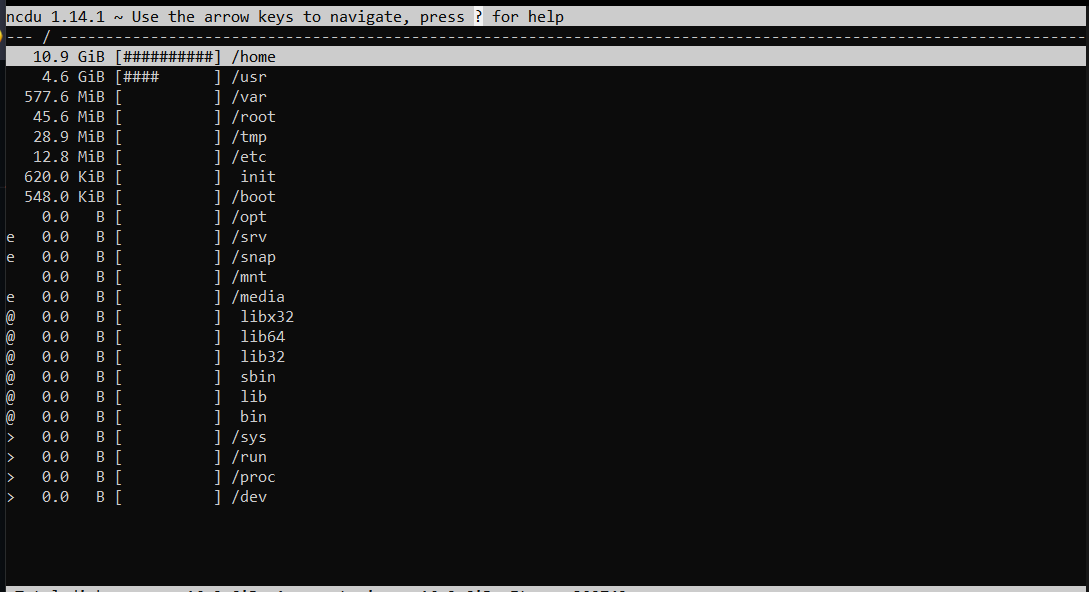 Now You can use your arrow and enter keys to navigate through your file system and can see in the brackets how much disk is that thing occupying.
Checking System Memory
Command = free -m
 Here, you can see I have about 1.7 Gigs of Memory left available
Checking CPU usage
An Important command is : uptime
 Tells you how long the server has been up, and tells you the load average. There are 3 numbers denoting Load averages at 1 minute, 5 minute and 15 minute respectively
Thus in my case, the load avg 1 min ago was 0.52, 5 min ago was 0.58 and 15 min ago was 0.59.
If the load avg == the number of cores, then the server is being 100% utilized.
Another useful tool is : htop
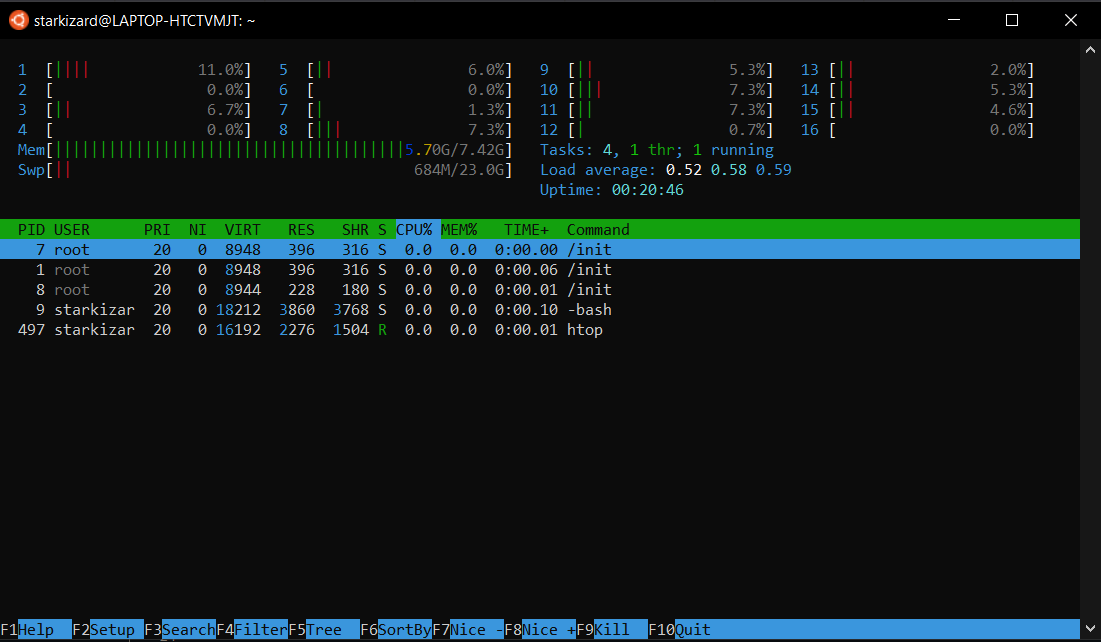 We can see the core -- by core usage of CPU, Memory Usage And all the processes that are running.

Log in or sign up for Devpost to join the conversation.