-
-
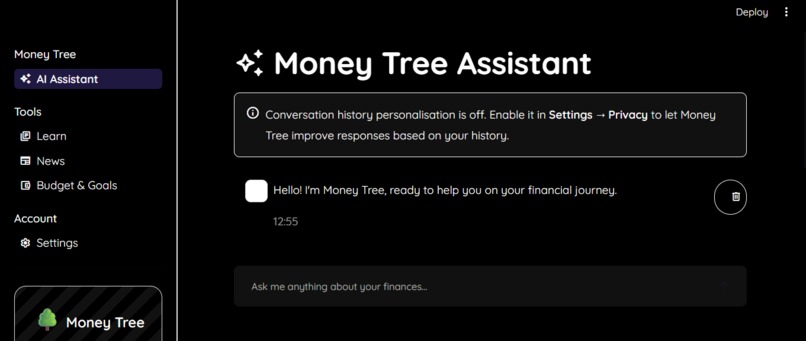
Accessibility-first mode - high contrast, large font
-
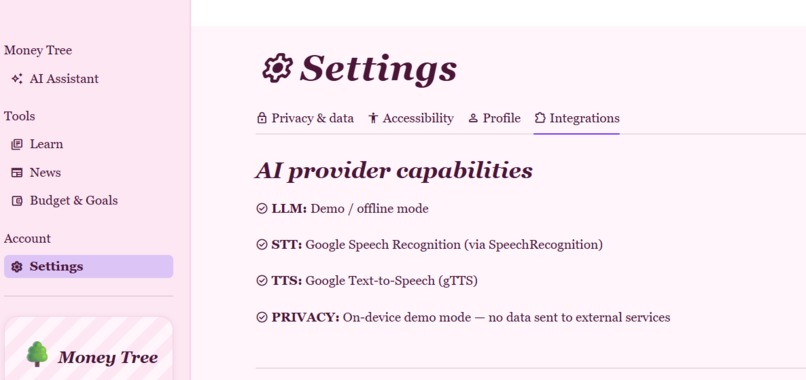
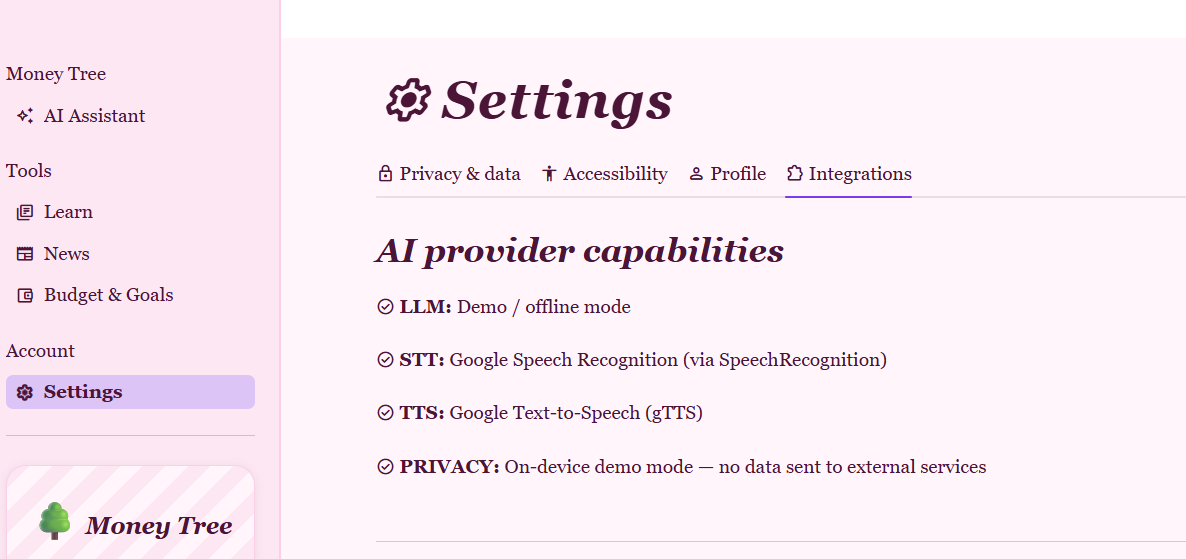
AI provider capabilities
Inspiration
I moved to Toronto as a young immigrant student alongside my parents, and I realized we knew almost nothing about how money works in this country. No idea how credit scores worked or what tax benefits we qualified for. Then I looked around and realized the gap is much bigger than immigrants. The World Health Organization estimates 430 million people worldwide live with disabling hearing loss, over half a million of them right here in Ontario. Statistics Canada found immigrant women in Canada face an 11.6% poverty rate. Financial literacy content almost never accounts for either immigrants or women with disabilities, regardless of country. Instead, it assumes you can read dense fine print or that the material was ever written in your language to begin with. Living in a world where you can't hear, speak, or see like everyone else is hard. Living in a world where money literacy shapes decades of your life is even harder. MoneyTree exists for women facing barriers to their financial education.
What it does
MoneyTree is an AI-powered financial literacy assistant that adapts to who you are instead of asking you to adapt to it. During onboarding, users pick their country, language, age range, life stage (student, immigrant, parent, entrepreneur, caregiver, retiree, and more), and up to three financial goals plus unlimited custom goals. Onboarding also includes a dedicated accessibility and communication preferences step (ex. Deaf or hard of hearing, low vision or blind, cognitive accessibility (e.g., ADHD, dyslexia, memory or focus differences), or none of these) and a communication mode choice between text, voice, or both. These structurally shape both the interface and the system prompt the AI reasons from.
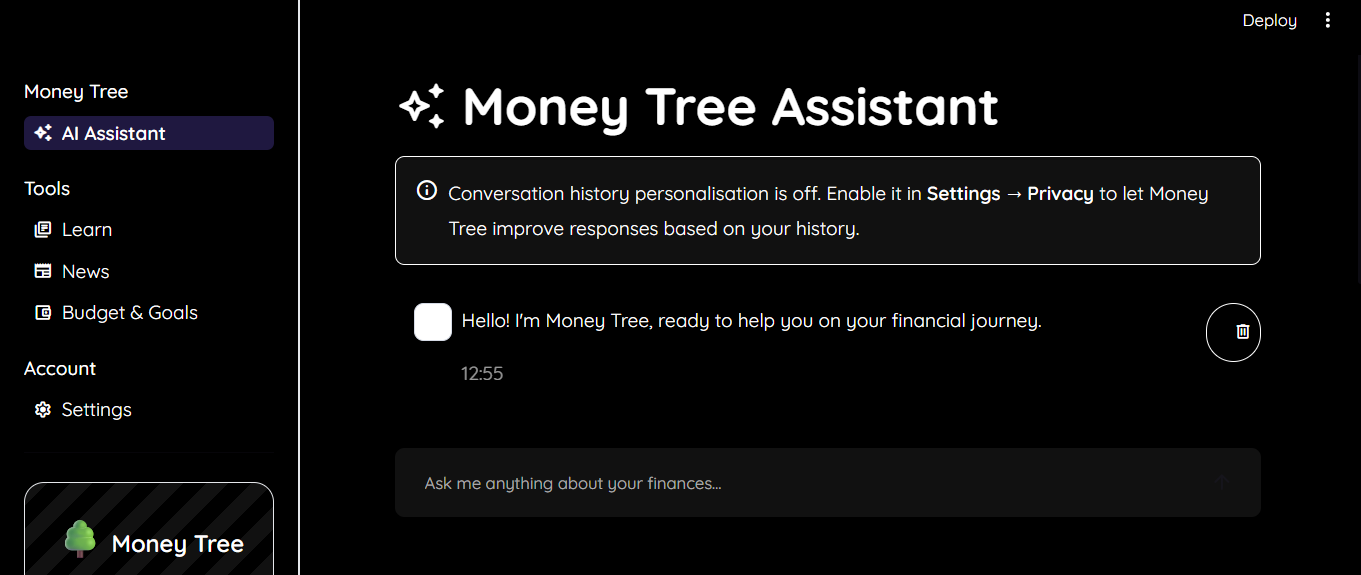
From there, MoneyTree offers: a conversational AI assistant that answers financial questions in plain language, cites its assumptions, flags region-specific tax rules and scams, and shows its work through an optional, collapsed "how I thought about this" reasoning section before the final answer; a financial education library with country-specific guidance, searchable and filterable by category and level; a live financial news feed that's re-explained by the AI for the user's specific situation instead of just showing raw headlines; and budgeting and goal-tracking tools. Users who chose voice can speak their questions and hear responses read aloud, with a live visual transcript running alongside. The entire interface, not just AI responses, is available in 12 languages, and every part of it can switch between accessibility-first mode (large text, high contrast, reduced motion, simplified layouts) and a more visually rich interface, instantly, without losing any data or preferences. Privacy is built in from the start, with a mode that stores zero conversation history, one-tap deletion of any message or entire history, and a fully offline demo mode when no AI provider is configured.
How I built it
MoneyTree is a Python/Streamlit multi-page app, with an onboarding flow, an AI assistant, an education library, a news page, a budgeting tool, and a settings hub, all sharing one session-state layer. The AI layer swaps between an OpenAI model and a fully offline, keyword-based demo mode, plus optional speech-to-text and text-to-speech providers kept in sync with the user's chosen language, so nothing hard-fails if a provider isn't available. Every AI response, whether from the real model or the offline fallback, is generated as a reasoning block plus a delimiter plus the final answer, so the same chain-of-thought UI works regardless of which provider produced it. A localized data layer holds country-specific tax notes, retirement programs, credit guidance, and scam alerts, which feed a dynamically generated system prompt tailored to each user's country, life stage, goals, and accessibility/communication preferences. The news feature fetches live country-specific headlines via RSS and routes them back through the same AI layer, now with the user's context, to generate a "what this means for you" explanation per article. Translation runs on a lightweight scheme I built rather than an external framework: every UI string is a dictionary keyed by its own English text with per-language values, falling back to English on any gap, while everything the app stores or compares internally (goal IDs, life-stage IDs, budget categories) stays in English regardless of display language, so translation can never silently break app logic. I used IBM Bob for early scaffolding and Claude Code for the bulk of iterative engineering; building each feature, then specifically auditing and fixing accessibility and localization regressions across four visual themes and twelve languages.
Challenges I ran into
The most humbling challenge was discovering that my own accessibility features had accessibility bugs. Streamlit renders Material icons through three different DOM structures depending on context, and my global CSS font-family overrides only accounted for one of them, so icons across the entire app were silently rendering as literal text ("language", "arrow_forward") instead of icon glyphs. Worse, in both High Contrast mode and my dark "Lo-fi Blue" theme, buttons with tooltips were falling out of my styling entirely, because Streamlit wraps tooltipped buttons in extra wrapper elements that broke a button CSS selector assuming buttons were always a direct child of their container. The result was invisible white-on-white text on buttons in the exact mode meant to help low-vision users. Tracking it down took forcing session state directly to rule out UI event issues, and fully restarting the dev server to rule out stale hot-reloaded code, before finding the actual root cause.
A near-identical bug showed up later in the language layer; when I added a language picker to onboarding, the offline demo-mode responses kept coming back in English no matter what a user selected, because the response-generation function simply had no language parameter to pass; the OpenAI path respected it, but the fallback silently didn't. It only surfaced by deliberately testing the assistant in Spanish and Arabic, including checking Arabic's right-to-left layout, rather than assuming a language dropdown meant the job was done. I also had to balance a warm, whimsical UI against strict contrast and motion requirements, re-testing every style choice across all theme, accessibility, and language combinations.
Accomplishments that I'm proud of
I shipped a complete, working multi-page app end to end: onboarding, AI chat, education, news, budgeting, and settings, with real regional financial content for multiple countries. I'm proud that the accessibility and communication preferences users state during onboarding are read directly into the AI's system prompt, so the assistant's actual explanations change. I'm equally proud of the full 12-language interface, verified live rather than assumed, including RTL rendering in Arabic. And I caught and fixed my own accessibility and localization bugs through actual testing rather than assuming a toggle or dropdown meant the job was done. The news feature that re-explains headlines through the user's personal context, rather than just listing them, is something I haven't seen in other financial literacy tools.
What I learned
Accessibility bugs are often invisible. A sighted, hearing, English-speaking developer won't notice a tooltip silently breaking a button's contrast in high-contrast mode, or a canned response staying in English for every other language, unless they specifically test that exact combination. "I added a toggle" and "the toggle actually works" turned out to be two different claims that require separate verification, whether the toggle is for contrast, language, or communication mode. I also learned that financial exclusion, accessibility exclusion, and language exclusion all follow the same shape: they're about who is silently expected to do more work, or simply gets a worse answer, for the same interaction. Finally, small choices, plain language over jargon, a follow-up question instead of a wall of text, showing the reasoning behind an answer instead of just asserting it, and letting someone state their own needs in their own words, matter as much as raw functionality for making someone feel capable rather than talked down to.
What's next for MoneyTree
Extending translation past the interface chrome into the education library's article content and the regional tax/credit/scam guidance itself, so the depth of content matches the depth of the UI in all 12 languages. Teaching the offline demo mode to understand questions asked in languages other than English, rather than only translating its canned replies. Sign-language-friendly resource formats, building on the visual-transcript foundation already in voice mode. Direct user testing with Deaf, hard-of-hearing, and immigrant women in Toronto to validate the tool against lived experience, not just statistics. Eventually, the modular backend it's built on should let me integrate with banks, budgeting platforms, and government financial resources without ever exposing sensitive user data.
Built With
- api
- claude
- ibm
- python

Log in or sign up for Devpost to join the conversation.