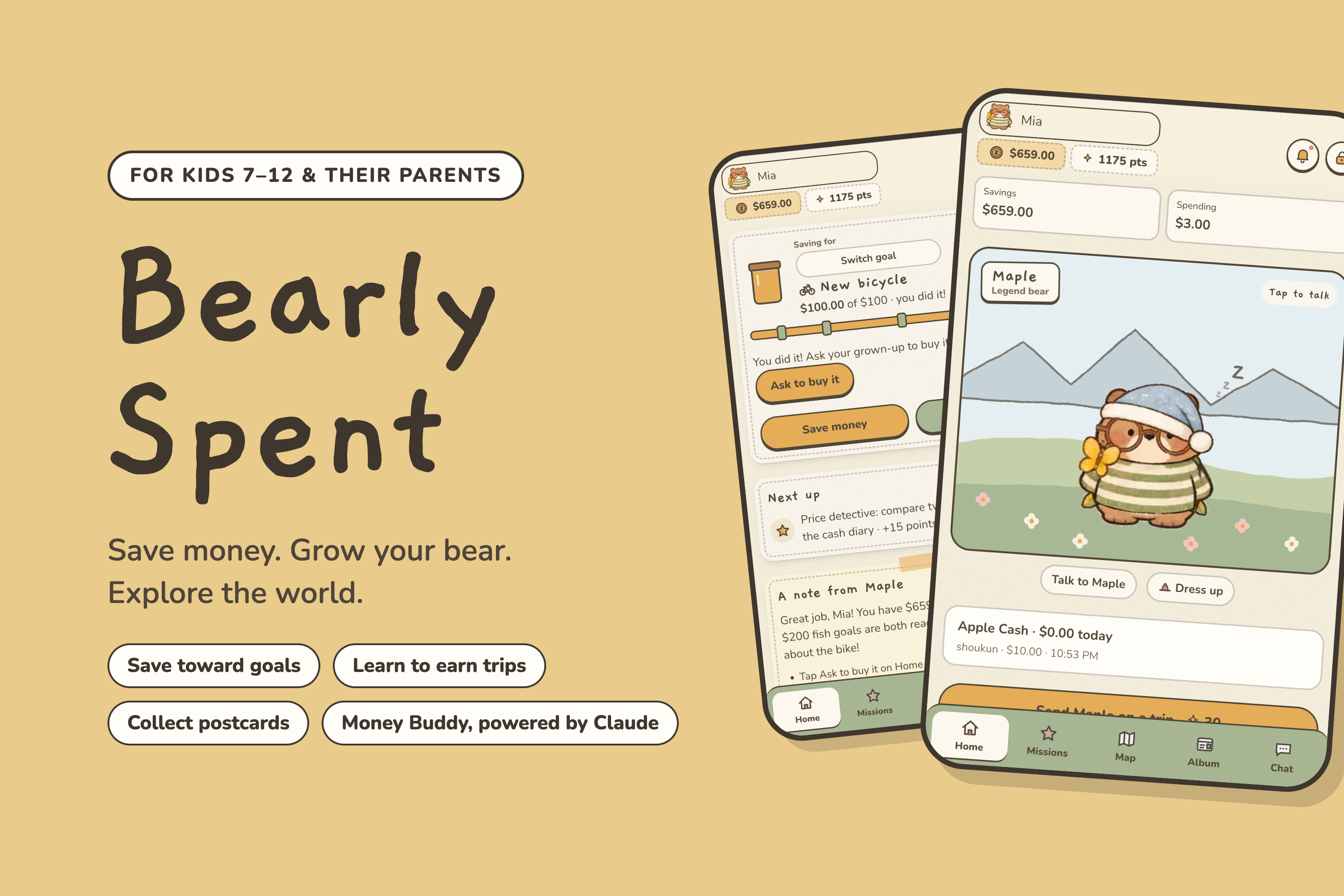
Bearly Spent is designed for families with children aged 7–12 and parents who want to help them build everyday money habits. Children name and customize a bear, work toward savings goals, and earn postcard adventures through learning. Parents set allowances and approve rewards, while Money Buddy explains choices using the child's current balances and goal.
Inspiration
Saving for something weeks away can feel abstract to a child. We gave children goals they can look forward to: collecting postcards, making friends, and unlocking accessories for their bear. These goals give them reasons to keep learning and return to the app. In Bearly Spent, saving changes their bear's growth, learning earns adventures, and parents celebrate progress through shared goals and rewards.
What Bearly Spent does
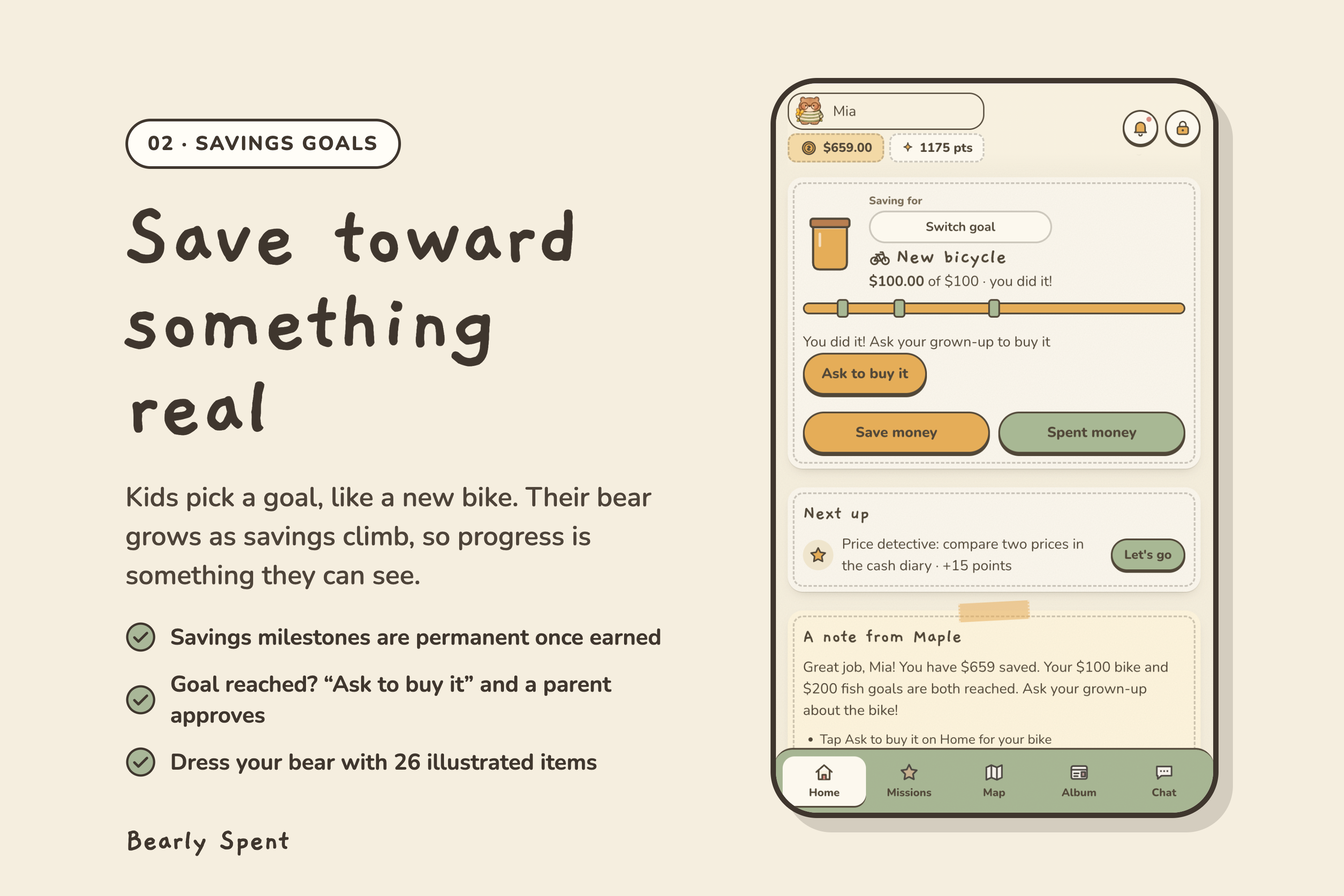
Children choose their bear's name during setup and can rename it themselves. They can dress their bear with 26 illustrated items and unlock permanent savings milestones. The bear's size reflects savings progress toward the current goal, making an otherwise abstract number visible.
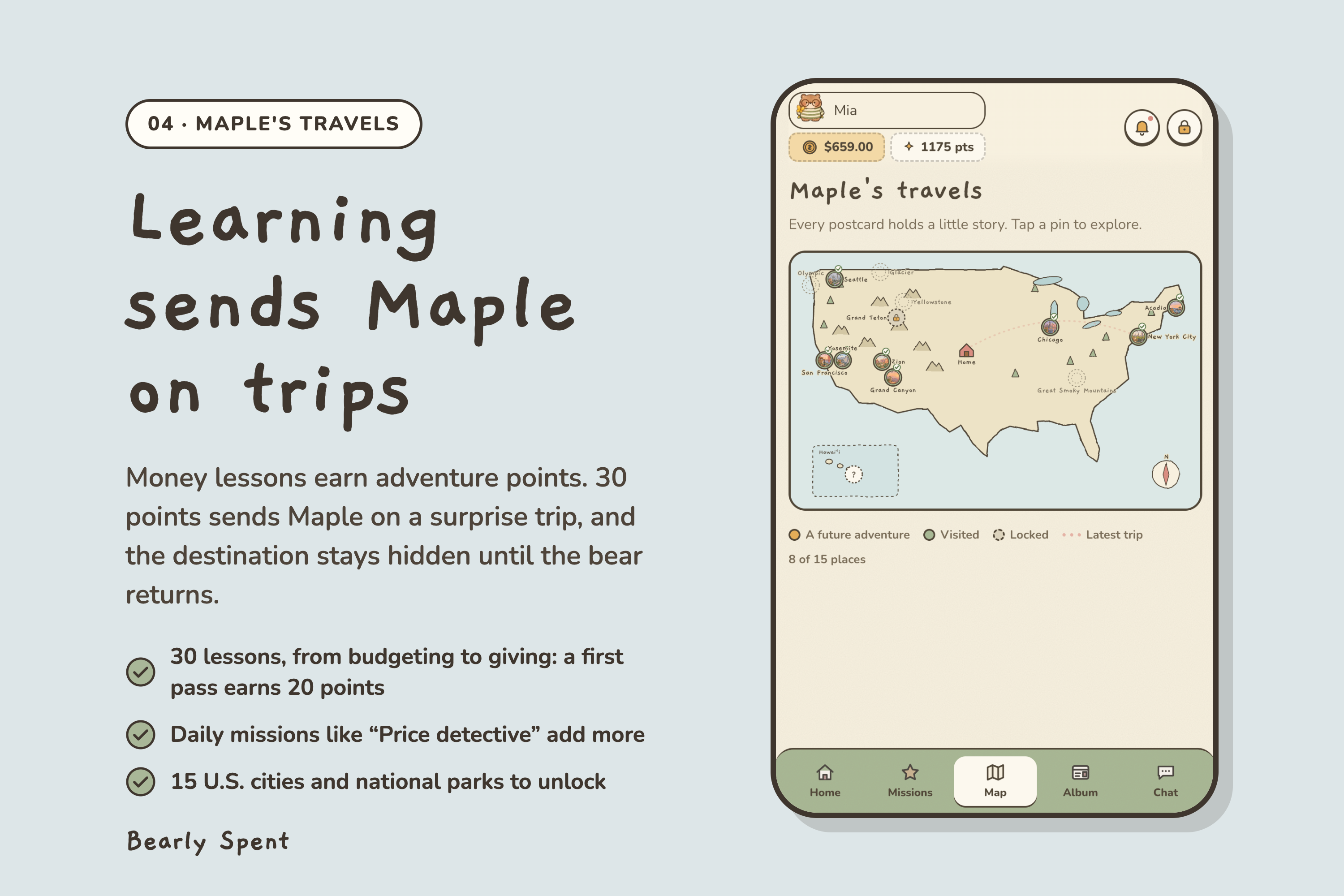
The learning library contains 30 money lessons covering needs and wants, budgeting, comparison shopping, subscriptions, banking, giving, and other everyday decisions. Each lesson has six questions; each attempt presents a rotating selection of four, with three correct answers needed to pass. A first pass earns 20 adventure points. The interface shows five unfinished lessons at a time and keeps completed lessons available for review. Daily missions and weekly budget planning give children more ways to practice.
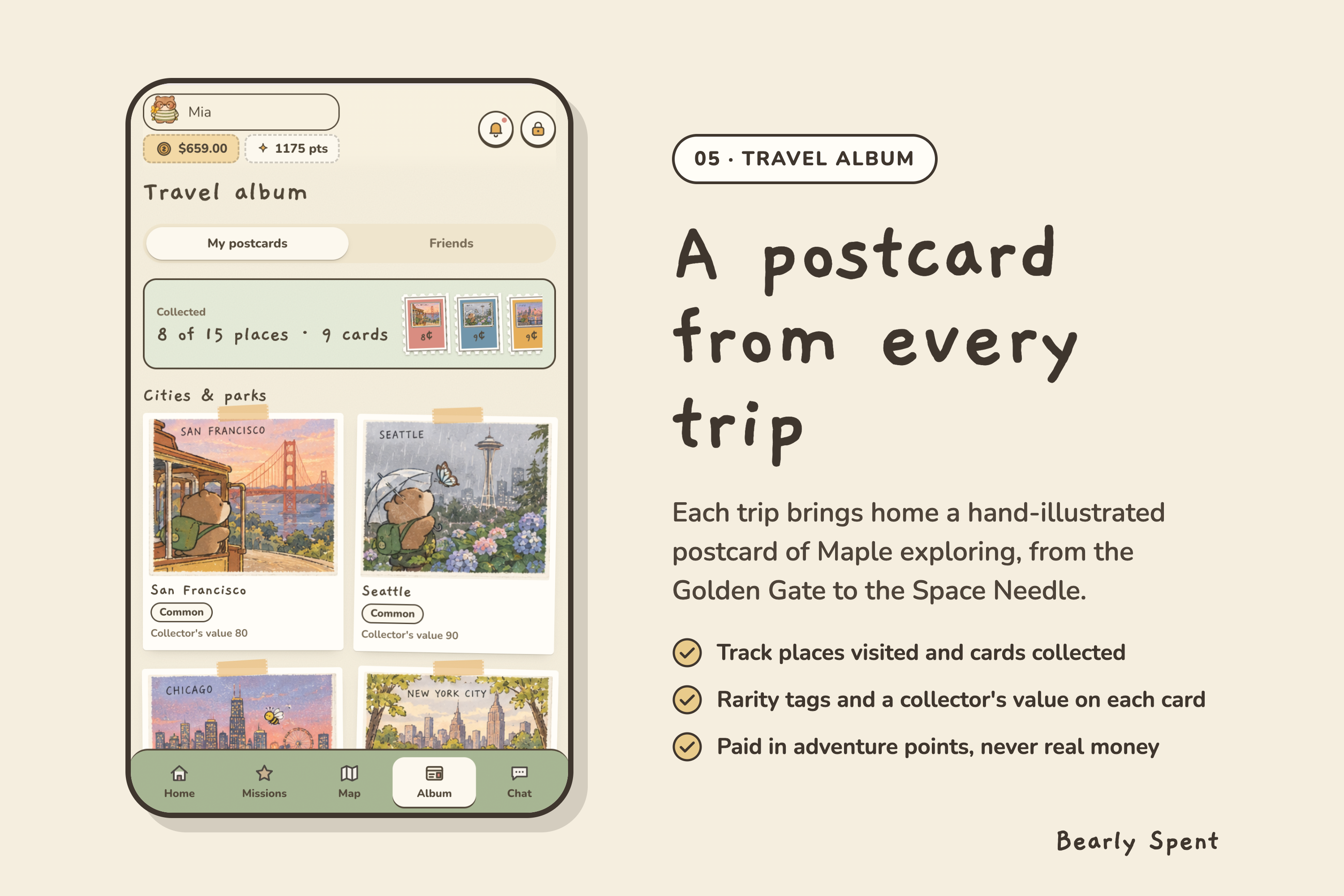
Adventure points are separate from money. A surprise trip costs 30 points and brings back an illustrated postcard from a collection of 15 U.S. cities and national parks. The destination stays hidden until the bear returns. Children collect postcards, explore the map, and unlock additional places through their progress.
Children can create several savings goals and choose which one to pursue. When the current goal is reached, they can request a purchase. A parent approves it, and the Ledger Guardian records the purchase from savings once. Parents can also offer rewards for completing lessons, tasks, or saving actions. For example, a parent can offer $5 for five lessons, review completion, and approve the reward into savings.
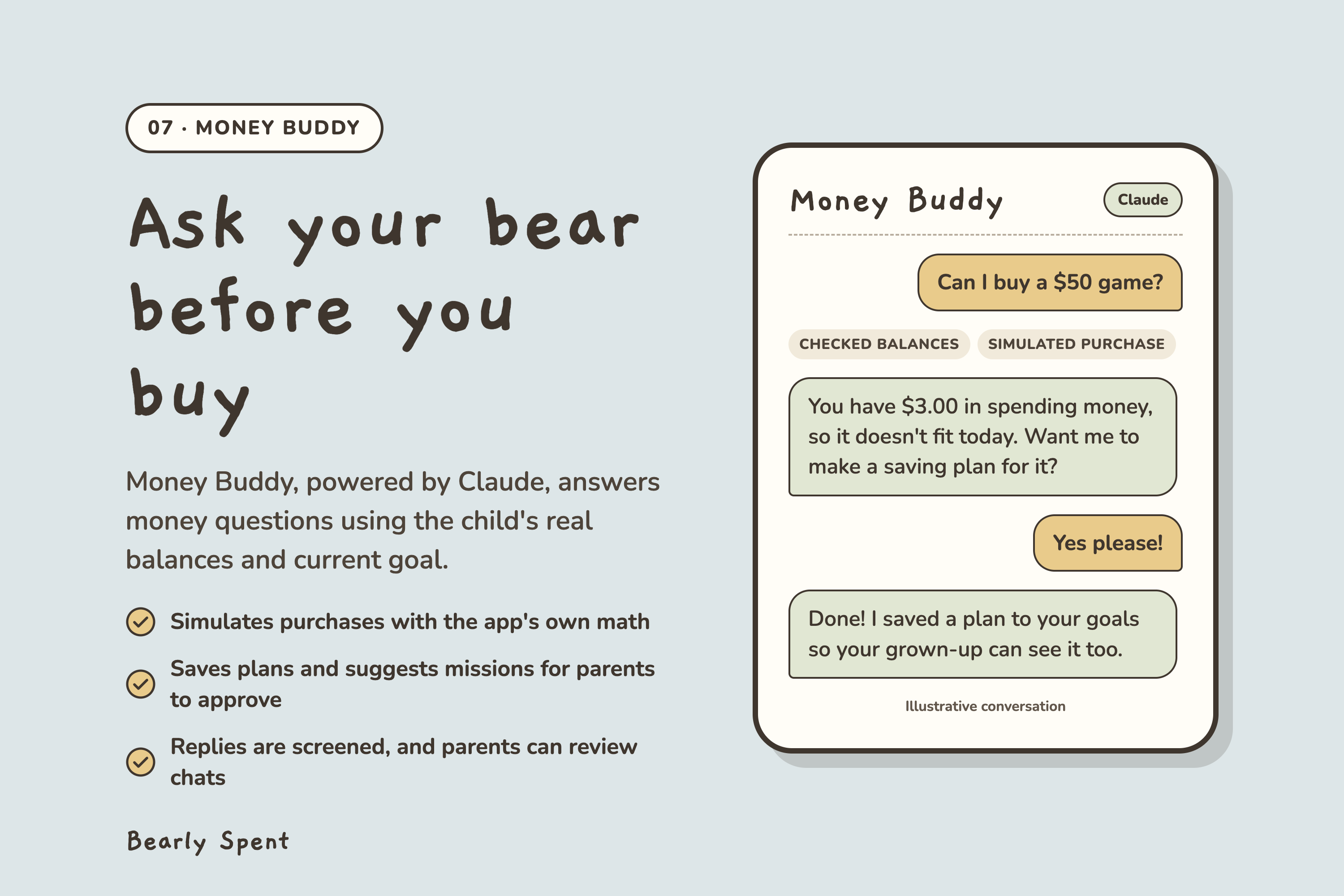
Money Buddy is a text companion powered by Claude. It uses the child's balances and current goal to explain whether a purchase fits their spending money and how saving choices affect their goal. Its tools can read financial state, simulate a purchase, update the savings plan, and suggest a mission for parental approval. A rule-based helper handles common questions when Claude is unavailable.
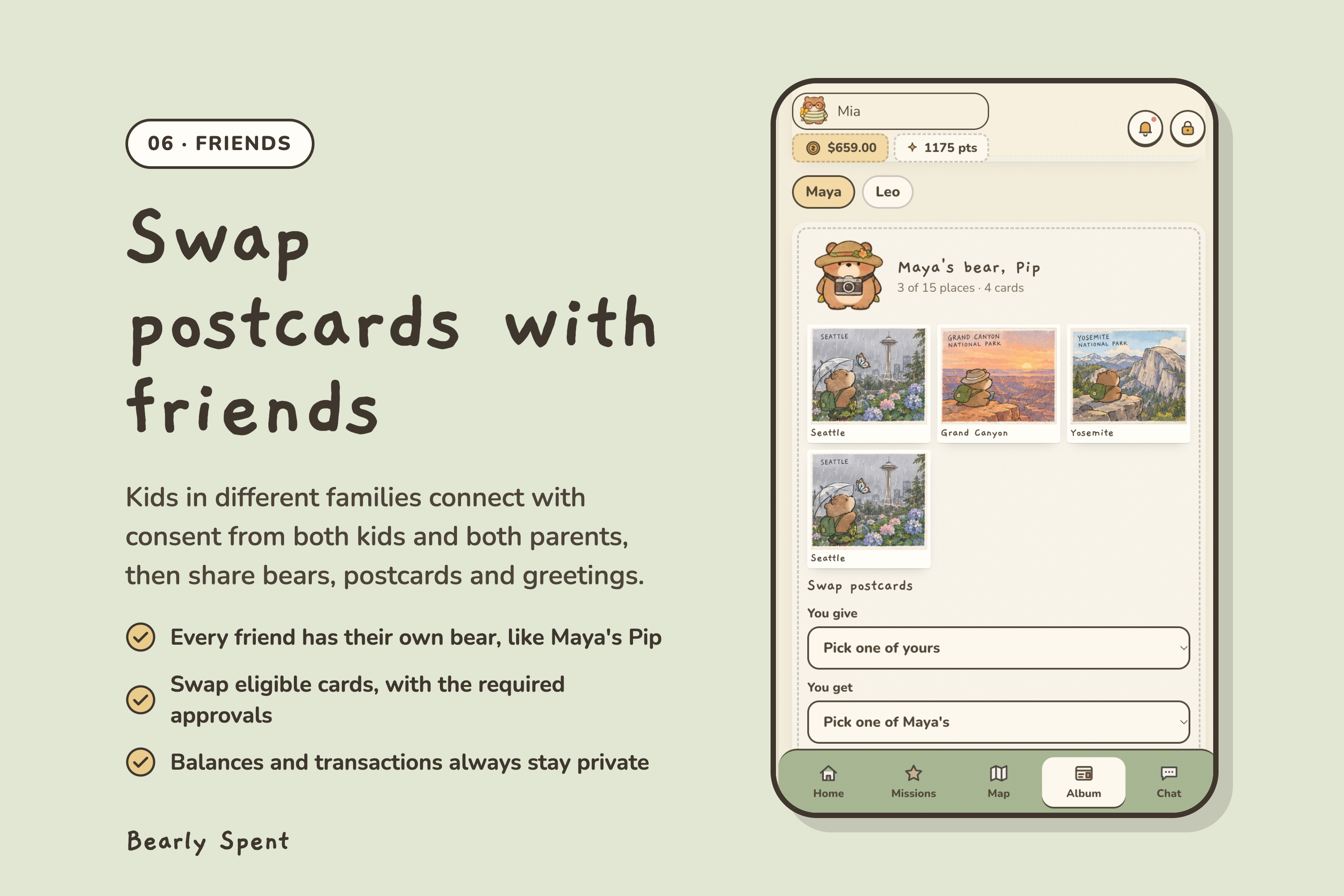
Each family can have multiple children with separate progress and balances. Parents connect a child's device through a one-time code, manage allowances and approvals, and review Buddy conversations. Children can connect with friends in other families through a consent process involving both children and both parents. Friends see each other's bears and postcards, exchange eligible cards with the required approvals, and send prewritten greetings. Financial balances and transaction histories remain private.
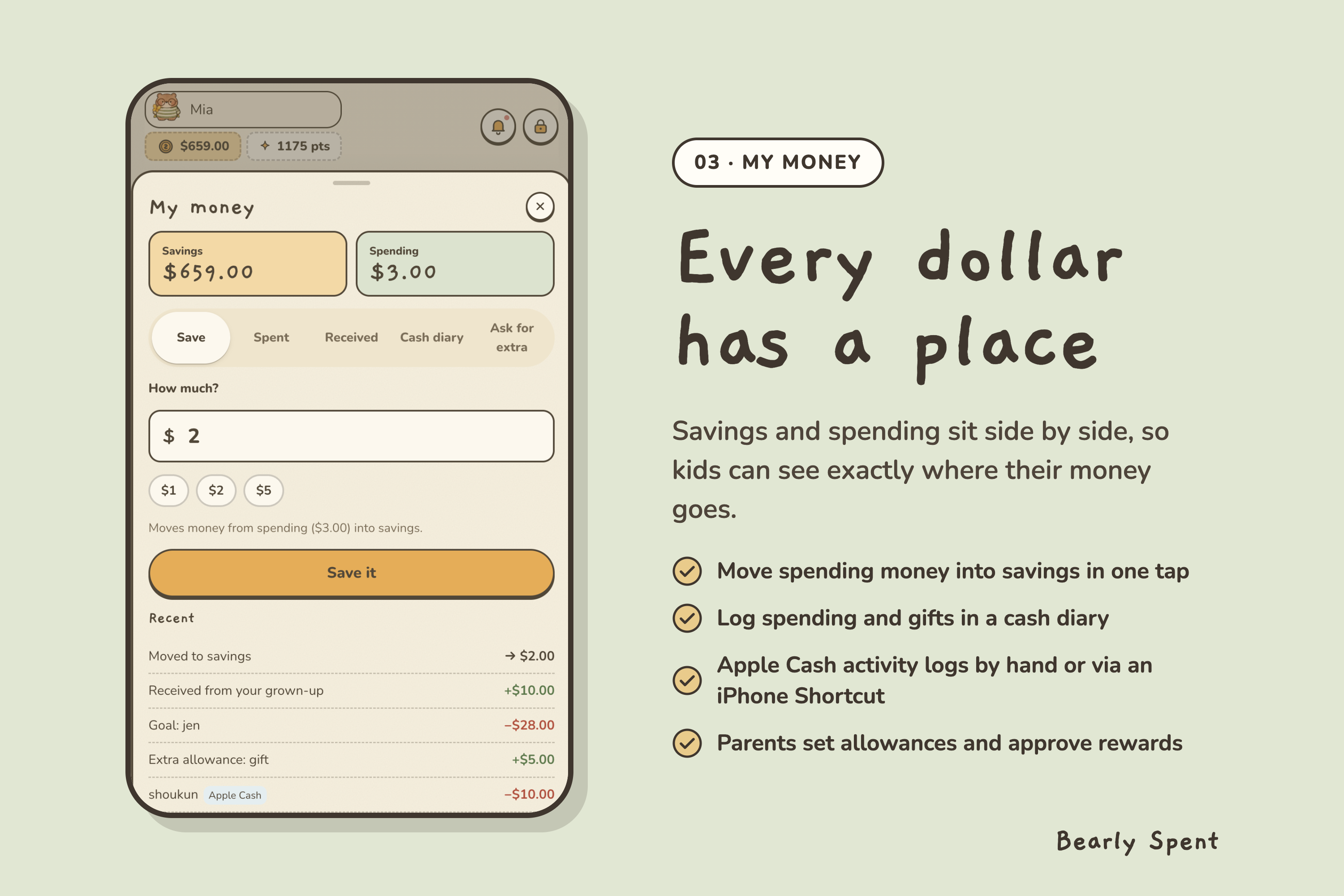
Apple Cash activity can be recorded manually or through a configured iPhone Shortcut. Purchases and allowance share the parent's funding record. When funding is insufficient, a receipt stays pending until the parent adds funding and records it, or dismisses it. Bearly Spent records these financial activities; payments take place outside the application.
How we built Bearly Spent
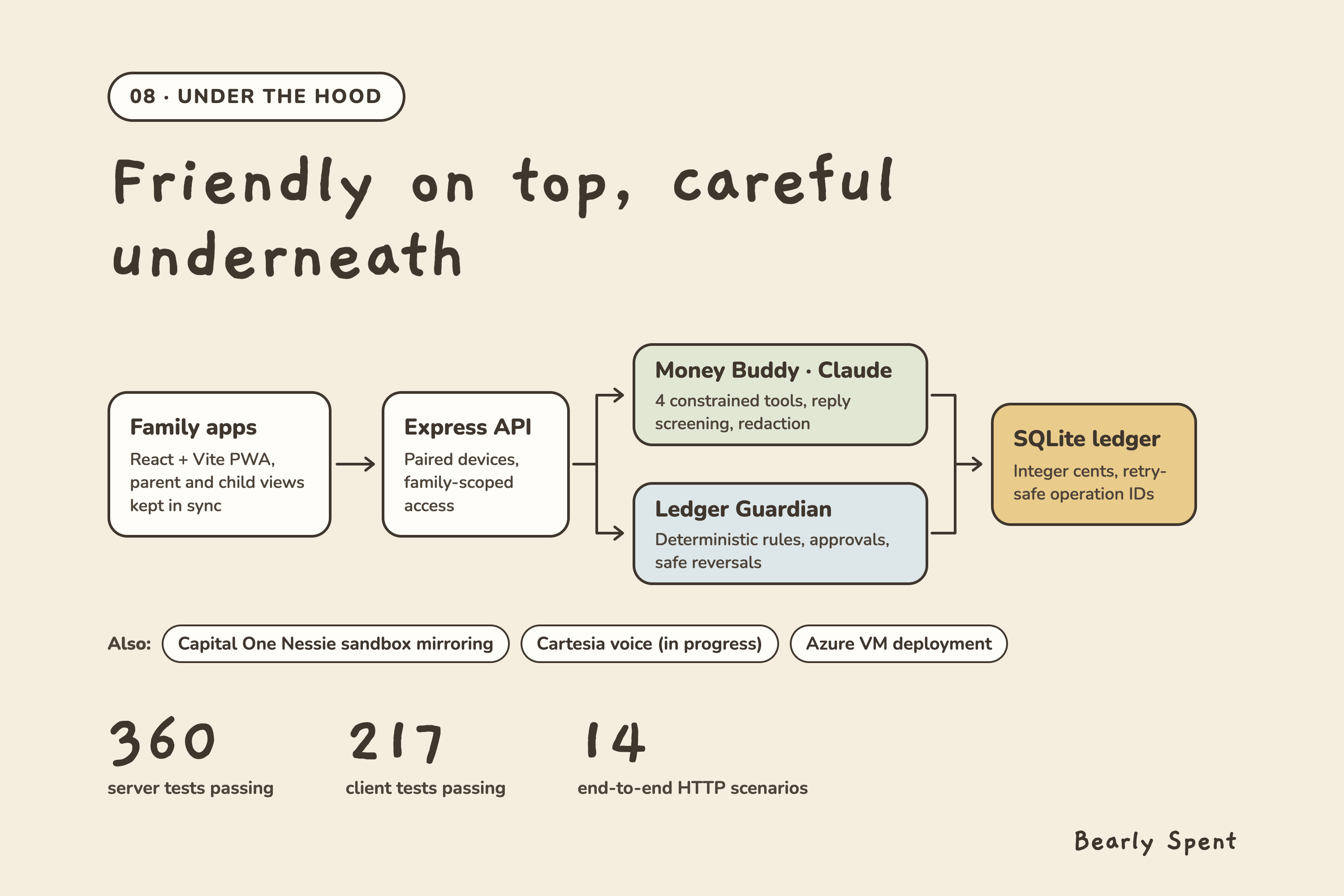
We built the interface with React and Vite and the API with Express. SQLite stores family accounts and each child's state. Family-scoped server-sent events and polling keep parent and child views synchronized. The installable PWA caches the application shell and artwork and supports read-only access to cached child content.
The ledger stores money in integer cents. Stable identifiers prevent retries from posting the same authorized operation twice. The Ledger Guardian applies deterministic rules to scheduled allowance, approved rewards and purchases, spending checks, and funding reminders. It can identify supported duplicate postings, reverse them safely, and record the reason. Real postcard swaps reserve the selected cards and update both children's albums in one SQLite transaction.
Claude runs through the Anthropic SDK with four constrained tools. Purchase simulations use application arithmetic, and ledger operations remain under the Guardian's rules and parent approvals. The integration includes pattern-based personal-information redaction and a separate model that screens Buddy replies. Passwords and optional parent PINs use salted scrypt hashes, sessions use HttpOnly cookies, and child devices are scoped to their paired child.
Tracks and integrations
Anthropic — Claude for Public Benefit
We use Claude through the Anthropic SDK to power Money Buddy for children aged 7–12 learning to manage allowance with their parents. Claude connects questions such as “Can I buy a $50 game?” to the child's actual app balances and savings goal. Tool-based purchase simulations and saved plans turn the conversation into guidance the child can act on, while reply screening and parental review support the intended age group.
Cartesia Best Use of Cartesia
We integrated the Cartesia text-to-speech into Money Buddy so children can hear their bear explain saving and spending choices. Claude generates the financial explanations, and the Cartesia integration will turn those replies into spoken audio. This voice experience is designed to help children aged 7–12 follow the guidance and make conversations with their named bear feel more personal.
Capital One Best Use of Nessie
We use the Nessie API to create sandbox customers and accounts and mirror supported ledger transactions, including allowance and approved rewards, into the banking sandbox. This connects the family's learning experience to banking concepts such as checking, savings, deposits, and transfers. The local ledger maintains the authoritative record while the integration performs sandbox mirroring asynchronously.
Hyphenate The Hyphenated Enterprise Autonomous Systems for Finance
The Ledger Guardian fills the role of a family allowance and bookkeeping operator. It executes authorized ledger actions, checks spending rules, escalates funding shortages to the parent, and documents its work. Its recovery demonstration introduces a duplicate reward: the Guardian detects the supported duplicate, posts a reversal, restores the correct balance, and explains the correction in the audit log. Claude provides explanations and planning alongside this rule-based financial operator.
Microsoft Built for the Real World and Customer Impact Award
Bearly Spent combines Claude-assisted financial explanations with persistent family accounts, paired child devices, parent approvals, and recoverable bookkeeping flows. The repository includes Azure VM deployment configuration using Node.js, systemd, and Caddy for HTTPS. The implementation addresses a specific family workflow from a child's lesson completion through parental approval to a recorded reward, with automated tests and repeatable business-flow checks supporting the path to deployment.
Meta Bringing People Closer Together with AI
Money Buddy helps children discuss spending and saving with their parents through a shared goal and a named bear. The social experience extends that progress to other families through bear sharing, postcard exchanges, and greetings. We built real friendships around consent from both families and kept financial details private, so children can share their learning adventures while parents remain involved.
Challenges
One challenge was making progress rewarding while keeping money and game points understandable. We separated adventure points from balances and made savings milestones permanent. Children can spend toward a goal while keeping the milestone rewards they earned.
Another challenge was coordinating actions across devices and families. Retrying an approval must not create another reward, and a card reserved for one swap must not be offered in another. We used persistent operation identifiers, card reservations, and transactional updates to keep those actions consistent. Apple Cash receipts also remain available when funding is short, giving the parent a clear next action.
The expanded lesson system required the browser and server to agree on the same four questions. A shared selection helper uses the child, lesson, and stored attempt count. Each open quiz pins its attempt number, and the server rejects a stale submission if another device has already advanced that lesson.
Accomplishments
We completed a connected flow from learning to an approved reward, visible savings progress, bear customization, and a surprise postcard trip. The project also supports real family accounts and exchanges between two families, beyond the practice profiles in the demo. The Guardian's duplicate correction makes its bookkeeping behavior visible during a demonstration.
For v0.8.3, all 360 server tests and 217 client tests passed, and the production build succeeded. Fourteen local HTTP scenarios passed, covering device pairing, bear renaming, lesson rewards, duplicate correction, goal purchases, pending Apple Cash receipts, cross-family friendship and card exchange, and access isolation.
What we learned
Building Bearly Spent taught us to make authority visible in the product. Children need to understand which money they can spend, parents need to see what requires their approval, and an AI companion needs a clear connection to the state it explains. Separating conversational guidance from ledger execution made those responsibilities easier to implement and demonstrate. Building real friendships also made consent part of the interaction itself, from the first request through a completed exchange.
Future development
We plan to test Bearly Spent with families and study how children explain saving and spending choices after using it. We will use that feedback to refine lesson difficulty, mission variety, and parent controls. Further work will strengthen end-to-end checks for external services and phone automation and improve the clarity and accessibility of the text experience.
Built With
- azure
- cartesia
- claude
- css
- express.js
- html5
- javascript
- nessie
- node.js
- react
- sqlite
- vite

Log in or sign up for Devpost to join the conversation.