Orchid: Mindful Money
Inspiration
I've always found personal finance intimidating. As a woman, most of the resources I came across felt like they were designed for someone else — the tone was either condescending or built on shame. You spent too much. You should have started earlier. You're behind. None of it made me want to engage with my money. It made me want to avoid it.
I started thinking about what a financial tool would look like if it actually felt safe. Something that didn't yell at you for buying a latte or guilt-trip you into a budget spreadsheet. Something more like tending a plant — you show up, you do a little bit, and over time things grow.
That's where the name comes from. Orchids are famously finicky. They need the right light, the right water, and a lot of patience. That felt like the right metaphor for getting better with money. Orchid is built around the idea that financial wellness is a practice, not a destination, and it should never make you feel bad about where you're starting.
What it does
Orchid is a mindful money companion for iOS. The core features:
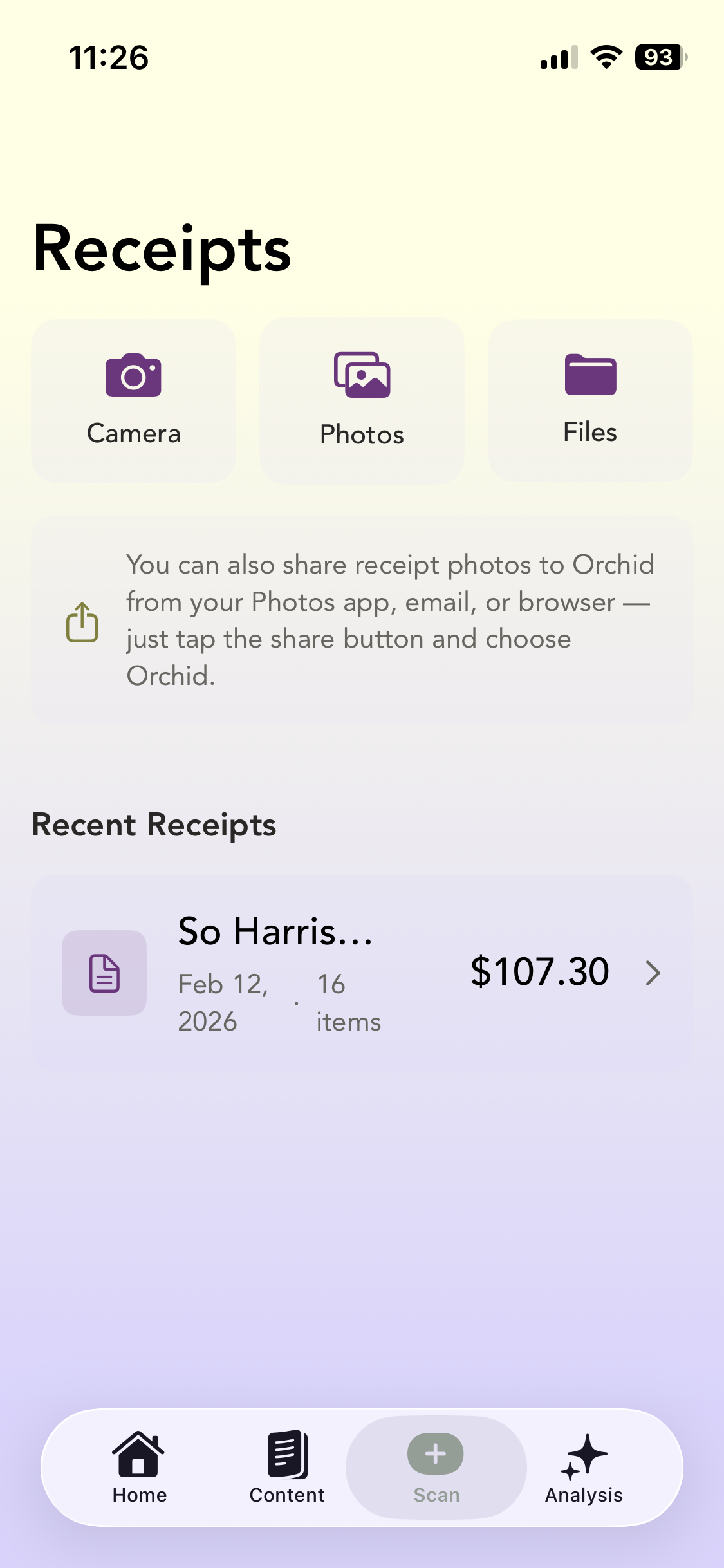
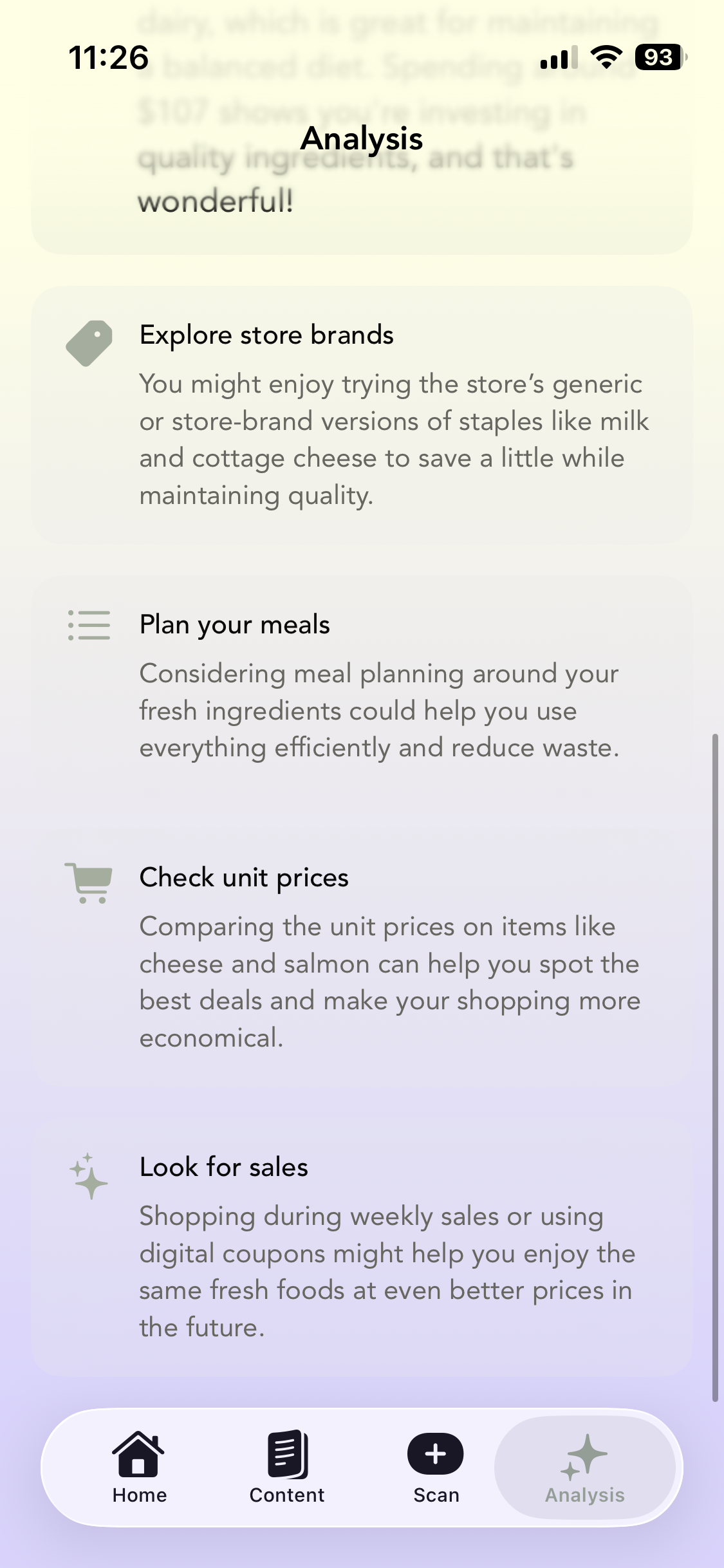
- Receipt Scanning & AI Insights — Scan receipts and get spending insights powered by on-device Apple Intelligence, with an OpenAI fallback for devices that don't support it. I spent a lot of time on the prompt engineering here — the AI celebrates wins and suggests small shifts without ever using words like "wasteful" or "excessive."
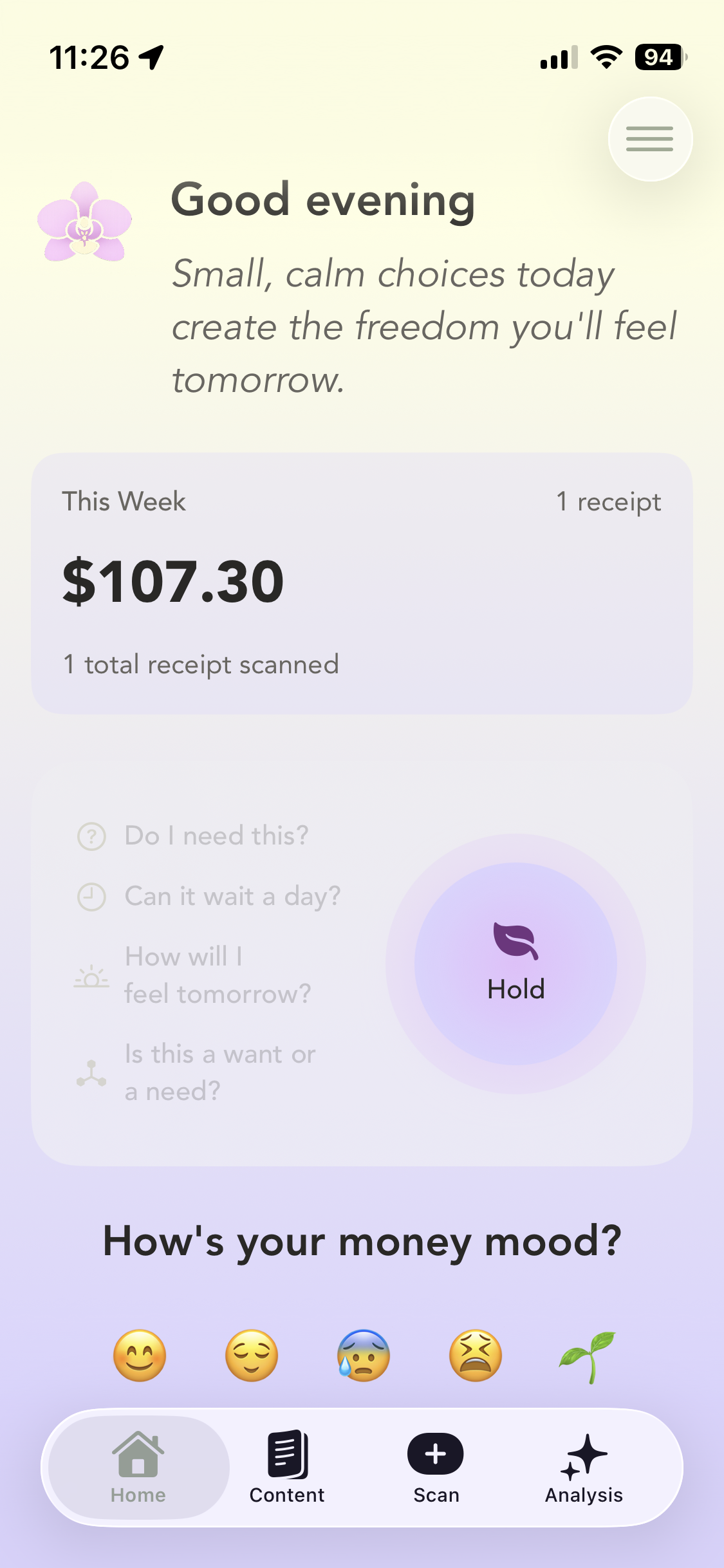
- The Orchid Pause — A press-and-hold breathing exercise for the moment before a big purchase. As you hold, prompts appear one by one: "Do I need this?" "Can it wait a day?" "How will I feel tomorrow?" When you let go, a calming affirmation fades in. There's haptic feedback throughout.
- Money Mood Check-In — Pick how you're feeling about money today. Each mood gets an encouraging response — not advice, just acknowledgment that money stuff is hard.
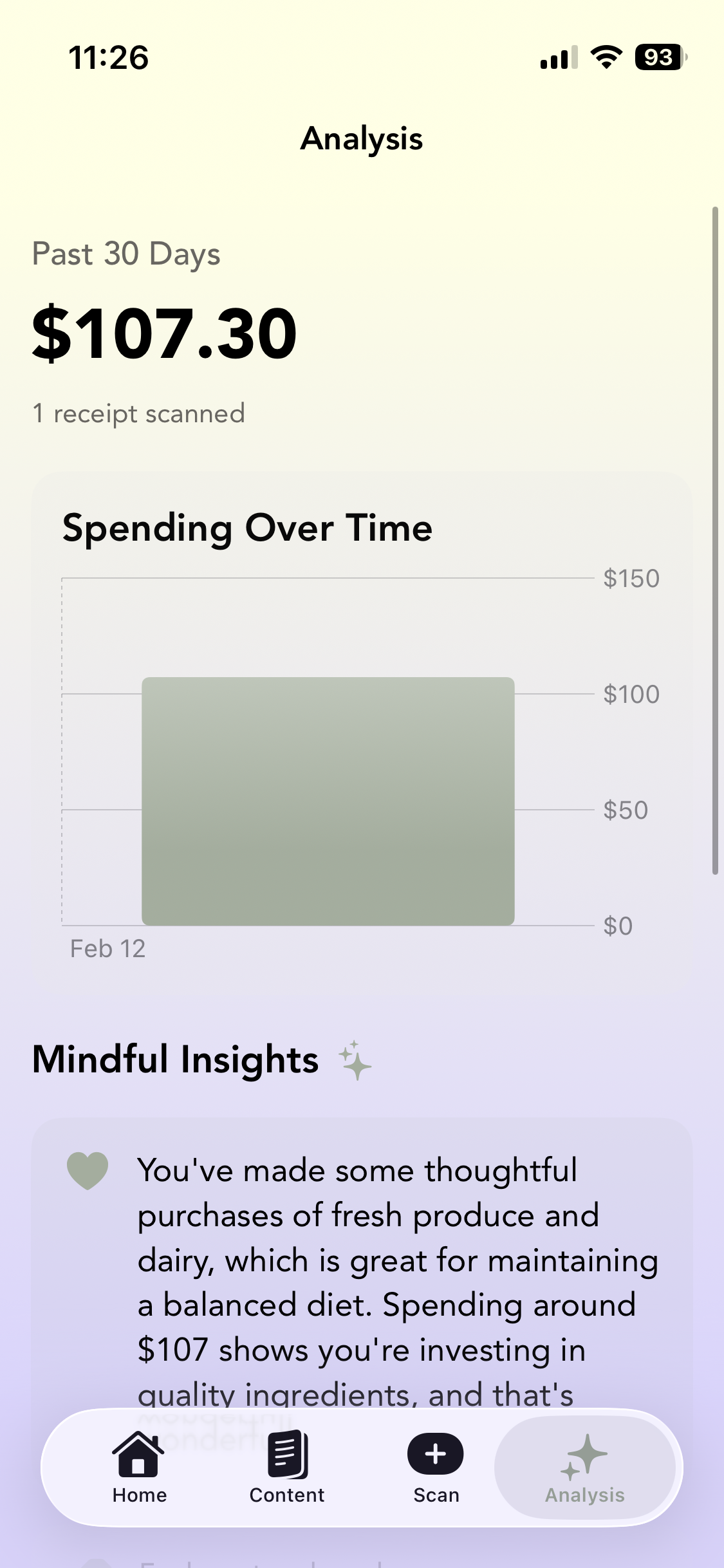
- Spending Analysis — A chart showing spending over time with AI-generated tips specific to your actual purchases.
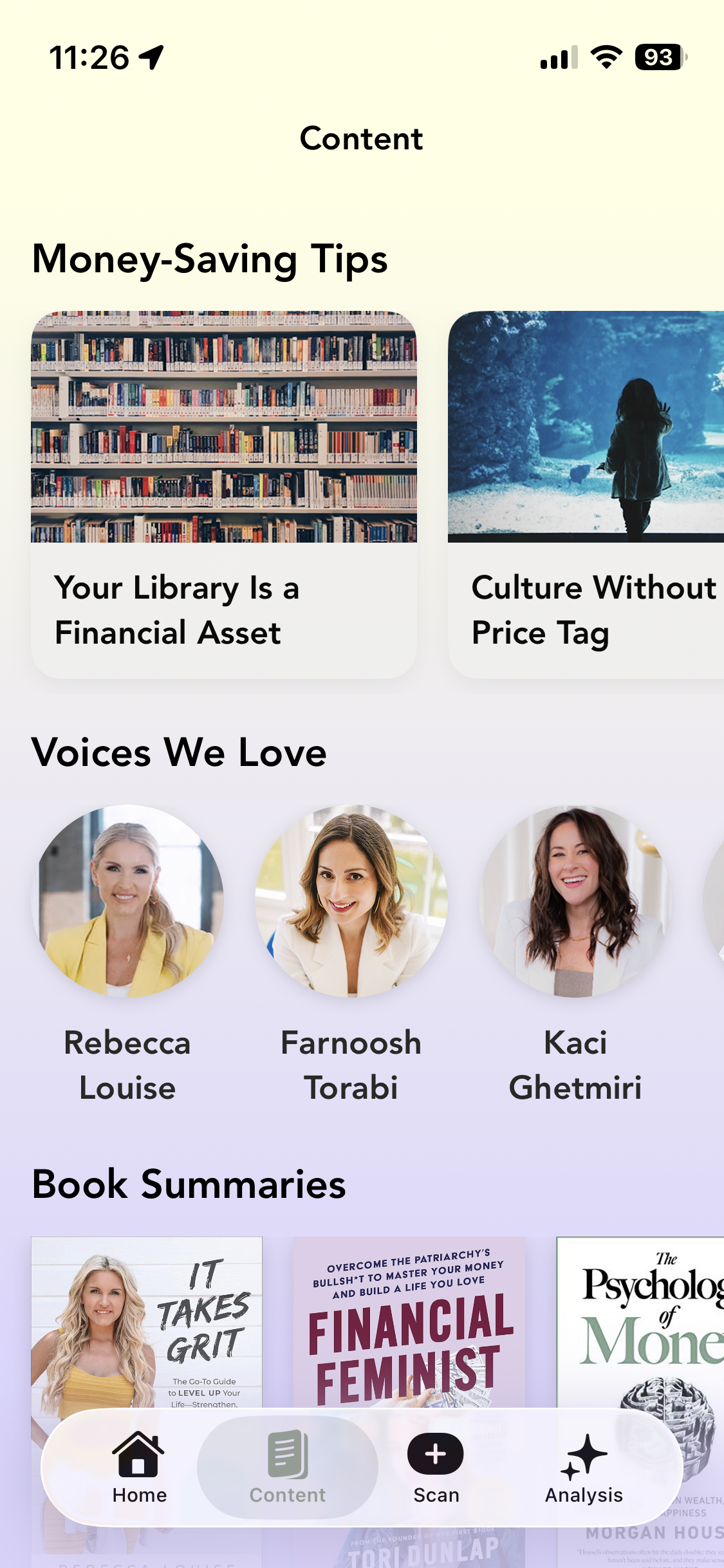
- Curated Content — Articles, book summaries with audio, and finance creators I think are worth following. Premium audio content sits behind a paywall.
- Financial Growth Flowchart — An interactive guide in the Grow tab that meets you where you are and helps you figure out the next step.
How I built it
Native iOS with Swift and SwiftUI, targeting iOS 26.
I structured the project as local Swift Packages to keep things modular — Design handles the typography, colors, and reusable components, Networking wraps Supabase, RevenueCat, and OpenAI, Core manages navigation, and Logging standardizes debug output with OSLog.
The main tools and frameworks:
- Supabase for auth and content management (articles, influencers, books) with Row Level Security
- Apple Foundation Models for on-device spending analysis using
@Generablestructured output - OpenAI SDK (MacPaw/OpenAI) as the fallback if foundation models aren't available on the device
- RevenueCat for subscriptions and the paywall
- Nuke for image caching
- Swift Charts for the spending visualization
- AVFoundation for audio playback on book summaries
- VisionKit for receipt OCR
The whole app uses @Observable for state management and a custom design token system — ivory backgrounds, lavender accents, mauve highlights, olive greens, all in Avenir. I wanted it to feel calm the second you open it.
Challenges I ran into
The biggest challenge wasn't technical — it was tonal. Getting AI to sound like a supportive friend instead of a financial advisor took way more iteration than I expected. Early prompts came back robotic and generic. The breakthrough was being really specific about what the model should never say: no shaming language, no income assumptions, no judging what people buy. I also had to be careful about the line between helpful and preachy.
On the technical side, building the AI fallback was tricky. Foundation Models use @Generable structs for structured output, but OpenAI returns raw JSON. I had to keep both paths producing the same response types with the same tone, which meant maintaining two parallel prompt systems.
I also had never implemented in app purchases before, so that added a learning curve.
Accomplishments I'm proud of
The Orchid Pause is the feature I'm most proud of. It genuinely changes how you feel in the moment. The circle growing slowly, the haptic ticks, the prompts appearing one by one — it's meditative in a way I didn't expect from something I built myself.
I'm also proud of the AI tone. After a lot of prompt work, both the Foundation Models and OpenAI paths produce insights that reference the user's actual receipts and never shame. The app says "a small shift that could help" instead of "you need to stop." That was the whole point, and it works.
The design system came together nicely too. The ivory-to-lavender gradient, the consistent spacing, the Avenir type — it feels like a space you'd actually want to open when you're stressed about money, which was the goal from day one.
What I learned
The biggest takeaway is that the most impactful design decisions are emotional, not technical. Choosing "redirect" over "cut back," or putting a breathing exercise where a warning popup would normally go, changes the entire feel of the app. The code is the same either way. The intention is what matters.
I also learned that financial literacy doesn't have to look like a spreadsheet. It can look like a garden.
What's next for Orchid: Mindful Money
- Expanding the Grow tab with a full interactive financial flowchart that adapts to where you are — from building an emergency fund to thinking about investing
- Spending categories and trends so you can see patterns over weeks and months, not just totals
- A journaling feature for reflecting on financial decisions and how they felt
- Mindful financial goals — things like a "no impulse buy" streak or a savings target, tracked with the same encouraging tone
- A home screen widget with the daily quote and weekly spending snapshot
- Bringing the Orchid Pause to Apple Watch so it's there when you're standing in a store about to make a decision
Built With
- foundationmodel
- openai
- revenuecat
- supabase
- swift
- swiftui

Log in or sign up for Devpost to join the conversation.