-
-
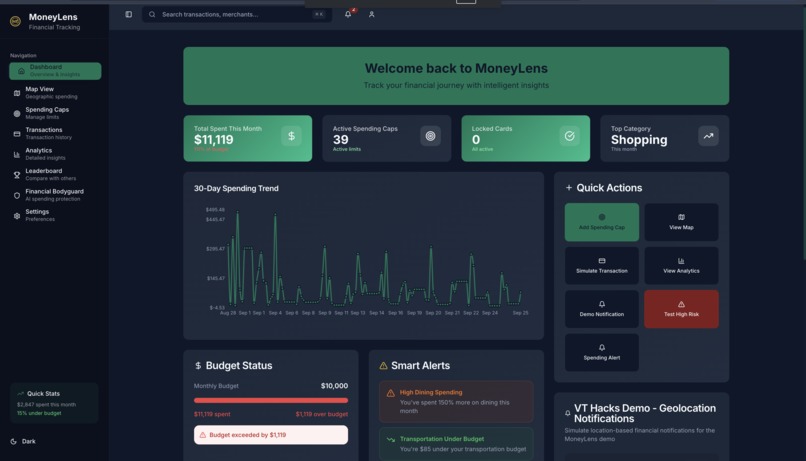
Main Screen
-
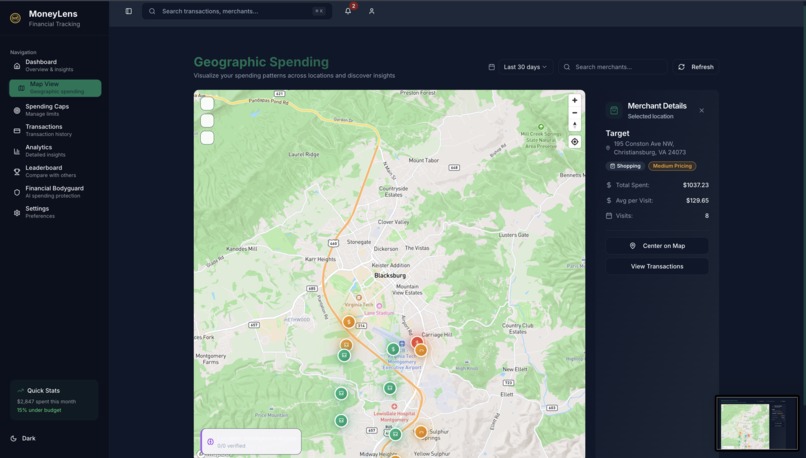
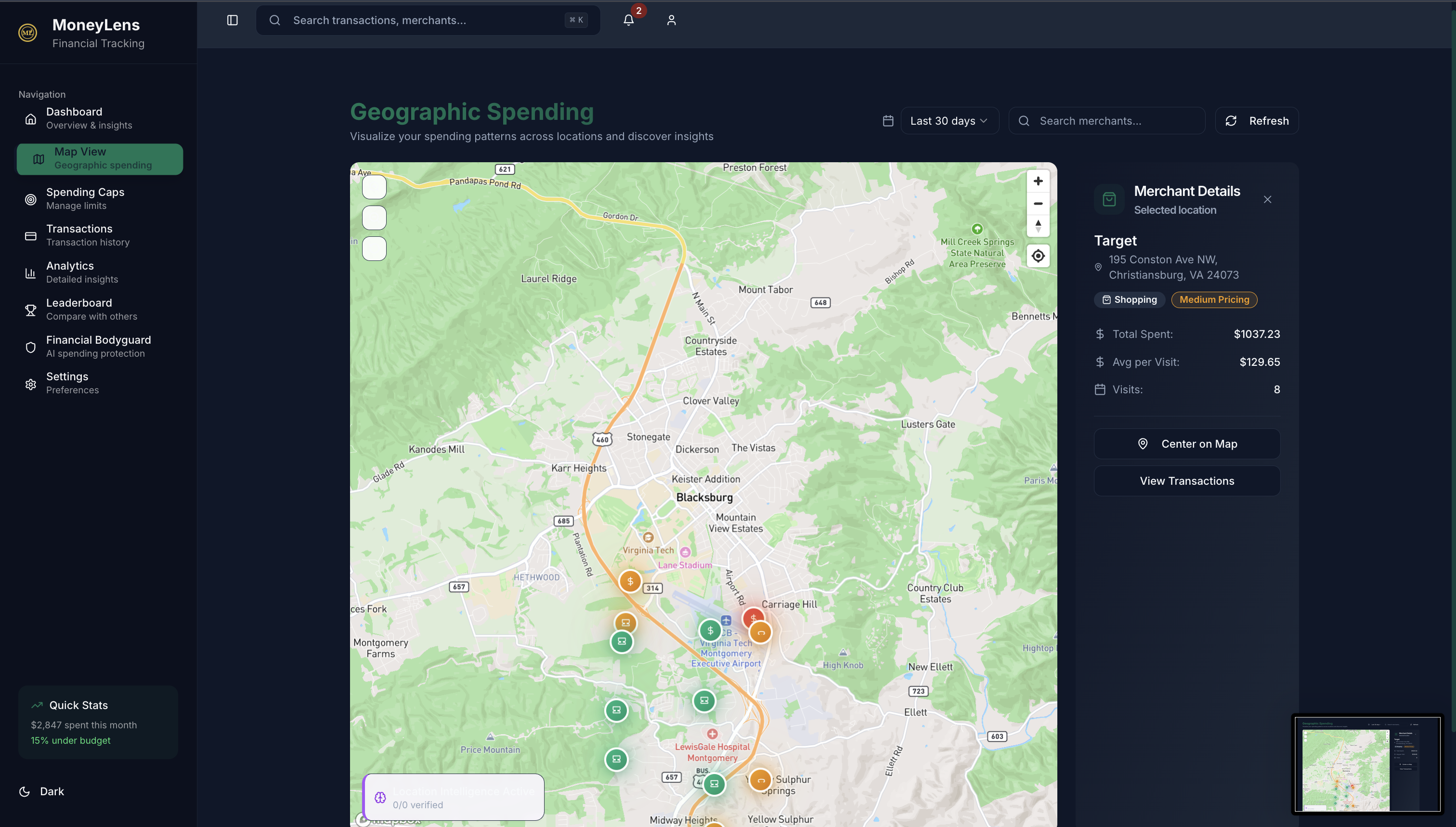
Maps
-
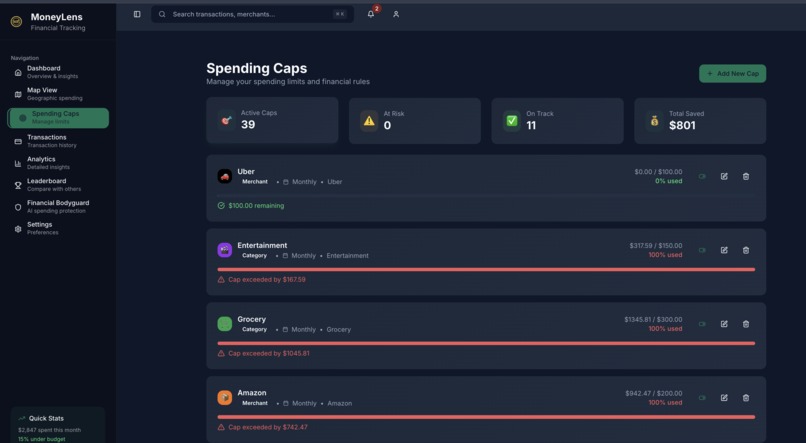
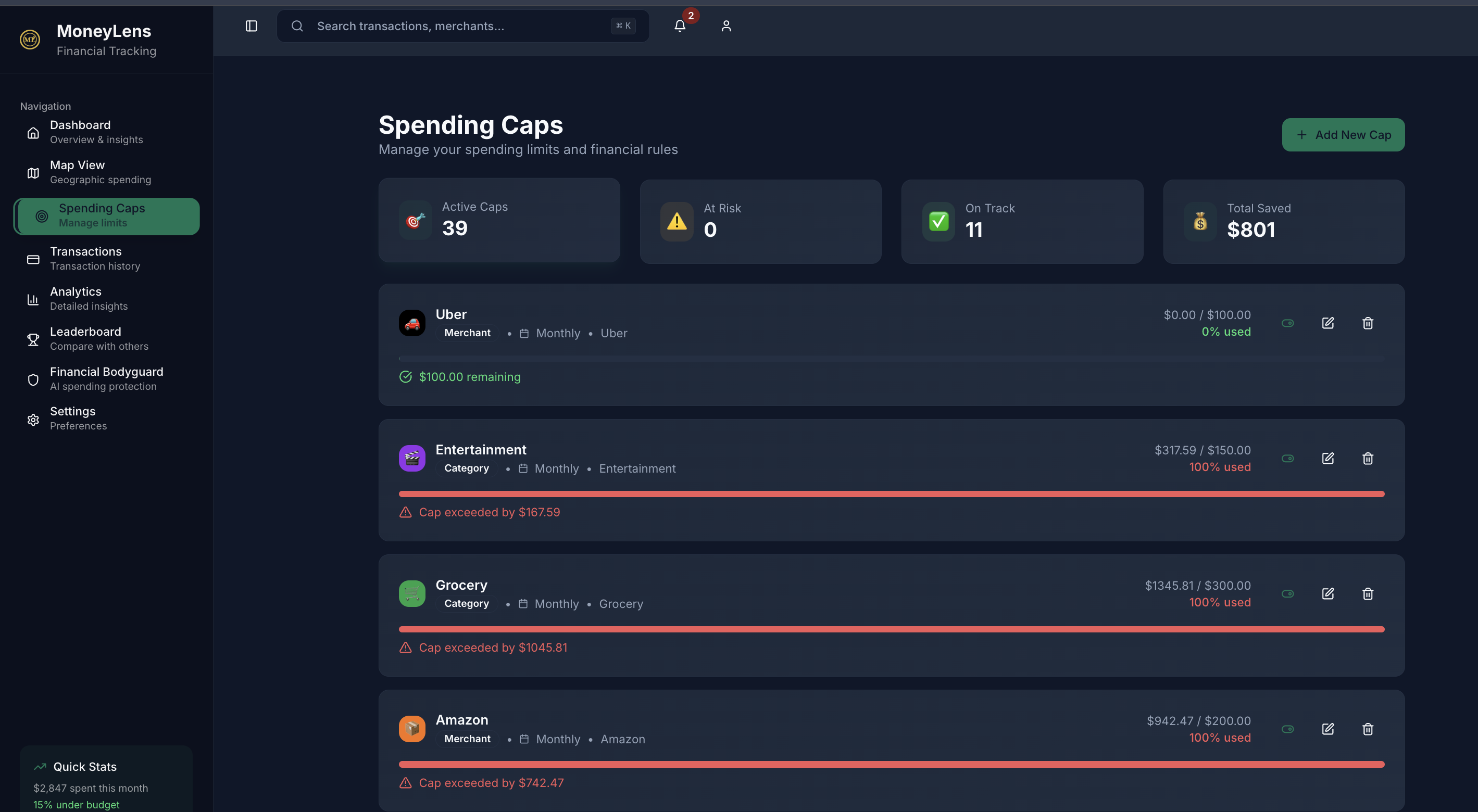
Spending Caps
-
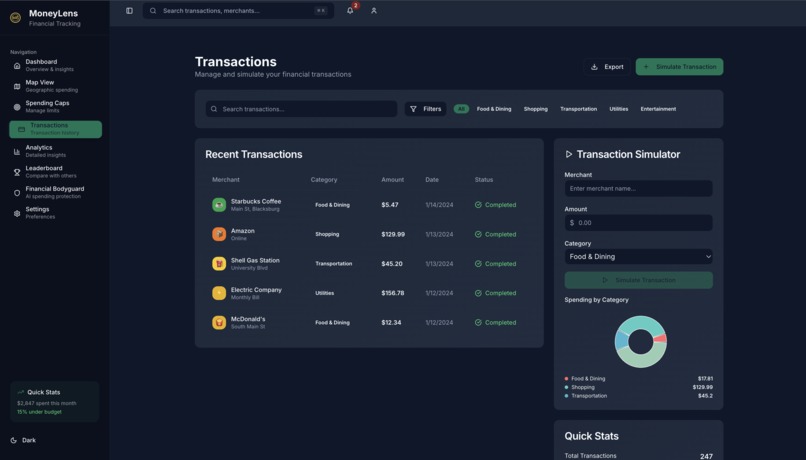
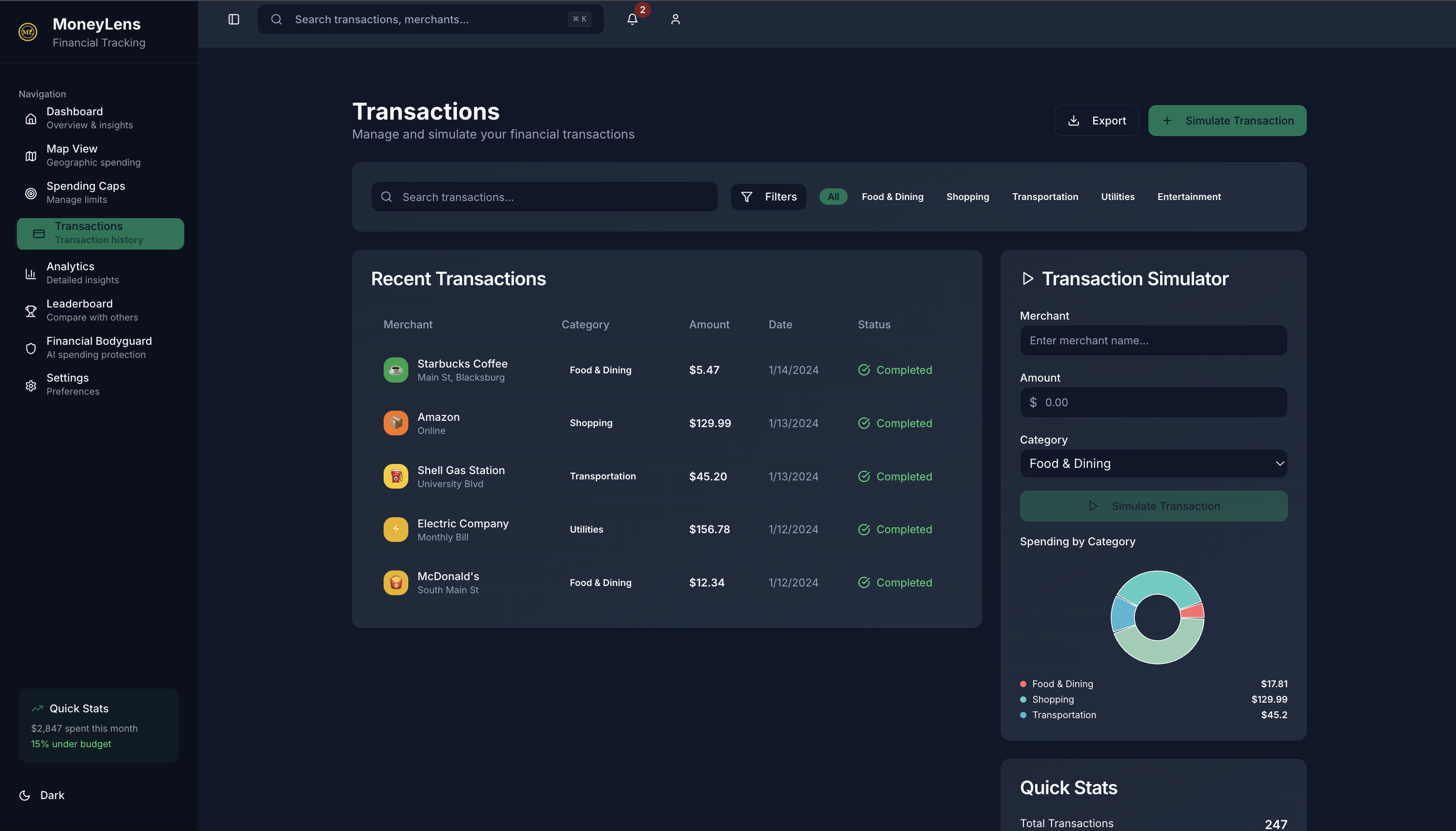
Transactions
-
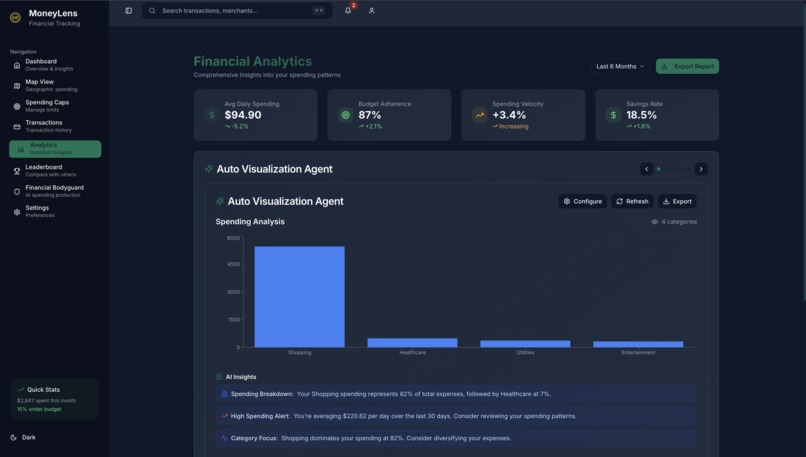
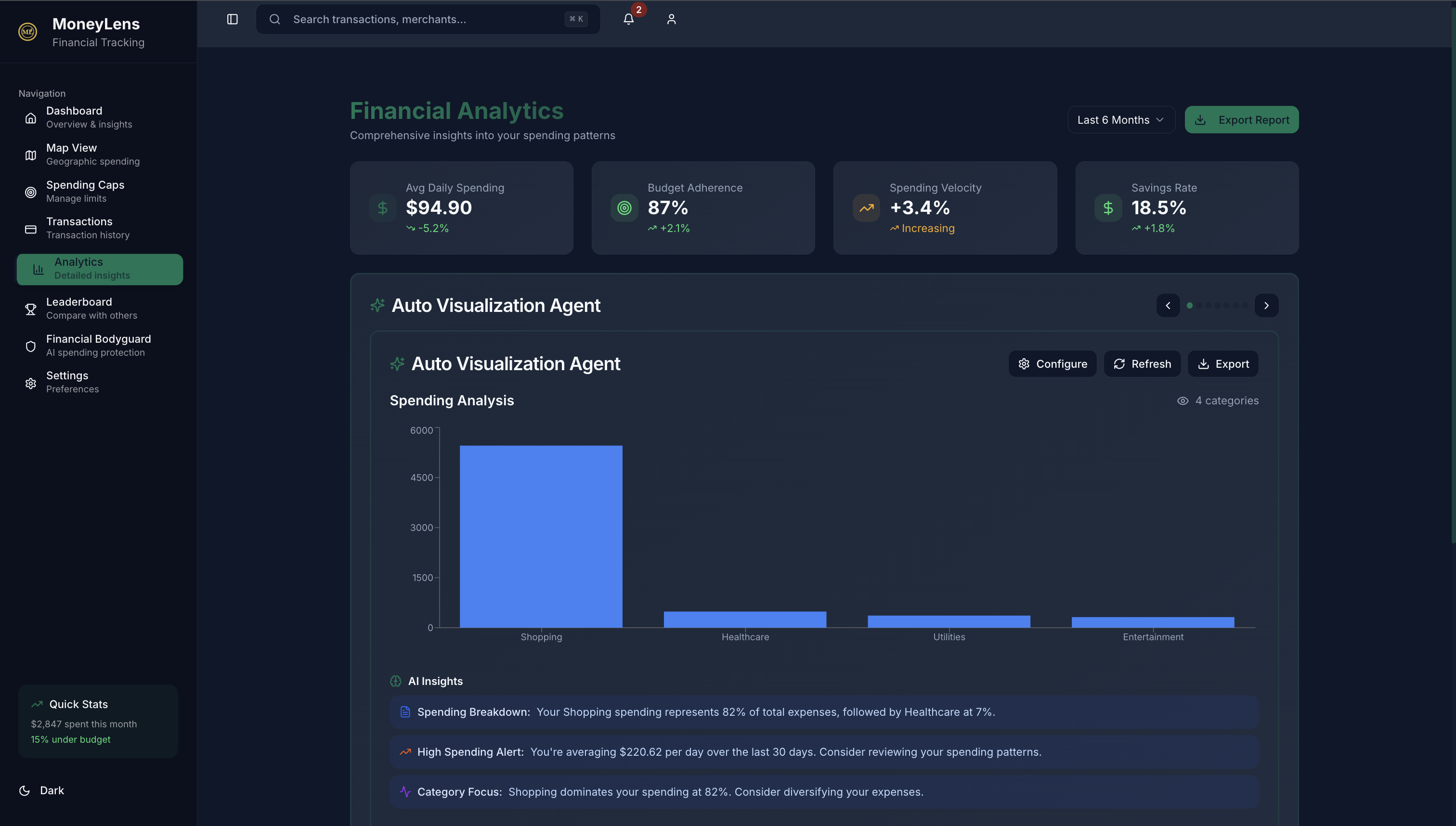
Graphs
-
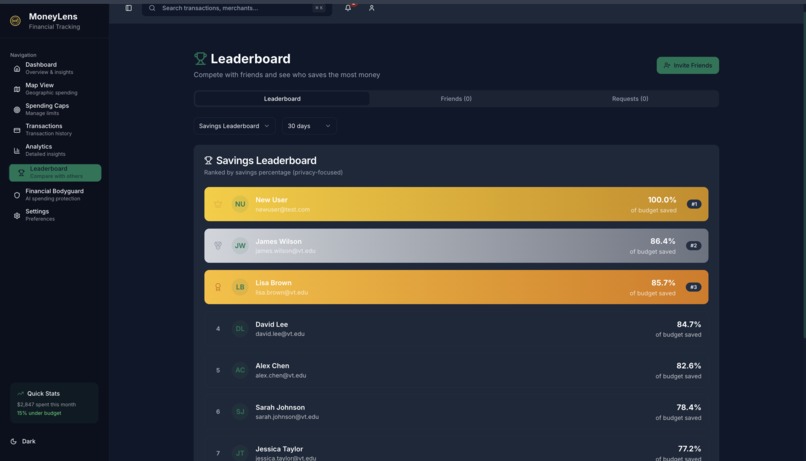
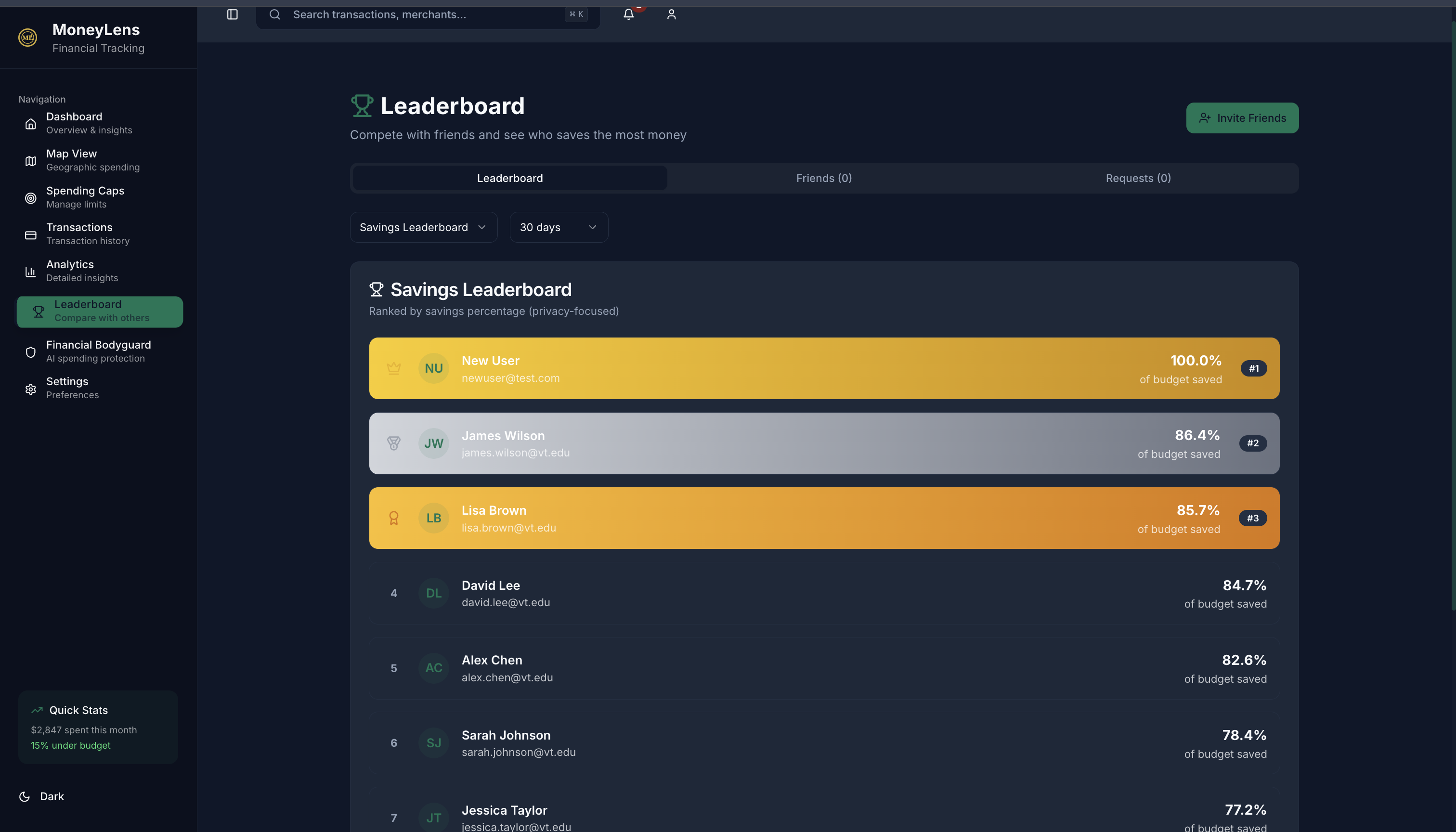
Leaderboard
-
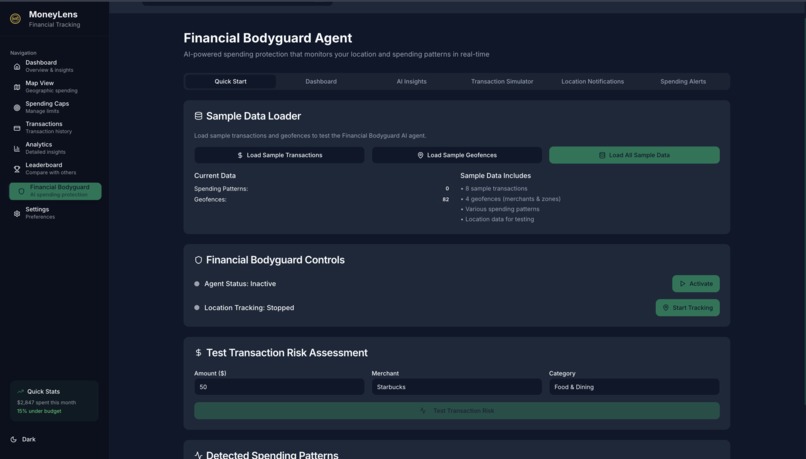
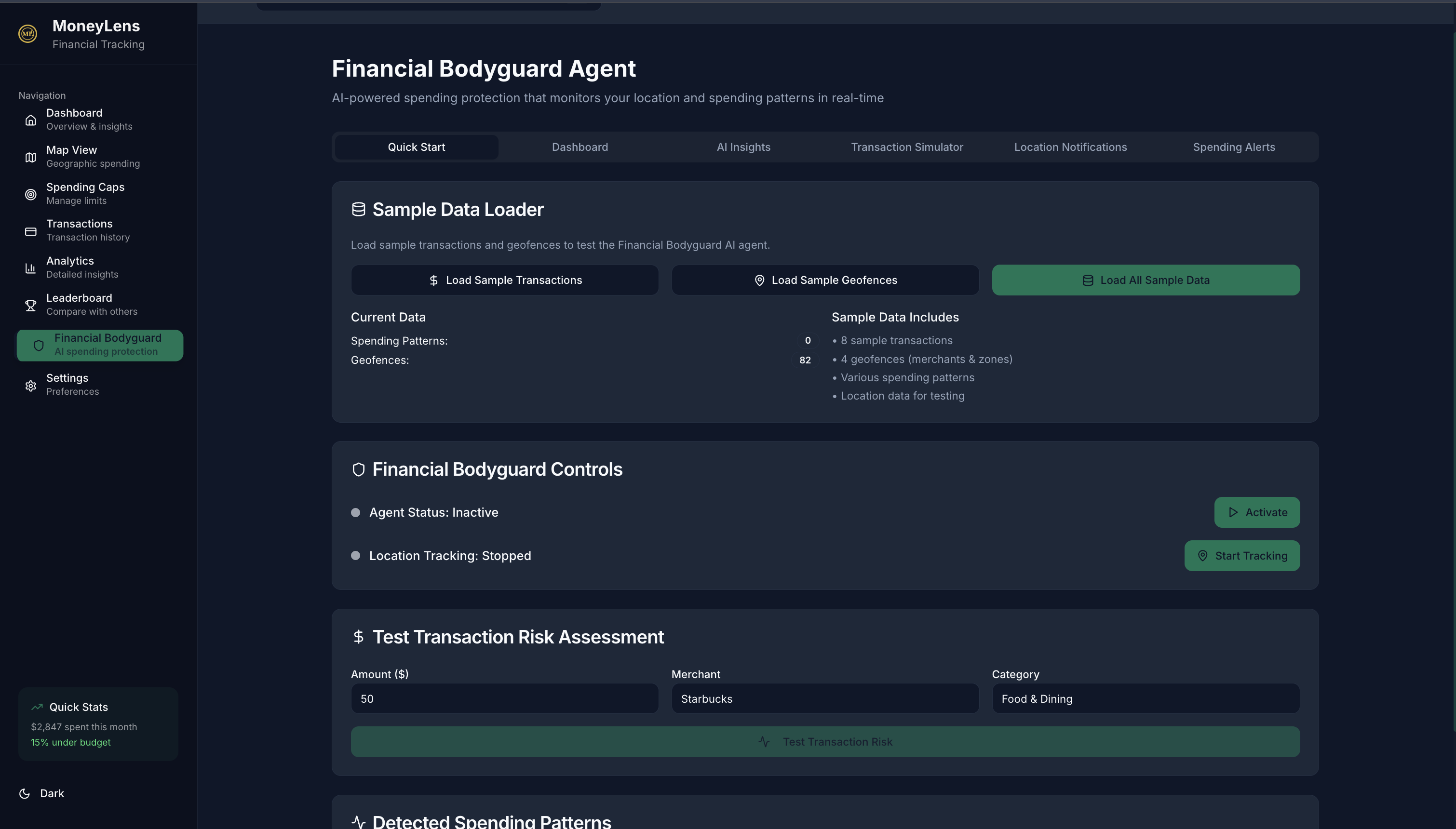
Financial Bodyguard
-
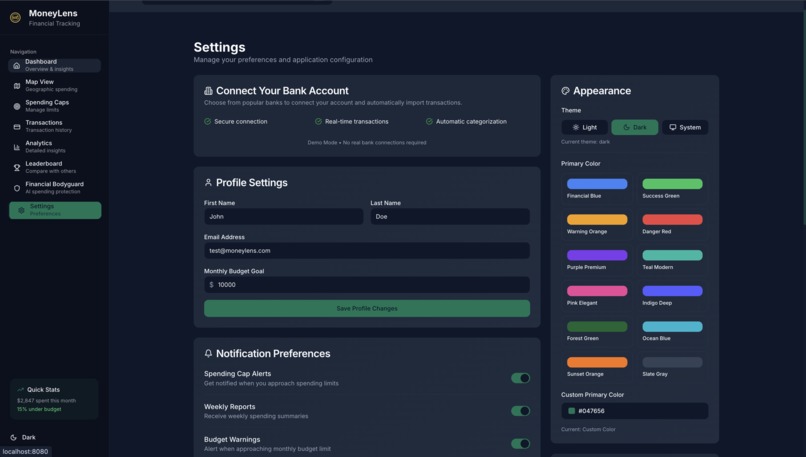
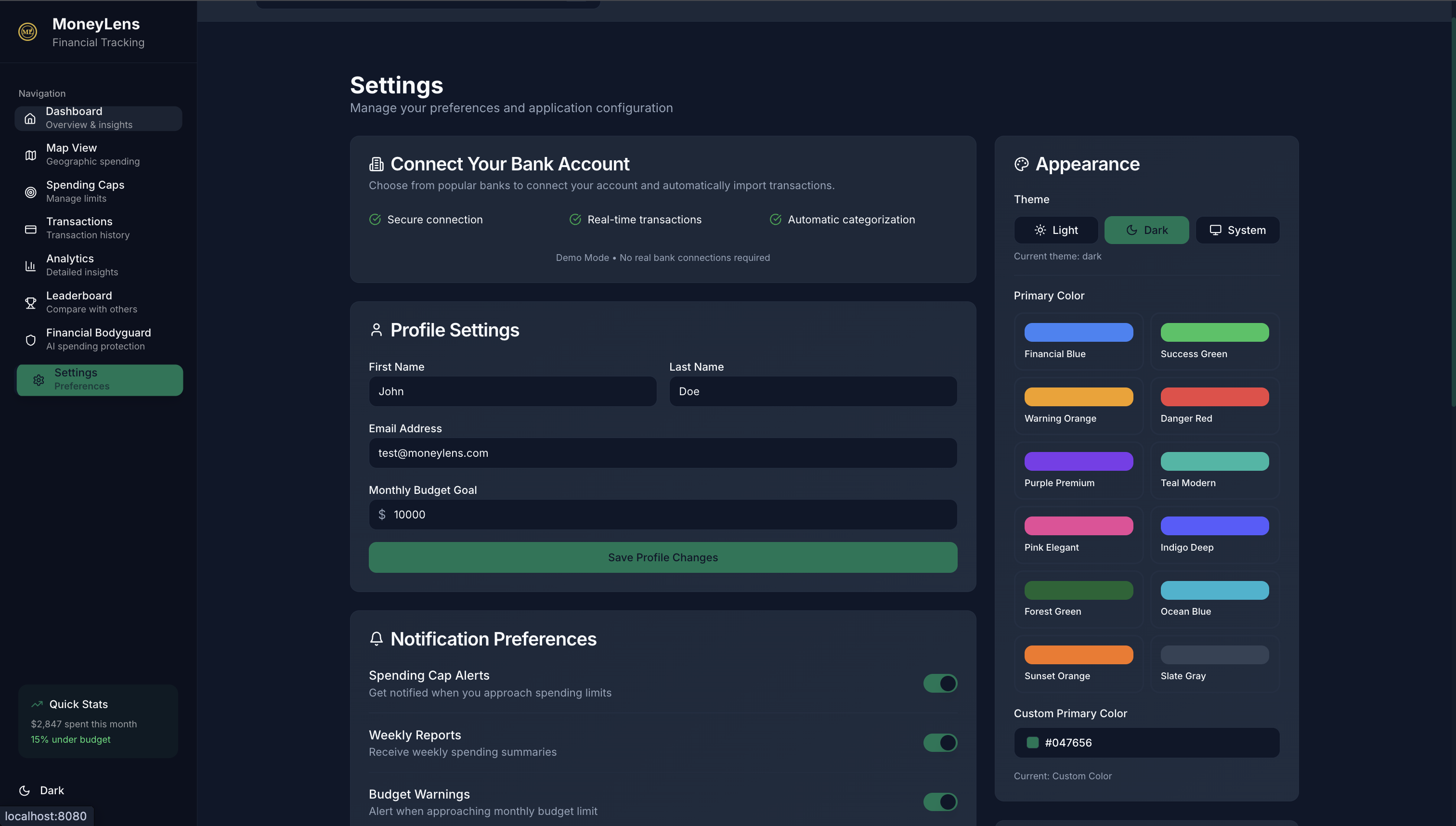
Settings

Inspiration
Managing money in college is overwhelming. Between tuition, rent, food, and social life, students juggle tight budgets where even small daily choices like coffee, rideshares, or takeout silently add up and derail an entire month’s plan. At the same time, learning to budget as a new adult is difficult and often confusing, and most financial tools are reactive, showing you what went wrong only after you’ve already overspent. We were inspired to tackle this blind spot by designing a tool that acts as a financial bodyguard. MoneyLens uses AI and location context to provide proactive, real-time guidance, overlaying budget status and spending habits right when decisions happen. Instead of summarizing regret the next day, it helps students stay on track in the moment.
What it does
MoneyLens is an AR-first budgeting assistant that helps you not overspend in the moment.
- Secure Plaid connection: reads transactions, balances, and recurring charges.
- Personal spend model: learns categories, merchant habits, budget targets, and risk thresholds.
- Location-aware insights: as you approach or enter a venue, it matches to past spend and your live budget.
AR overlays in camera view:
- Heat glow (green → yellow → red) indicating impact on today’s budget.
- Spend preview: e.g., “Avg here: $22 • Left in Dining: $35”.
- Goal nudges: e.g., “2 days to rent—keep Dining under $15 tonight”.
Real-time safeguards: soft caps, “are you sure?” prompts, and cheaper nearby alternatives.
Live budget tracker: updates as transactions post or when you log an intent (“I’m buying 2 drinks”).
Smart receipts: auto-categorizes, tags with location, and learns patterns after purchase.
Privacy by design: on-device venue matching; minimal aggregates stored; user controls sharing.
Result: Instead of a dashboard you check tomorrow, MoneyLens acts as a financial bodyguard that guides choices before you swipe—so you can enjoy the night and still hit your goals.
How we built it
Stack & architecture
- Frontend: React + Vite; AR.js/WebXR for camera overlays; Mapbox GL for map mode.
- Backend: Python FastAPI; Plaid for account/transaction sync; Postgres (Supabase); Redis cache.
- Flow: GPS/heading → /venues/nearby → AR marker → /preview (risk + budget) → overlay.
Budget & risk engine
- Envelope budgets with soft caps.
- Features: category burn rate, days-to-goal, venue average, recent spikes, time-of-day.
- Output: risk score (0–100) + nudge text; drives AR color (green/yellow/red).
Privacy & security
- Plaid Link (isolated), encrypted tokens, least-privilege scopes.
- Only coordinates/merchant IDs sent; no camera frames leave the device.
- CORS restricted to our domains.
Data model (minimal): users, budgets, merchants, transactions, signals.
Dev & demo
- ngrok for local mobile testing; Vercel (FE) + Railway/Render (API) deploys.
- .env with Plaid sandbox keys; no secrets committed.
What was hard (and fixes)
- Venue matching: fuse distance + heading + last-visit; handle dense clusters.
- Bank posting delays: “intent logging” reserves budget instantly; reconcile on webhook.
- AR readability: high-contrast badges; tuned glow/alpha.
Challenges we ran into
- Venue matching accuracy: GPS is noisy in dense areas; we fused distance, heading, last-visit priors, and a merchant blacklist to reduce false matches.
- Bank posting delays: transactions can post hours later; we added “intent logging” to reserve budget instantly and reconciled on Plaid webhooks.
- AR readability in low light: bright overlays were distracting; we tuned alpha, contrast, and introduced compact badges for critical states.
- CORS & tunneling friction: ngrok domains rotate; we parameterized allowed origins and documented a quick reconfigure flow.
- Privacy boundaries: we kept camera frames on-device and only sent coordinates/merchant IDs; tokens are encrypted with least-privilege scopes.
- Cold start for new users: with little history, risk scores were unstable; we used category defaults and decay curves until personalized data accumulated.
- Battery & sensor usage: continuous GPS/compass sampling drains power; we switched to event-driven polling and throttled updates near venues.
- Sandbox data realism: Plaid sandbox lacks real spending patterns; we built a synthetic generator to stress-test edge cases (clusters, spikes).
- iOS camera permissions/HTTPS: WebXR requires secure origins and explicit user gestures; we standardized on HTTPS tunnels and a clear permission flow.
- Edge cases indoors: multi-tenant venues (food courts, malls) confused geofencing; we added manual merchant confirm and learned per-user favorites.
Accomplishments that we're proud of
- End-to-end demo: live AR overlays working on mobile (camera view + geolocation) with a running backend.
- Plaid integration: completed Link flow, token exchange, and transaction sync to power real data in the demo.
- Real-time “financial bodyguard”: risk score (0–100) that drives green/yellow/red AR cues before purchase.
- Venue matching engine: fused GPS + heading + recent history to pick the right merchant with high accuracy.
- Intent logging: instant budget reservation to bridge bank posting delays; reconciles automatically on webhook.
- Privacy by design: no camera frames leave the device; only minimal coordinates/merchant IDs sent; tokens encrypted.
- Readable AR in the wild: tuned glow/alpha and compact badges for low light and noisy backgrounds.
- Seamless demo setup: one-command ngrok tunneling for judges; inspector at 127.0.0.1:4040 to show live traffic.
- Clean API surface: typed FastAPI endpoints for venues, previews, intents, and webhooks with clear contracts.
- Team velocity: shipped from idea to working prototype with tests, docs, and repeatable setup in hackathon time.
What we learned
- AR UX is context, not spectacle: subtle, high-contrast overlays beat flashy effects; users want clarity at the moment of choice.
- Behavioral nudges must be lightweight: short, specific prompts outperform long messages; tone matters as much as content.
- Bank data has latency: posting delays are real; “intent logging” (holding budget before a transaction) preserves the real-time feel.
- Venue matching is probabilistic: fusing GPS, heading, and recent history is essential in dense areas; always offer a quick confirm/edit.
- Privacy-by-design builds trust: keeping camera frames on-device and minimizing shared data reduces friction and permission anxiety.
- CORS & tunneling basics save hours: parameterizing allowed origins for rotating ngrok domains avoids surprise 4xx errors during demos.
- Cold-start handling is key: defaults, decay curves, and gentle onboarding keep value high before personalized data accumulates.
- Metrics guide iteration: tracking pre-swipe warnings shown, acted-on, and avoided spend helps tune thresholds and copy.
- Accessibility improves adoption: clear color ramps (with icons/text), readable type, and low-light modes make AR usable in real venues.
- Team workflows matter: typed API contracts, seed scripts, and a one-command dev setup (FE/BE/tunnel) enabled fast parallel work.
What's next for MoneyLens
- Deeper ML for nudges: personalize risk scores with per-user models (temporal patterns, context, and intent signals).
- Better venue intelligence: merchant graph (chains, look-alikes), indoor clustering, and user-confirm flows for dense areas.
- Faster data loop: Plaid /transactions/sync tuning, pending-transaction heuristics, and smarter reconciliation of “intent” holds.
- Proactive journeys: goal-aware playbooks (rent week, travel savings) and timeboxed challenges with progress visuals.
- Notifications and widgets: low-friction lock-screen widgets and gentle pre-venue heads-up alerts.
- Native & wearable surfaces: iOS/Android AR (ARKit/ARCore) and watch prompts for quick accept/decline of nudges.
- Privacy upgrades: on-device categorization, differential privacy on analytics, and finer sharing controls.
- Security review: token vault hardening, scope minimization, and third-party penetration testing.
- Performance & battery: event-driven sensor sampling, adaptive refresh, and offline caching for spotty venues.
- Accessibility refinements: color-safe ramps, larger touch targets, voice hints, and haptic cues.
- Experimentation: A/B tests on copy/thresholds; metrics for avoided spend, accepted nudges, and long-term retention.
- Partnerships: student perks with local merchants; bank/fintech co-marketing pilots.
- Monetization path: freemium budgets, premium goals/automation, and optional partner offers (opt-in only).
- Compliance & reviews: App Store/Play submission prep, GDPR/CCPA workflows, and data-retention policies.
- Scalable infra: queueing for webhooks, idempotent processing, and observability (traces, alerts) for production.
Built With
- agenticai
- api
- bcryptjs
- cors
- css
- dom
- dotenv
- eslint
- express.js
- financialbodyguard
- form
- framer
- gl
- helmet
- hook
- html2canvas
- jspdf
- jwt
- locationintelligenceagent
- lucide
- mapbox
- morgan
- motion
- nessie
- nlqueryagent
- node.js
- nodemon
- plaid
- prisma
- qrcode
- query
- radix
- react
- recharts
- router
- shadcn
- socket.io
- speakeasy
- sqlite
- tailwind
- tanstack
- ts-node
- typescript
- ui
- vite
- zod


Log in or sign up for Devpost to join the conversation.