-
-
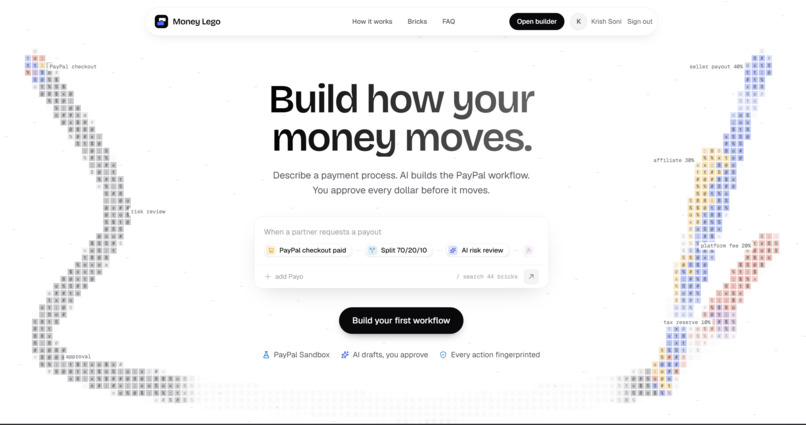
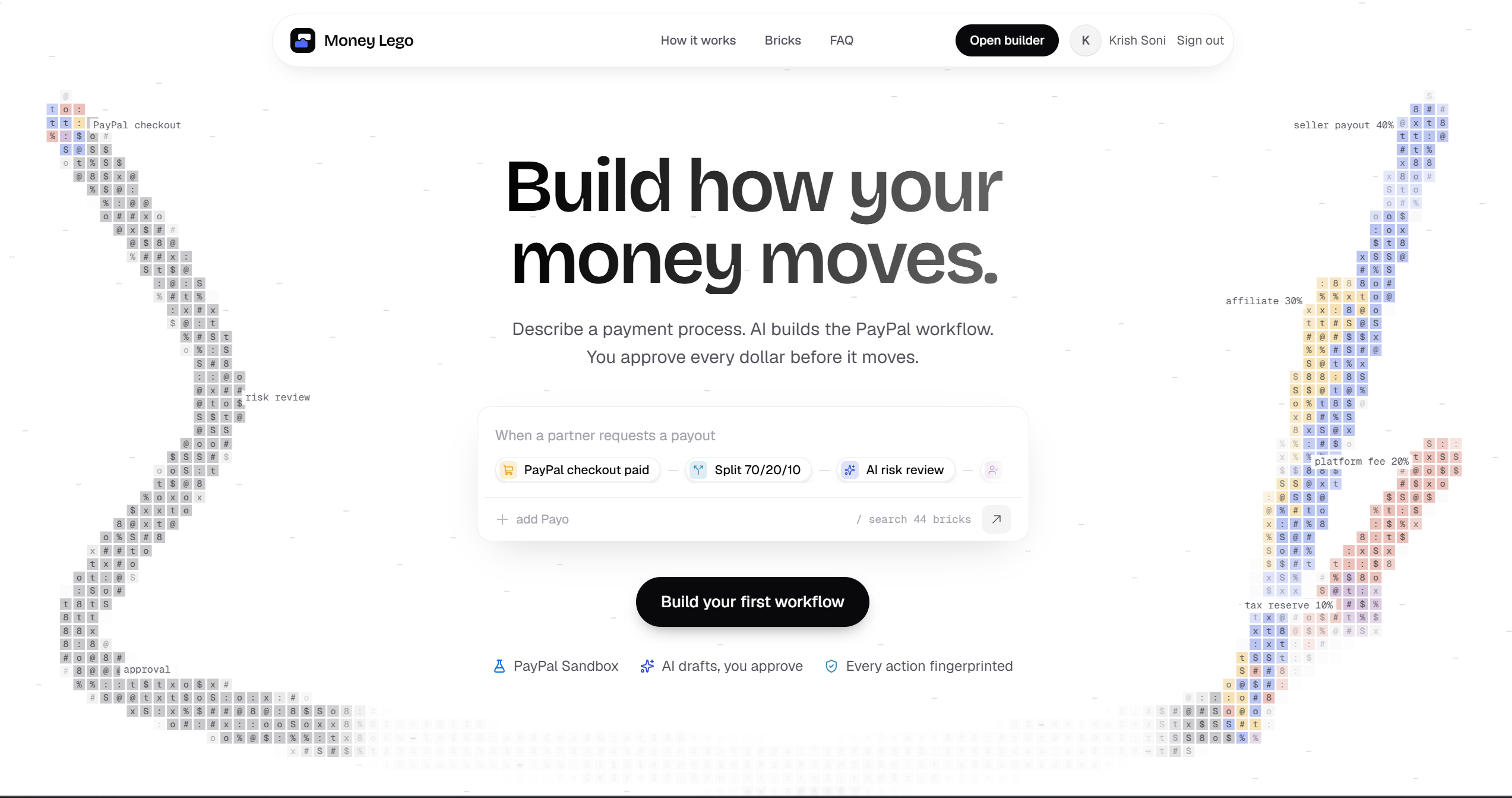
Hero Section
-
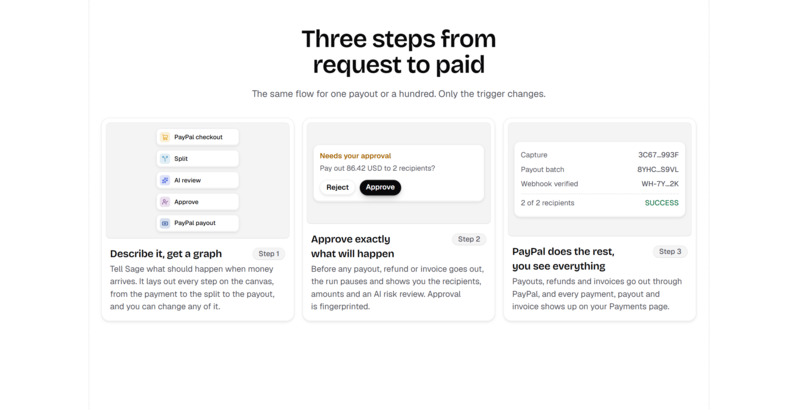
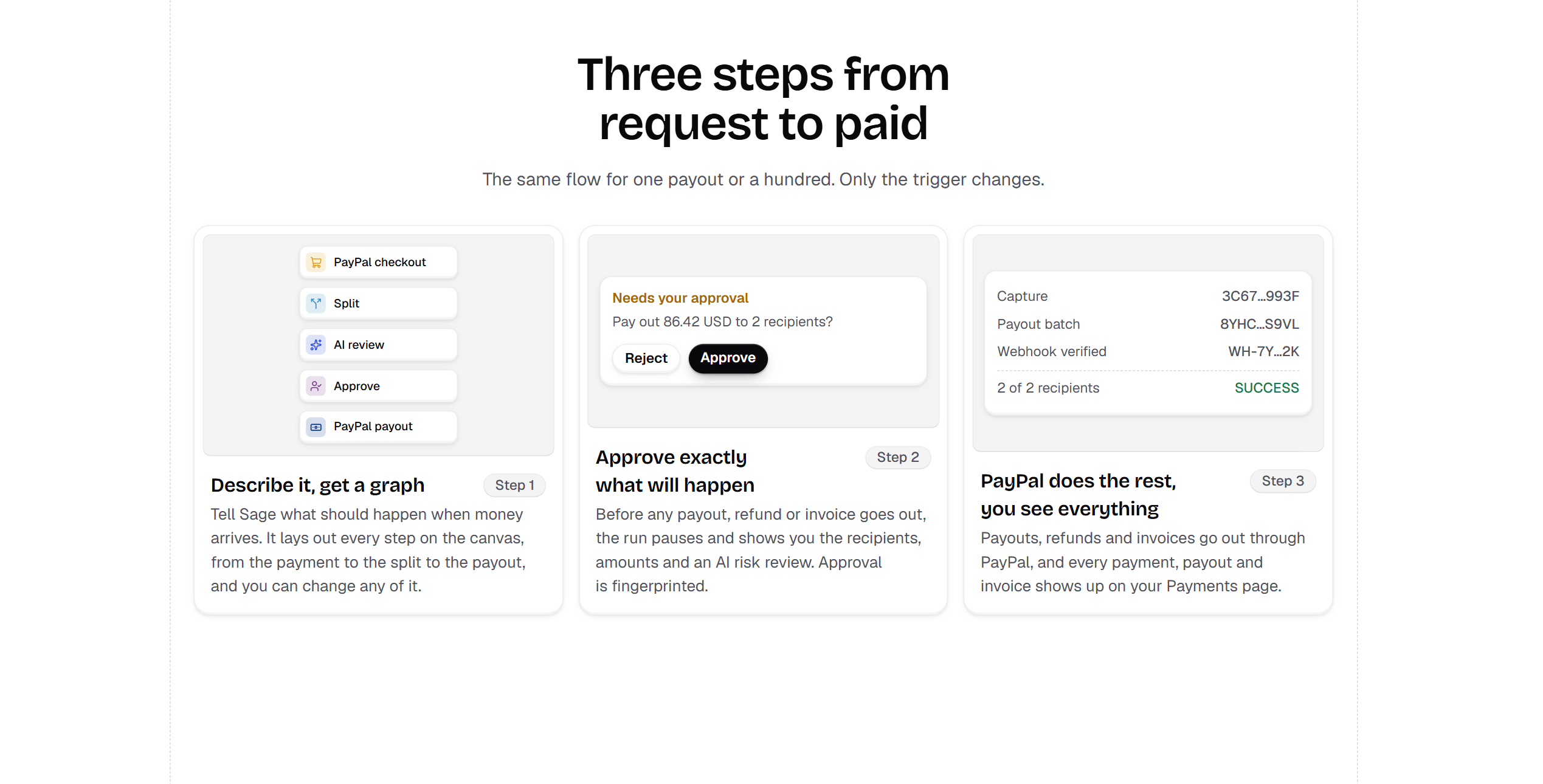
How it works
-
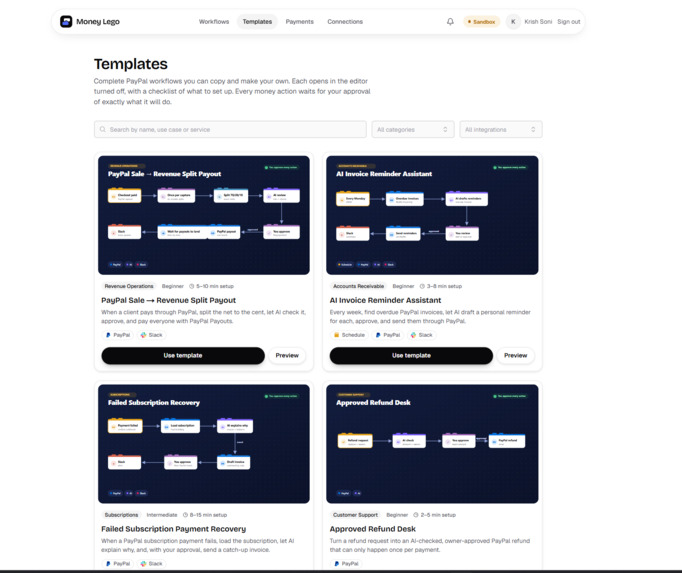
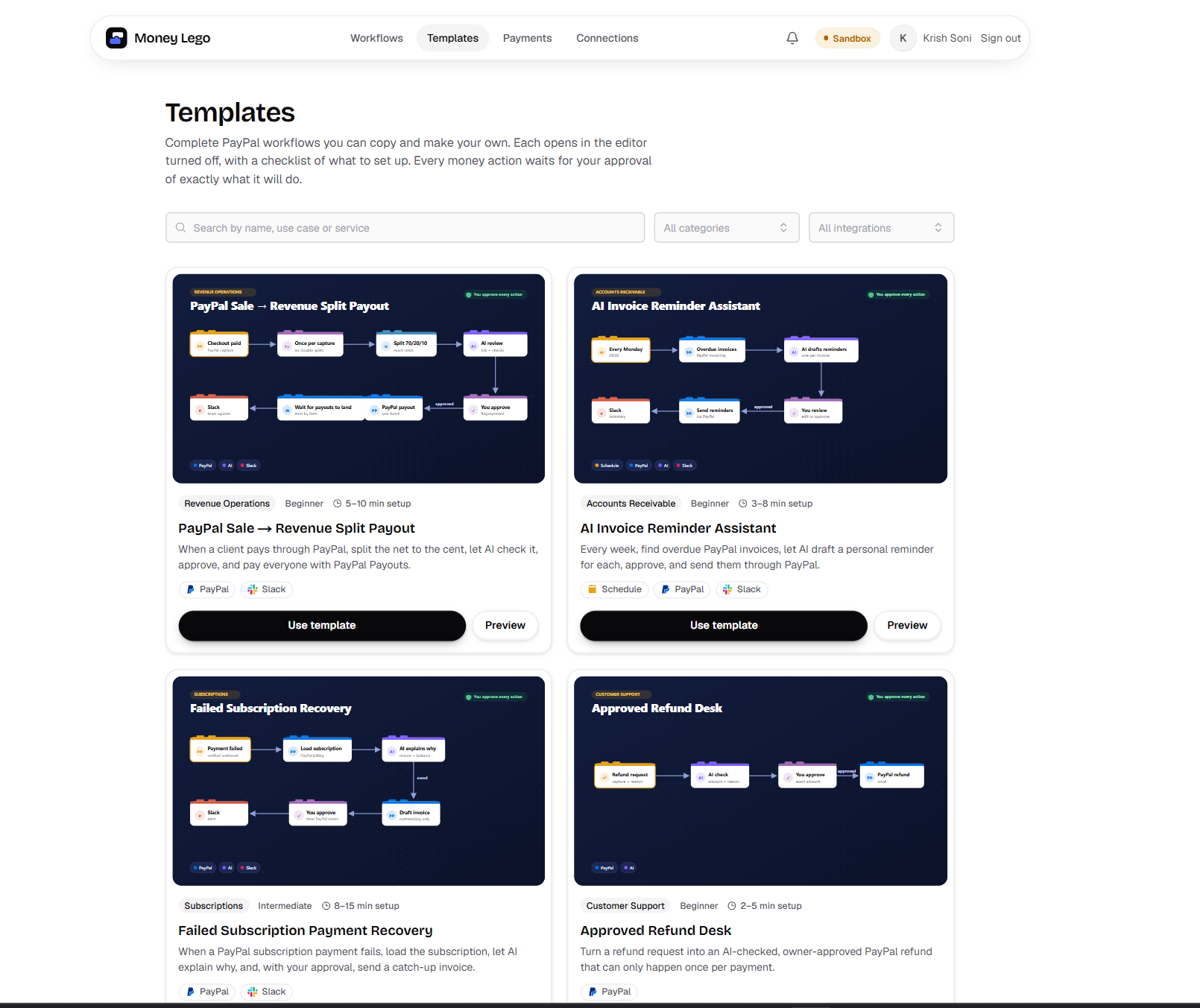
All prebuilt Templates
-
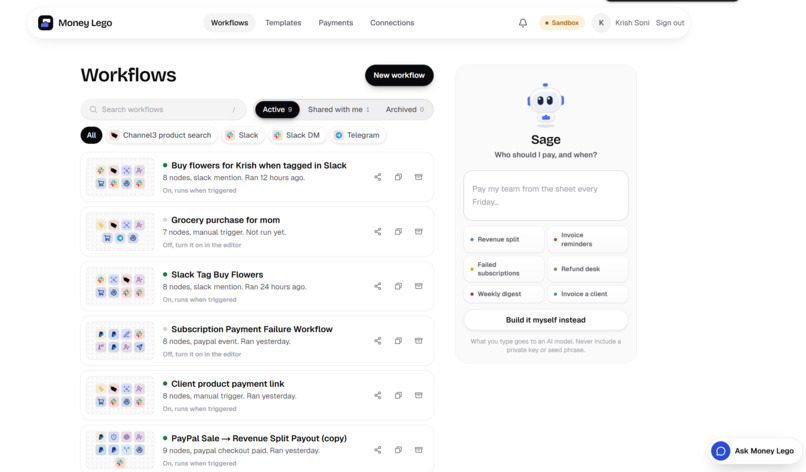
My workflows and sage bot our main agent who will help us to build the workflow
-
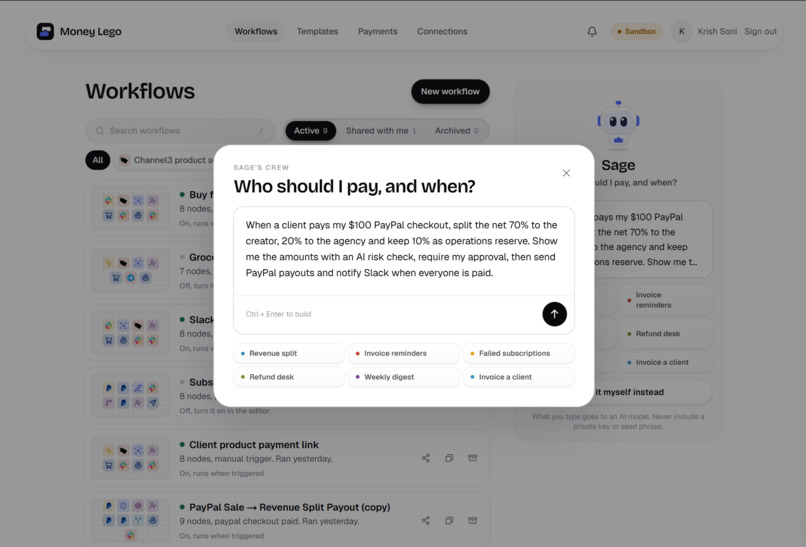
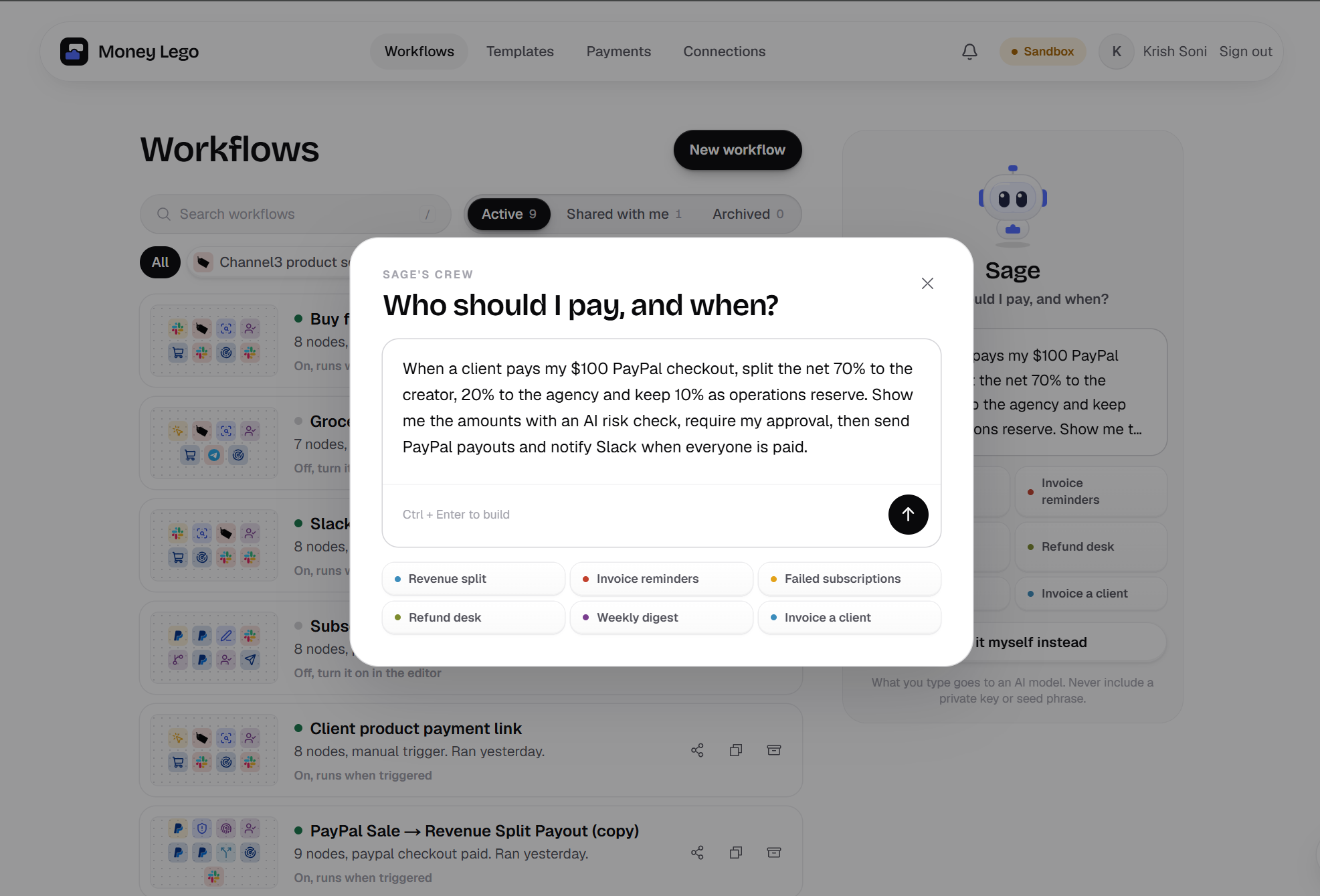
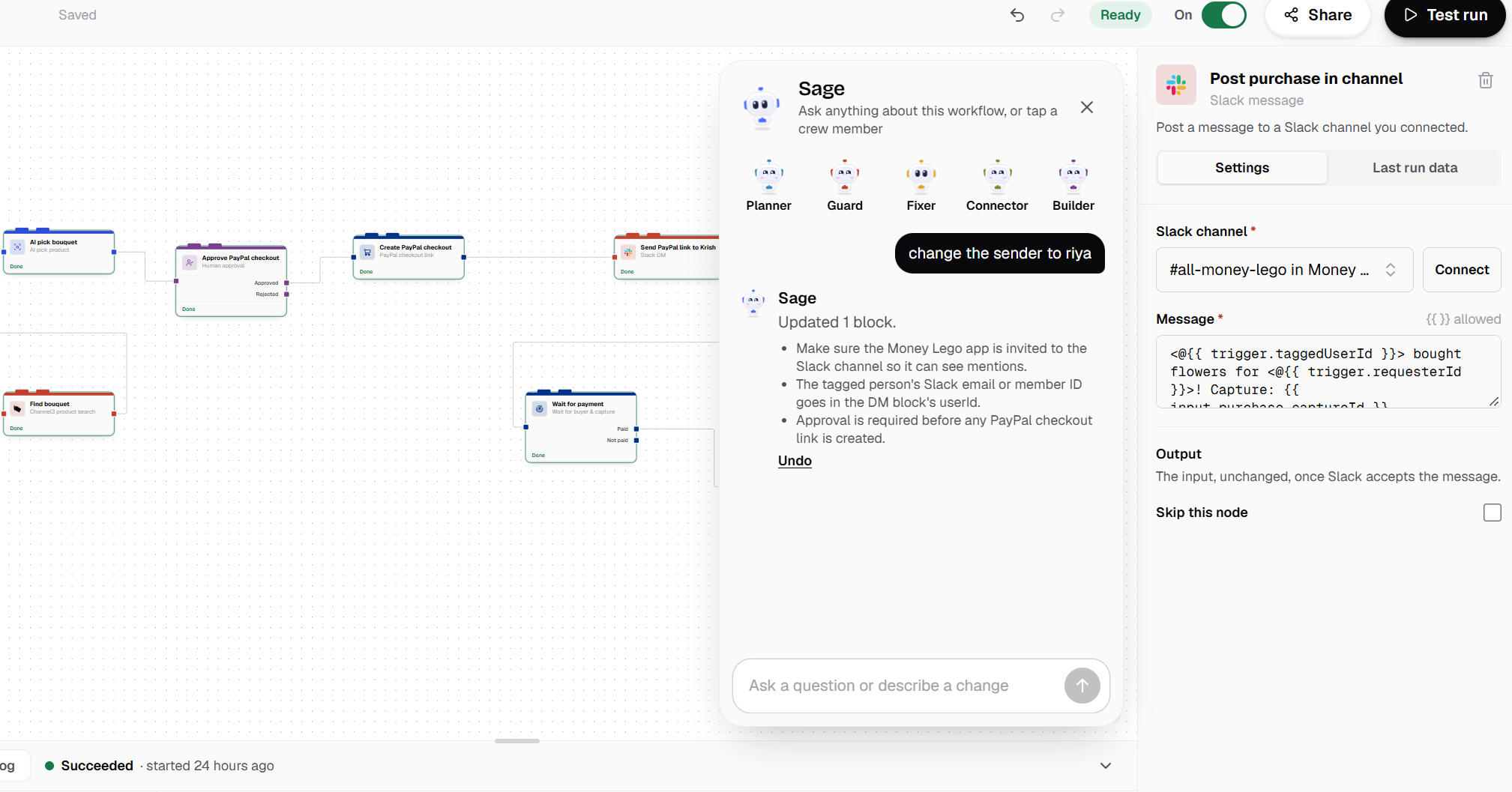
prompt to main agent
-
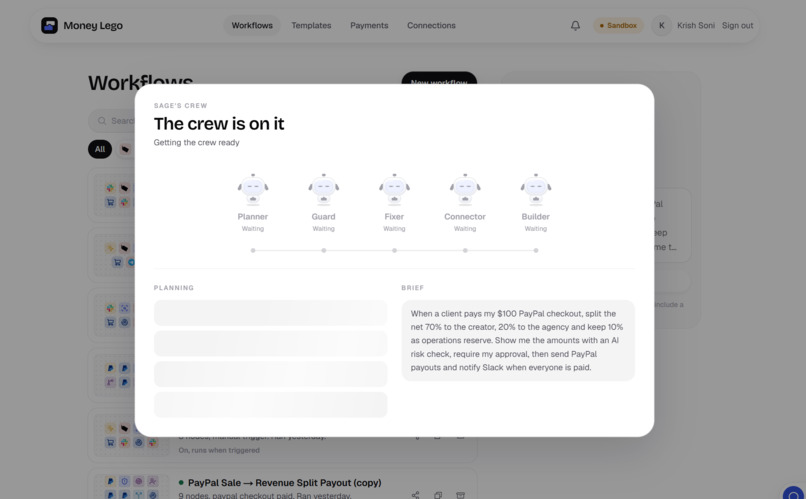
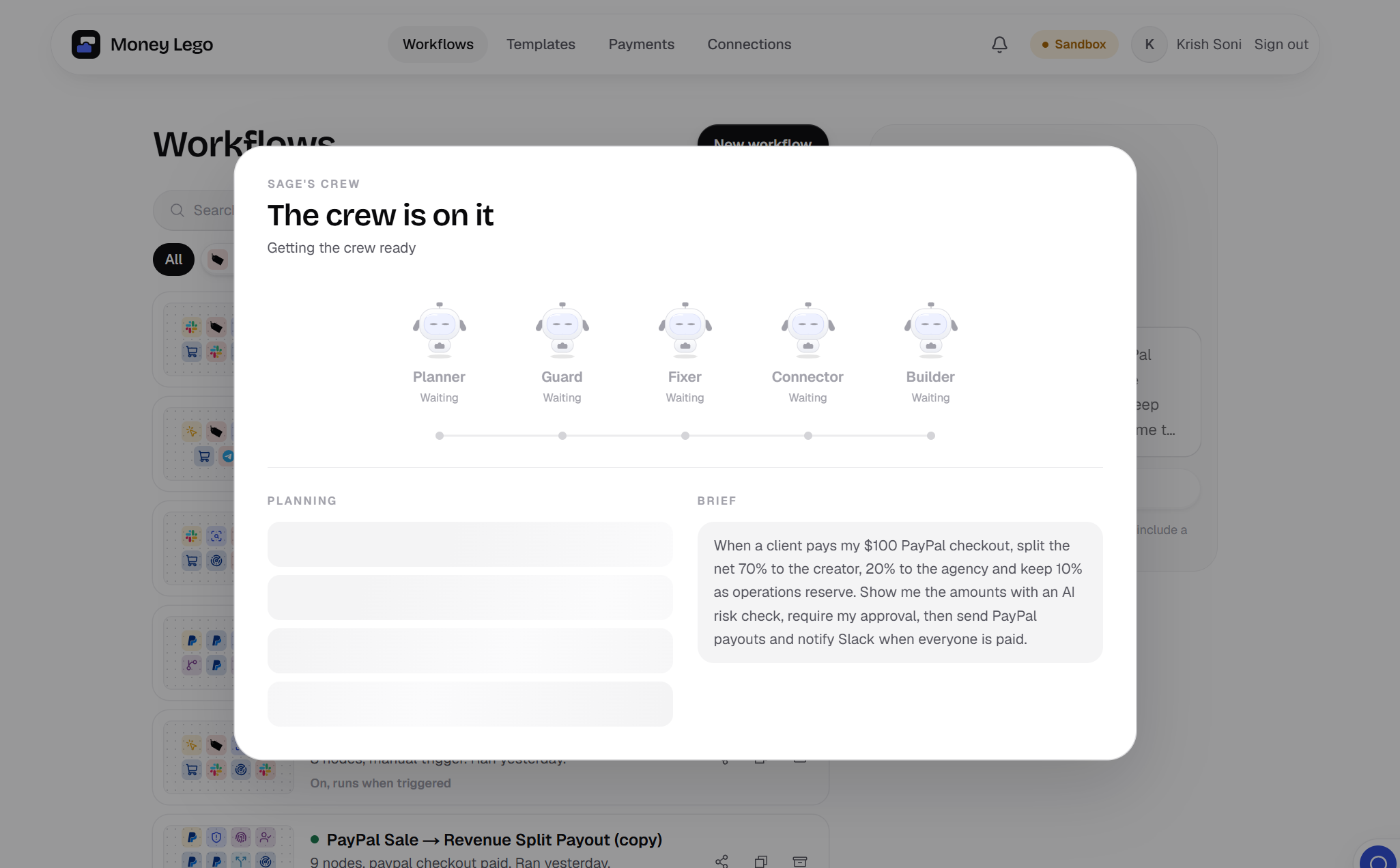
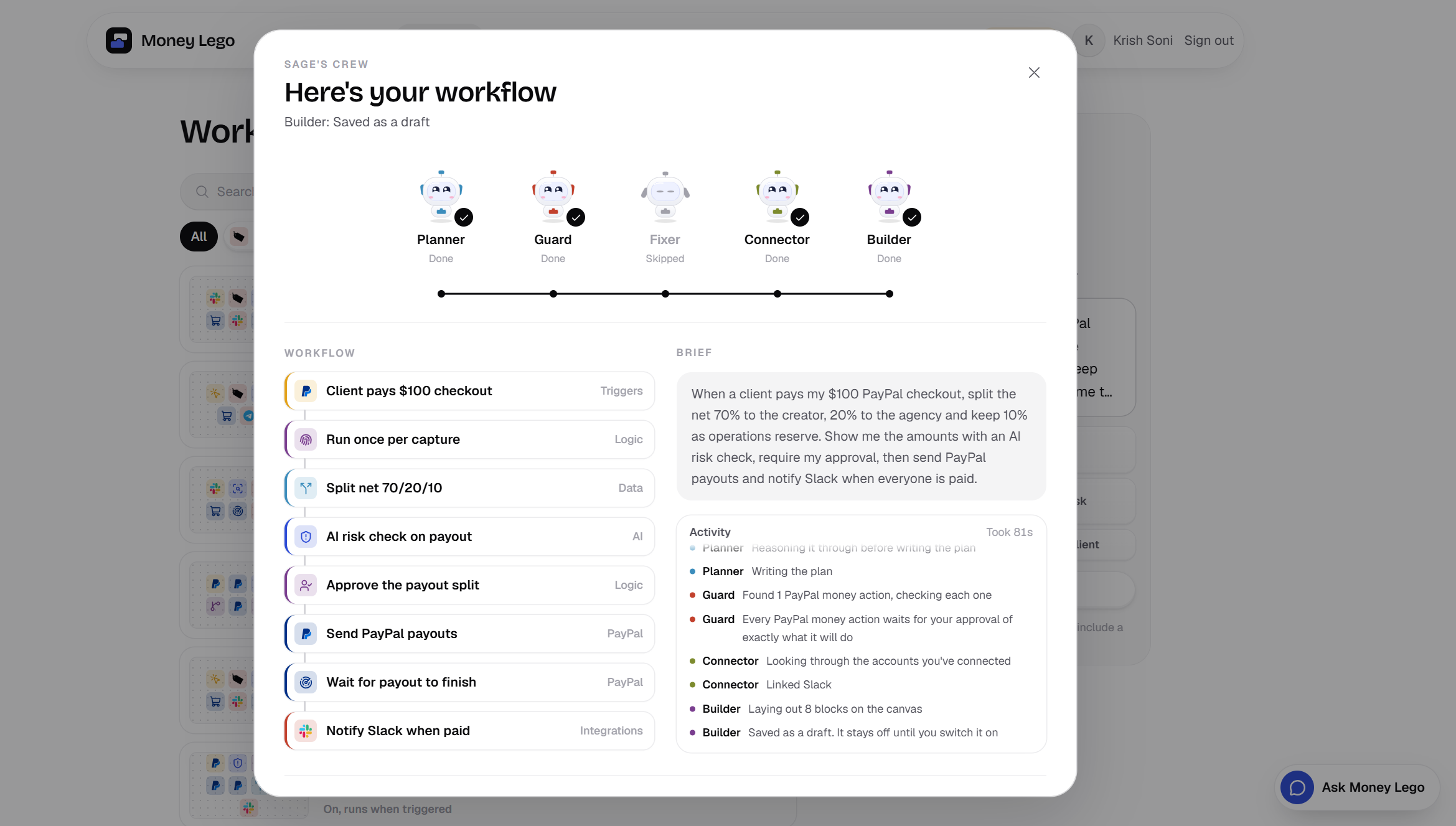
agent orchestration
-
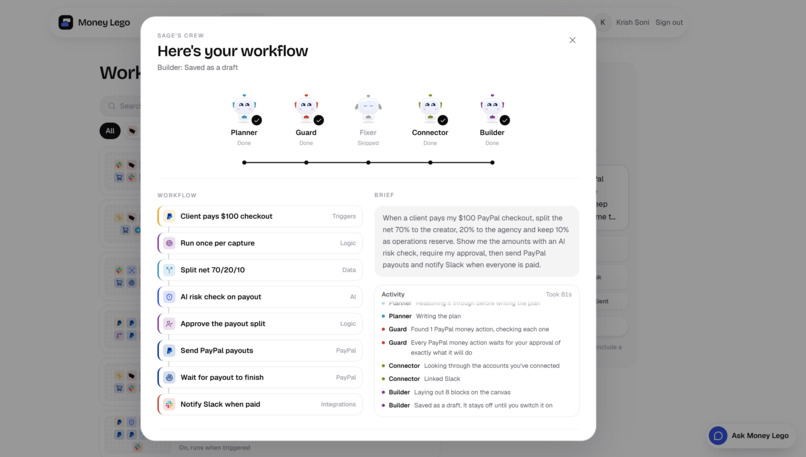
agents did their jobs well with node creation and configuration of each
-
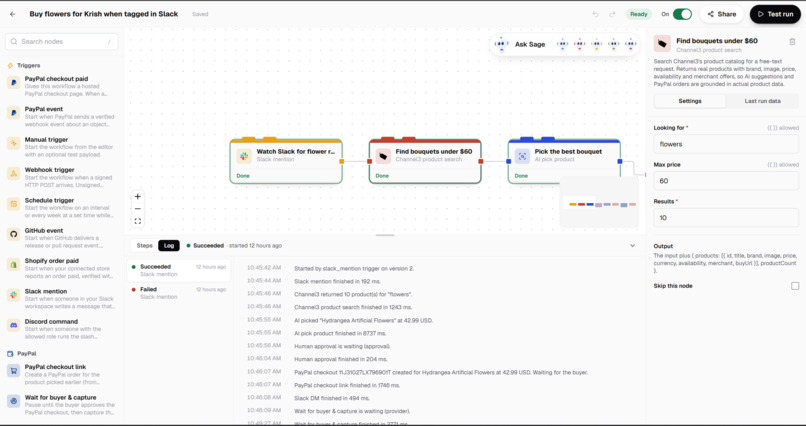
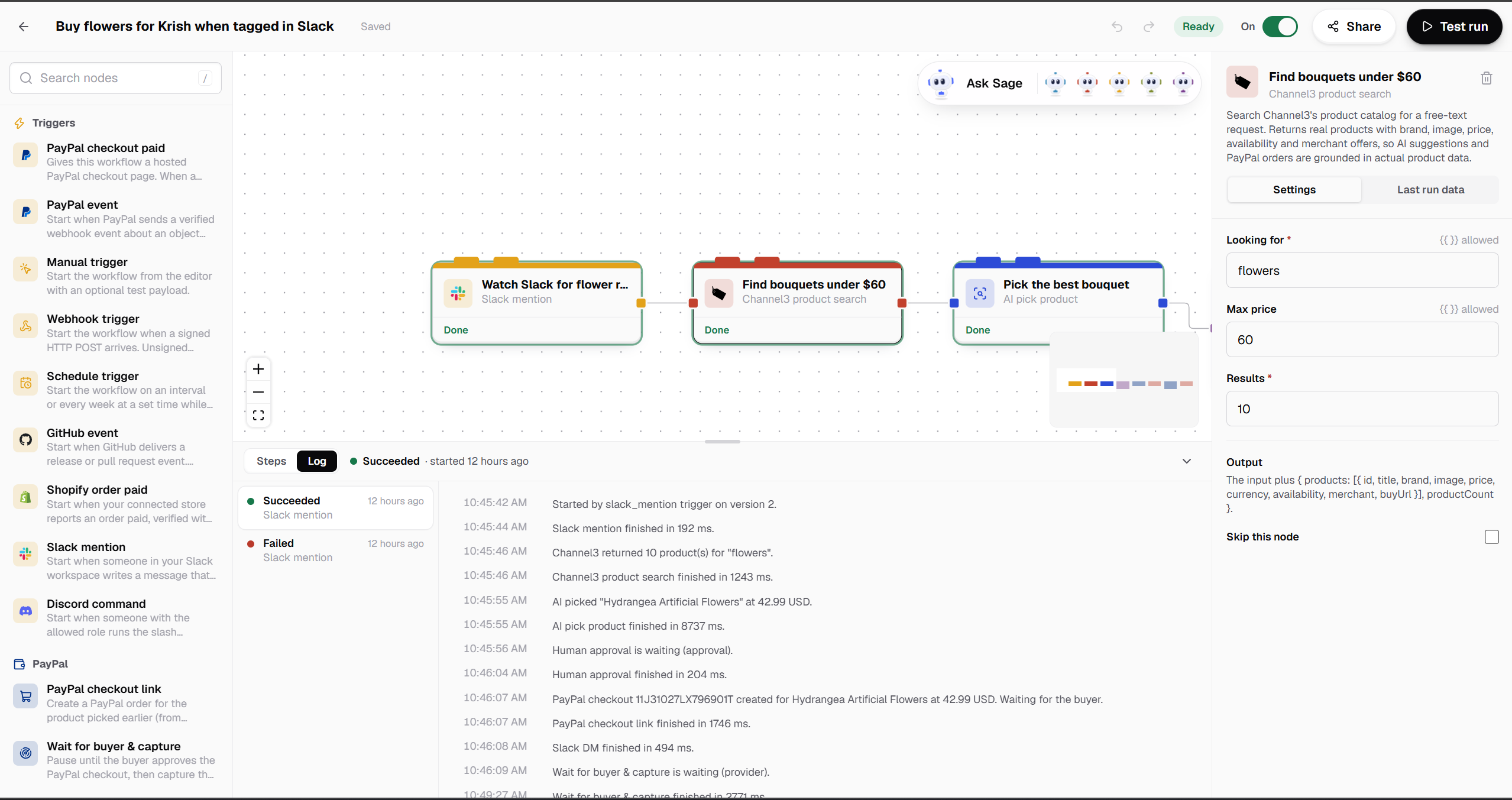
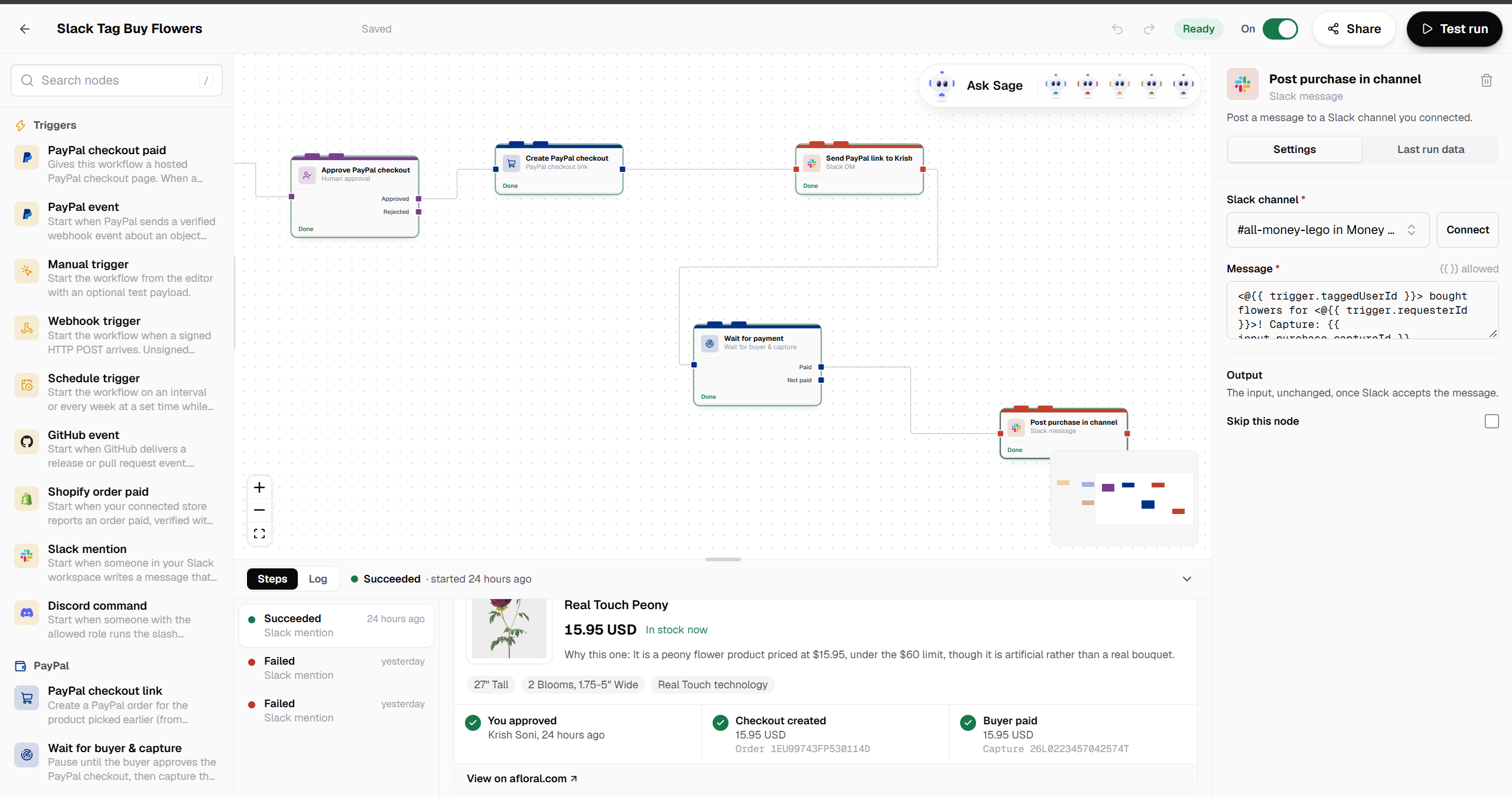
workflow page inital node of slack
-
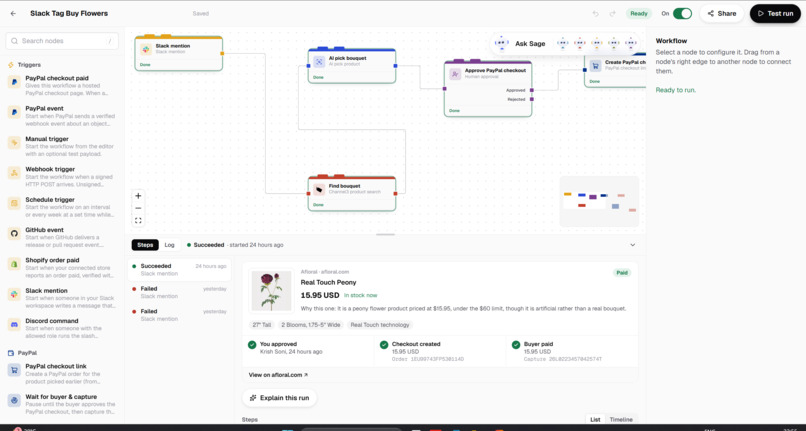
Channel 3 picks the product which user demanded on slack
-
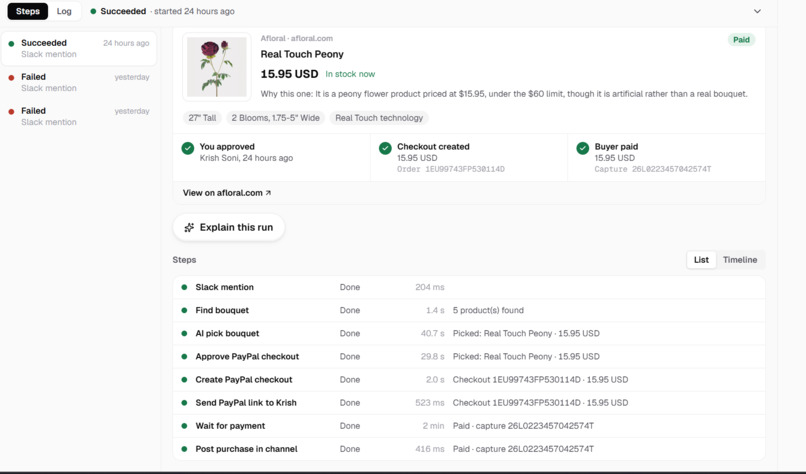
logs of product pick
-
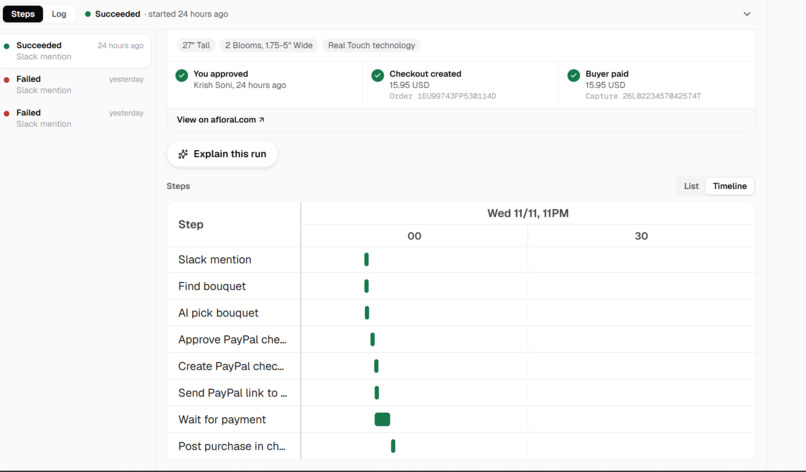
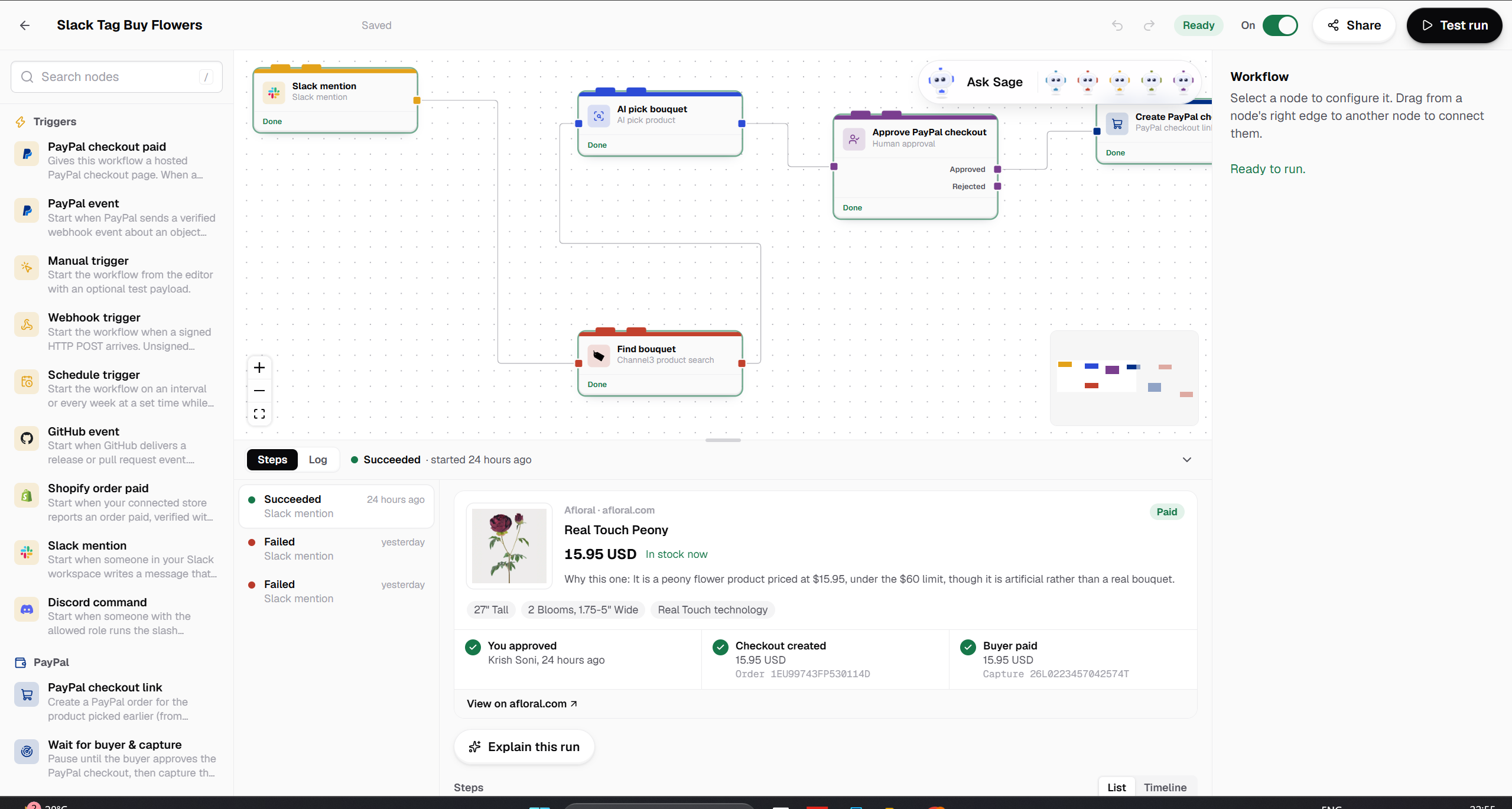
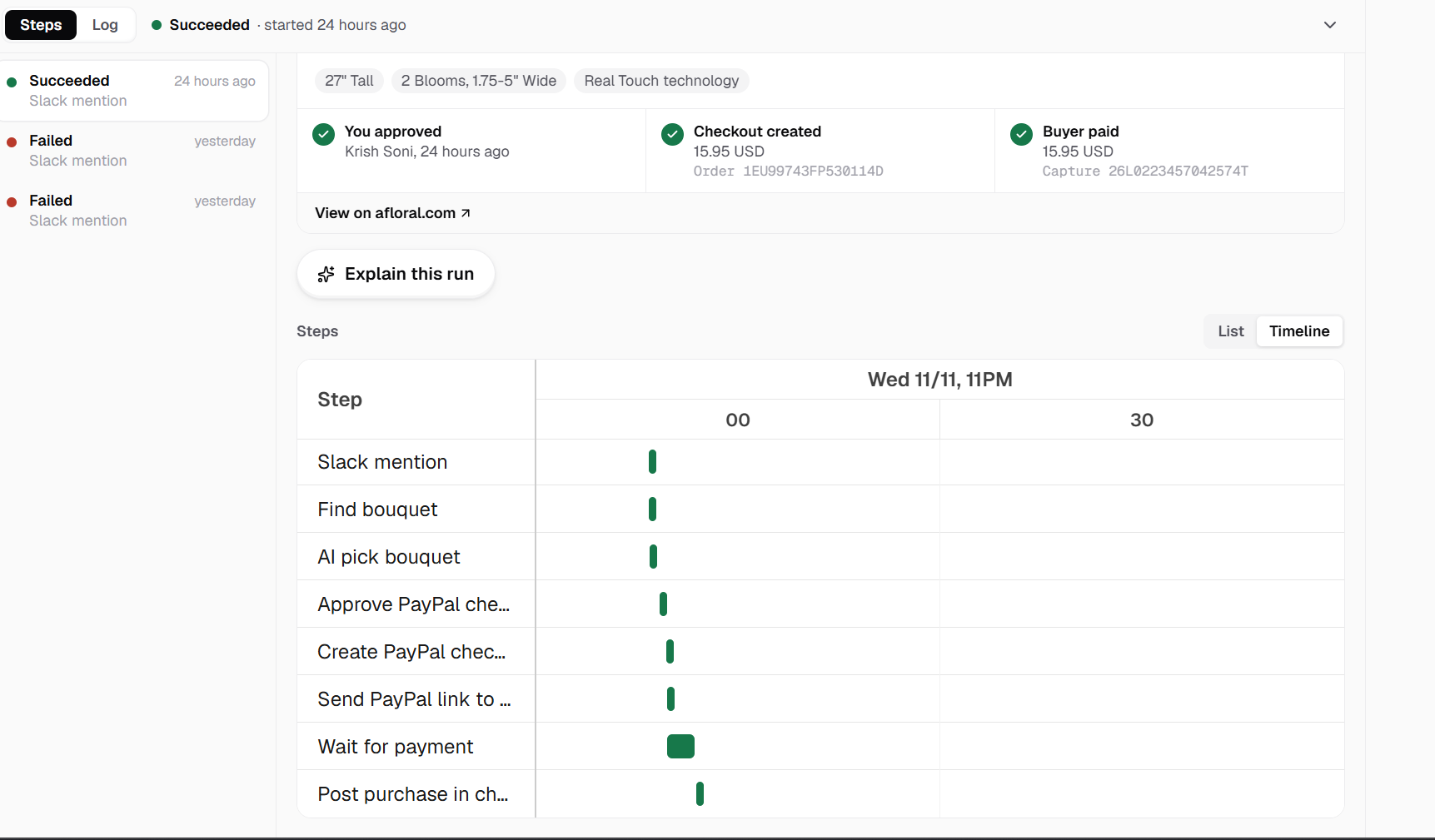
payment timeline with Bryntum
-
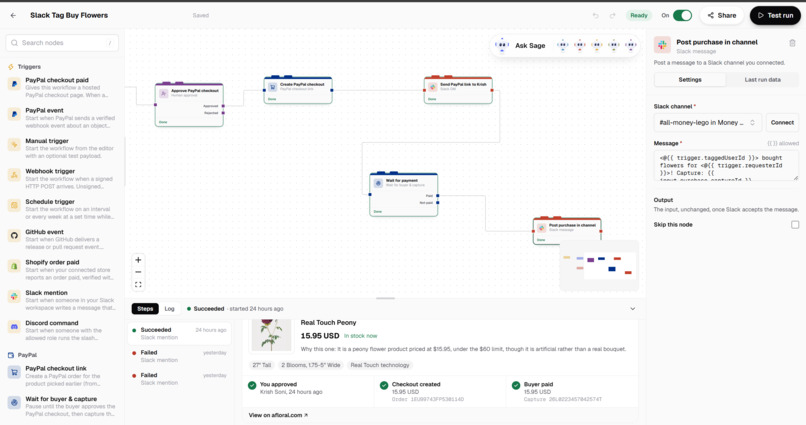
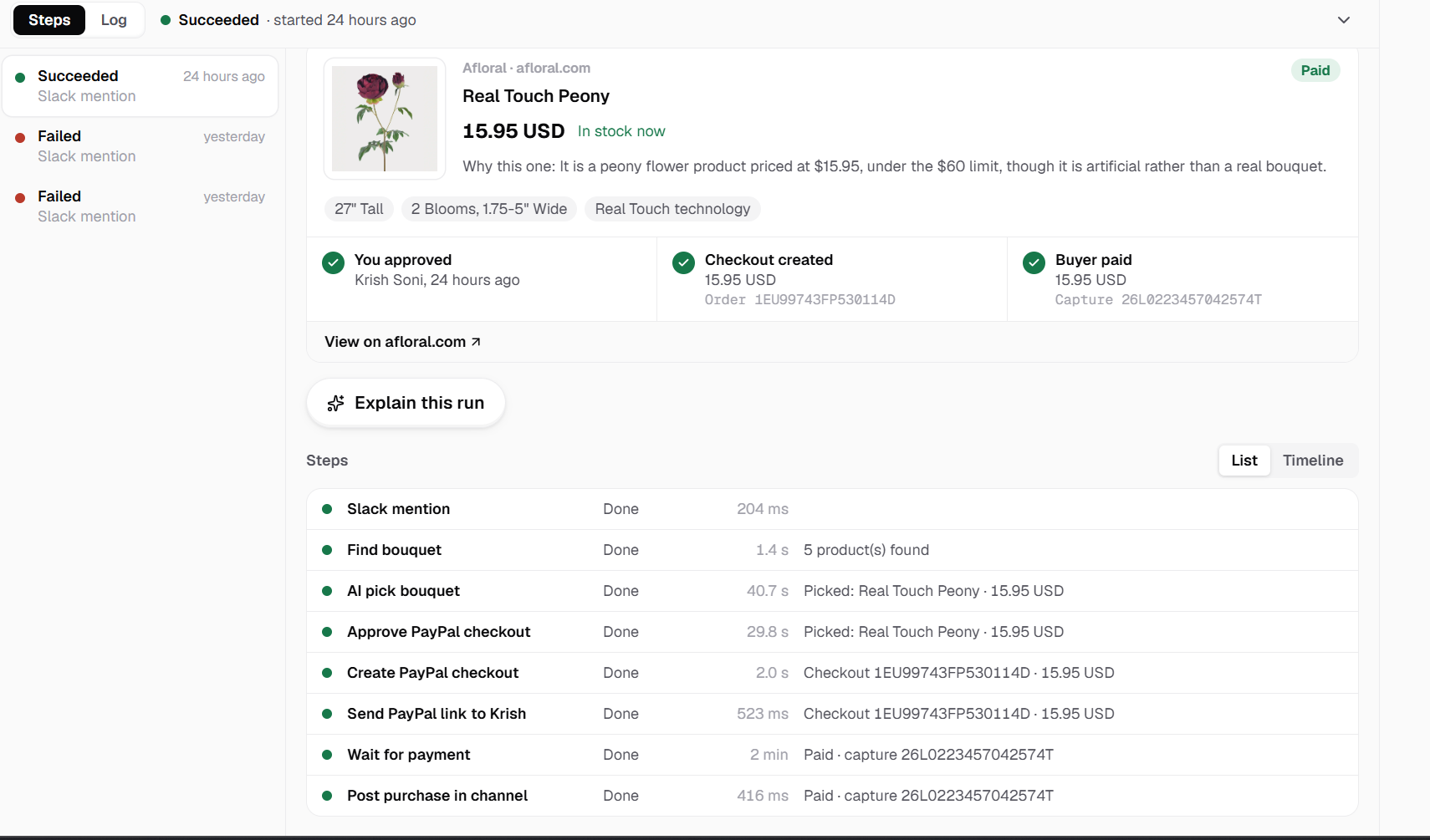
approval and success
-
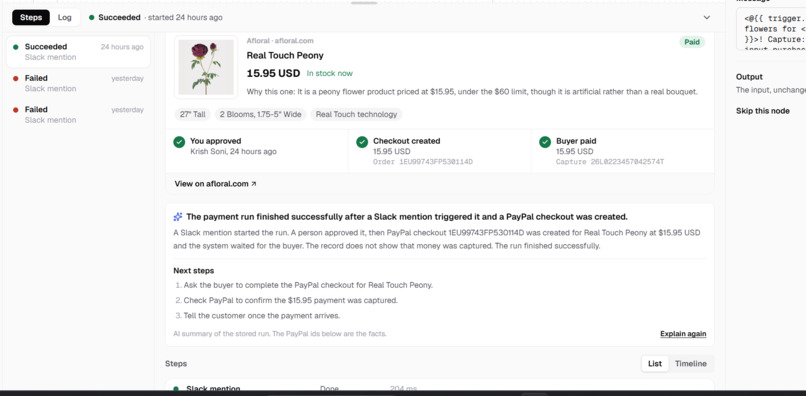
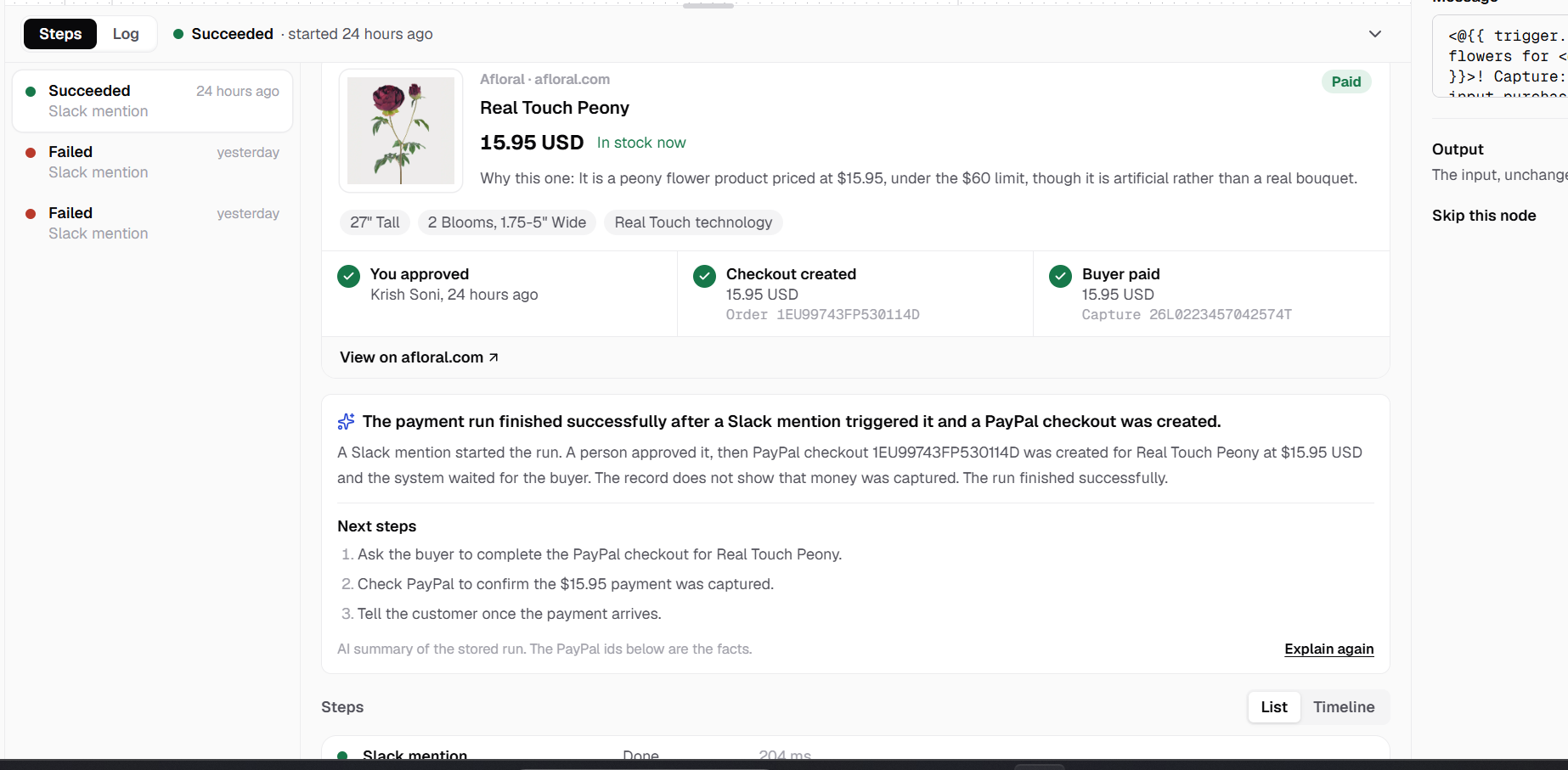
LLM giving the tldr of the each step
-
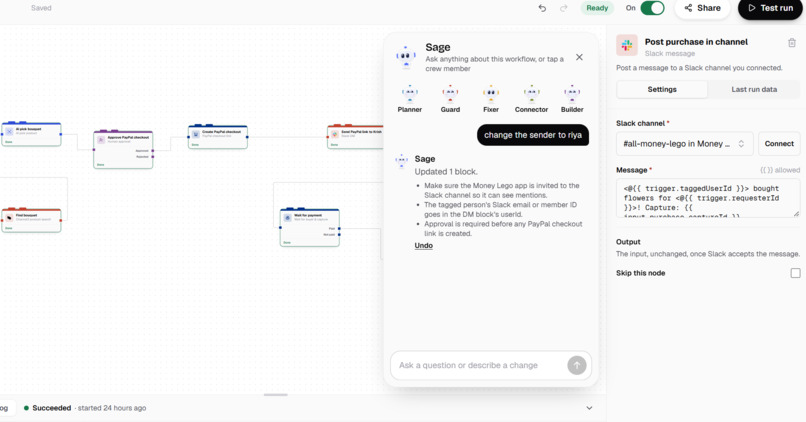
updated block config with llm
-
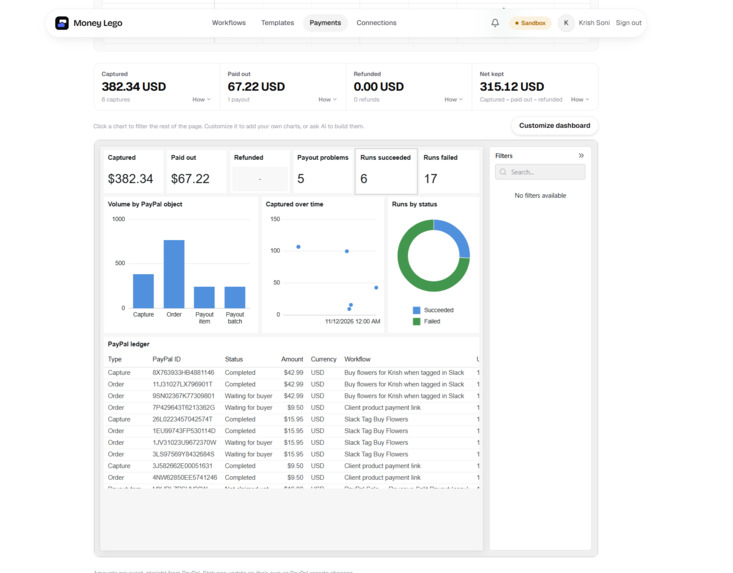
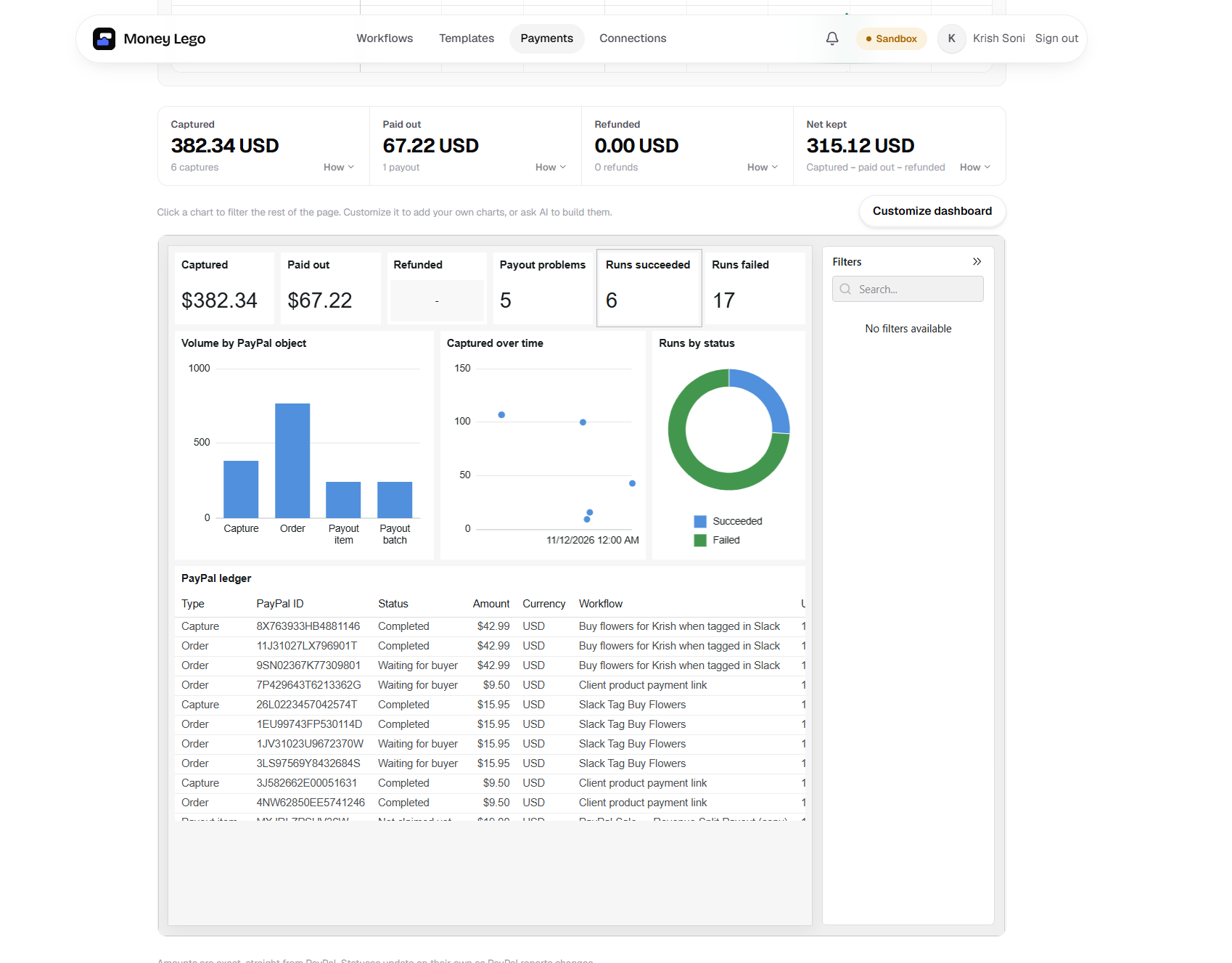
payment txn details through AG Grid

Inspiration
A small agency owner gets paid $1,000 by a client. That should be the end of the job. It's actually the start of a second one.
They open a calculator and work out 70/20/10. They notice the shares come to $999.99 and fix the missing cent by hand. They open PayPal and send three payouts one at a time, reading each email address twice because a typo means the money goes to a stranger. Then they post in Slack that it's done. A month later their accountant asks who approved the $200 payout and why, and nobody can say. It was a click in a browser tab.
The same person chases overdue invoices from a spreadsheet, and finds out a subscription renewal failed only when the customer emails to complain.
We kept meeting people like this, and they had all tried to fix it the same three ways:
- Spreadsheet plus the PayPal dashboard. It works, but it's slow, manual, and leaves no record of who approved what.
- Zapier or n8n. It saves time until the day a wrong amount goes out on autopilot at 2am. After that, the owner stops trusting it.
- A developer writes custom webhook code. It works, until that developer leaves and nobody wants to touch the script that sends money.
None of those gives them the thing they actually asked for: automate the boring parts, but stop and ask me before money leaves my account.
That sentence became Money Lego.
What it does
You describe how money should move, in one sentence:
"When a client pays, split it 70/20/10, check it with AI, let me approve, pay everyone on PayPal and tell the team on Slack."
Sage, our AI copilot, and a small crew of bots (Planner, Guard, Fixer, Connector, Builder) build that workflow on a visual canvas while you watch. Every block is a real, registered block: a PayPal trigger, an exact split, an AI risk check, an approval, a payout, a Slack message. Nothing is made up.
Then the workflow runs on PayPal. When a step would move money, the run stops and asks you. You see exactly who gets how much, with an AI risk review, and you approve or reject. Approvals follow you through a notification bell on any page. Afterwards, every number on the Payments page opens up to the PayPal ids behind it, and any run can be explained in plain English with one click.
Ready-made templates cover the jobs we saw most: revenue split payouts, invoice reminders, failed subscription recovery, a refund desk, a weekly PayPal digest, and AI product sourcing to a PayPal checkout.
Why not just use n8n?
We get asked this a lot, so here is the honest answer.
What n8n does better: it connects to hundreds more apps than we do. It's mature, self-hostable, and great for general automation. If you want to sync a CRM to a spreadsheet, use n8n. We are not trying to replace it.
Where it falls short for money: n8n treats a payout like any other HTTP call. Everything that makes money movement safe is something you have to remember to build. We built those guarantees into the product, so you don't have to remember them.
| n8n (out of the box) | Money Lego | |
|---|---|---|
| Human approval before money moves | A Wait node you have to add. Forget it and the payout runs unattended. | Built into every payout, refund and invoice send. Guard won't save an AI-built workflow where a money step isn't behind an approval, and if you wire one by hand, the money step refuses to run without one. Nothing is sent. |
| What you approved is what runs | Nothing ties the approval to the data. | The approval is fingerprinted. If an amount or recipient changes after you click approve, the action refuses to run. |
| Splits that add up | A Code node someone writes with floats, and nobody tests. | Whole-cent math that always adds up, with the leftover cent assigned visibly. |
| Not doing it twice | Your problem. | A refund runs once per capture. A duplicate PayPal webhook shows once. A product price is re-checked after approval, and if it moved, no checkout is created. |
| Knowing where the money went | Build your own reporting somewhere else. | A ledger, Captured / Paid out / Refunded / Net totals and a timeline of every payment, from the same data the workflow produced. |
| Who it's for | People comfortable with nodes, expressions and JSON. | A business owner who types a sentence and reads a canvas. |
| Team safety | Whoever can run a shared workflow uses its credentials, unless you lock it down yourself. | Teammates can view or edit, but only the owner runs a workflow, so nobody spends someone else's PayPal. |
Our bet is simple: we are narrower than n8n on purpose, and much deeper on money. For anyone whose name is on the payout, that trade is worth it.
How we built it
PayPal Sandbox is the backbone. We didn't fake it. Money Lego calls the real PayPal REST APIs in the Sandbox environment, so every order, capture, payout, refund and invoice is a real PayPal object with a real id. Only the accounts and the money are test ones.
- Orders v2 and the JS SDK power a hosted checkout page for every workflow. The server sets the price and does the capture, and a paid checkout starts the run on its own.
- Payouts v1 pays recipients after approval, then follows up on each item's status.
- Invoicing v2 finds, creates, sends and reminds invoices.
- Payments v2 handles refunds, once per capture.
- Subscriptions v1 reads subscription status for recovery workflows.
- Transaction Search feeds the weekly digest and the ledger.
- Webhooks v1 delivers events we verify by signature before they can start a run.
- PayPal's Agent Toolkit gives our chat assistant read-only access to invoices, orders, disputes and transactions.
Bryntum Scheduler traces every payment over time. The Timeline tab on the Payments page puts each payment's whole life on one axis: orders, captures, refunds, disputes, payouts and invoices as coloured milestones, and workflow runs as bars beside them. You can switch between one row per workflow and one row per payment, zoom out to 90 days, hover a milestone for its amount and PayPal id, and click it to open the run. You can also ask a question like "show failed payouts this week", and the AI filters the timeline and outlines the matching milestones. It's read-only by design, because a timeline of money should be something you look at, not something you can drag around. We used the MIT-licensed Community edition, so it needs no licence key.
AG Grid and AG Studio run the Payments dashboard. AG Studio builds the dashboard: KPI tiles for Captured, Paid out, Refunded, payout problems and run health, plus charts that cross-filter each other and the ledger table. AG Grid powers the PayPal objects and workflow runs tables. AG Studio's AI agents can build new dashboard pages from a sentence, and their model calls go through our server, so no AI key ever reaches the browser.
Channel3 grounds the AI in real products. For the product sourcing template, the AI can only pick from products Channel3 actually returned. The pick is checked by id, and price, brand and stock always come from Channel3, never from the model. After you approve, we read the product again, and if the price moved, no checkout is created.
The rest of the stack: Next.js and TypeScript, MongoDB, Kinde for sign-in, OpenAI and OpenRouter for the AI steps (each falls back to the other), and one-click connections: OAuth sign-in for Slack, Discord, Google Sheets, Airtable, Notion, GitHub and Shopify, and a bot link for Telegram. Tokens are encrypted on the server and never sent to the browser. The same assistant also runs as a public chat agent on Astropods, and it can never move money there either. Anything that would move money becomes a workflow step that waits for approval in the app.
The math we actually care about
Money is stored and split in whole cents, never floats. Take a $1,000.99 payment split 70/20/10:
total        = 100099 cents

70%  →  70069.3  →  70069
20%  →  20019.8  →  20019
10%  →  10009.9  →  10009
                    ------
                    100097   (2 cents short)

leftover 2 cents → the two largest remainders: 10% (.9) and 20% (.8)

final        = 70069 + 20020 + 10010 = 100099 cents  ✓
Each person first gets the rounded-down value of their share. The leftover cents are then handed out one at a time to the shares with the largest fractional remainders (the largest-remainder method, done in integer BigInt math), and the approval screen shows where they went. The total always matches exactly. It sounds small, but "where did the cent go?" is exactly the kind of question that makes an owner stop trusting an automation.
Challenges we ran into
- PayPal said no to India. Our first sandbox business account was registered in India, and every payout came back
403 PAYOUT_NOT_AVAILABLE. No setting fixes that. We had to create US sandbox accounts and a new REST app. Now the README warns about it so nobody else loses an evening to it. - Payouts that never arrive. Sending a sandbox payout to a real email address leaves it
UNCLAIMEDforever, because that address isn't a sandbox account. It looked like a bug in our code until we understood it. - Webhooks arrive twice. PayPal retries, so the same event can show up more than once. Without deduplication, the timeline showed ghost milestones and a run could start twice.
- Making approval mean something. A button that says "approve" is easy. Making sure the approval covers exactly the amounts and recipients you saw took a fingerprint of the action, plus a check right before it runs.
- Keeping AI honest. Letting Sage build workflows from a sentence was the fun part. Stopping it from inventing blocks that don't exist, or quietly wiring a payout without an approval, was the hard part. That's why Guard exists.
Accomplishments that we're proud of
- Real money flows, end to end. A buyer pays a hosted checkout, the run starts on its own, the owner approves, PayPal sends the payouts, and Slack gets the update. Every step leaves a real PayPal id behind, with no mocks anywhere in the path.
- An approval that can't be faked. The fingerprint check means the approve button covers exactly what you saw. Change one cent or one email after approval and the step refuses to run. This is the feature we'd most like other tools to copy.
- Not one lost cent. Every split adds up to the exact total, and the approval screen shows where any leftover cent went.
- AI that builds, but never pays. Sage turns a sentence into a working workflow in seconds, yet neither Sage, the chat assistant, nor the Astropods agent can move money on its own. Every money step goes through a human.
- A payment's whole life on one screen. With Bryntum, an order, its capture, the payouts, a refund and a dispute sit on one timeline, and you can ask it a question in plain English.
- Six ready-to-use templates that cover the jobs we heard about most, from revenue splits to failed subscription recovery.
- Over 190 automated tests covering the parts that touch money: splits, approvals, fingerprints, webhooks and idempotency.
What we learned
- Trust is the product. Owners don't want more automation, they want automation they can stop.
- Constraints make AI useful. Sage got much better once it could only use real, registered blocks, and the product sourcing AI got much better once it could only pick real Channel3 products.
- Building on the real PayPal Sandbox instead of mocks surfaced problems early, like country restrictions, unclaimed payouts and webhook retries, that a mock would have hidden until launch.
- Saying what we are not is useful. We stopped trying to compete with n8n on number of integrations and started competing on whether you'd let it touch your money.
What's next for Money Lego
- Let customers connect their own PayPal accounts through PayPal Partner onboarding, instead of one sandbox app.
- Place the merchant order automatically once Channel3's checkout API ships.
- Dispute triage, scheduled payout windows, and more connectors.
The goal stays the same: describe how money should move, approve it, and run it on PayPal, without ever wondering who sent what.


