-
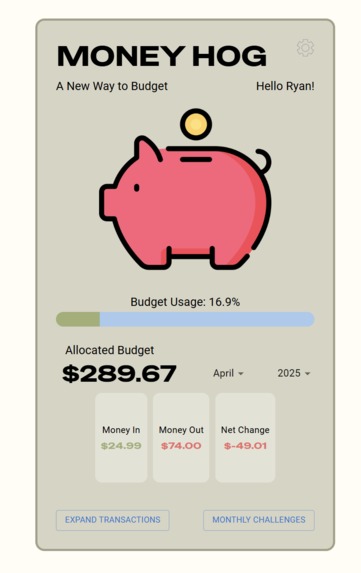
This main view allows you to see all the logistics with the budget allocated, money earned, money spent, and the net difference.
-
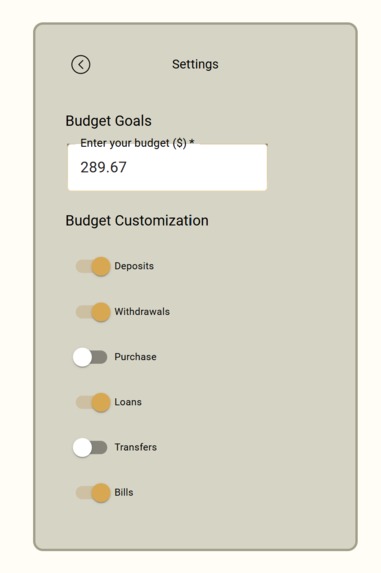
This settings view allows the user to set their budget and alter if they want to ignore a transaction type from their budgeting.
-
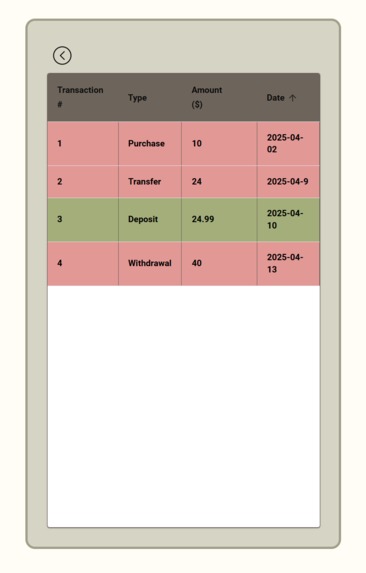
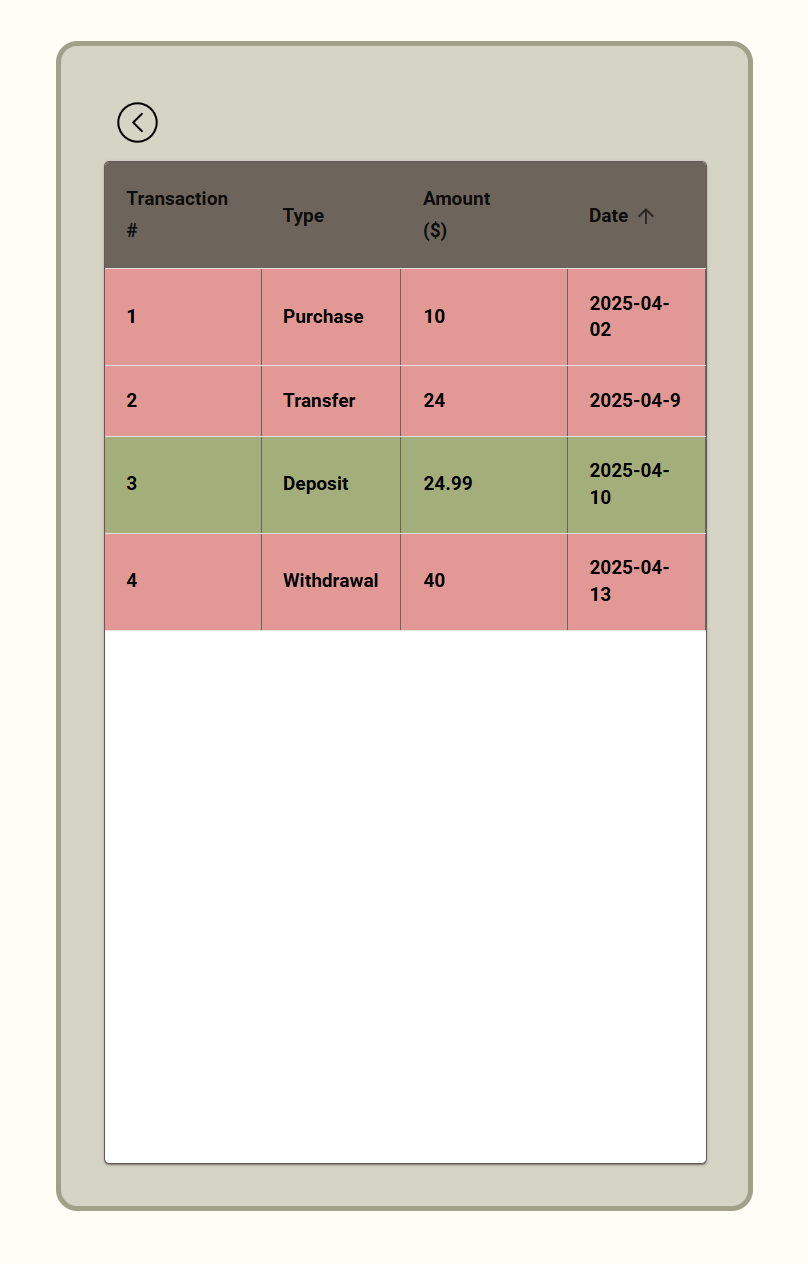
This shows all the transactions for April 2025 after filtering it on the main page.
-
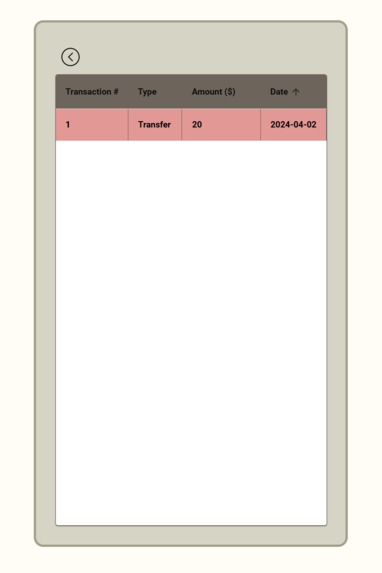
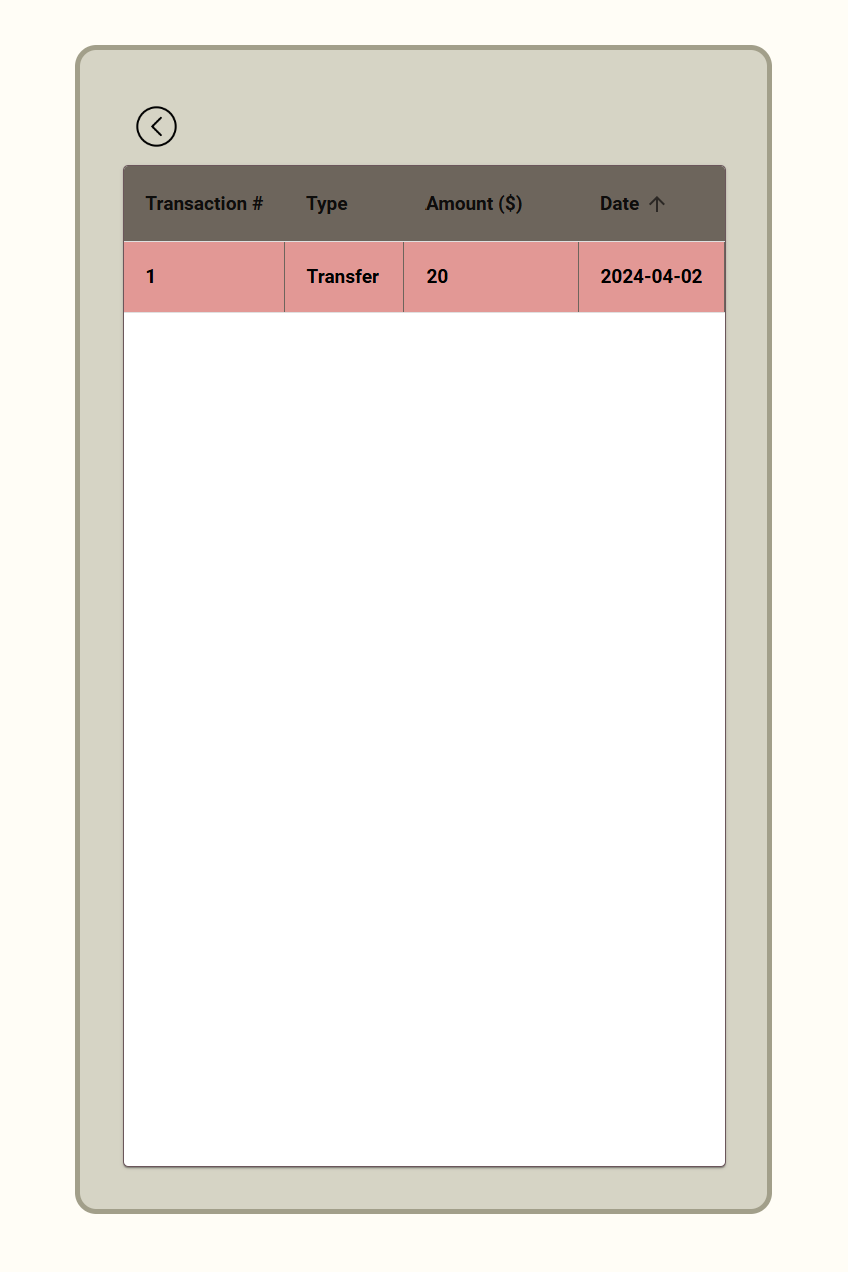
This shows all the transactions for April 2024 after filtering it on the main page.


Inspiration
With technology today, we can track all kinds of miniscule things like sleep, grades, and steps automatically. Unfortunately, one's spending habits aren't as easily trackable. Being college students, we recognize the need to budget efficiently, as it can be a daunting task. With this realization, we sought to make an easy-to-use app to help make budgeting accessible to everyone!
What it does
Our web application tracks a user's transactions live as they happen. Using Capital One's Hackathon API (Nessie), we collect a user's transactions and categorize them as "Money Earned" or "Money Spent". The difference between those values is used to calculate how well a person is staying within budget. They can also see each transaction in chronological order, filter out specific transaction types, sort them, and filter them based on month and year.
How we built it
We used TypeScript, React, Material UI, HTML, and CSS to build our app.
Challenges we ran into
None of us had interacted with APIs directly before, so there was a learning curve trying to understand how to fetch data and upload our own test data to use. Similarly, it was tricky figuring out how to update our app as soon as a new transaction comes in, so that the user doesn't need to enter anything on their own.
Accomplishments that we're proud of
We are very proud of being able to connect to the API and use "real" data to simulate helping people like us. We also love our overall design, especially on the main page. There was a lot of effort put into making the front page stylistically appealing and functional for anyone to use. Similarly, this was many of our group members' first time using TypeScript, and everyone was able to try new tasks beyond their comfort zones.
What we learned
We learned how to interact with an API and fetch data in real time. We also learned the fundamentals of styling and user interface to make our app appealing to an average user.
What's next for Money Hog
We hope to build on what we learned over the past 36 hours by implementing a monthly challenges feature that helps gameify and promote healthy financial decisions.


Log in or sign up for Devpost to join the conversation.