-
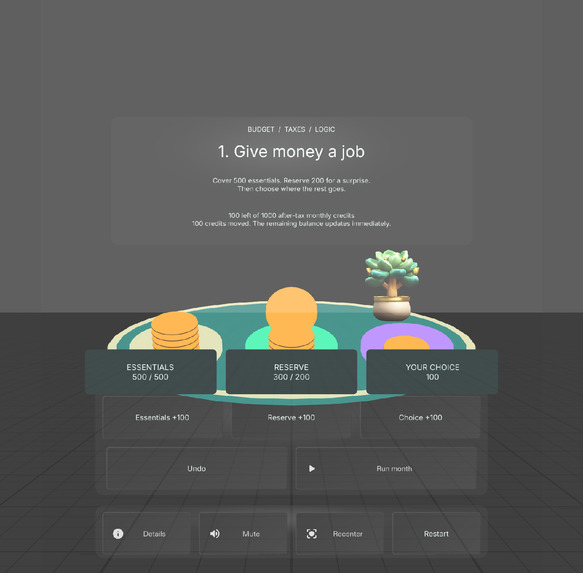
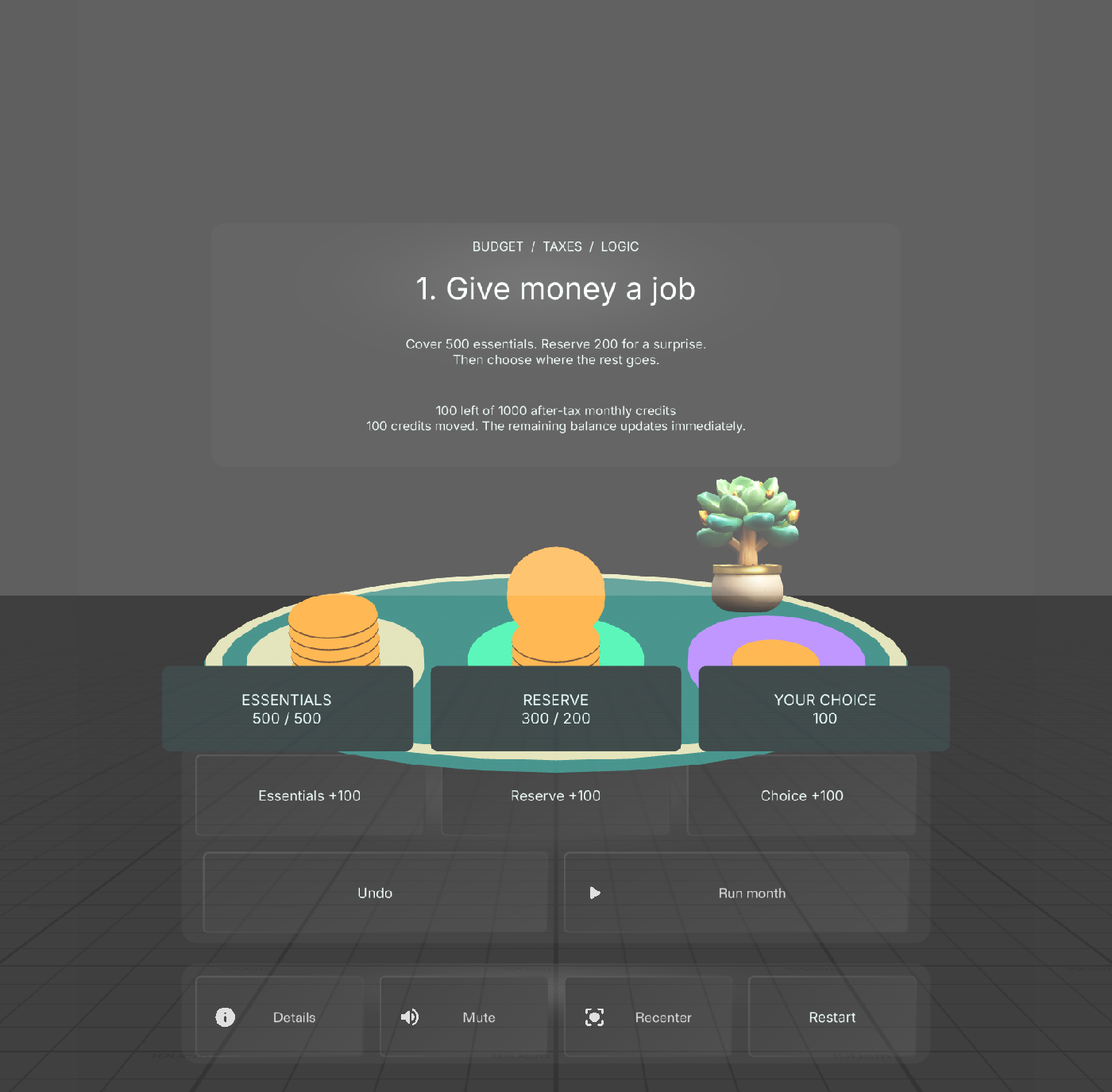
Allocate fictional credits; compare the visible stacks and reserve before a surprise expense.
-
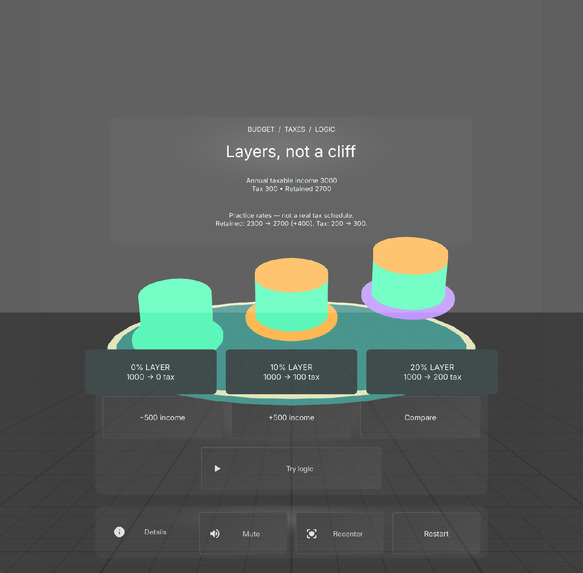
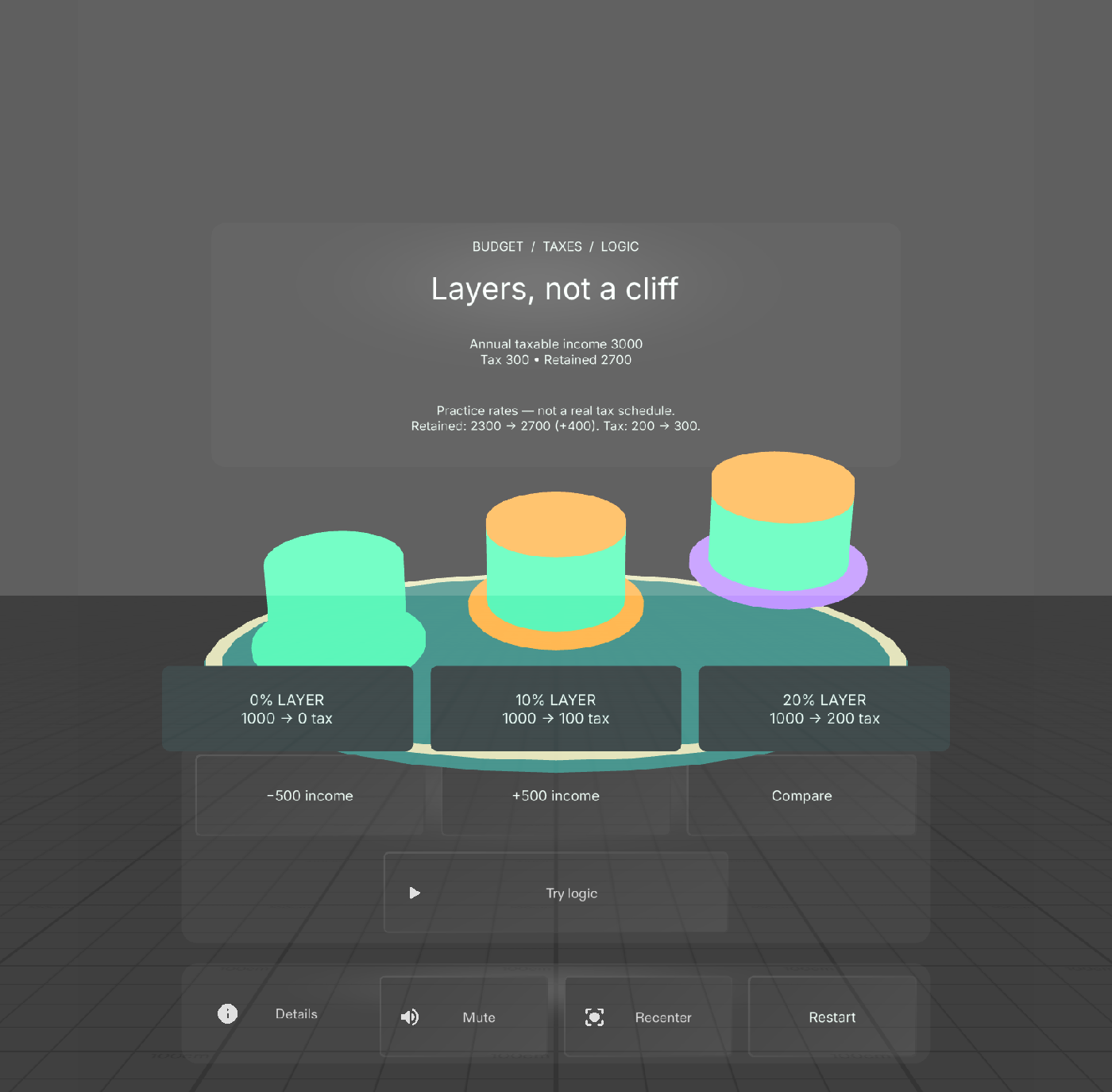
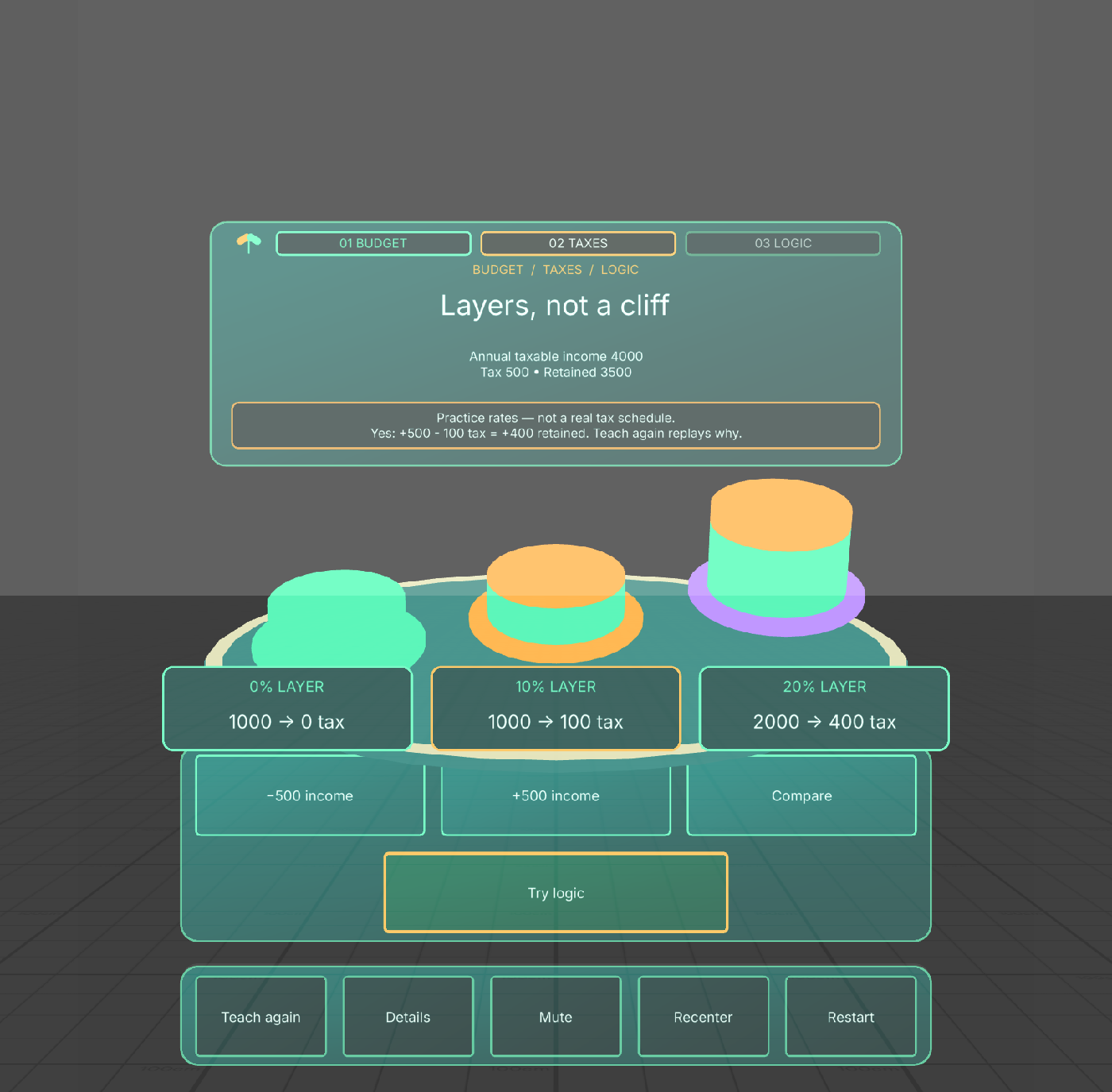
Practice tax layers: 500 extra income adds 100 tax and 400 retained credits.
-
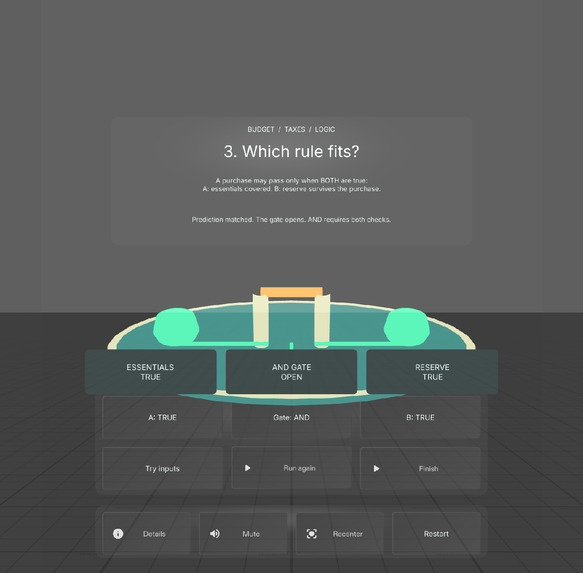
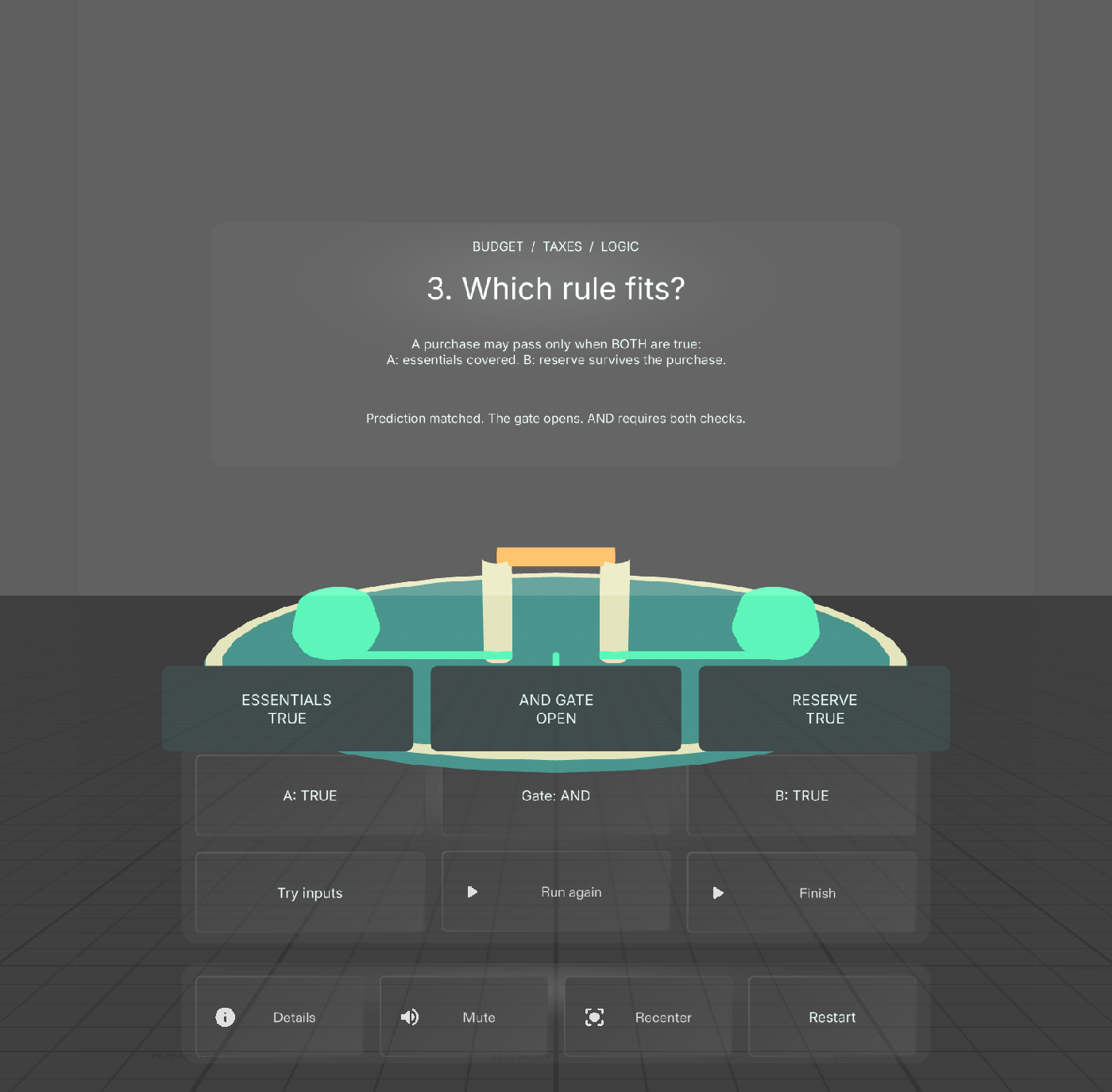
AND requires both checks. Explore all eight AND/OR input cases with visible gate feedback.
-
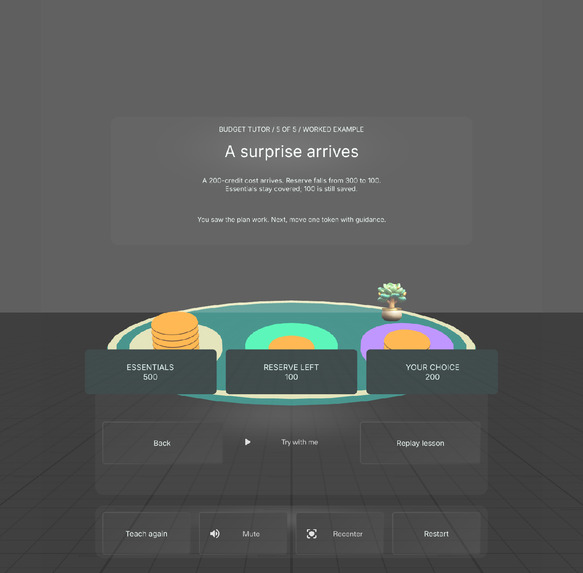
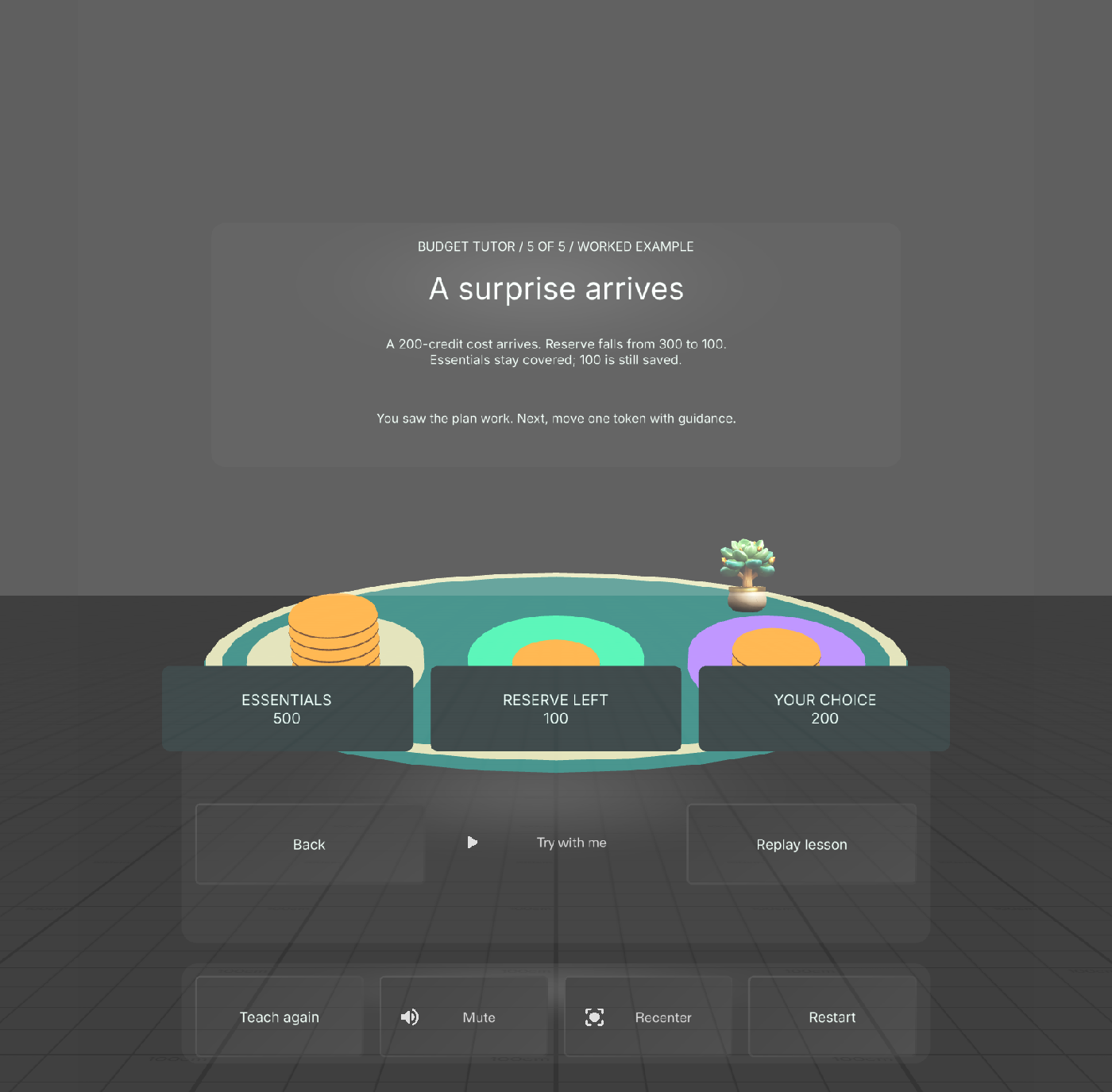
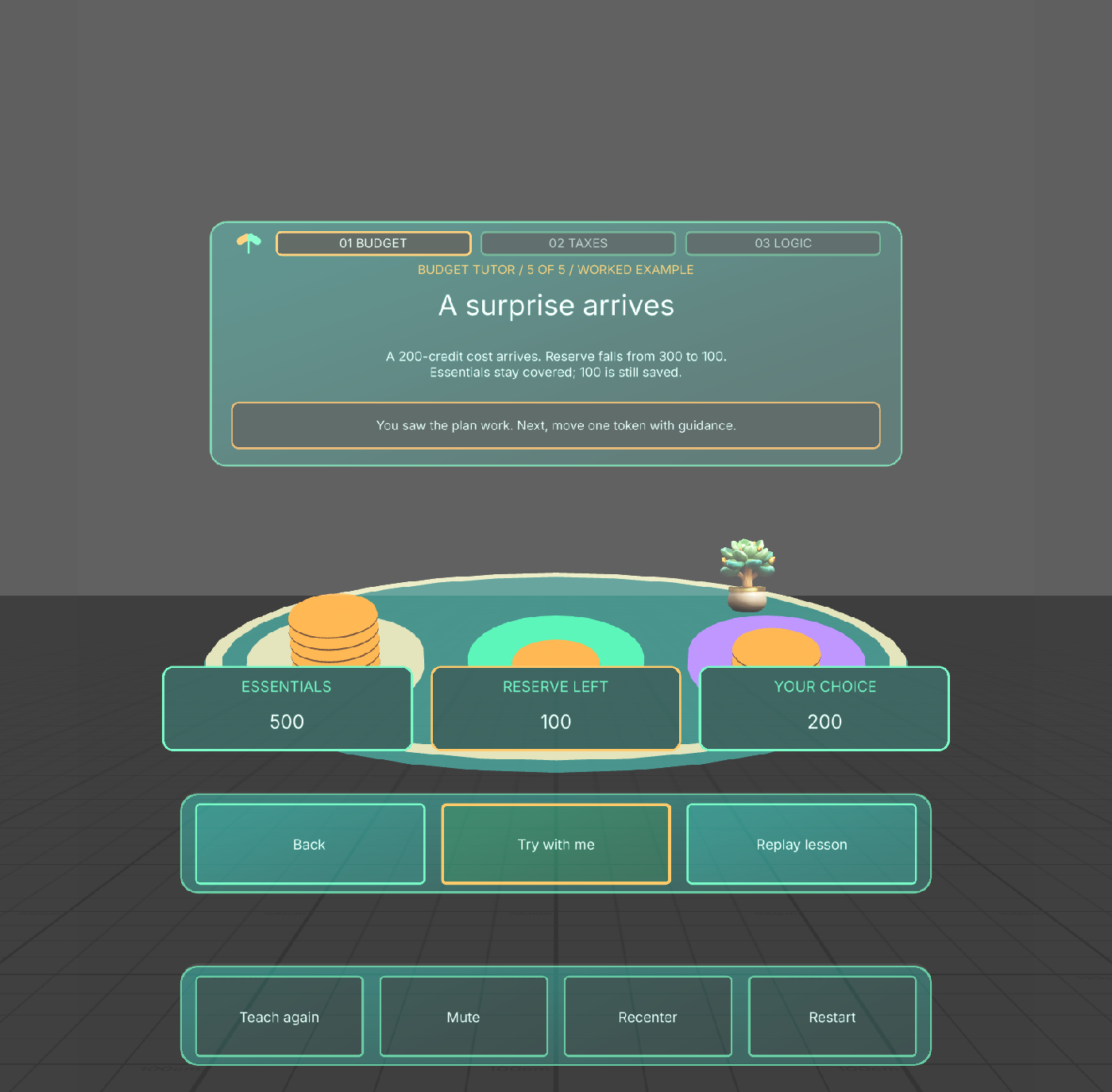
The tutor teaches first: a worked budget shows a 200-credit surprise reducing the reserve from 300 to 100.
-
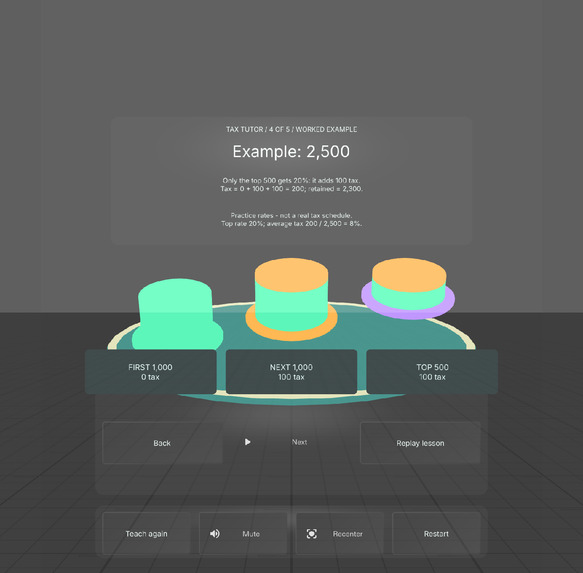
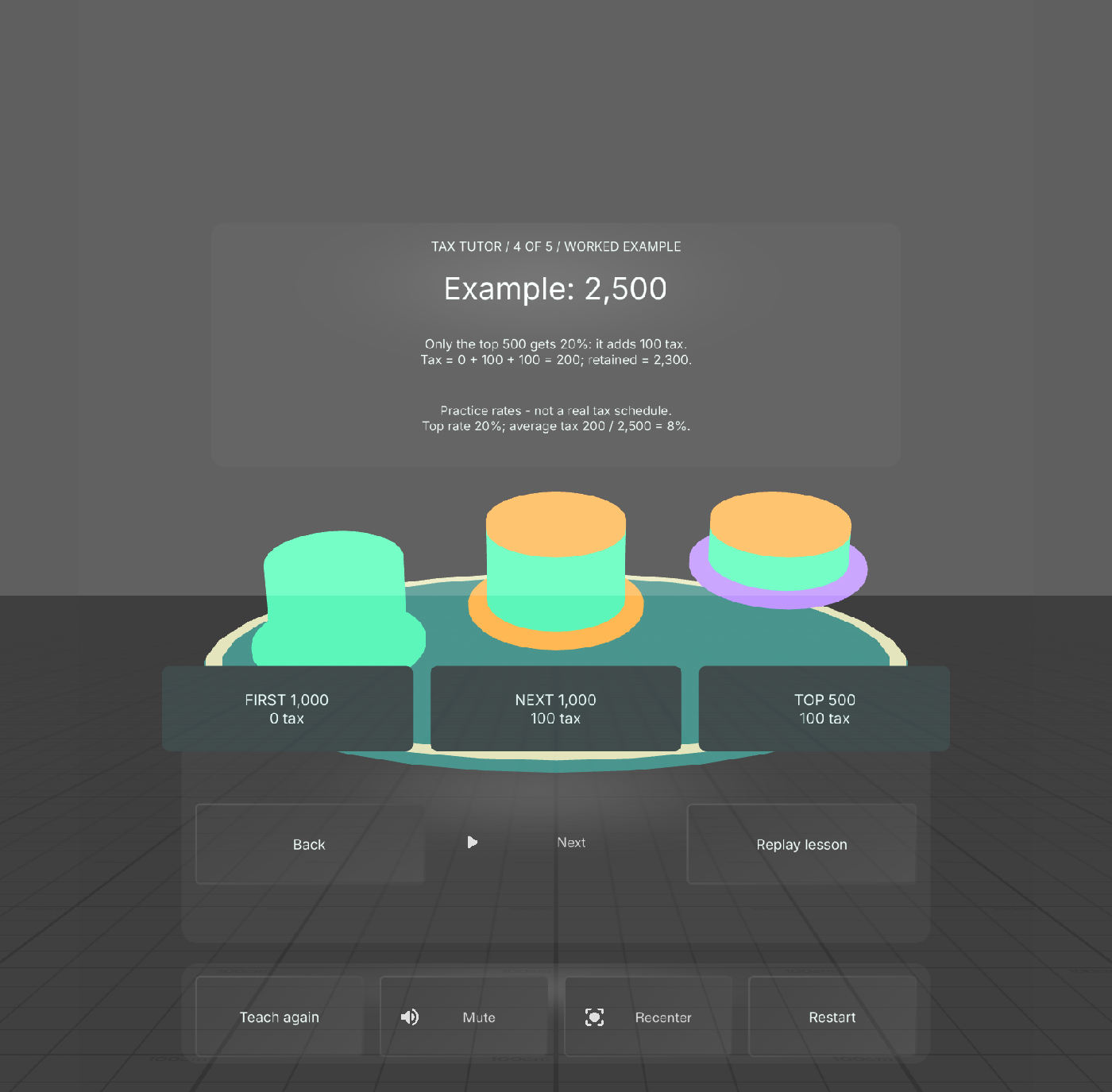
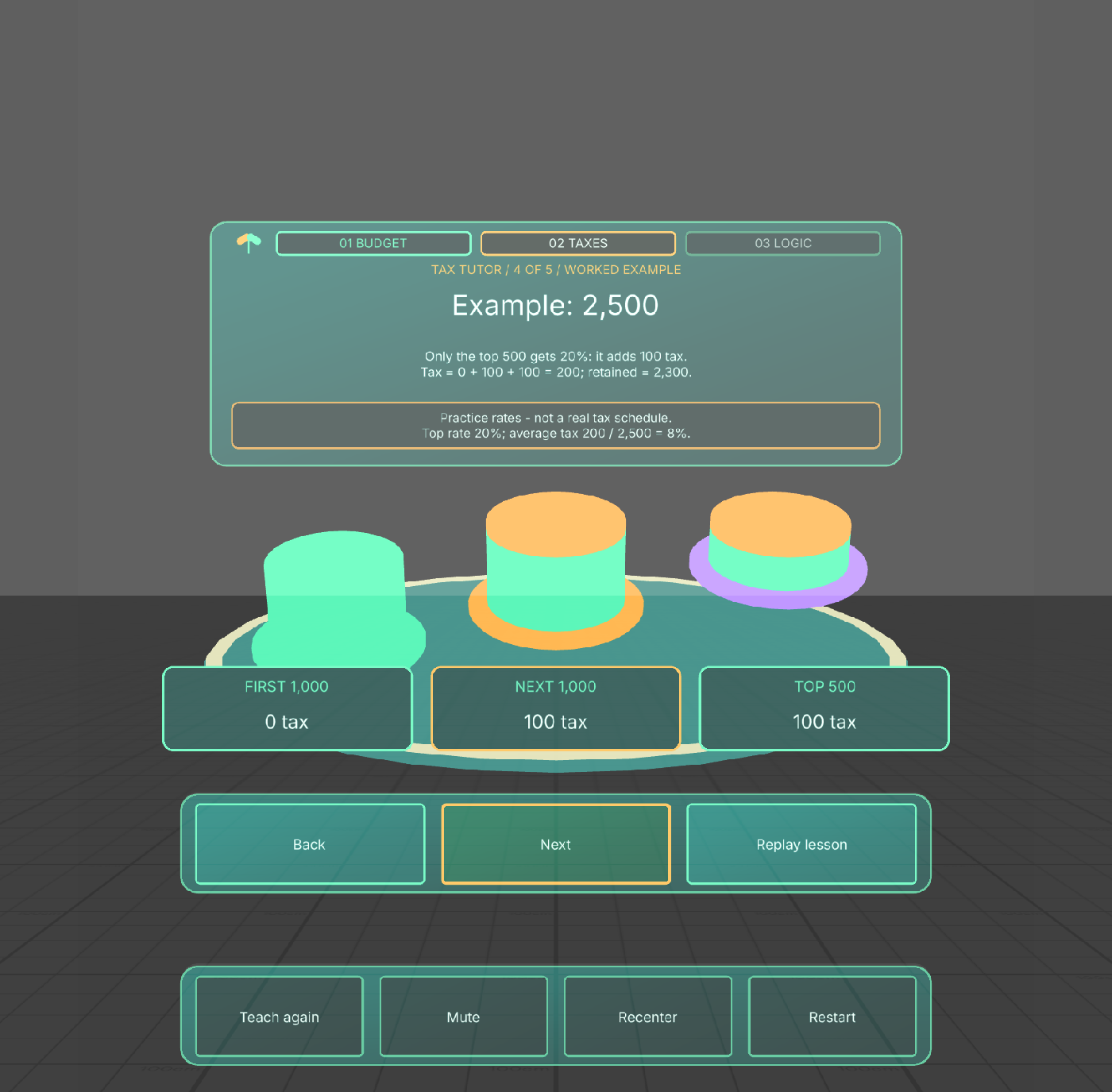
Tax teaching builds one layer at a time: 2,500 fictional credits produce 200 tax and 2,300 retained.
-
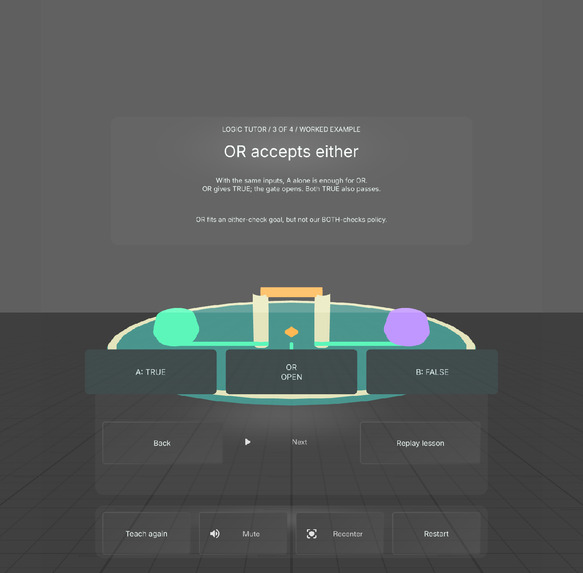
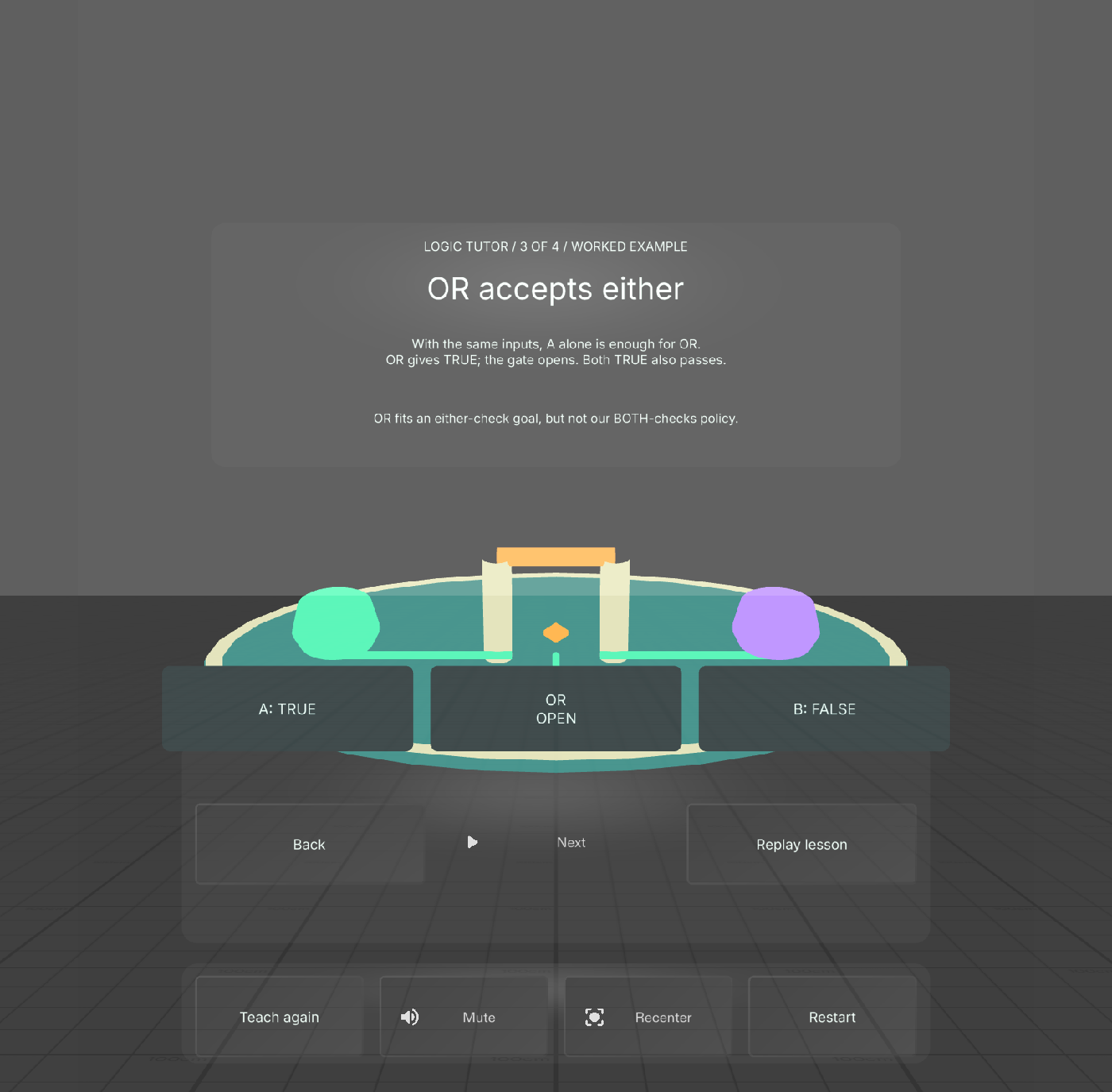
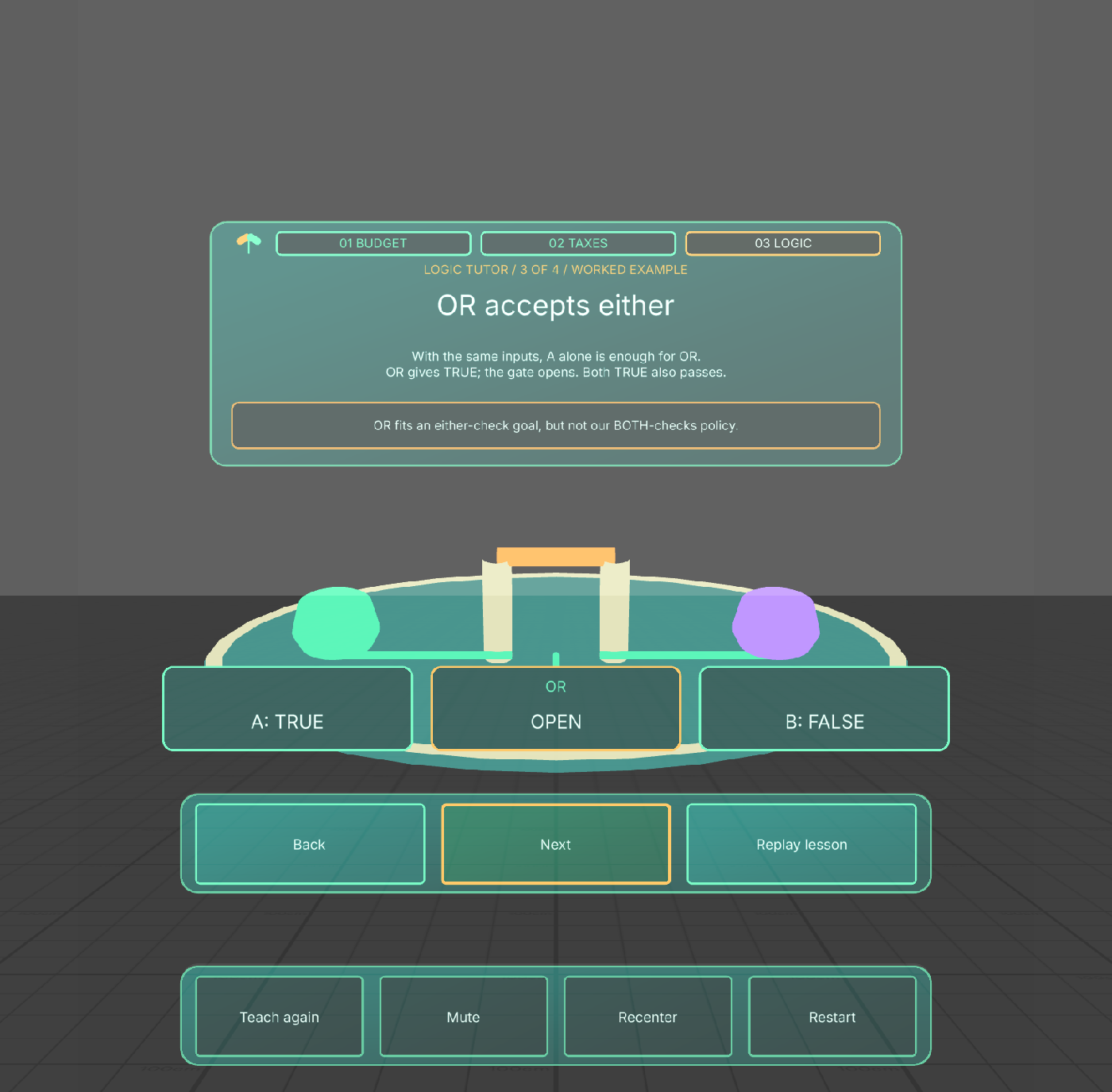
Logic teaching demonstrates OR with A true and B false before guided practice and independent prediction.
-
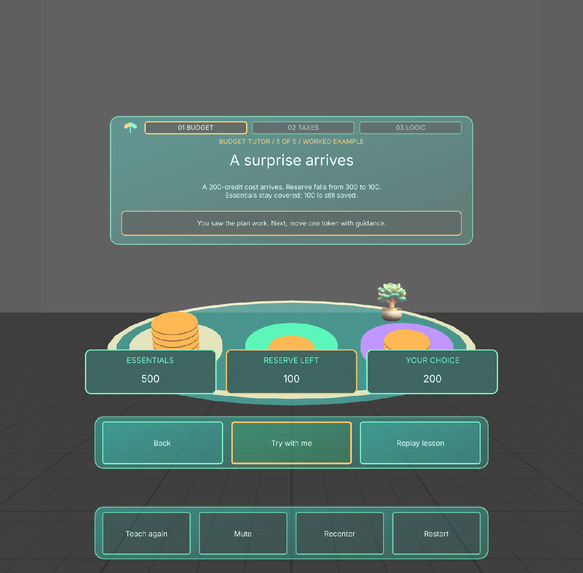
Custom botanical UI: the budget tutor explains a surprise cost before inviting guided practice.
-
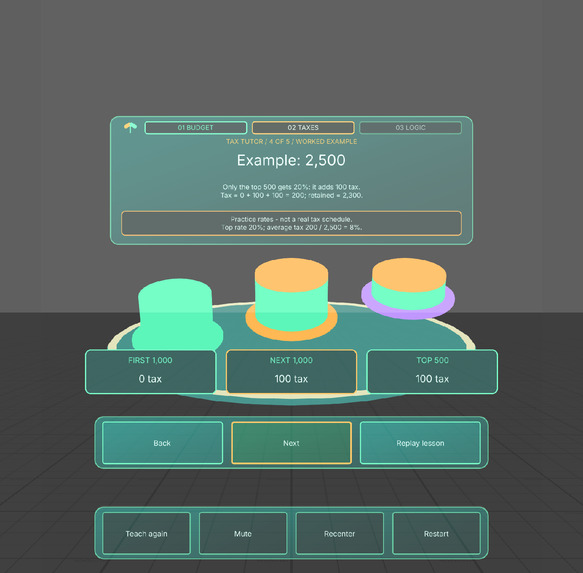
Custom botanical UI: larger values reveal each fictional tax layer in the tutor's 2,500-credit example.
-
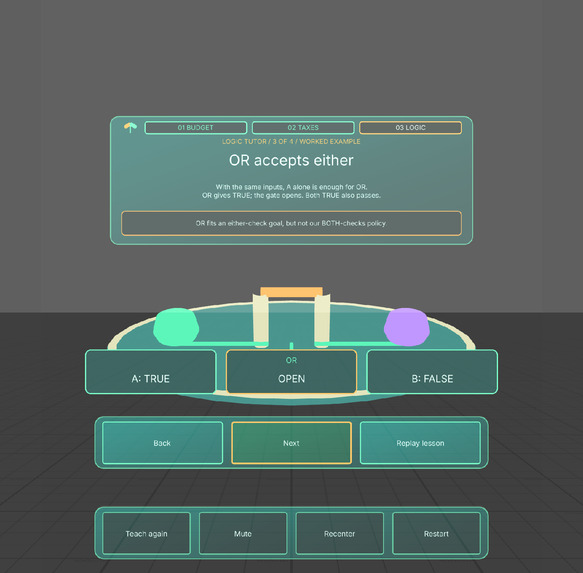
Custom botanical UI: the tutor demonstrates OR with the same TRUE/FALSE inputs before independent practice.
-
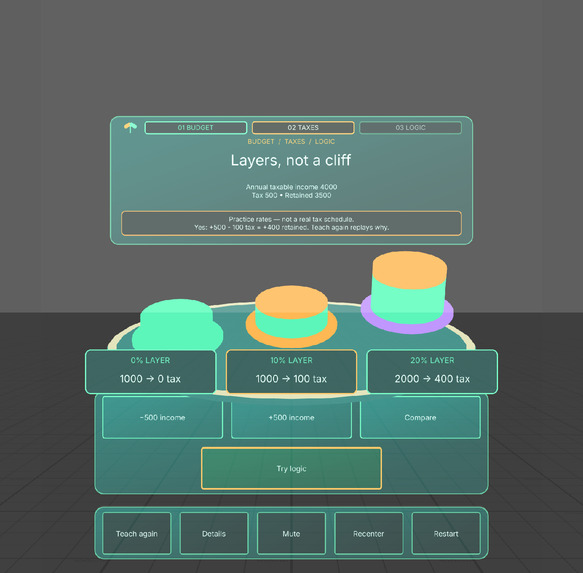
Final tax layout: proportional columns stay below the teaching card even at the maximum 4,000-credit example.
-
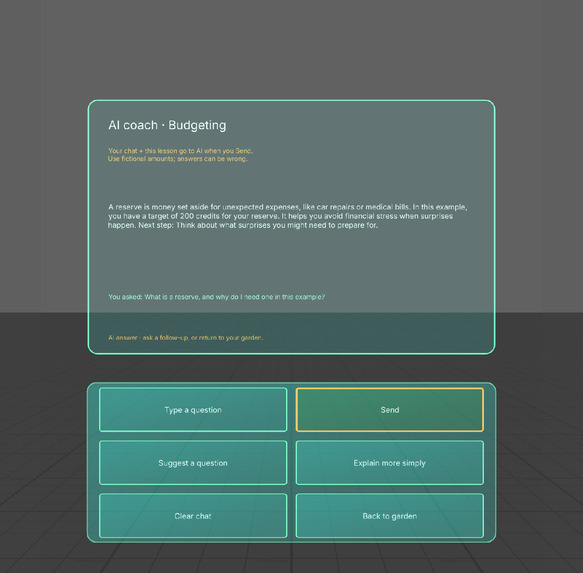
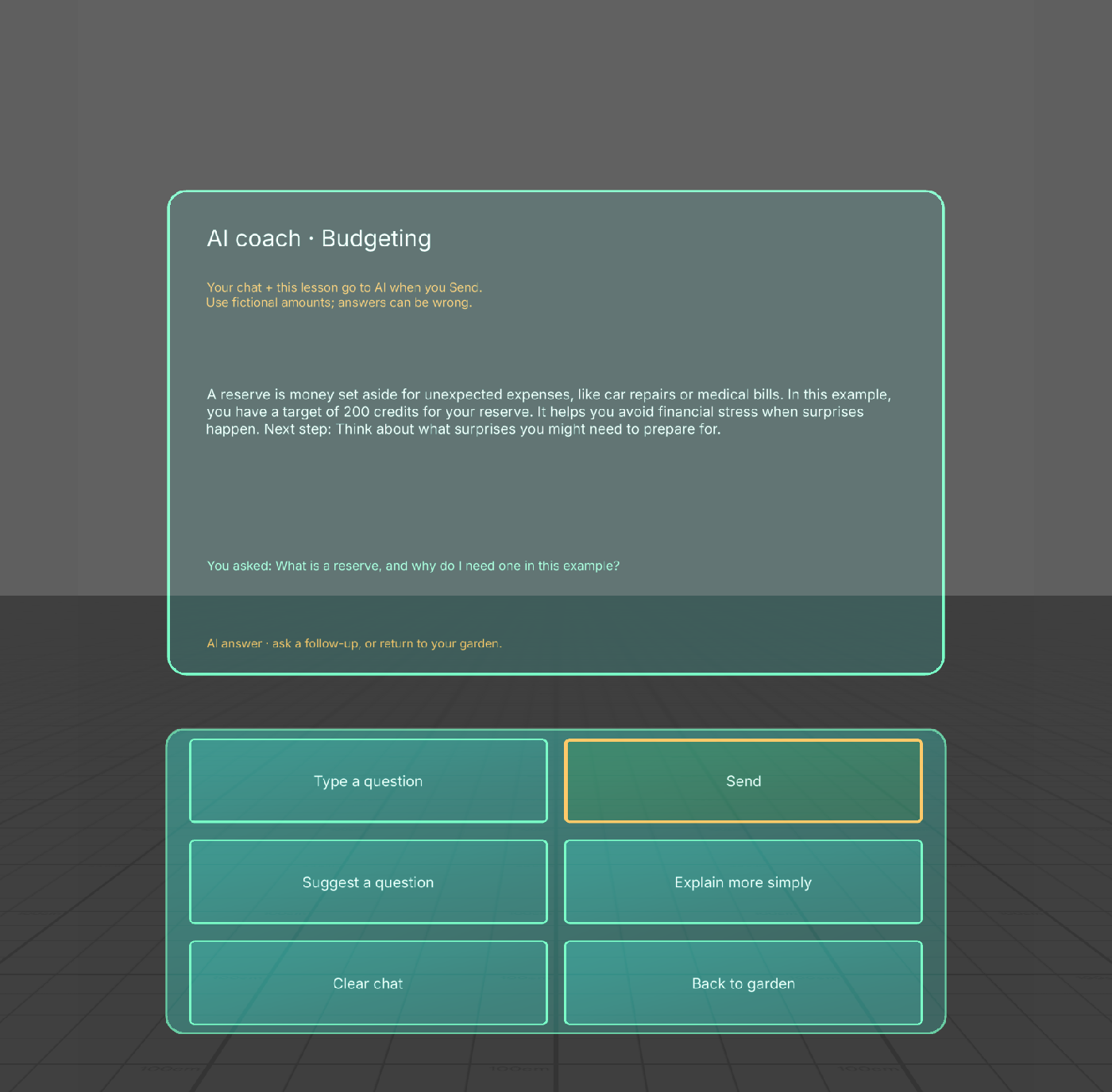
Live AI coach explains a fictional reserve in plain language. Actual Lens Studio Preview response.
-
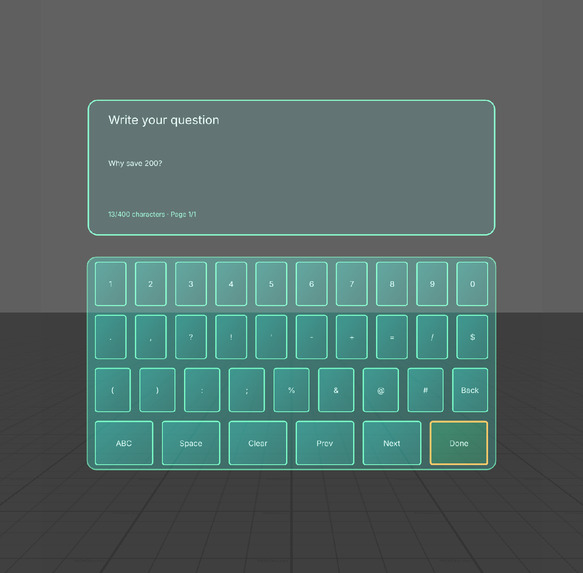
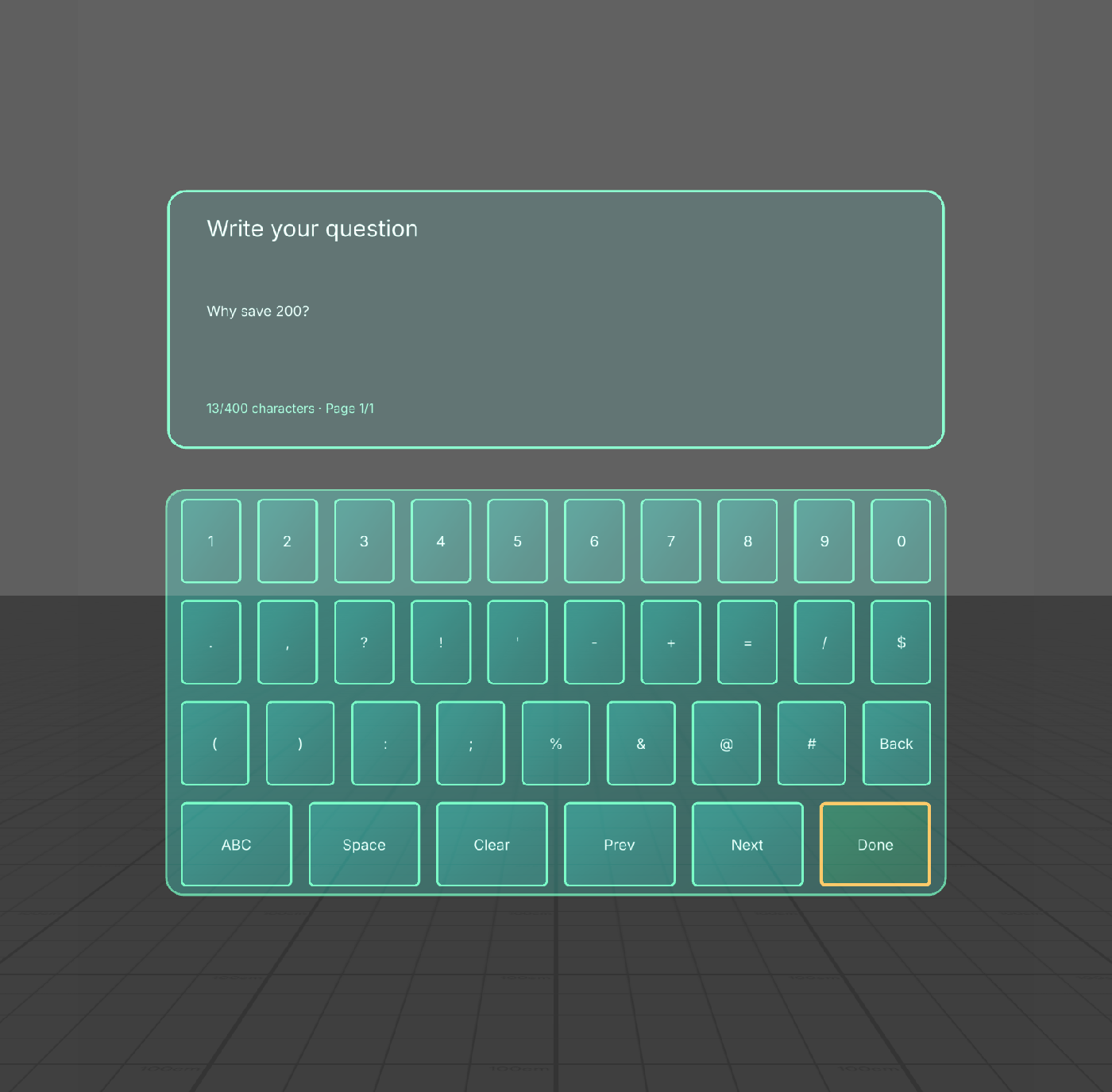
Compose your own questions in Preview with the custom keyboard. Actual keys entered this draft; Done reviews it before Send.
What it does
Money Garden is a spatial tutor for a broad audience with no financial or programming knowledge assumed. It teaches before it asks questions: explain the idea, demonstrate a worked example in the garden, guide practice, then invite an independent prediction.
Budgeting: learn what income, essentials, reserve, and choice mean. Watch 1,000 fictional credits split into 500 essentials, 300 reserve, and 200 choice. A 200-credit surprise leaves 100 in reserve. Then allocate your own tokens with next-step coaching, Undo, and forgiving retries. Progressive taxes: learn tax, taxable income, and retained income. Build each practice-rate layer, see 2,500 credits produce 200 tax and 2,300 retained, then watch another 500 add 100 tax and 400 retained. Guided practice comes before a new 3,500-to-4,000 prediction. Logic: learn true/false conditions, AND as both, and OR as either or both. The tutor holds A true and B false while demonstrating a closed AND gate and an open OR gate. Then learners change a condition with guidance before predicting independently.
Next and Back let learners set the pace. Teach again replays a separate demonstration without losing allocations, answers, or progress. Feedback explains the actual quantities or truth values. Three takeaways close the experience; Replay and three budget scenarios provide repeat practice. Mute, Details, and Recenter remain available.
Why AR
Money moves into spatial destinations, the reserve visibly empties, and the plant responds. Separate tax columns show exactly which portion gets each rate. Input pulses and an opening gate demonstrate how conditions combine. The model stays in world space after placement or recentering.
SIK manipulation lets learners move tokens directly, with large UIKit buttons as an alternative. This is a virtual tabletop; it does not claim furniture detection, persistent anchors, or recognition of real money.
Custom interface
The botanical field-guide design uses teal gradient cards, mint chapter tabs and a sprout mark, gold teaching notes and primary actions, and station plaques with larger numeric values. Custom hover and pressed states give immediate feedback. Native text stays readable, and the controls retain standard SIK interaction and stable identities as the lesson changes.
Plain-language AI coach
Ask coach opens a custom conversation panel about the current lesson. The coach explains ideas in everyday words and can simplify its previous answer. A custom in-Lens QWERTY keyboard works in Preview with letters, numbers, punctuation, Shift, Space, Backspace and draft pages. Done reviews the draft without sending; Send explicitly asks the coach. Recent conversation and the visible fictional example provide context. Clear chat, Cancel and Back to garden preserve control and lesson progress. Remote Service Gateway provides genuine AI replies; public source copies require their own development credentials.
Live lesson-specific suggested-question and simpler-follow-up replies were verified through actual SIK controls. Current-code checks also passed for Cancel/Clear, preserved lesson state, worked-example context, tutor flow, token practice and utility controls. The custom keyboard resolves the system-keyboard limitation for Preview-only users. Actual SIK key entry passed a genuine two-turn conversation: Why save 200?, followed by an independently typed Use an example. The coach remembered 200 and described a 150-credit repair leaving 50. Shift, Backspace, Clear and Done-without-send passed; returning preserved the learner's budget. No private draft setter, canned response or physical-device claim is used.
How it was built
Planning used the official Devpost Learn Specs plan-lens skill and design-brief template. Codex built the Lens through CLAD and native Lens Studio MCP tools in Lens Studio 5.24.1.
TypeScript separates learner state from tutor demonstration state. SpectaclesInteractionKit and SpectaclesUIKit provide interaction and controls. MeshBuilder creates the garden, bowls, credits, tax columns, and gate. CLAD generated the plant, sound cues, and background music. The public source includes the approved brief, lesson content, learning sources, tests, asset provenance, and license notices.
Actual interaction testing exposed button-lifecycle and audio-initialization bugs that compilation alone missed. Stable button identities and guarded playback resolved them. The tutor revision also shortened headings and made worked examples the default instead of hiding explanation behind optional Details.
Verification
All eight LEAF scenarios have passing results for the custom UI revision using actual SIK interactions: tutor teaching and state preservation, practice drag/drop, budgeting, tax arithmetic, all eight AND/OR cases, replay across three scenarios, utilities, and IK interaction. Native compilation and startup checks passed.
The final full replay passed in 126.702 seconds, beyond the tool's 120-second response window; the uninterrupted Lens-side LEAF result and final summary confirm completion. Reviewing the maximum-income view also found a tax column covering feedback; proportional height and spacing were corrected and the tax checks passed again. One gallery-only transition timeout did not reproduce during its diagnostic rerun; its cause remains unconfirmed. Exact timings, screenshots, and limits are in devpost/verification.md.
The IK test passed with automatic indirect routing after awaiting avatar and control-layout readiness. An earlier direct-reach attempt failed and remains recorded in the verification report. The garden is placed 115 cm horizontally ahead on recentering. No physical arm-reach, hardware comfort, real hand-tracking, or measured learning-outcome claim is made.
Learning scope
All money is fictional. Tax rates are practice rates, not a real tax schedule or filing calculator. Reserve targets are scenario conditions, not universal recommendations. The lessons require no personal financial information. Optional chat sends the question, bounded recent conversation and fictional lesson context to AI when Send is pressed. Use fictional details. Local chat history is held in session memory; Clear does not erase data already sent to the service.
Built With
- clad
- codex
- leaf
- lens-studio
- spectacles-interaction-kit
- spectacles-ui-kit
- typescript