-
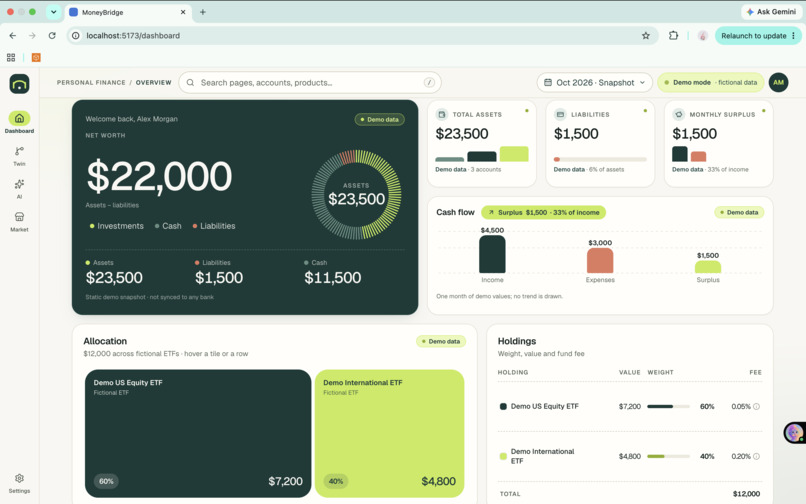
Dashboard
-
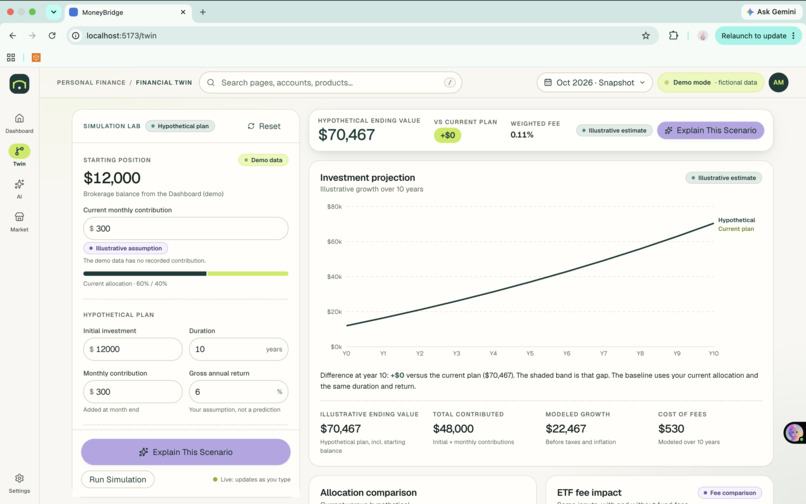
Digital Twin
-
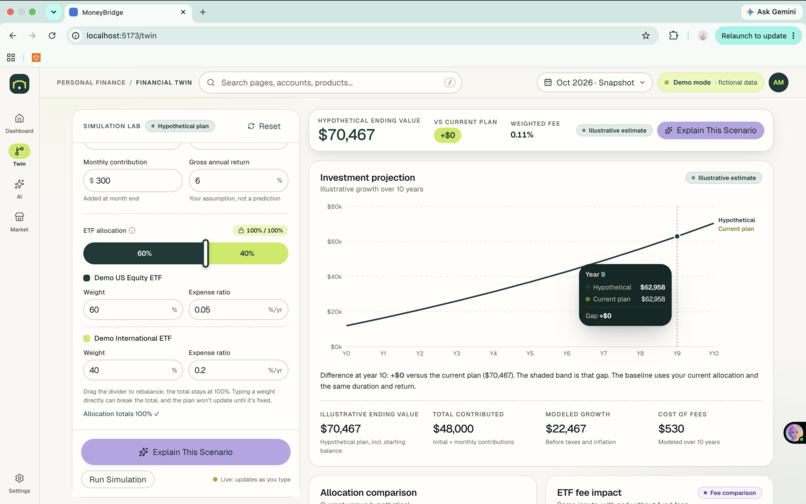
Digital Twin Working
-
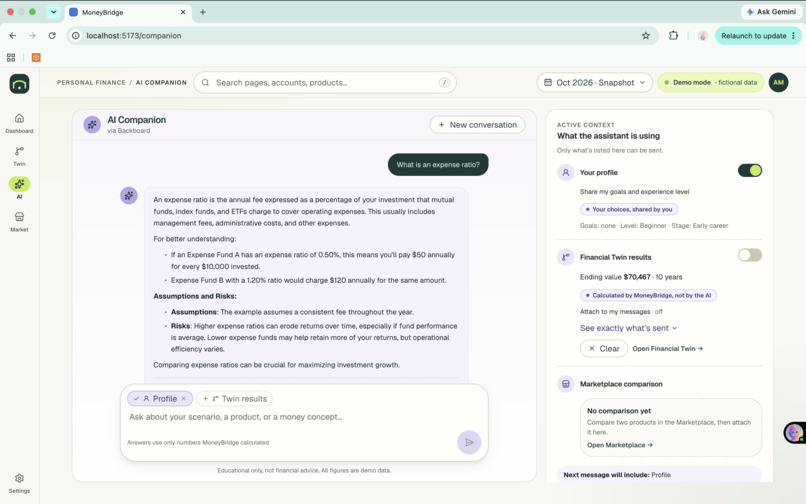
Chat Companion
-
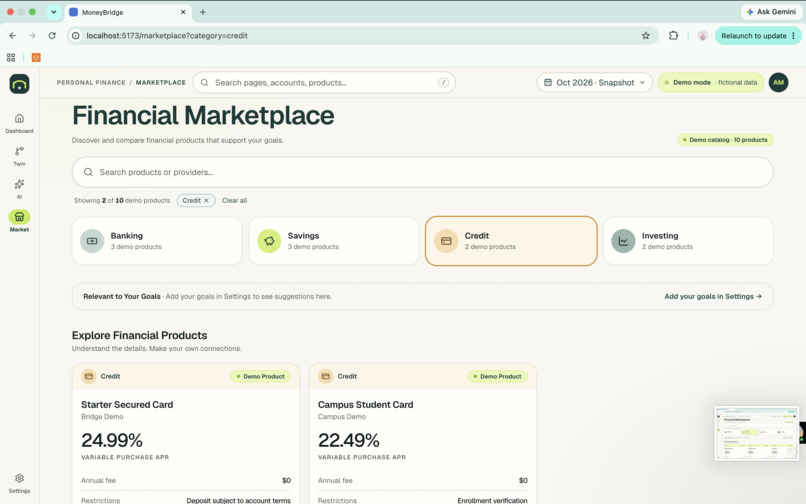
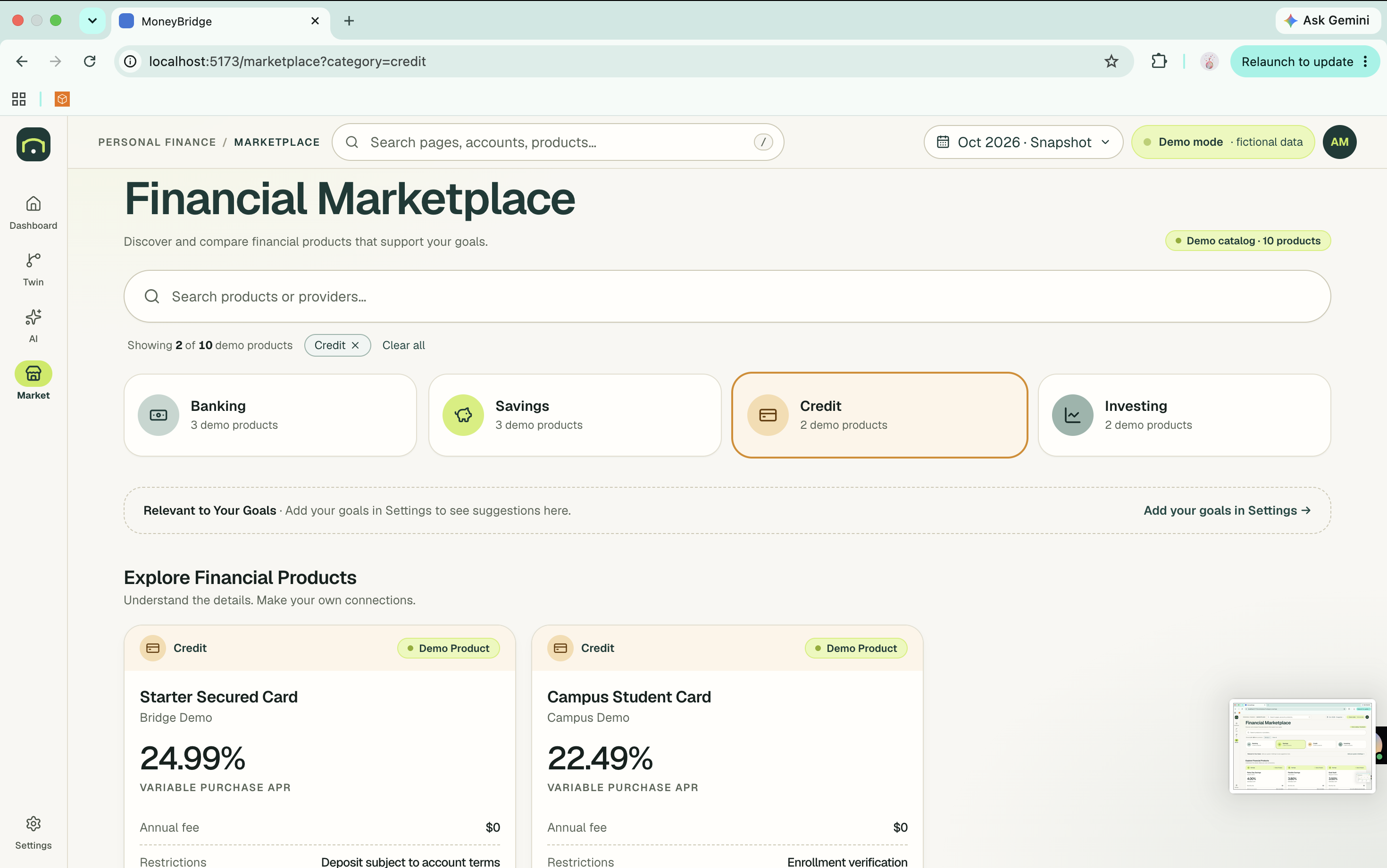
Financial Marketplace
-
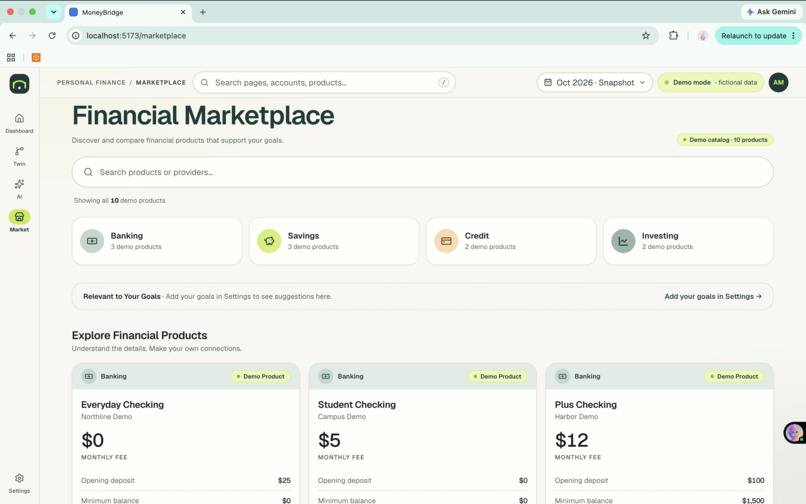
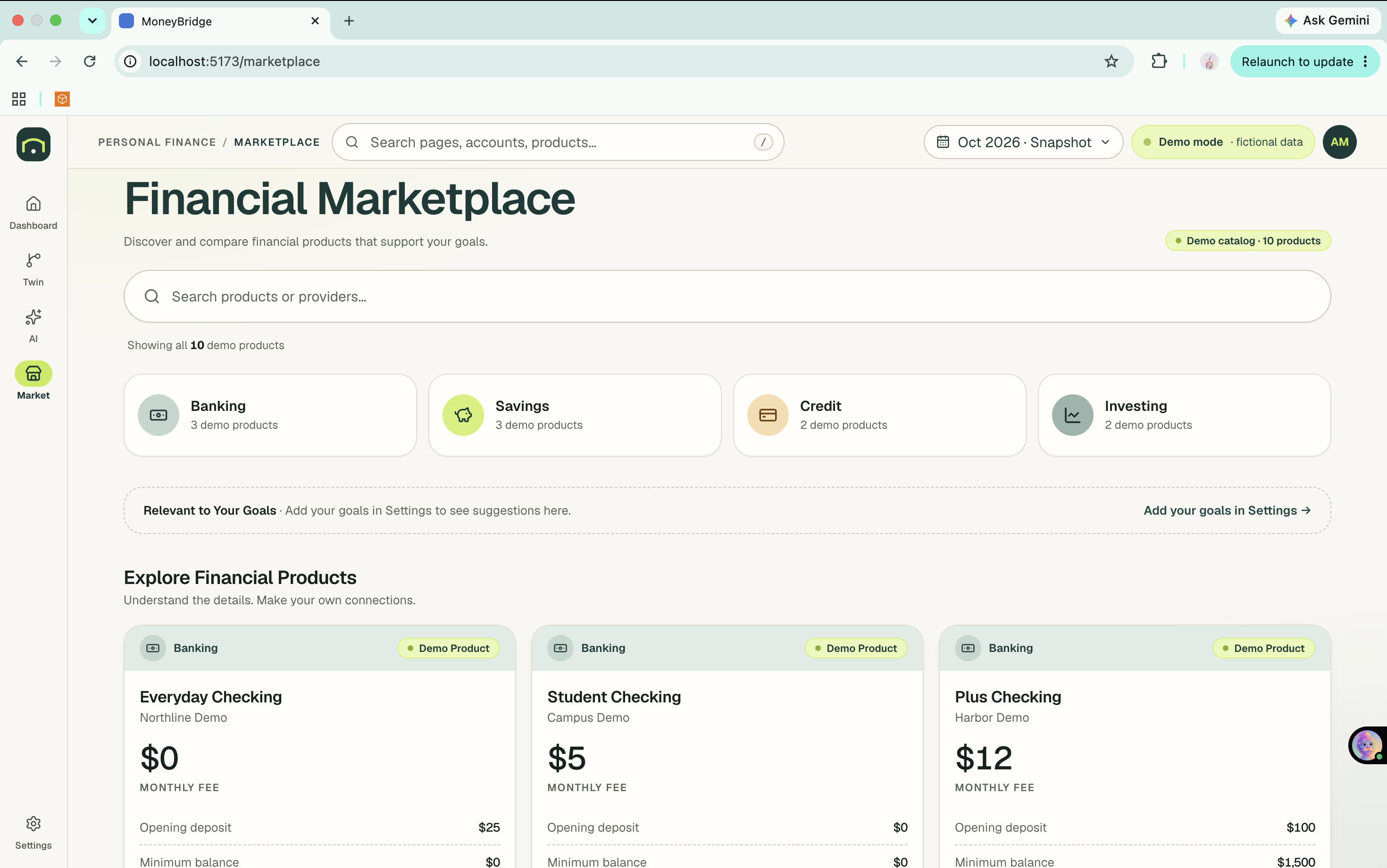
Financial Marketplace: Banking
-
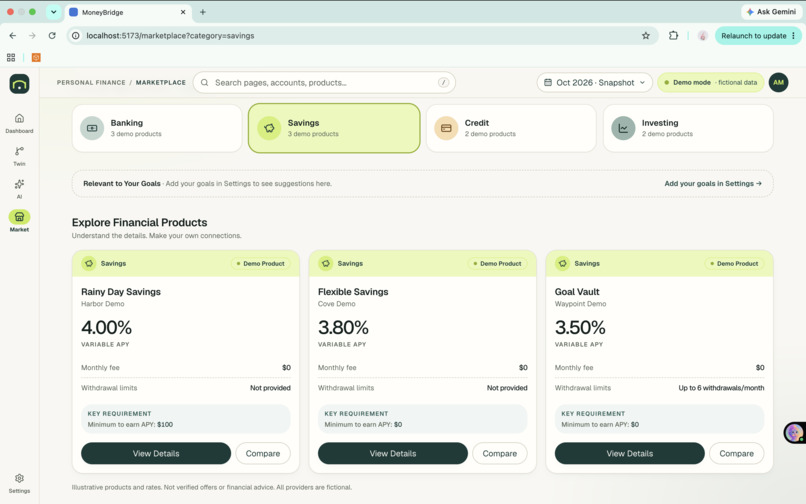
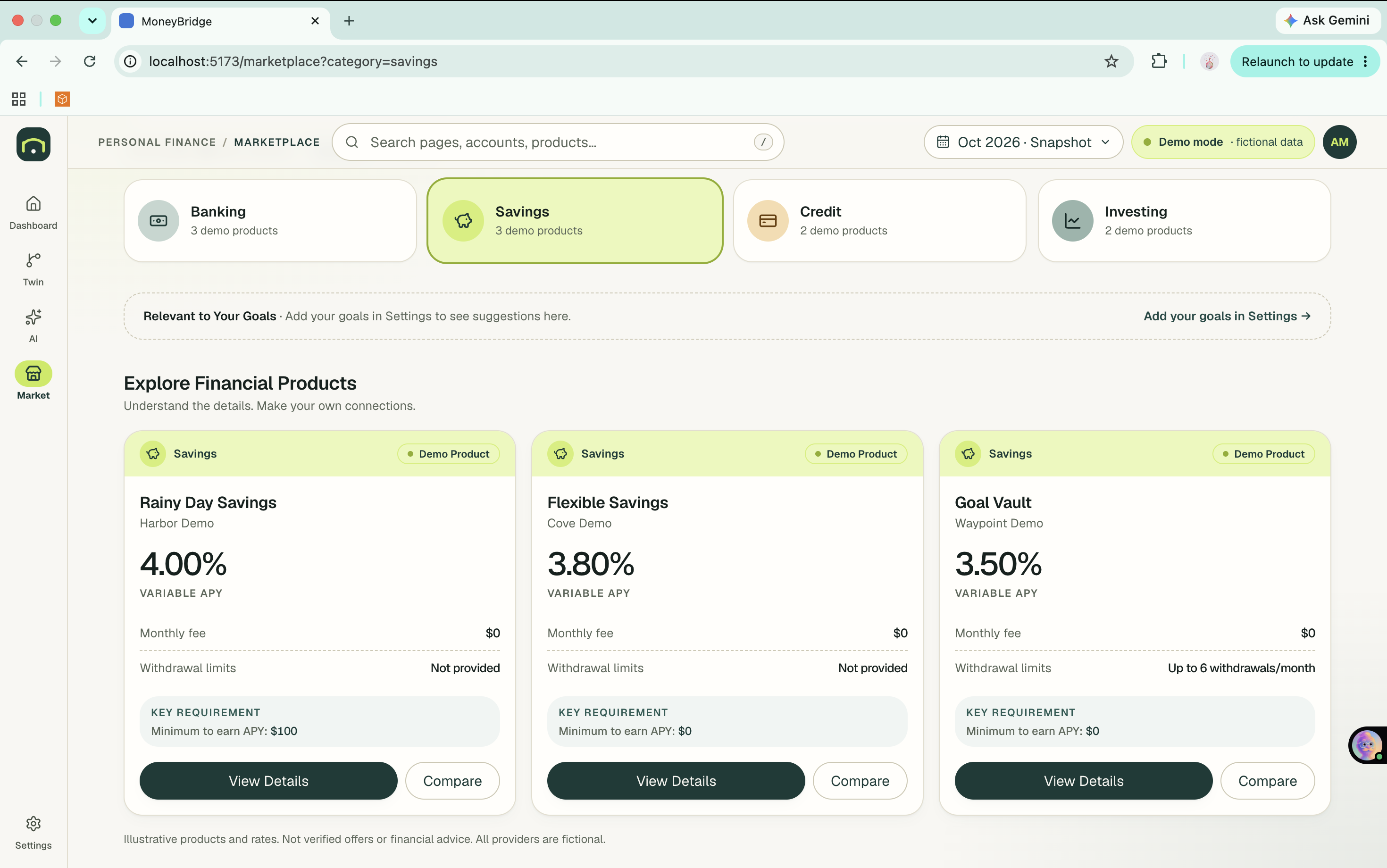
Financial Marketplace: Saving
-
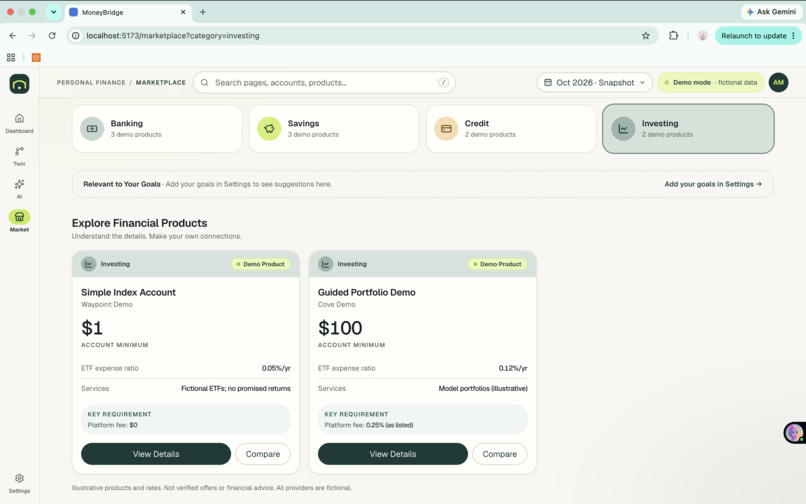
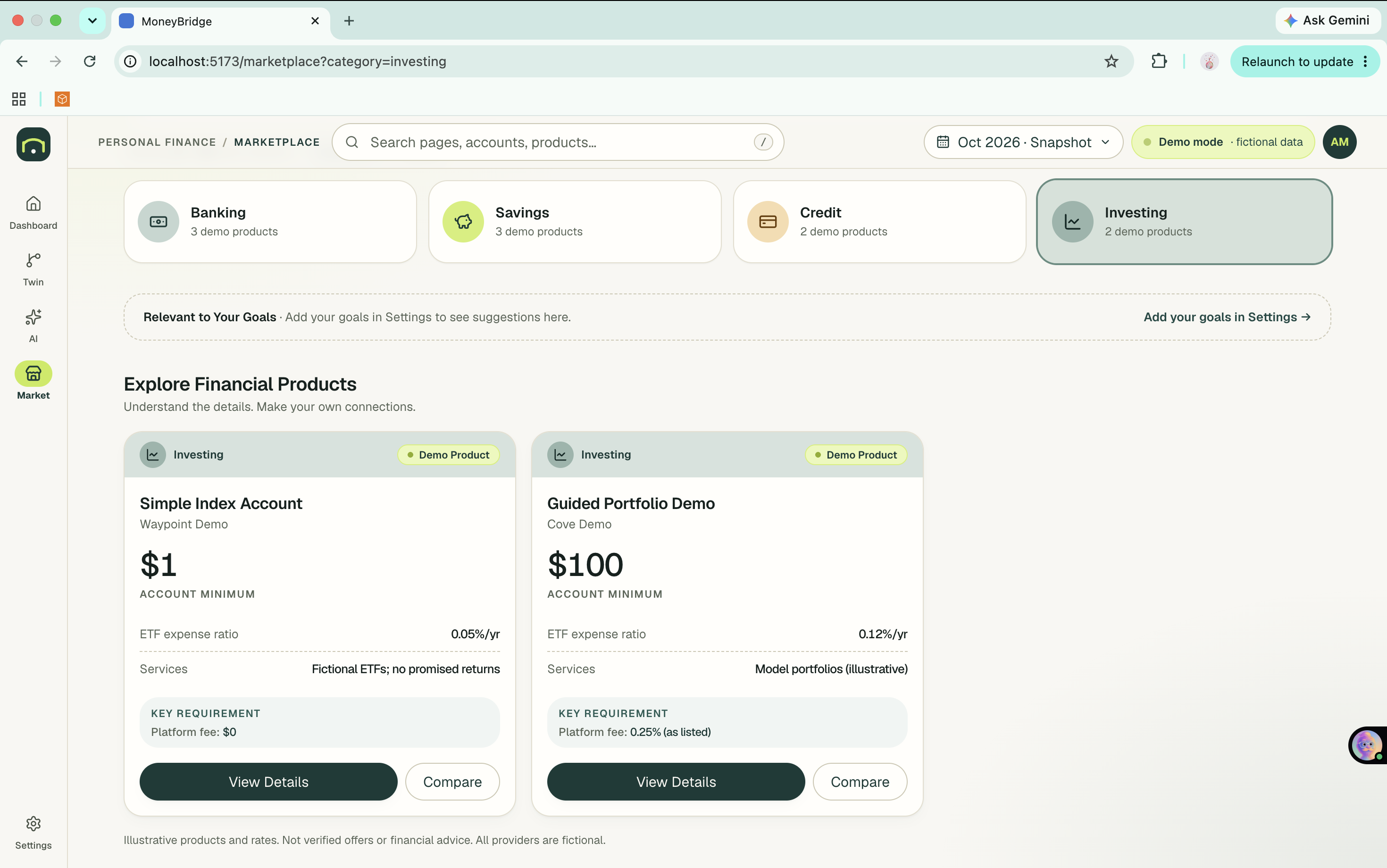
Financial Marketplace: Investing
Inspiration
Money decisions are hard to picture. Your accounts live in one place, advice lives in another, and no tool shows you what a choice like "invest $300 a month instead of $200" could mean ten years from now. For students, international students, and early-career workers navigating an unfamiliar financial system, that gap is even bigger.
I wanted one place that answers four questions: Where do I stand? What if I decide differently? What does this mean? What can I explore next? I also wanted an AI that explains the numbers without making them up.
What it does
MoneyBridge is a personal finance education app with four connected pages:
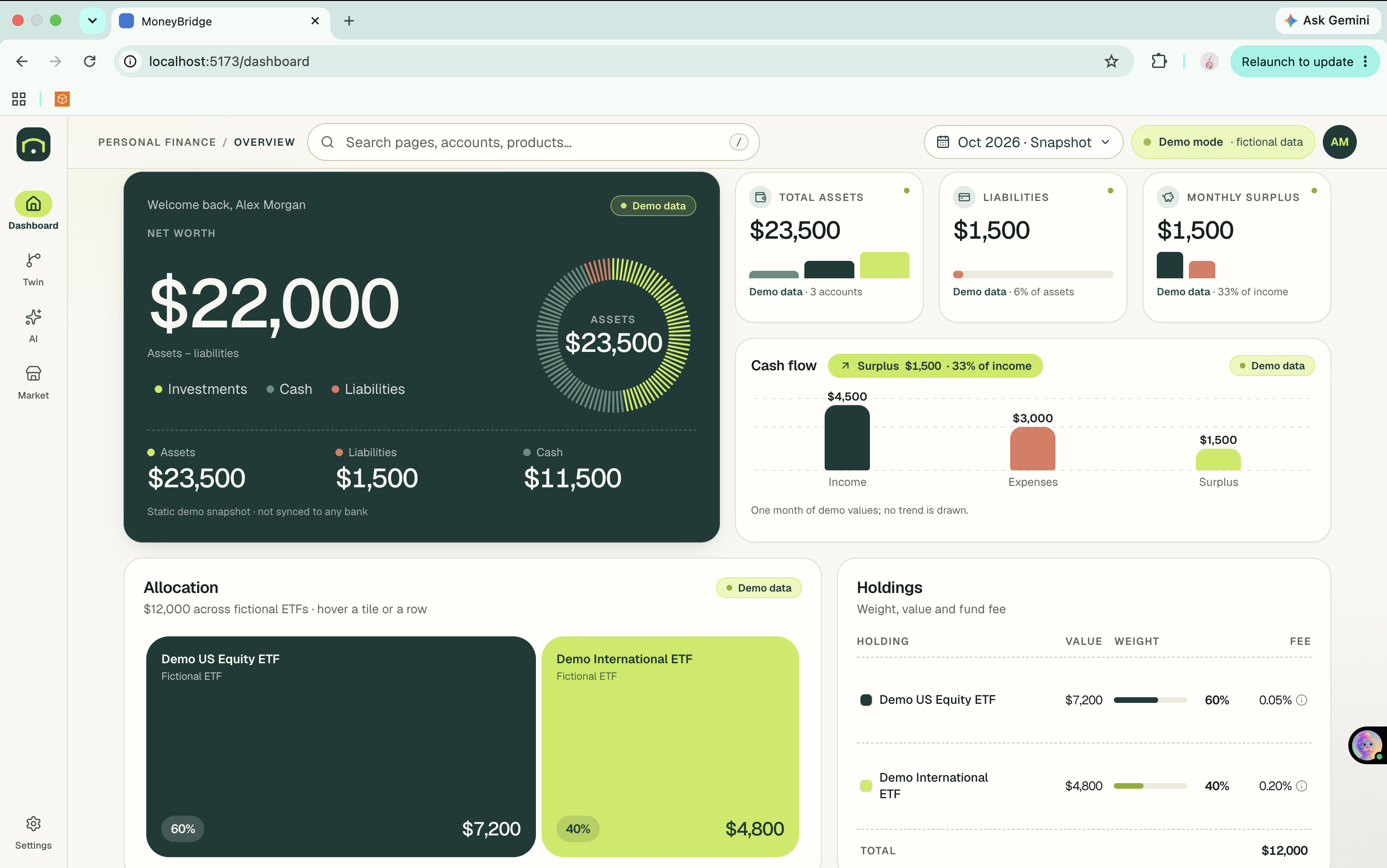
- Dashboard: net worth, assets, liabilities, cash flow, accounts, and an ETF portfolio treemap, plus a roadmap built from the goals you pick in onboarding.
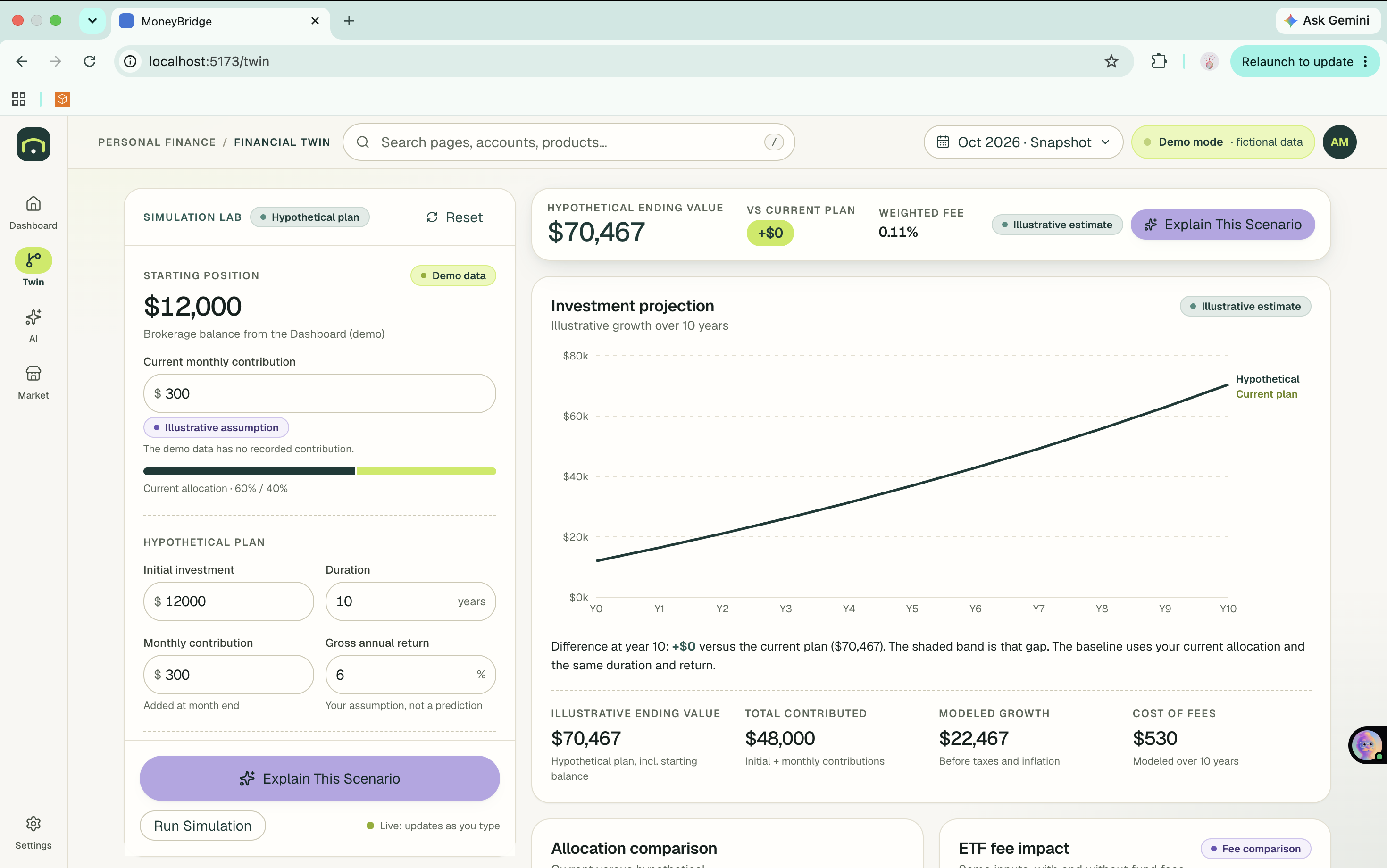
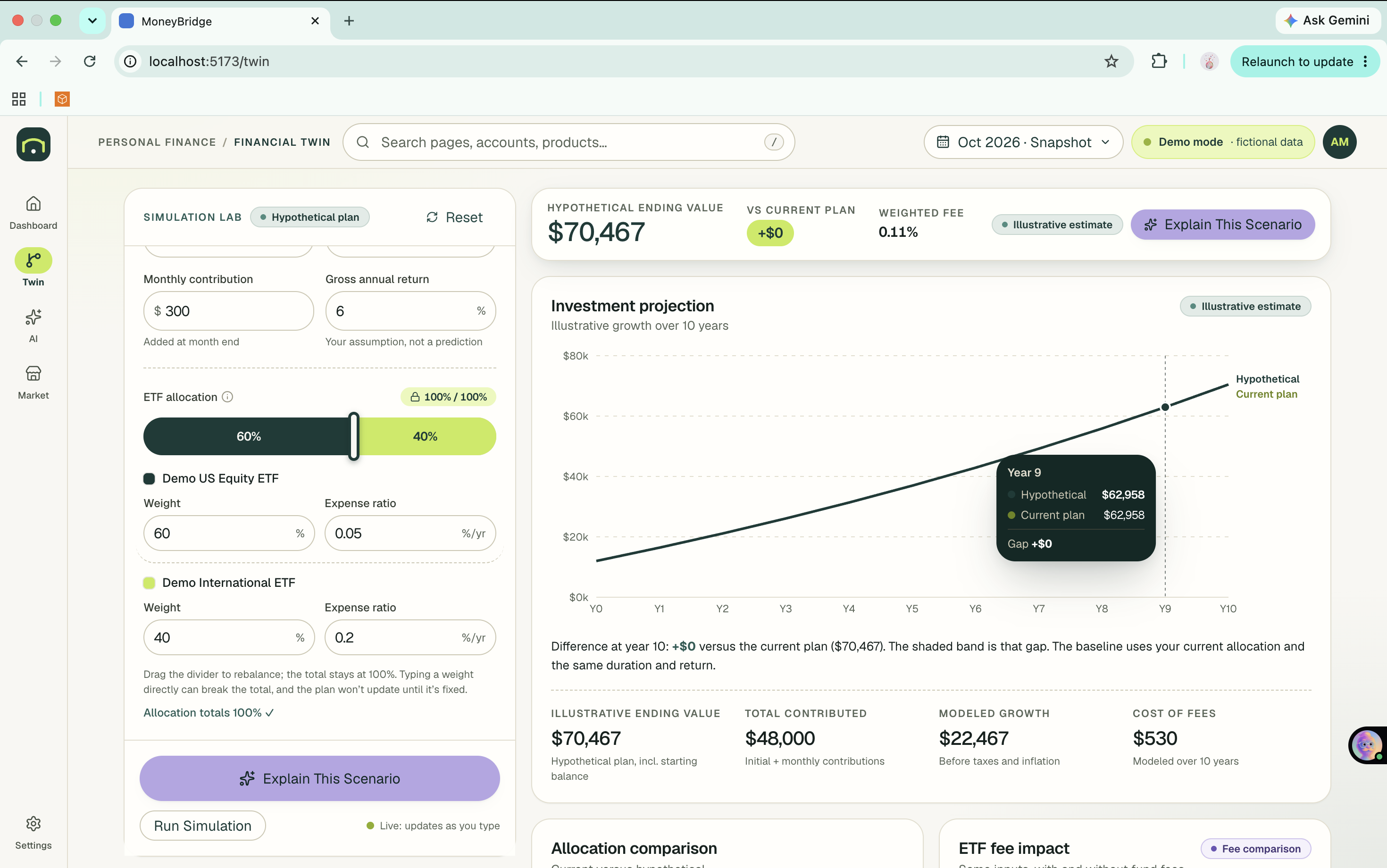
- Financial Twin: a simulation lab. Change your monthly contribution, time horizon, ETF allocation, return assumption, and fees, and watch a baseline-versus-hypothetical projection update live, with fee impact and downside, base, and upside scenarios.
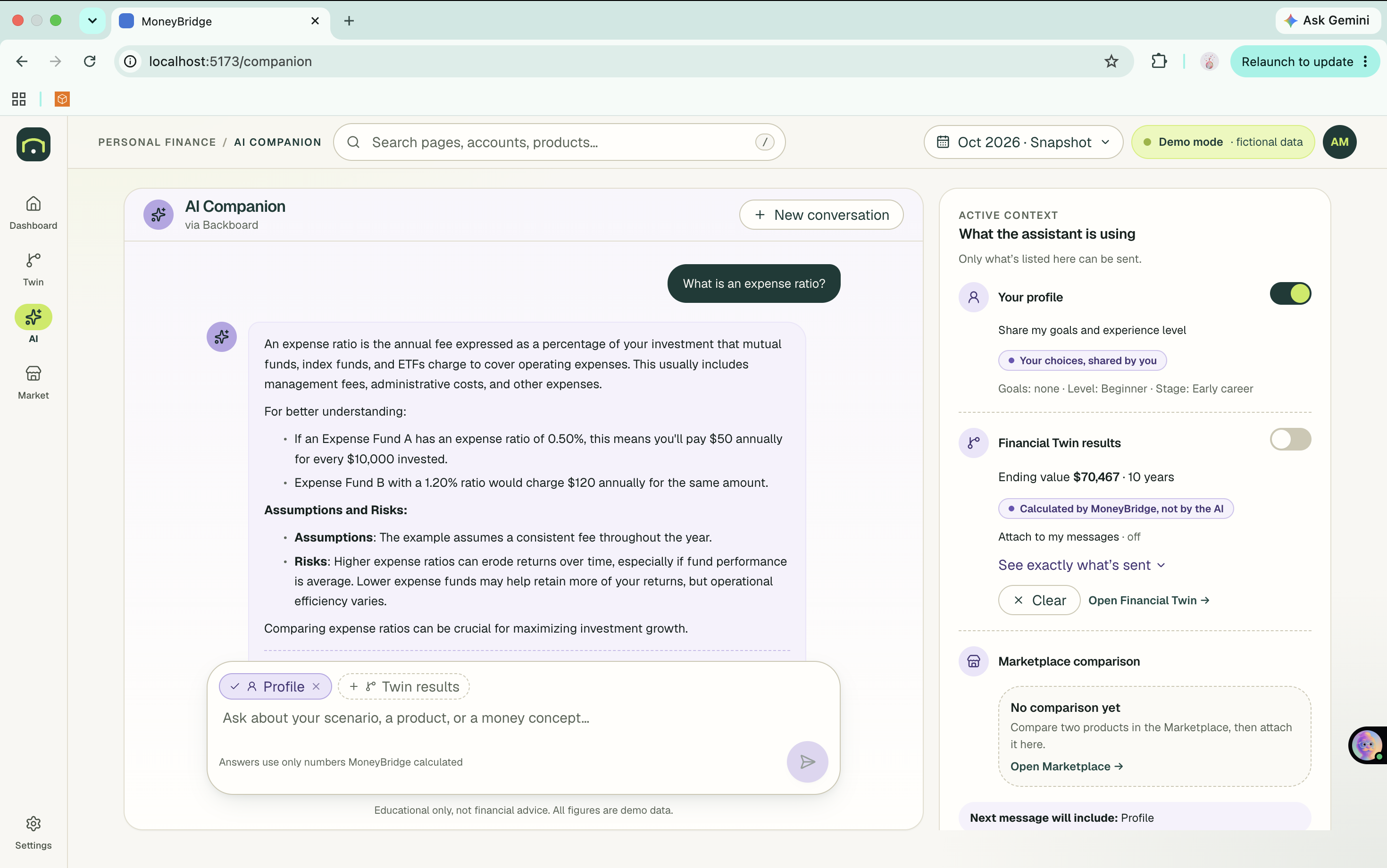
- AI Companion: a conversational explainer powered by Backboard. It receives the exact results the Twin calculated and explains the trade-offs in plain language. Retained memory is opt-in and visible.
- Marketplace: a small catalog of fictional financial products (banking, savings, credit, investing) you can search, filter, inspect, and compare side by side, then hand to the AI to explain.
Everything is clearly labeled as demo data or a hypothetical illustration. MoneyBridge does not trade, connect to banks, or give financial advice.
How we built it
- Frontend: React, TypeScript, Tailwind CSS, Vite, and Recharts.
- Backend: Python and FastAPI with Pydantic validation.
- The key design rule: code calculates, AI explains. All projections come from deterministic Python functions. Contributions are made at the end of each month, and the monthly rate is
$$r_{\text{monthly}} = \frac{r_{\text{gross}} - \text{weighted expense ratio}}{12}$$
with the balance updated as $B_m = B_{m-1}(1 + r_{\text{monthly}}) + C$. Taxes and inflation are excluded, and the assumptions are shown in the UI.
- Backboard: the Companion sends the calculated scenario or product comparison to Backboard's messages API, continues the same thread across pages, and uses opt-in memory. The system prompt tells the model to use only the numbers provided.
- Testing: backend unit tests cover the math, and browser tests check that every number on screen equals a direct call to the simulation API. An automated check also confirms the AI's reply quotes the backend's exact ending value.
- I built the app with Claude Code, planning each page's layout in a design document before writing any code.
Challenges we ran into
- Keeping the AI honest. Language models like to compute and embellish. We send only backend-calculated results, label them "Calculated by MoneyBridge, not by the AI," show users exactly what is being sent, and test that replies quote the real figures.
- Honest demo data. We refused to invent spending history or trend lines, so some charts show a single month and say so.
- Real-world API behavior. Backboard's replies put bullet markers on their own lines and use markdown headings, which broke our first renderer. Memory extraction is also asynchronous, so our tests had to poll for it.
- Redesigning, not just recoloring. Our first redesign changed only colors. We had to push for structural changes: a new shell, a sticky simulation panel, a split-bar allocation control that enforces a 100% total.
Accomplishments that we're proud of
- A Financial Twin whose every displayed number matches the backend, verified by automated tests. The reference case ($10,000 start, $300 per month, 6% gross, 0.05% fee, 10 years) produces $67,134.
- An allocation control that cannot leave the total off 100%.
- A working end-to-end loop: simulate, explain with Backboard, compare products, explain again, with the AI seeing the same data you see.
- Responsible design throughout: visible assumptions, no guaranteed-return language, no advice, and no sensitive data.
What we learned
- Separating calculation from explanation makes both better and makes the AI's output checkable.
- Transparency features, such as showing what the AI receives, build trust more than polish does.
- Planning a layout in writing before generating code leads to much better design results than repeated tweaks.
What's next for MoneyBridge
- Real account connections through a regulated aggregator, with consent controls.
- More simulations: debt payoff, emergency-fund timelines, and tax-aware scenarios.
- Per-product details and richer learning modules with progress tracking.
- Accessibility testing with screen-reader users and translated content for newcomers.
- Persisting Backboard memory per signed-in user.
Built With
- backboard
- claude-code
- fastapi
- httpx
- lucide
- playwright
- pydantic
- pytest
- python
- react
- recharts
- render
- tailwindcss
- typescript
- vercel
- vite
