Inspiration
Momonga was inspired by a problem almost every student faces: deadlines are scattered everywhere. Assignments, exams, meetings, forms, submissions, and reminders often appear in emails, LMS announcements, PDFs, screenshots, and calendar invites. Students do not miss deadlines because they are careless; they miss them because important details are hidden inside messy information.
We wanted to build an AI agent that turns deadline chaos into a calm, clear plan.
What it does
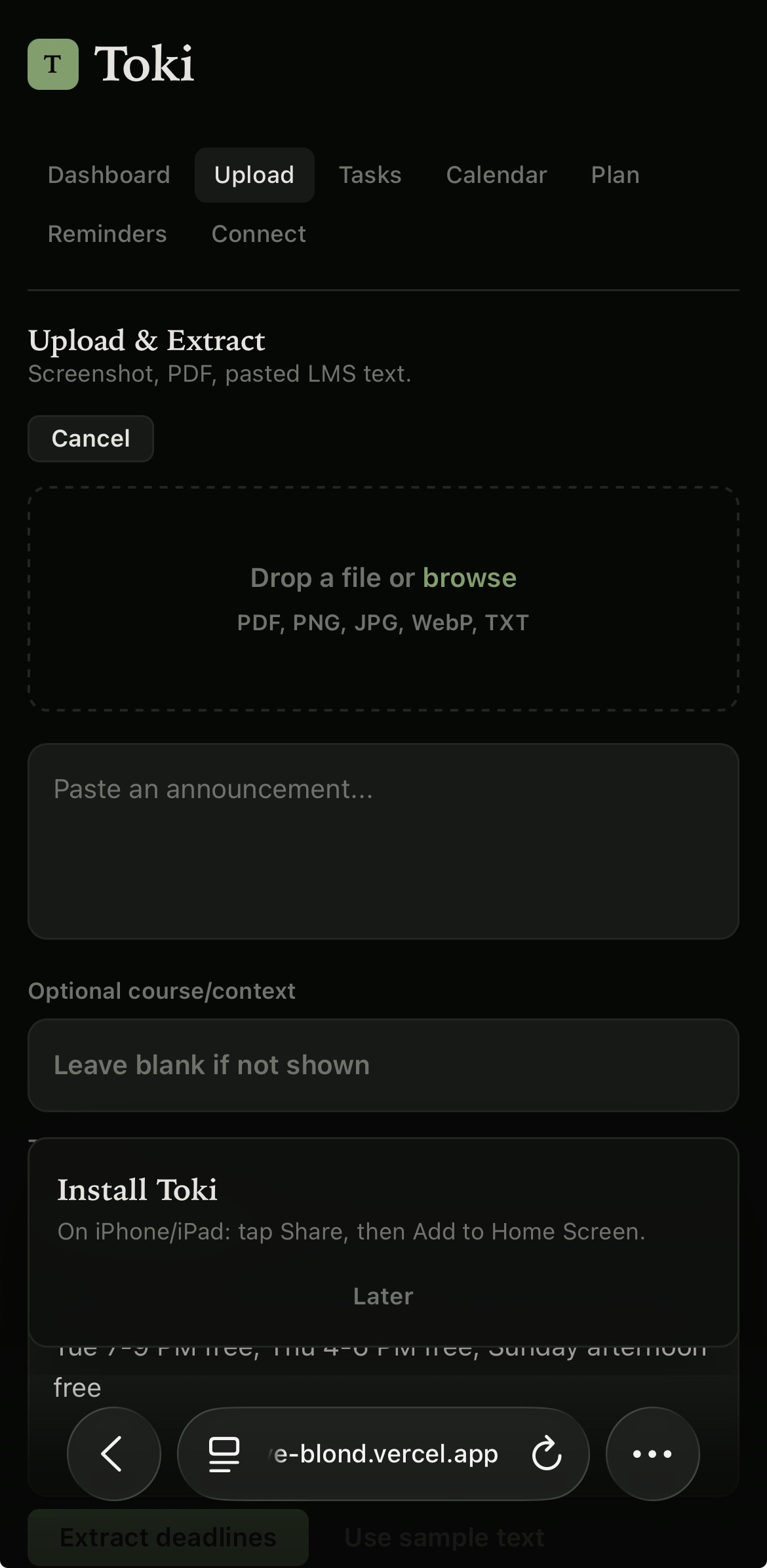
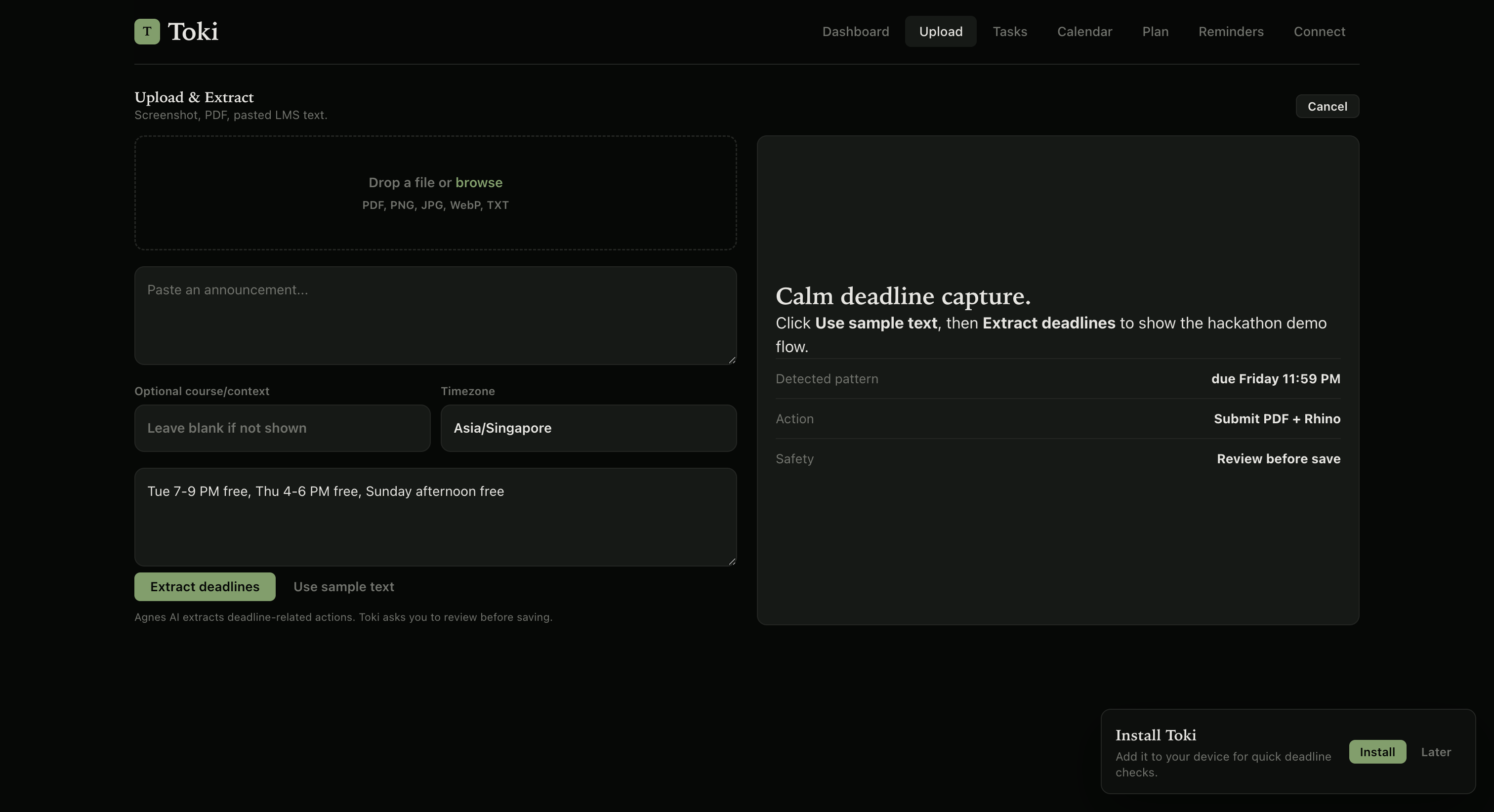
Momonga is an AI-powered student deadline planner. Students can upload or paste announcements from screenshots, PDFs, emails, or LMS pages, and Momonga extracts important academic actions such as assignments, exams, meetings, forms, and submissions.
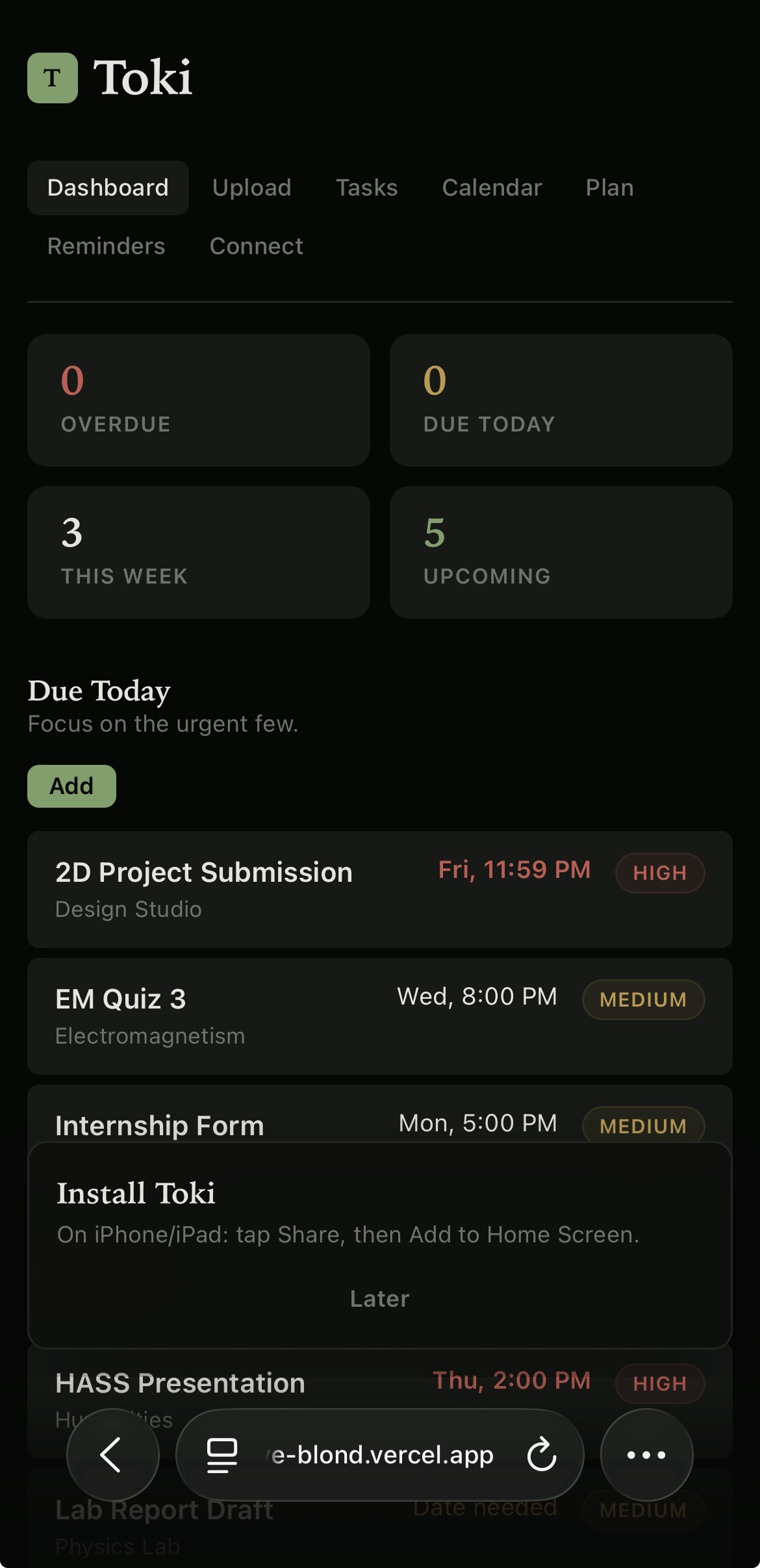
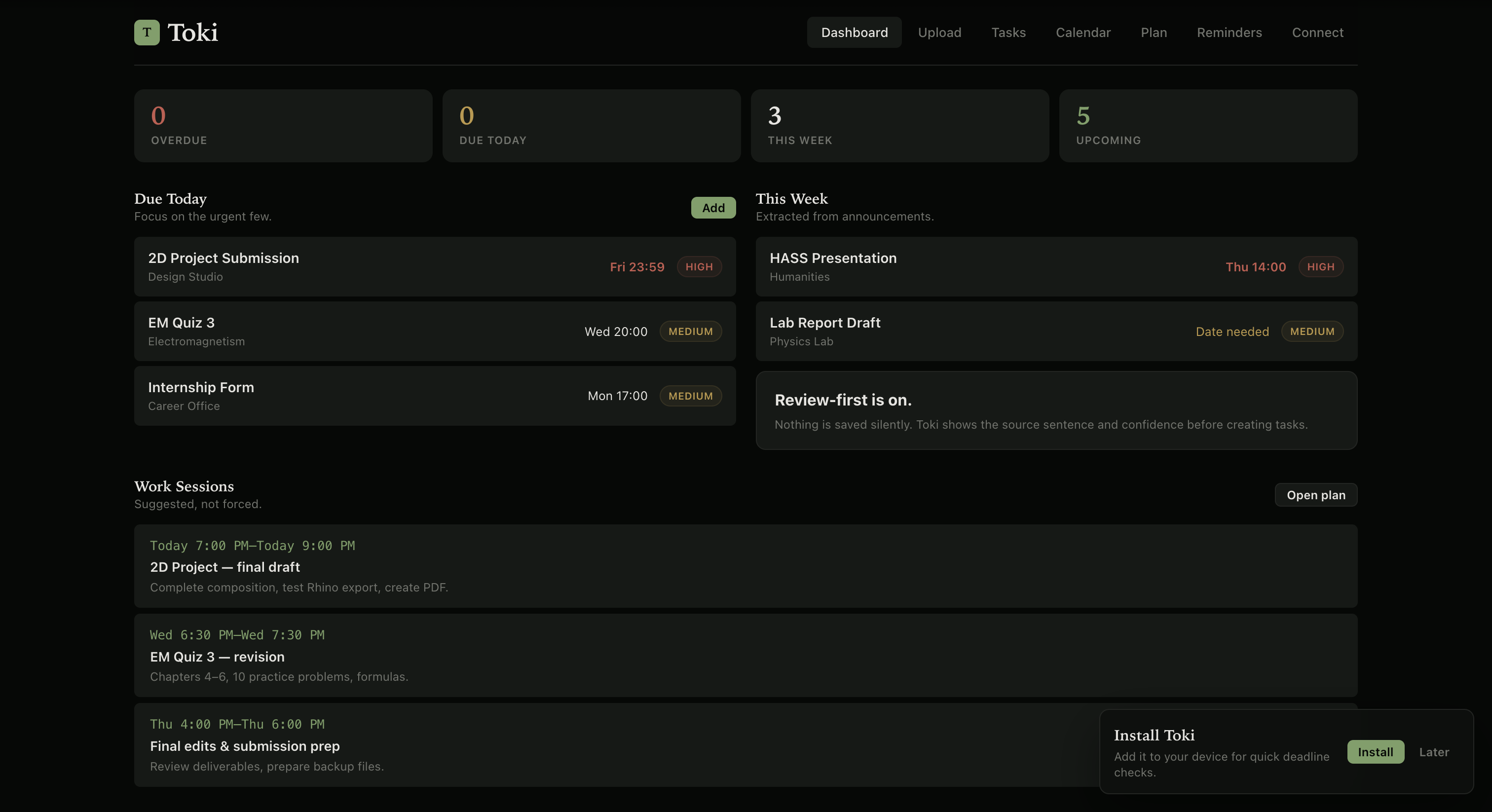
It shows each extracted item with its due date, due time, priority, task type, source sentence, and confidence score. Before anything is saved, the student gets a review screen to confirm or edit the AI’s output.
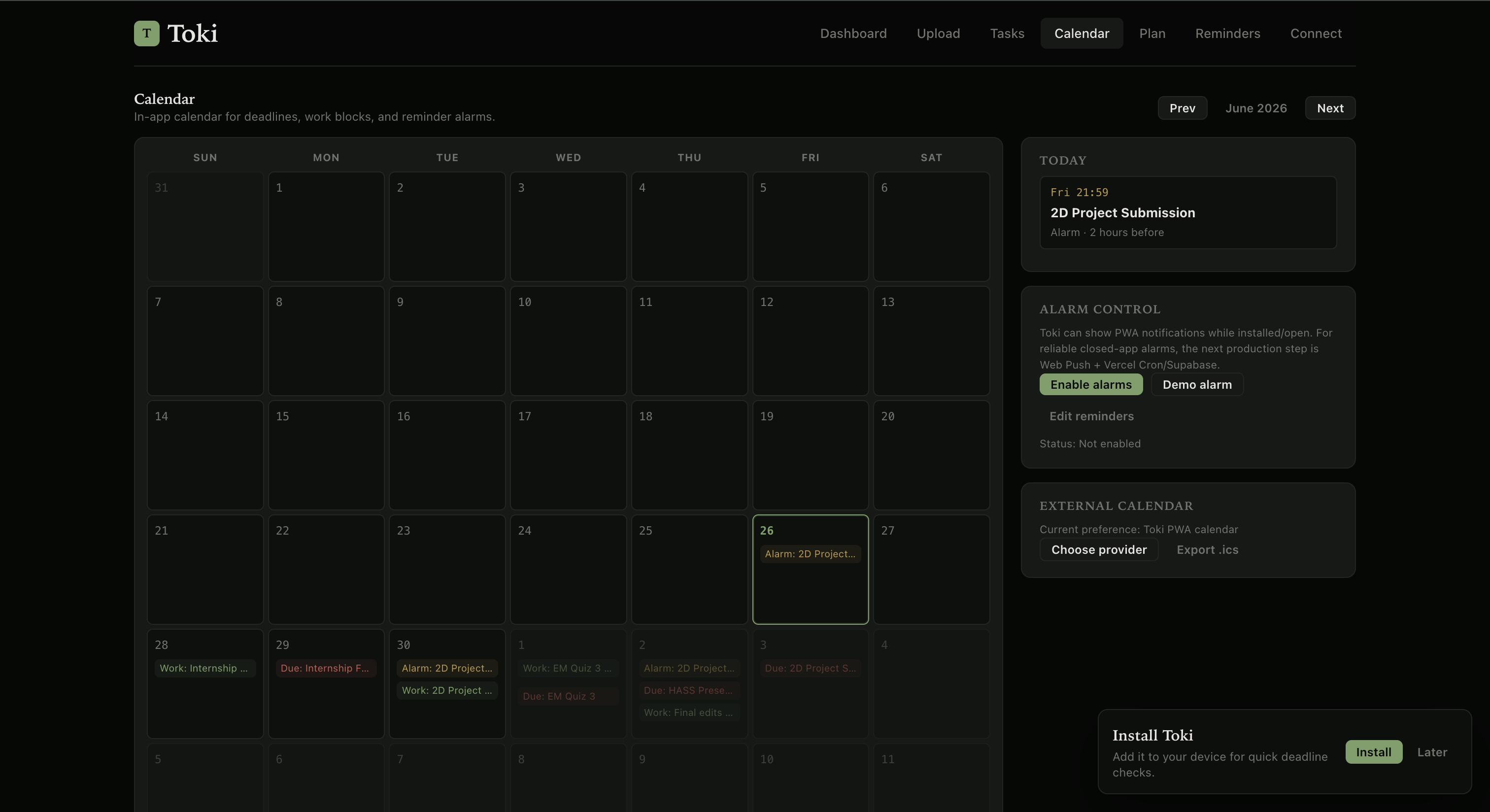
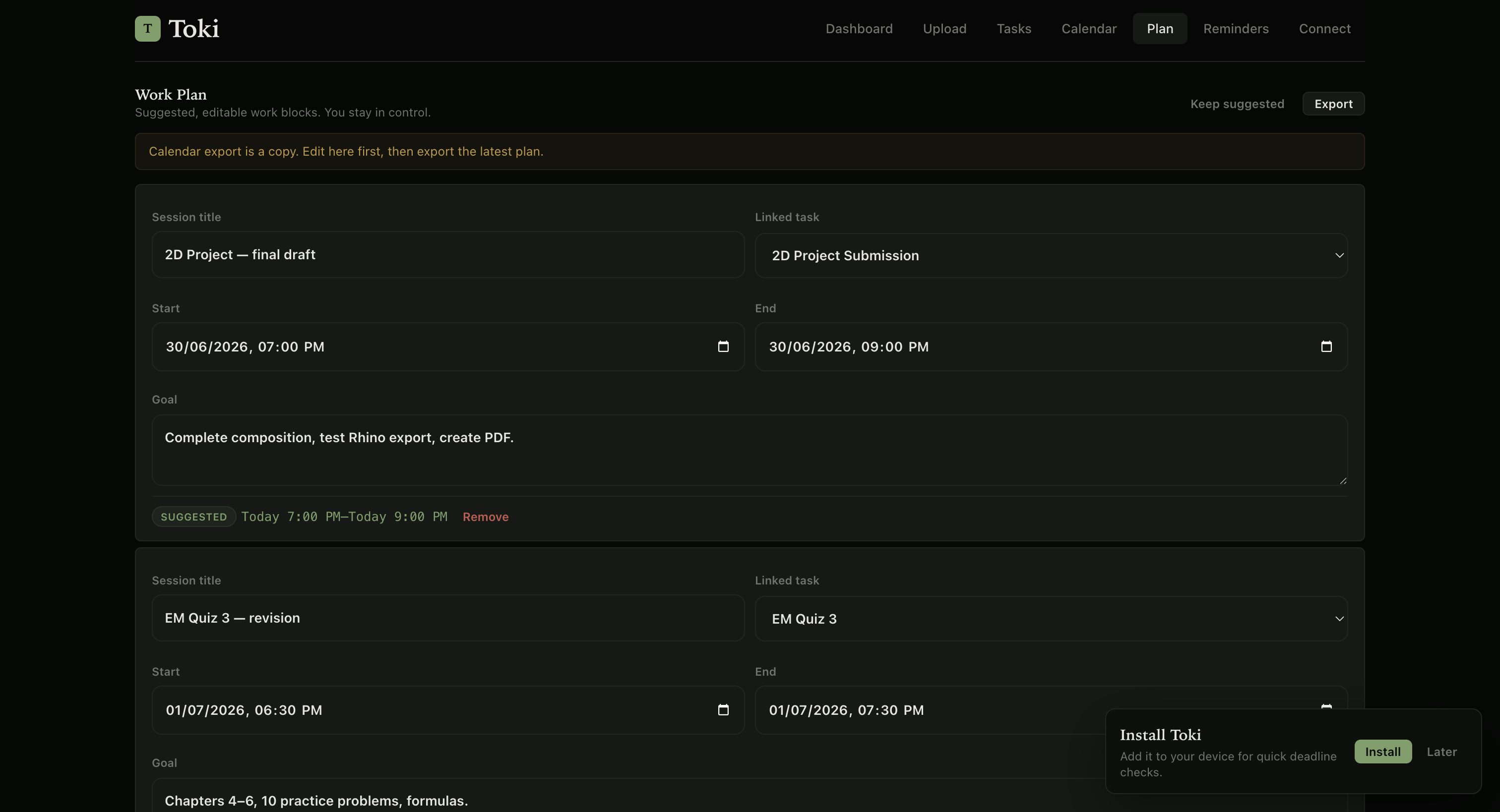
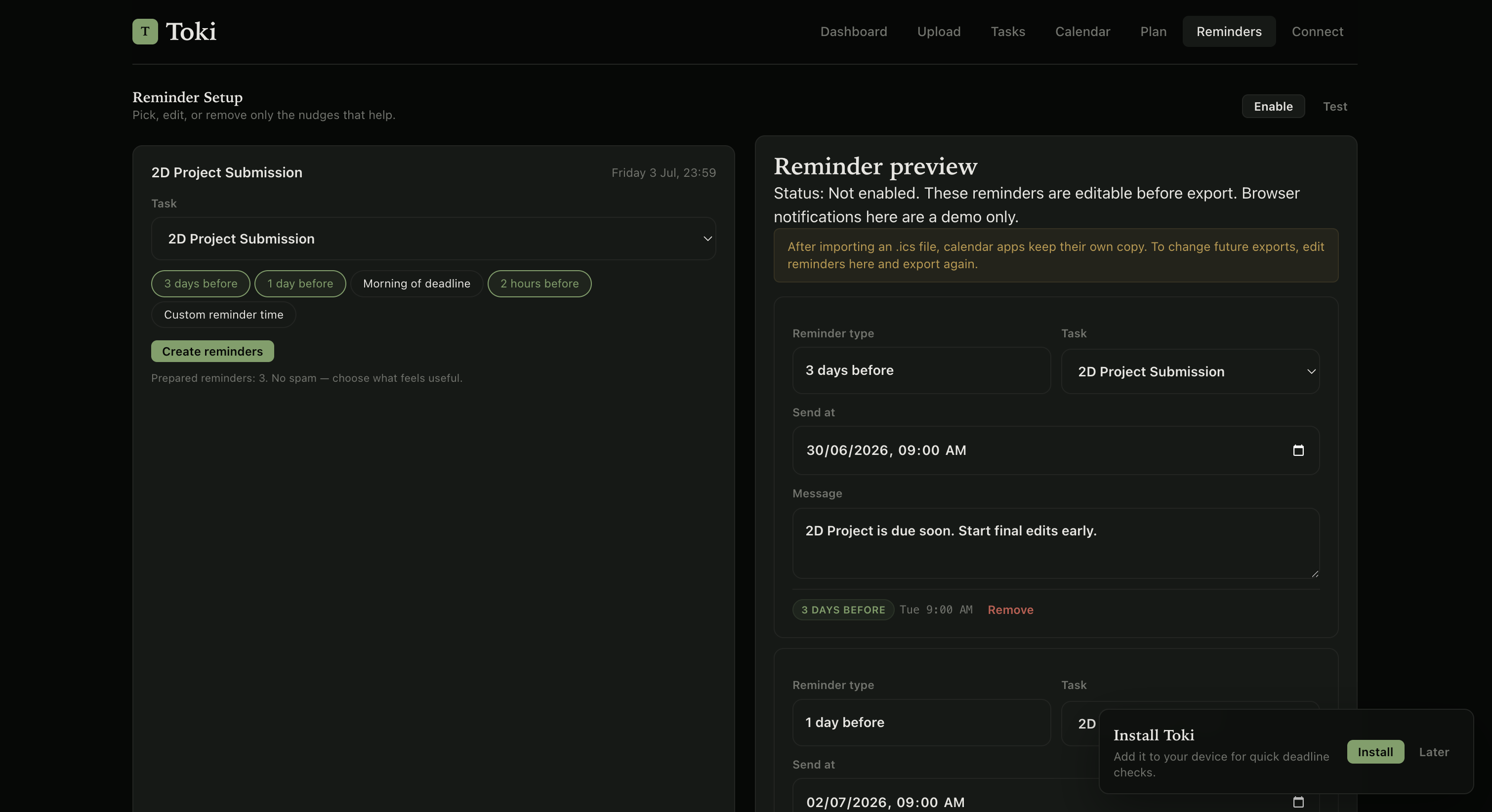
Momonga also creates a task list, an in-app calendar, suggested work sessions, reminders, and calendar export options. The goal is not just to say what is due, but to help students understand when to work on it.
How we built it
We built Momonga as a Progressive Web App using Next.js and TypeScript. The app includes a dashboard, upload flow, extraction review screen, task list, in-app calendar, work plan, reminder setup, task detail page, and calendar connection screen.
The AI extraction flow is designed to be source-faithful. If a source does not mention a venue, course, meeting link, or deliverable, Momonga does not invent it. Instead, it clearly marks the missing detail as not provided. This makes the app safer and more trustworthy.
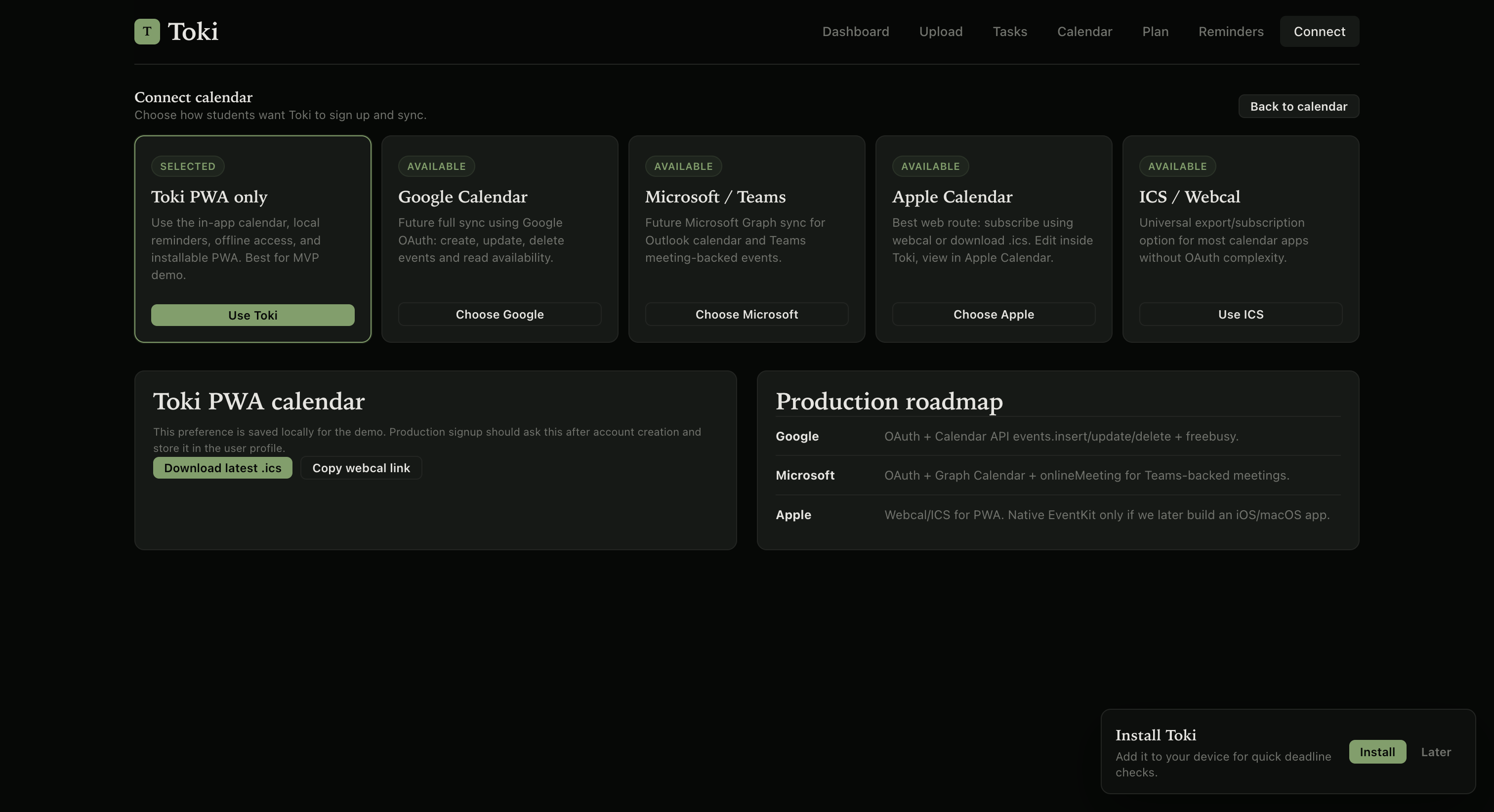
We also added PWA features such as install support, service worker setup, offline fallback, and browser notification demos. For calendar support, we implemented ICS export and designed the integration flow for Google Calendar, Microsoft Outlook/Teams, and Apple Calendar through webcal or ICS subscription.
Challenges we ran into
One challenge was making the AI strict enough. Early versions could classify a meeting as a class event or infer details that were not actually present in the source. We fixed this by improving the extraction prompt and adding clearer task types such as meeting, exam, assignment, form, submission, and class event.
Another challenge was calendar time handling. Calendar files and calendar apps can display time differently because of timezone conversion, so we had to carefully test how events appear in the app and after export.
We also ran into PWA and deployment issues, such as manifest type errors, service worker setup, and making sure the app works correctly on both desktop and mobile. The desktop interface looked clean, but the mobile navigation became crowded, so we planned a side menu for a more app-like mobile experience.
Accomplishments that we're proud of
We are proud that Momonga does more than simply extract text. It creates a full student workflow: upload, extract, review, save, plan, remind, and sync.
We are also proud of the review-before-save approach. Instead of pretending the AI is always correct, Momonga shows confidence scores and source sentences so students can make informed decisions.
Another accomplishment is the in-app calendar and suggested work sessions. This makes Momonga feel like a real planning companion rather than just a deadline detector.
What we learned
We learned that building an AI agent for students is not only about accuracy. It is also about trust, control, and uncertainty. A wrong deadline or invented venue can be more harmful than no extraction at all, so transparency became a major design principle.
We also learned that calendar integration has multiple levels. ICS export is simple and universal, webcal is useful for subscriptions, Google and Microsoft require OAuth and API syncing, and Apple Calendar direct write access is difficult for a web-based PWA.
Finally, we learned that a good student tool should feel calm. The interface should reduce anxiety, not add more panels, alerts, or complexity.
What's next for Momonga
Next, we want to add full Google Calendar and Microsoft Outlook/Teams sync, so tasks can be created, updated, and deleted directly from the user’s preferred calendar.
We also want to add real PWA push reminders using a backend, stored push subscriptions, and scheduled jobs, so alarms work reliably even when the app is closed.
Future versions could connect directly to Gmail, Outlook Mail, LMS platforms, and student portals. The long-term goal is for Momonga to become a personal academic planning agent that safely reads student announcements, extracts deadlines, explains uncertainty, and helps students stay ahead without feeling overwhelmed.

Log in or sign up for Devpost to join the conversation.