-
-
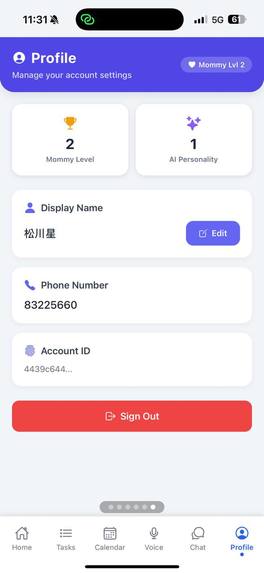
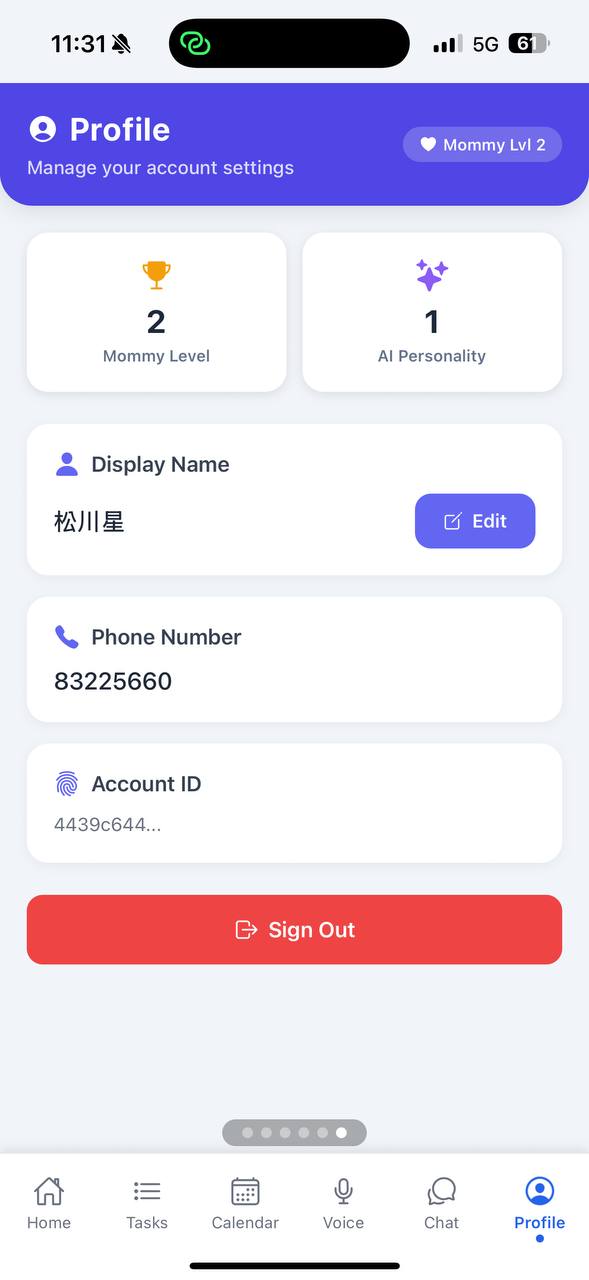
Profile page
-
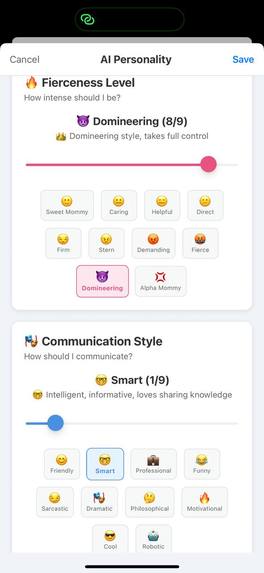
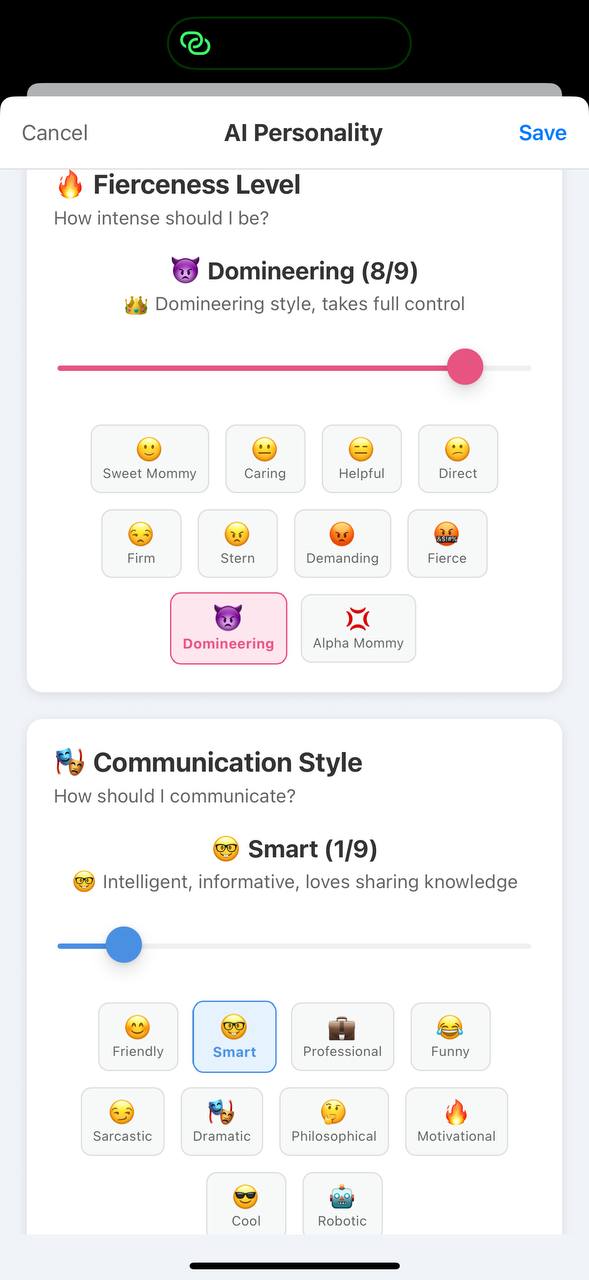
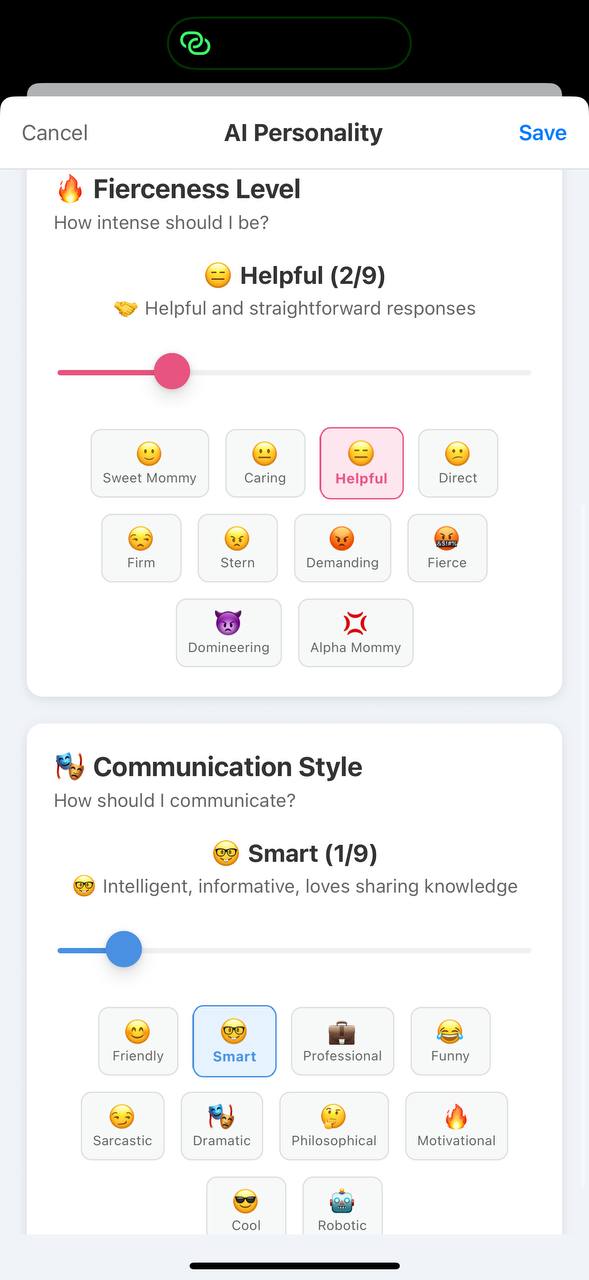
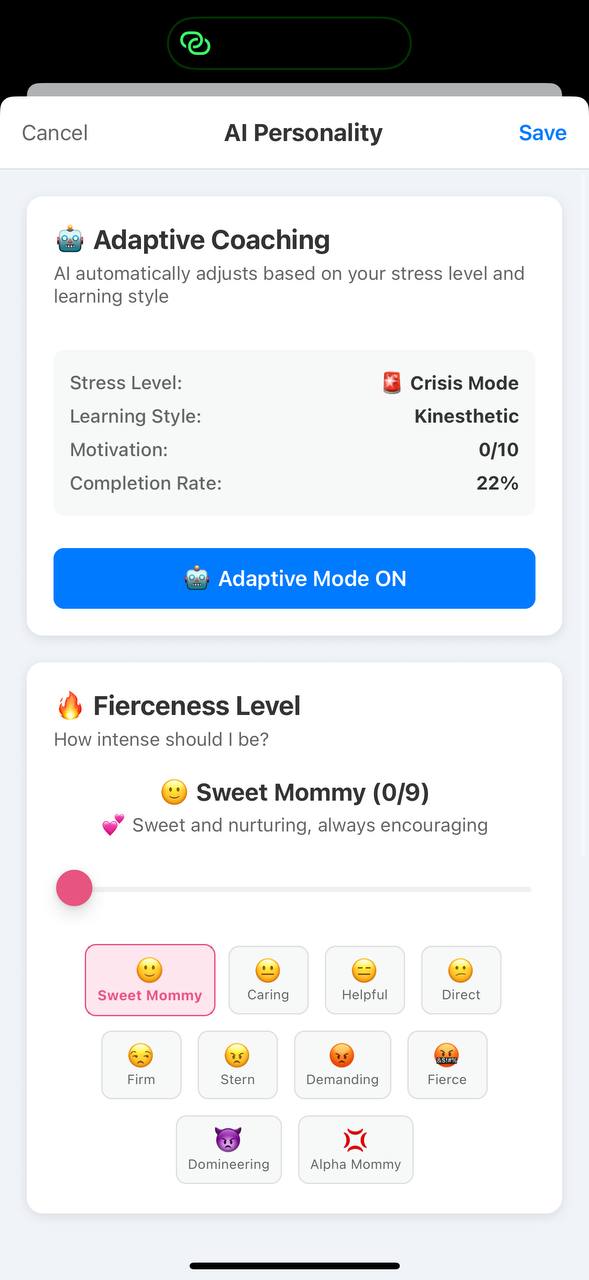
Modal to change ai lvl
-
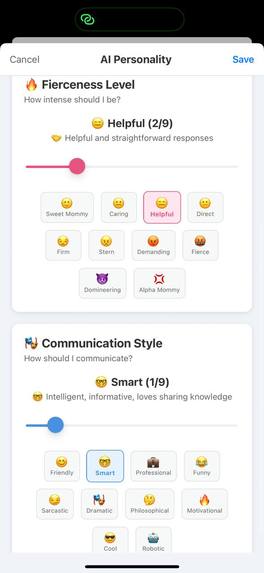
Modal to change ai lvl
-
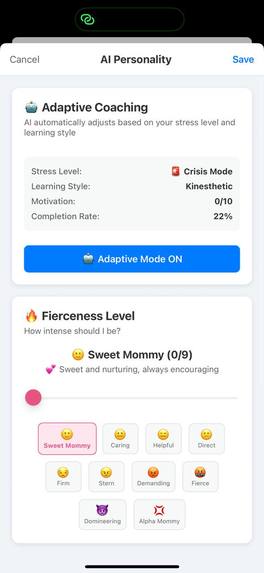
Modal to change ai lvl
-
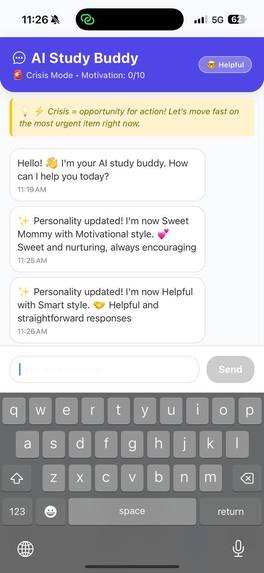
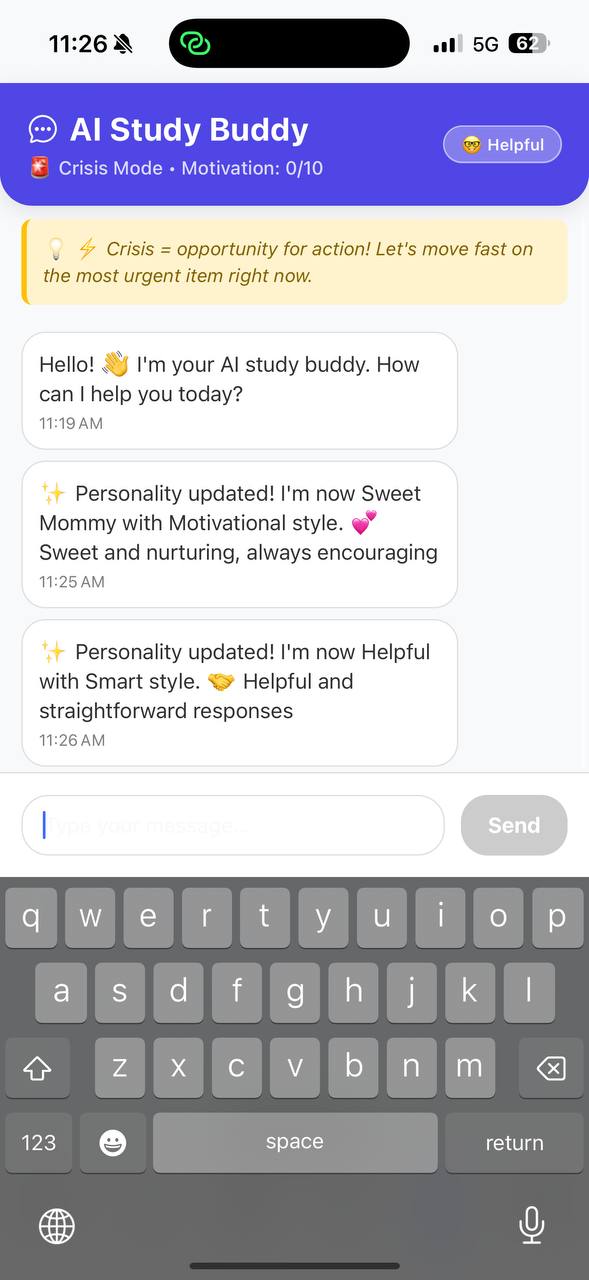
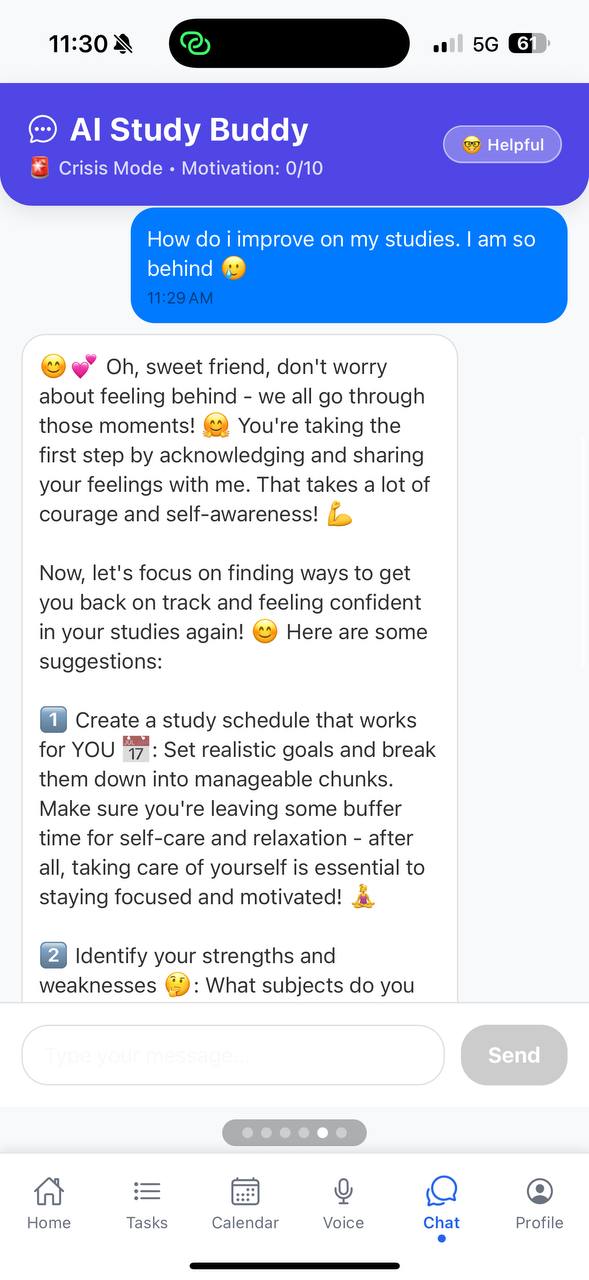
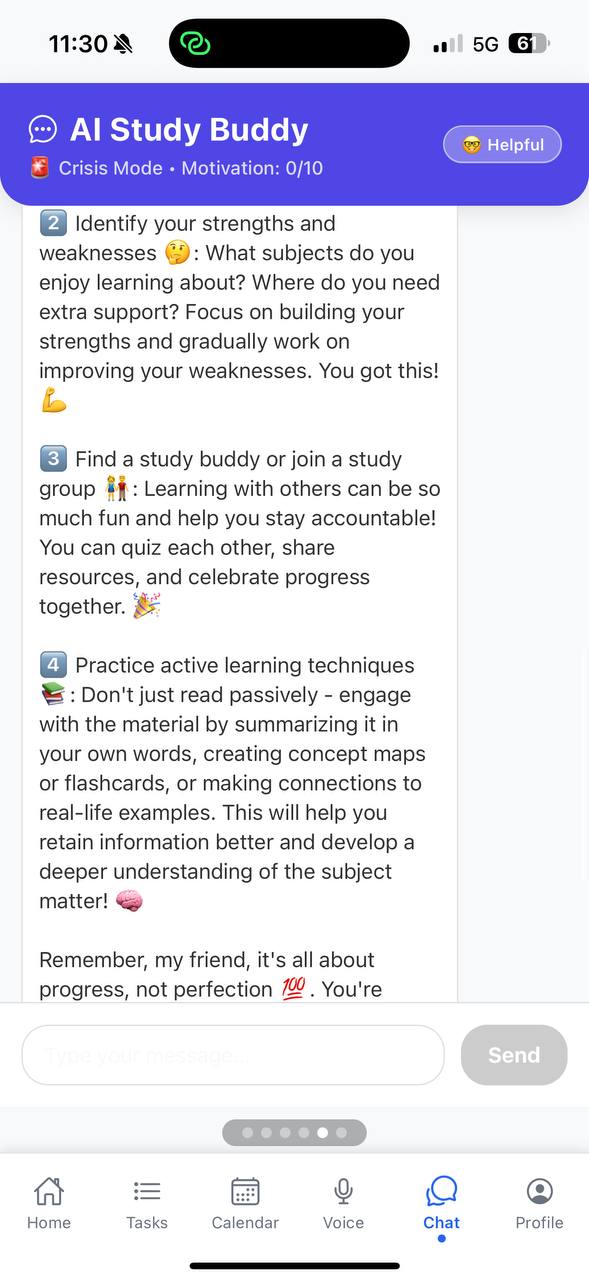
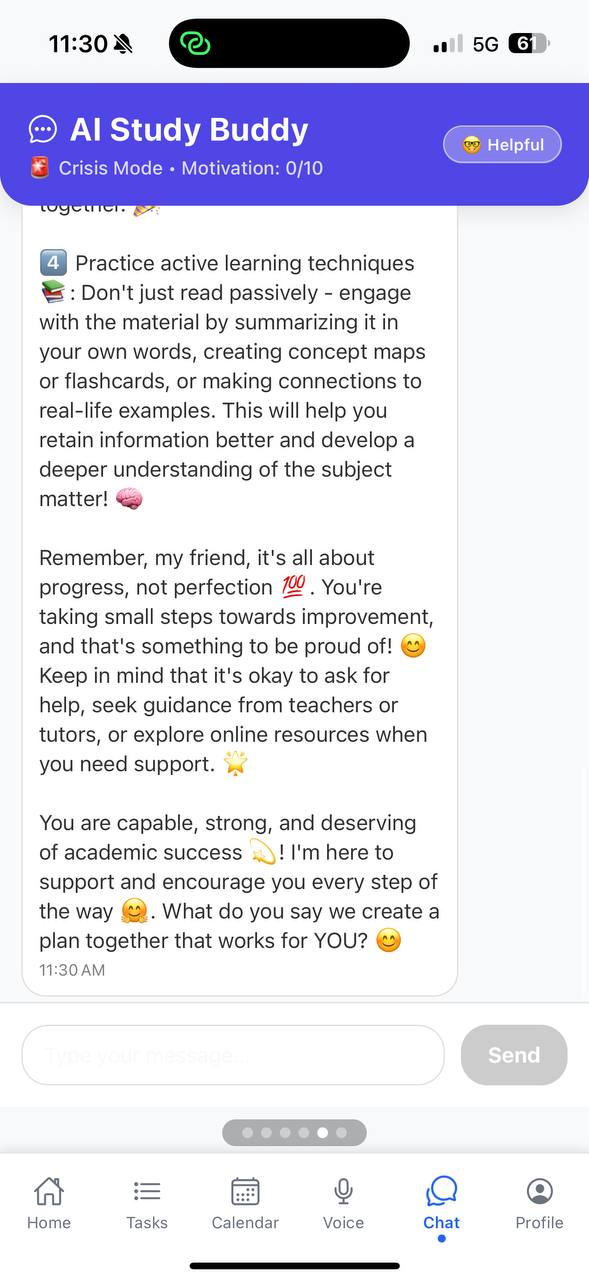
ai chatbot ui
-
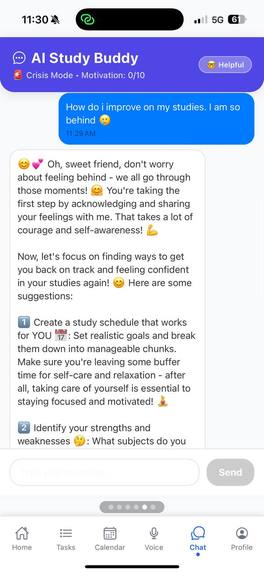
ai chatbot ui
-
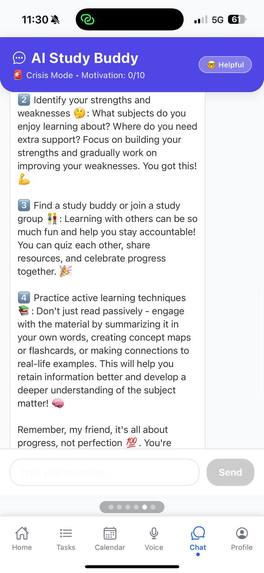
ai chatbot ui
-
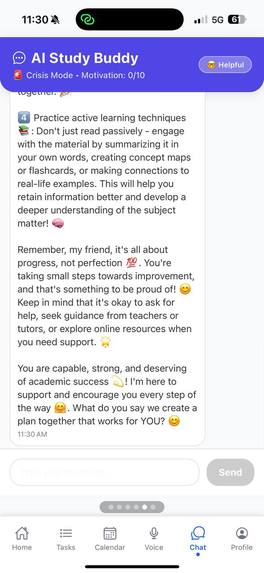
ai chatbot ui
-
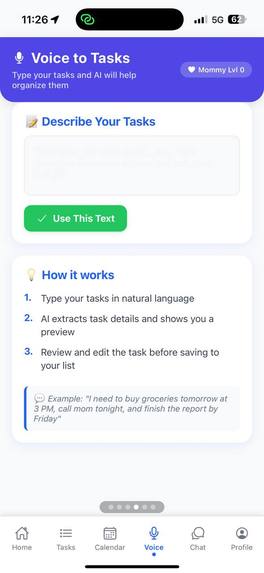
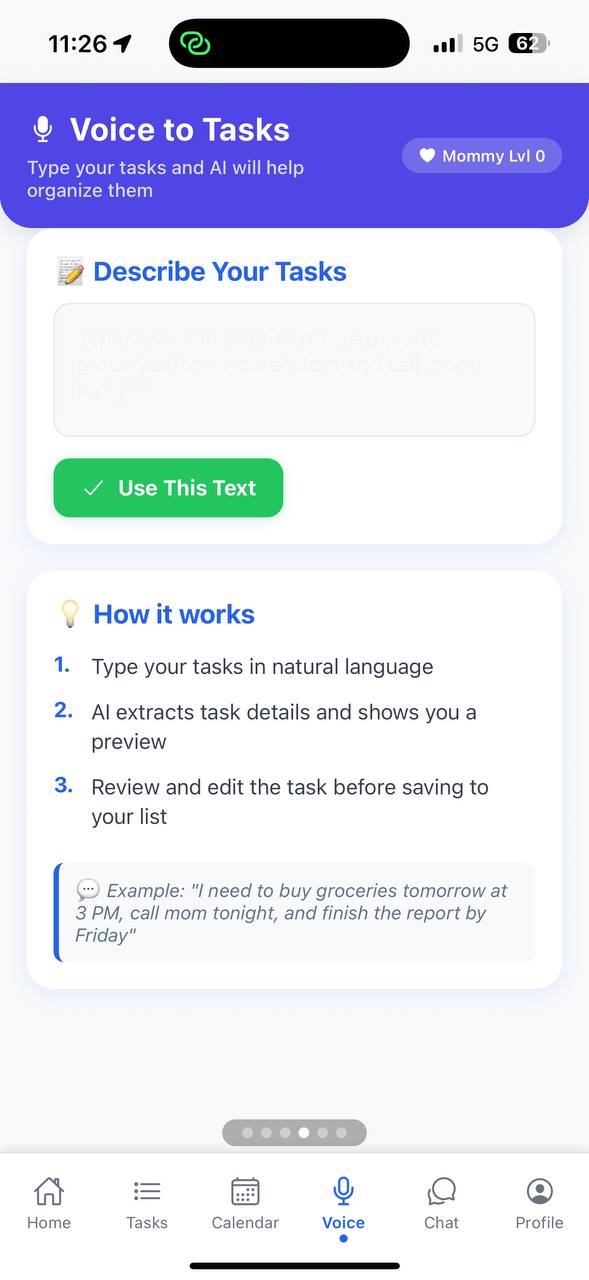
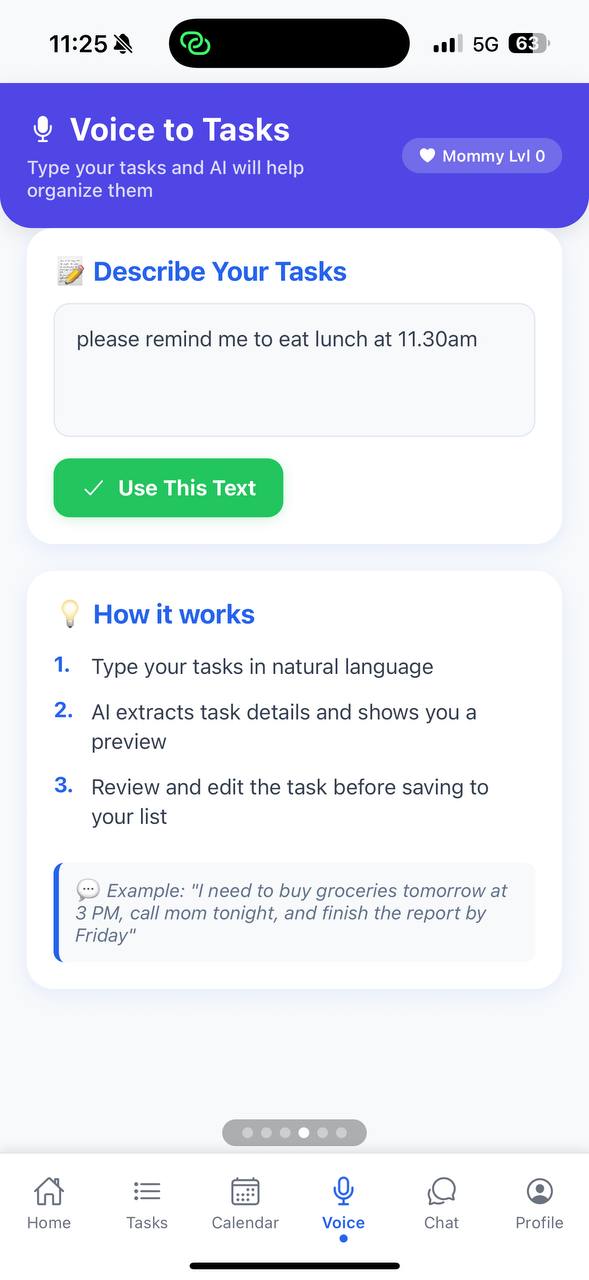
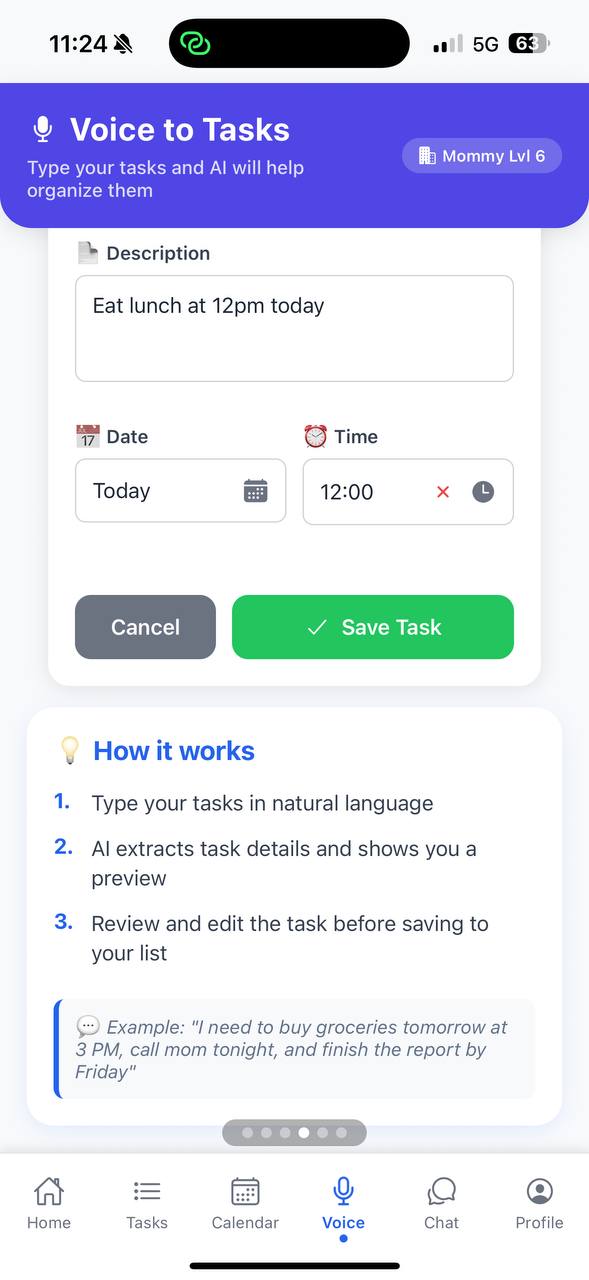
nlp converter ui
-
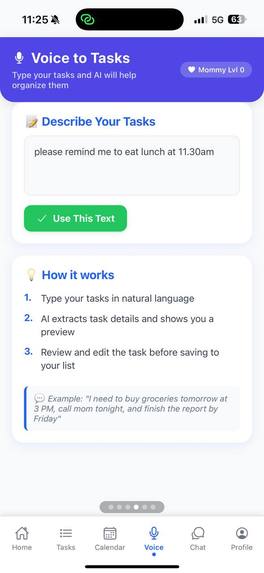
nlp converter ui
-
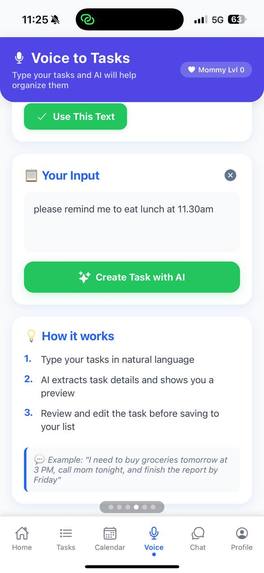
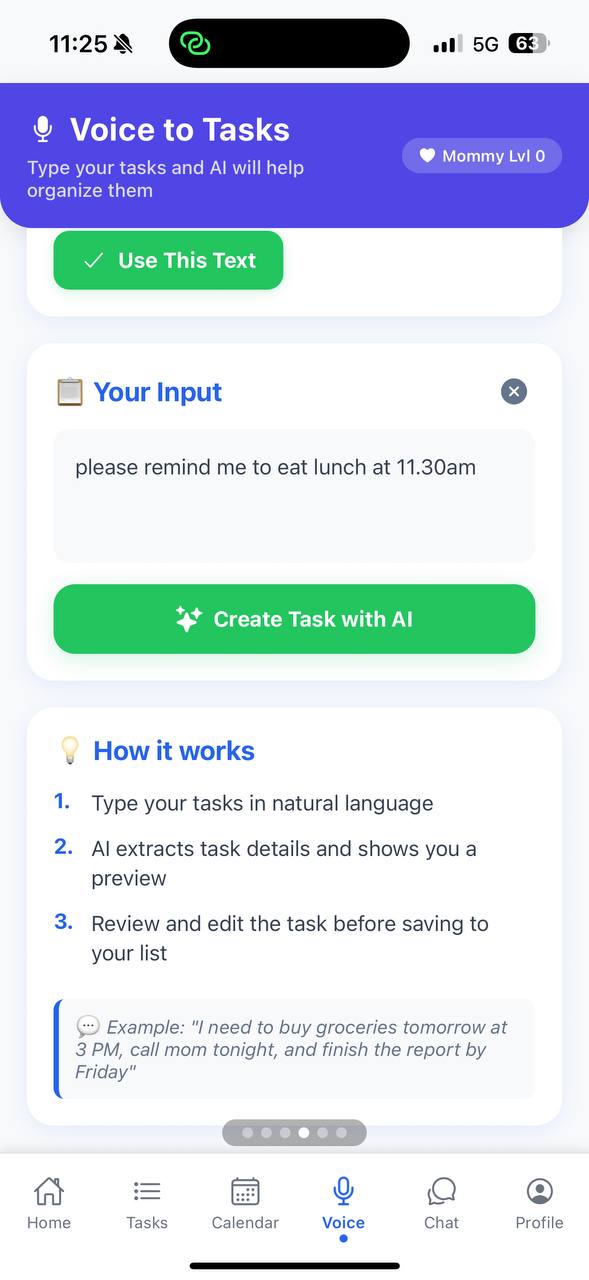
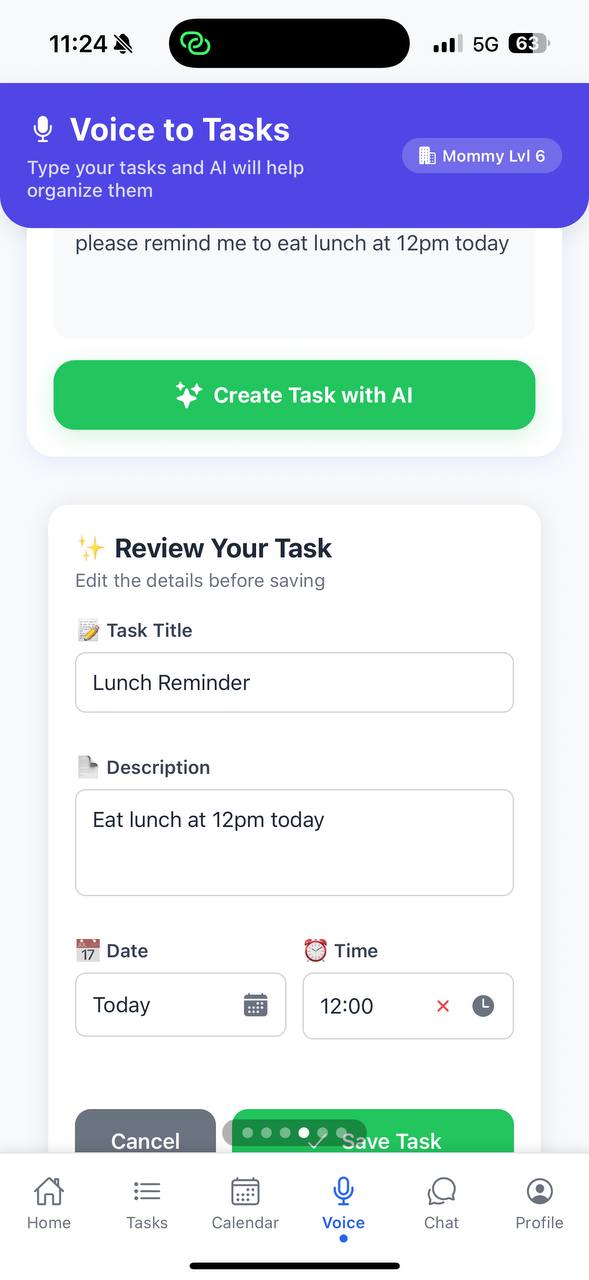
press button to transform
-
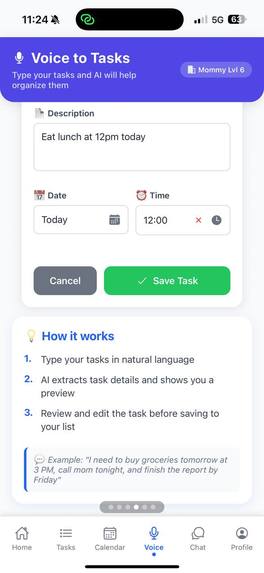
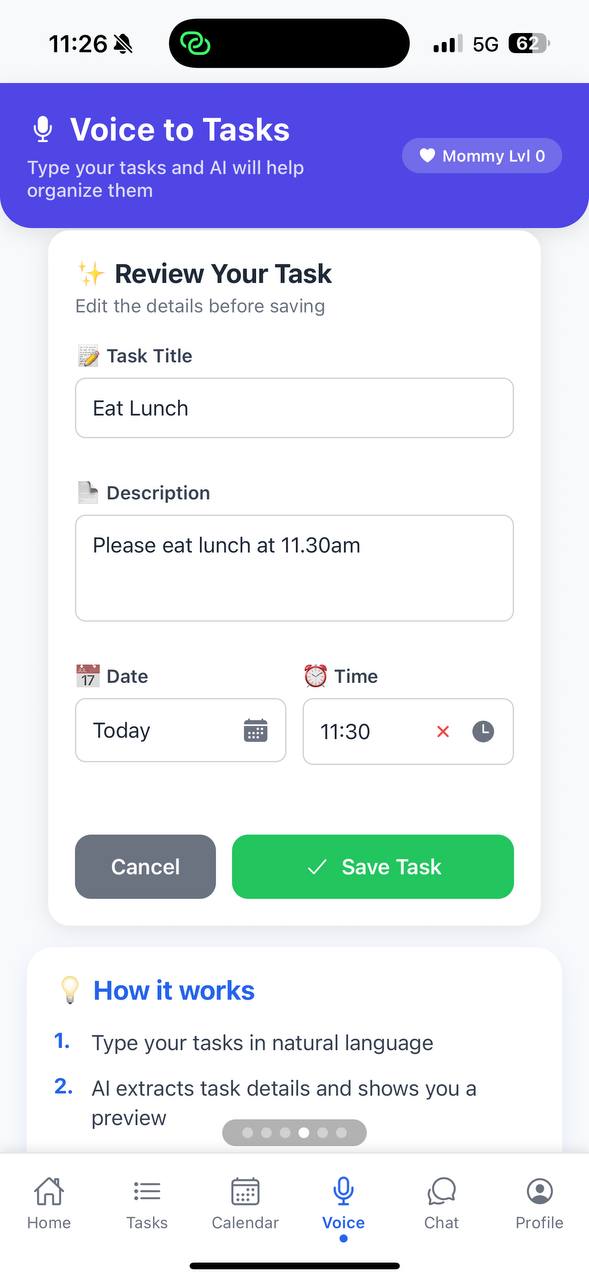
check nlp result
-
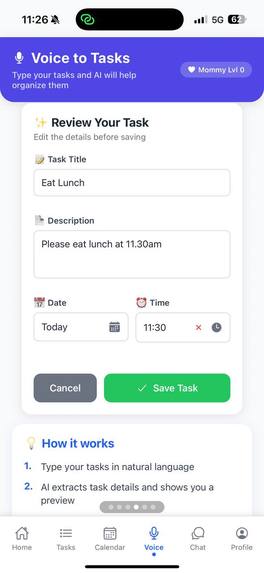
check result
-
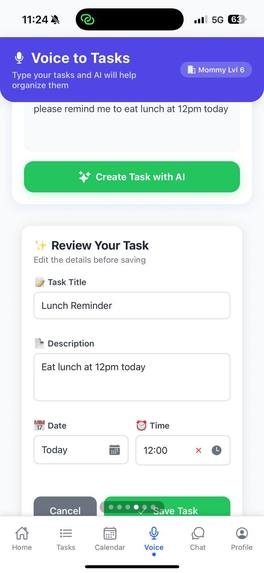
Check nlp result
-
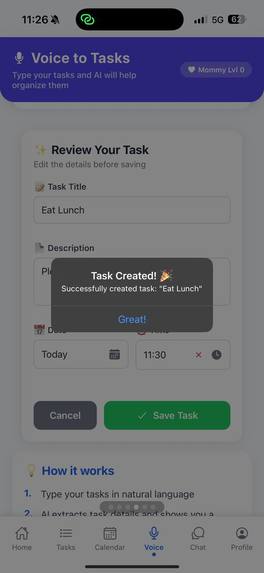
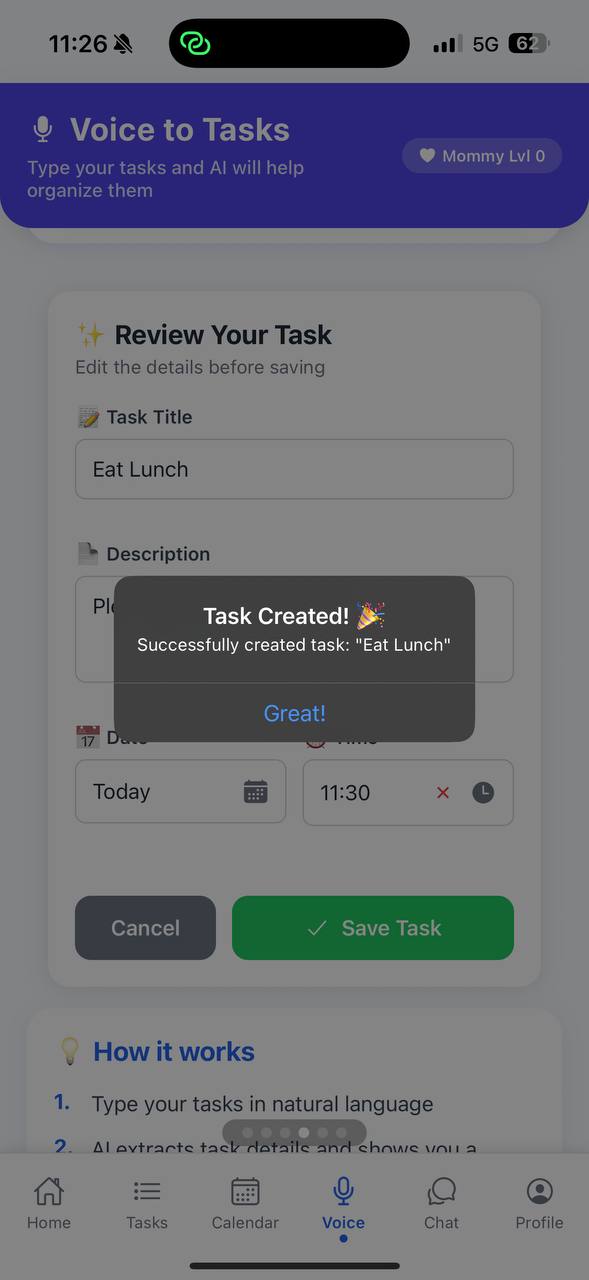
Task created successfullly
-
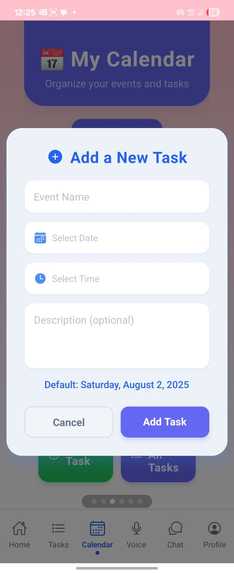
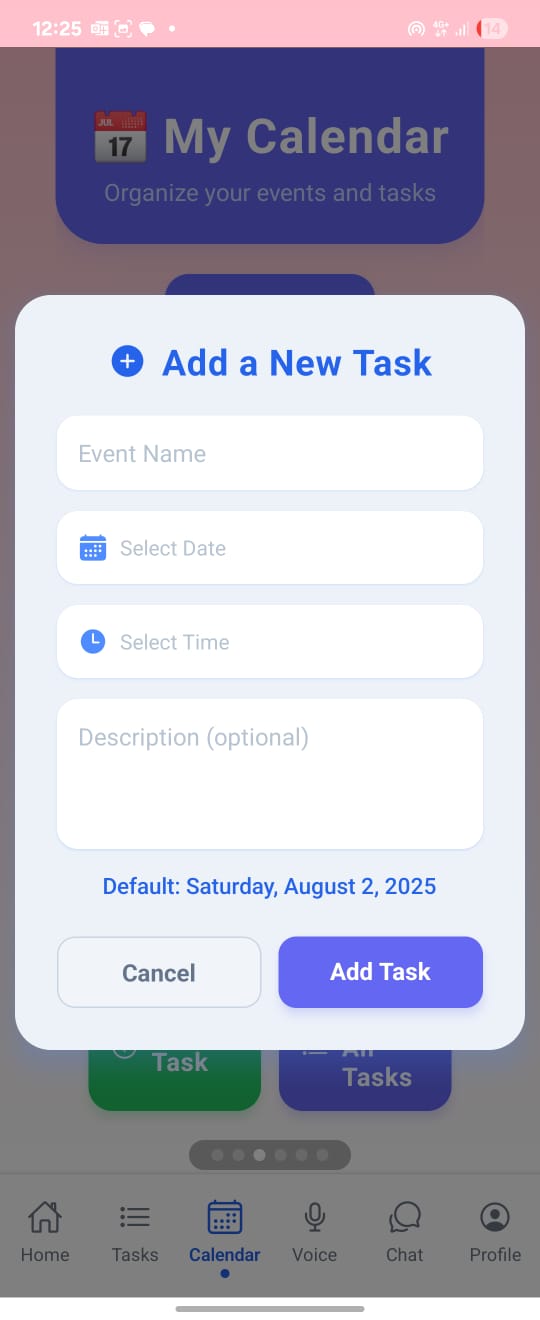
Add task
-
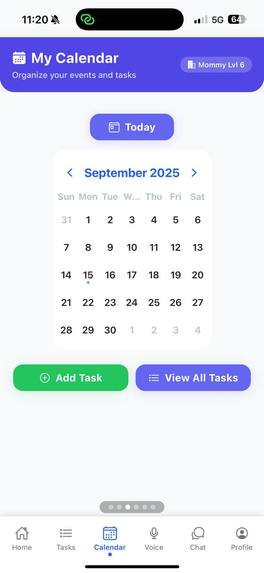
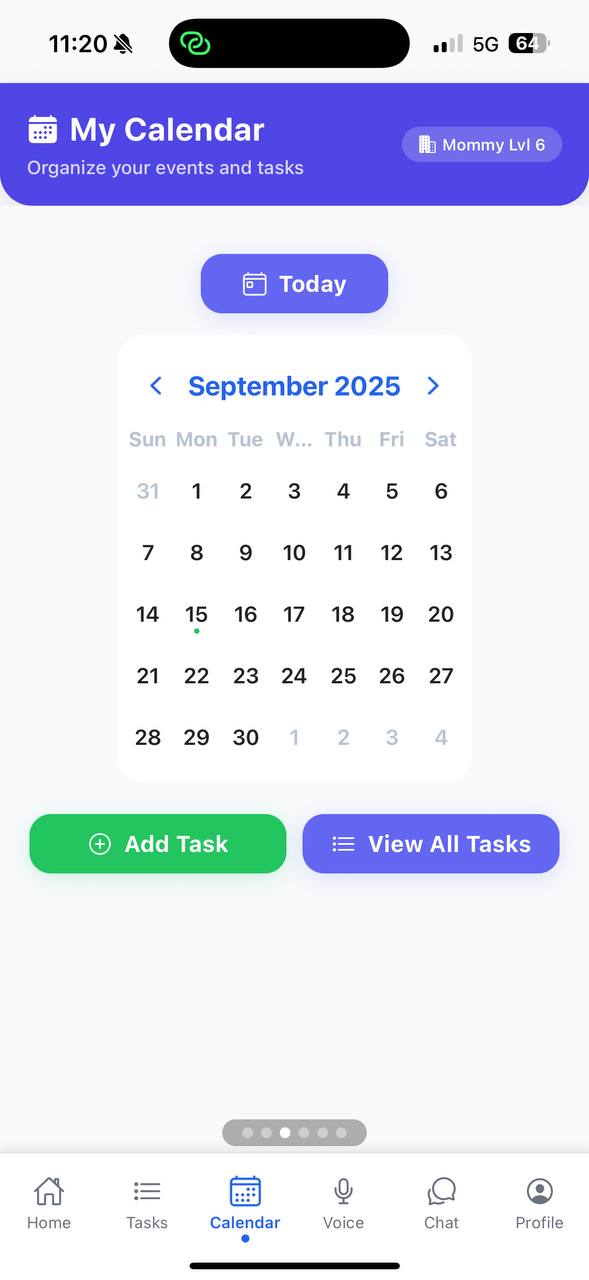
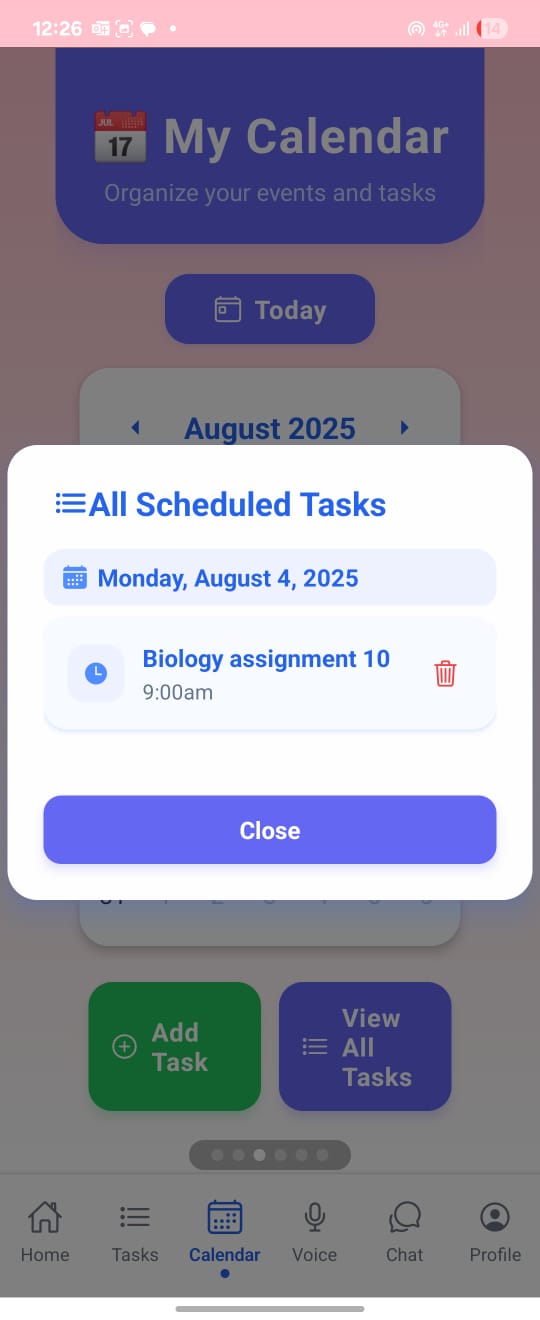
Calendar
-
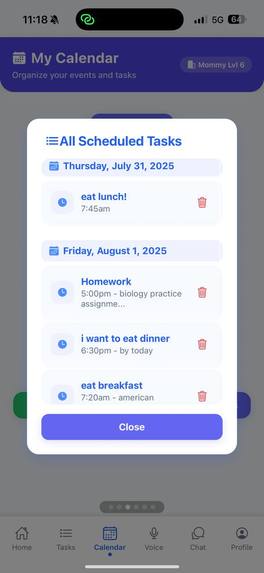
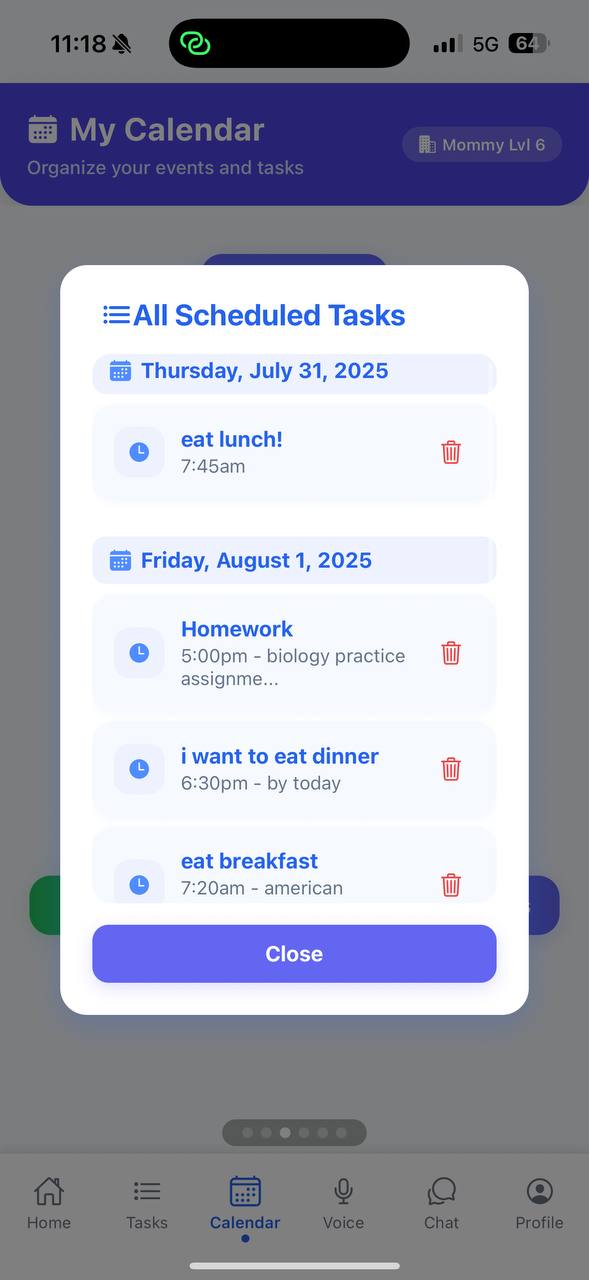
View all tasks
-
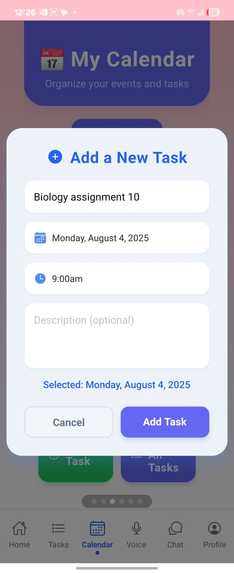
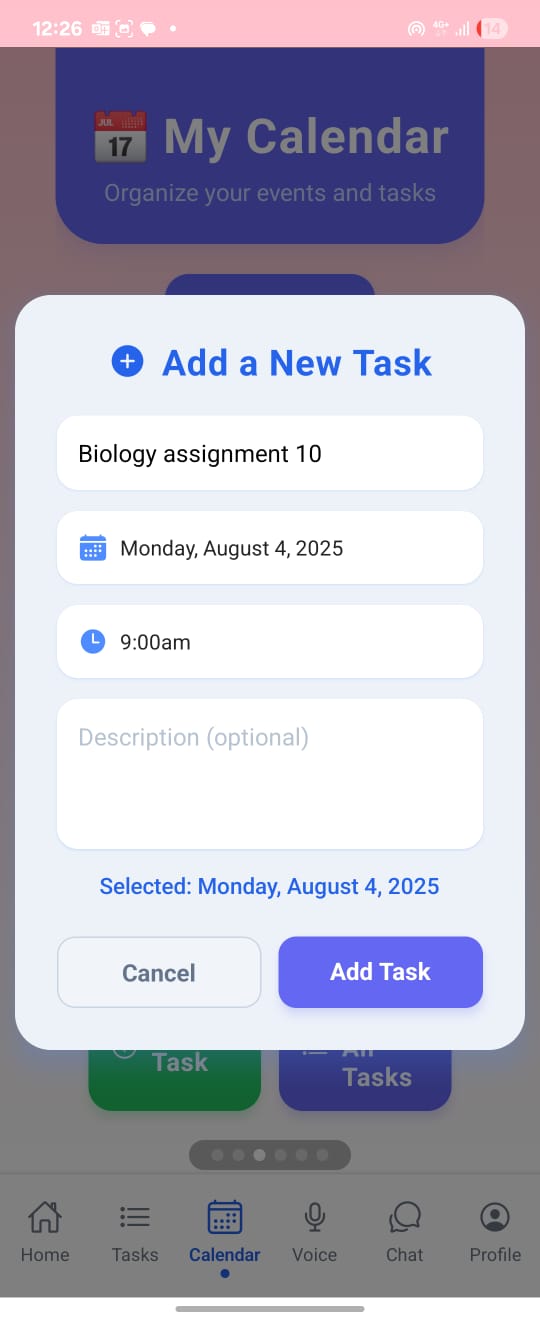
Adding task
-
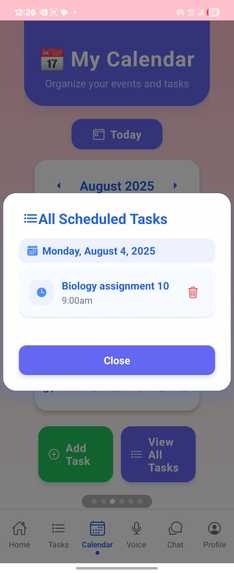
Task added successfully
-
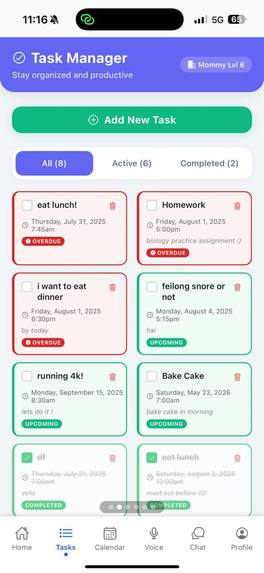
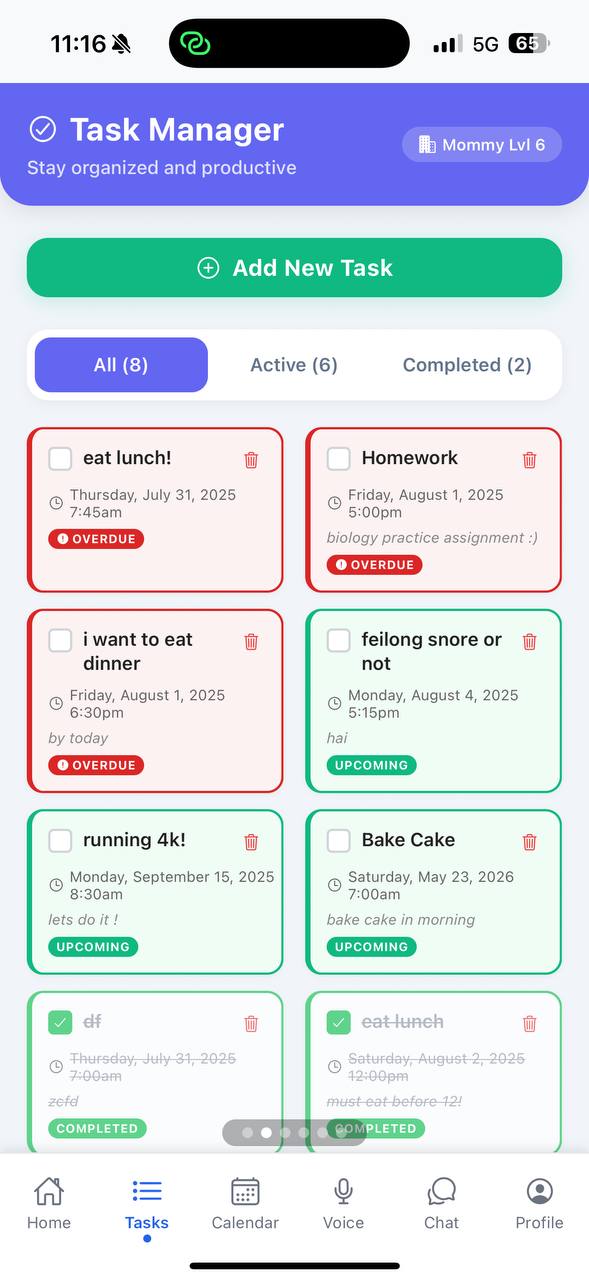
Tasks pages sorted by due date
-
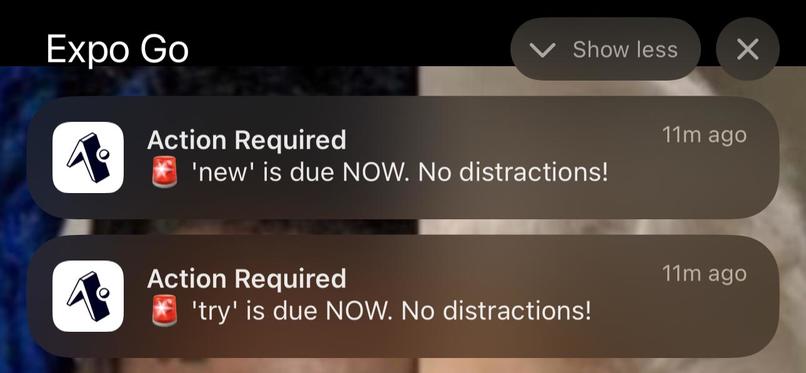
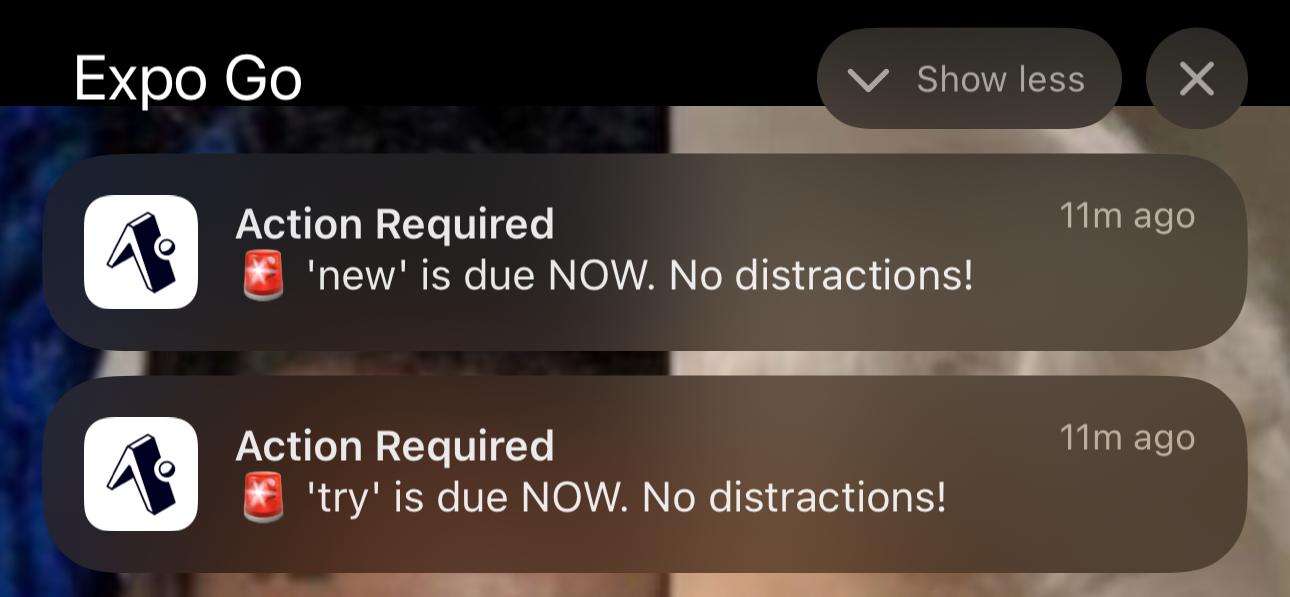
notifcations when mommy_lvl is 9
-
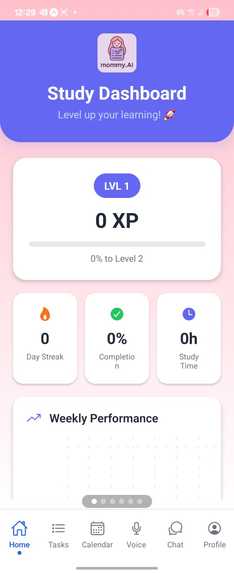
Gamified task completition
-
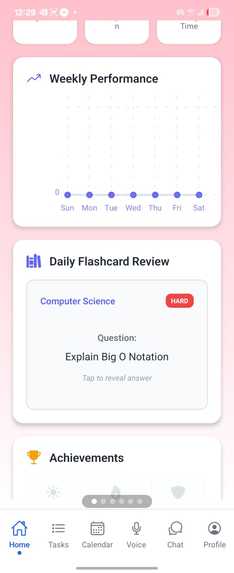
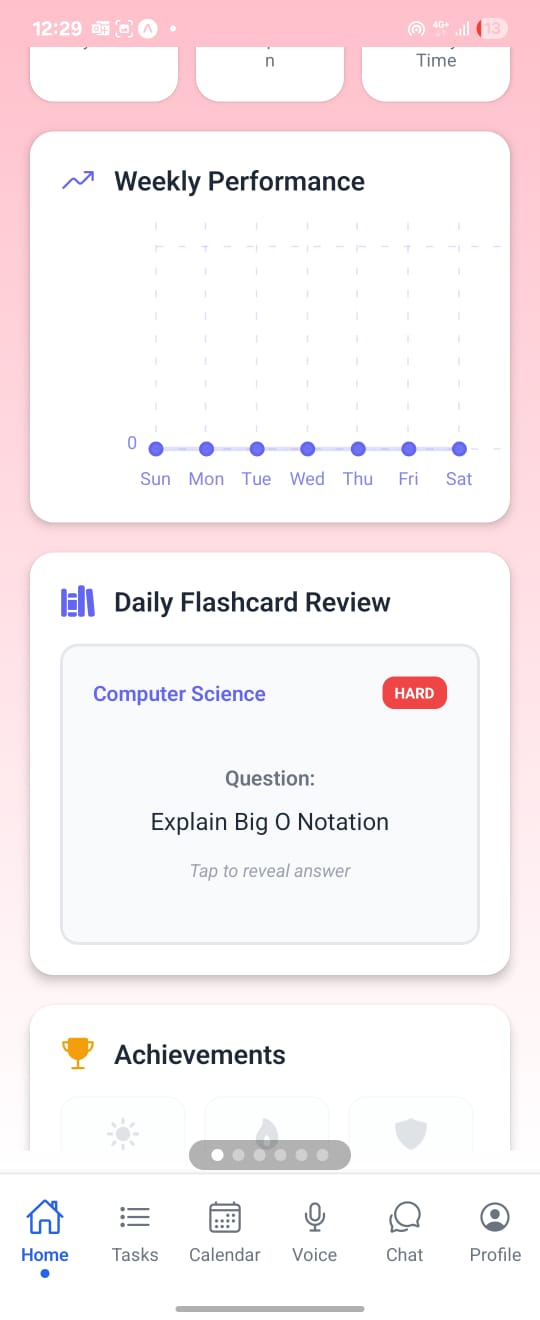
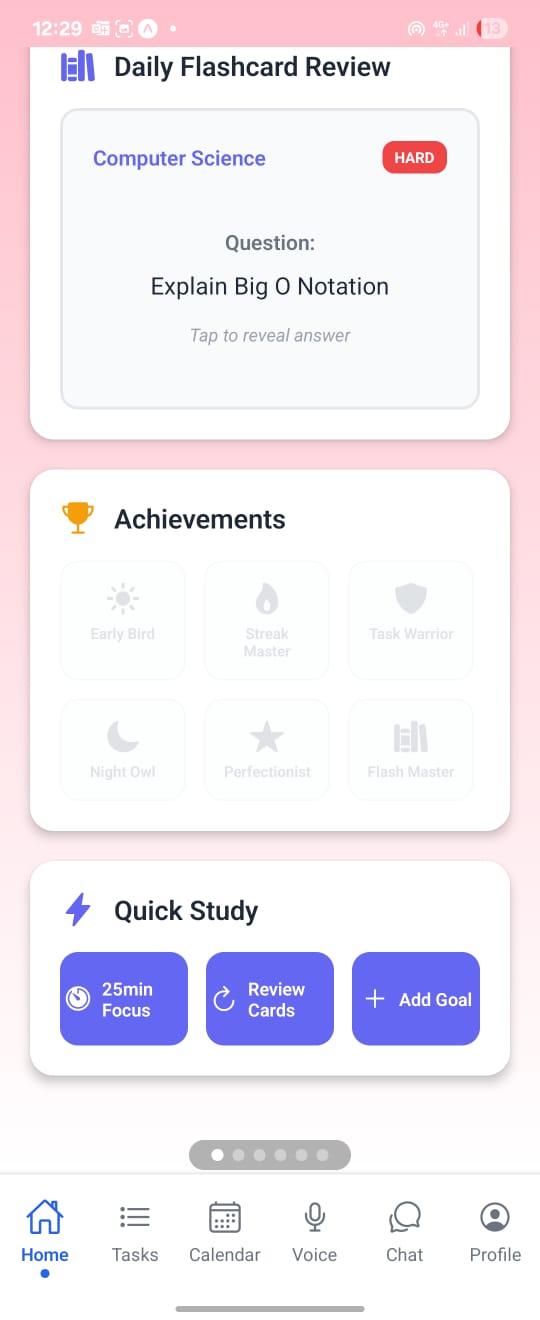
Flashcard review. Hardcoded for proof of concept
-
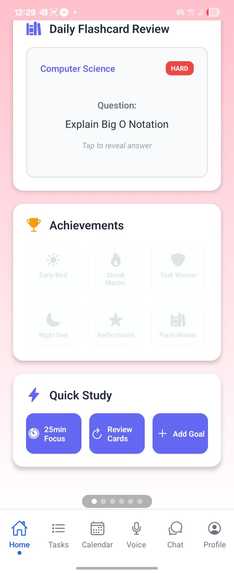
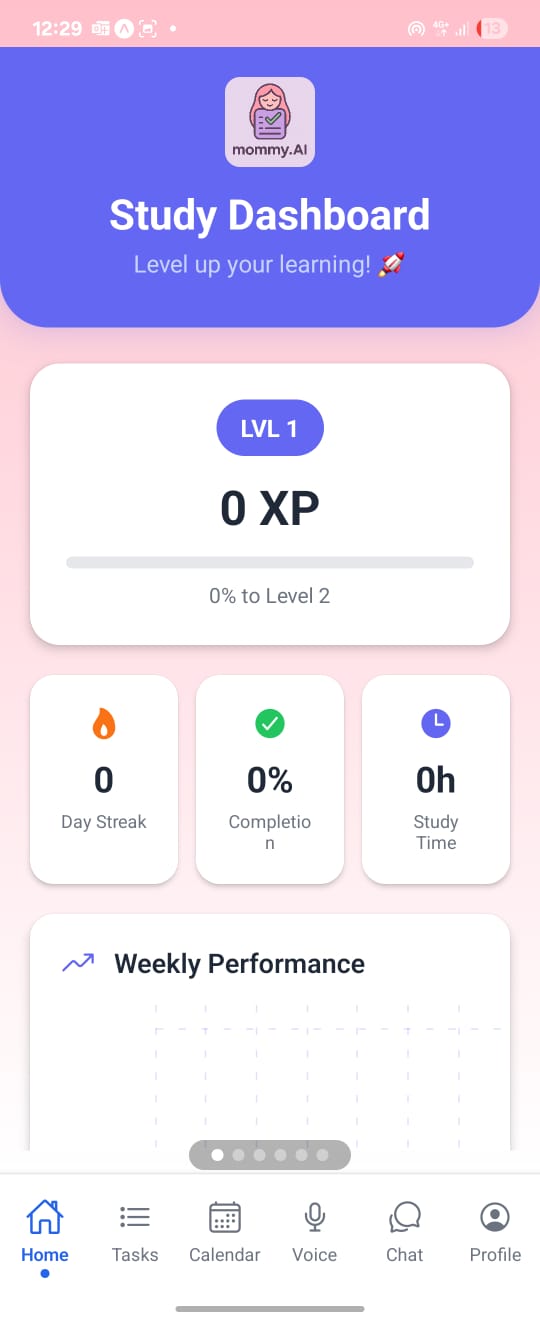
Dashboard
Inspiration
University life can be overwhelming with the constant juggle between schoolwork, internships, CCAs, and countless other commitments, students often find themselves drowning in to-do lists and chaotic schedules. Managing all these responsibilities can become a full-time job in itself. And let’s face it ,sometimes, we just crash.
That’s why we created Mommy AI a fun, quirky, and surprisingly comforting productivity task manager. It comes with an integrated AI featuring a delightful range of motherly personalities, from the ever-so-sweet and gentle mom to the no-nonsense, tough-love "dommy mommy" (yes, really). Whether you need a soft reminder or a strict push, Mommy AI is here to help you stay on track all while offering a touch of motherly warmth and emotional support.
Because sometimes, what you really need isn’t another calendar app it’s someone who cares enough to nag you… with love.
What it does
Mommy AI is a different kind of task manager. It’s warm, cheeky, emotionally aware — and yes, it nags you, but with love.
At its core, it’s an AI-powered productivity app designed to help you stay on top of things without burning out. But what sets it apart is the experience: instead of sterile alerts, you get personality-driven reminders from your choice of AI “moms.”
Pick the voice that fits your vibe: • A gentle, nurturing mom who believes in you — even when you don’t. • A practical, no-nonsense mom who keeps you focused and honest. • Or the bold, slightly chaotic dommy mommy who drags you to your goals with stilettos and standards.
Each “mom” is more than just a tone she adapts to your habits, notices when you’re slipping, and offers the kind of emotional push most apps ignore. Whether it’s a soft check-in or a full-on guilt trip, she’s there to keep you moving with empathy, humor, and just the right amount of sass.
Because sometimes, what gets you through the week isn’t a fancy calendar layout or a pomodoro timer. It’s feeling like someone actually cares enough to hold you accountable.
Built by students, for students, Mommy AI was born out of the chaos we all know too well. We weren’t just looking for another way to organize tasks we needed something that understood the emotional weight behind them. The pressure. The procrastination. The paralysis. The weird guilt of doing nothing and still feeling exhausted.
So we made something that speaks your language. Something quirky. Something human.
Because productivity shouldn’t feel cold or lonely. Sometimes, what you really need isn’t another app it’s someone who nags you… because they care
How we built it
We knew we wanted to build a mobile app so our impactful notifications could directly reach students. After considering Flutter and React Native, we chose React Native because half of our team already had experience with ReactJS.
Milestone 1 We used Expo Go and Supabase for a quick setup, and immediately started building the authentication, calendar, and setup pages. The authentication lets students access their account across multiple devices. The calendar provides a simple interface for task creation. The setup page allows students to enter their name and select their fierceness level.
Milestone 2 We integrated the local Llama 3.2 model to power our chatbot. We also used Llama to parse natural language into tasks, enabling users to create tasks by speaking into their keyboard’s voice function. In addition, we built a task sorting page to help users quickly see what’s due next.
Milestone 3 We implemented notifications using Expo push tokens and a Node.js Express backend, sending alerts 15 minutes before a task is due and again at the deadline. Finally, we refined the UI and UX to create a more natural, accessible, and user-friendly flow.
Challenges we ran into
As we had more experience developing web apps, we were already familiar with React’s syntax and its vast ecosystem of libraries and tools. Therefore, we felt it would let us move faster and focus on building meaningful features rather than spending too much time learning a completely new framework.
We ran into an unexpected challenge that took nearly three hours to debug. One of our Supabase tables had row level security enabled by default, but the Supabase client didn’t return any clear errors or hints. As a result, we were puzzled why our queries weren’t returning data, and had to dig into logs and documentation before we finally discovered and disabled the rule.
We also faced a steep learning curve when setting up the local LLM (Llama 3.2). From configuring the environment to integrating it smoothly with our React Native app, it took time and experimentation to get it running reliably and respond quickly enough to feel seamless for users.
Halfway through Day 1, we ran into significant issues integrating the notification functionality into our app. Despite users granting notification permissions, no push token was being generated or inserted into our database. Interestingly, the issue only seemed to affect Android devices, because iOS was working perfectly fine.
To troubleshoot, we tried several approaches. First, we attempted to run Supabase locally, but we encountered difficulties linking our group's Supabase project reference to my local environment.
Next, we experimented with Firebase in hopes of using FCM to send push notifications to our Android device. Unfortunately, that didn’t work either.
As a workaround, we decided to stick to iOS for now and focus on testing other features, so we could continue making progress without being completely blocked by the Android issue
Accomplishments that we're proud of
Effective collaboration.
In our previous hackathon, we did not know how to use git. Therefore, our collaboration was very messy and frustrating, with many of us working on old version. Now we started of with one persons setting up project structure while the others discussed. After that we worked on features individually while git merging every so often. Together with effective communication ,this resulted in the least amount of merge conflicts.
Fast development.
With more AI literacy, we managed to leverage AI for more medial tasks like css and debugging. It also helped us learn new frameworks and libraries quicker, allowing us to use multiple technologies.
Strong communication.
As some of us had more dev/coding experience, we learnt as a team and ensured we were on the same page before moving on. Questions about debugging and syntax were common and we were always discussing on system design and user workflow. This is to ensure no one deviates off the plan, ensuring everyone knew of the plan.
What we learned
Frameworks and Tools We Used React Native Two of us had prior experience with React, which made transitioning into React Native smoother. We focused on building a mobile-first experience that felt native and responsive. Expo Expo streamlined our mobile development workflow, especially during testing and deployment. We also used expo to generate push token for notifs and also to connect to local LLM. LLaMA 3.2 We explored running local LLMs and learned how to automate the AI setup process using batch files. This included connecting a local LLaMA instance to our Expo Go app via IP address for real-time interaction. Node with Express This was our first experience working with a backend. We learned to set up routes, handle requests, and design APIs to support our app’s real-time features. Supabase We used Supabase as our database and authentication layer. Row Level Security taught us valuable lessons about data access control and the importance of permissions. Expo Notifications We implemented push notifications by learning how to manage device tokens and send updates programmatically. This became a core part of our task reminder system.
What's next for mommy_AI
Truly Personalized Notifications We plan to let users fine-tune their “mommy level” through natural language prompts, giving them more control over the tone, frequency, and emotional style of reminders. Smarter AI with RAG Integration We’re working on improving our AI chatbot by integrating Retrieval-Augmented Generation. This will allow the “moms” to reference user-specific context and deliver more relevant, supportive responses. Social Features for Students A new social layer is in development, enabling students to add friends, share progress, and keep each other accountable in a fun, emotionally intelligent environment.
Built With
- expo.io
- javascript
- ollama
- react-native
- supabase
- typescript

Log in or sign up for Devpost to join the conversation.