-
-
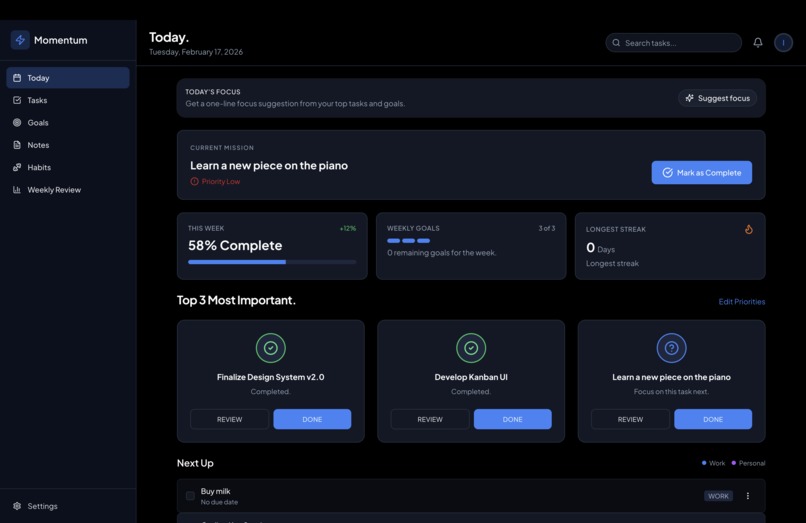
Dashboard home page
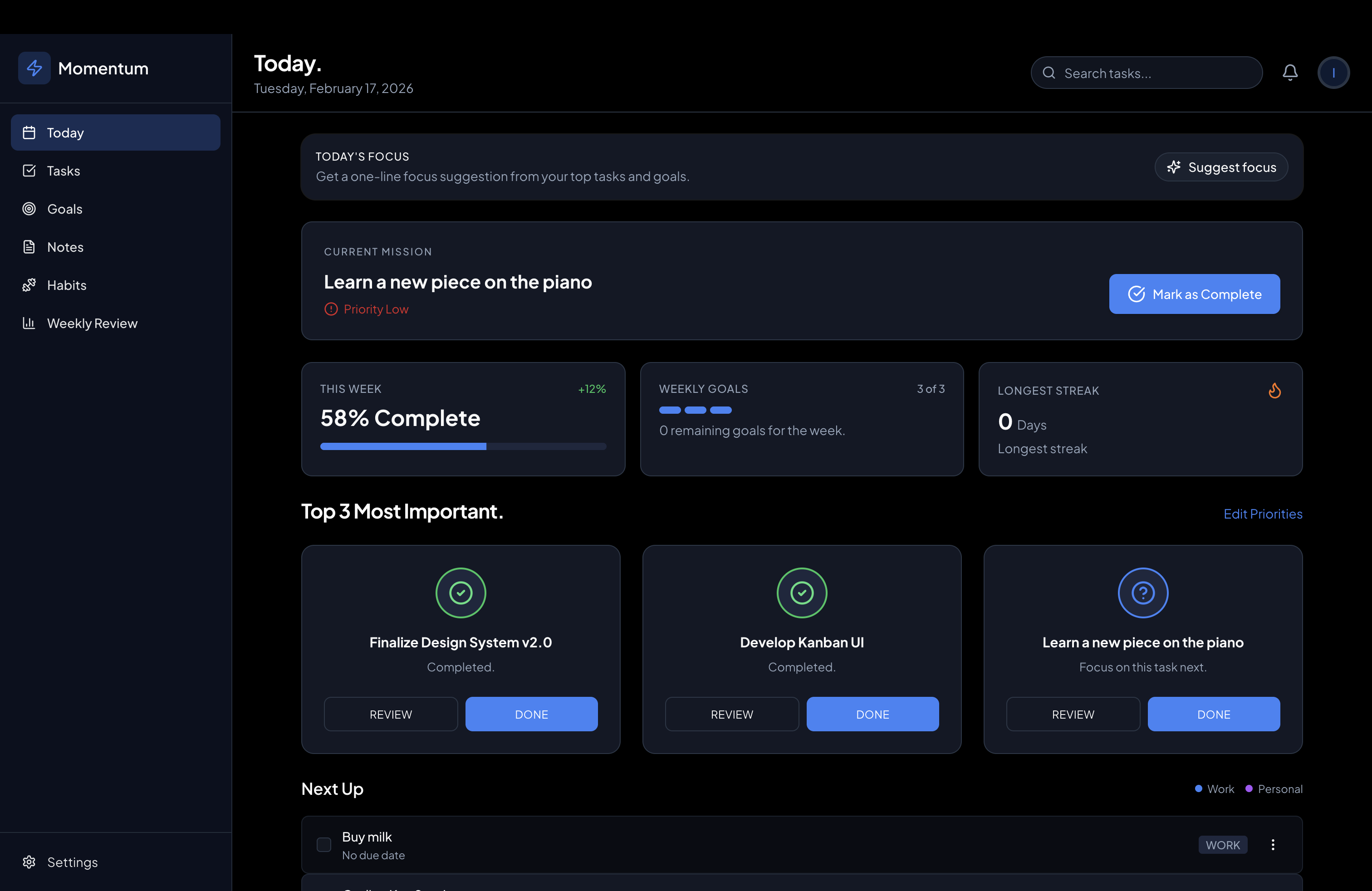
Momentum is a productivity app built around clarity over complexity. We use AI in four specific places to help users plan better, focus faster, and close the week with a clear summary—without adding clutter or decision fatigue.
How AI Is Used in This Project
1. Breaking down tasks
Where: On the Tasks page, every task card has a menu with Break down.
What it does: The user selects “Break down” on a task (e.g. “Launch marketing campaign”). The AI takes that single title and returns 3–5 concrete subtasks (e.g. “Draft email copy”, “Set up landing page”, “Schedule send”). The user can add some or all of these to their task list with one click.
How it helps the user: Big or vague tasks often block people because the next step isn’t obvious. AI turns one overwhelming item into a short list of doable steps, so the user can start immediately instead of staring at a blank page.
2. Suggesting tasks for goals
Where: On the Goals page, each goal has a Suggest tasks action.
What it does: The user clicks “Suggest tasks” for a goal (e.g. “Ship product launch”). The AI suggests 3–5 actionable tasks that move that goal forward. The user can add any of these to their task list.
How it helps the user: Goals stay abstract until they’re tied to real work. AI bridges that gap by proposing concrete tasks, so the user can make progress on goals without having to invent every step themselves.
3. Today’s focus
Where: On the Today page, a card shows Suggest focus (or Regenerate if one is already shown).
What it does: The AI receives the user’s top priorities, overdue tasks, and (if any) an active goal. It returns one short sentence (under ~15 words) that suggests what to focus on today—e.g. “Focus on finishing the design doc, then block an hour for the piano piece.”
How it helps the user: Long task lists make it hard to choose where to start. AI turns that list into a single, clear intention so the user can begin the day with one thing in mind instead of feeling scattered.
4. Weekly reflection analysis
Where: On the Weekly Review page, the user fills in three prompts: What went well?, What could be improved?, and Focus for next week. Then they click Analyze.
What it does: The AI reads the three answers and writes one short paragraph (4–6 sentences) that summarizes the reflection, acknowledges wins, briefly notes what to improve, and reinforces focus for the coming week.
How it helps the user: Reflection is valuable but raw bullets are hard to reuse or remember. AI turns those bullets into a concise “final review” the user can read back, share, or use to start the next week with clarity.
How It Helps the User (Summary)
| Feature | User problem | How AI helps |
|---|---|---|
| Break down task | “I don’t know where to start.” | Turns one task into 3–5 clear next steps. |
| Suggest tasks for goal | “My goal feels vague.” | Proposes concrete tasks so the goal becomes actionable. |
| Today’s focus | “Too many things, I’m overwhelmed.” | Gives one sentence so the user knows what to do first. |
| Weekly reflection | “I wrote notes but nothing sticks.” | Summarizes the week in a short, coherent paragraph. |
Across the app, AI reduces friction (suggesting next steps), reduces overload (one focus for today), and adds structure (a real summary of the week)—so the user gets clarity and momentum without extra complexity.
Technical note (for judges)
- AI runs in Convex serverless actions and uses the Google Gemini API (free tier).
- The API key is stored only in the Convex dashboard; the front end never sees it.
- Each feature uses a focused prompt and constrained output (e.g. one list, one sentence, one paragraph) so responses are reliable and directly usable in the UI.
Built With
- cloudflare
- hono
- lucide
- react
- react-router
- shadcn/ui-components-(radix-ui)
- sqlite
- tailwind-css
- typescript

Log in or sign up for Devpost to join the conversation.