-
-
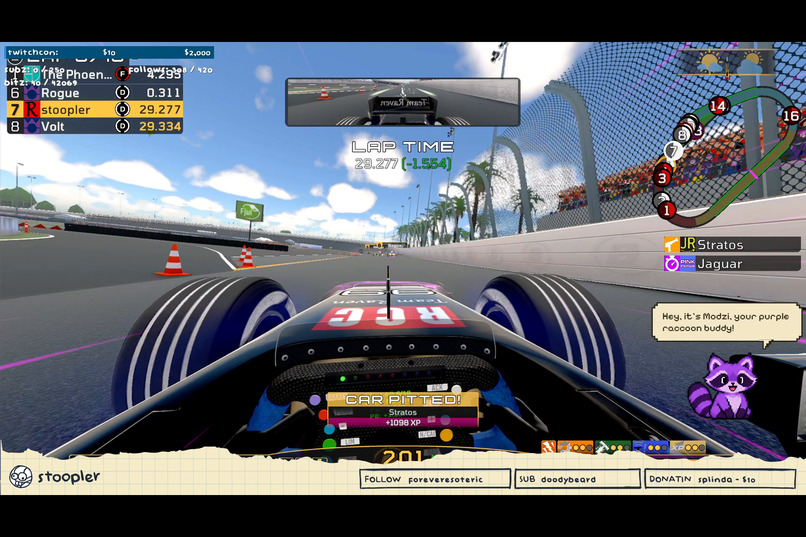
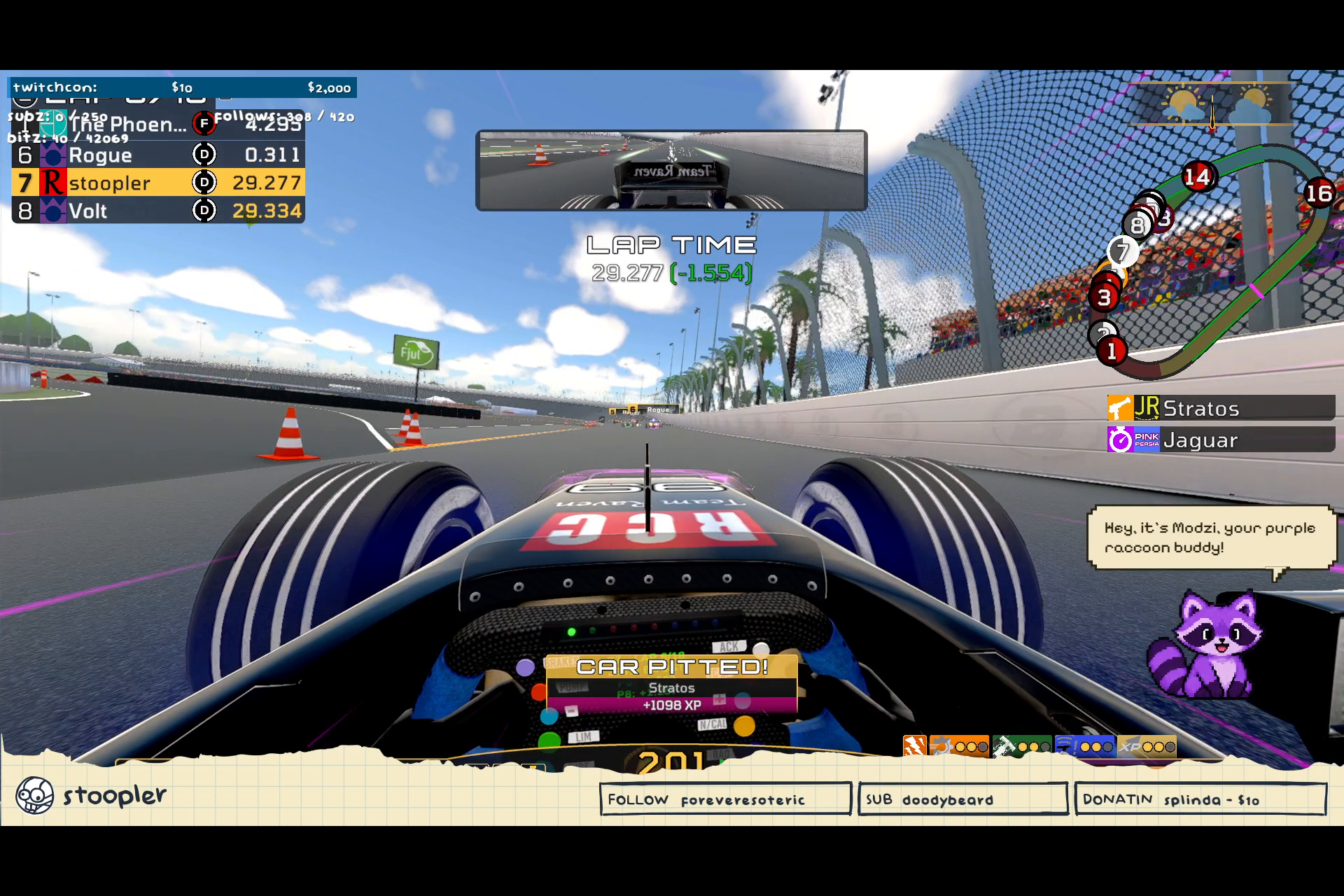
Modzi rides along mid-race as a pixel raccoon companion, chatting on stream: "Hey, it's Modzi, your purple raccoon buddy!"
-
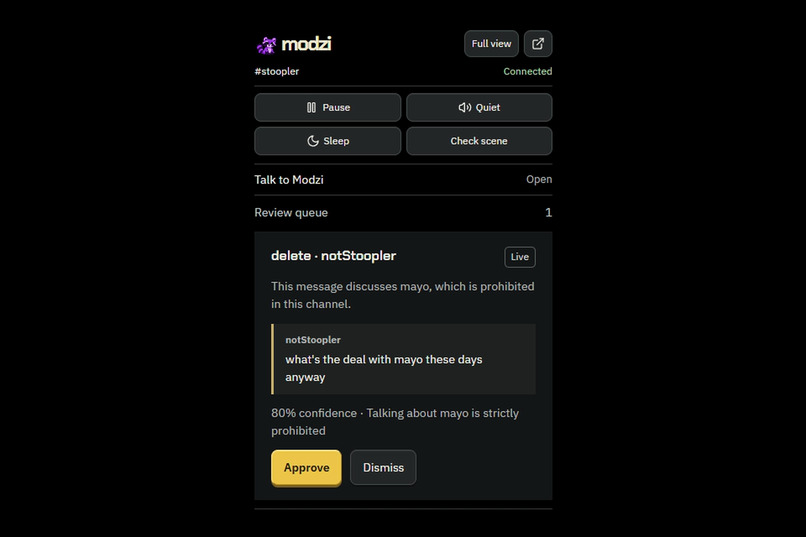
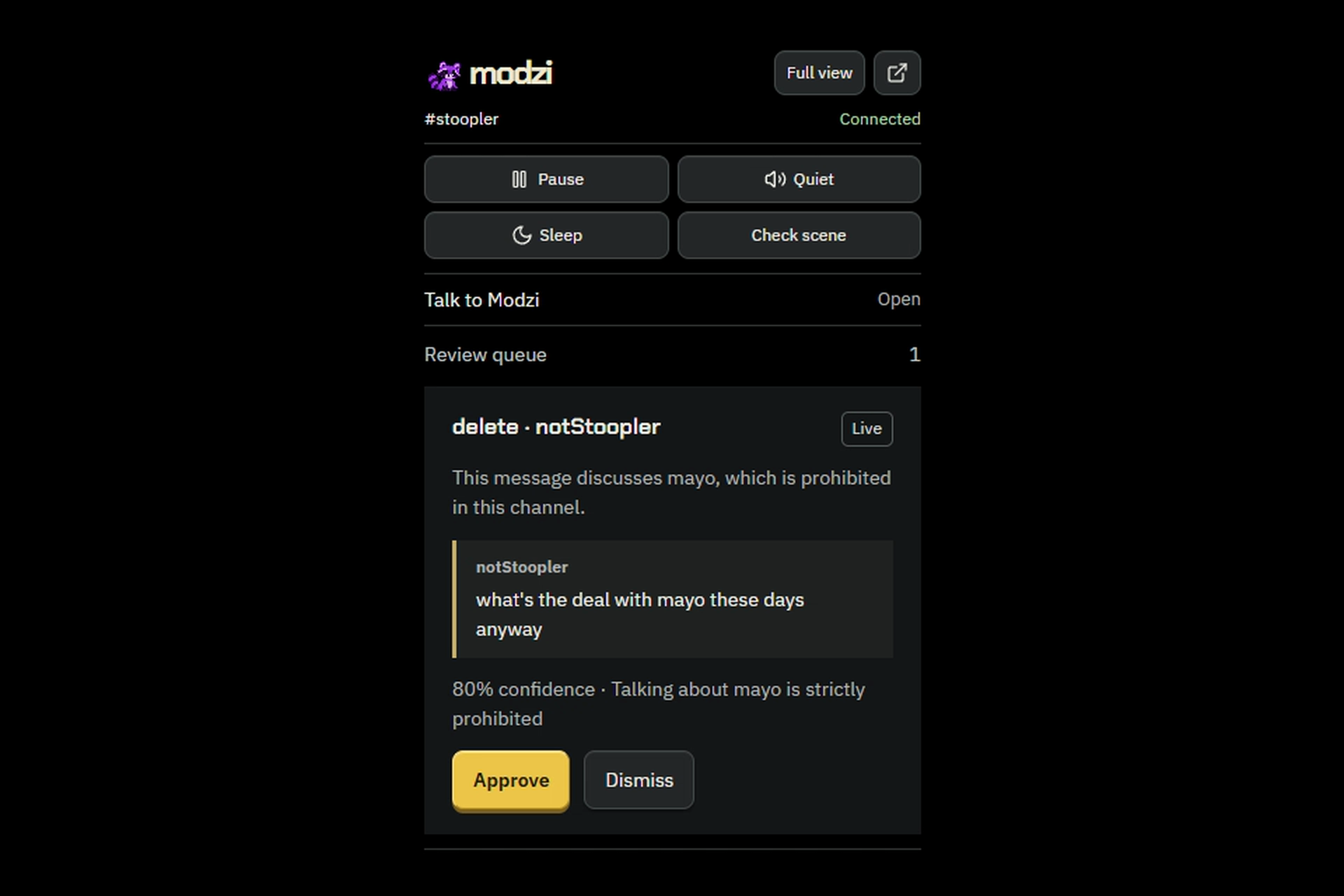
Modzi flags a mayo message for review in the OBS dock, citing the channel rule and evidence. The streamer approves or dismisses.
-
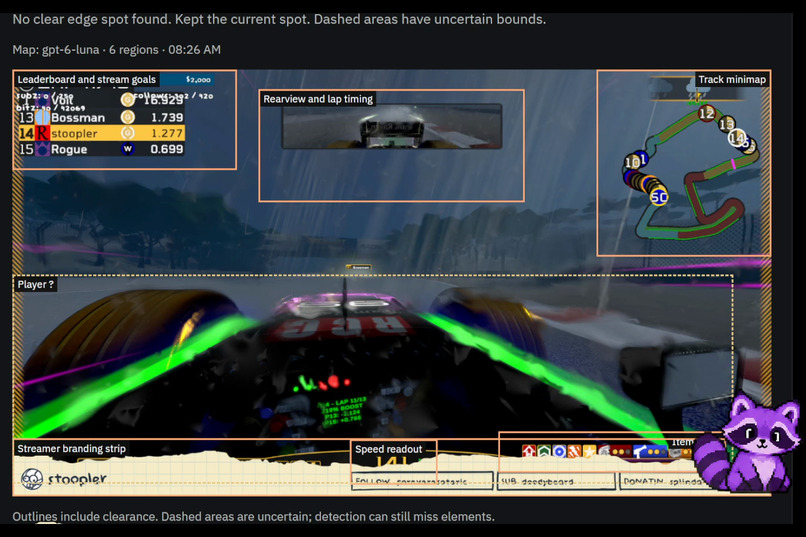
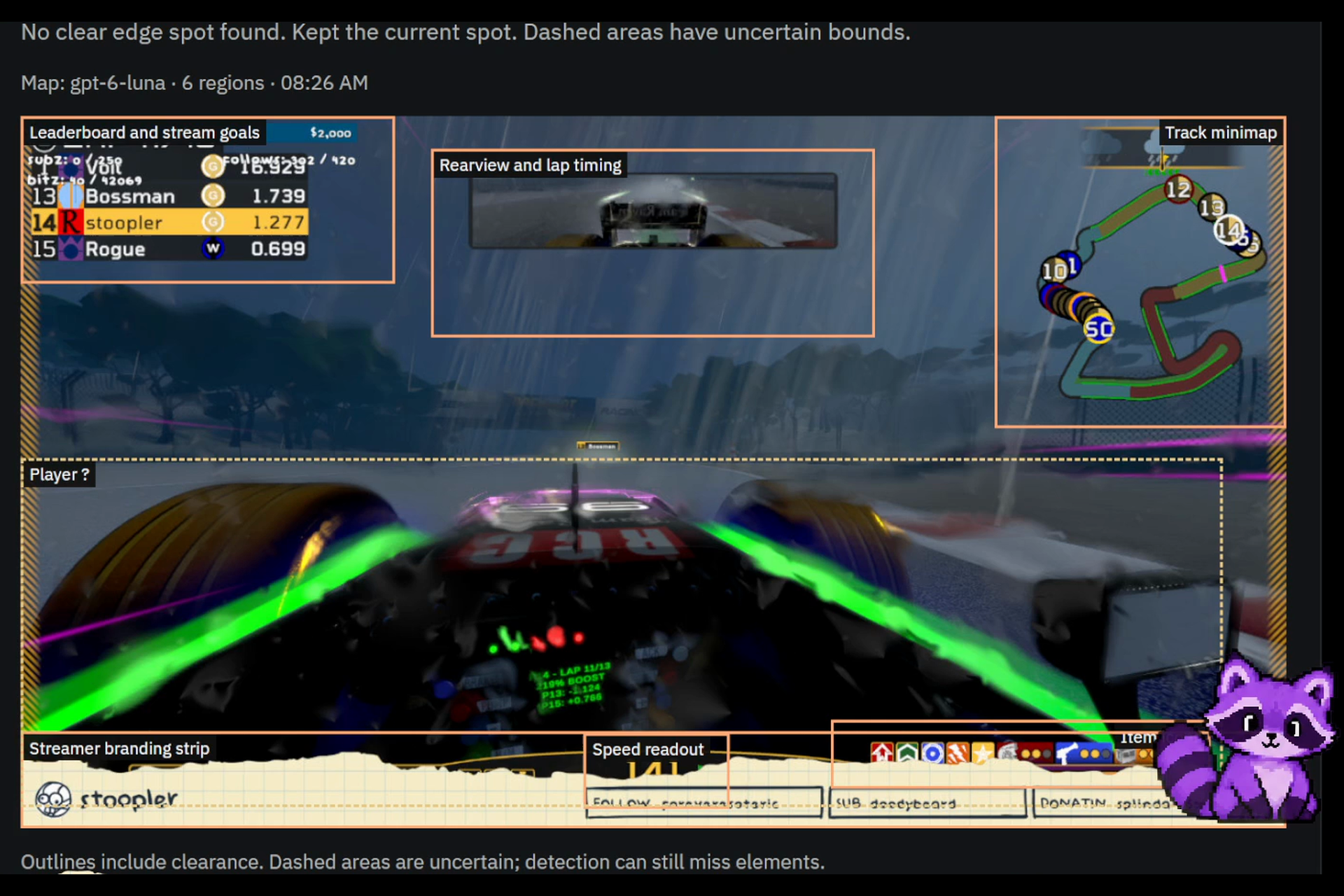
Modzi maps the scene, outlining game HUD and StreamElements overlay regions so it can stay clear of them.
-
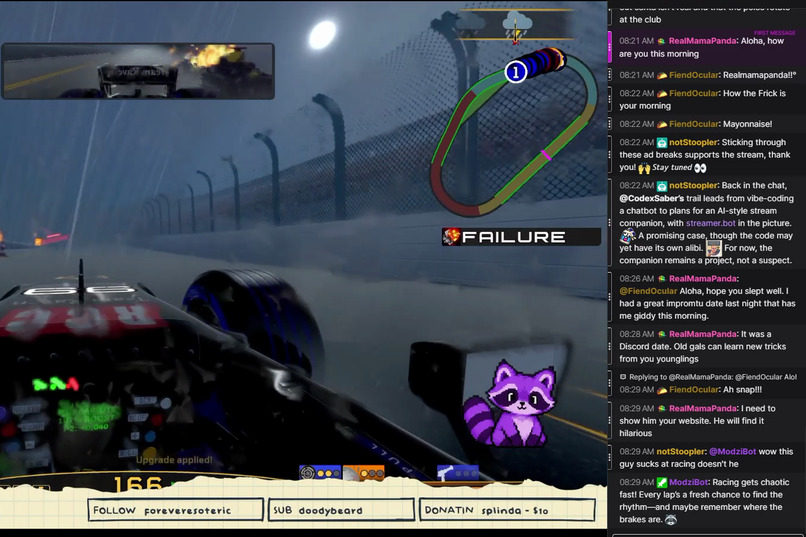
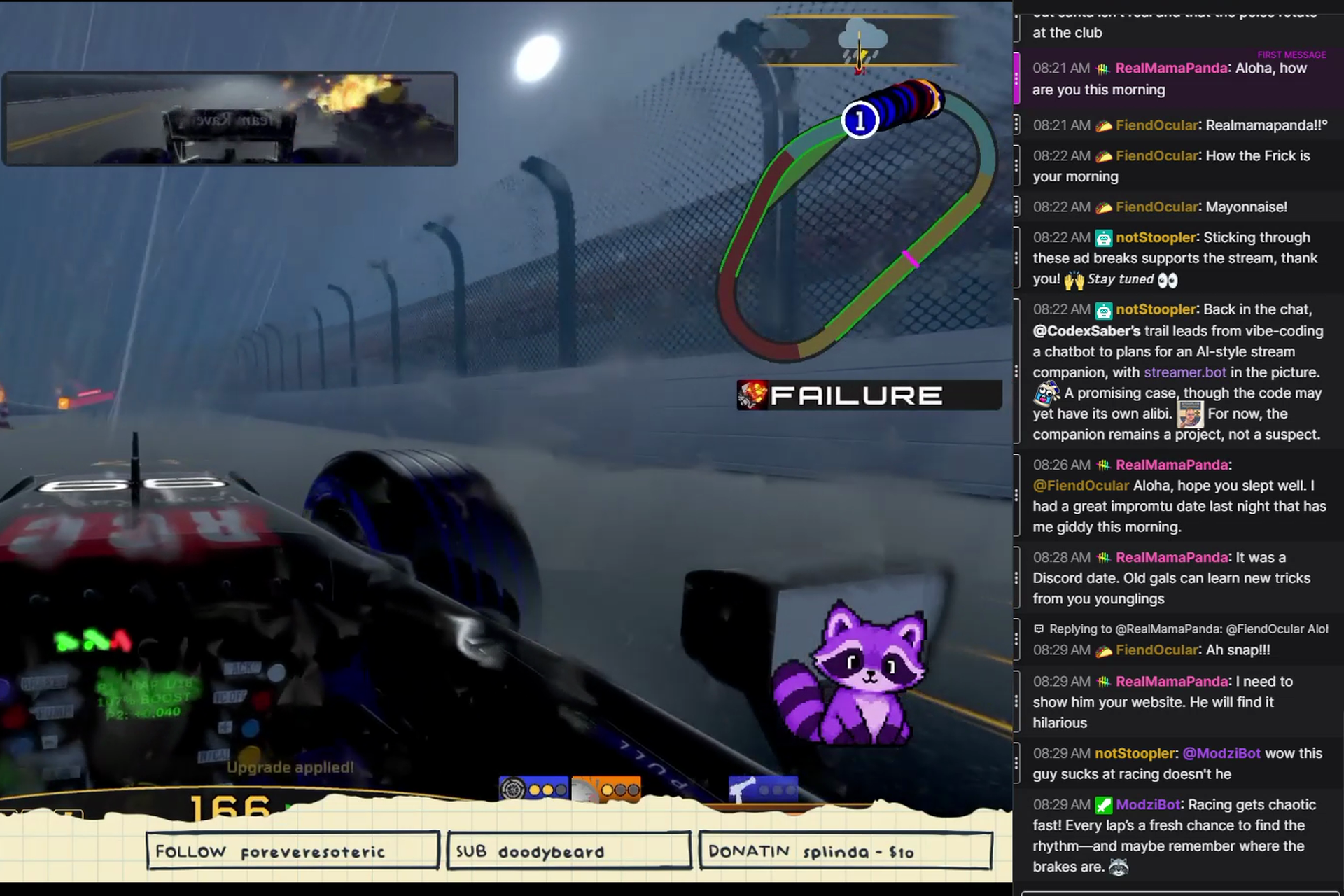
A viewer tags @ModziBot to roast the driver; Modzi replies in Twitch chat: "maybe remember where the brakes are."
Inspiration
I wanted a little buddy on my stream who could participate in chat, notice what was happening on screen, and help with the things I miss while playing.
The name is a nod to BonziBuddy and the desktop companions I grew up with. Modzi is an original purple raccoon, built around my actual Twitch and OBS setup.
The idea started with a simple question: could a stream companion be entertaining enough for viewers to enjoy, while also being useful to the streamer?
What it does
Modzi lives on your stream as an animated OBS overlay. Viewers can talk to it through Twitch chat, and the streamer can speak to it using push to talk.
- Participates in chat. Modzi responds to direct mentions, joins conversations, and reacts to Twitch events. It supports a separate bot account.
- Helps moderate. Streamers choose presets or define their own channel rules. Modzi presents proposed actions with evidence, and the streamer can approve them directly inside the OBS dock. Trust levels, timeout limits, protected viewers, and undo controls govern what it can do.
- Pays attention to the broadcast. Opt-in scene checks inspect OBS screenshots for capture problems and important screen elements. Modzi can suggest a position and size that avoid gameplay, chat, and other overlays, or move automatically when that setting is enabled.
- Talks and reacts. Modzi speaks through the overlay, animates, and walks between positions. Ask it to roast your gameplay and it can use a fresh frame for context.
- Stays under your control. Quiet mode silences replies, Pause stops automatic behavior, and the OBS dock keeps everyday controls and approvals close to the stream.
Viewers install nothing. The streamer uses a browser panel and an optional lightweight Windows companion for local OBS access, microphone capture, and Whisper transcription.
How we built it
I built Modzi with OpenAI Codex throughout the hackathon. I brought the product direction, artwork feedback, and recordings from my real streaming setup. Codex helped implement features, trace failures, write regression tests, and refine the interface.
The project uses TypeScript, Node.js, React, and PostgreSQL. Twitch OAuth, EventSub, and Helix connect accounts, chat, events, and moderation. OBS WebSocket connects the broadcast controls and scene capture.
The Windows companion uses a small native Win32 interface, with TypeScript handling its application logic. Local Whisper transcribes microphone audio on the streaming PC. The hosted service receives command text rather than raw microphone recordings.
OpenAI and Anthropic provide configurable AI routes, with TypeSafe Jev handling screening and scene questions. Hosted users can use capped platform credit or their own API keys.
An offline rehearsal runs synthetic Twitch events through the production pipeline, so the core interactions can be explored without credentials or paid AI calls.
Challenges we ran into
Real OBS scenes were much harder than a clean demo canvas. They contain cropped sources, groups, nested scenes, filters, game interfaces, and other overlays. Modzi itself could obscure the screenshot it was trying to understand. Placement needed to account for that composition and leave room for its speech bubble.
Voice introduced another set of problems. Speech recognition did not always understand “Modzi,” ordinary conversation could trigger unwanted replies, and separately generated speech pages introduced awkward pauses. Push to talk became the dependable path, and speech now continues while captions advance within the same bubble.
Long-running connections also exposed failures that short tests missed. I left the companion running, switched games, disconnected services, and brought the resulting failures back to Codex.
Accomplishments that we're proud of
I can use Modzi in my own OBS setup, talk to it while playing, see it interact with Twitch chat, and approve moderation without leaving OBS.
The project includes original raccoon artwork, a browser panel, an OBS dock, a native Windows companion, isolated hosted channel profiles, and a reproducible offline demo.
The final repository verification passed 601 automated tests, including moderation safeguards, PostgreSQL channel isolation, credit accounting, and connection behavior. Those tests sit alongside recordings and hands-on checks from my actual stream setup.
What we learned
A companion needs judgment about when to stay quiet as much as it needs something clever to say.
Visual context matters. A roast about aiming makes little sense during a racing game, and an apparently empty corner may contain another stream overlay.
Working with Codex was most effective when I supplied a concrete failure: a recording, a screenshot, a transcript, or a repeatable sequence. That gave us something specific to investigate and verify.
The controls mattered just as much as the AI. Approvals belong where the streamer is already working, and configuring a microphone should not require visiting several different interfaces.
What's next for Modzi
I want to get Modzi into more streamers' hands and use their feedback to improve onboarding, moderation presets, visual awareness, and conversational timing.
Next steps include easier companion installation and updates, better hands-free voice recognition, and placement preferences that adapt to different stream layouts.
Find me at TwitchCon and I'll give you an access code to try Modzi on your own stream.
Built With
- anthropic
- c
- codex
- eventsub
- node.js
- obs-websocket
- openai
- postgresql
- react
- sqlite
- tailwind
- twitchapi
- typesafe
- typescript
- vite
- whisper
- win32


