-
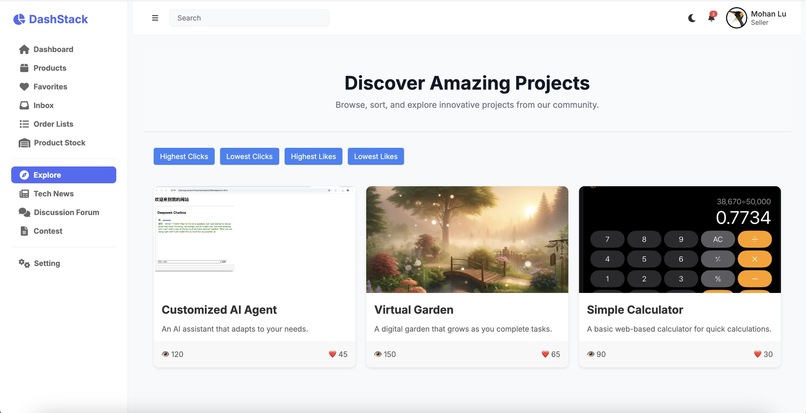
Landing Page
-
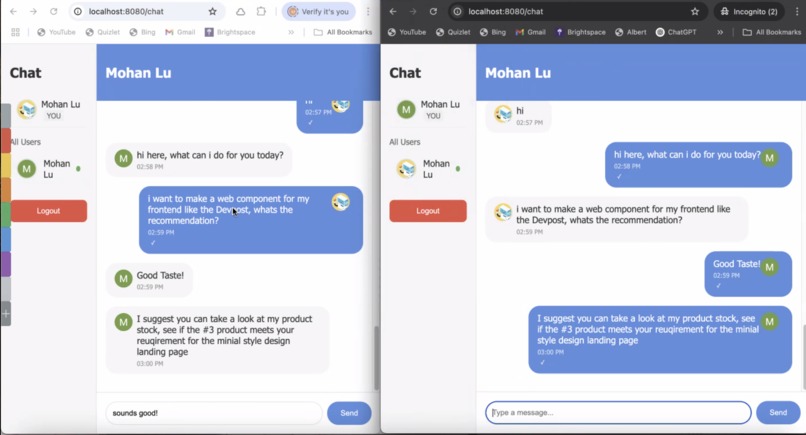
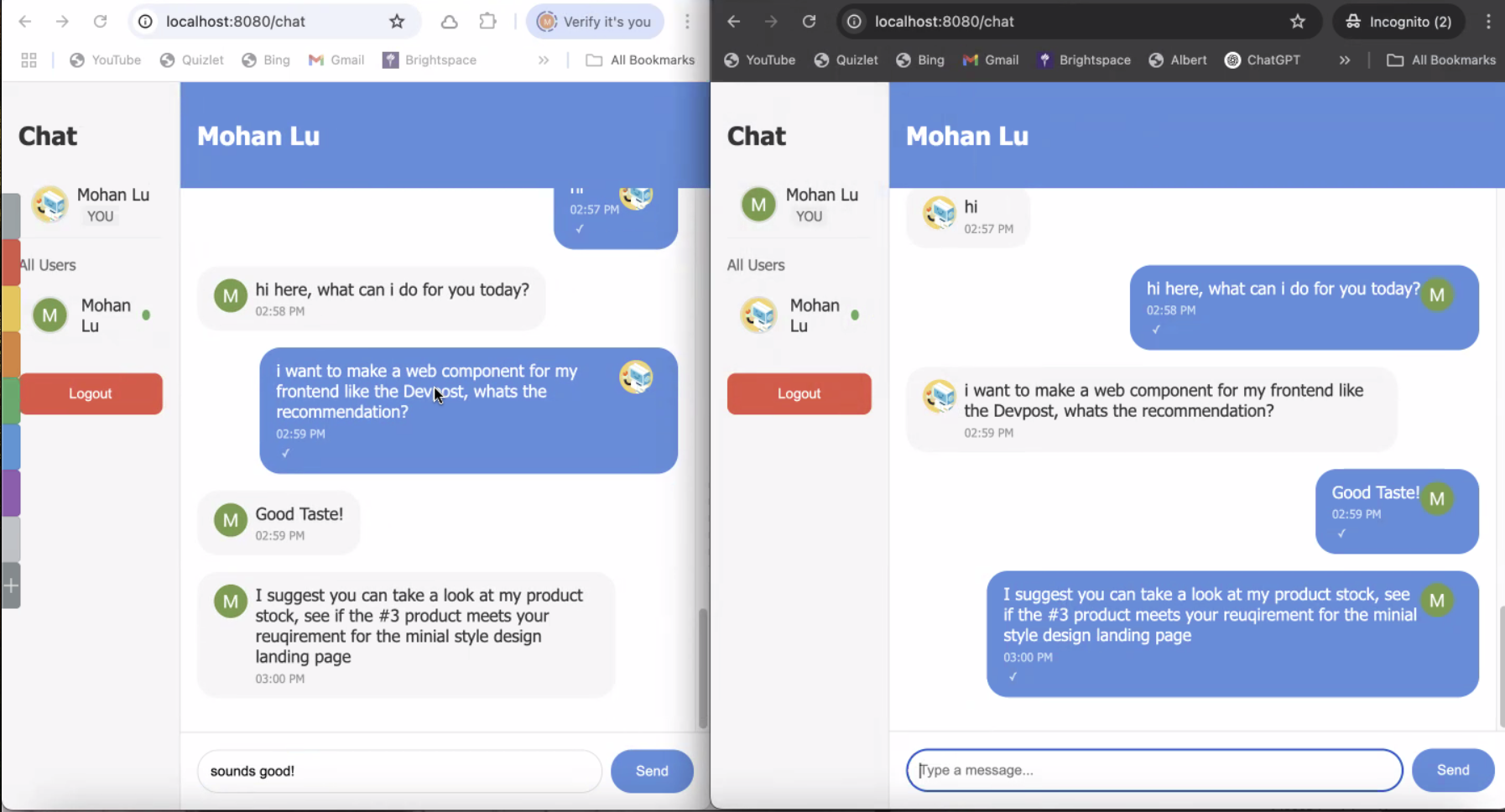
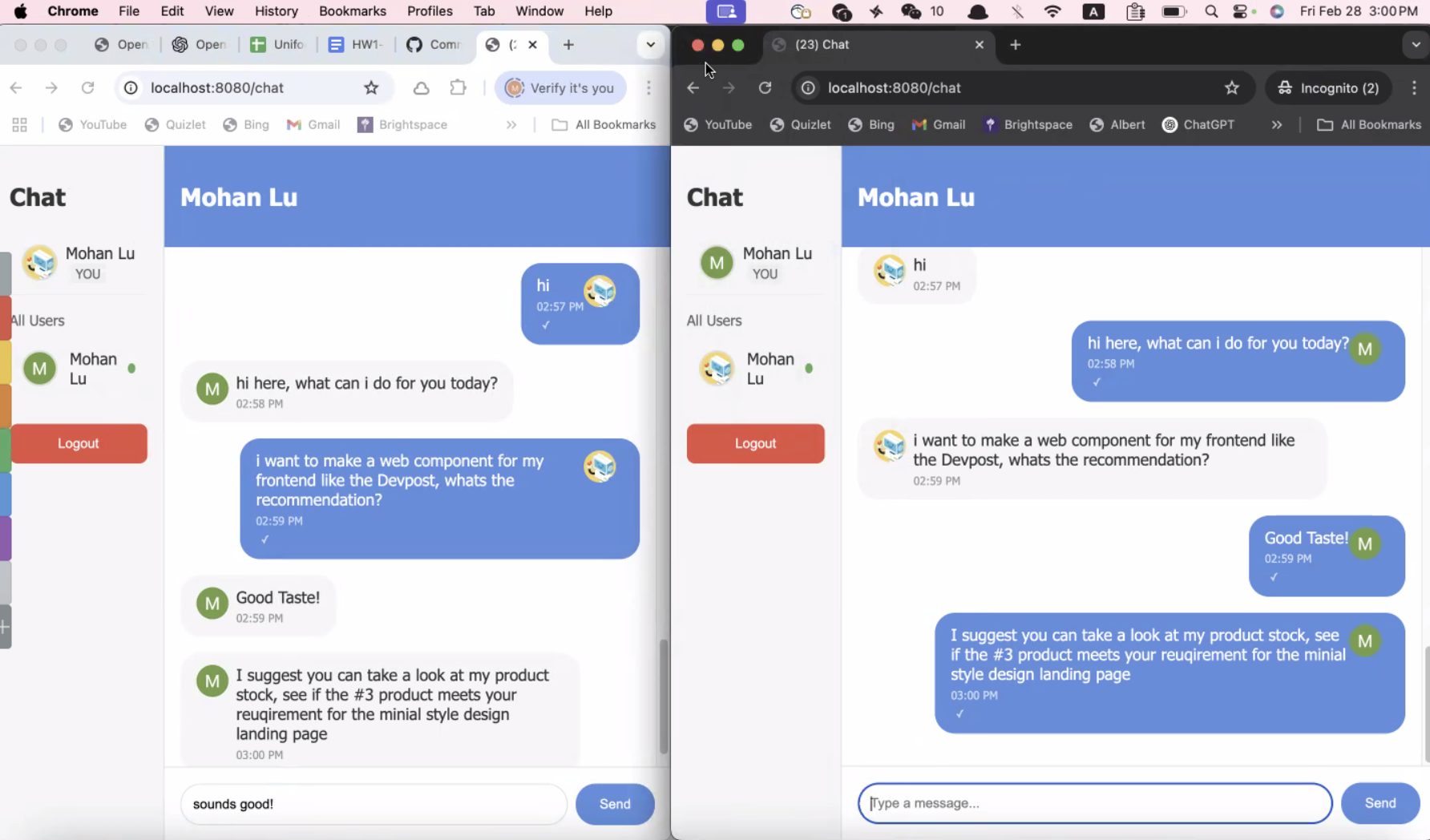
Customer Service Chat
-
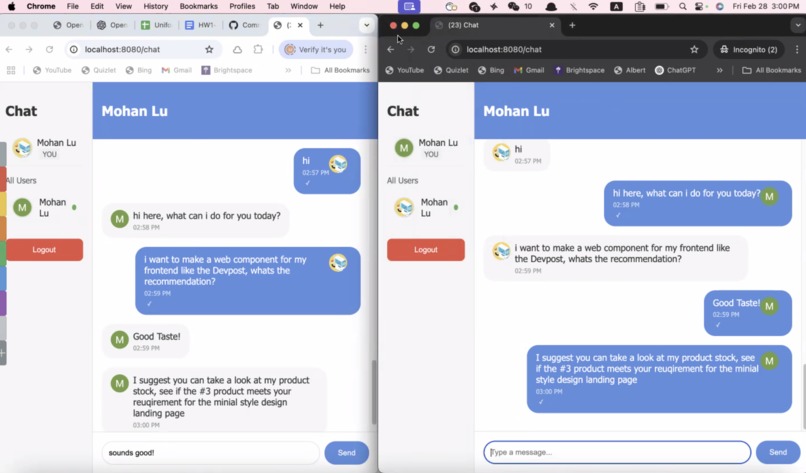
Customer Service Chat - status
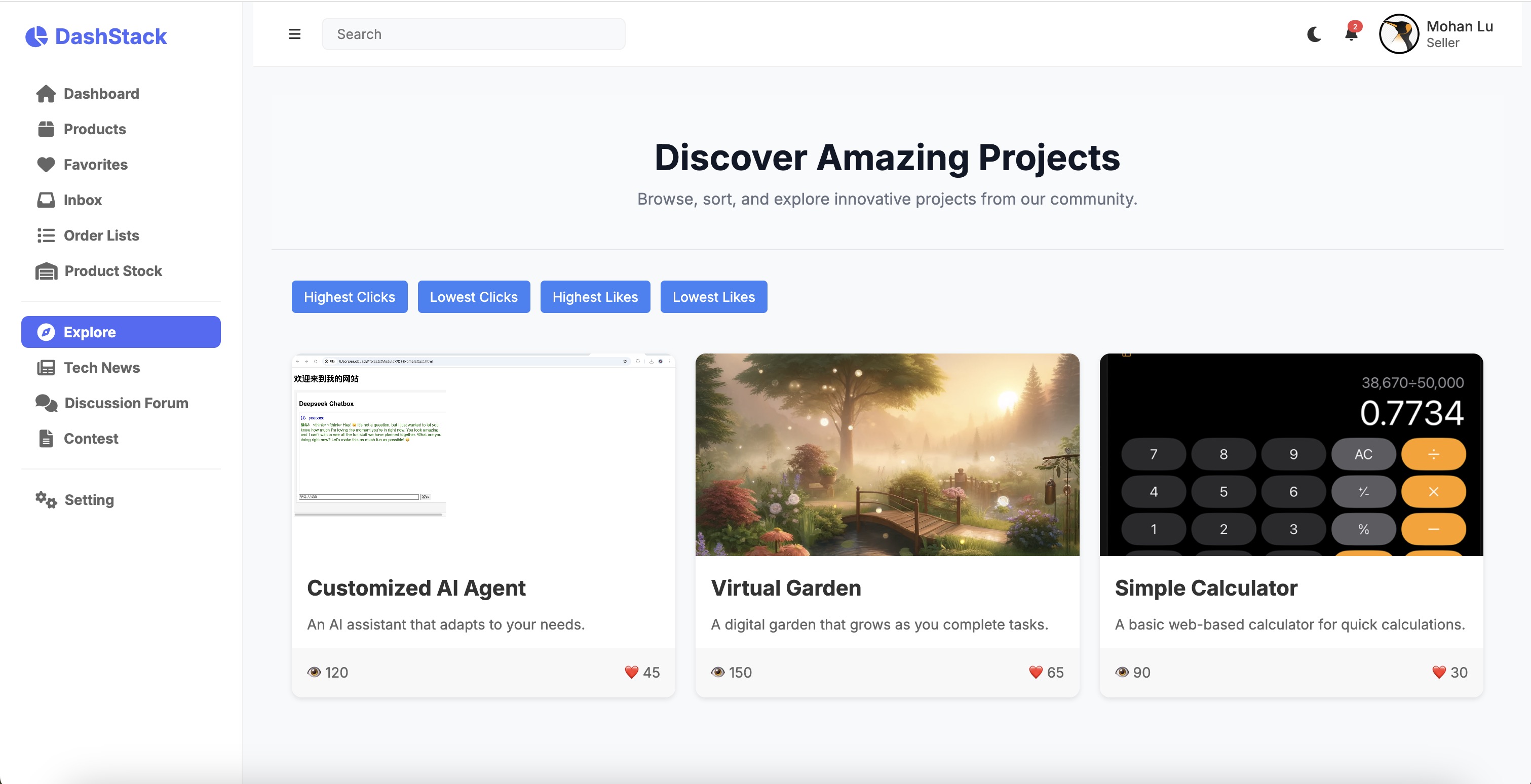
🌟 Web Components & iFrame Marketplace
The Only Marketplace You Need for Web Development – Get Pre-Built Components & Secure iFrame Integrations!
Use Web Components for reusable UI elements or iFrames to embed external content—everything a developer needs in one place!
1️⃣ Unique Selling Points: Why Choose Us?
✅ For Buyers (Developers & Businesses)
- 🔹 Get High-Quality Web Components & Secure iFrames
- ✔️ Instantly install & integrate components into your project
- ✔️ Supports React, Vue, Angular, and plain HTML
- 🔹 Work with Top-Rated Sellers to Customize Components
- ✔️ Browse user-created Web Components & iFrame solutions
- ✔️ Chat directly with sellers to request customization
- ✔️ Secure payments & order tracking
- 🔹 No Coding Needed – Just Import & Use
- ✔️ Install via npm:
npm install @your-scope/components
- ✔️ Or embed via CDN:
<script type="module" src="https://cdn.yourmarketplace.com/component.js"></script>
- 🔹 Two Ways to Access Web Components & iFrames
- ✔️ 1. Premium Membership – Unlock ready-to-use components instantly
- ✔️ 2. Custom Order – Chat with a seller to create a personalized component
- ✔️ Still want free access? – Explore and use most free components on the marketplace
✅ For Sellers (Developers, UI Designers, & Agencies)
- 🔹 Sell Your Web Components & iFrame-Based Solutions
- ✔️ Upload custom Web Components & pre-built iFrame templates
- ✔️ Set your price & earn revenue from buyers
- 🔹 Offer Custom Development Services
- ✔️ Get direct orders from buyers who want modifications
- ✔️ Use our built-in chat system to discuss project details
- ✔️ Deliver work & receive secure payments
- 🔹 Build Your Reputation & Gain Honors
- ✔️ Rated by buyers – higher ratings = more sales
- ✔️ Earn “Top Seller” & “Verified Developer” badges
- ✔️ Join an exclusive community of Web Component & iFrame creators
2️⃣ Explore Page: The Marketplace
- 👀 Discover Web Components & iFrame Solutions
- Browse featured pre-built Web Components & iFrame templates.
- View user profiles, past projects, and seller ratings.
- Click “Chat Now” to discuss a custom project with a seller.
- 💬 Instant Chat for Collaboration
- Buyers & sellers can chat in real time.
- Discuss pricing, features, and delivery timelines.
- 🛠️ Order Custom Web Components & iFrames
- Buyers can request modifications or fully custom components.
- Sellers deliver the product through our platform.
- Secure payment system ensures trust.
- 🏆 Earn Reputation as a Top Seller
- 5-star rating system based on buyer feedback.
- Gain honors, badges, and featured spots for high performance.
3️⃣ How It Works
👤 For Buyers (Developers & Businesses)
- Explore the Marketplace
- Find free and premium Web Components & iFrames.
- Choose Your Access Method
- Use Premium for instant download, OR chat with a seller for a custom solution.
- Install & Use
- Instant install for public components, OR receive your custom component from a seller.
💰 For Sellers (Developers & UI Designers)
- Upload & List Your Components
- Sell pre-made Web Components or iFrame templates.
- Offer Custom Work
- Chat with buyers to create personalized components.
- Deliver & Earn
- Complete the order, receive payment, and gain ratings & honors!
4️⃣ Membership Options
🆓 Free Access
- ✔️ Access most free Web Components on the Explore Page
- ✔️ View & chat with sellers (limited access)
- ✔️ Install basic iFrame solutions
🚀 Prime Membership (Buyers & Sellers)
- ✔️ Unlimited access to premium Web Components & iFrames
- ✔️ Full chat & direct order access to top-rated sellers
- ✔️ Ability to sell & earn money from your own components
- ✔️ Priority listing & higher visibility
5️⃣ Security & Performance
- 🔹 Secure Transactions
- Payments are held until the buyer confirms delivery.
- 🔹 iFrame Sandboxing
- Ensures safe embedding and prevents security risks.
- 🔹 Optimized Web Components
- Fast, lightweight & performance-focused.
- 🔹 Seamless Installation
- Works with npm, CDN, and major frameworks.
🔍 Why We Offer Web Components & iFrames
Modern web development hinges on two key building blocks:
- Reusable UI Elements: Components that integrate seamlessly into your projects.
- Embedded External Content: Securely isolated content from third-party sources.
Our platform delivers both, ensuring you cover all your web development requirements without limitations.
🔹 The Difference Between Web Components & iFrames
| Feature | Web Components | iFrames |
|---|---|---|
| Purpose | Reusable UI components (buttons, widgets, modals, dashboards) | Embedding external content (third-party services, full applications) |
| Requires JavaScript? | ✅ Yes | ❌ No (works without JS) |
| Works in Non-JS Environments? | ❌ No (pure JS environment required) | ✅ Yes (supports PHP, Python, Java, static HTML, etc.) |
| Can Load an Entire Website? | ❌ No | ✅ Yes |
| Security Isolation | ✅ Shadow DOM (isolates styles & scripts) | ✅ Full sandboxing (prevents unauthorized access) |
| Customization | ✅ Full control over styles & behavior | ❌ Limited (cannot alter third-party content) |
| Cross-Origin Restrictions | ✅ Same-origin policy applies | ✅ Sandbox prevents cross-origin access |
| Performance | ✅ Faster (runs in the same DOM) | ❌ Heavier (creates a separate browsing context) |
| Use Case Examples | Custom buttons, modals, widgets, dashboards | YouTube videos, Google Maps, payment forms, external dashboards |
1️⃣ Web Components: Works in JavaScript Environments
- Built with JavaScript:
Uses the Custom Elements API and requires JavaScript execution. - Native Support:
Works in modern browsers and integrates with frameworks like React, Vue, Angular, or vanilla JS. - Ideal For:
Reusable UI elements (buttons, widgets, modals), easy styling via Shadow DOM, and optimized performance.
2️⃣ <iframe>: Can Embed Anything
- No JavaScript Required:
Can embed any webpage regardless of its underlying technology. - Versatile Content Embedding:
Perfect for third-party services, full applications, or external dashboards. - Ideal For:
Embedding external content (e.g., YouTube, Google Maps) and achieving stronger security isolation.
3️⃣ Covering All Web Development Requirements
By providing both Web Components & iFrames, our platform ensures you can:
- Build Complete Web Applications:
Leverage modular, reusable components alongside secure external content. - Seamlessly Integrate Third-Party Services:
Optimize performance and security using the right tool for the job. - Handle UI Customization & External Integrations:
Choose Web Components for tailored UI elements and iFrames for comprehensive content embedding.
Example Use Cases:
- E-Commerce Website:
Use Web Components for product cards and checkout UI, and iFrames to embed a third-party payment gateway. - SaaS Dashboard:
Implement interactive charts and modals with Web Components, while using iFrames to display external analytics tools. - Learning Platforms:
Combine quizzes and navigation built with Web Components with embedded videos or course content via iFrames.
4️⃣ Choose How You Want to Access Components
We offer two distinct access methods so every developer and business finds their perfect fit:
🔹 Option 1: Premium Membership for Instant Access
- Unlimited Access:
Extensive collection of high-quality public Web Components & iFrame templates. - Instant Integration:
Download and install components immediately:
npm install @your-scope/components- Cross-Framework Compatibility:
Works with React, Vue, Angular, and plain HTML. - Ready-to-Use Out-of-the-Box:
Fast integration without delays.
- Unlimited Access:
🔹 Option 2: Customize with Your Favorite Developer
- Direct Collaboration:
Find and chat with top-rated developers on our Explore Page. - Real-Time Communication:
Discuss your requirements via our built-in chat system. - Fully Customized Solutions:
Get tailored Web Components & iFrame-based solutions. - Secure Transactions:
Pay only when the work is delivered to your satisfaction.
- Direct Collaboration:
Still want free access?
Explore and use most free components available on our marketplace!
5️⃣ Explore Page: Free & Premium Components
- Browse Free Web Components:
No sign-up required—check out our vast library. - Featured & Premium Listings:
Access premium components available exclusively for Prime members. - Discover Custom Work:
View seller profiles, past projects, and ratings. - Connect & Customize:
Instantly chat with sellers to request personalized solutions.
🎯 Get Started Today
Explore Free & Premium Web Components & iFrames Now!
Buy or customize with top-rated developers—the choice is yours.
Browse Explore Page | Chat with a Seller | Upgrade to Prime
Have questions or need assistance?
Our support team is here to help every step of the way!
🚀 Exclusive Developer Branding with ModuleX
📌 How It Works – Publish & Showcase Your Work Under @ModuleX
ModuleX provides an exclusive publishing opportunity for developers to officially distribute their Web Components & iFrame solutions under the trusted ModuleX scope on npm. This system ensures developer attribution, controlled access, and brand recognition, making your work more visible while maintaining ownership.
🔹 The ModuleX Naming Convention
Developers who publish on our marketplace will receive an official ModuleX label, following a structured naming convention:
@modulex/<developer-name>-<package-name>
Example:
If developer "mohanlu" creates a UI library:
@modulex/mohanlu-ui
This ensures:
- ✅ Increased Visibility: More users trust and install verified ModuleX packages.
- ✅ Developer Attribution: Your name is clearly linked as the official publisher.
- ✅ Enhanced Discoverability: Your work is easily searchable on npm & the ModuleX marketplace.
- ✅ Controlled Access: Only authorized developers can publish under
@modulex.
🔹 Who Can Publish Under @ModuleX?
To maintain quality and exclusivity, publishing under @modulex is restricted to:
- ✔️ Premium Members: Developers with a premium subscription gain exclusive access.
- ✔️ Custom Development Contributors: Developers who create custom Web Components & iFrame solutions ensuring uniqueness.
- ✔️ Verified Sellers: Highly rated developers can apply for ModuleX certification to feature their work under the ModuleX namespace.
🔹 Step-by-Step Guide to Publishing Under @ModuleX
🔹 Step 1: Get Verified & Added to ModuleX
- Register as a verified developer on the ModuleX platform.
- Upgrade to Premium Membership or apply for custom project listing access.
- ModuleX Admins grant you publishing rights within the
@modulexscope.
🔹 Step 2: Set Up Your Project
Create a new npm project with your ModuleX package:
mkdir my-component && cd my-component
npm init --scope=@modulex
Modify your package.json to follow the ModuleX naming convention:
{
  "name": "@modulex/mohanlu-ui",
  "version": "1.0.0",
  "description": "A UI component published under ModuleX by mohanlu",
  "main": "index.js",
  "author": "mohanlu",
  "license": "MIT"
}
🔹 Step 3: Add Your Web Component Code
Let’s assume you are publishing a simple button component as a Web Component. Create index.js:
class ModuleXButton extends HTMLElement {
  constructor() {
    super();
    const shadow = this.attachShadow({ mode: 'open' });
    const button = document.createElement('button');
    button.innerText = this.getAttribute('label') || 'Click Me';
    button.style.cssText = 'padding:10px; background:#007bff; color:white; border:none; border-radius:5px;';
    shadow.appendChild(button);
  }
}

customElements.define('modulex-button', ModuleXButton);
Now, this component can be used in any HTML file like this:
<script type="module">
  import '@modulex/mohanlu-ui';
</script>

<modulex-button label="Buy Now"></modulex-button>
🔹 Step 4: Publish Under @ModuleX
Once your component is ready, you can publish it to npm under the @modulex namespace.
- Log in to npm:
npm login
- Ensure you have access to publish under
@modulex:
npm team add modulex:developers mohanlu
- Publish your component:
npm publish --access public
Now, users can install your component with:
npm install @modulex/mohanlu-ui
And use it in their projects.
🔹 Ensuring Security, Attribution & Uniqueness
At ModuleX, we prioritize developer recognition and prevent unauthorized use of components. Here’s how:
- 🔒 Official Developer Attribution:
Components published under@modulexare always linked to their original creator. - 🛡️ Restricted Publishing Access:
Only authorized developers can use@modulex/<their-name>-*. - 🔏 Custom & Private Access Control:
Premium developers can restrict access to their components, making them available only to selected buyers. - 💡 Enterprise-Ready Solutions:
Businesses using custom-built components maintain full exclusivity.
💡 Want to be recognized as an Official ModuleX Developer?
- ✅ Apply for
@ModuleXDeveloper Access - 🏆 Join as a Verified Seller
🔹 Why Publish Under ModuleX?
- 📢 Greater Exposure:
Your components are showcased on npm, the ModuleX marketplace, and search engines. - 🔹 Stronger Trust & Credibility:
Buyers see your name linked to the trusted ModuleX brand, increasing adoption. - 🔹 More Control Over Your Work:
Maintain ownership & attribution while ensuring restricted or exclusive access. - 🎖 Recognition & Growth:
Earn badges, honors, and premium perks as a top-rated developer. ```

Log in or sign up for Devpost to join the conversation.