-
-

Modify Icon
-
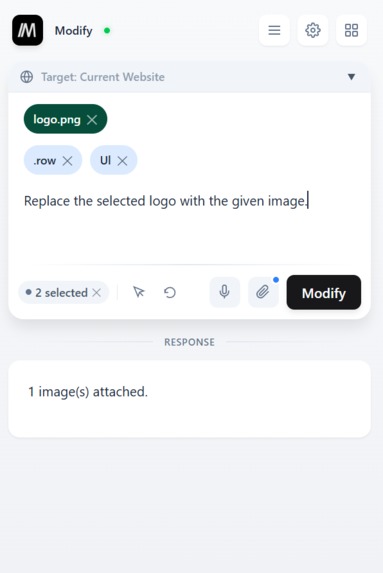
Main Chat - Light Theme
-
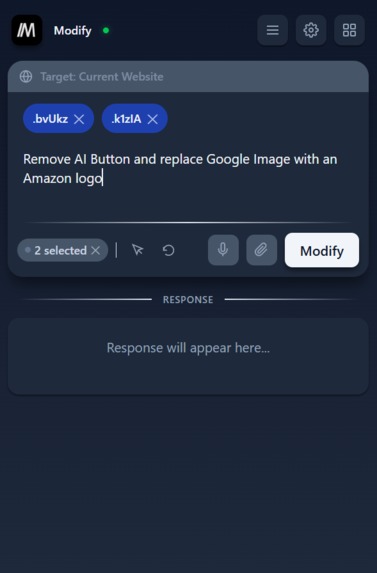
Main Chat - Dark Theme
-
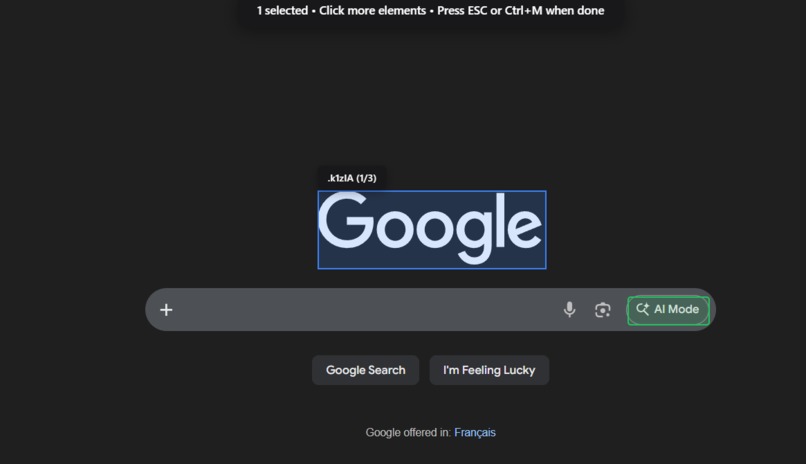
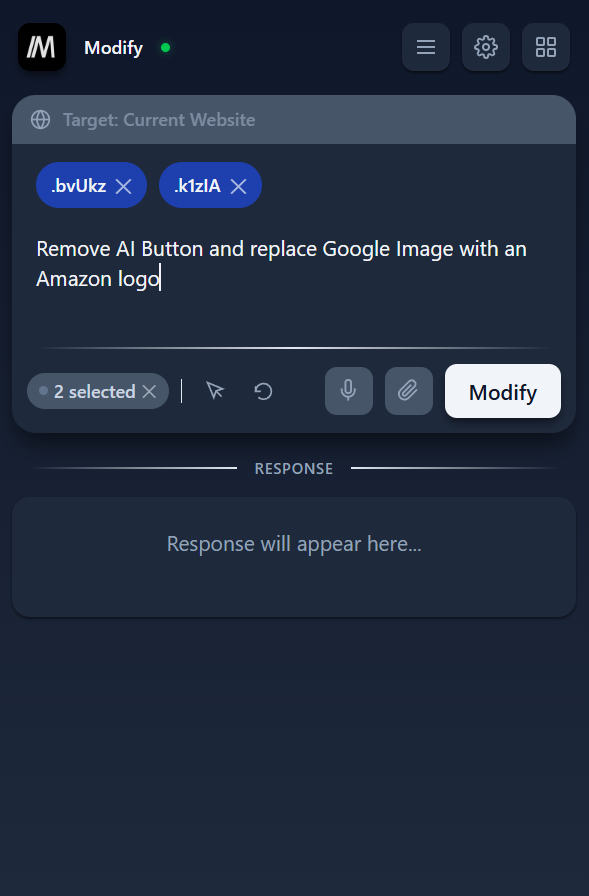
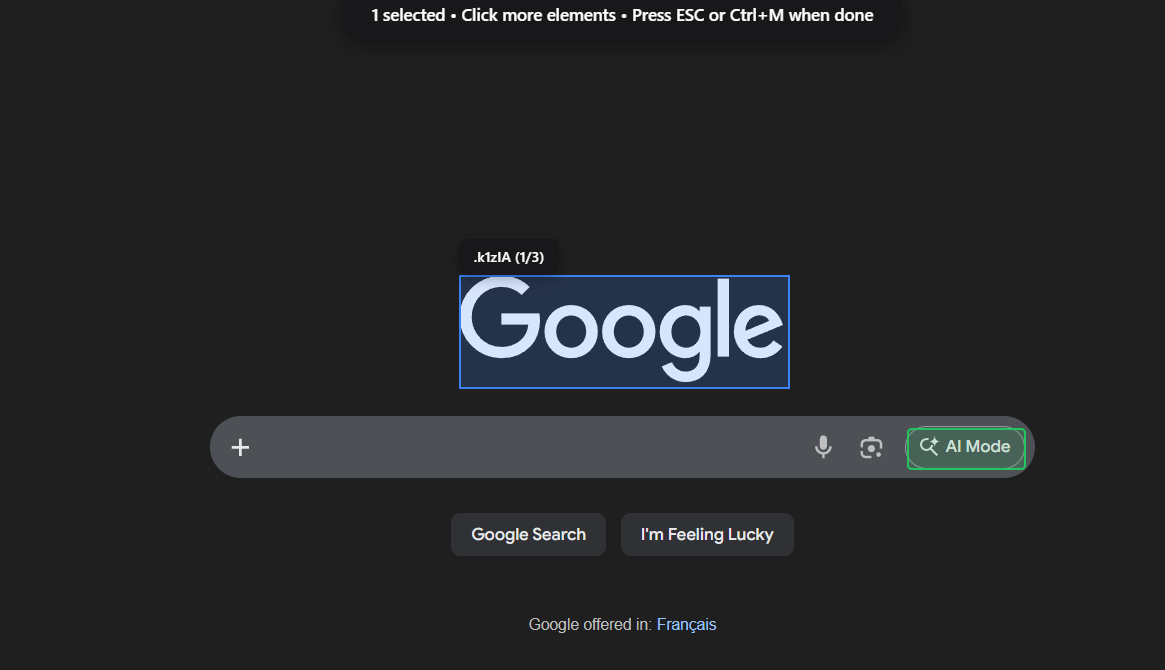
Element Selector
-
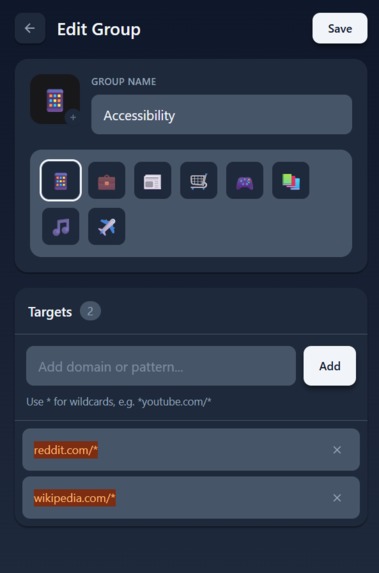
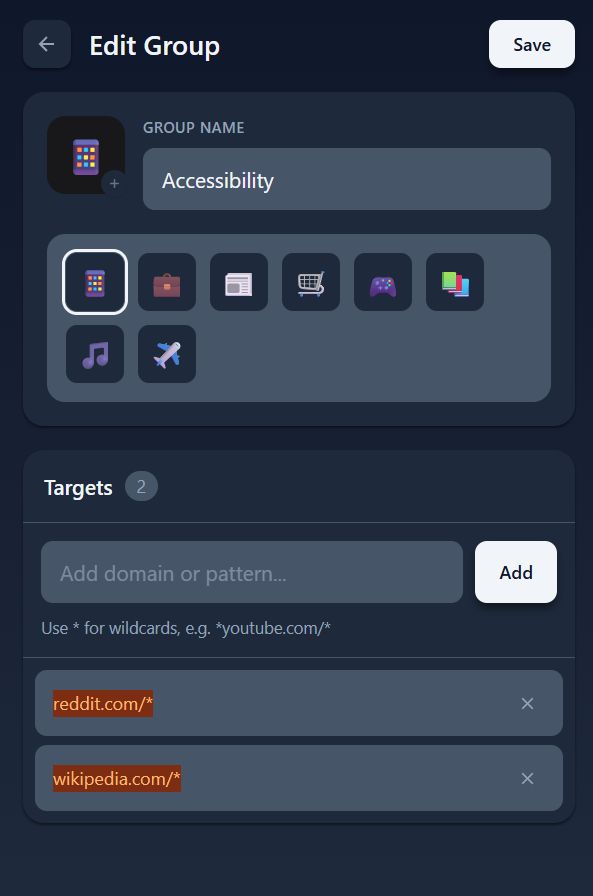
Group Creation - Dark Theme
-
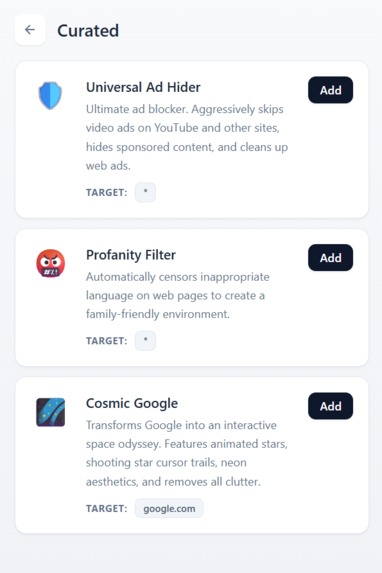
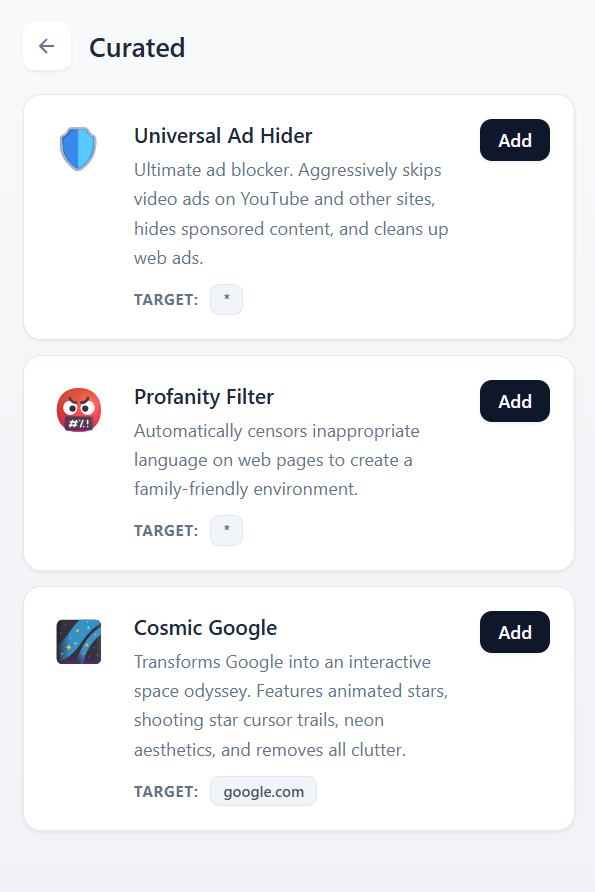
Curated Modifications - Light Theme
-
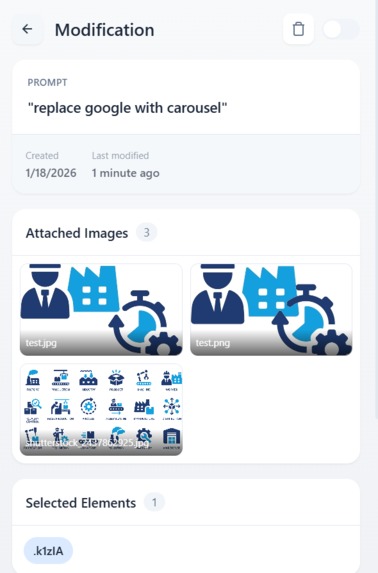
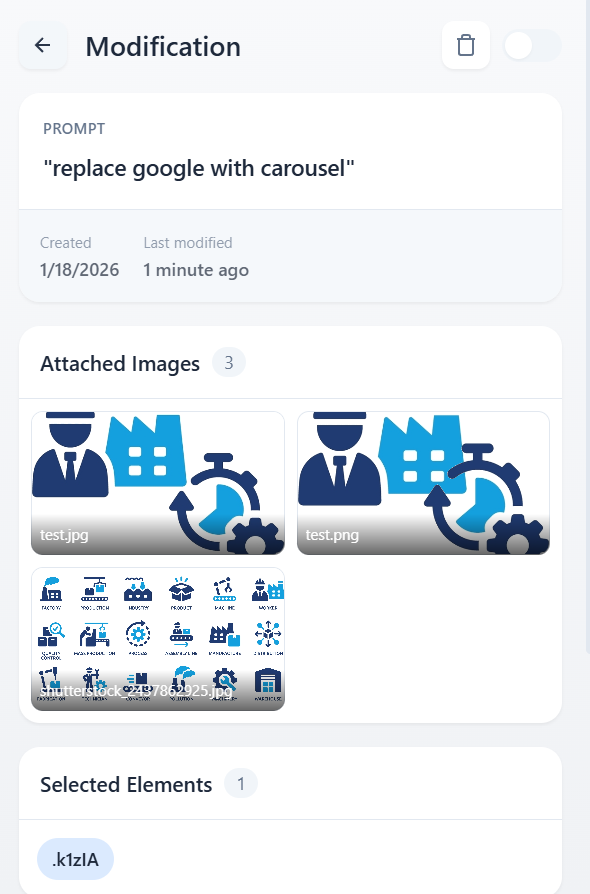
Modification Details - Light Theme
-
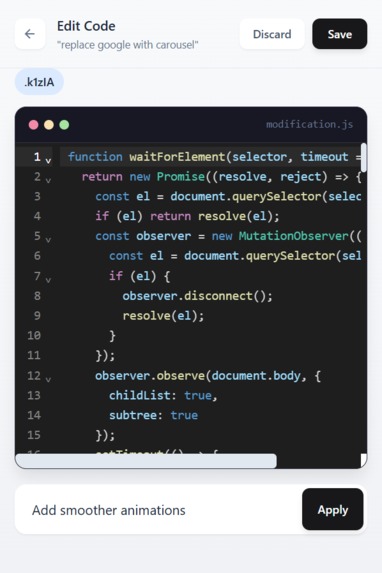
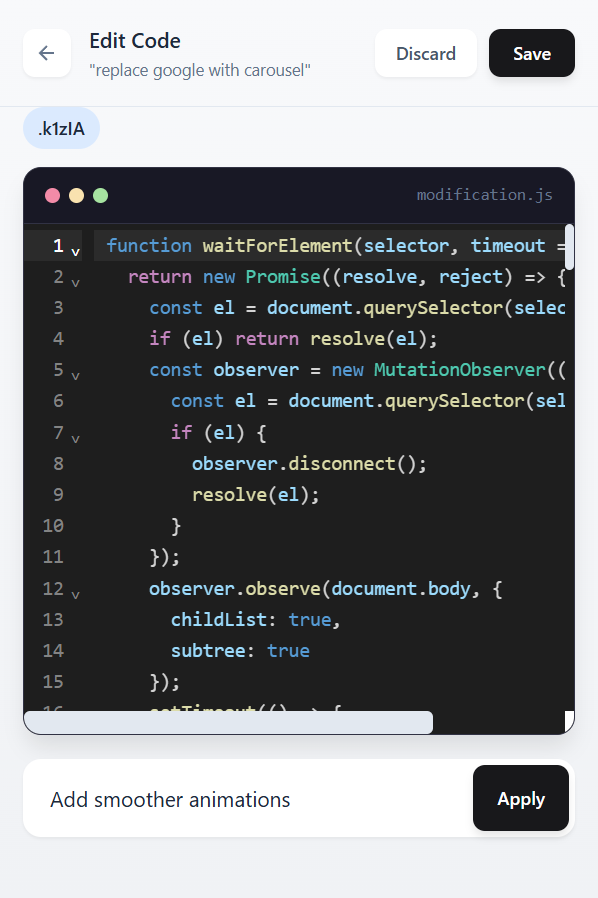
Code Editor - Light Theme

Inspiration
We were frustrated by the browser extension bloat. Needing separate extensions to hide YouTube comments, another to change fonts, another to remove annoying popups or adblock. Each tiny customisation required trusting yet another extension. We wanted one tool that could do it all: modify any website ANY way we want, without writing code, and have those changes persist.
What it does
Modify is a Chrome extension that lets you customize any website using natural language. Simply describe what you want to change, and AI generates and executes the JavaScript to make it happen without coding required.
Core Features
Natural Language Modifications
Type what you want in plain English:
- "Hide the comments section"
- "Make all text purple"
- "Remove the sidebar"
- "Add a dark mode toggle"
The extension understands your intent, analyses the webpage structure, and generates precise JavaScript to accomplish the task.
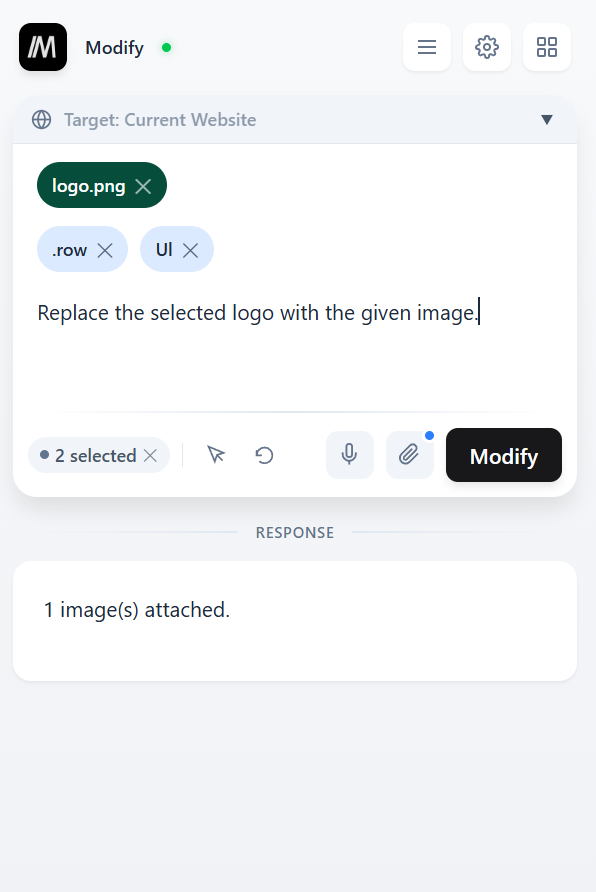
Intelligent Element Selection
Don't want to describe elements? Use the Select Element tool:
- Click the crosshair button
- Click on any element(s) on the page, they highlight as you hover
- Selected elements appear in the prompt area
- Scroll up or down to control the selected area's granularity
- Type your modification (ex, "make this red" or "hide these")
- The extension then uses the exact CSS selectors for precision
Image Upload Support
Upload your own images to use in modifications:
- Set custom page backgrounds
- Replace logos or icons
- Add decorative elements
Voice Input
Click the microphone button to speak your modification request, for more accessibility / ease of use.
Persistent Modifications
Every modification you create:
- Automatically reapplies when you revisit the page
- Can be enabled/disabled without deleting
- Stores the original prompt for reference
- Can be tied to any site, URL pattern, or group
Smart URL Pattern Matching
Control where your mods apply:
- Current Website: Applies to all pages on the same domain (e.g.,
youtube.com/*) - All Websites: Applies everywhere (
*) - Custom Patterns: Specify exact URL patterns
- Groups: Apply to predefined website collections
Groups
Organize websites into groups for batch modifications:
- Create groups like "Social Media", "News Sites", "Work Tools"
- Add website URLs to each group
- Choose a group as your target and the mod applies to all sites in that group
- Custom icons for visual organization
Undo System
Made a mistake? Click Undo to:
- Disable the last modification
- Restore your prompt, selected elements, and uploaded images
- Refresh the page to its original state
Curated Modifications
We've included a list of Curated Modifications that we think are really cool! Check them out in the video and image gallery.
For Technical Users
Developers and power users can view and edit the generated JavaScript directly:
- Open the Mods panel to see all saved modifications
- Click on any mod to view its generated code
- Edit the code manually for fine-grained control
- Describe code improvements
- Changes are saved and reapplied automatically
Settings & Configuration
Bring Your Own API Key
Modify uses OpenRouter for AI access:
- Enter your own OpenRouter API key
- Connection status indicator shows green when connected, red when not
Use Cases
Accessibility
- Enlarge text on hover for users with vision impairments
- Increase contrast on low-contrast websites
- Convert small fonts site-wide to a readable minimum size
- Add dyslexia-friendly fonts like OpenDyslexic to any site
- Remove animations for users with vestibular disorders
Parental Controls & Safety
- Blur or hide inappropriate content based on keywords
- Remove comments sections to avoid toxic discussions
- Add time-on-page warnings to limit screen time
Productivity & Focus
- Hide social media feeds while keeping messaging accessible
- Add Pomodoro timers to any website
- Highlight deadlines on project management tools
- Remove cookie banners and popups permanently
- Hide YouTube Shorts to stay focused on long-form content
Customization & Aesthetics
- Apply custom color themes to any website
- Add dark mode to sites that don't have it
- Redesign navigation menus to your preference
- Replace logos or backgrounds with custom images
Education & Learning
- Turn YouTube videos into interactive quizzes using AI
- Highlight key terms in educational content
- Add note-taking sidebars to any article
The possibilities are endless :)
How we built it
- Chrome Extension Manifest V3 architecture
- TypeScript for type-safe development
- Tailwind CSS for the popup UI
- OpenRouter API for multi-model AI access
- Chrome Storage API for persistence
- Message passing between popup, background service worker, and content scripts
- MutationObserver for dynamic element detection
- Trusted Types for CSP-compliant code injection
AI was used to assist development: Claude Code & Cursor.
Challenges we ran into
Content Security Policy (CSP)
Modern websites like YouTube and Twitter use strict CSP that blocks eval(), innerHTML, and inline scripts. We solved this by:
- Injecting into the MAIN world instead of the isolated content script world
- Creating a Trusted Types policy to bypass innerHTML restrictions
- Using
document.createElement()patterns instead of HTML strings
Race Conditions
When a user executes a modification, the page might trigger a reapply of saved scripts. We implemented a debounce mechanism to prevent the reapply from overwriting the user's fresh modification.
Dynamic SPAs
Single Page Applications don't trigger full page reloads. We detect URL changes and intelligently reapply or regenerate scripts as needed.
Image Persistence
Browser extensions can't access the filesystem. We convert uploaded images to base64 data URLs and store them with the script, allowing images to persist and reapply.
Accomplishments that we're proud of
We believe our solution to polished, and solves many real world use cases! We accomplished the whole scope that we had set out to do.
What we learned
- Bypassing CSP restrictions safely and legitimately
- Handling dynamic content in modern web applications
- Storing and retrieving complex data structures in Chrome storage
- Furthering our communication and team-working skills
What's next for Modify
Test more thoroughly for bugs, then publish to the official Chrome Web Store.
Built With
- javascript
- openrouter
- typescript


Log in or sign up for Devpost to join the conversation.