-
-
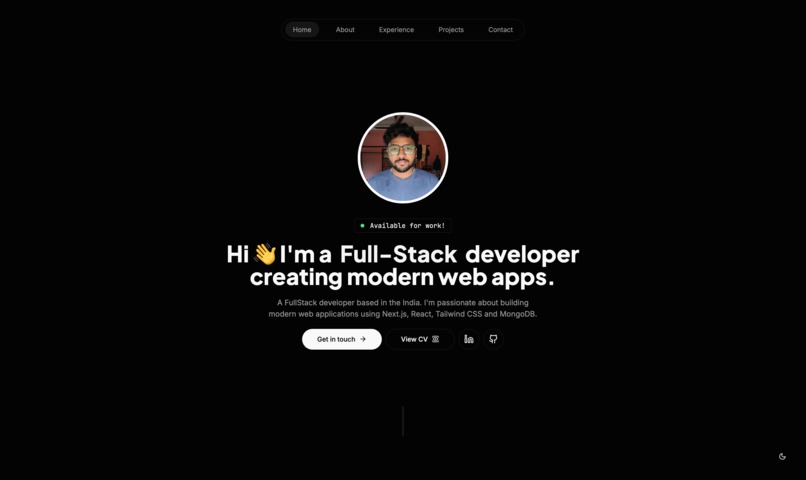
working demo
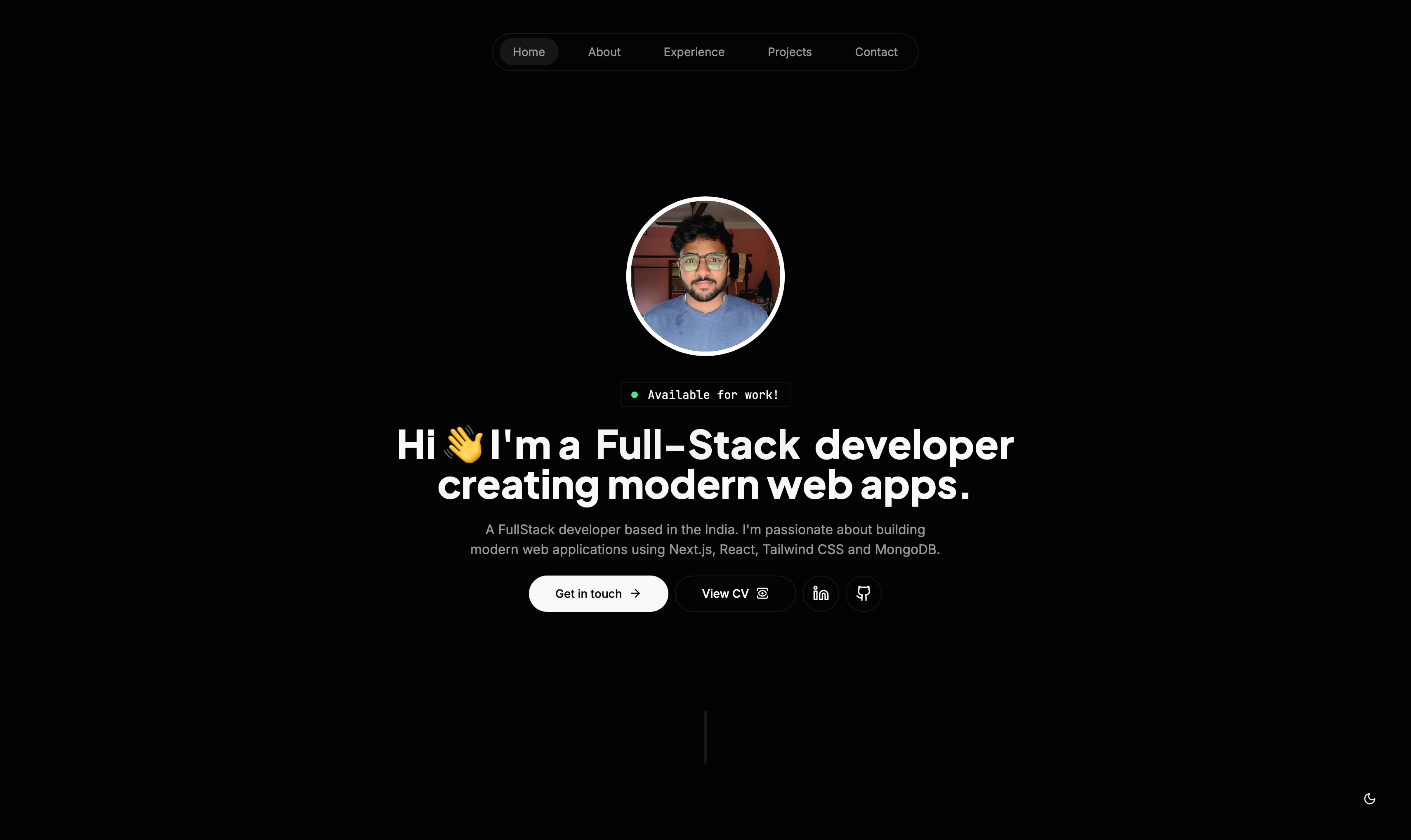
📹 Demo
https://github.com/user-attachments/assets/1e385ec8-ae6c-41af-b6db-8d97f9d0d5f6
✨ Features
- 🚀 Built with Next.js 14 and TypeScript
- 📱 Fully Responsive Design
- 🎨 Modern UI with Tailwind CSS and shadcn/ui
- ✉️ Email Contact Form Integration
- 🌙 Dark/Light Mode
- ⚡ Fast Performance
- 🔍 SEO Optimized
- 🎭 Smooth Animations with Framer Motion
📚 Documentation
Project Structure
├── src/
│   ├── actions/        # Server actions (email functionality)
│   ├── app/           # Next.js app router files
│   ├── components/    # React components
│   │   ├── ui/       # Reusable UI components
│   │   └── ...       # Feature components
│   └── lib/          # Configuration and utilities
│       ├── site-config.ts   # Site-wide configuration
│       └── data.tsx         # Content data
Configuration Files
1. site-config.ts
Contains website-wide configuration including:
- Personal information
- SEO metadata
- Social media links
- Contact information
export const siteConfig = {
  name: 'Your Name',
  title: 'Your Title',
  description: '...',
  email: 'your@email.com',
  links: {
    github: 'https://github.com/yourusername',
    linkedin: '...',
    // ... other social links
  },
};
2. data.tsx
Manages content data for:
- Navigation links
- Projects showcase
- Work experience
- Skills and technologies
export const projectsData = [
  {
    title: 'Project Name',
    description: '...',
    technologies: ['Tech1', 'Tech2'],
    links: {
      live: 'https://...',
      github: 'https://...',
    },
  },
  // ... more projects
];
🚀 Setup Guide
1. Clone and Install
# Clone the repository
git clone https://github.com/senapati484/modern-portfolio.git

# Navigate to the project
cd portfolio

# Install dependencies
npm install
2. Environment Setup
Create a .env file in the root directory:
SITE_URL='https://your-domain.com'  # Required for sitemap
NEXT_PUBLIC_SMTP_HOST='smtp.gmail.com'
NEXT_PUBLIC_SMTP_PORT='587'
NEXT_PUBLIC_SMTP_SECURE='false'
NEXT_PUBLIC_SMTP_EMAIL='your_email@gmail.com'
NEXT_PUBLIC_SMTP_PASS='your_app_specific_password'
3. Gmail App Password Setup
To get your Gmail app-specific password:
- Go to your Google Account Security Settings
- Enable 2-Step Verification if not already enabled
- Navigate to App Passwords
- Select 'Mail' and your device
- Copy the generated password and use it as
NEXT_PUBLIC_SMTP_PASS
4. Start Development Server
npm run dev
Visit http://localhost:3000 to see your site.
🔧 Built With
- Next.js 14 - The React Framework
- TypeScript - Type Safety
- Tailwind CSS - Styling
- Framer Motion - Animations
- shadcn/ui - UI Components
- React Hook Form - Form Handling
- Nodemailer - Email Integration
📞 Support
If you have any questions or run into issues, please open an issue in the repository or contact me:
- Email: sayansenapati2544@gmail.com
- Twitter: @SayanSenapati11
📄 License
This project is licensed under the MIT License - see the LICENSE file for details.
🤝 Contributing
Contributions are what make the open-source community such an amazing place to learn, inspire, and create. Any contributions you make are greatly appreciated.
- Fork the Project
- Create your Feature Branch (
git checkout -b feature/AmazingFeature) - Commit your Changes (
git commit -m 'Add some AmazingFeature') - Push to the Branch (
git push origin feature/AmazingFeature) - Open a Pull Request to the
mainbranch
For major changes, please open an issue first to discuss what you would like to change. Please make sure to update tests as appropriate.
Development Workflow
When contributing to this repository, please first discuss the change you wish to make via issue, email, or any other method with the owners of this repository before making a change.
All changes should be submitted through the /username/changes route, where they will be reviewed before being merged into the main branch.
🙏 Acknowledgments

Created by Sayan Senapati
🔰 Good First Issues
Looking to contribute but not sure where to start? Here are some beginner-friendly issues to help you get started:
- Improve Accessibility: Add ARIA labels and improve keyboard navigation throughout the site.
- Add Animation Variants: Create additional animation options for section transitions.
- Enhance Dark Mode: Refine the dark mode color palette for better contrast and readability.
- Optimize Images: Implement next/image for all images and add proper sizing and optimization.
- Add Unit Tests: Create basic unit tests for components using Jest and React Testing Library.
- Implement i18n Support: Add internationalization support for multiple languages.
- Create Additional Themes: Develop alternative color themes beyond just light/dark mode.
- Improve Mobile Navigation: Enhance the mobile navigation experience with better transitions.
To work on any of these issues, please follow the contribution guidelines above.
Built With
- css
- javascript
- nodemailer
- typescript

Log in or sign up for Devpost to join the conversation.