-
-
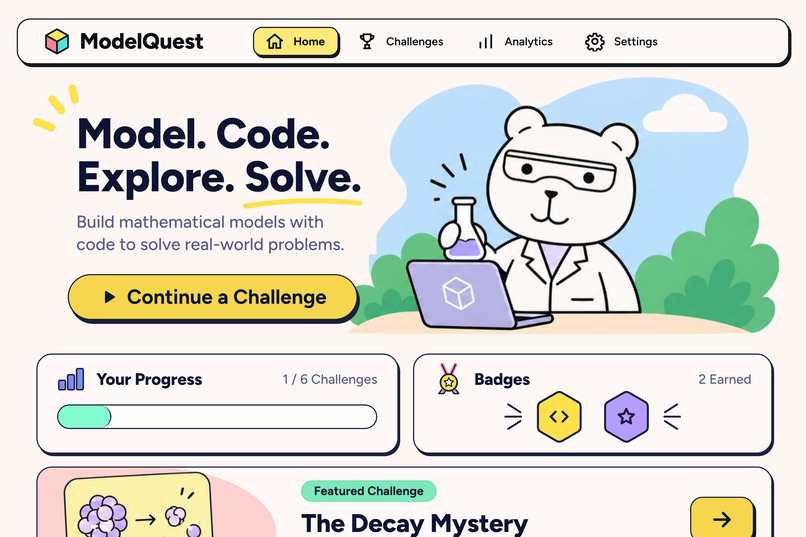
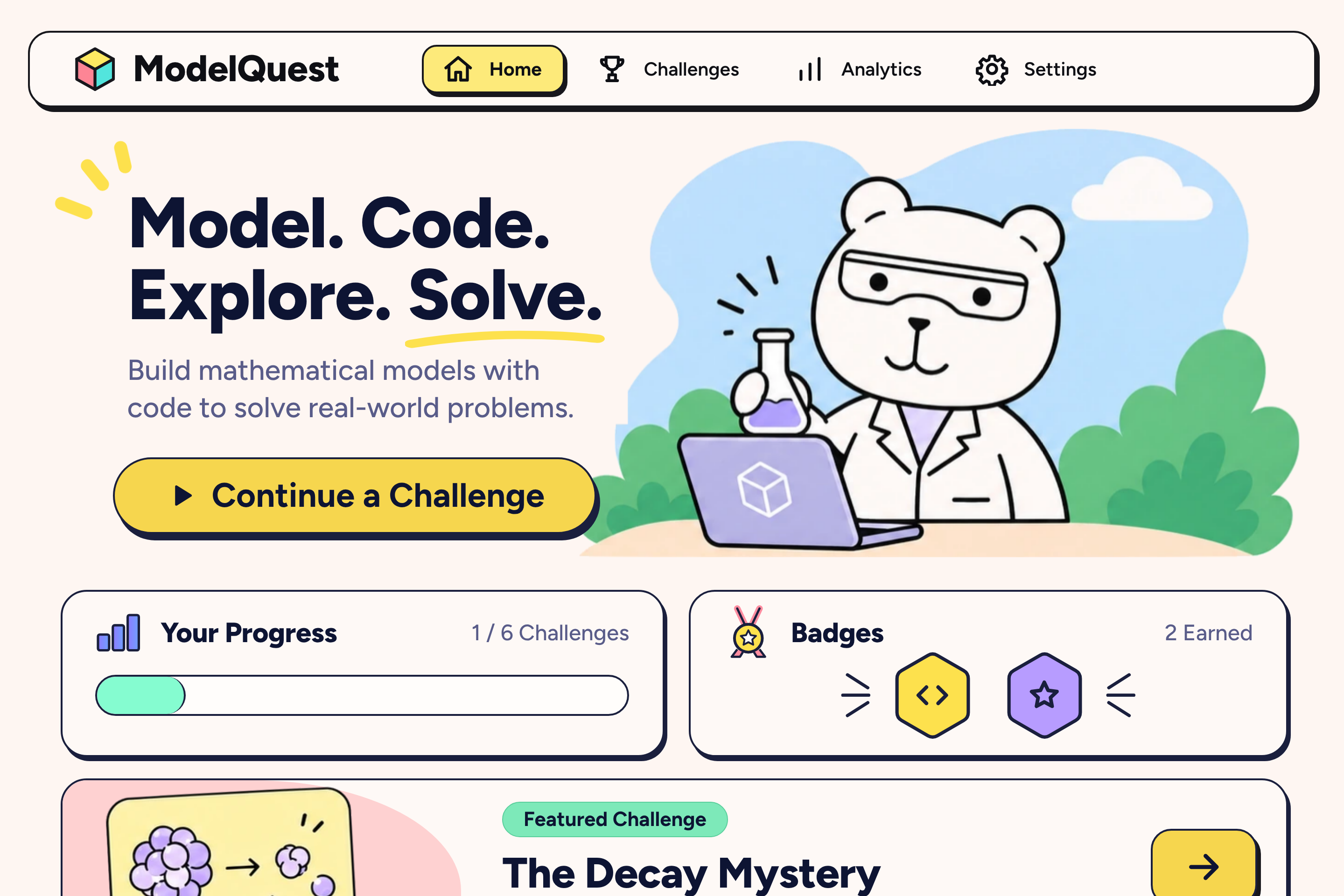
Homepage
-
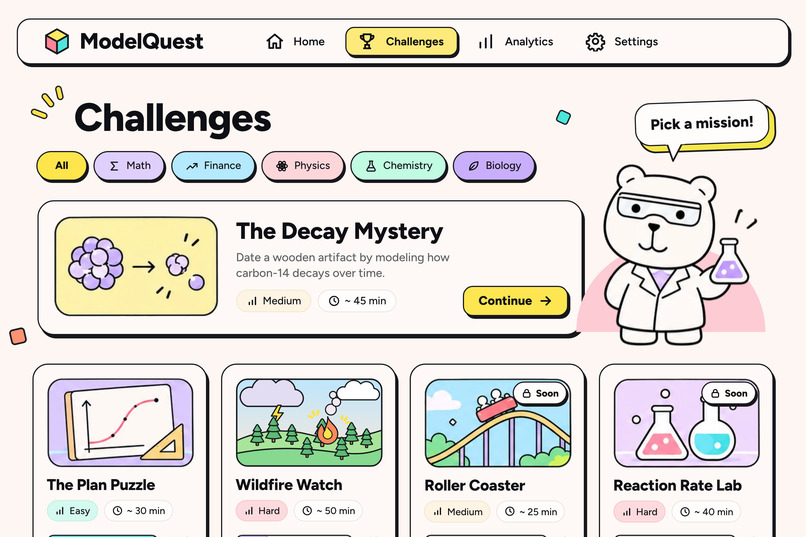
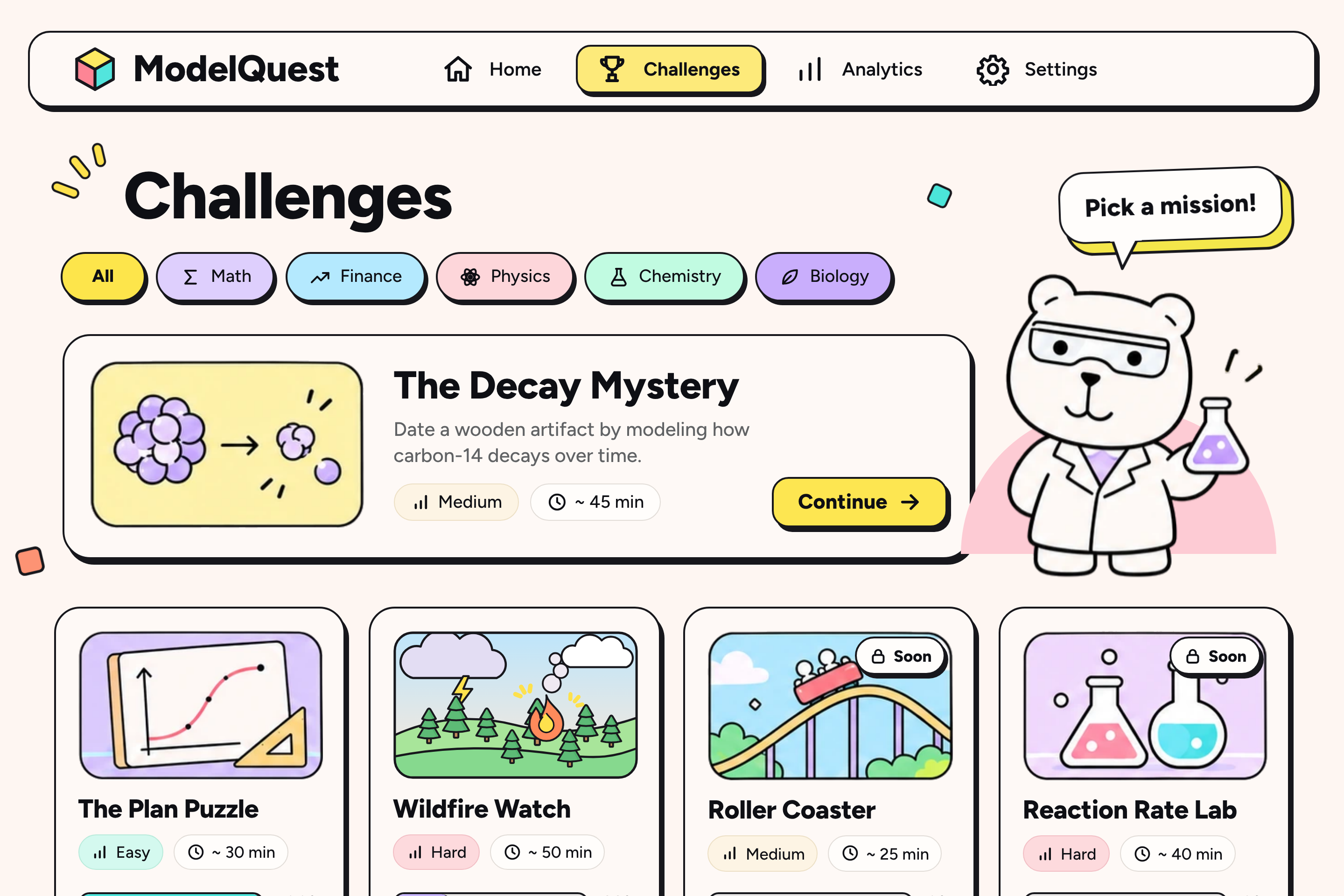
Challenge library
-
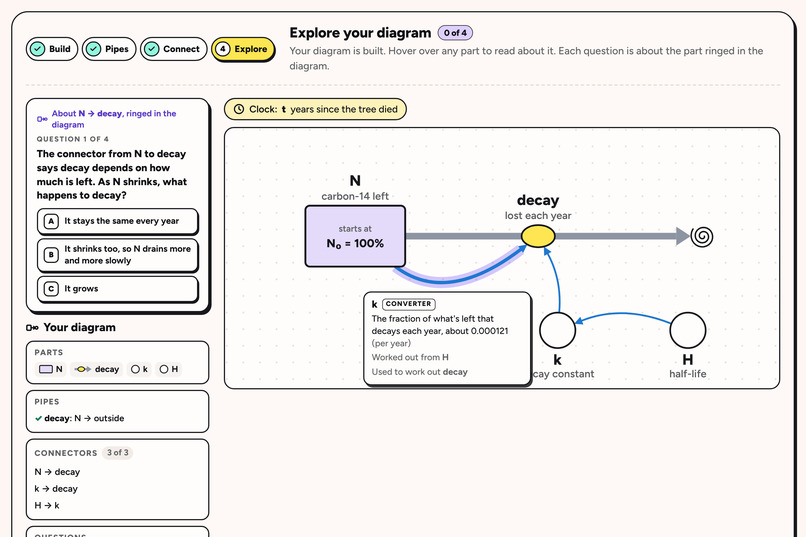
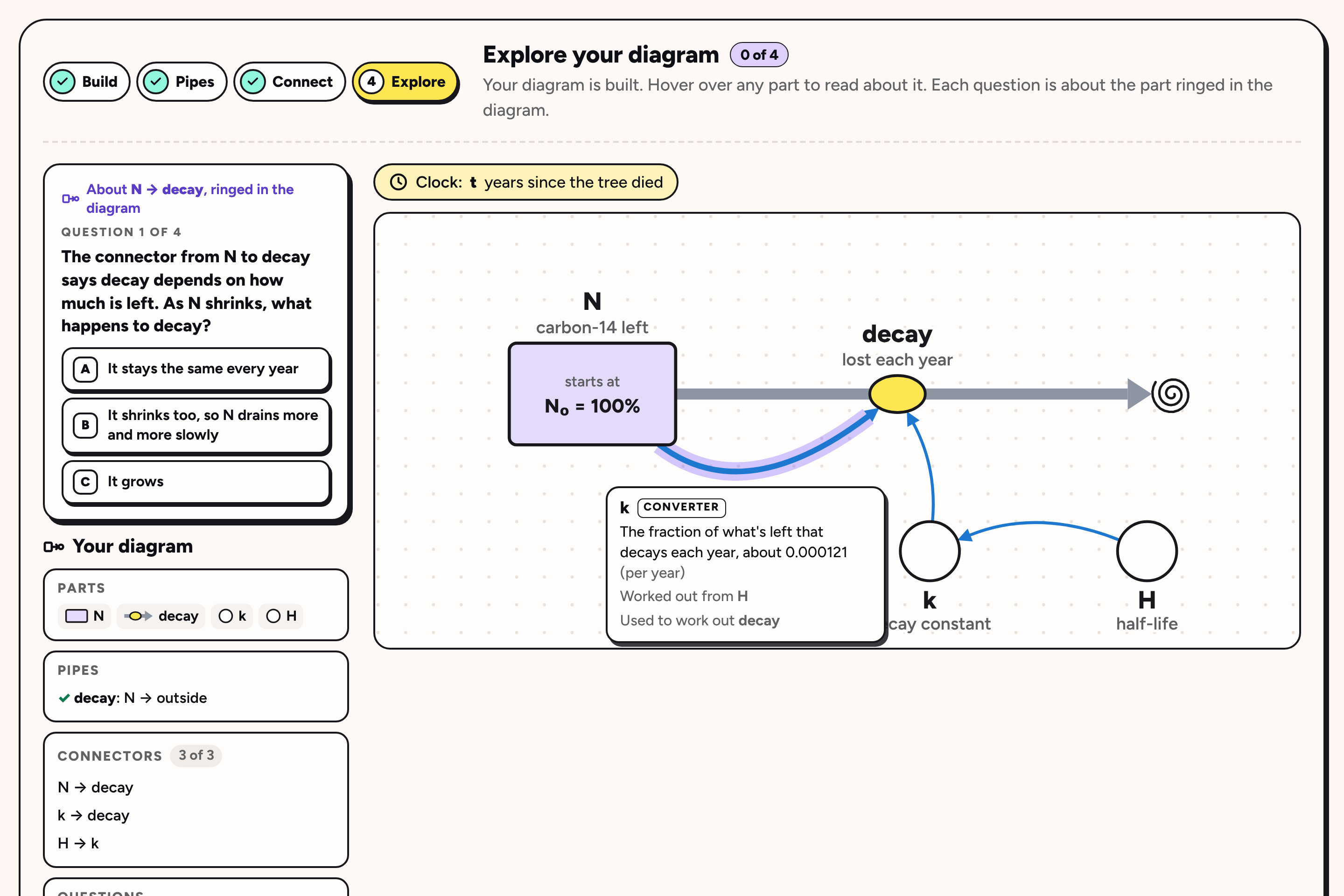
Decay flow diagram
-
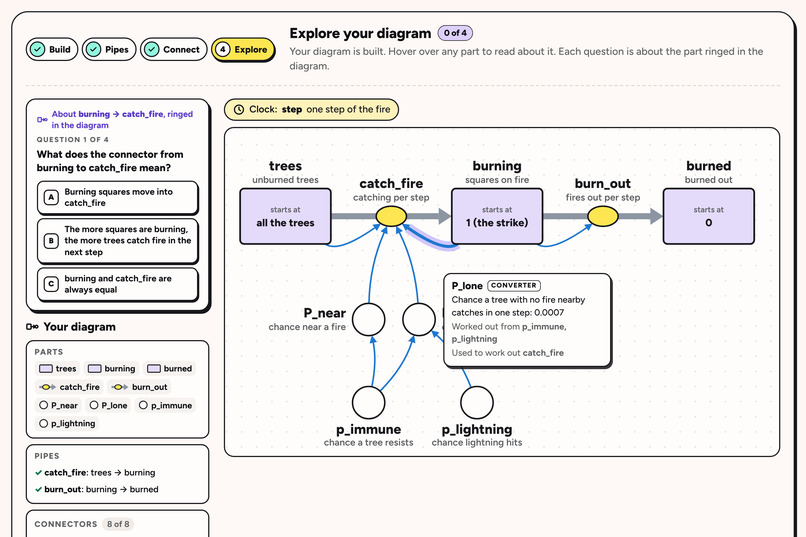
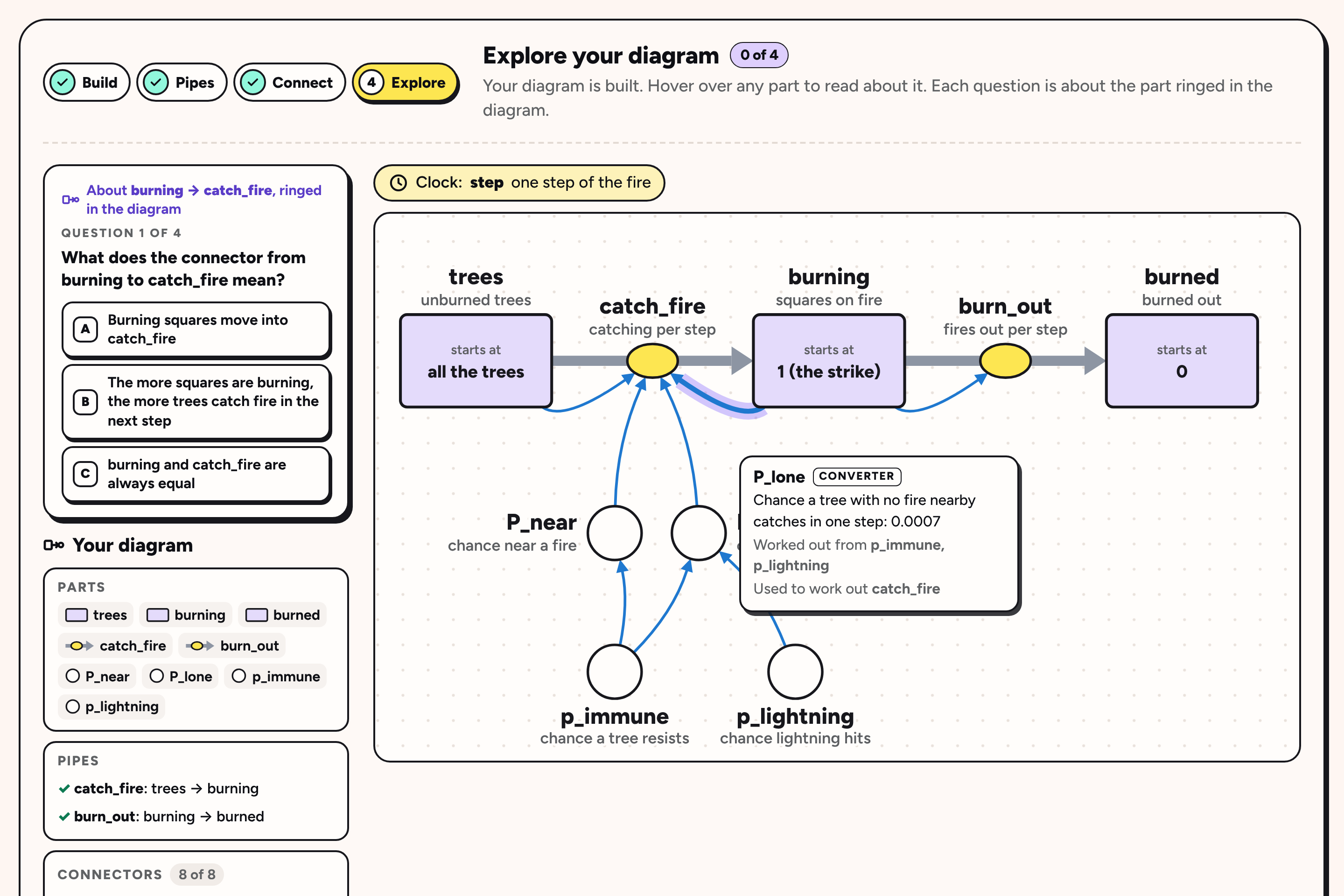
Wildfire flow diagram
-
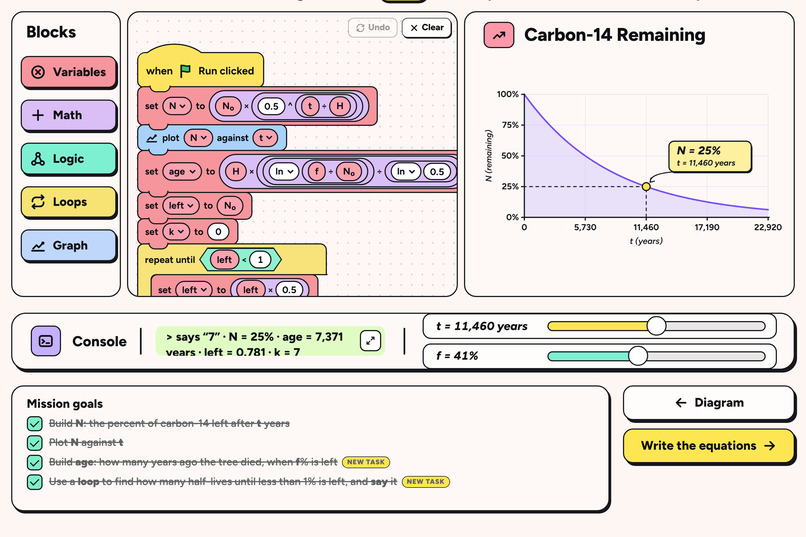
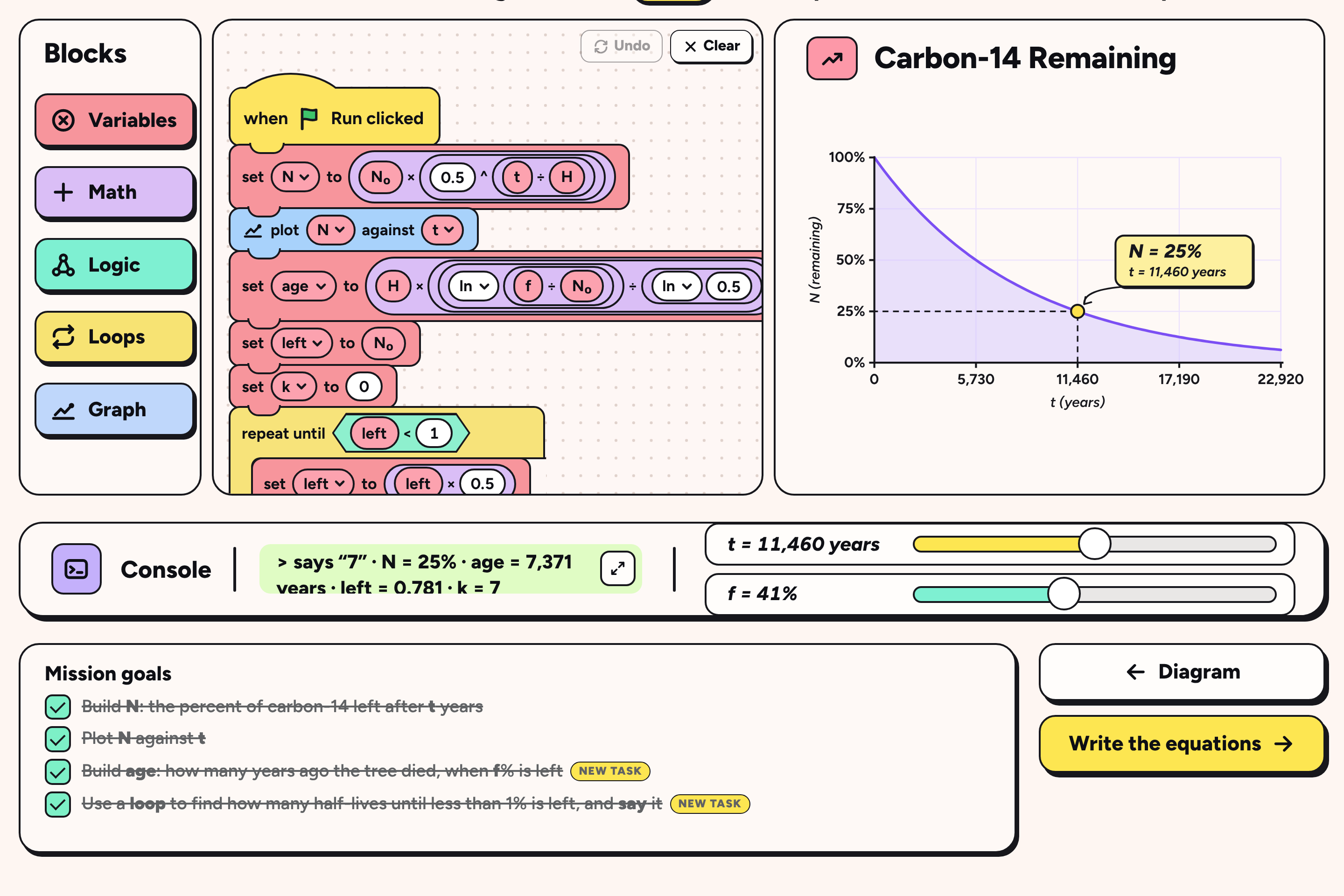
Decay program
-
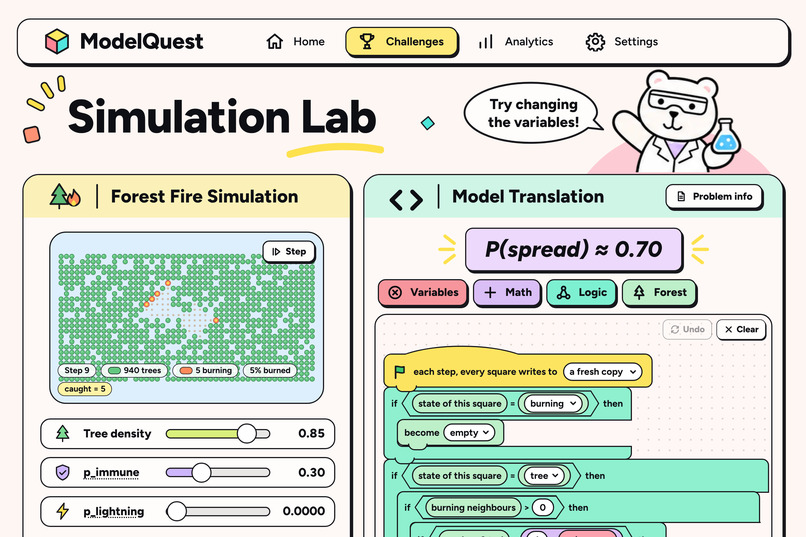
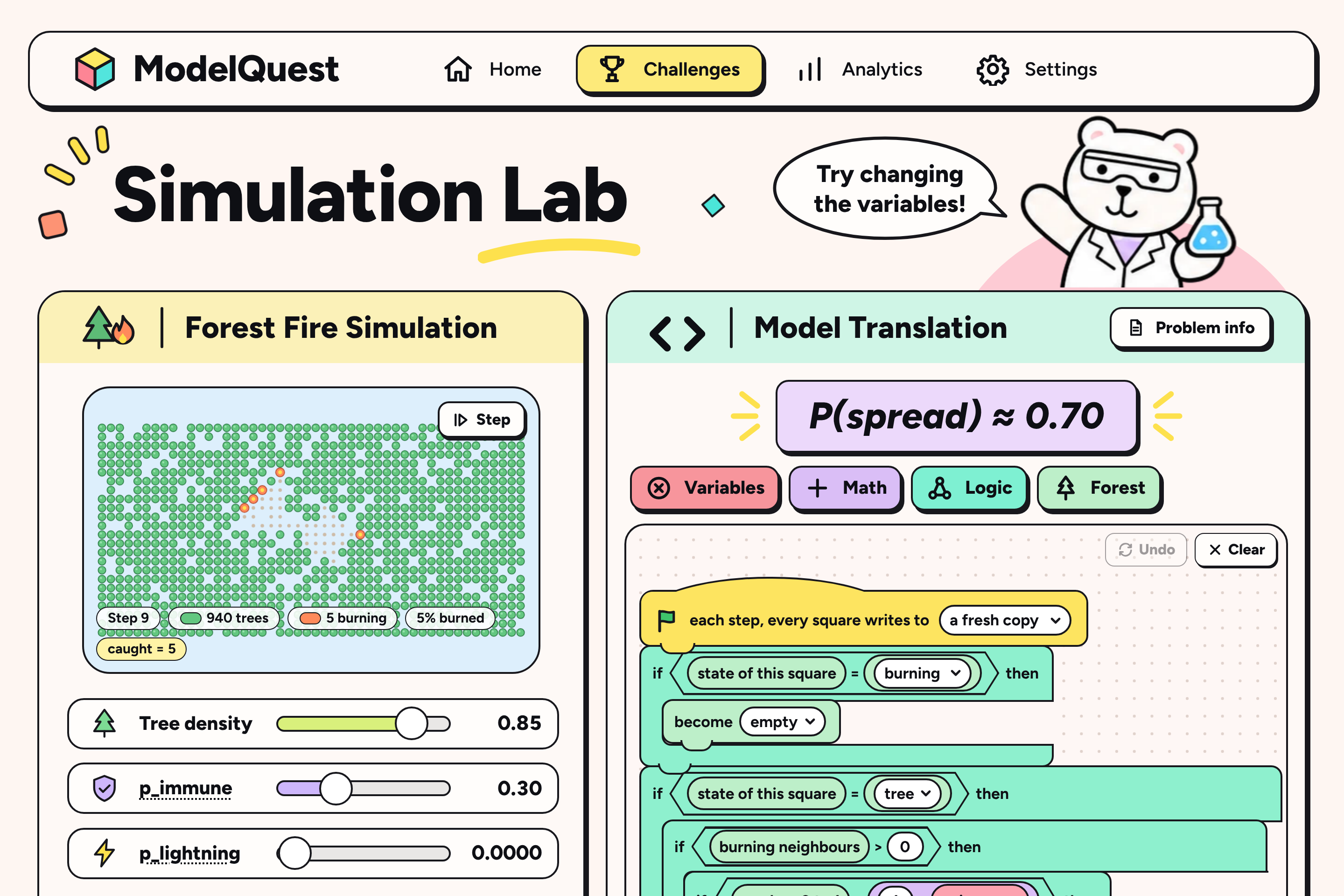
Wildfire program
-
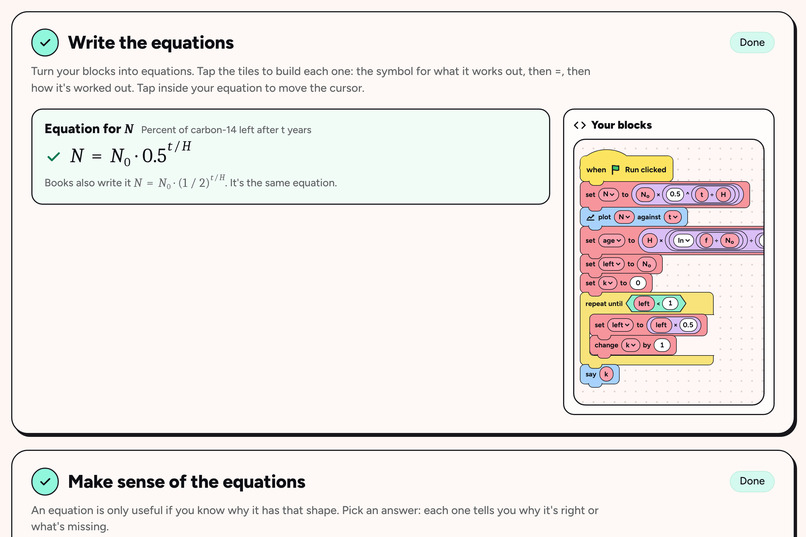
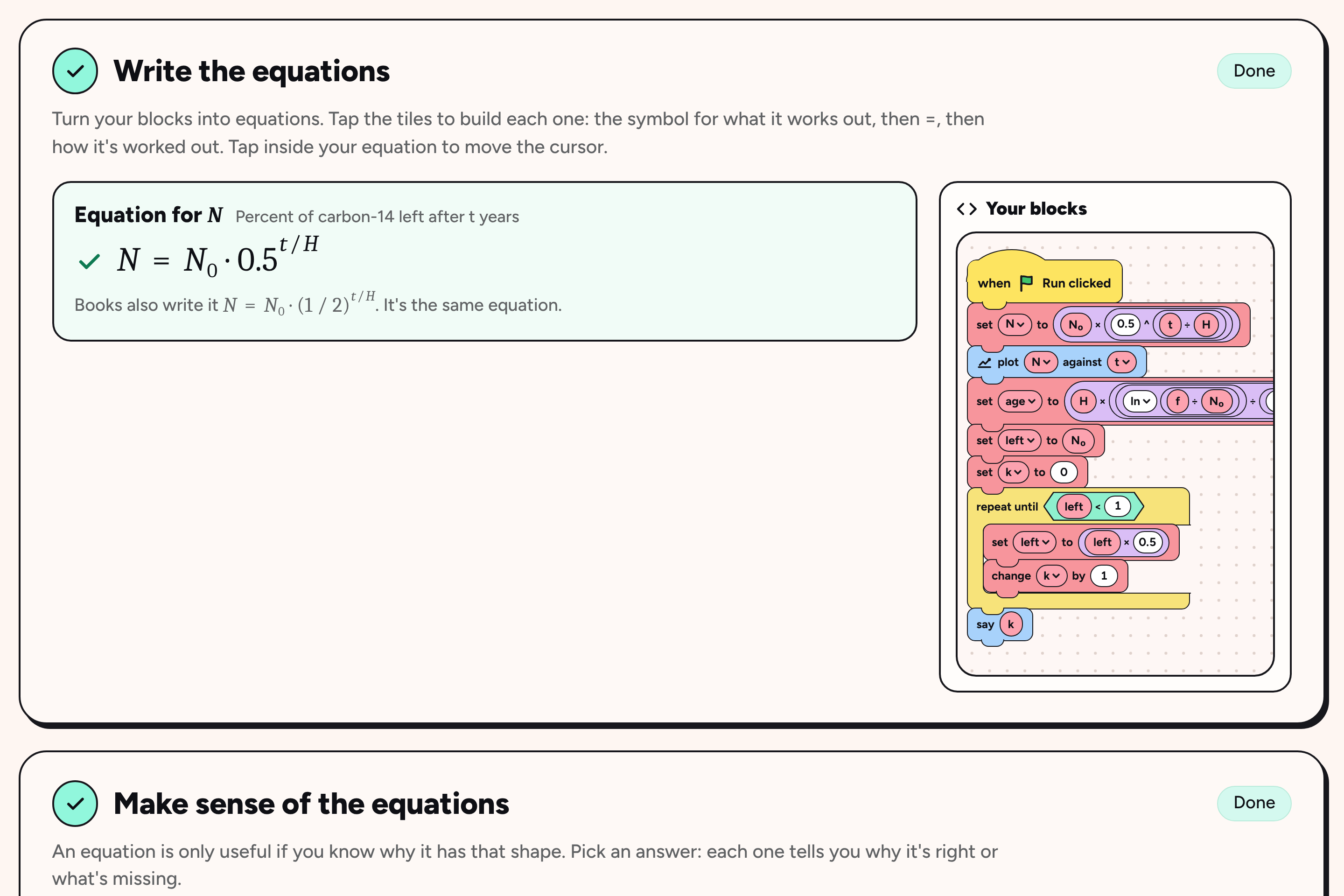
Decay equation
-
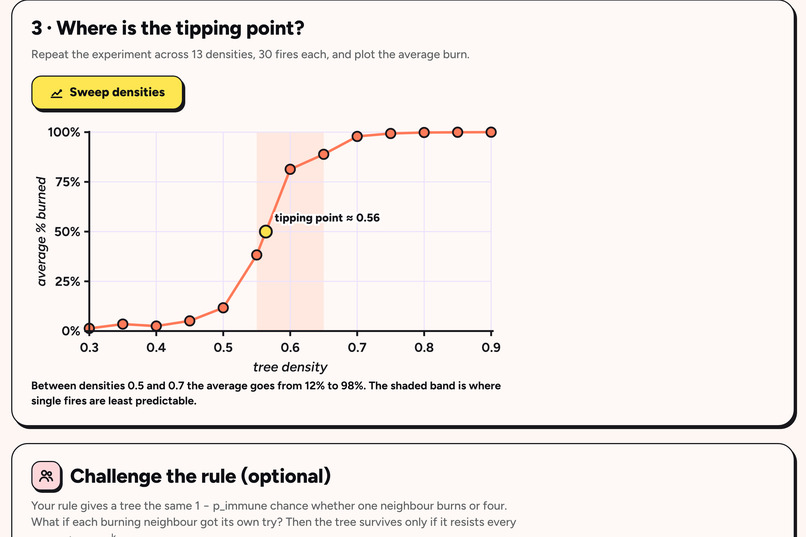
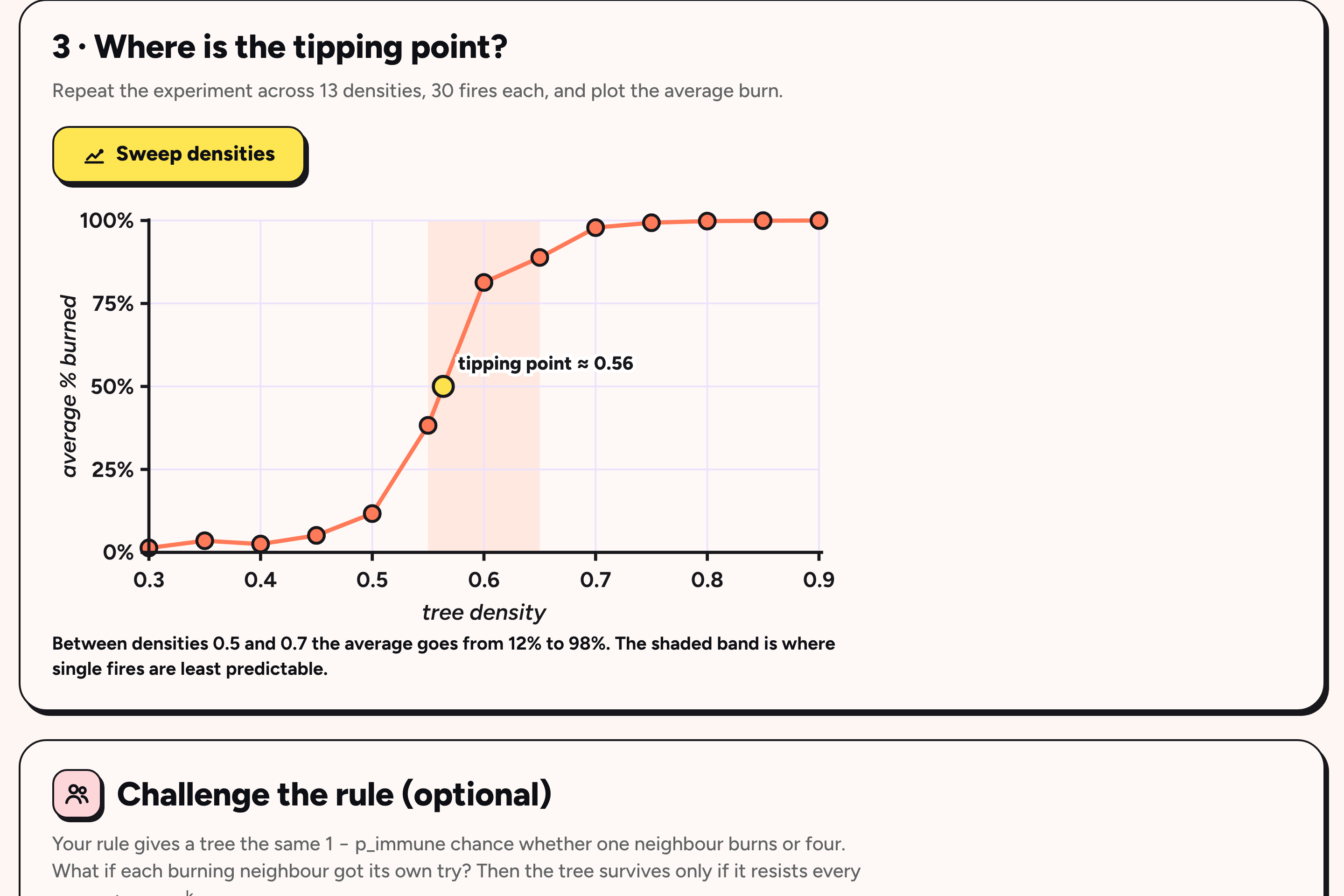
Wildfire test
-
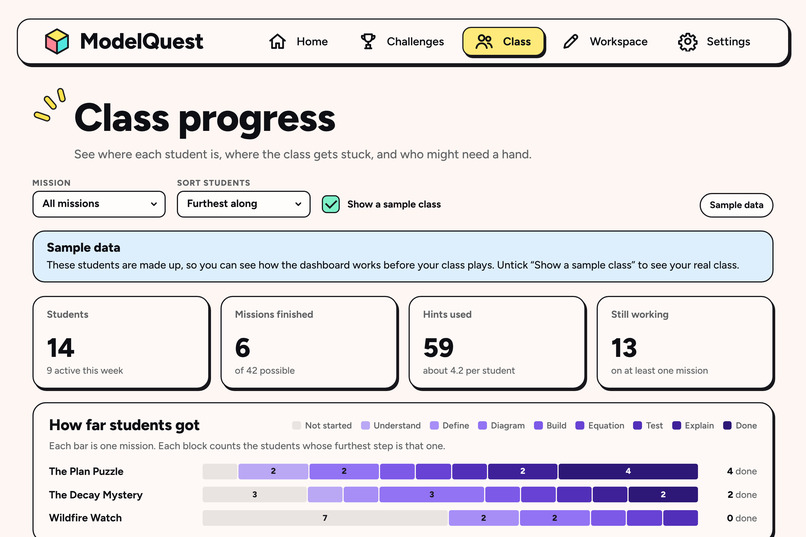
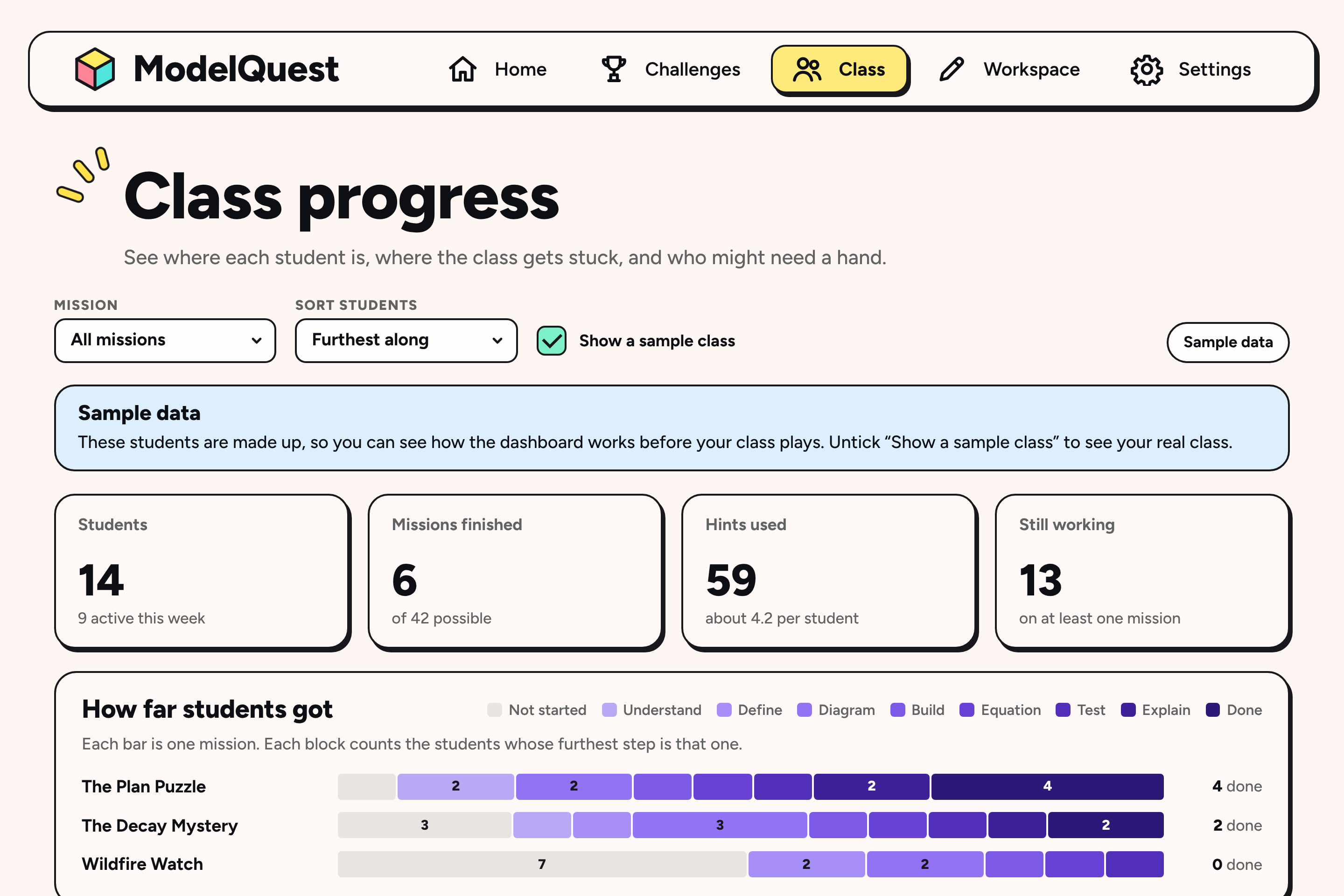
Classroom profile
-
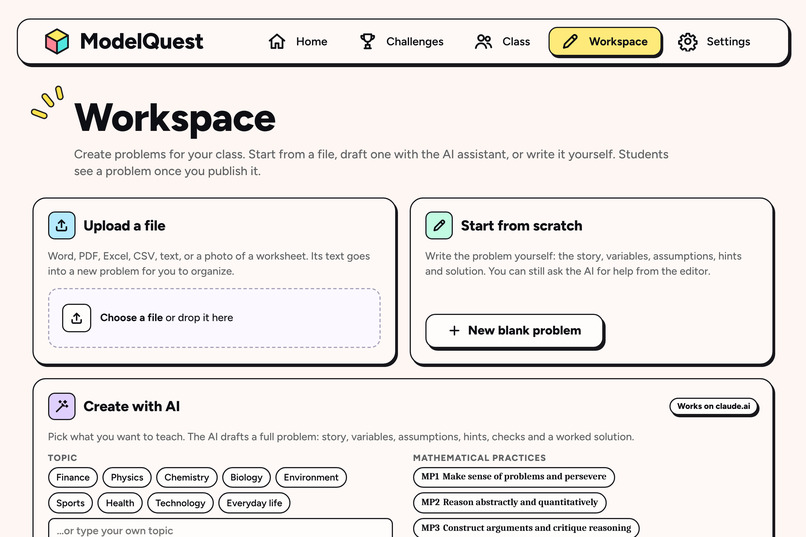
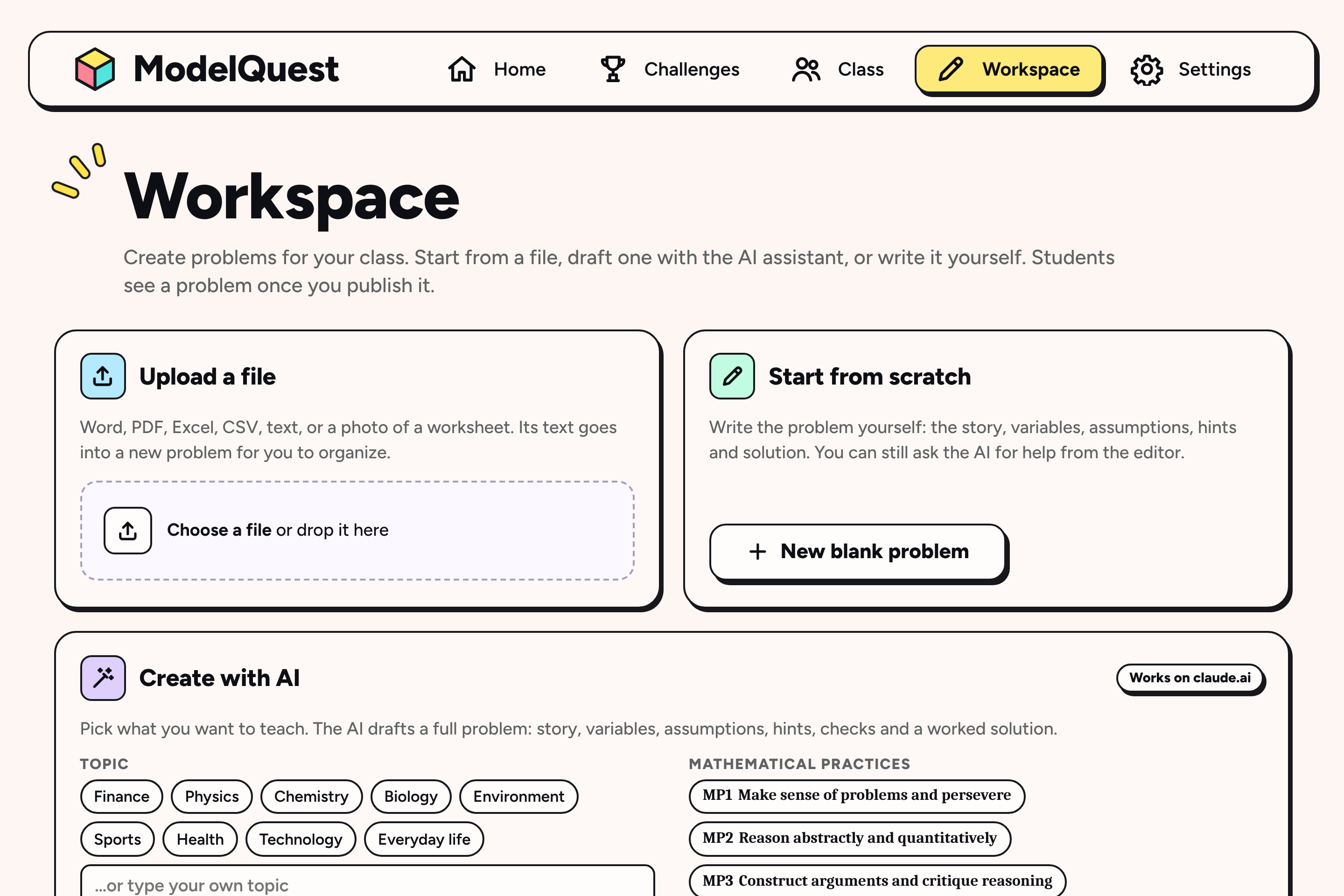
Teacher's workspace
DEMO: https://www.modelquest.us
Inspiration
Plugging numbers into formulas to solve word problems is NOT mathematical modeling, but simply rote procedures.
Research has shown that computational skills help strengthen mathematical and scientific reasoning. Hence, as prospective math educators, we hope to foster students’ computational thinking through a fun, interactive, and multimodal environment embedded in their curriculum.
What it does
ModelQuest is a game that lets students learn how to use mathematics to model real-world problems.
Students develop computational thinking by constructing pseudocode blocks to build mathematical models, following the seven steps real modelers would use:
- Understand: Read a real-world situation and the question it raises.
- Define: Identify the quantities, their units, and the model’s assumptions.
- Diagram: Drag and drop a stock-and-flow diagram showing what changes and what depends on what.
- Build: Code the model with Scratch-style blocks and watch a live graph or simulation respond.
- Equation: Turn the blocks into symbolic mathematical equations and solve them step by step.
- Test: Check the model against known answers and debug.
- Explain: Answer the question using the model’s numbers and explain where the model could be wrong.
For teachers: ModelQuest also supports teachers in analyzing students’ learning and creating lessons, tasks, and activities that align with their school’s curriculum.
How we built it
ModelQuest is built using HTML, CSS, and JavaScript, with support from Claude Opus 5.5.
- UI/UX Design: Hand drawings and Figma, following a neo-brutalist design style.
- Design Inspiration: We also took inspiration from the structure and design of multiple hackathon websites!
- Coding Environment: We followed the Scratch-style coding block structure.
- Visualizations: We used SVG diagrams and graphs.
- Animations: We built simple animations using CSS and browser APIs.
- Testing: We tested the application using Playwright browser tests.
Challenges we ran into
1. Designing an educational game
Designing a game, especially an educational game, is challenging because it requires connections to various psychological frameworks, cognitive theories, and teaching practices.
2. Making every feature educationally meaningful
Each feature and task has to be intentional and meaningful to address students’ different skills, such as recursive and systematic thinking, debugging, and validation.
3. Balancing UI/UX and cognitive demands
We spent a lot of time on UI/UX to ensure that the interface is friendly and not too overwhelming, while the tasks remain interactive and engaging without being too cognitively demanding.
4. Deciding whether to integrate AI
We also had to debate whether integrating AI was necessary, and we ended up incorporating it only into the teacher workspace section. However, since we didn’t have access to any advanced AI model API keys, we could only use the free Gemini 2.5 Flash-Lite API. It is not as well-trained as we expected, so it may not function as well as we had hoped.
5. Time constraints and unexpected travel delays
We didn’t sleep for 48 hours straight because we got stuck at an airport due to the nationwide ground stop and arrived late. We could only brainstorm and put ideas into our presentation at first, so we had to rush through most of the development to build this web app in the last 20 hours.
Accomplishments that we're proud of
We arrived at Princeton in one piece, and we cooked a product that we're super proud of, so we hope everyone would love it too.
What we learned
We learned how to actually put fragmental ideas into a complete project, as 2 out of 3 team members are first-time hackers. Researching educational technology solutions was quite challenging but exciting as we got to explore so many innovative approaches. Designing the tasks for our game was also enjoyable, as we came up with a wide range of ideas and debated to narrow them down and put everything in a logical, coherent order.
What's next for ModelQuest
Next, we would love to:
- Pilot ModelQuest in classrooms with student privacy protections.
- Expand the mission library across grades 6–12.
- Use anonymized learning data to show teachers where students get stuck, so the AI can help them build better lessons.

