-
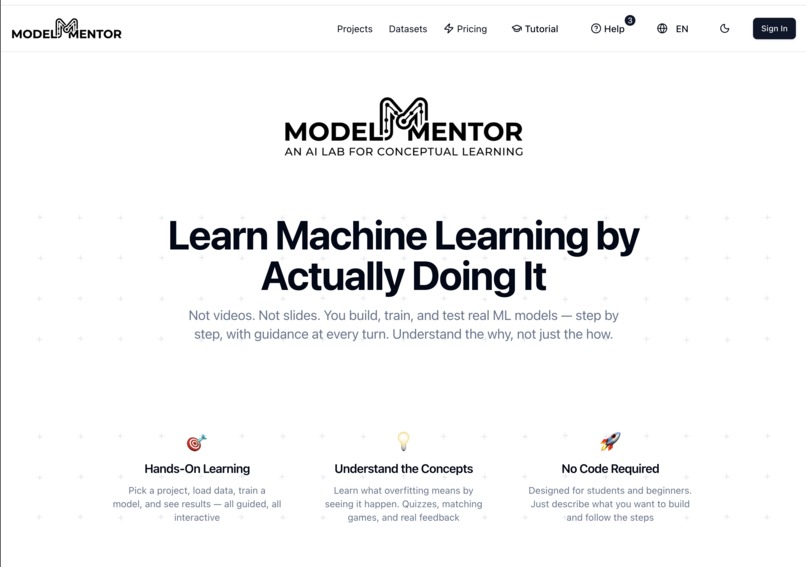
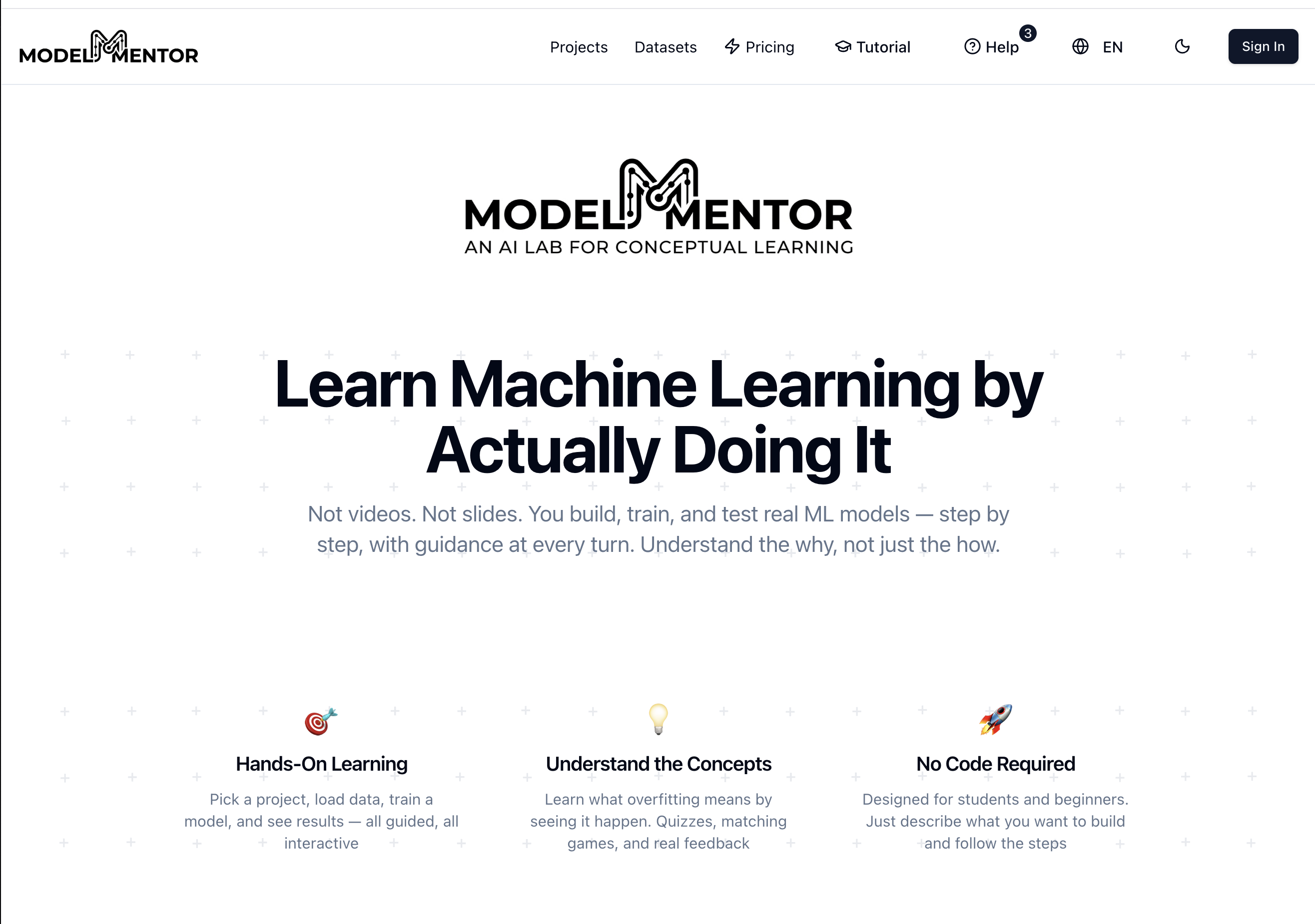
Landing Page
-
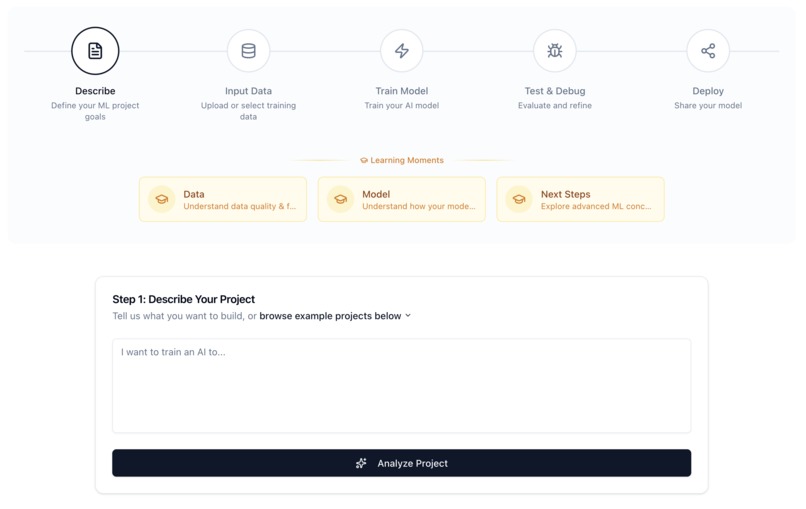
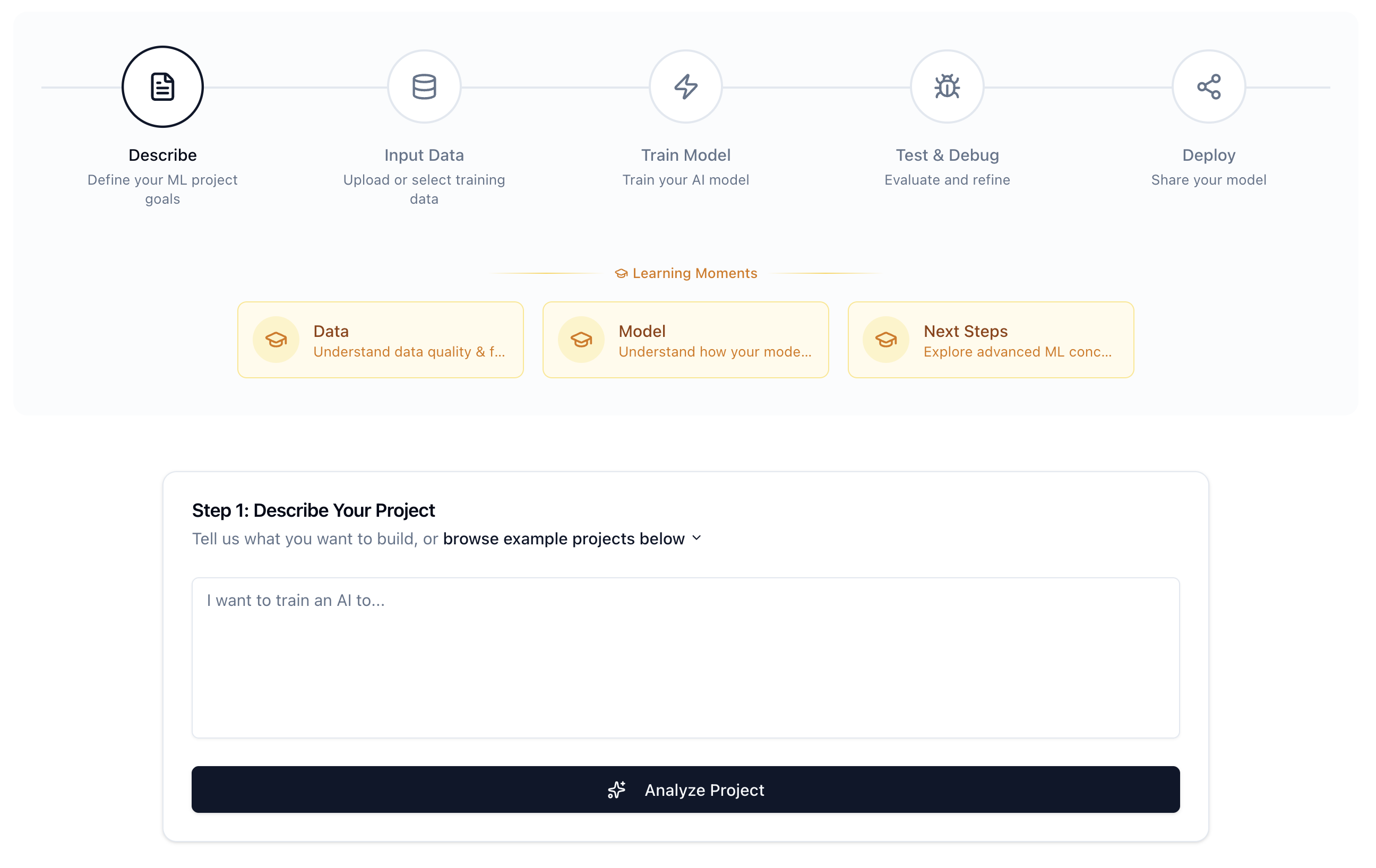
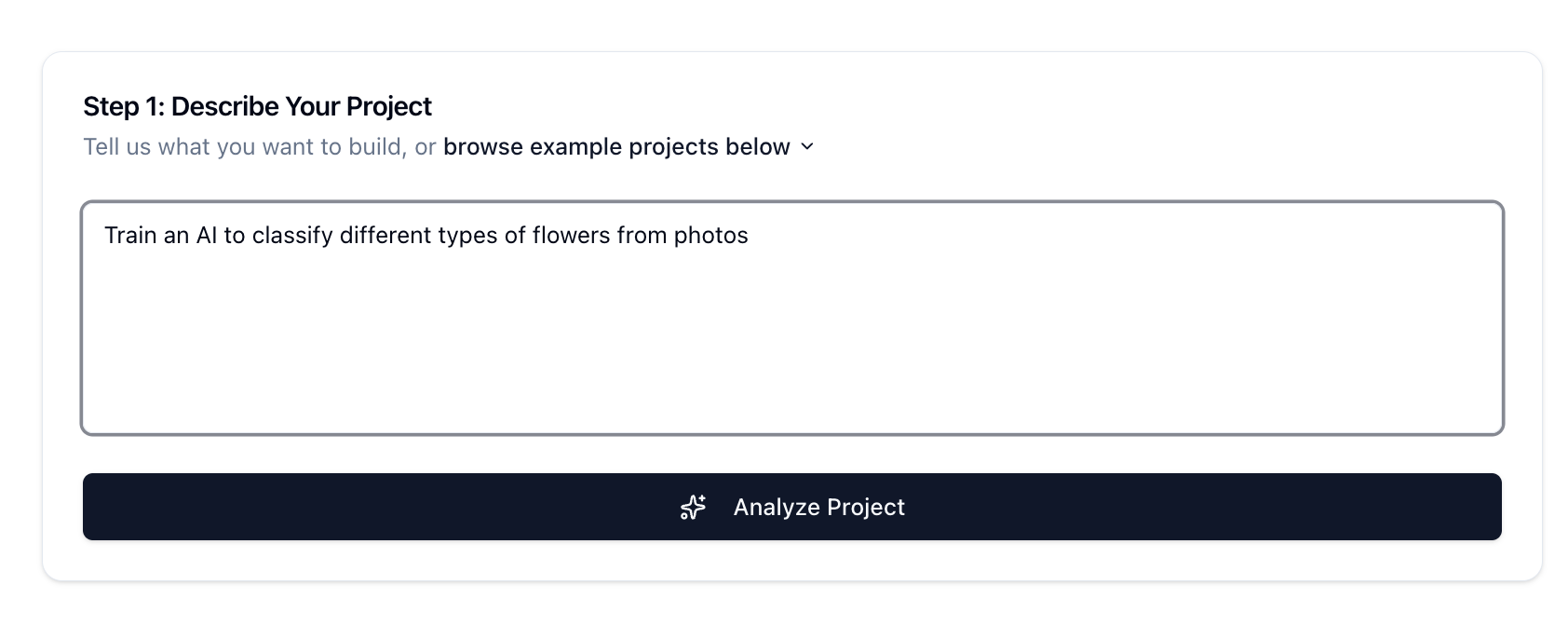
Describe the project
-
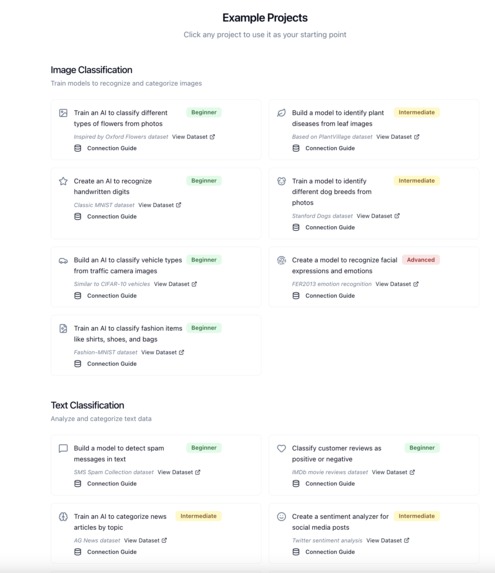
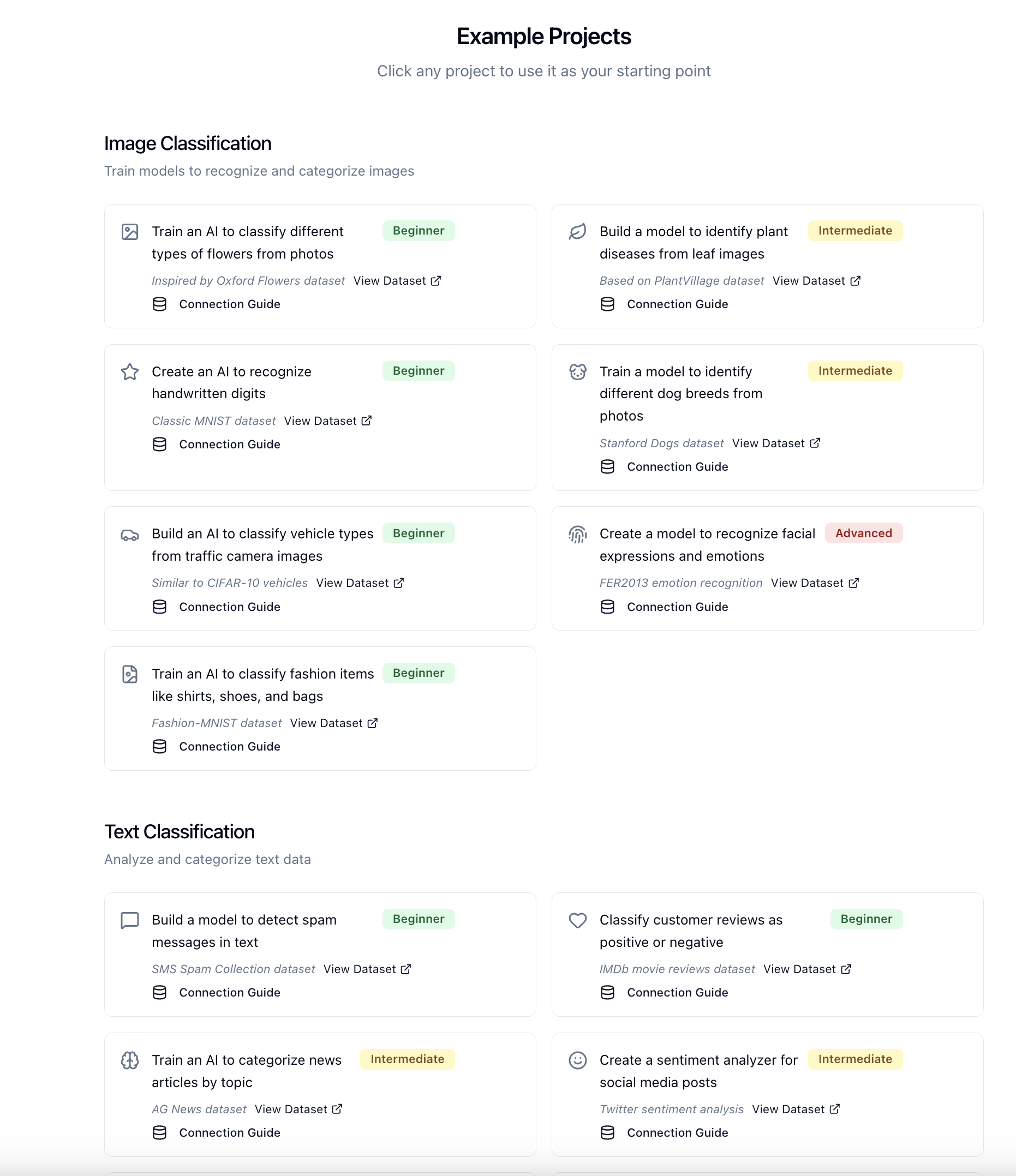
Choose a guided example/project
-
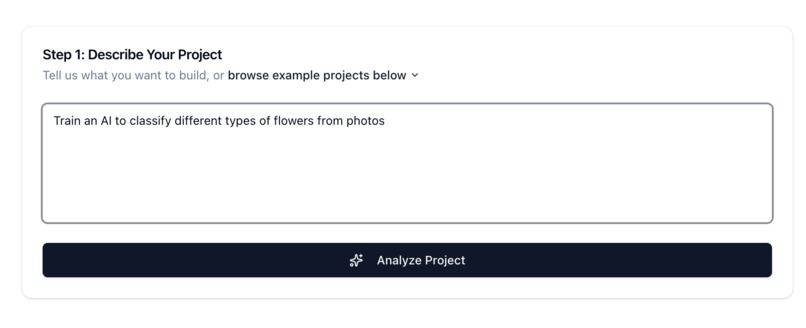
Analize the project
-
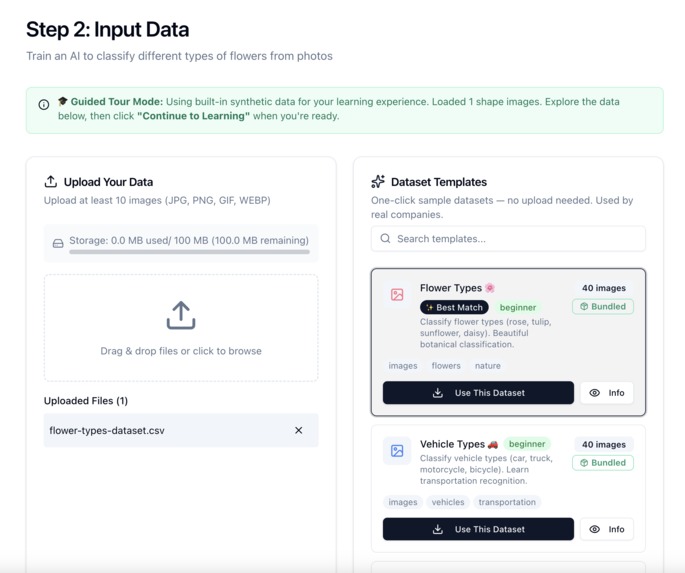
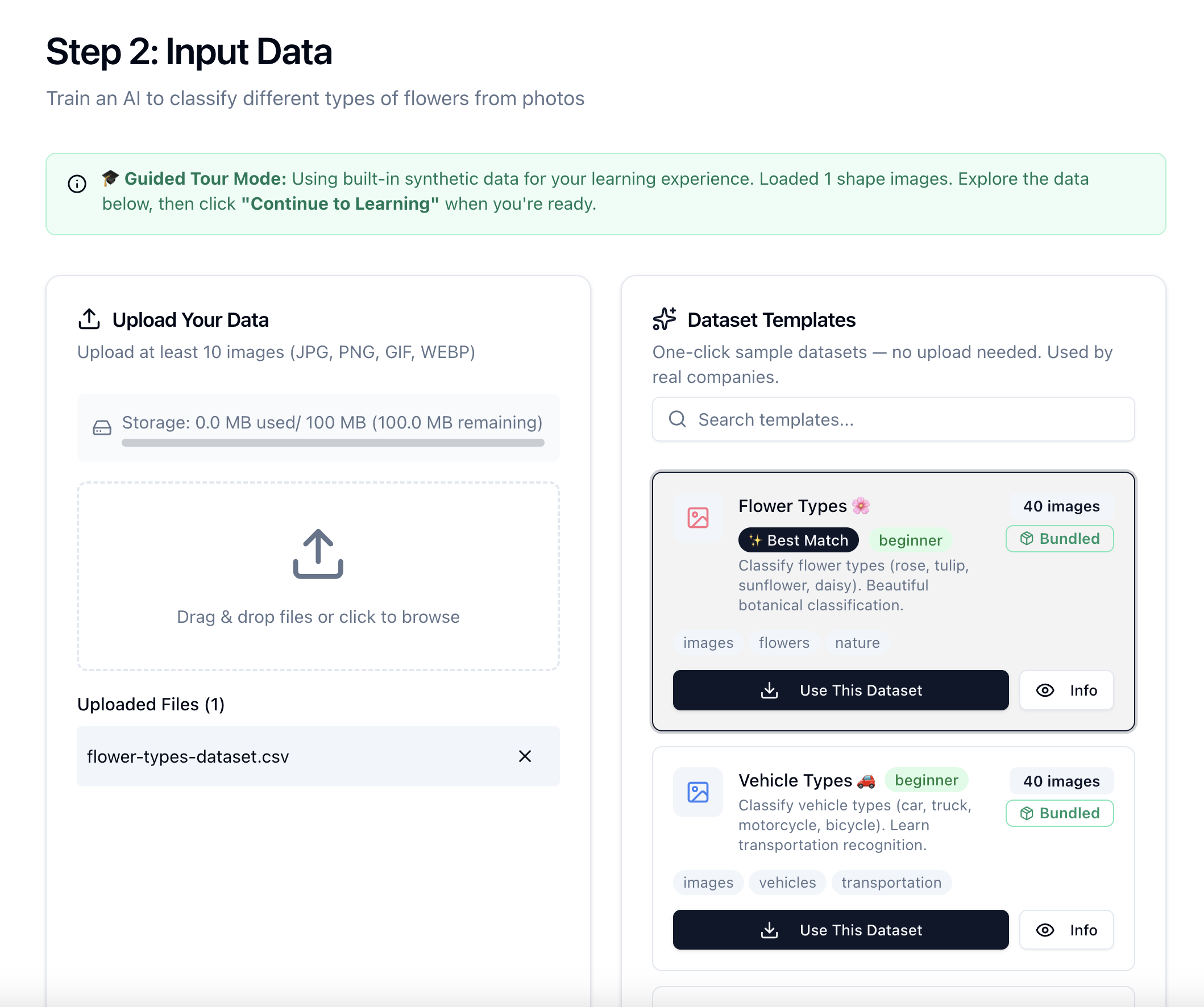
Input Data
-
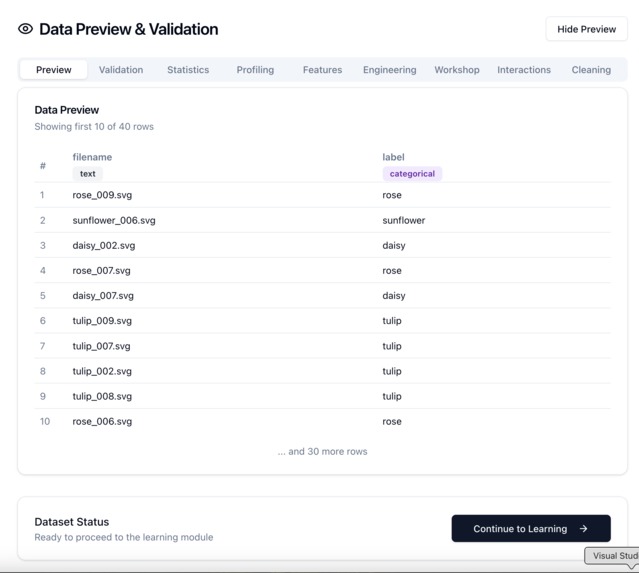
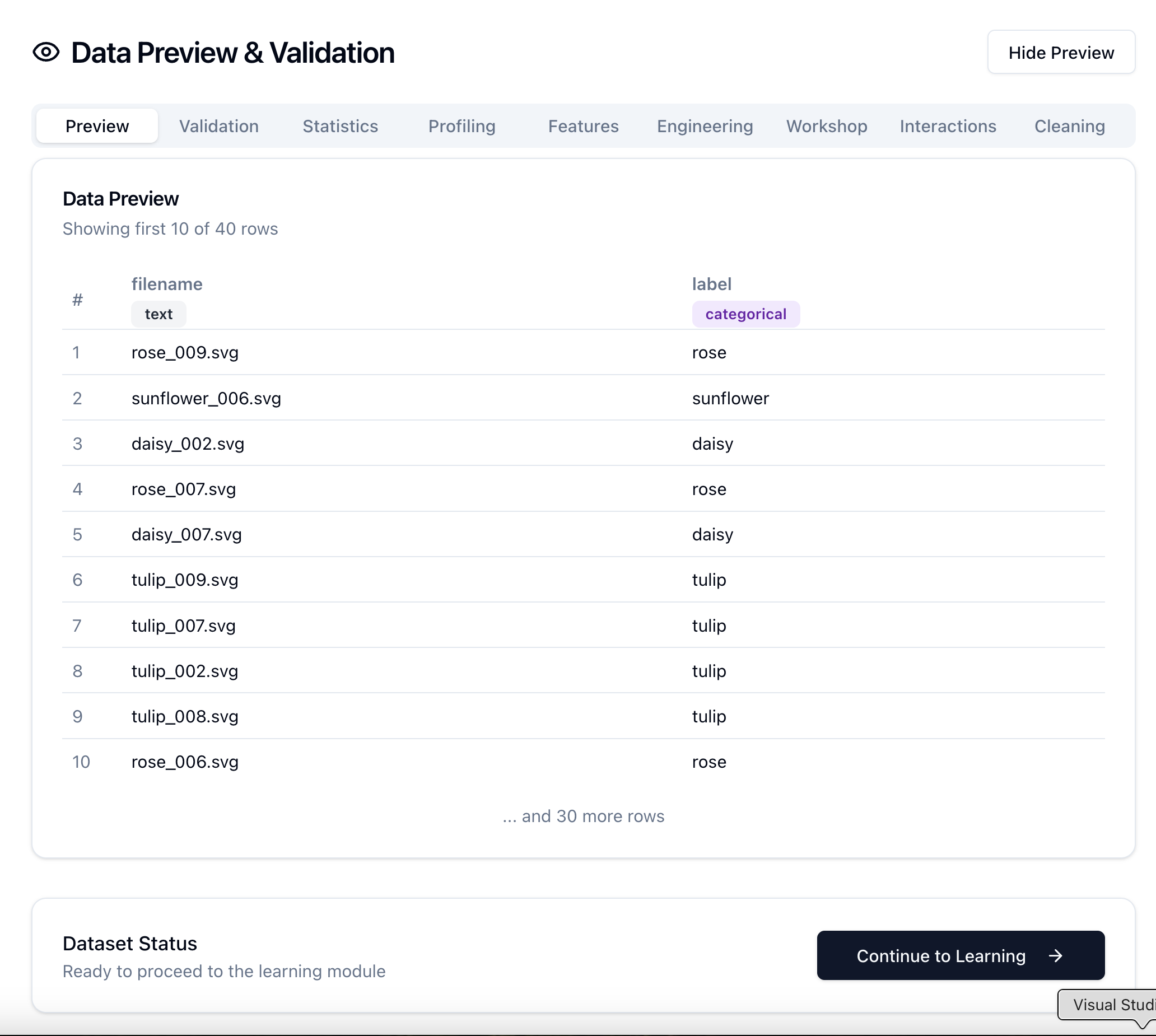
Preview & Validation
-
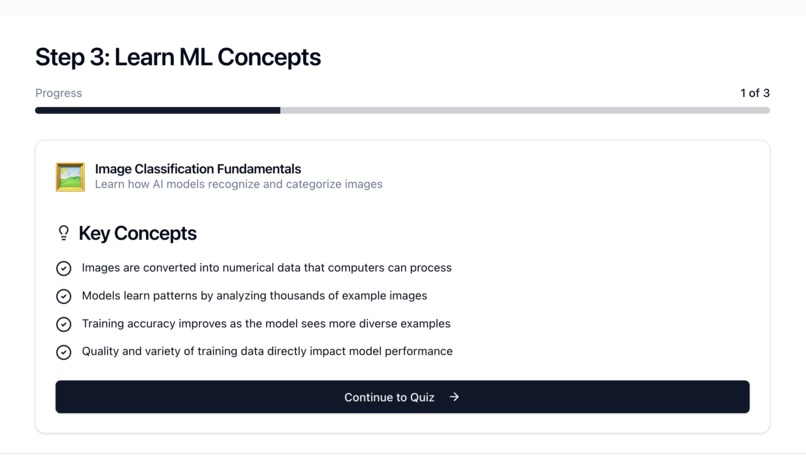
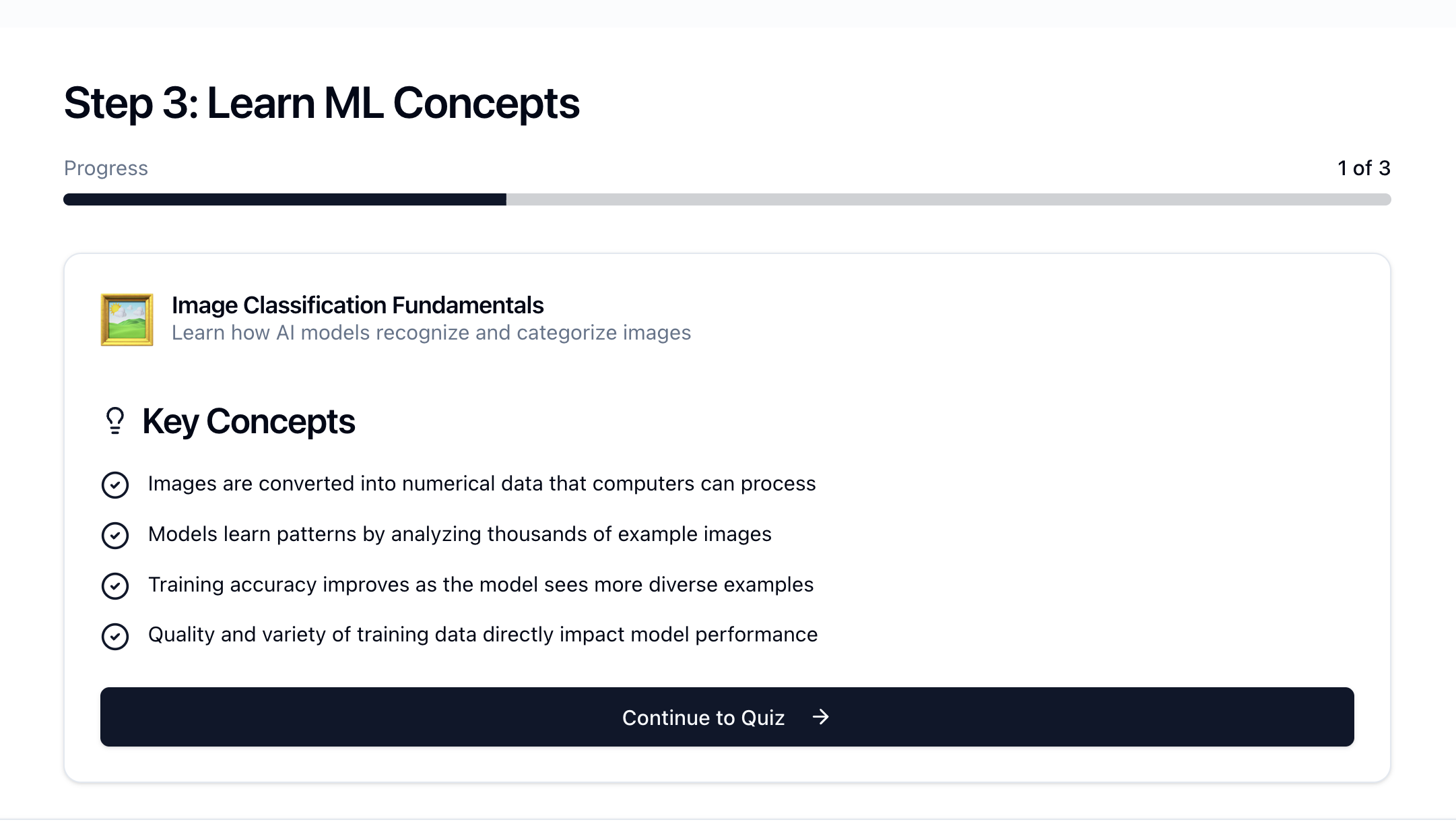
Learn
-
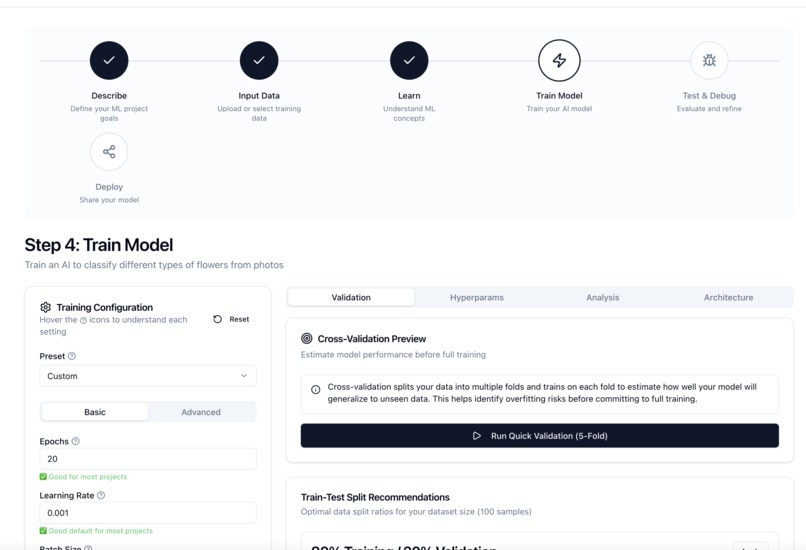
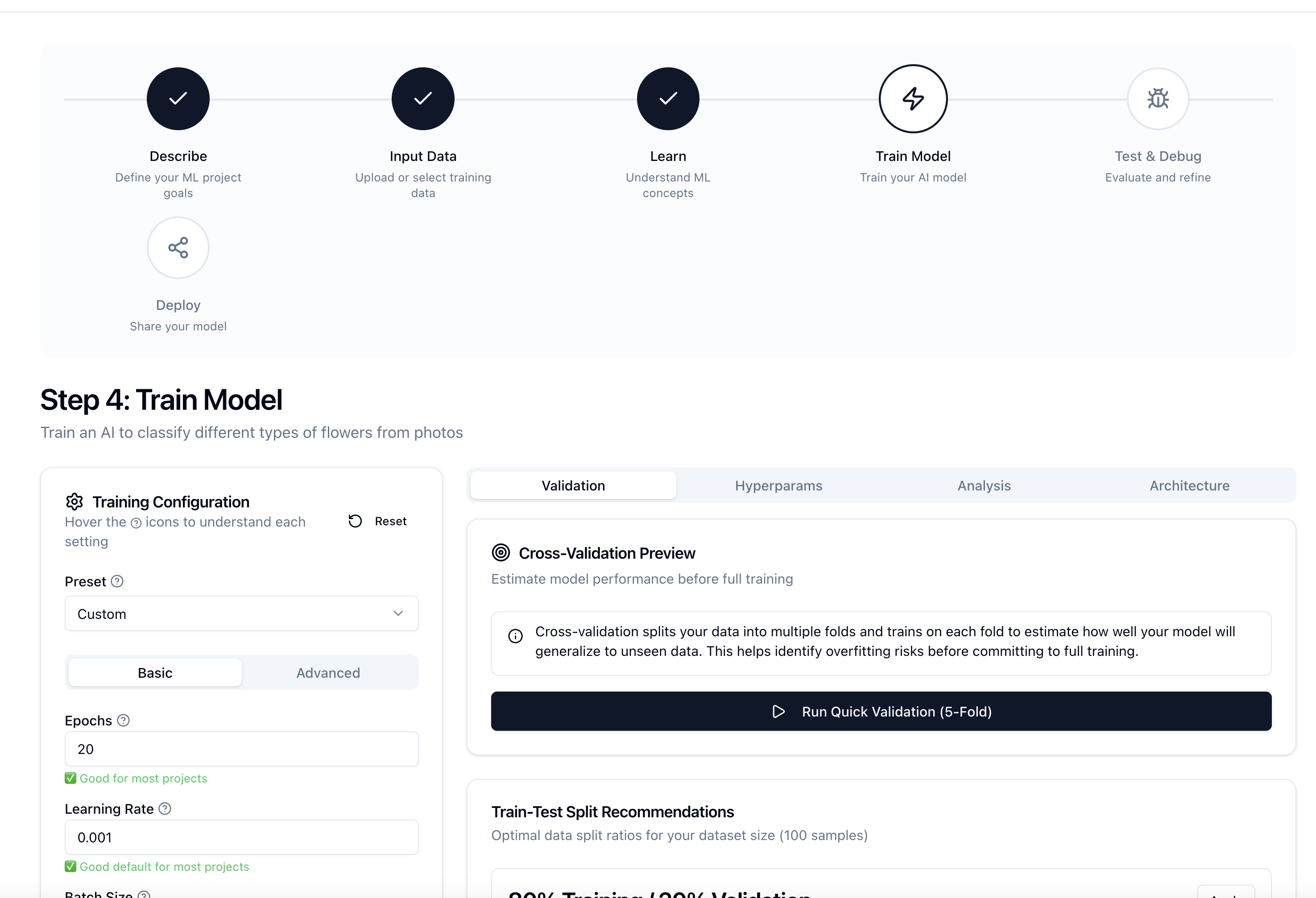
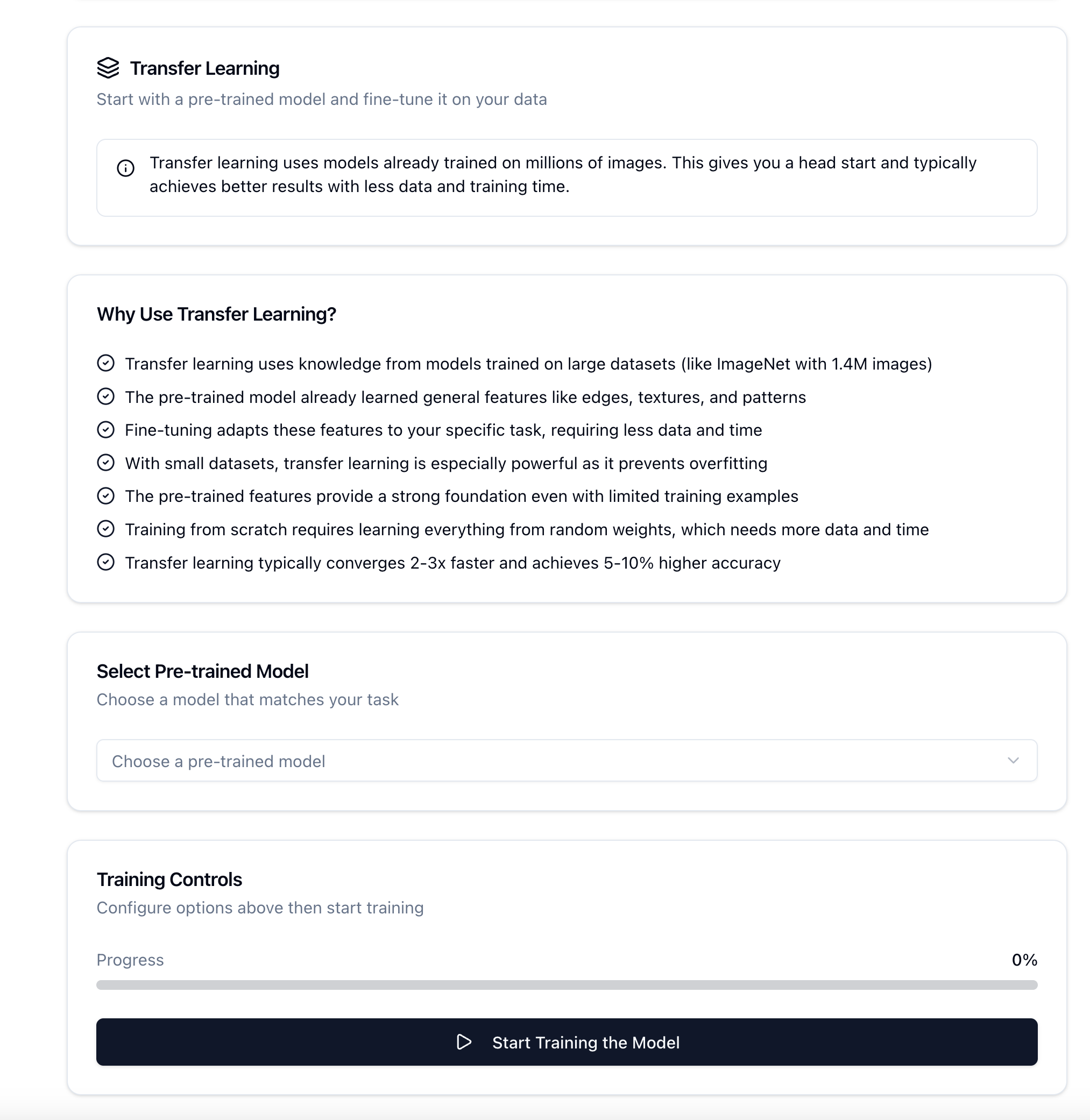
Train the Model
-
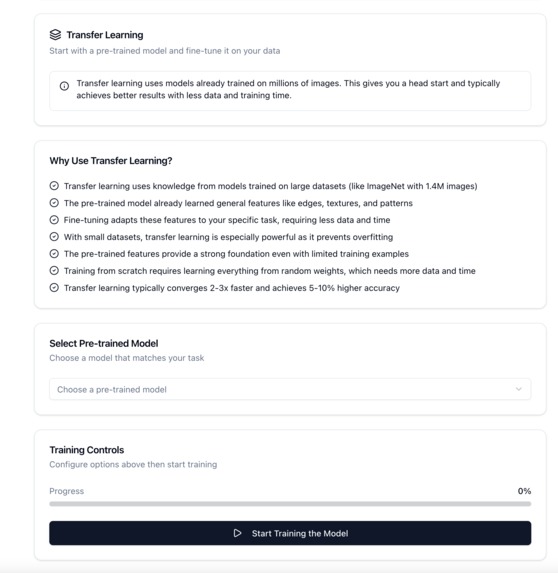
Have Fun!
-
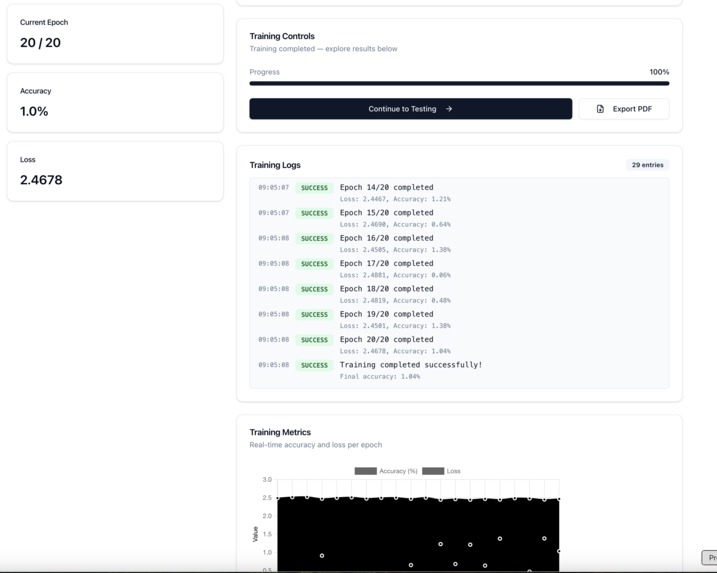
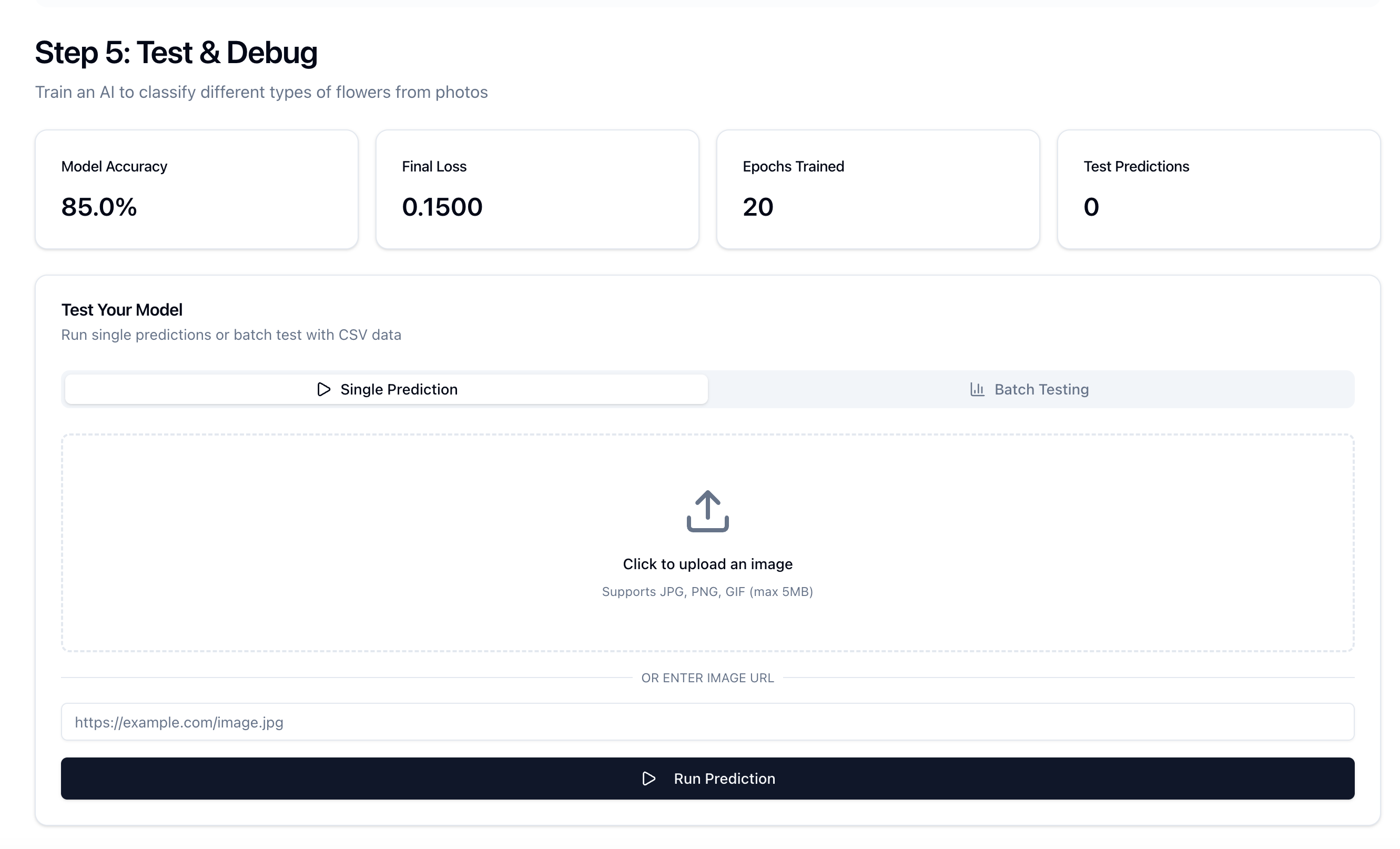
Continue to Testing
-
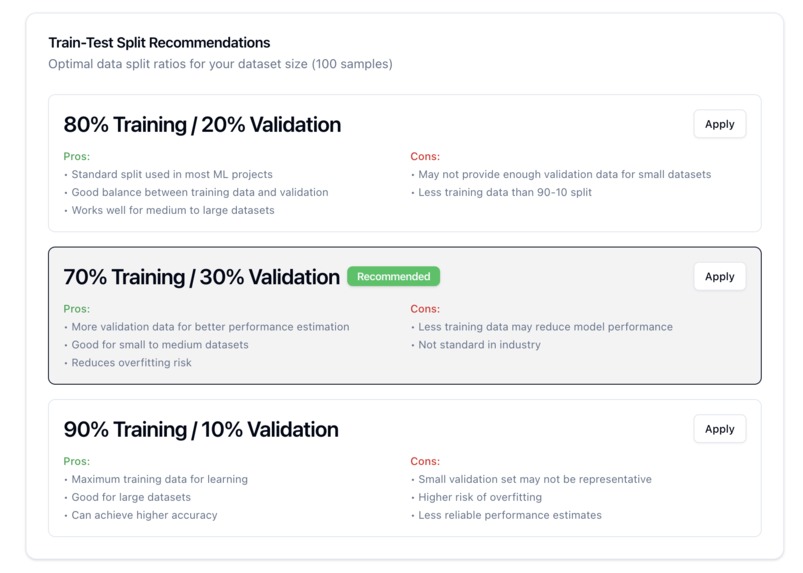
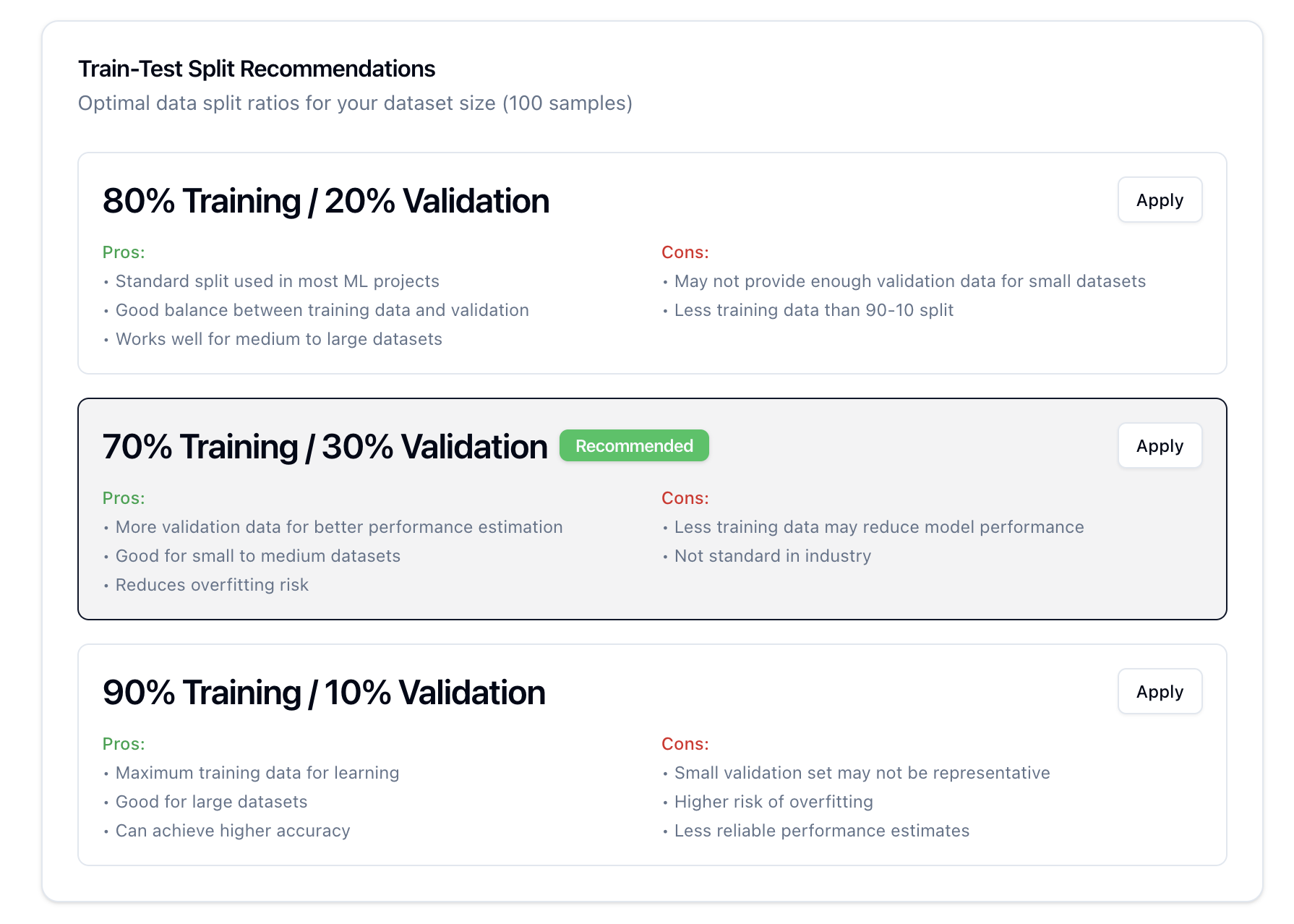
Train-Test Split recommendations
-
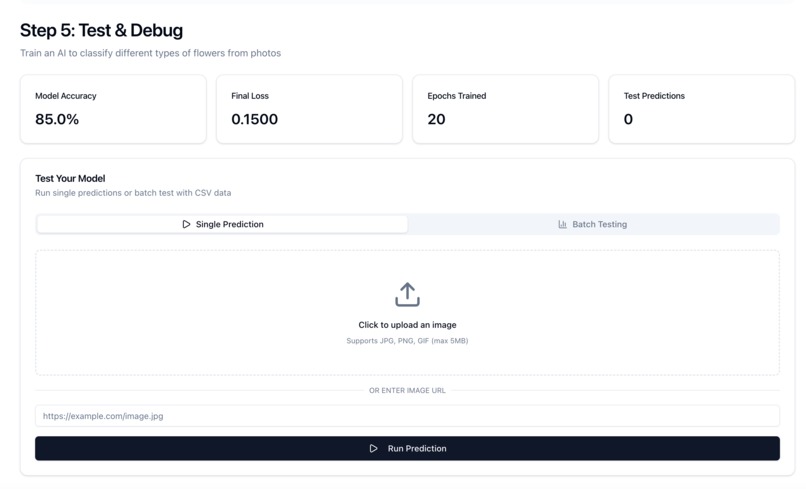
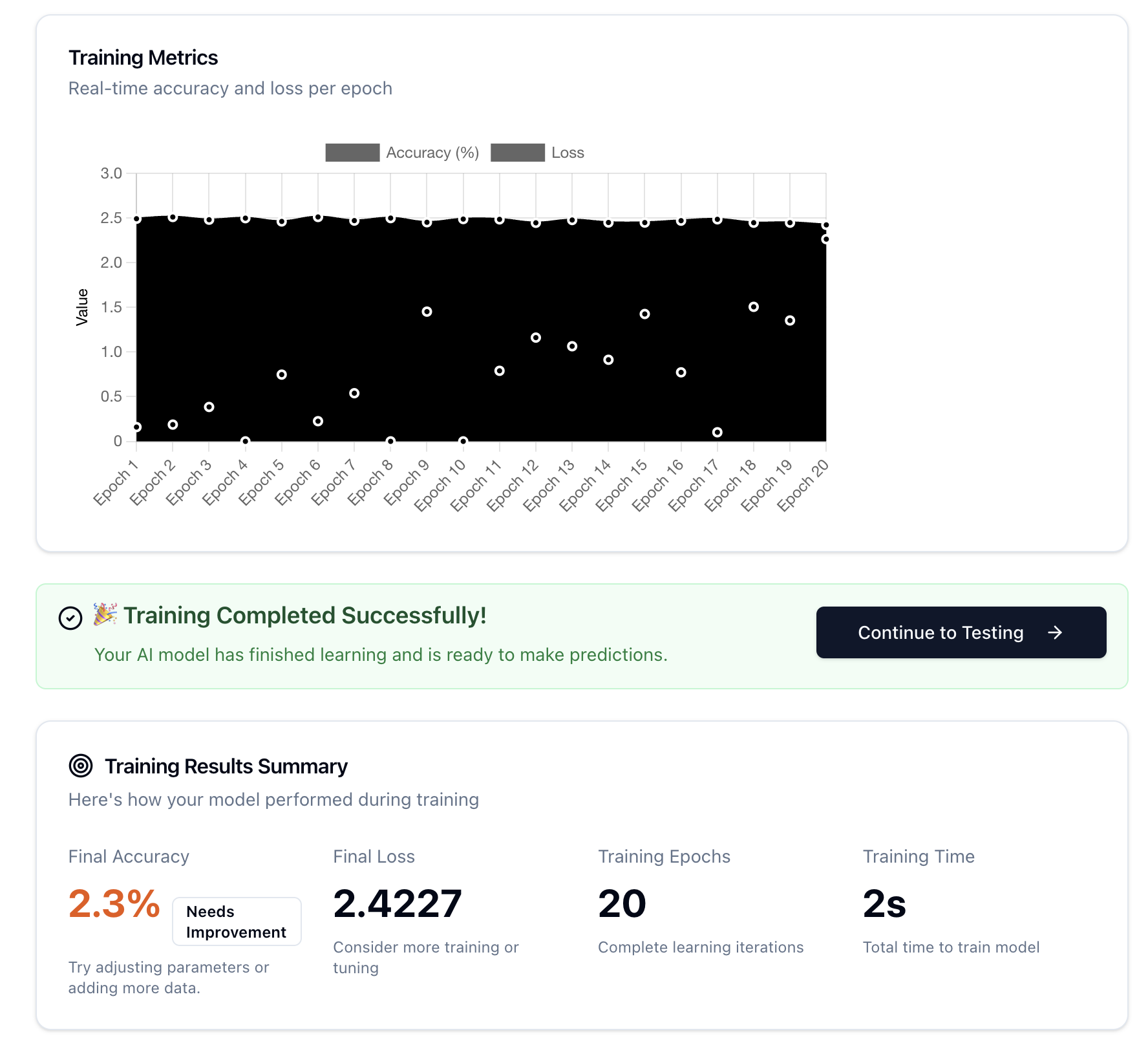
Iterate until satisfactory results
-
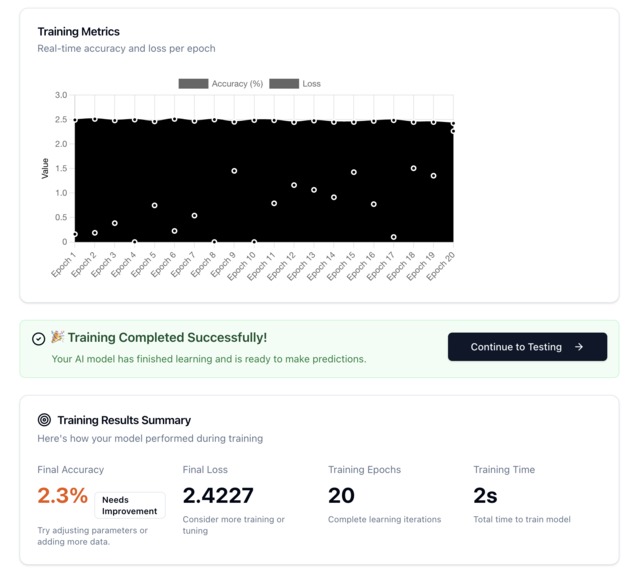
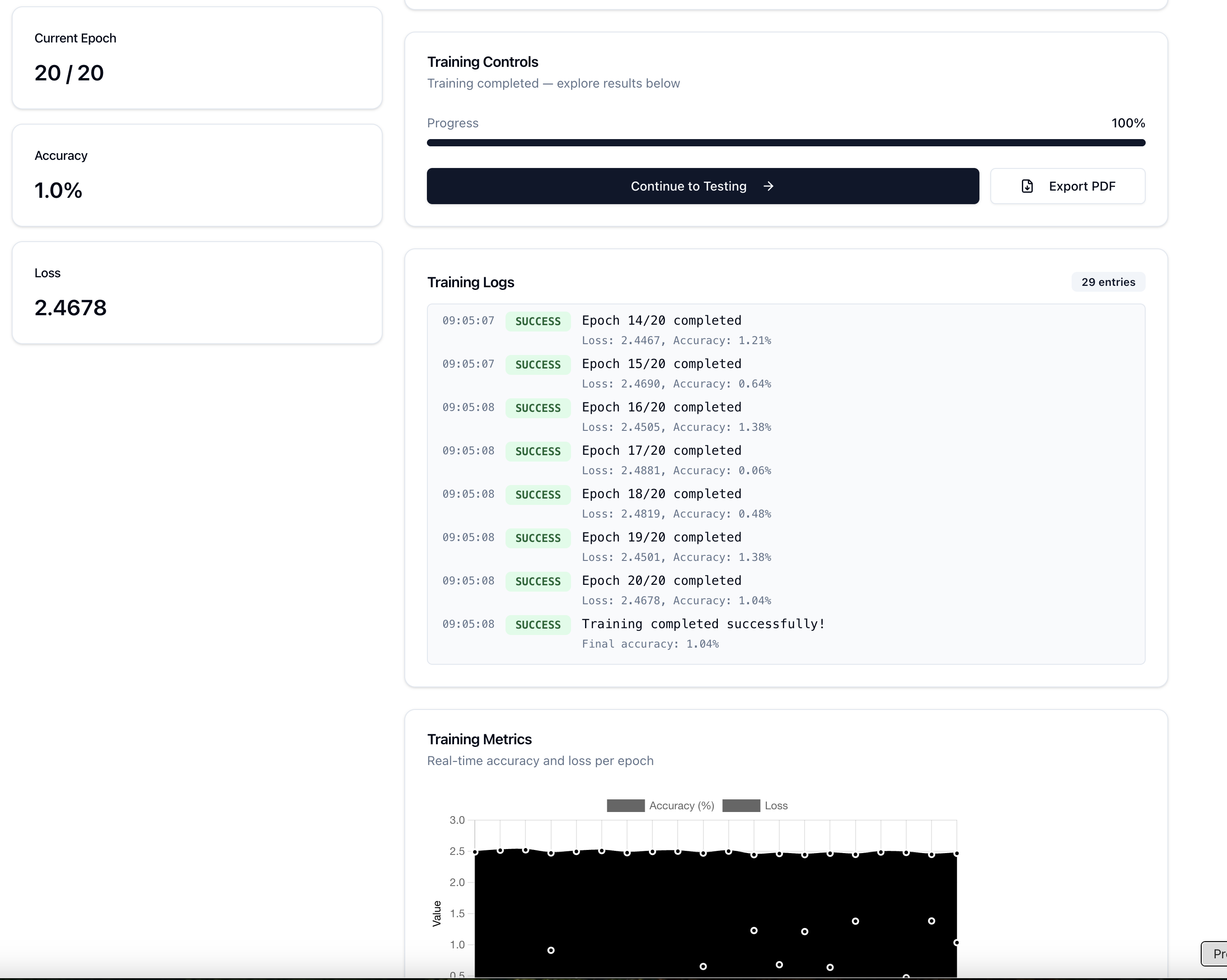
Training Completed Succesfully
-
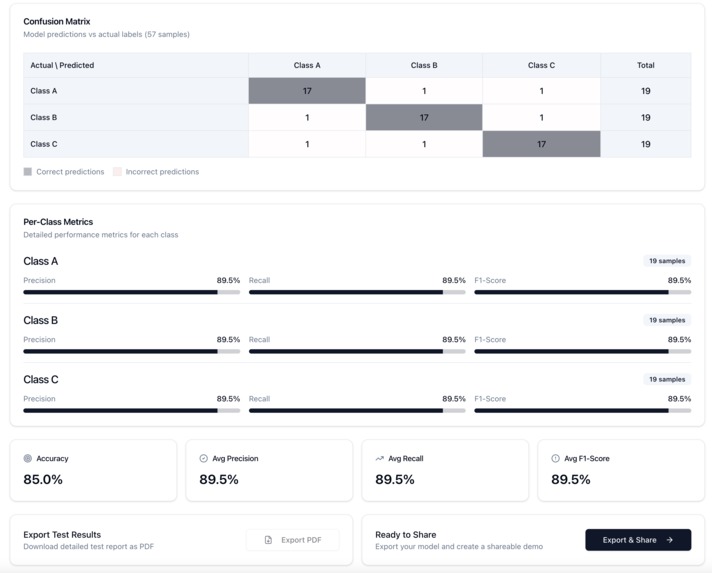
Deploy when ready
-
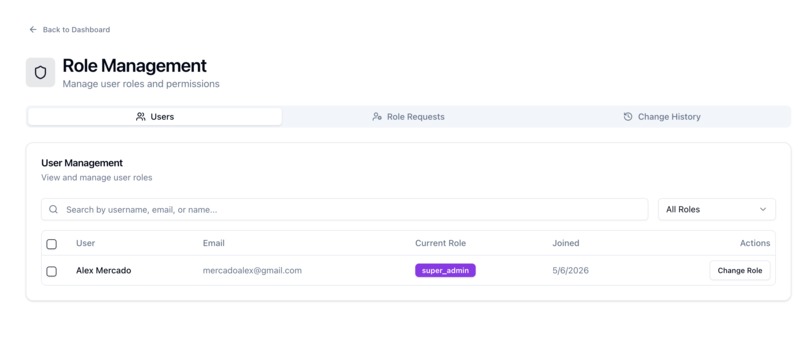
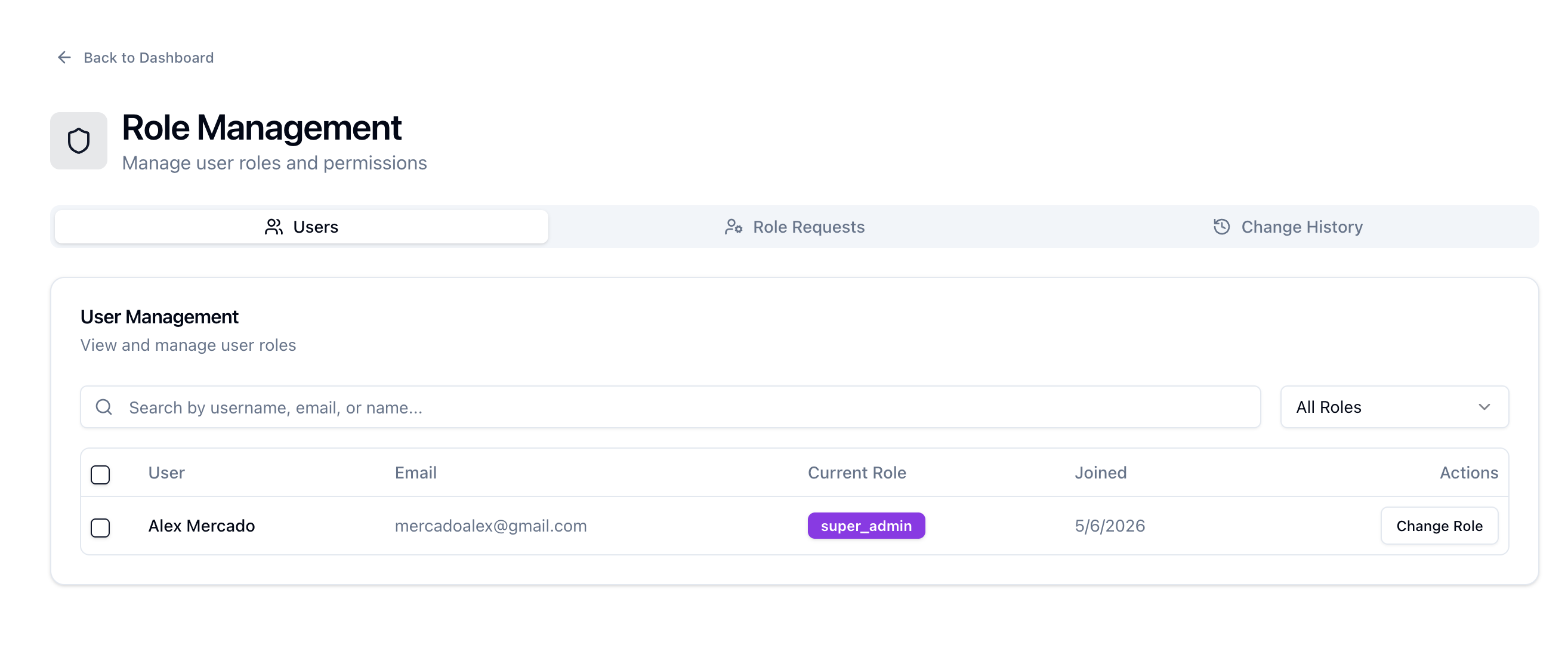
Admin Dashboard
-
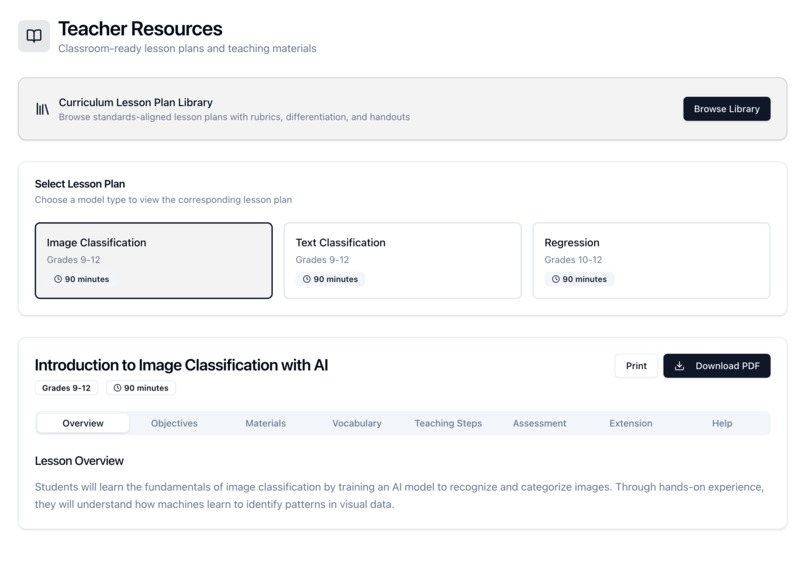
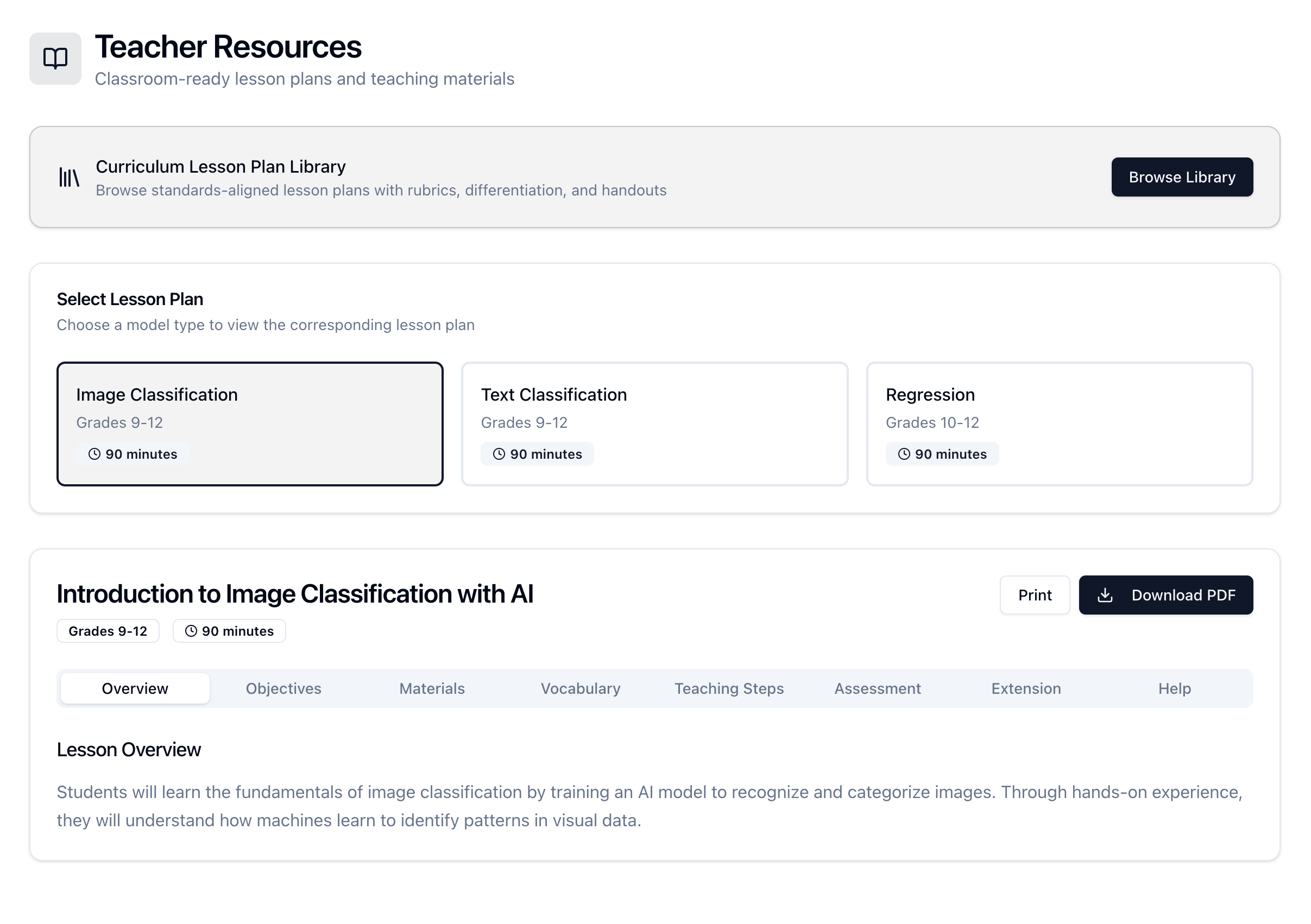
Teacher Resources
-
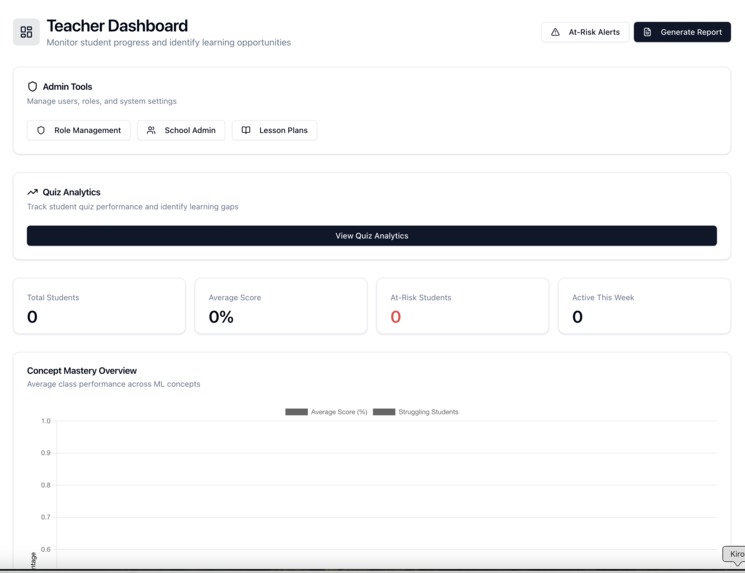
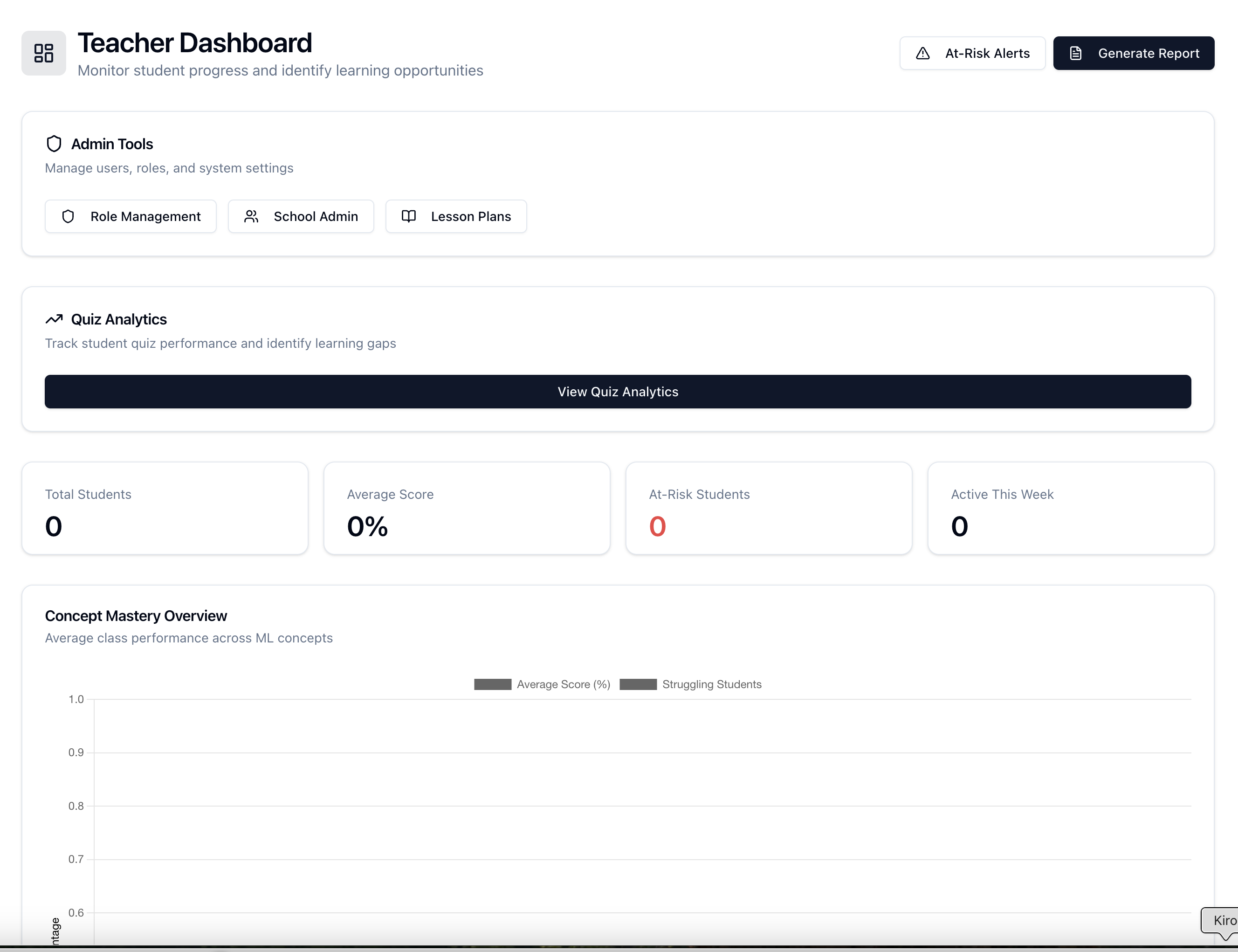
Teacher Dashboard
Inspiration
Students hear about AI everywhere — in the news, in their apps, in conversations about their future careers — but they have no way to actually build something with it. The existing tools are either too technical (Jupyter notebooks, Python, command-line interfaces) or too abstract (drag-and-drop toys that don't teach real concepts).
We wanted something in between. A platform where a 7th grader can train a real image classifier in 45 minutes, understand why it makes mistakes, and walk away knowing what "accuracy" and "overfitting" actually mean — not because they memorized a definition, but because they saw it happen with their own data.
The other motivation was language accessibility. Most ML education resources are English-only, leaving hundreds of millions of Spanish-speaking students without quality tools. We built ModelMentor bilingual from the start — serving both English and Spanish speakers equally, whether they're in the US, Latin America, Spain, or anywhere else.
What it does
ModelMentor guides students through the complete ML workflow in 5 steps:
- Describe — Students describe what they want to build ("I want to train an AI to classify flowers"), and the platform detects the model type
- Input Data — Upload images/text/CSV or use built-in synthetic datasets with a guided tour
- Learn — Interactive learning moments with 5 activity types: quizzes, matching games, fill-in-the-blanks, flash cards, and sorting exercises
- Train — Watch a model train in real-time with live accuracy/loss charts, either through simulation (free) or real TensorFlow.js training (Pro)
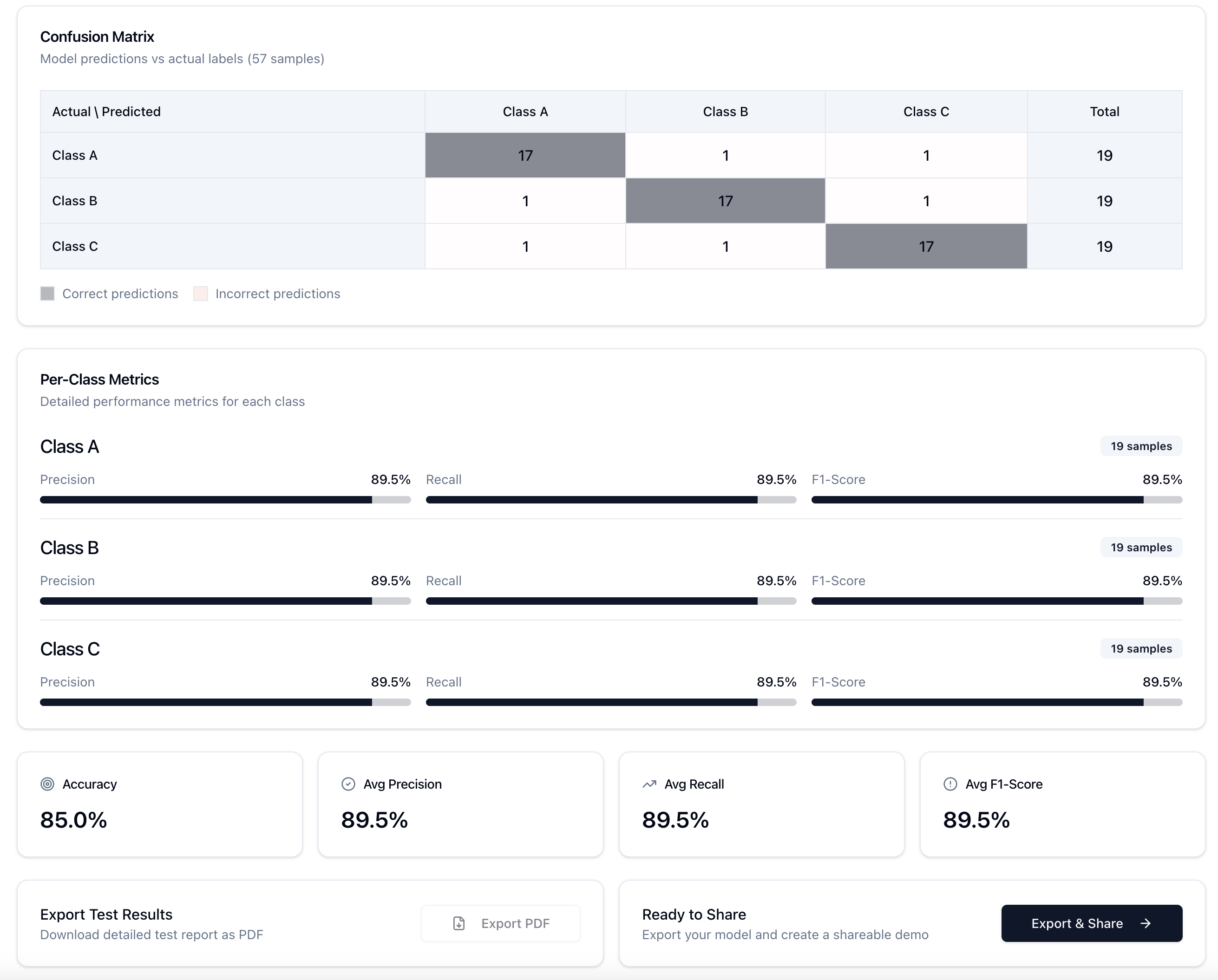
- Test & Debug — Run predictions on new data, see confusion matrices, and export results
For teachers, it provides:
- A Lesson Plan Library with classroom-ready materials aligned to CSTA and ISTE standards
- Rubrics with 4 performance levels for grading ML projects
- Student handouts with guided prompts and reflection questions
- Differentiation strategies for struggling, on-level, and advanced learners
- PDF export of any lesson plan or student handout
- Full Spanish localization including SEP (Mexican education system) curriculum references
How we built it
Having a fairly clear idea of the project, we started the interaction in Medo and, along the way, we saw the need to integrate several tools, including OpenSpec, Resend, Cloudflare, TensorFlow.js, Kaggle, and Hugging Face.
Challenges we ran into
Supabase schema mismatches — The biggest recurring bug was querying database columns that didn't exist yet (training_sessions.created_at, model_versions.project_id). The code assumed a schema that hadn't been fully migrated. We learned to make every database query fail gracefully with fallback objects instead of crashing the page.
Accomplishments that we're proud of
Real ML training in the browser — Students can train actual neural networks with TensorFlow.js without installing anything. No Python, no command line, no cloud GPU needed.
Physics-informed simulation — The training simulation isn't random numbers. It uses a deterministic engine that models real ML phenomena: diverging loss with high learning rates, overfitting with too many epochs, slow convergence with tiny learning rates, and noise that scales inversely with batch size.
5 interactive learning activity types — Quizzes, matching (drag-and-drop), fill-in-the-blanks, flash cards, and sorting exercises — all with full keyboard accessibility and ARIA support.
What we learned
Technical:
- How to run TensorFlow.js training entirely in the browser with dynamic loading and device capability detection
- Building a deterministic simulation engine that produces realistic ML training curves from hyperparameters
- Implementing i18n at scale with react-i18next (structured key conventions, property-based parity testing)
- PDF generation with jsPDF for complex documents (rubric tables, multi-section lesson plans)
- Supabase patterns for graceful degradation when the schema is incomplete
Educational:
- How teachers actually plan lessons (5-phase structure: warm-up, direct instruction, guided practice, independent practice, closure)
- CSTA and ISTE standards — what school administrators need to see to approve a new tool
- Differentiation is non-negotiable: the same lesson needs scaffolding for struggling learners AND extensions for advanced students
- Common student misconceptions about ML (e.g., "the computer understands images like humans do", "more data always means a better model")
Product:
- Simulation mode is essential for accessibility — not every school has reliable internet or modern hardware
- Teachers need printable materials, not just a web app
- Features designed for power users shouldn't confuse free-tier users (hide, don't disable)
- Bilingual from day one is much easier than retrofitting i18n later
What's next for ModelMentoring
- Finish localization — translate all educational content (learning moments, quizzes, flash cards, sorting activities)
- Teacher assignment system — assign specific lesson plans to student groups with due dates and progress tracking
- Real-time collaboration — students working on the same project simultaneously with shared training results
Built With
- hugging
- kaggle
- supabase
- tensorflow
- typescript


Log in or sign up for Devpost to join the conversation.