-
-
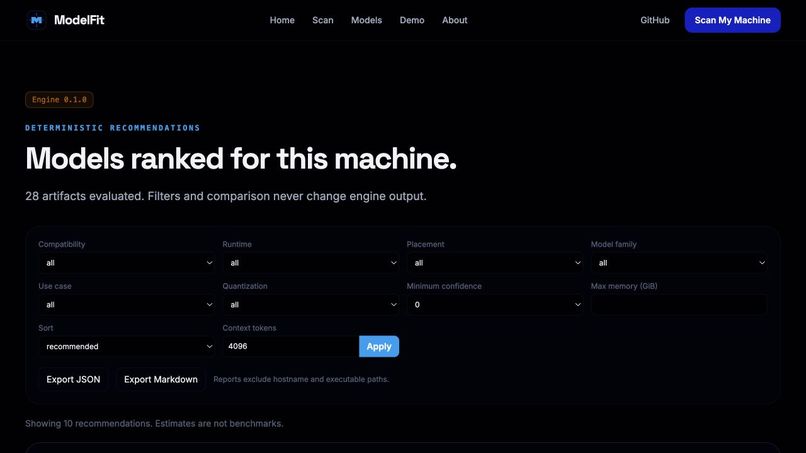
web app
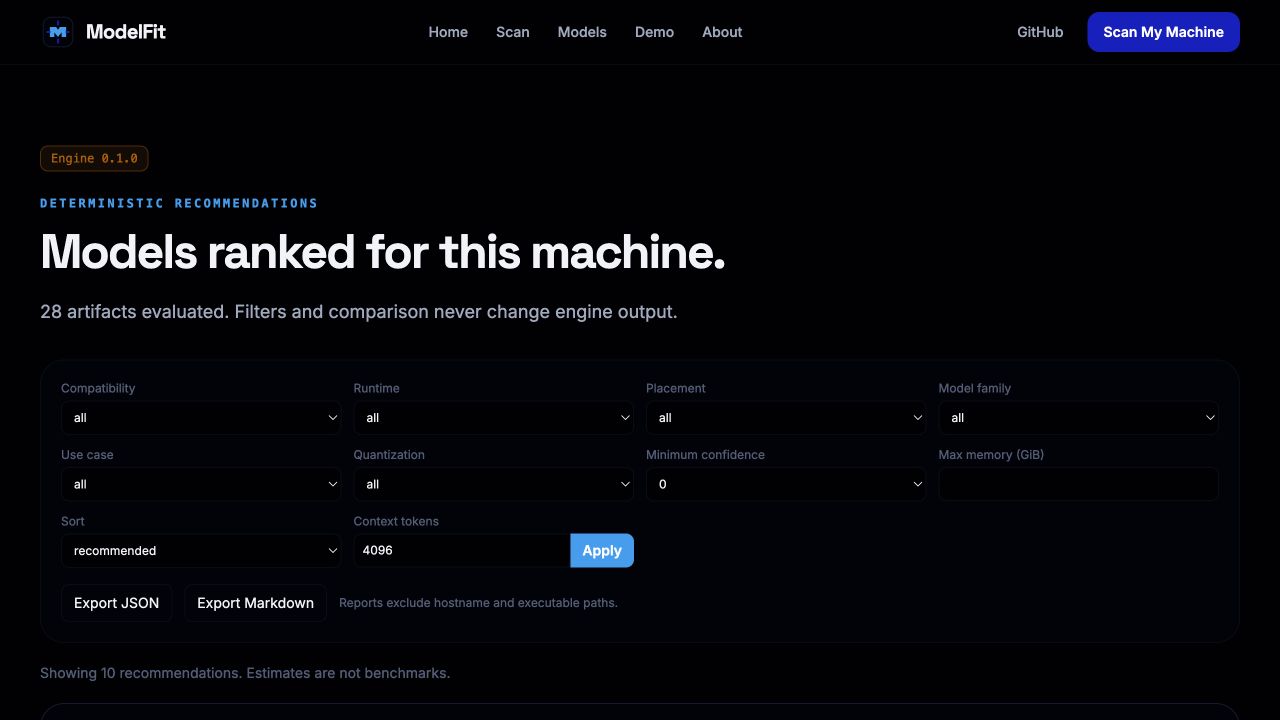
Inspiration
Running large language models locally is becoming more practical, but choosing the right model is still unnecessarily difficult. Developers often compare only parameter count or download size, even though actual compatibility depends on RAM, VRAM, quantization, context length, runtime support, accelerator backends, and memory overhead.
ModelFit was inspired by a simple question:
What local LLM can this machine actually run, and how should it be configured?
The goal was to replace guesswork with a transparent, hardware-aware system that explains not only whether a model can run, but also the tradeoffs involved.
ModelFit will also serve as a future hardware-intelligence layer for QuantEngine, a separate project focused on compressing and optimizing models for specific devices.
What it does
ModelFit scans or accepts a computer’s hardware profile, including:
- Operating system and architecture
- CPU model, core count, and instruction-set support
- Available system memory
- GPU model and accelerator backend
- Dedicated or shared GPU memory
- Available disk space
- Installed local AI runtimes
It then evaluates a curated catalog of local LLM artifacts and produces artifact-level recommendations containing:
- Compatibility classification
- Recommended quantization
- Execution strategy
- Runtime guidance
- Estimated memory allocation
- Practical context window
- Confidence score
- Reason codes
- Assumptions and unknown evidence
- Alternative artifacts
- Safe launch-command templates
ModelFit supports six compatibility states:
- Excellent
- Good
- Usable
- Slow
- Unsupported
- Indeterminate
The explicit Indeterminate state is important because missing evidence should not be presented as a confident success or failure.
The platform also includes:
- Automatic local hardware scanning
- Manual hardware entry
- Illustrative sample profiles
- A searchable model catalog
- Ranked compatibility results
- Deterministic explanations
- Optional GPT-5.6 explanations
- Runtime configuration guidance
- Comparison for up to three configurations
- JSON and Markdown exports
- Optional benchmark preflight and execution
- A judge-friendly demo mode
How we built it
ModelFit was developed as a React and FastAPI monorepo.
Frontend
The frontend uses:
- React
- TypeScript
- Vite
- Tailwind CSS
- React Router
- TanStack Query
- Vitest
- React Testing Library
The interface provides the full workflow from hardware profile creation to model recommendations, explanation, runtime guidance, comparison, export, and optional benchmarking.
Backend
The backend uses:
- Python
- FastAPI
- Pydantic
- Pytest
- Versioned JSON Schemas
- Structured logging
- Request correlation IDs
- Allowlisted process execution
The system is divided into several major components:
- Hardware scanners
- Model catalog
- Compatibility engine
- Explanation service
- Runtime-command generator
- Optional benchmark adapters
Hardware profiling
ModelFit implements best-effort hardware scanning for macOS, Linux, and Windows.
Platform-specific scanners collect only the information needed for compatibility analysis. The scanner is intentionally:
- Read-only
- User initiated
- Least privileged
- Local
- Non-destructive
It does not inspect documents, source code, browser history, or personal files.
Platform-native commands are executed only through a fixed, allowlisted command runner using shell=False, strict timeouts, output limits, and sanitized logging.
Model catalog
ModelFit includes a versioned and source-attributed catalog of local model artifacts.
The current catalog contains:
- 15 curated model variants
- 30 GGUF artifacts
- General-purpose models
- Coding models
- Embedding models
- Vision-language models
- Mixture-of-experts models
- Small CPU-oriented models
- 7B–8B local models
Every catalog record is validated through Pydantic and JSON Schema. Artifact records include provenance, format, quantization, file size, runtime support, licensing, and official-versus-community status.
Unknown metadata is omitted instead of estimated.
Compatibility engine
The compatibility engine is deterministic and evaluates individual model artifacts rather than only model families.
A simplified representation of the memory analysis is:
[ M_{\text{total}} = M_{\text{weights}} + M_{\text{runtime}} + M_{\text{buffers}} + M_{\text{KV cache}} + M_{\text{safety}} ]
Where:
- (M_{\text{weights}}) is estimated loaded model memory
- (M_{\text{runtime}}) represents runtime overhead
- (M_{\text{buffers}}) represents computation buffers
- (M_{\text{KV cache}}) depends on context and architecture
- (M_{\text{safety}}) preserves memory headroom for the operating system and other applications
For transformer models with sufficient architecture metadata, KV-cache memory is modeled conceptually as:
[ M_{\text{KV}} = 2 \times L \times T \times W_{\text{KV}} \times B ]
Where:
- (L) is the number of layers
- (T) is the context length
- (W_{\text{KV}}) is the key-value width
- (B) is the number of bytes per cache value
When required architecture metadata is missing, ModelFit marks KV-cache memory as unknown and lowers confidence rather than fabricating a value.
The engine also handles:
- Dedicated GPU memory
- CPU-only execution
- CPU/GPU hybrid execution
- Apple unified memory
- Runtime availability
- Context reduction
- Backend verification
- Partial hardware profiles
Compatibility score and confidence are separate:
- Compatibility score represents how suitable the configuration is.
- Confidence represents the quality and completeness of the evidence.
A model may therefore be rated Good with low confidence or Unsupported with high confidence.
GPT-5.6 and Codex
Codex was used throughout the development process to:
- Establish the monorepo architecture
- Build platform-specific scanners
- Implement API contracts
- Create the compatibility engine
- Build the frontend experience
- Write tests
- Debug integration issues
- Generate documentation
- Harden security boundaries
- Prepare deployment and submission materials
GPT-5.6 is used as an optional explanation layer.
The deterministic compatibility engine remains authoritative. GPT-5.6 receives a sanitized structured evaluation and converts it into clearer language, but it cannot replace or modify:
- Scores
- Rankings
- Memory values
- Compatibility classes
- Reason codes
- Runtime decisions
If GPT-5.6 is disabled, unavailable, or returns an invalid response, ModelFit automatically falls back to deterministic explanations.
Challenges we ran into
Cross-platform hardware detection
Hardware information is exposed differently on macOS, Linux, and Windows. CPU flags, GPU memory, accelerator support, and runtime availability often require different data sources.
We addressed this by building isolated platform adapters and normalizing their outputs into one HardwareProfile contract.
Apple unified memory
Apple Silicon does not expose dedicated VRAM in the same way as discrete GPUs. Treating system memory and GPU memory independently would double-count the same resource.
ModelFit therefore uses a separate shared-memory execution policy for Metal-based Apple systems.
Missing model metadata
Many models do not expose every architecture field required for precise KV-cache calculations.
Rather than guessing missing layer counts, hidden dimensions, or KV-head counts, ModelFit records the missing evidence and lowers confidence.
Runtime support versus theoretical support
A GPU vendor alone does not prove backend compatibility. For example:
- NVIDIA hardware does not automatically prove CUDA is usable.
- AMD hardware does not automatically prove ROCm support.
- A model architecture theoretically supported by a runtime does not prove a verified artifact exists.
ModelFit requires explicit evidence wherever practical.
Preventing AI-generated technical errors
Using GPT directly to decide compatibility would create a risk of hallucinated memory requirements or unsupported launch commands.
We solved this by separating deterministic technical calculations from optional natural-language explanation.
Safe benchmarking
Benchmarking local models requires process execution, which creates security risks.
ModelFit uses:
- Allowlisted runtimes
- Structured arguments
- No shell execution
- Strict limits
- Explicit confirmation
- Loopback-only Ollama access
- No automatic downloads
- No automatic installation
Accomplishments that we're proud of
We are especially proud that ModelFit became a complete, working developer tool rather than a simple model-size calculator.
Key accomplishments include:
- A full scan-to-recommendation workflow
- Real automatic hardware profiling
- A source-attributed model catalog
- Artifact-level compatibility analysis
- Separate compatibility and confidence scores
- Explicit support for unknown and indeterminate evidence
- Apple unified-memory handling without double-counting
- Safe runtime guidance for llama.cpp, LM Studio, and supported Transformers workflows
- Optional GPT-5.6 explanations that cannot override deterministic results
- Comparison of up to three configurations
- JSON and Markdown report exports
- Optional local benchmark preflight and execution
- Hosted-demo and local full-feature deployment modes
- More than 100 backend tests and more than 30 frontend tests
- Strong privacy, security, and accessibility boundaries
We are also proud that ModelFit never fabricates benchmark results, hardware support, missing model metadata, or local runtime availability.
What we learned
The largest lesson was that local model compatibility is not a single memory comparison. It is a layered systems problem involving:
- Hardware architecture
- Memory topology
- Model format
- Quantization
- Runtime support
- Context length
- KV-cache growth
- Backend availability
- Data quality
- Confidence and uncertainty
We also learned that transparent uncertainty is more useful than false precision. ModelFit intentionally communicates what is exact, estimated, assumed, or unknown.
Another major lesson was that AI works best here as an explanation and development tool, not as a replacement for deterministic engineering calculations.
Codex was especially valuable for accelerating architecture, implementation, testing, debugging, and documentation while still leaving important product, safety, and systems decisions under human control.
What's next for ModelFit
Future work includes:
- Expanding the validated model catalog
- Direct physical Linux and Windows validation
- Additional local runtimes
- More real benchmark evidence
- Policy calibration across more devices
- Improved multi-GPU analysis
- Deeper integration with QuantEngine
ModelFit will eventually answer:
What can this machine run?
QuantEngine will build on that answer to determine:
How can this model be optimized to run better on this machine?

Log in or sign up for Devpost to join the conversation.