-
-
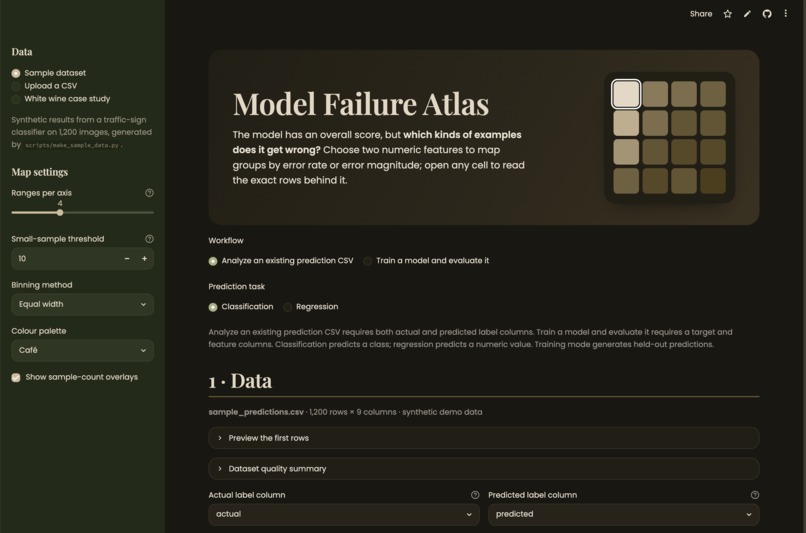
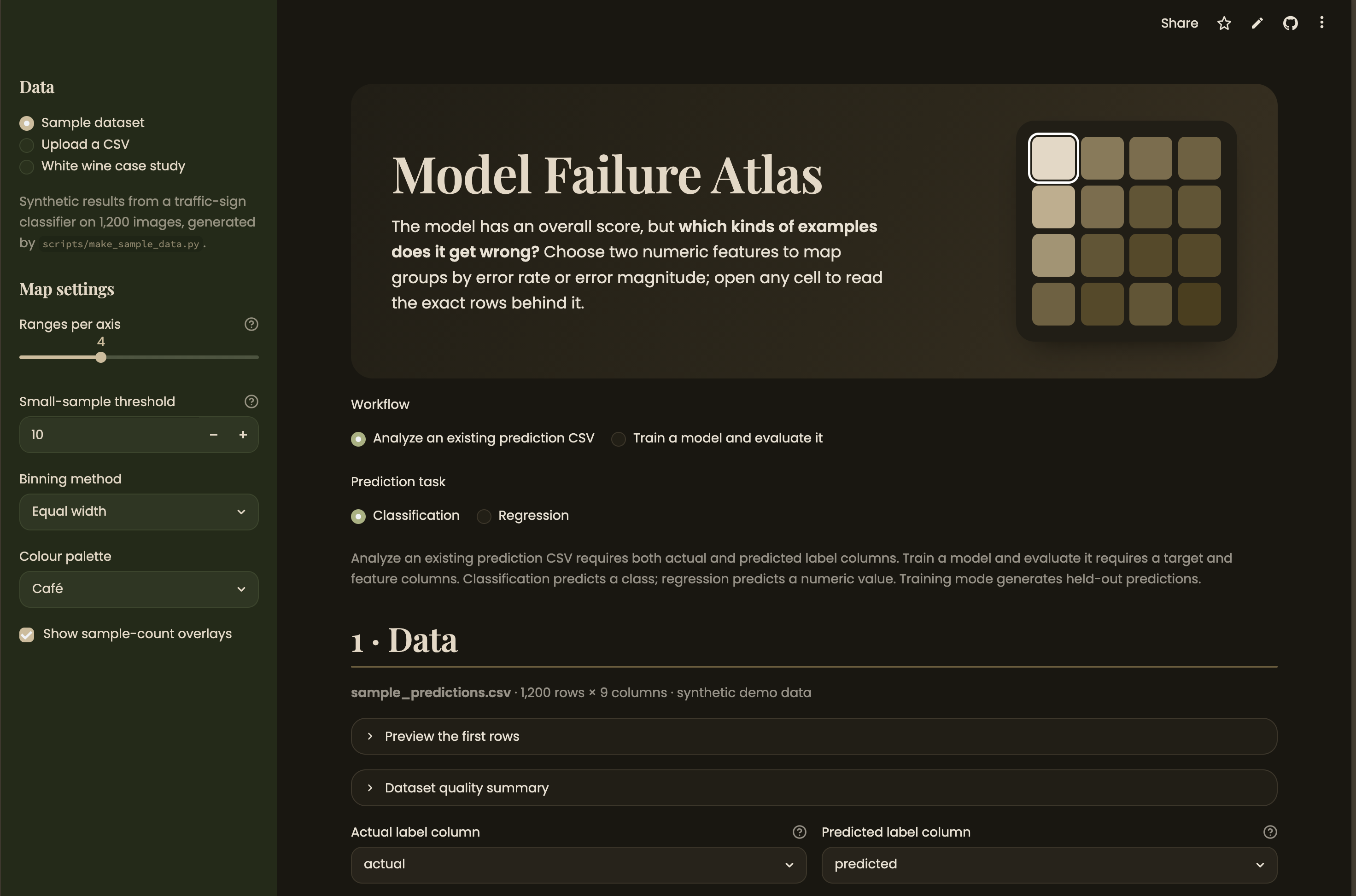
Model Failure Atlas: pick a workflow (analyze predictions or train a model), then two numeric features to map where errors concentrate.
-
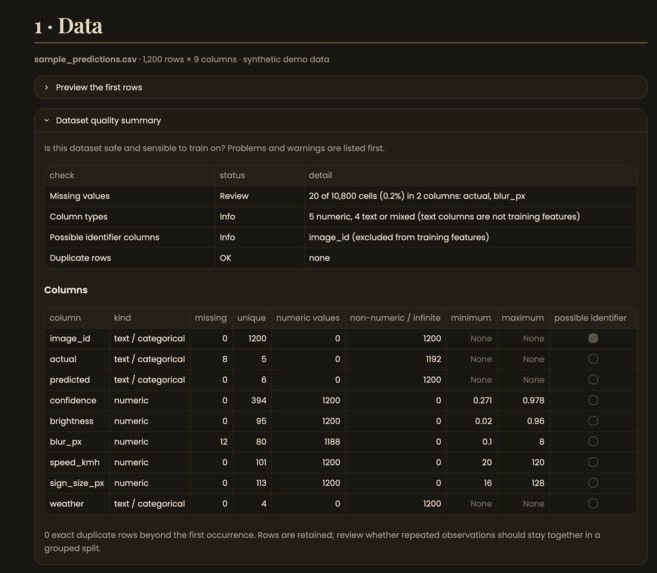
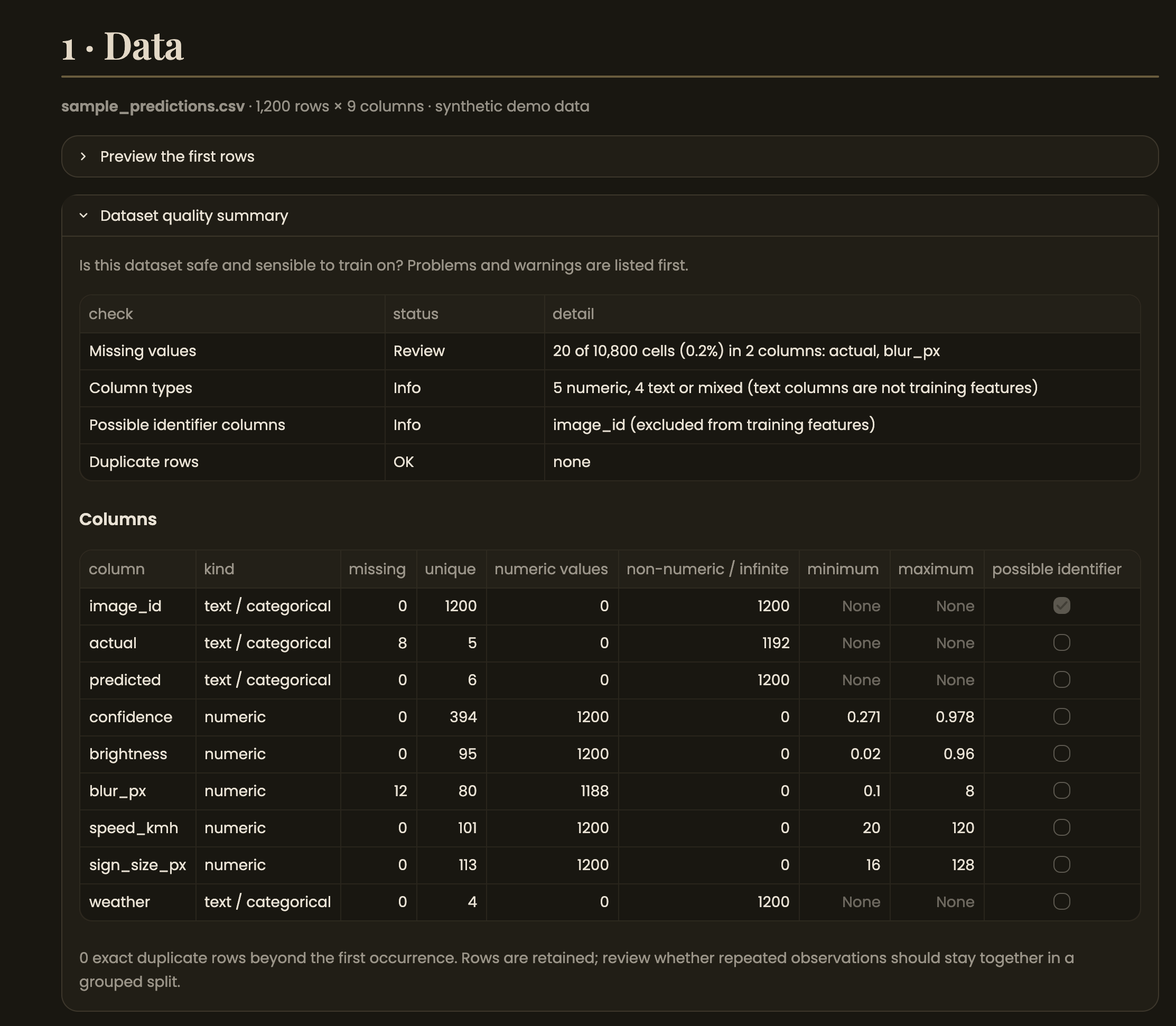
Step 1 - Data: the app reports rows excluded (missing labels), detects label columns, and summarizes every column's type and quality.
-
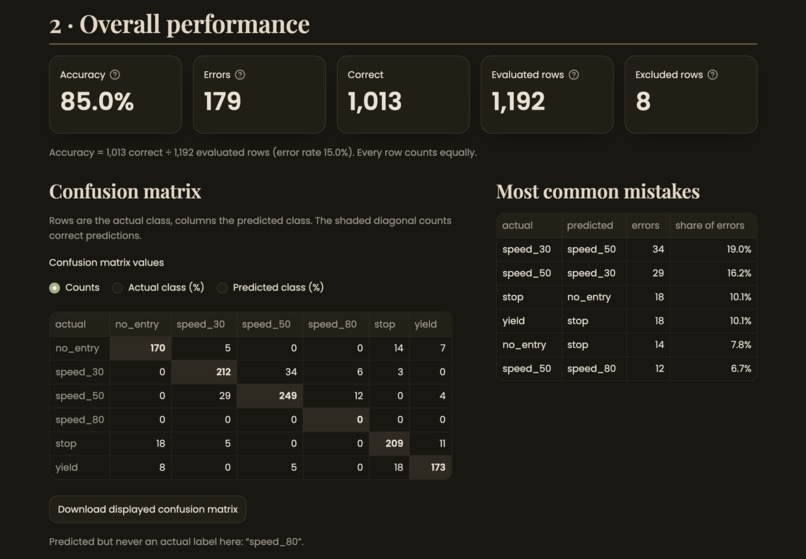
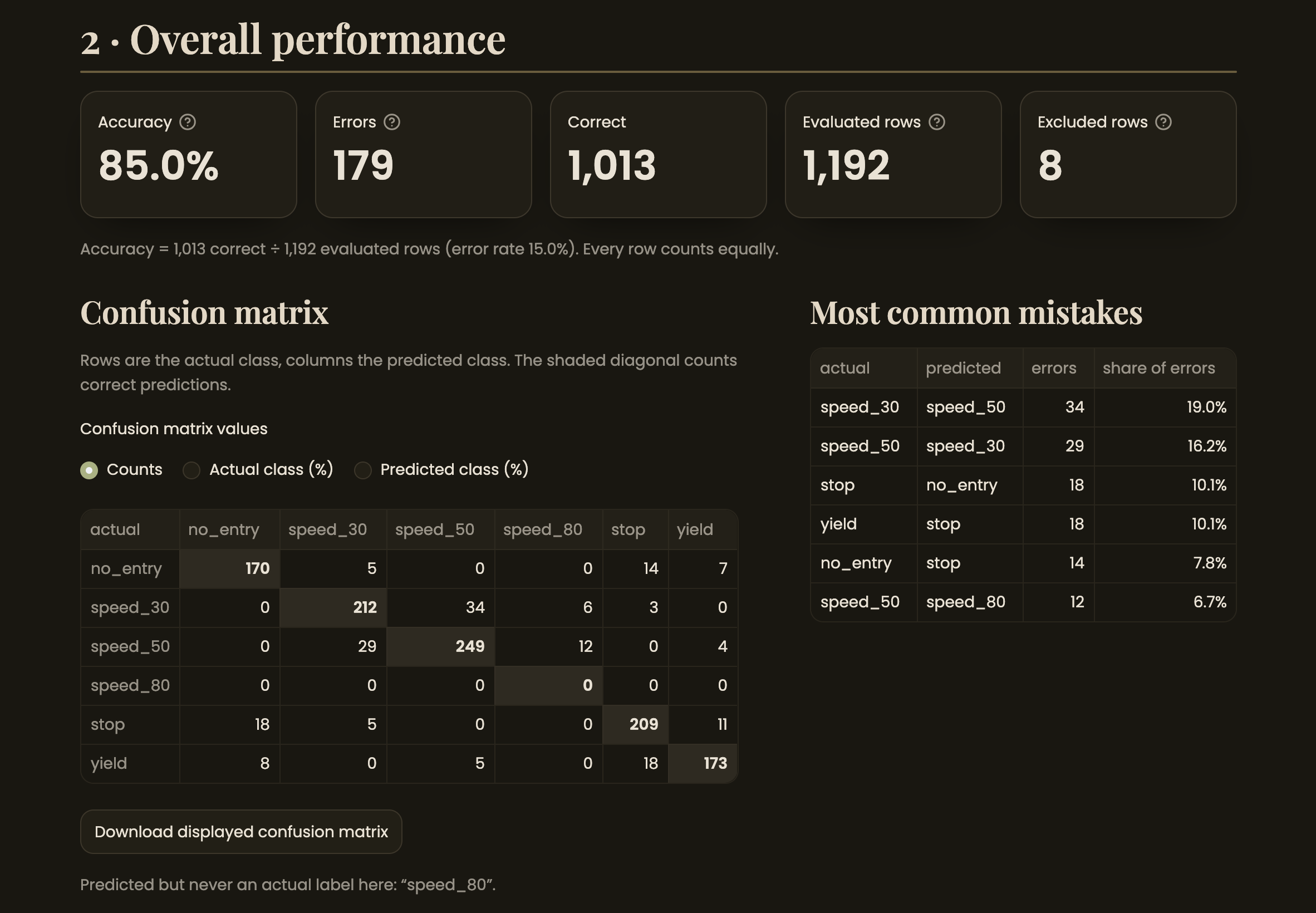
Step 2 - Overall performance: 85.0% accuracy (1,013/1,192 rows). The confusion matrix shows speed_30 is most often misread as speed_50.
-
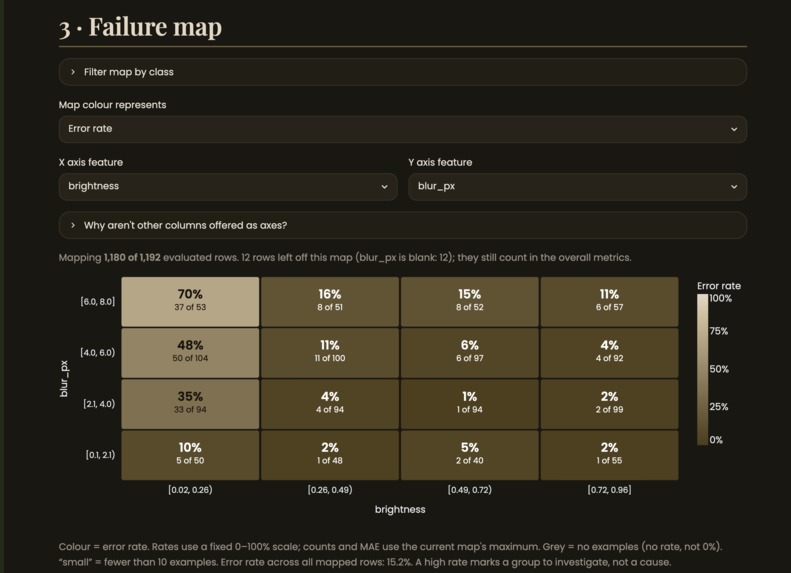
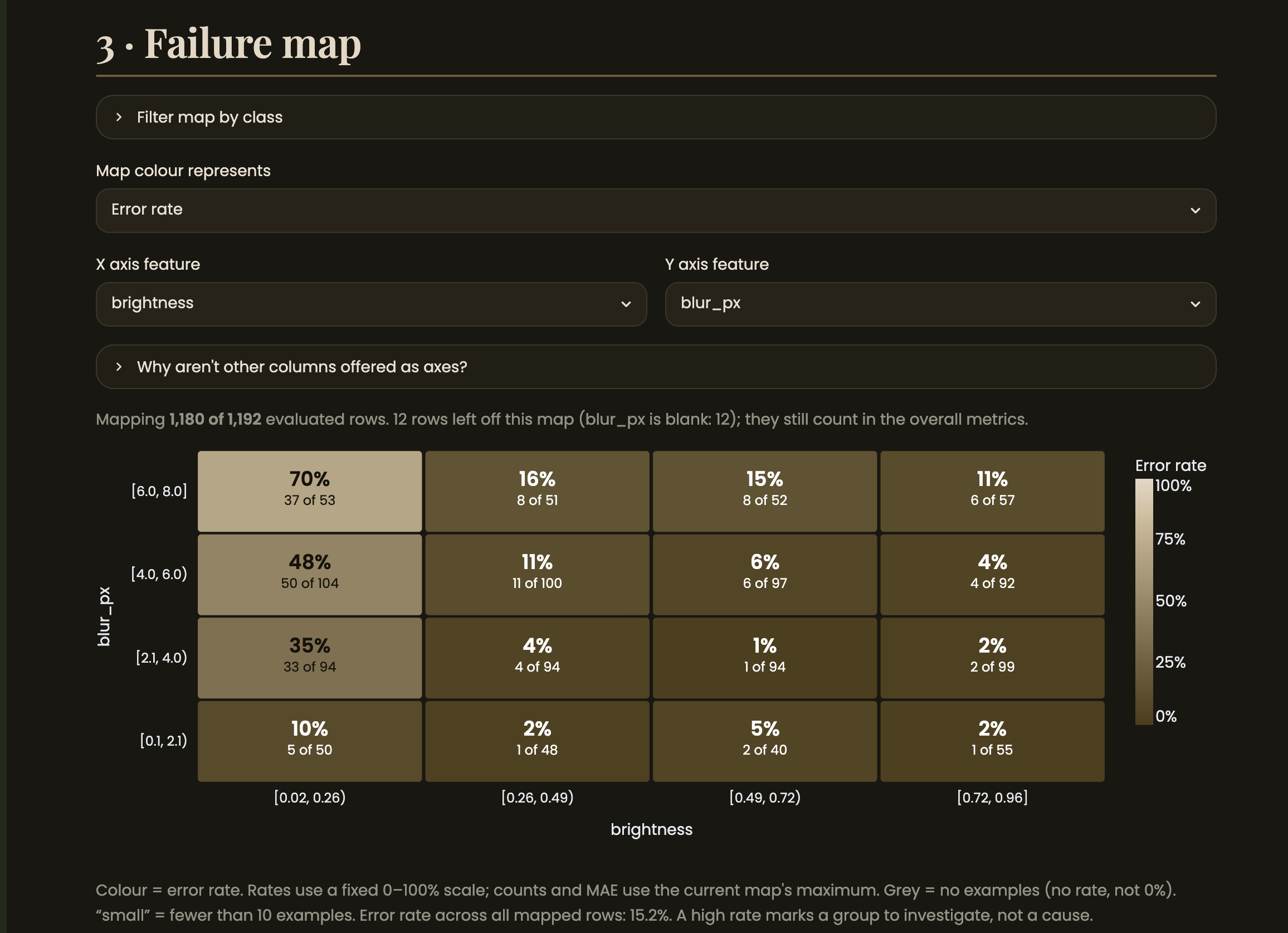
Step 3 - Failure map: error rate by brightness and blur. Dark, blurry images are wrong 70% of the time vs. 15.2% overall.
-
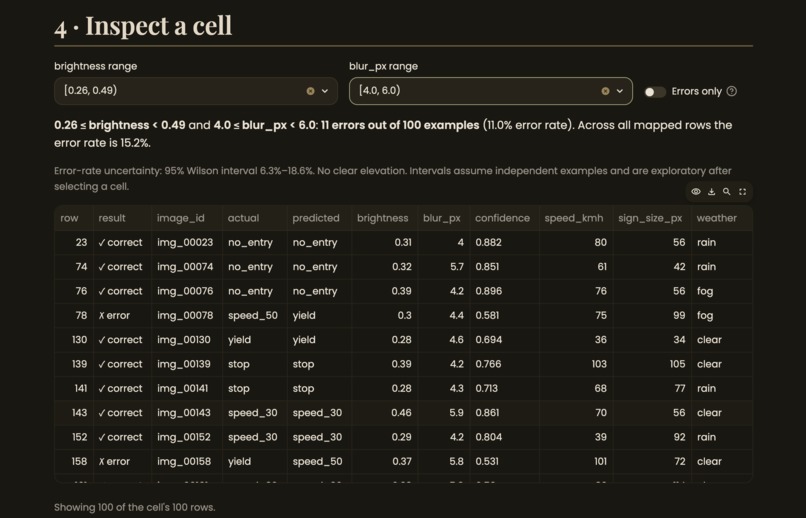
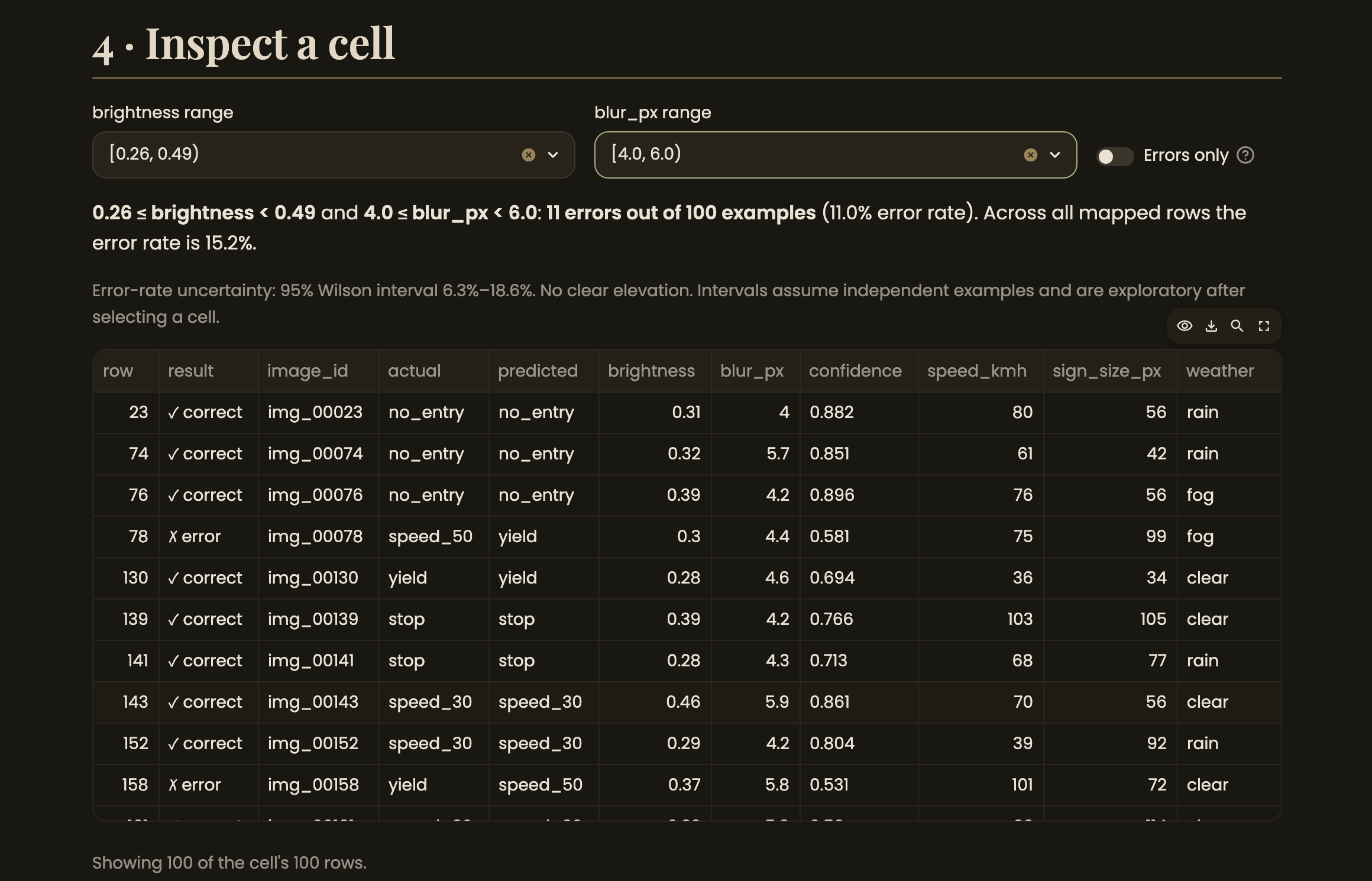
Step 4 - Inspect a cell: clicking the worst cell lists the exact 53 rows behind it, with an "errors only" filter.
-
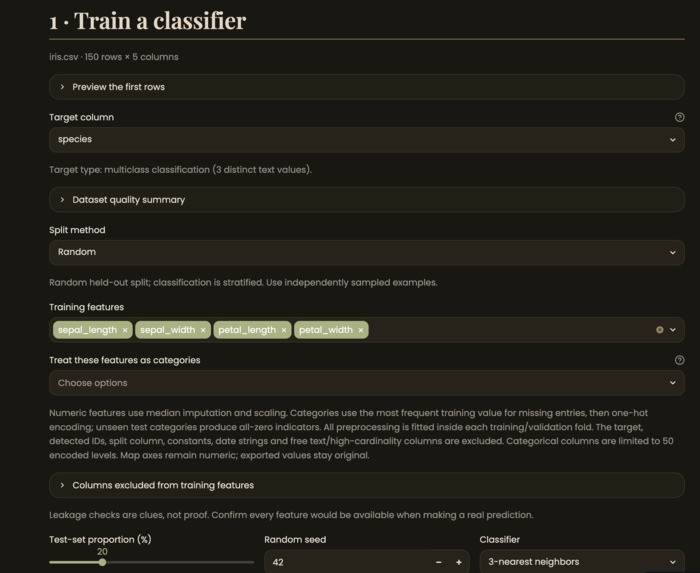
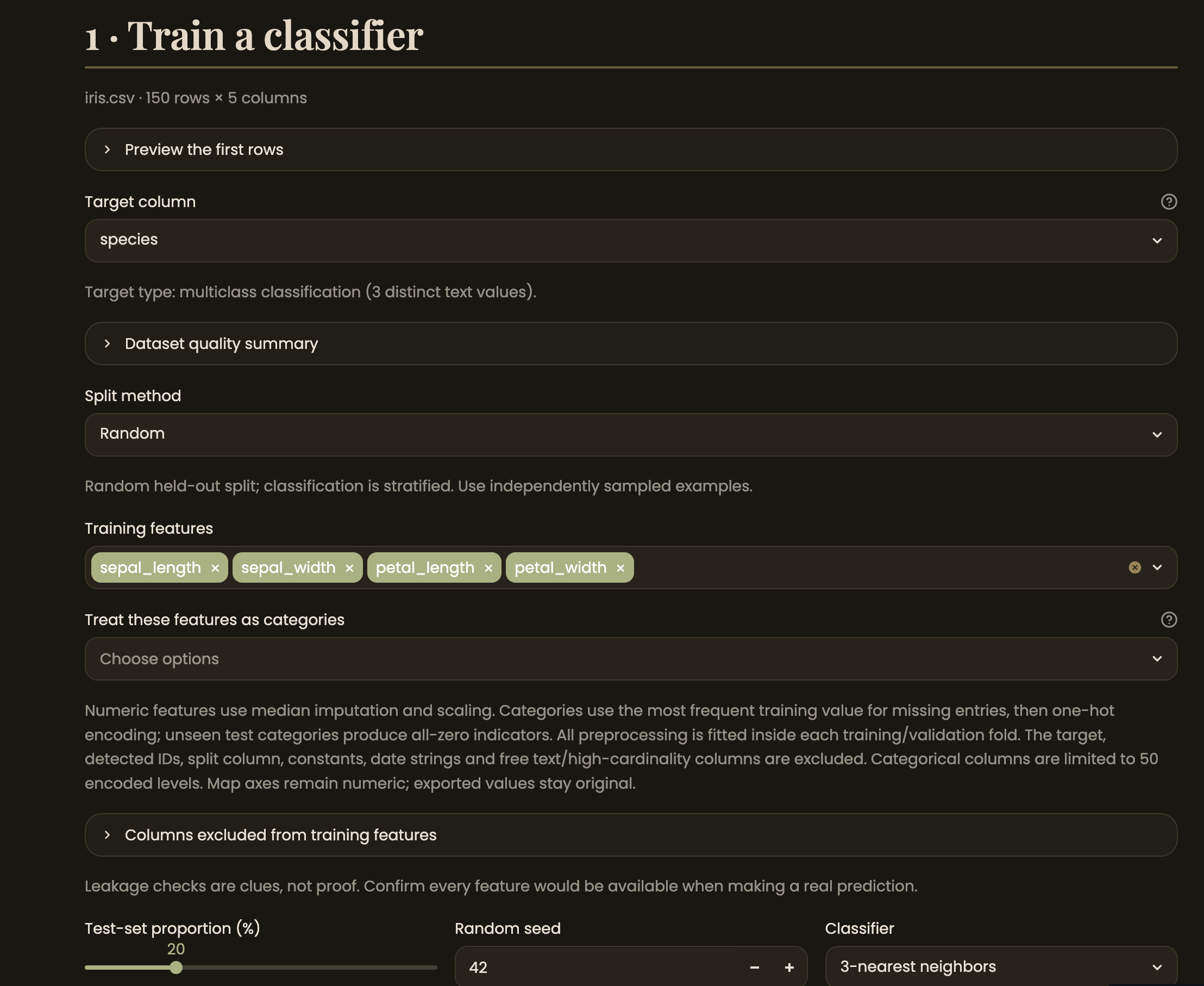
Training mode: upload labelled data, pick a target and features, and choose a split method before fitting candidate models.
-
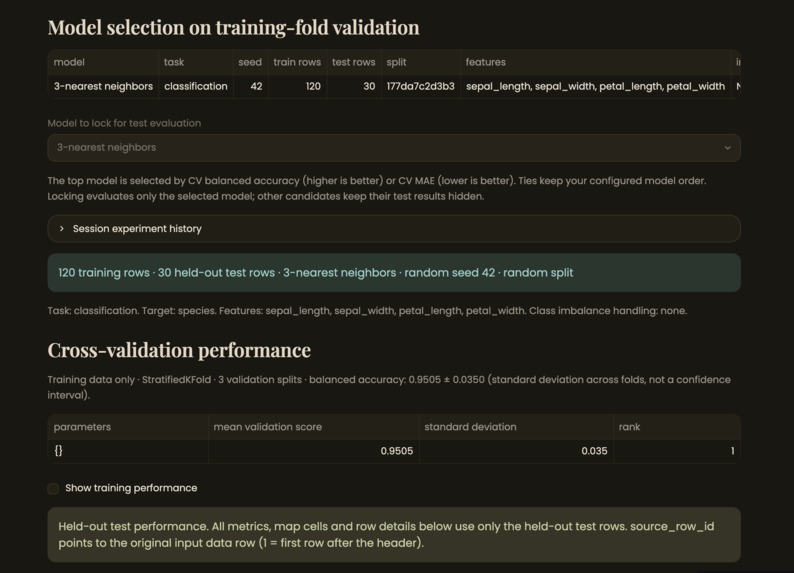
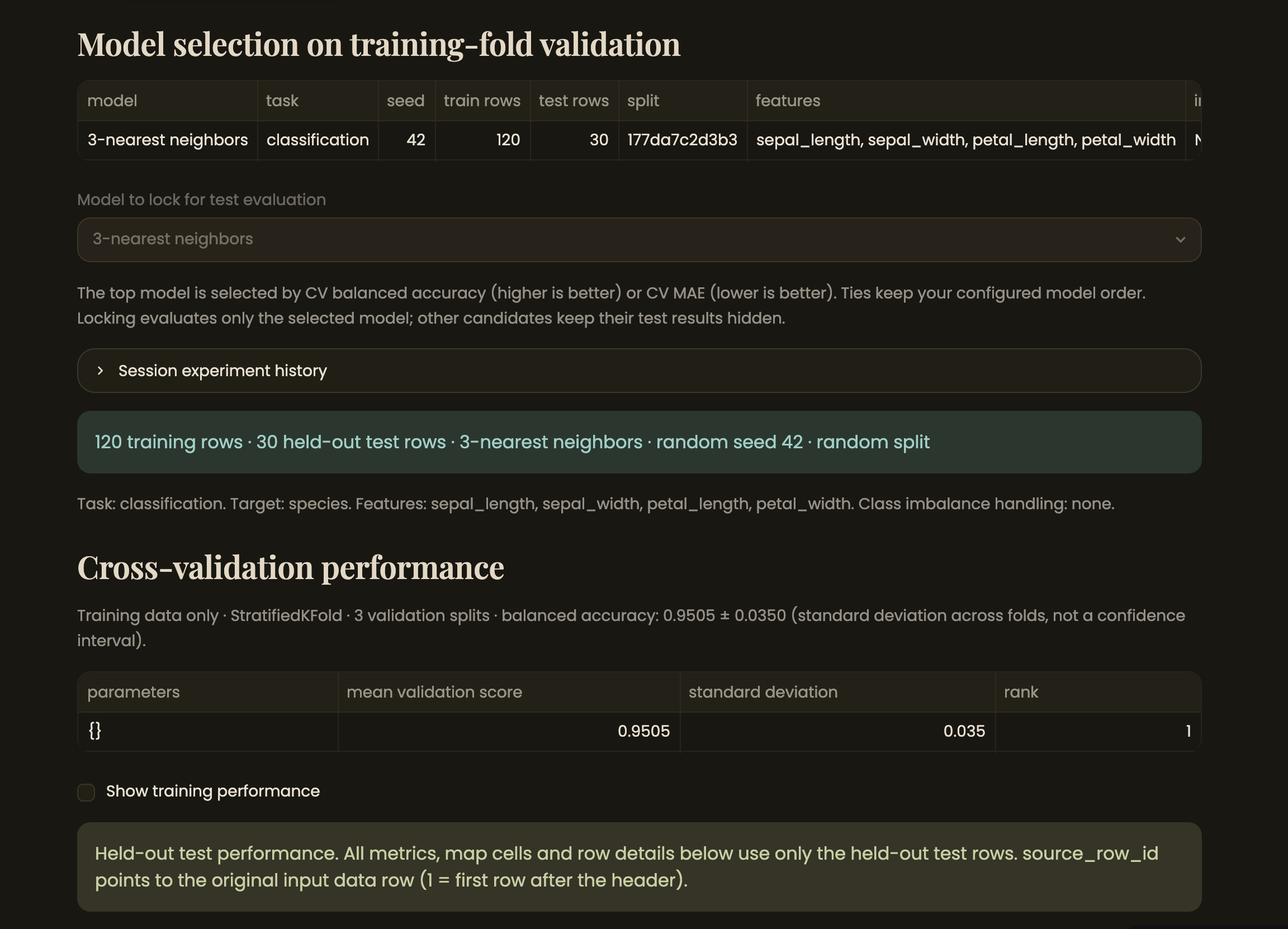
Candidates are ranked by training-fold cross-validation only - test performance stays hidden until you lock a model.
Inspiration
A model's overall accuracy hides where it actually fails. A classifier can hit 85% and still be wrong 70% of the time on one specific slice of the data, and a single score never tells you that slice exists. I wanted a tool that answers "which kinds of examples does this model get wrong?" instead of just "how good is it overall?"
What it does
Model Failure Atlas is a Streamlit app for exploring model errors. Upload a CSV of predictions, or train a model directly in the app (7 classifiers, 6 regressors). Pick two numeric features, and the app bins them into ranges and colours each combination by its error rate or error magnitude, as a failure heatmap. Click any cell to see the exact rows behind it, down to the original columns.
Training mode goes further than a typical demo: it enforces held-out evaluation (you rank candidates by cross-validation, lock one, then reveal its test score, no peeking at test performance before you commit), supports stratified, grouped and time-ordered splits, and flags likely target leakage before you train.
How I built it
Everything runs on pandas/scikit-learn/SciPy for the calculations and Altair for
the heatmap, with Streamlit as the UI layer. I split the app into two halves on
purpose: analysis.py, training.py, evaluation.py, diagnostics.py,
preprocessing.py, uncertainty.py and exports.py are plain Python with their
own unit tests and no Streamlit dependency; only app.py and ui_training.py
touch Streamlit. Both workflows (upload predictions vs. train a model) converge
on the same "evaluation rows" data structure, so every metric, heatmap cell and
drill-down table comes from one code path regardless of which workflow produced it.
To make the results trustworthy rather than just plausible, I fit all preprocessing (imputation, scaling, class rebalancing) inside each cross-validation fold, added Wilson confidence intervals on cell error rates, and built reproducible run archives that re-fit a saved configuration and compare predictions byte-for-byte. I validated the whole pipeline against a real dataset (UCI White Wine Quality) end to end, documented as a case study with the protocol fixed before looking at test results.
Challenges I ran into
The hardest part wasn't the heatmap, it was making the "held-out" guarantee actually hold. It's easy to accidentally leak test-set statistics into training through preprocessing, or to let a grouped/time-ordered dataset get shuffled into a random split and quietly inflate the score. Getting split logic, fold-local preprocessing, and the "rank on CV, lock, then reveal" flow to compose correctly (and stay correct under regression, multiclass, and imbalanced-class variants) took most of the debugging time. I also had a local AppTest run intermittently "time out", turned out to be my laptop idle-sleeping mid-test-run, not a real flake, since Streamlit's AppTest timeout uses wall-clock time.
Accomplishments that I'm proud of
A single-developer, 48-hour build that still enforces real ML hygiene: no test-score peeking, leakage detection, grouped/time-aware splits, uncertainty intervals on the headline numbers, and a reproducible-run format, verified against a real dataset, not just synthetic sample data.
What I learned
How much of "trustworthy ML tooling" is UX and defaults, not algorithms; the model training itself is a few scikit-learn calls, but making it hard for a user to accidentally fool themselves (peeking at test scores, leaking preprocessing, silently misreading an empty heatmap cell as 0%) was most of the design work.
What's next
Categorical feature support beyond one-hot/low-cardinality columns, a hosted live
demo, and breaking up a few long functions (train_and_evaluate, main) for
readability now that the feature set has settled.
Built With
- altair
- github-actions
- numpy
- pandas
- pre-commit
- pytest
- python
- ruff
- scikit-learn
- scipy
- streamlit

Log in or sign up for Devpost to join the conversation.