-
-
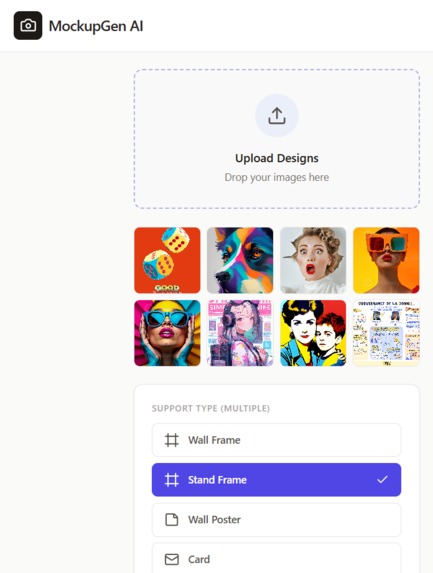
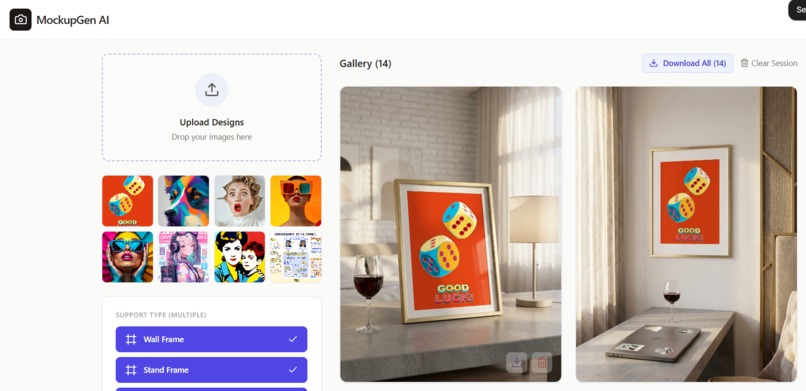
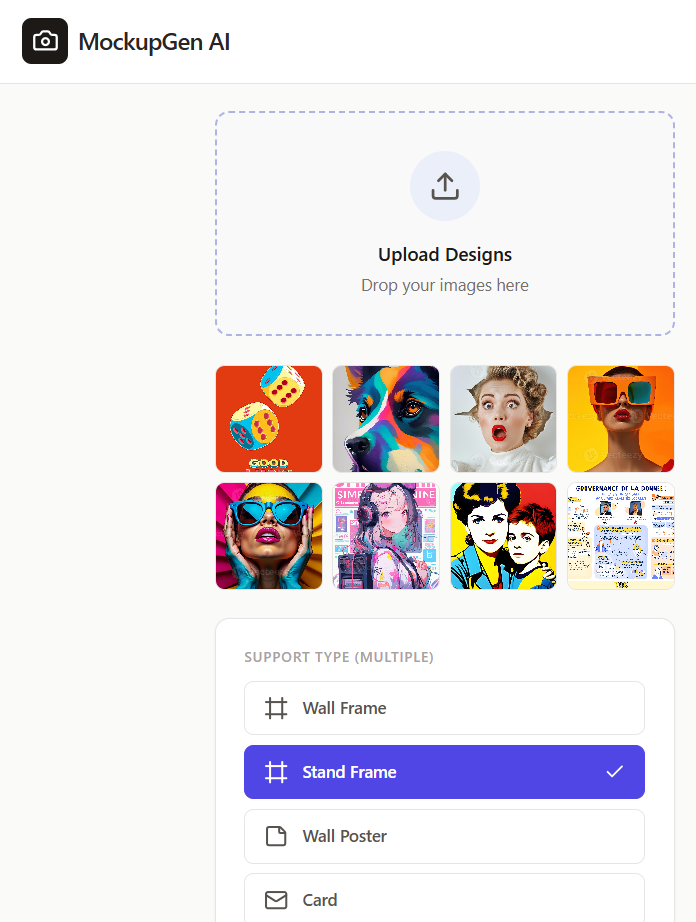
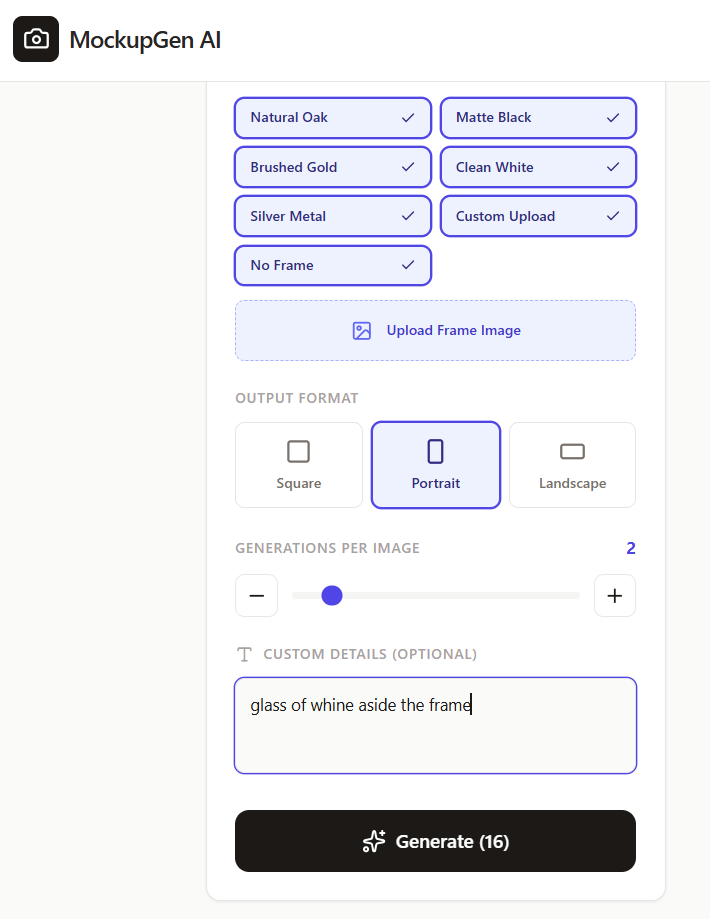
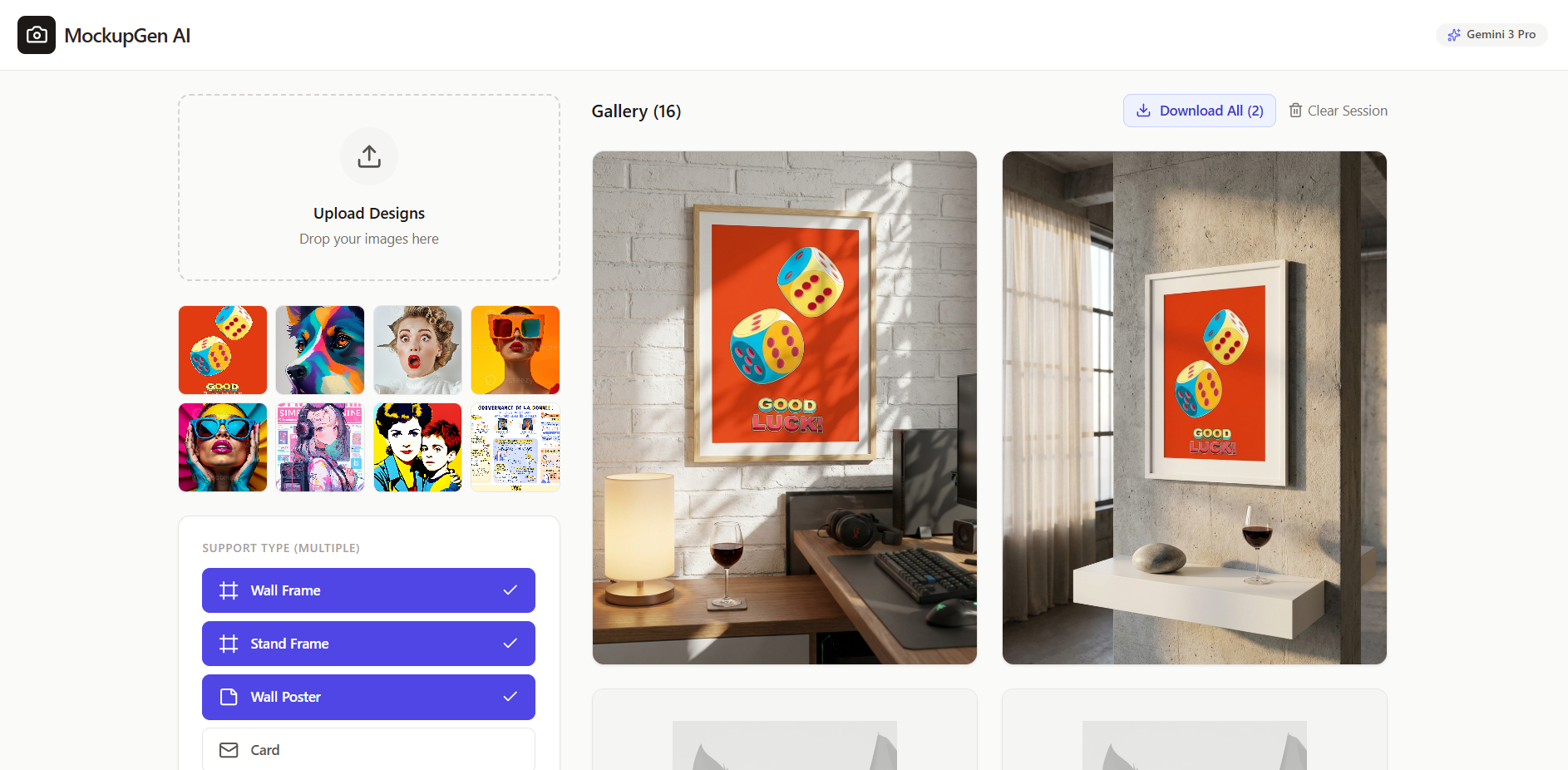
Multiple file image upload for batch generation
-
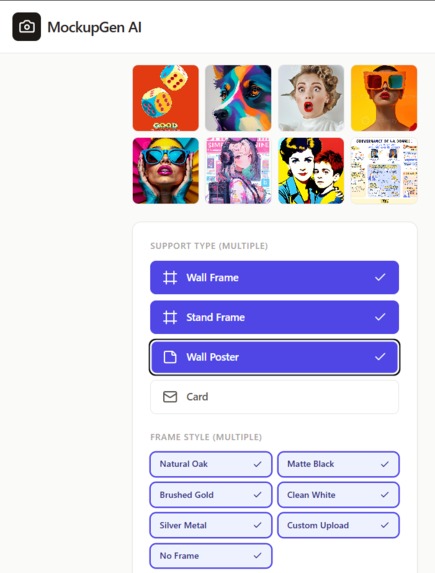
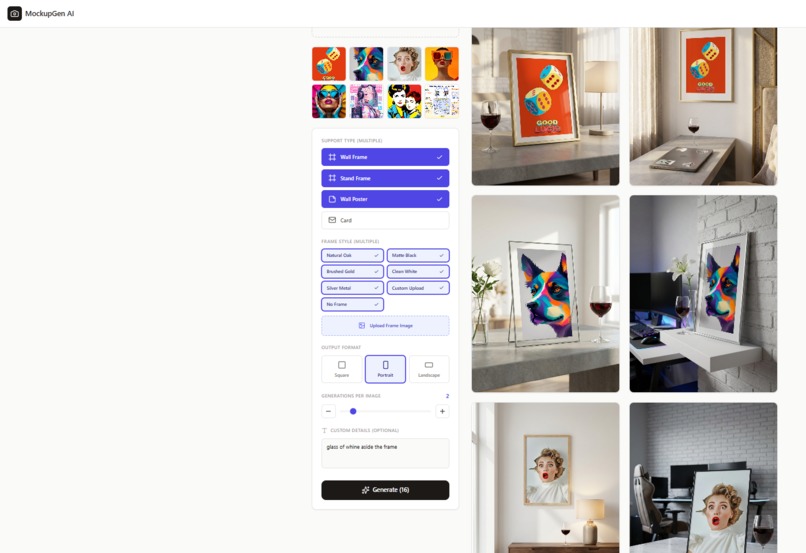
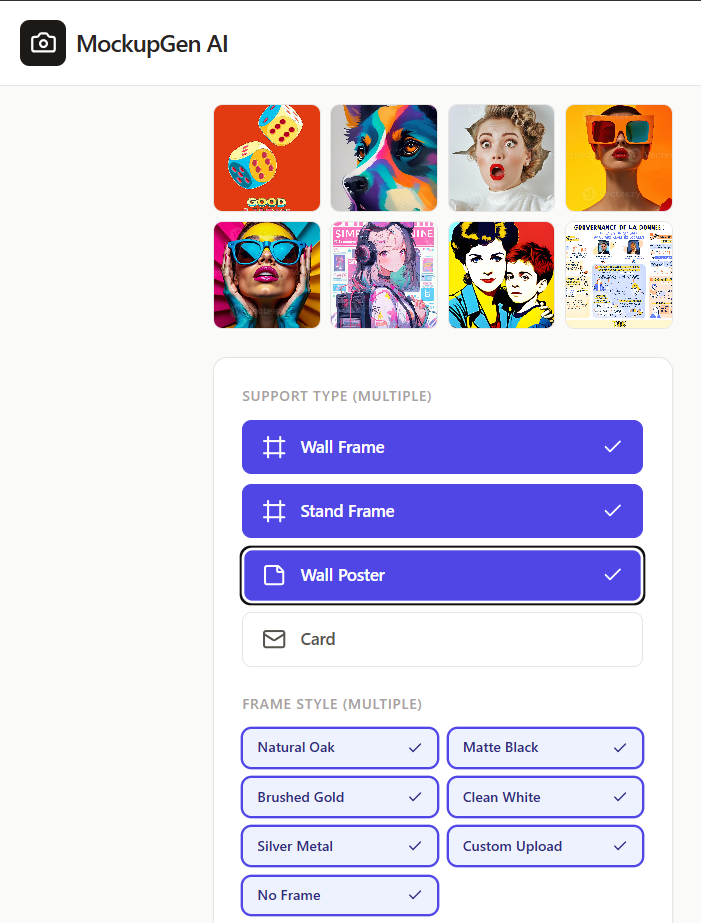
Selection of the type of frame
-
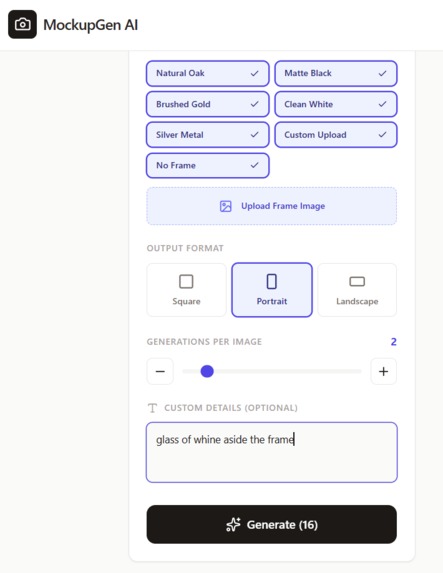
Selection of the format of the frames : vertical, square, horizontal
-
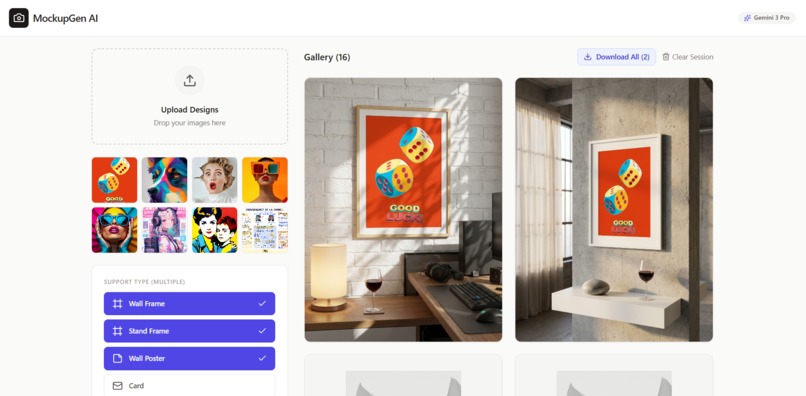
Generation of the mockup of the first image, 2 variations from previous option setting
-
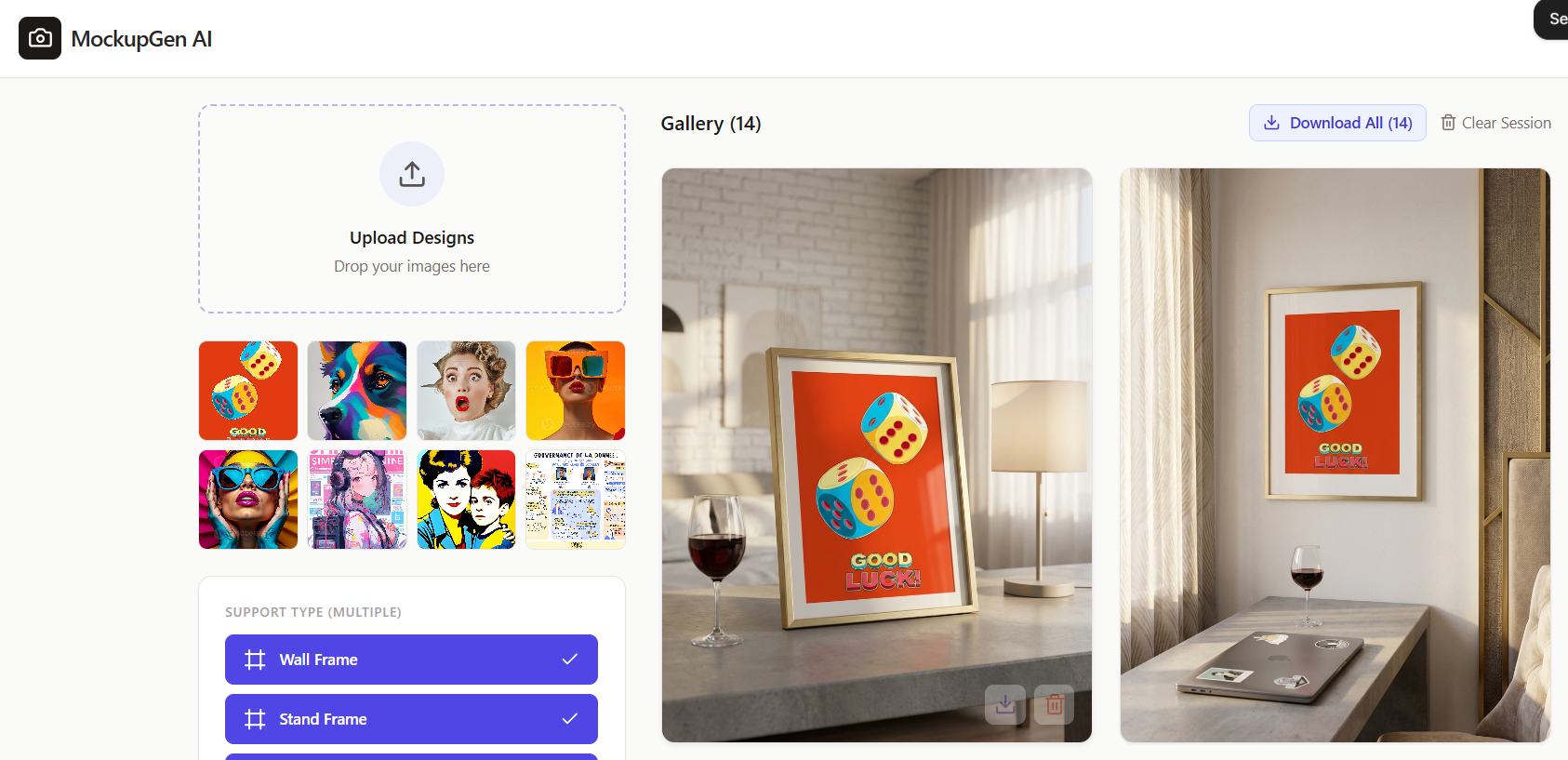
Generation of the mockup of the first image, 2 other variations from previous option setting
-
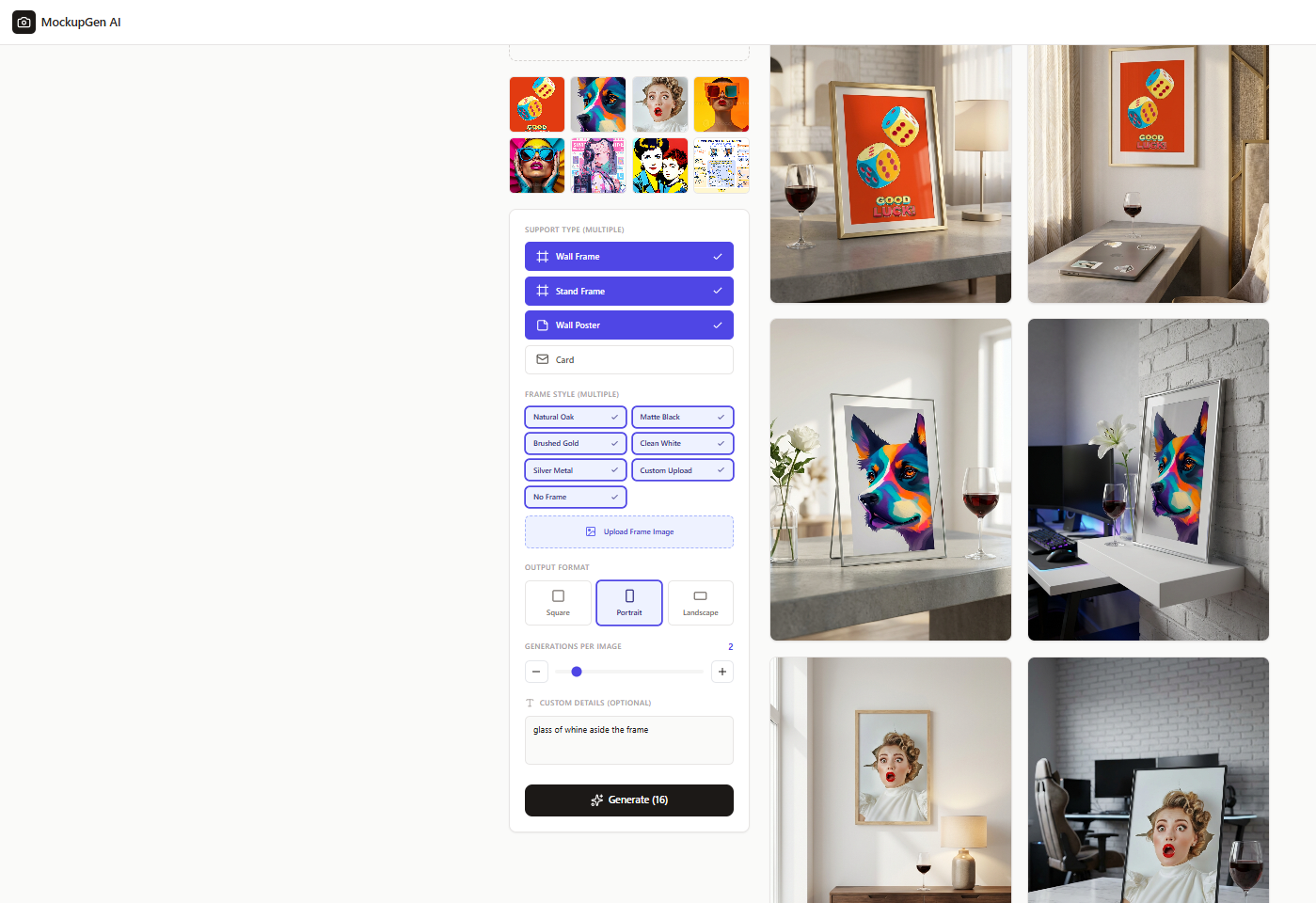
Continious generation of all image mockup, with all variations
Inspiration
The idea for this tool didn't start in a lab; it started with frustration. As a creator, I spent countless hours trying to showcase my work, manually placing artwork into mockups or fighting unpredictable AI that distorts their original designs.. I tried every technique available:
Manual Photoshop: It took forever to warp, mask, and match lighting for just one image. Standard Mockup Sites (Placeit...) : They were expensive, rigid, and everyone else was using the same scenes. Generic AI Generators : They were fast, but they were "wild." They would change my artwork or hallucinate the background, making the result useless for professional sales.
I needed a tool that was surgical—something that could change the vibe and the subject while keeping my art and the environment perfectly intact. I knew what result I wanted and must have features for such tool. So, never better being served than by yourself....let's build it
What it does
MOCKUPGEN is a high-speed AI engine that turns several design into a professional marketing library in seconds. It bridges the gap between flat artwork and studio-quality lifestyle scenes.
Key Features Surgical Preservation: The app "locks" your artwork and the room's architecture. It only swaps the subjects while keeping lighting and furniture 100% unchanged.
Bulk Generation: Use the Scale Line to trigger up to 15 unique variations in just two clicks.
Style Transfer: Upload a "vibe" image to instantly apply custom artistic lighting and color palettes to your scenes.
Pro Export: Use the "Download All" button to grab your entire high-fidelity gallery for Etsy or Shopify instantly.
How we built it
Challenges we ran into
1. The "Safety Filter" Paradox : The biggest technical "wall" was the unpredictability of AI safety filters. Originally, I wanted mockups of people holding posters. However, the models often flagged "fingers touching edges" as potential safety violations, resulting in constant "No image returned" errors.
The Pivot: I realized that "Constraints are Features." I removed all hand-held prompts and shifted the focus to High-End Interior Design. By using wall-mounted frames and shelf stands, I bypassed the filters and unintentionally created a much more premium, luxury aesthetic for the app.
2. Fixing "AI Drift" (Artwork Integrity) : Early iterations suffered from "AI Drift"—where the model would "hallucinate" over the uploaded art, changing its colors or adding weird textures.
The Technique: I developed a method of Surgical Prompting. I treated the artwork as a "non-negotiable anchor" in the prompt. By using precise spatial descriptions (similar to $x, y$ coordinates in LaTeX), I forced the model to preserve the original pixels of the art while only generating the world around it.
3. The "High-Conversion" Secret Sauce : A mockup is useless if it doesn't sell. My challenge was making sure the AI didn't just generate "cool" images, but marketing-ready ones.
Prompt Randomization : I built a logic system that injects specific "Conversion Triggers" into every batch. For each of the 15 variations, the app automatically cycles through: Lighting Profiles: "Golden hour," "Studio softbox," or "Natural window light."Material Realism: Adding instructions for "subtle paper grain" or "glass reflection" to ensure it looks like a real physical product. Dynamic Environments: Automatically swapping between Industrial Loft (for edgy art) and Scandinavian Minimalist (for clean designs) to provide sellers with diverse testing options.
Accomplishments that we're proud of
It F...ing Works with flawless execution and highest quality ! This isn't just a coding experiment; it’s a game-changer for my actual life. The biggest accomplishment isn't the code—it's the results. I’ve always dreamt of creating my own app, and today, it’s live and operational. I didn't let "not being a developer" stop me. Thanks to Google AI Studio, I closed the gap between a "what if" and a "here it is." I’m using this tool for my own small Etsy business, and the impact was instant. I used to spend hours on a single listing; now, I’m posting 5x more listings per month. My shop looks more professional, diverse, and high-end than ever before. This project is proof that with the right AI partner, your ideas can become reality. I didn't just build an app; I built a business accelerator.
What we learned
Nowadays, you don't need to be a developer to build your future. I was able to take a complex idea and turn it into a functional, operational tool through "Vibe Coding"- simply talking to the AI and refining the logic until it worked perfectly. I learned that : ** Prompting is the new programming skill.** Constraints are actually features (removing hands led to better interior shots). Iterative testing is the only way to find the "sweet spot"between AI creativity and professional stability.
What's next for MOCKUPGEN
The engine is live, and the results are real. Now, it’s time to scale MOCKUPGEN from a specialized tool into a creative powerhouse.
New Verticals: Developing logic for clothing (t-shirts/hoodies) and cosmetic packaging. Go Global: Promoting the tool to help other creators scale their shops.
Built With
- gemini
- nanobanana
- tailwind
- typescript

Log in or sign up for Devpost to join the conversation.