Inspiration
The software engineering interview is one of the hardest processes in the job market, and we have lived the experience. Thousands of candidates every year will grind for hundreds of hours to perform successfully, and even then, there will be no guarantee they will be able to convey their ideas effectively in the interview.
No matter what kind of practice candidates try beforehand, the moment they reach the actual Interview anxiousness may get the better of them. And until today there was no way to truly immerse yourself into how the interview round could pan out.
Enter MockU
What it does
MockU lets the user live the behavioral AND System design, with questions pulled directly from actual companies (Coupled with some fictional ones to keep the random aspect), and analyze their pulse, speech pattern, tone, and much more in REAL TIME.
- You upload your resume and MockU builds a profile, so the questions are about your projects.
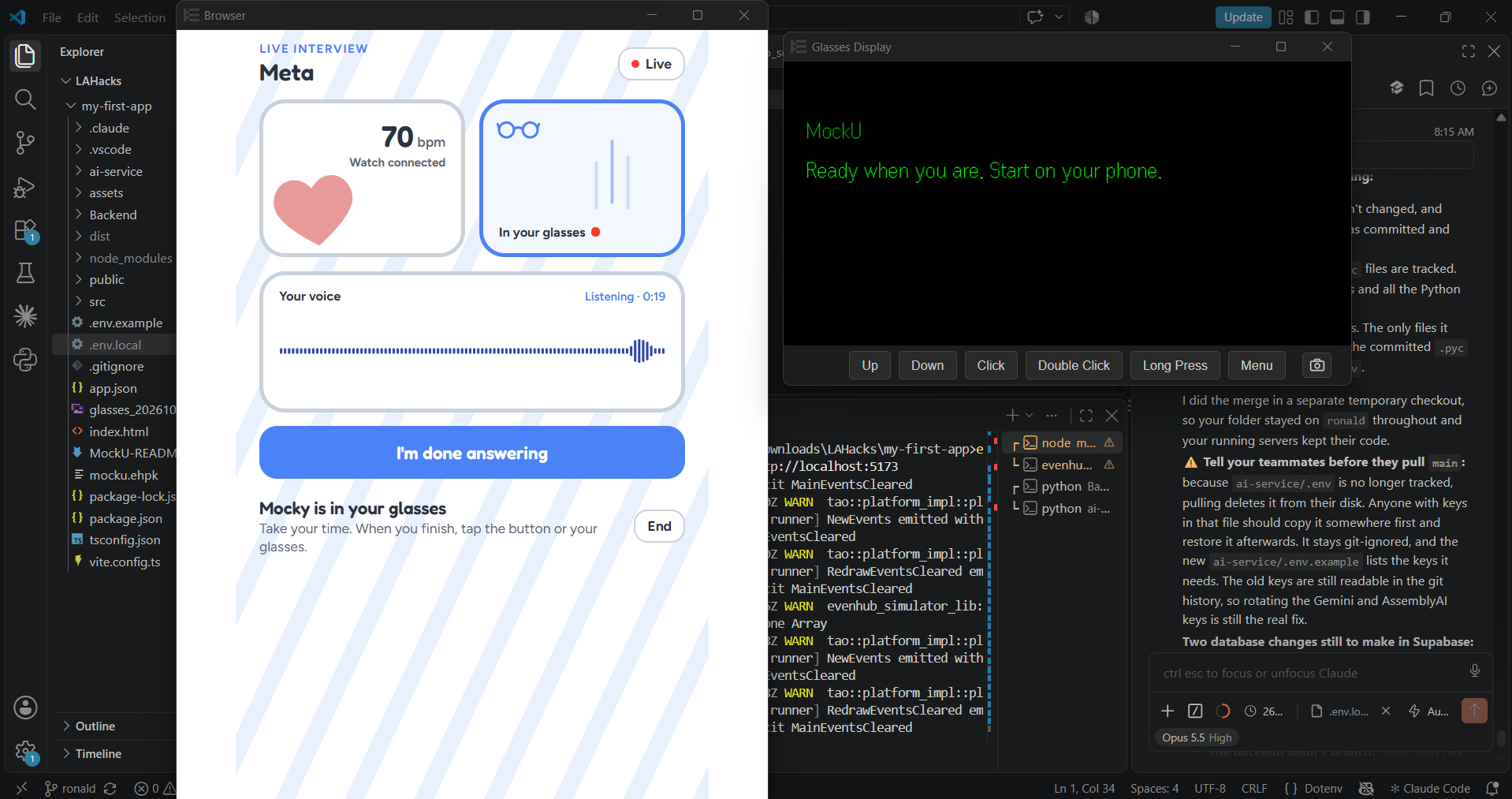
- It actively measures the candidate's heart rate, speech pattern, tone, velocity to let them know exactly where and which topics they are getting nervous at and need improvement. Mocky flashes a tip in the glasses, like “Take a slow breath.” if it recognizes the user's heart rate is increasing more than usual.
- After the interview you get a score plus your weak spots with an IN DEPTH analysis, each tied to the moment it happened: long pauses, filler words (“um”, “like”), restarts, a shaky or rising voice, unusual pace, and answers that drift off topic. You can replay those moments, read the tagged transcript, and get a suggested better opening line.
- Every summary is saved to your account, so you can see your score trend and the weak spot that keeps coming back.
How we built it
- Interview flow: We contacted multiple real recruiters from top companies such as Amazon to understand from top to bottom what they look for in interviews, and adapt our different systems around it. That was integrated to the summary by placing weights on how the user answers compared to the specific company's values.
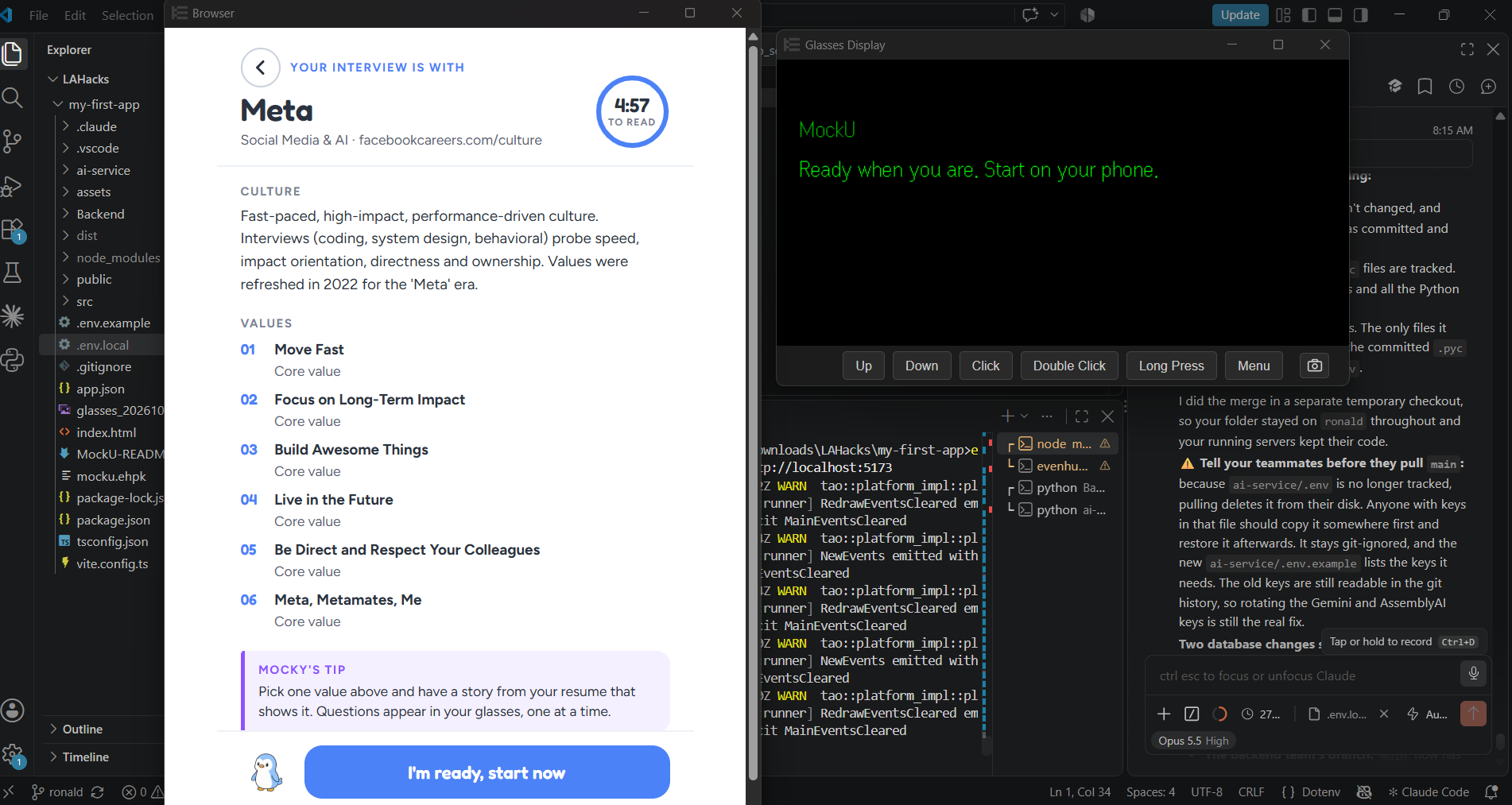
- Design: We made a draft of the general aesthetic in Canva. Then we designed the full flow (sign-in, resume upload, briefing, live interview, results, clip player, history) in Paper, then built it screen for screen.
- Phone + glasses app: React + TypeScript + Vite, running inside the Even App WebView with the Even Hub SDK. We drive the 576 x28 monochrome display with text, list and image containers (288x144 px each), and use the glasses mic, the IMU for head tilt, and temple and ring presses for input.
- Backend: Python + FastAPI with Supabase (Postgres + storage). Resume PDFs are parsed with PyMuPDF / pypdf.
- Live channel: one WebSocket per session pushes heart-rate tips and sensor status to the glasses. Heart rate comes from Pulsoid streaming the Apple Watch Heart rate sensor data, but it is also intended to be used with the EvenRealities R1 Ring, plus a simulator script for testing without a watch.
- AI analysis: a separate service transcribes the recording with AssemblyAI (word-level timestamps), computes delivery metrics, then sends the transcript, metrics, resume and heart-rate spikes to Gemini Flash, which returns the scores, strengths and areas for growth.
Challenges we ran into
- Designing for a heads-up display. A 576x288 green monochrome screen has no room for clutter, and anything distracting raises the anxiety we're trying to train against. Every glasses screen had to be short and quiet.
- Undocumented sensors. The SDK streams IMU (x, y, z) values without saying whether they're rotation speed or orientation. Our tilt detector supports both: an offset from a calibrated resting value, $$\theta = x - \bar{x}_{\text{rest}}$$, or an integrated rate, $$\theta = \int \omega\, dt$$. It also needs the tilt held for 1s, so a quick head turn doesn't pick anything.
- Keeping audio, heart rate and transcript in sync on one timeline across three services.
- Knowing when an answer is over without cutting anyone off: a long thinking pause looks a lot like a finished answer, so a press on the glasses ends the answer too.
- Not over-coaching. A raw BPM threshold fired constantly, which is why we added the baseline, the sustain window, the cooldown and re-arming.
Accomplishments that we're proud of
- A full interview loop that runs in the glasses: welcome, briefing, questions, a final round, and results.
- Mocky, a mascot who moves between your phone and your glasses and makes a stressful situation feel a bit friendlier.
- Heart-rate coaching measured against your baseline b, not a generic number.
- Feedback you can act on: every weak spot links to the exact millisecond it happened.
- Deploying testing apps to the EvenRealities G2 glasses
- And building something that is useful for everyone...
What we learned
- On a HUD, less is more: the best glasses screen is the one you barely notice.
- One shared contract (a single t = 0, one error format) let us build the app, the API and the AI service in parallel.
- Working with brand-new hardware means testing on the device early and building debugging tools into the app itself.
What's next for MockU - Live the interview
- System design interviews, already in the app as "coming soon".
- More companies and roles, and adaptive follow-ups that dig in exactly where an answer was vague.
How to run this project
Needs: Node 20, Python 3.11, a Supabase project, and API keys for Gemini and AssemblyAI (Pulsoid is optional).
git clone https://github.com/Emiliano0X1/MockU.git && cd MockU
1. AI service (port 8001): copy ai-service/.env.example to .env and set GEMINI_API_KEY and ASSEMBLYAI_API_KEY.
cd ai-service && pip install -r requirements.txt
uvicorn app.main:app --port 8001
2. Backend (port 8000): copy Backend/.env.example to .env and set SUPABASE_URL and SUPABASE_KEY (plus PULSOID_ACCESS_TOKEN and PULSOID_ENABLED=true for live heart rate).
cd Backend && pip install -r requirements.txt
python -m src.app
3. App: copy .env.example to .env.local and set VITE_API_URL=http://<your-LAN-IP>:8000. Leave it empty to try the whole flow with the built-in mock server.
npm install
npm run dev        # browser preview
npm run build      # build dist/ to package for the Even App on the G2 glasses
No watch? Simulate a heart-rate spike:
python Backend/scripts/simulate_bpm.py --session-id <SESSION_ID> --scenario sustained_spike
Built With
- apple-watch
- assembly-ai
- evenrealities-g2
- gemini-api
- paper
- react


Log in or sign up for Devpost to join the conversation.