-
-
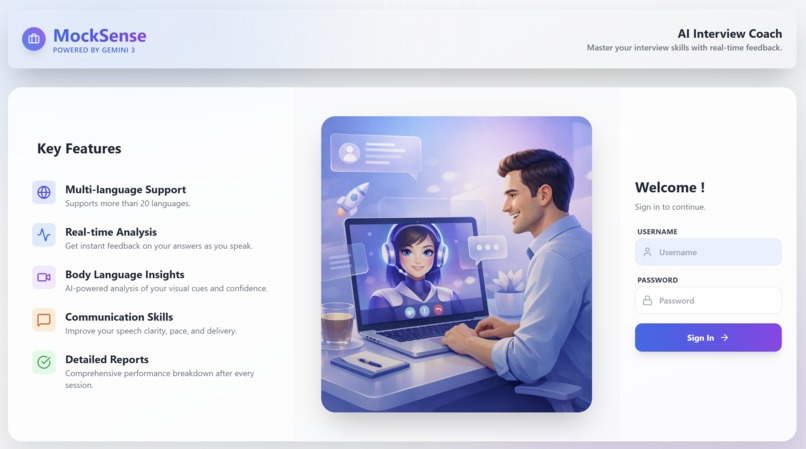
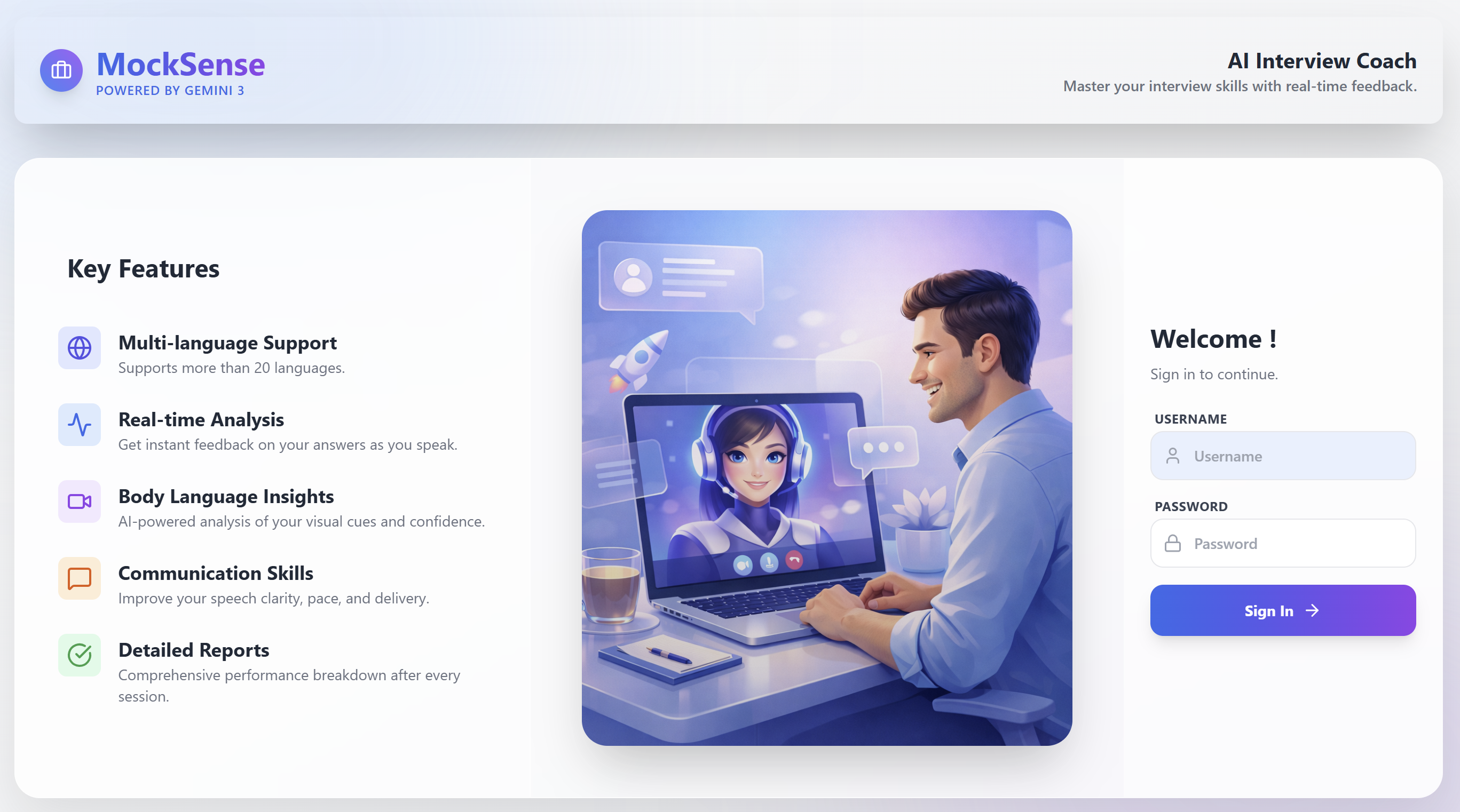
Homepage
-
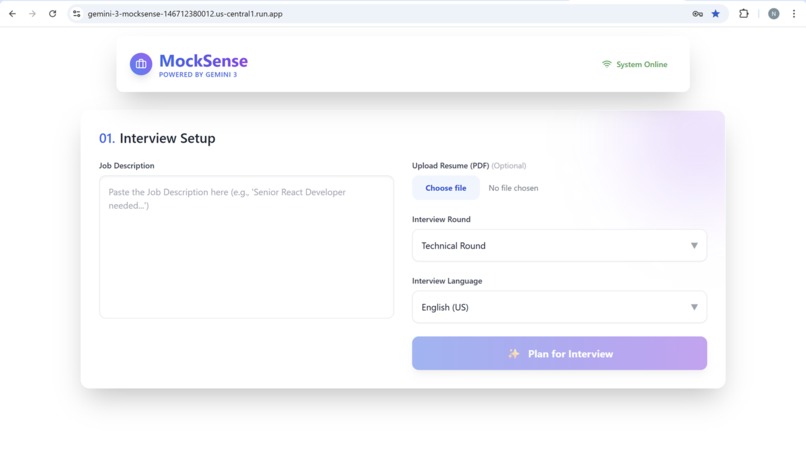
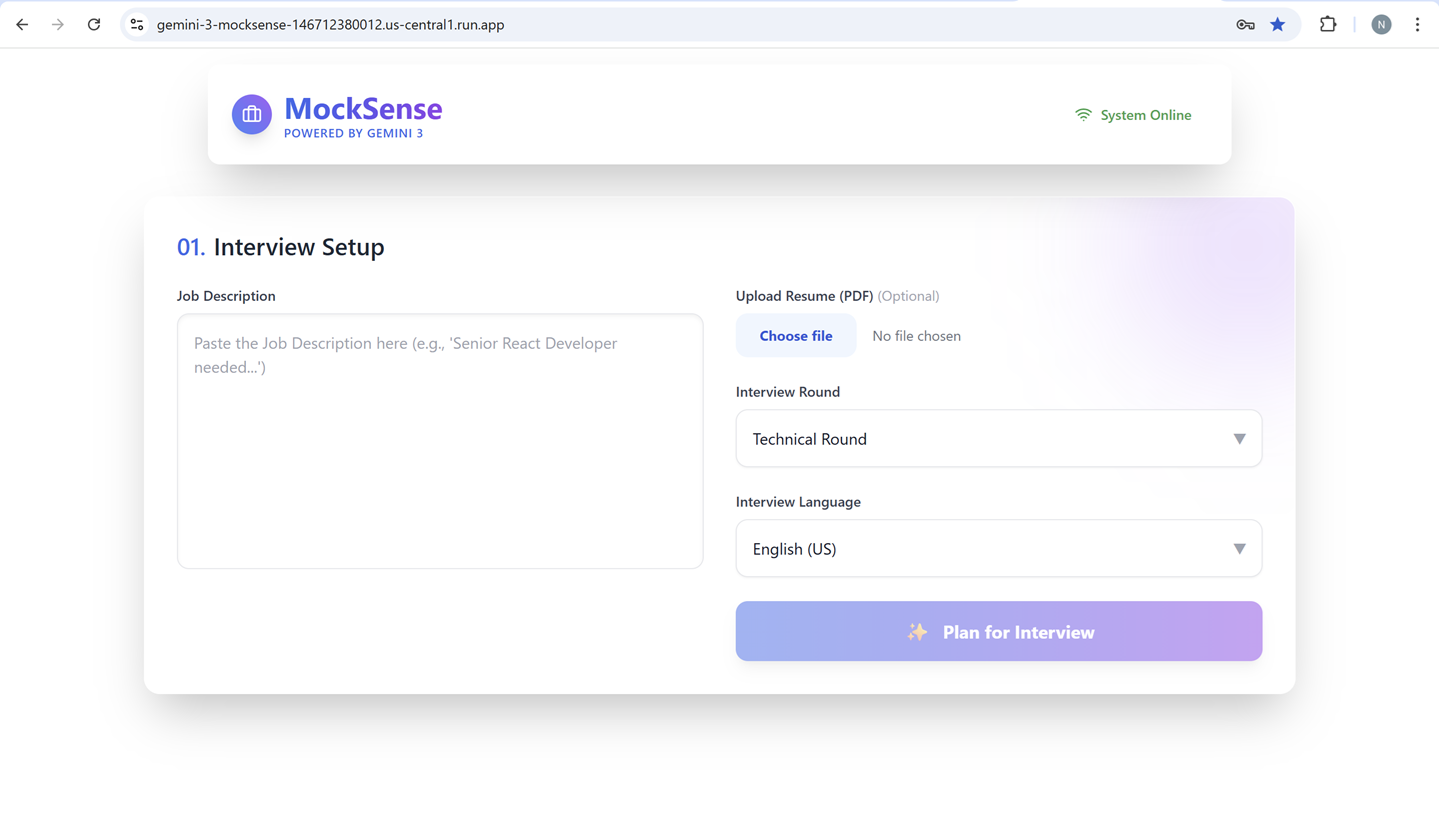
Interview Setup
-
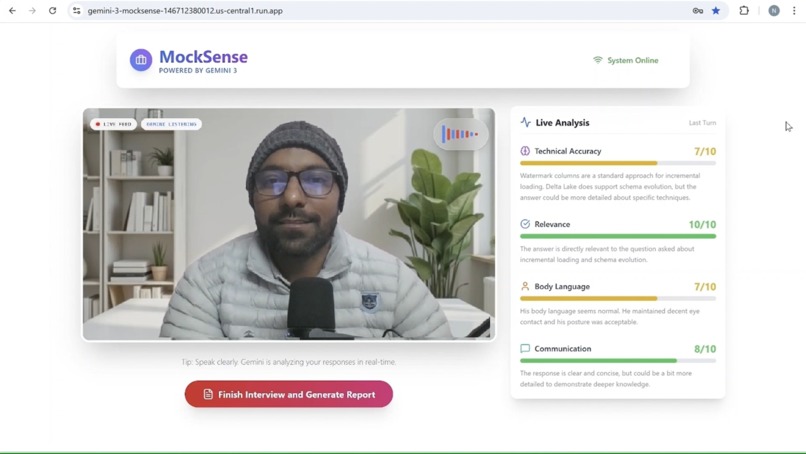
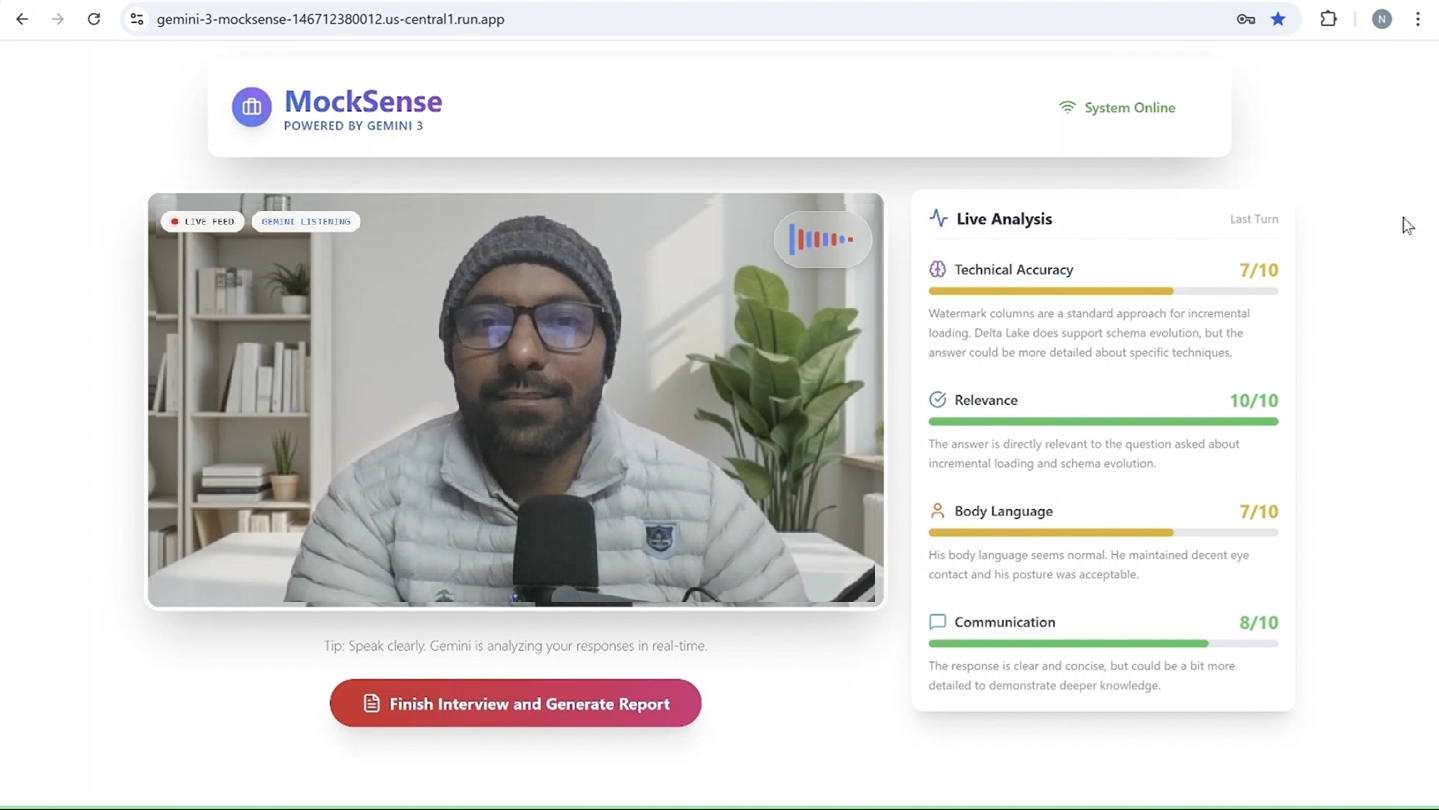
Live Interview Page
-
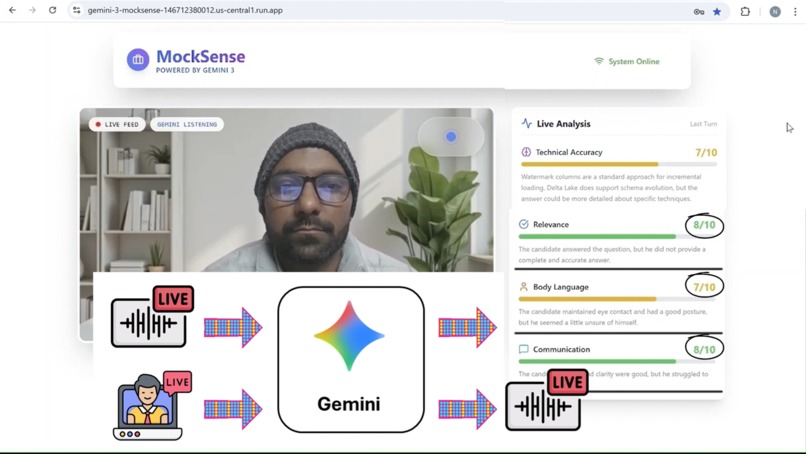
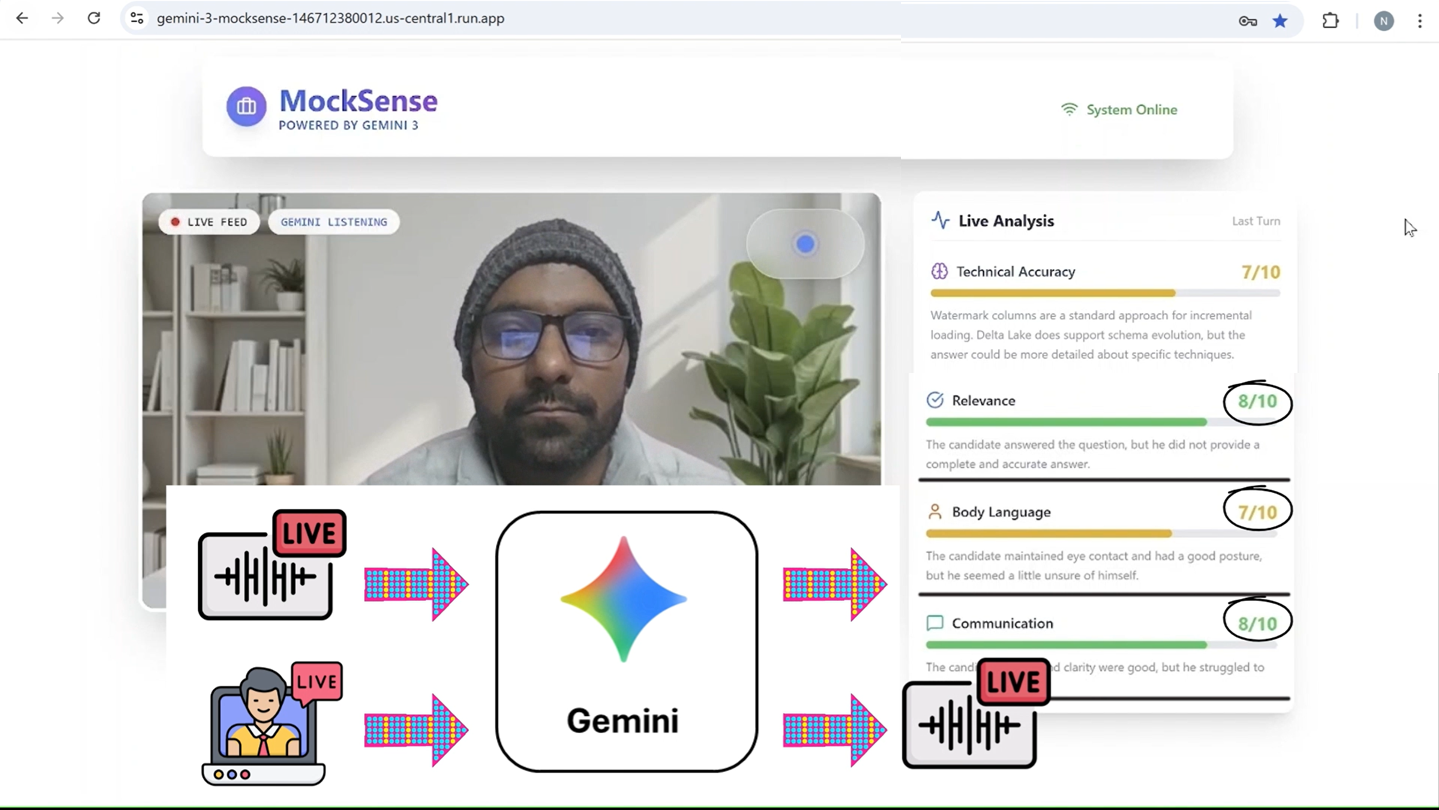
Live Connection Explanation
-
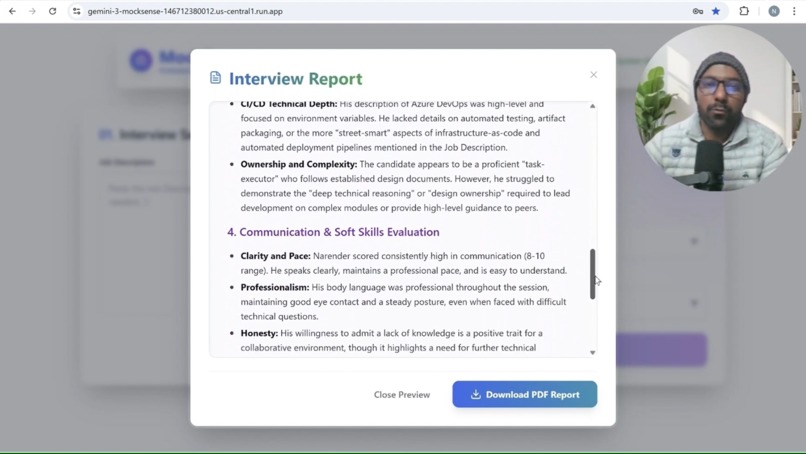
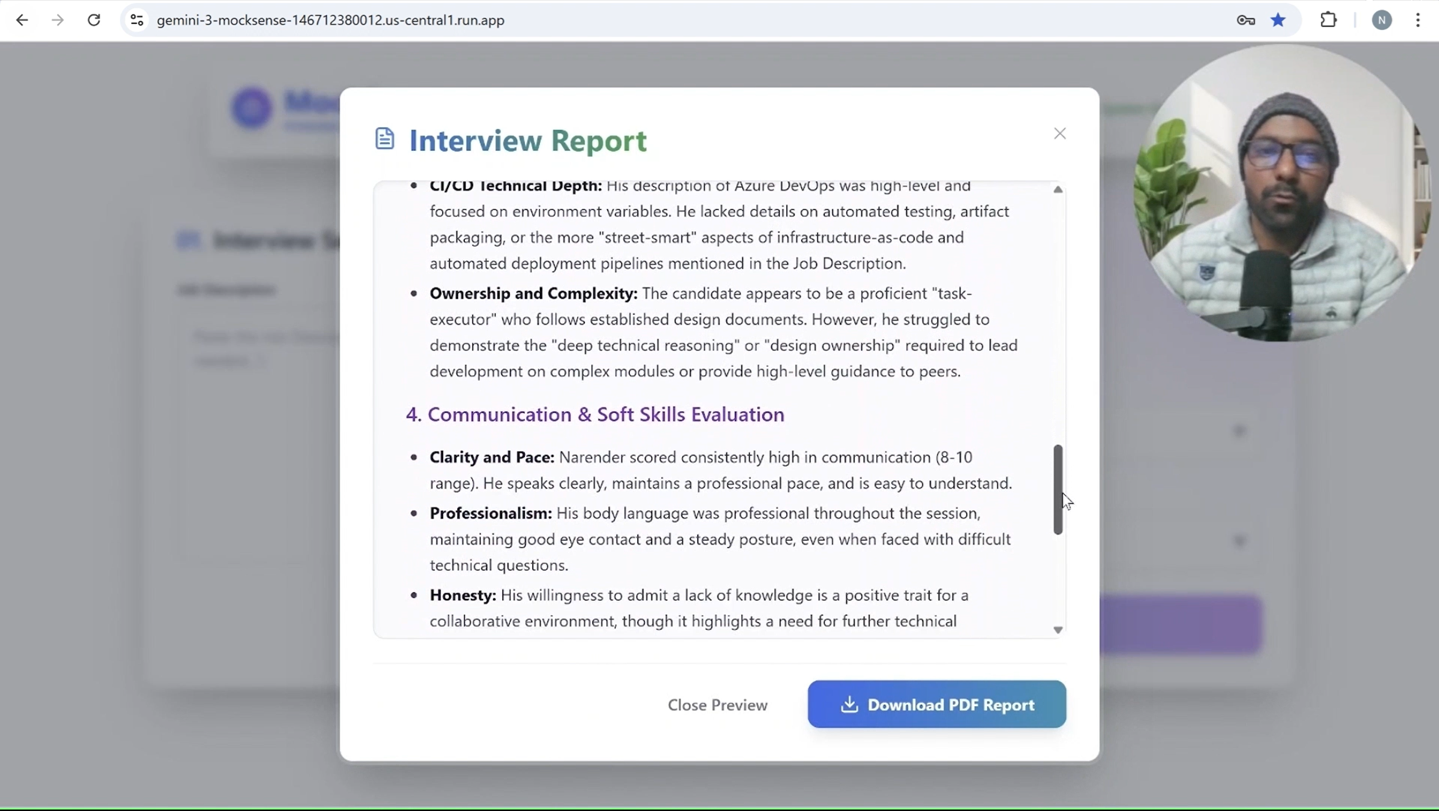
The Final Report
💡 Inspiration
We've all been there— the racing heart, and the blank mind during a crucial job interview. Mock interviews are the best way to prepare, but finding an expert to practice with is hard and expensive.
With the launch of Gemini 3 and specially Gemini live APIs, I realized we could build something that can take a mock interview like a real expert. I didn't just want a chatbot; I wanted a valuable coach that can see me and talk to me in real time like having a live interview. That's how the idea of MockSense was born from the desire to democratize elite-level interview coaching using the power of multimodal AI.
✨ What it does
MockSense is an interview simulator that conducts realistic interviews. It doesn't just listen; it watches and provides real time feedback as well.
- 📝 Interview Preparation: Before the interview starts, it takes the Job Description and Resume from the user. It analyzes both and prepares interview questions, optionally leveraging Google Search for up-to-date context.
- 🗣️ Real-Time Multimodal Interaction: Candidates speak naturally to the AI. Using the microphone, MockSense listens to your answers, and using the camera, it analyzes your body language (eye contact, posture, nervousness) in real-time.
- 🎭 Adaptive Personas & Languages: The AI adopts different personalities based on the round—Fenrir (Strict Technical), Charon (Strategic Manager), or Aoede (Empathetic HR)—and supports seamless interaction in over 20+ languages, all readily available in Gemini.
- 📊 Live Performance Scoring: As you speak, the system analyzes the audio and video feed to provide live feedback in the following areas:
- ✅ Technical Accuracy: Evaluates the correctness of your answers.
- 🎯 Relevance: Checks if you are answering the specific question asked.
- 👀 Body Language: Analyzes video input for eye contact, posture, and facial expressions.
- 💬 Communication: Assesses clarity, pace, and grammar.
- 📑 Comprehensive Report: After the session, it generates a detailed report with executive summaries, strengths, weaknesses, and hiring recommendations. This report is available as a downloadable PDF for future reference.
🛠️ How I built it
MockSense is a full-stack application designed for low-latency interactivity:
- 🧠 The Brain (Gemini): I utilized Gemini 3.0 Flash and other latest Gemini models for analyzing complex Job Descriptions (JDs), Live Audio and Video feed, and generating the detailed feedback reports.
- 👀 The Senses (Gemini Live API): I connected to the Gemini Multimodal Live API over WebSockets. This allows full-duplex communication where the model receives both Audio and Video frames and returns audio and text continuously in real-time.
- 🎼 The Orchestrator (FastAPI): A Python backend manages the WebSocket pipeline that is a bridge between the frontend and the Gemini API. It sends live inputs to Gemini APIs and provide live results back to frontend.
- 💻 The Interface (React 19 + Vite): A premium, glassmorphic UI interface for users to interact with MockSense. It includes login, JD and resume upload, the live interview, and detailed report screens. My favorite is the live interview where the user can see real-time feedback for every answer.
🤖 The "Agentic" Development Process
I didn't just build an AI app; I used AI to build it. I leveraged Google Antigravity (powered by Gemini 3 Pro) to accelerate my development. By providing high-level prompts and the agent:
- Analyzed my requirements and entire codebase.
- Performed deep analysis and created implementation plans.
- Wrote code, fixed errors, and even deployed the application to Google Cloud Run.
This allowed me to focus on the creative vision while Gemini handled the heavy lifting of execution.
🚧 Challenges I ran into
- 🔊 The Single Output: The Gemini Live API and model currently support multiple inputs (Audio+Video+Text) but a single output as either audio or text. I wanted to play output audio to the user and get text also as an analysis of the answer to show ratings and feedback on the screen. So I used audio as the core output. For text output, I provided a tool to Gemini that it calls for every answer to provide text with a predefined response structure as JSON.
- ⏳ The Turn to Speak Problem: Initially, the model would speak for too long or listened too long to respond. I effectively had to teach the model "active listening" and to speak concisely by fine-tuning the system instructions.
- 📹 Streaming Video Bandwidth: Sending raw video frames over WebSockets is heavy. I implemented efficient frame throttling to send just enough visual data for the model to detect facial expressions without killing the connection.
🏆 Accomplishments that I'm proud of
- 👀 True Multimodality: I successfully built an agent that reacts to both audio and video at the same time and provides Audio and Text outputs simultaneously. This was both satisfying and surprising for me.
- ⚡ Sub-Second Latency: Achieving a conversational flow where the AI responds almost instantly to voice input feels magical.
- 🎭 Persona Fidelity: It felt amazing to see how distinct the "Technical" vs "HR" interviewers feel. The prompt engineering allows the agent to genuinely shift its tone and questioning strategy.
- 🌐 Vast Language Support: I tried English, Hindi and Marathi and it worked like a charm just using system prompts. Gemini seems fluent in all languages.
🧠 What I Learned
🚀 LLMs are Ready for Live Applications: Large Language Models no longer feel like heavy, high-latency systems. They can now operate in a truly live mode with sub-second latency.Proving that real-time multimodal interaction is finally possible.
✨ Think It, See It Happen: Building and deploying this app using only prompts with Google Antigravity showed me that we can create real, complex systems without heavy coding. It allows us to focus on the creative vision while the AI handles the technical execution.
🧩 Simplicity of Gemini API: The Gemini API is remarkably powerful and simple at the same time. It is very easy to configure models, input/output types, provide tools, and change languages.
What's next for MockSense
- 📱 Mobile Companion App: Practice on the go with an audio-only commute mode and push notifications for daily interview drills.
- 📈 Historical Performance Dashboard: A visual tracker to monitor your progress over time, identifying recurring weak points (e.g., "System Design") and comparing metrics across different round types.
- 🎨 System Design Whiteboarding: Integration with Excalidraw/tldraw where the AI can "see" and evaluate your architecture diagrams in real-time for scalability and best practices.
- 🗺️ Personalized Prep Roadmap: Generates a 2-4 week study plan with daily progressive tasks and milestones based on your target role and current skill level.
- 💻 Live Coding Environment: A split-screen Monaco editor for technical rounds where the AI evaluates your code quality, efficiency, and problem-solving approach—not just the output.
- 🎯 Skill Gap Analysis: Intelligently maps your resume against the JD to highlight missing skills and provides curated resource links to bridge those gaps.
- 🏢 Company-Specific Simulators: Pre-loaded interview personas and question sets that mimic the specific culture and interview style of top tech companies like Google, Amazon, and Meta.
Built With
- antigravity
- fastapi
- gemini3
- google-cloud-run
- node.js


Log in or sign up for Devpost to join the conversation.