
INSPIRATION Who actually is able to work and focus when youtube and instagram are one .com away. Website blockers exist, but they're easy to. Ignore: a red error page, a click, and you're back on YouTube. We wanted enforcement that feels like a friend, not a wall. A pet that physically walks across your screen to the tab you just opened is hard to dismiss, and honestly it's fun. Making focus time playful instead of punishing is what Mochi is about.
WHAT IT DOES Mochi is a procedurally animated desktop pet that sits on your Chrome tab bar, hops between tabs, naps, and can be petted or dragged around.
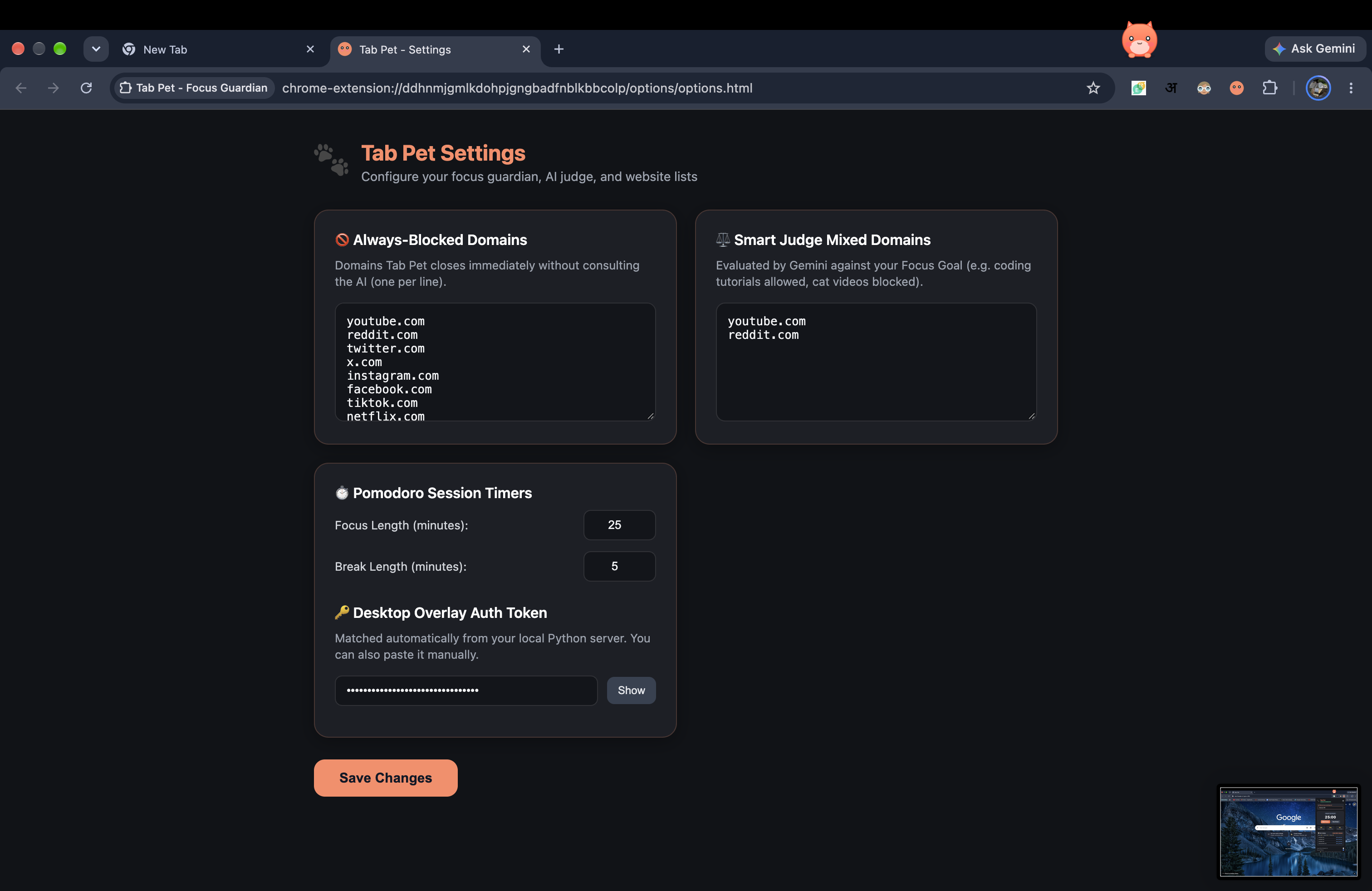
- Start a pomodoro focus session and paste in the sites you want blocked.
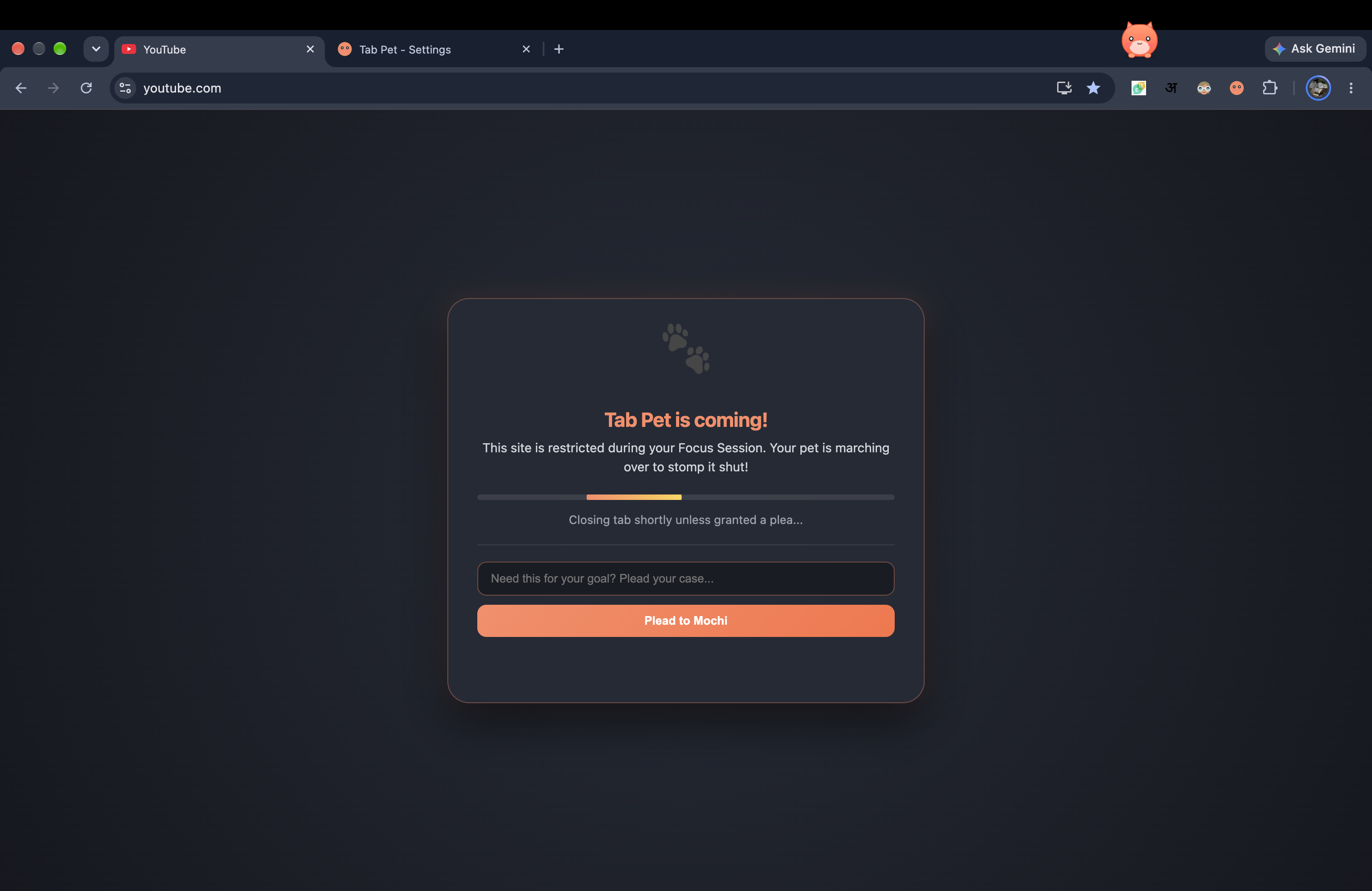
- Open a blocked site and the page is instantly covered with a "Mochi is coming!" screen. Mochi then walks across the tab strip to that exact tab and the tab closes. Several blocked tabs queue up and get handled one after another.
- Breaks are relaxed, and Mochi only enforces during work sessions.
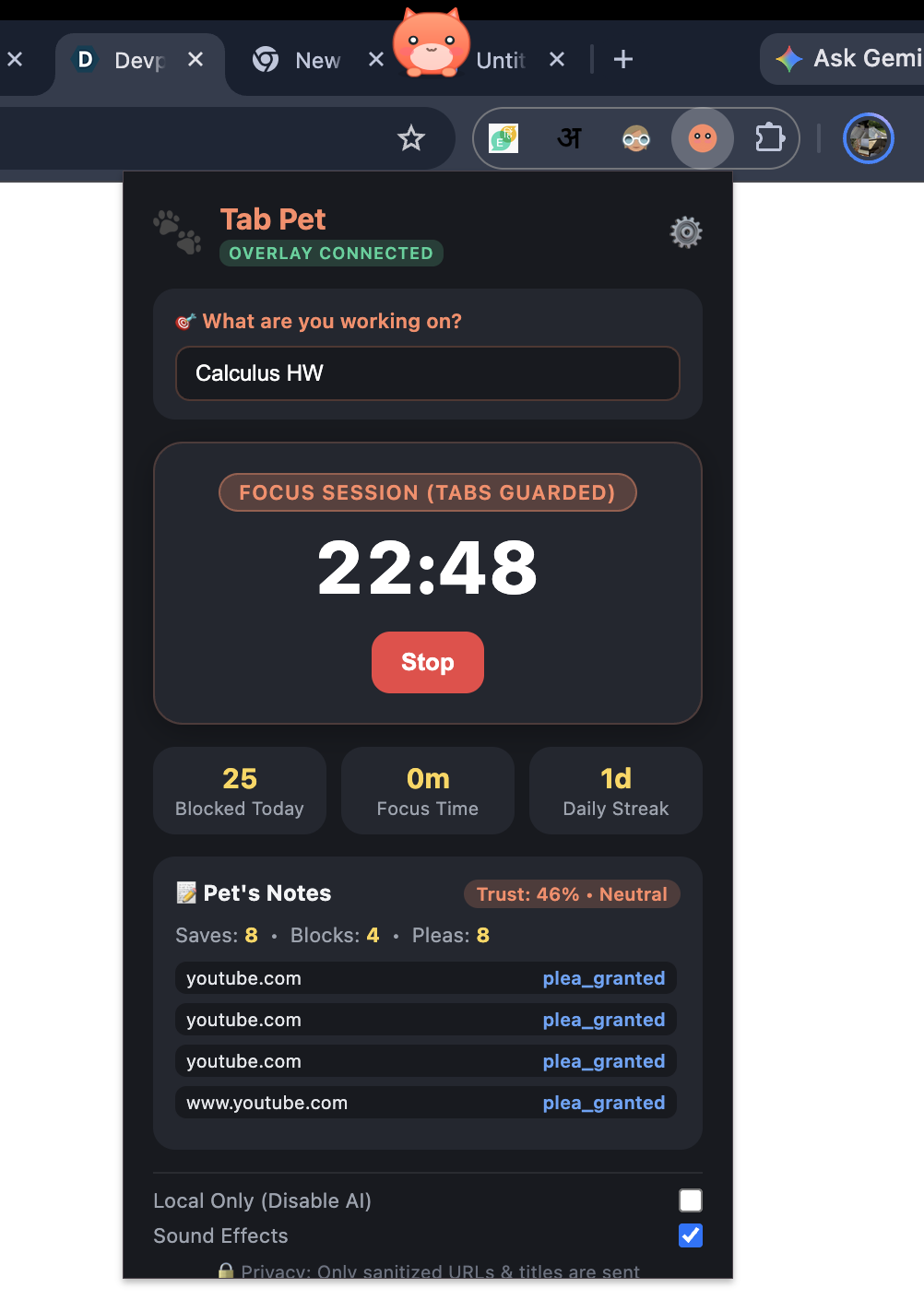
- Stats track blocks, focus time, and streaks.
- Smart judging. Tell Mochi what you're working on. For mixed sites like YouTube, an AI judge reads the page title and decides whether it fits your goal, so a lecture gets a pass and a meme compilation gets stomped, with a one-line reason.
- Privacy: only the page URL (without query parameters) and title are ever read, never page content. HOW WE BUILT IT Three pieces work together:
- Desktop overlay: Python and PySide6 draw a small transparent, always-on-top window with a procedurally animated pet (squash-and-stretch, blinking, a walk cycle, a stomp animation). No sprite files. Native macOS window settings come through ctypes.
- Local server: FastAPI and WebSockets, bound to 127.0.0.1 only and protected by a random token, connect the pet to the browser.
- Chrome extension (Manifest V3): it watches tabs and window bounds, enforces the blocklist, runs the pomodoro timer with chrome.alarms, and injects the cover screen. Chrome doesn't expose where a tab is on screen, so Mochi estimates each tab's position from the window bounds, the tab's index, and the tab count, with calibration controls. We built it with help from Google's Antigravity coding agent.
CHALLENGES WE RAN INTO
- A full-width transparent overlay across the tab strip blocked clicks on Chrome's tabs. We switched to a compact pet-sized window that follows the active tab.
- On macOS the pet window kept hiding itself when Chrome took focus. We fixed it with native window flags.
- Manifest V3 service workers sleep, so timers had to use chrome.alarms and stored timestamps instead of setInterval.
- Estimating tab positions that Chrome doesn't expose took calibration and a lot of testing.
ACCOMPLISHMENTS WE'RE PROUD OF Making a fully working project that is applicable on a large interface such as chrome and it has a cute and simple design that we came up with on our own.
WHAT WE LEARNED Where the line is between a web page and the browser itself, how OS-level overlays and click-through behave, how MV3 background workers really work, and how important it is to cut scope and get one loop working perfectly.
WHAT'S NEXT Smarter judging with plea bargaining, a trust score, texting a friend when you cave, sprite skins, Windows and Linux support, other browsers, and auto-detecting tab positions without calibration.
KNOWN LIMITATIONS macOS and Chrome only for now. Tab positions are estimated, so calibrate before use.
Built With
- chrome-extension-manifest-v3
- chrome.alarms-and-chrome.tabs-apis
- fastapi
- gemini
- javascript
- macos-cocoa-(via-ctypes)-[
- pyside6-(qt)
- python
- websockets
