
Inspiration
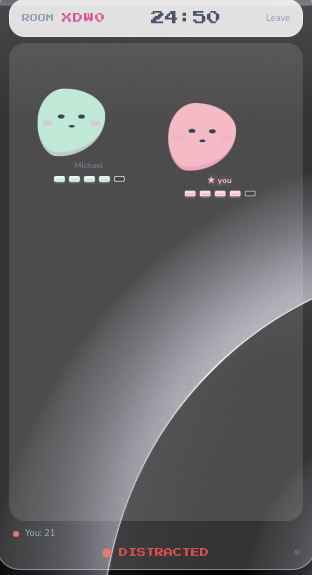
As students who love to study with friends, yet who also get easily distracted, finding a way to keep each other accountable while simultaneously staying on task is challenging. As avid Pomodoro users, we found the timing element very helpful in staying focused, but wanted to use LLM’s and Machine learning models to invigorate this system. Peer studying often leads to distractions through conversation, and we aim to eliminate this through a warmly competitive, gamified environment. We created the UI to serve as a minimally distracting yet fun and aesthetic experience, basing the design off a delicious fun treat, mochi!
The idea to promote the feeding of the characters stemmed from the beloved game Tamagotchi, where users would feed their digital pets everyday, which in turn would establish responsible habits!
Remote work and independent study often lack the natural accountability of a shared environment. Standard timers track the clock, but they don't verify if actual work is happening. We wanted to build a platform that bridges this gap by combining social accountability with automated verification, ensuring that when a group commits to a work session, they have the external structure needed to stay genuinely on task.
What it does
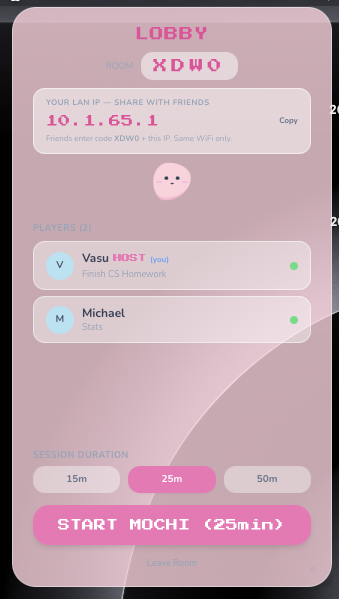
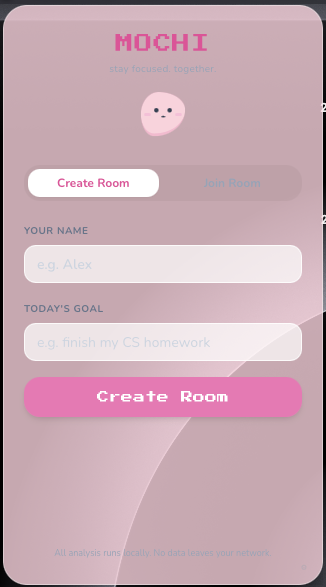
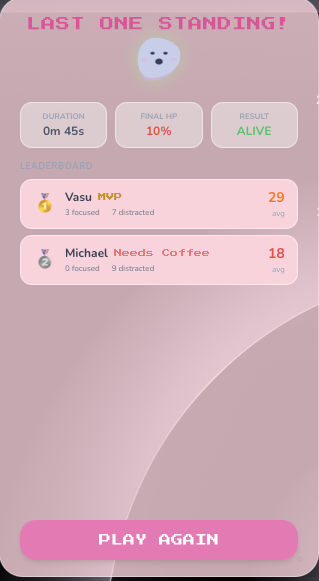
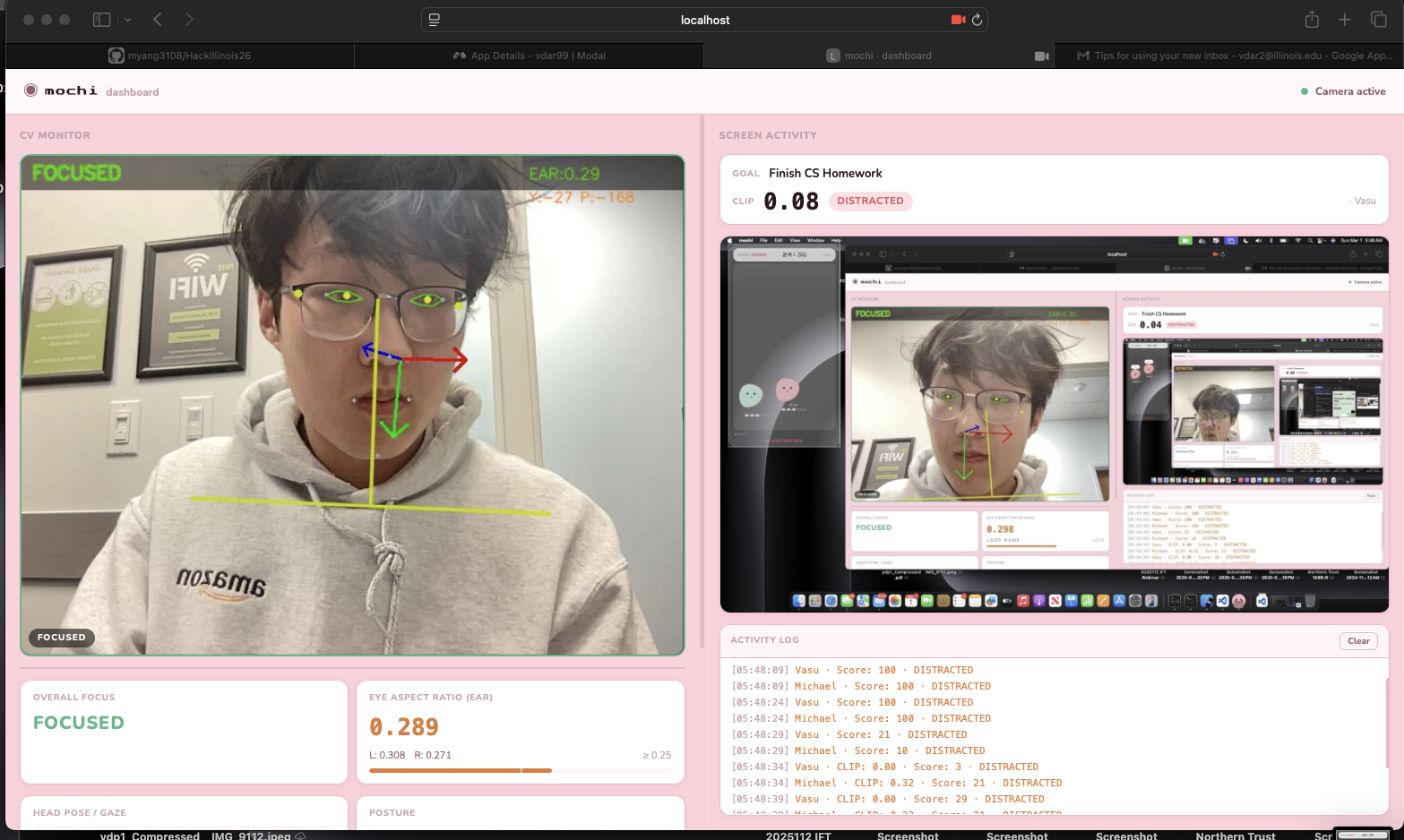
The platform is a synchronized productivity game. A host creates a timed session and shares a join code with their group. Before the timer starts, each participant inputs their specific task. During the session, an integrated AI agent uses screen-reading permissions to compare each user's active windows against their declared objective. The system tracks these metrics in real-time, providing a transparent, data-driven breakdown of who stayed focused and who drifted off-task by the end of the session. Moreover, we use CV models to evaluate the tiredness and focus of participants in the game.
How we built it
We built Mochi as a 3-layer desktop app: a Tauri (Rust) shell, a React/TypeScript frontend, and a Python Socket.IO backend. The UI runs in a transparent, always-on-top window and features a custom physics engine that animates users' "Tamagotchi" pet avatars. For accountability, Tauri triggers a Python computer vision script every 5 seconds, using MediaPipe's Face and Pose Landmark models to analyze each user's gaze and posture. Moreover, we use a real-time video feed with Modals' super-fast inference to evaluate whether participants are on topic with their task. The Socket.IO backend syncs this data across the local network in real time, dynamically adjusting pet health, rewarding focus, and penalizing distractions, until the timer expires or only one player remains standing.
Challenges we ran into
Our primary challenge was balancing heavy computer vision processing with a smooth frontend physics engine. Running MediaPipe's models every five seconds initially caused stuttering in our custom PetArena, as main-thread blocking disrupted the requestAnimationFrame loop. We resolved this by optimizing the Tauri sidecar to fully decouple the Python focus engine from the React rendering thread. Additionally, syncing rapid state changes over Socket.IO such as health adjustments, gaze tracking, and player eliminations required strict state management to keep all clients perfectly aligned without lagging the transparent overlay window.
Accomplishments that we're proud of
We’re proud of how we pulled together a three-layer stack into one cohesive desktop app. Getting the custom physics engine for the Mochi pets to run smoothly inside a transparent, always-on-top window was an interesting challenge. There were a lot of small details that had to click for it to feel polished. We built a real-time computer vision pipeline that processes gaze and posture entirely on-device. We also had to be intentional about performance and synchronization, so the multiplayer accountability loop stayed responsive. Overall, it was a great exercise in building something technically rigorous without compromising on user experience.
What we learned
We learned how to capture and process data so the model could accurately interpret whether a user's current activity matched their declared task, and make sure that it doesn’t interrupt their workflow. Managing multiple participants with live timers and constant status updates made us improve our state management and real-time data flow. We had to think about how everything synced without feeling laggy. In the end, the project made us find the right balance between accountability and keeping the experience smooth for users.
What's next for Mochi
Moving forward, we plan to expand Mochi's capabilities by focusing on enhanced analytics and deeper workspace integrations. We aim to introduce better productivity metrics, allowing users to track their focus trends, identify peak work hours, and pinpoint their most frequent distractions. Finally, we plan to release Mochi on the Apple App Store to make it accessible across more devices, alongside a dedicated VS Code extension that allows developers to manage lock-in sessions directly from their editor.


Log in or sign up for Devpost to join the conversation.