-
-
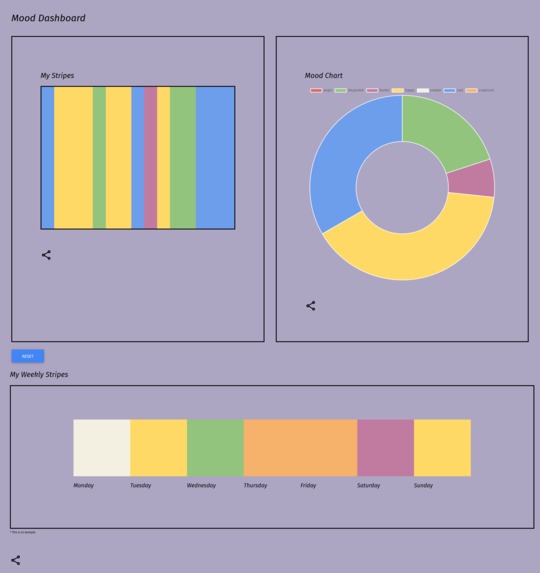
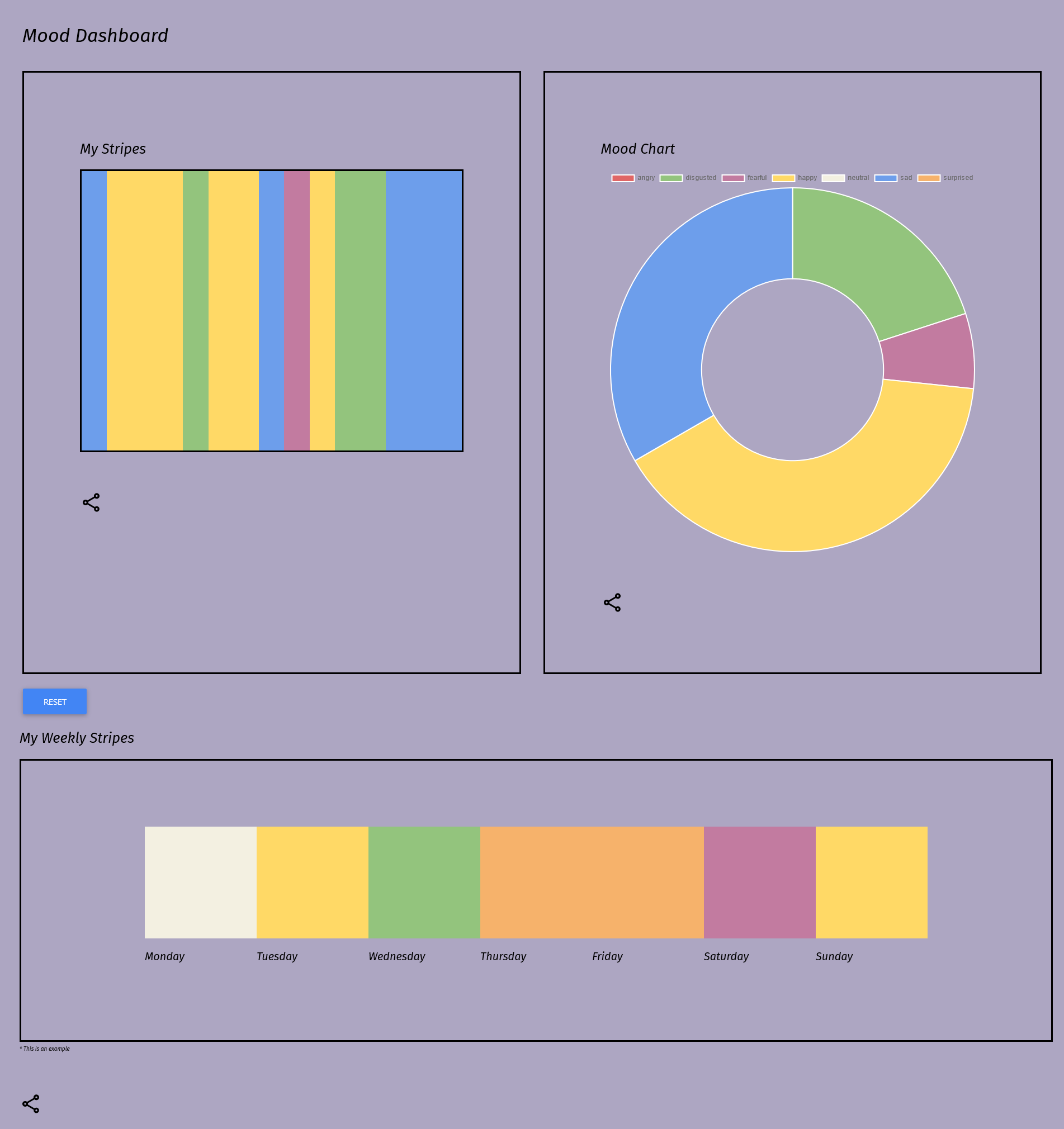
Dashboard
-
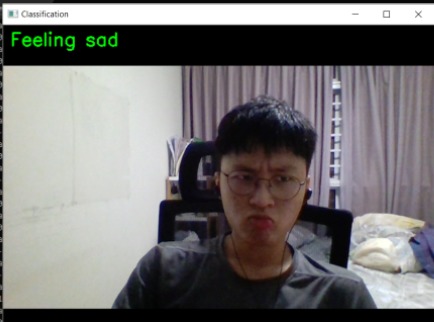
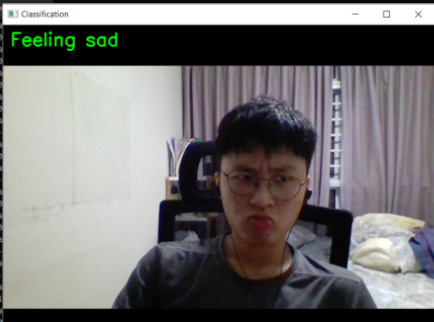
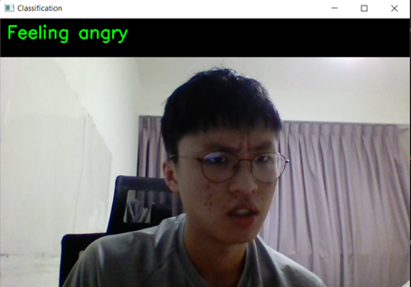
Machine Learning input, sad
-
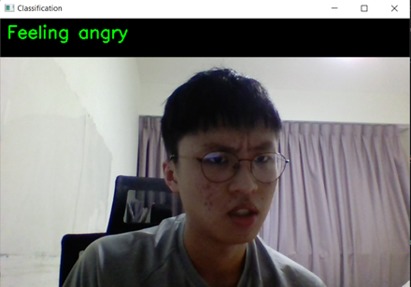
Machine Learning input
-
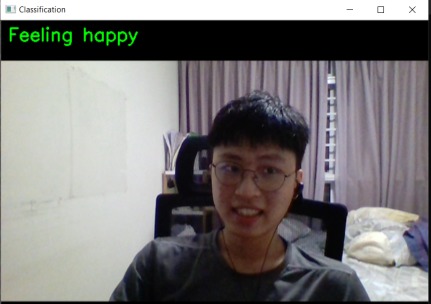
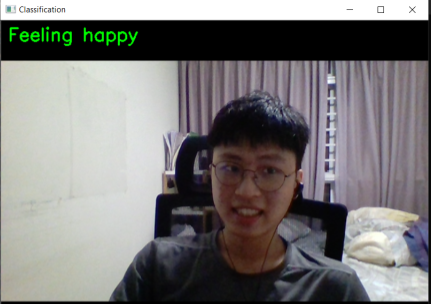
Machine Learning input, happy
-
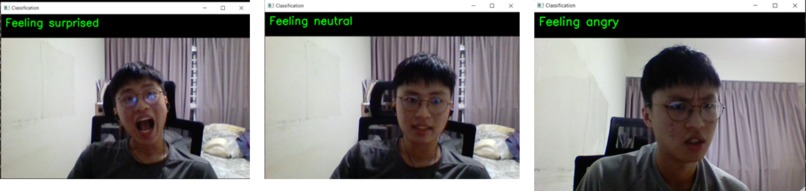
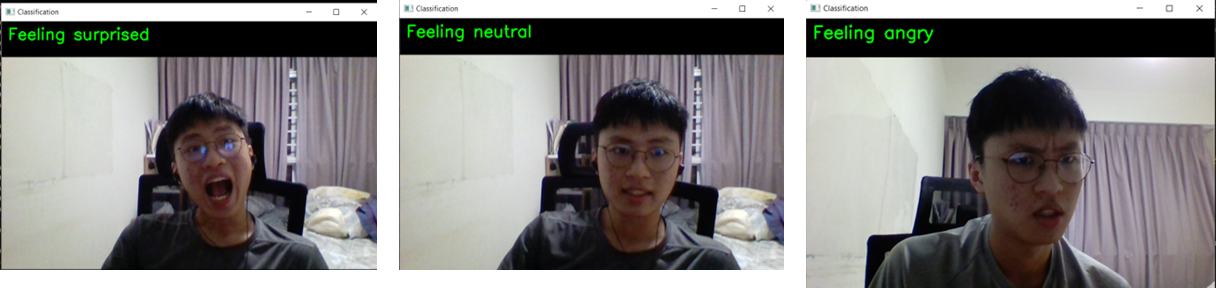
Other emotions
-
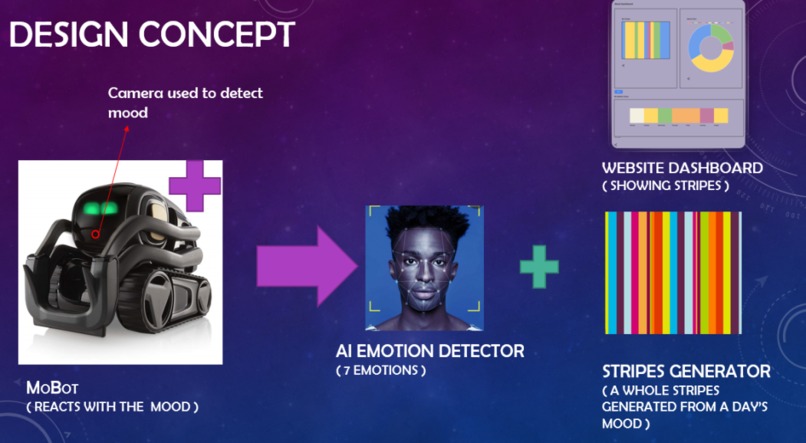
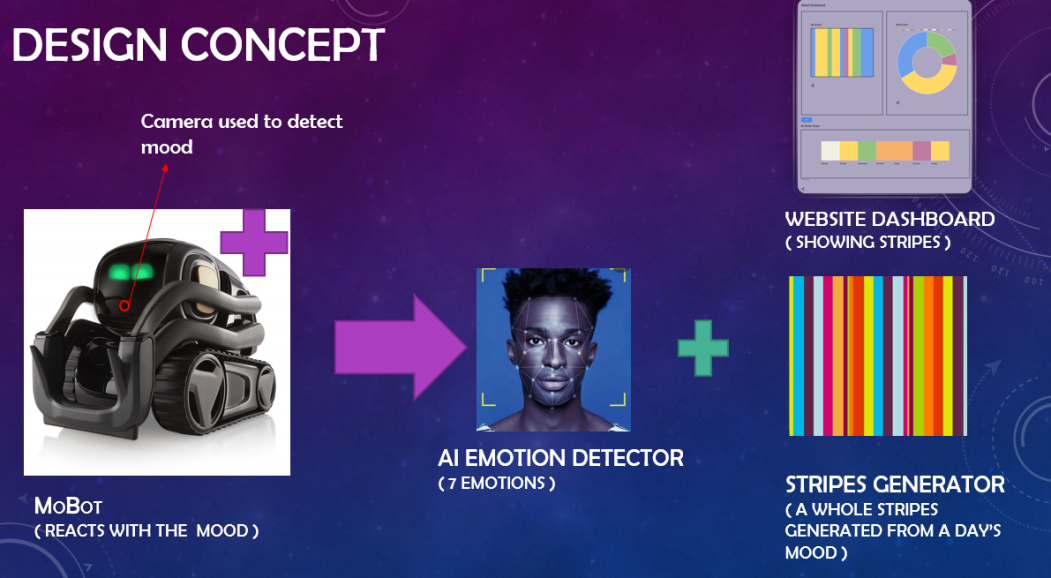
Design Concept relations
Inspiration
We realised robots are being on an uptrend. People are very drawn to the idea of robotic companion. Hence, we are inspired to implement a therapeutic companion bot that would hopefully be accepted by the general public to help raise awareness and improve one’s mental condition.
We were also inspired by the colour stripes that went viral on social media.
Hence, we integrated all the exciting features and come out with MoBot, a robotic companion aiming to ease the sharing of emotions between friends and reduce the stigma associated with mental illness.
What MoBot does
The MoBot is a solution that targets those who have trouble expressing their feelings due to fear of discrimination. It is built around a companion robot that can react to the user’s emotions. We will be using the Vector Robot by Anki as our companion robot sample. The MoBot is set to work on any companion robot that has a decent chipset to run an AI Model.
The MoBot has 4 main features – Mood Detector, Reaction, Colour Stripes and Website Dashboard. All the features are integrated and dependent on one other.
Mood Detector
The Vector Robot has an Ultra-Wide HD Camera which helps it detect motion and identify people. The MoBot uses the camera to take in its video capture.
From that, we will use our AI Emotion Recognition Model to read the emotions of the user. The model will then output one of the seven emotions – Angry, Disgusted, Fearful, Happy, Neutral, Sad, Surprised.
Reaction
The MoBot will react based on the emotion taken from the Emotion Recognition Model. If the model has produced a Happy emotion, the MoBot will circle around and display joyful behaviour.
On the other hand, on a Sad emotion, the MoBot will display consoling behaviour. These can be better represented in the video.
Colour Stripes
We added a way to help the user visualise their moods. The MoBot will record down the emotion output from the model. Near the day’s end, it will calculate the Mood of the Day (MOTD) which takes in the most displayed emotion of the day. The MOTD will also be recorded down. After which it will erase that day’s data.
After 7 days, there will be 7 recorded MOTD, which will be integrated into the Mood of the Week (MOTW). All the recorded values will be sent to our Website Dashboard.
Website Dashboard
The website dashboard receives the information from the MoBot through a simple HTTP POST request. The data is then displayed in various charts.
There is a doughnut chart that displays the proportions of the moods. There are also mood stripe graphics that are minimalist visualisations of the mood of the user over time, creating a cool and unique set of stripes of different lengths.
Additionally, there is also a wider mood stripe graphic for the entire week; where the most prominent emotion of the day is saved to be the mood of the day, and after an entire week, the user can view the complete mood chart of the week.
When implemented, they are also able to share the visualisations onto their social media – Instagram, Twitter, etc. This promotes the sharing of feeling to close friends and family and allow the user to be more open / vocal about how they feel.
How we built it
Model based on Vision Transformer and using Transformers library for abstraction
Python with PyTorch, NumPy, Pillow for AI vision
React Webapp hosted on Firebase
Challenges we ran into
One of the challenges we faced is that there was little time to do the project. We first had to sit through 7 hours of workshops where we learned the skills and spend 17 hours on the project. We also had difficulties with coordinating with each other due to the virtual call. Furthermore, we faced serious technical challenges in setting up the AI and the hosting.
Accomplishments we’re proud of
The mood stripes feature.
Successful deployment of AI and web apps to cloud
Connection of AI to web using API
What we learned
From our experience in doing this project, we made ourselves more aware on the dangers of mental illnesses.
We managed to identify everyone’s strengths and split the workload so that the project is able to be completed with most of the components working.
Through the workshops and our own research, we learnt the fundamentals and importance of User Interface / Experience. We applied these fundamentals, making our UI dynamic, and more responsive + friendly to the user.
We were able to hone our skills in hosting our webapps on the cloud and allowing API calls to hit and change the webapp dynamically. Even though we came across a lot of issues along the way, we managed to improvise and find another way to achieve the goals we set.
What’s next for MoBot
Implementing sharing feature of visualisations to different social media
Create our own MoBot with raspberry pi to host local server
Weekly Mood Stripes to be updated after each day
Have different page instances for multiple robots
More well-thought through UI / UX


Log in or sign up for Devpost to join the conversation.