-
-
Vibe Coding
Inspiration
We noticed the "Vibe Coding" revolution was confined to desktops, leaving a massive gap in the mobile development experience. Inspired by tools like Cursor, we asked: Why can't you capture a moment of coding inspiration on an iPad during a commute or a break? We set out to liberate programming from the traditional computer, creating a truly on-the-go AI-powered coding tool.
What it does
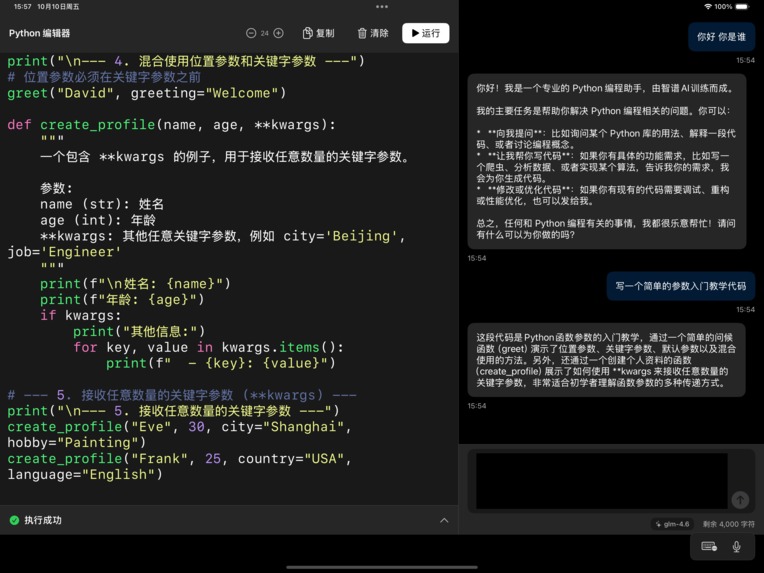
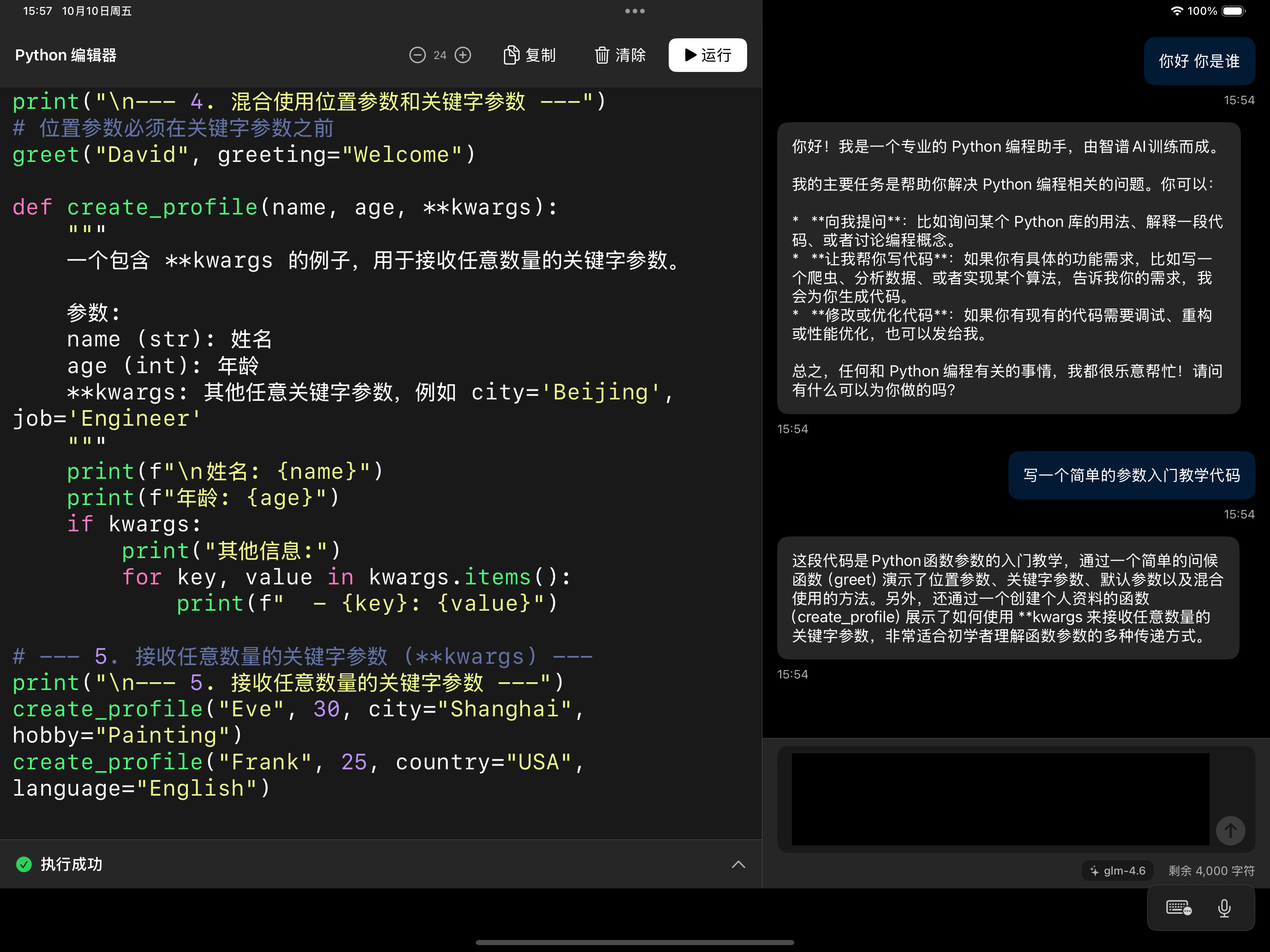
Mobile Cursor is a touch-optimized IDE for your tablet. It provides an immersive coding environment where you can write and edit code with ease. The core feature is its integrated AI assistant that understands your project's context to offer relevant suggestions and completions, turning fragmented time into productive coding sessions.
How we built it
The project was built using TRAE, an AI-powered development tool, in a unique "AI-building-AI" workflow. We focused on creating a responsive, touch-first user interface tailored for tablet screens. The core of our development effort was integrating the AI agent and designing a system to efficiently manage and process code context within a mobile environment.
Challenges we ran into
The biggest challenge was architecting the mobile AI agent. Key hurdles included:
- Efficient Context Collection: Designing a smart system to gather just enough relevant code context from a mobile project without performance drain.
- Context-Aware Reasoning: Training and configuring the AI to provide accurate suggestions based on the limited, fragmented context typical of a mobile session.
Accomplishments that we're proud of
We are incredibly proud of successfully shipping a functional MVP (Minimum Viable Product) that proves our core concept is viable. We built a smooth, touch-native interface from the ground up and managed to get the integrated AI agent to provide helpful, context-aware assistance, validating the potential of mobile-first coding.
What we learned
We learned that innovation often lies in adapting mature concepts for new platforms. Technically, we gained deep insights into the constraints and opportunities of mobile development environments, the complexities of context management for AI, and the nuances of designing a productive touch-based UI.
What's next for Mobile Cursor
Our immediate next steps are to:
- Refine the AI Agent: Improve the accuracy and relevance of its suggestions.
- Expand Functionality: Add support for more languages, key plugins, and cloud sync to make it a fully-featured portable coding companion.
Built With
- coze
- glm4.7
- swift
- trae


Log in or sign up for Devpost to join the conversation.