-
-
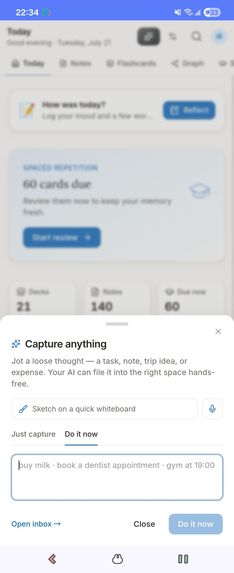
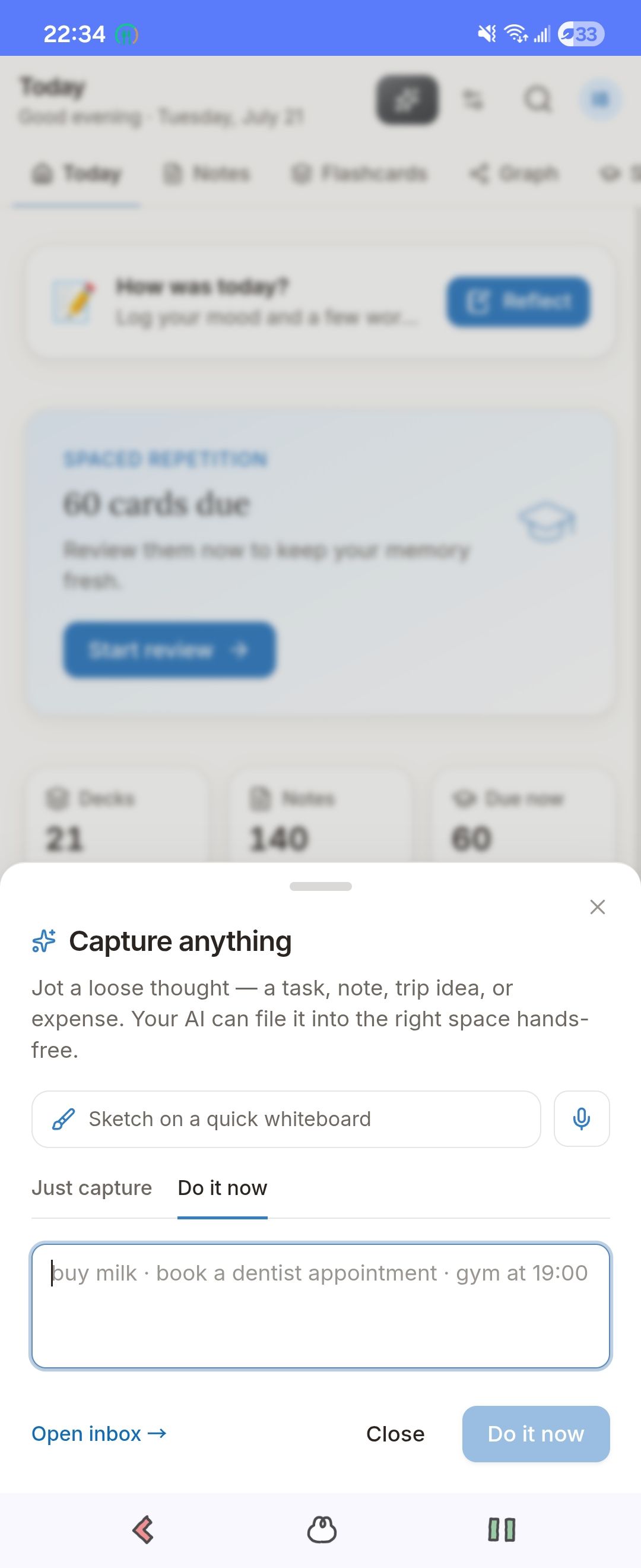
Capture dialog with the mic ("Do it now" voice mode).
-
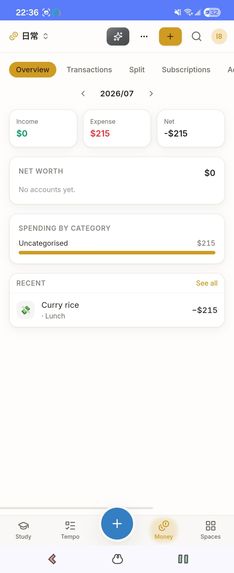
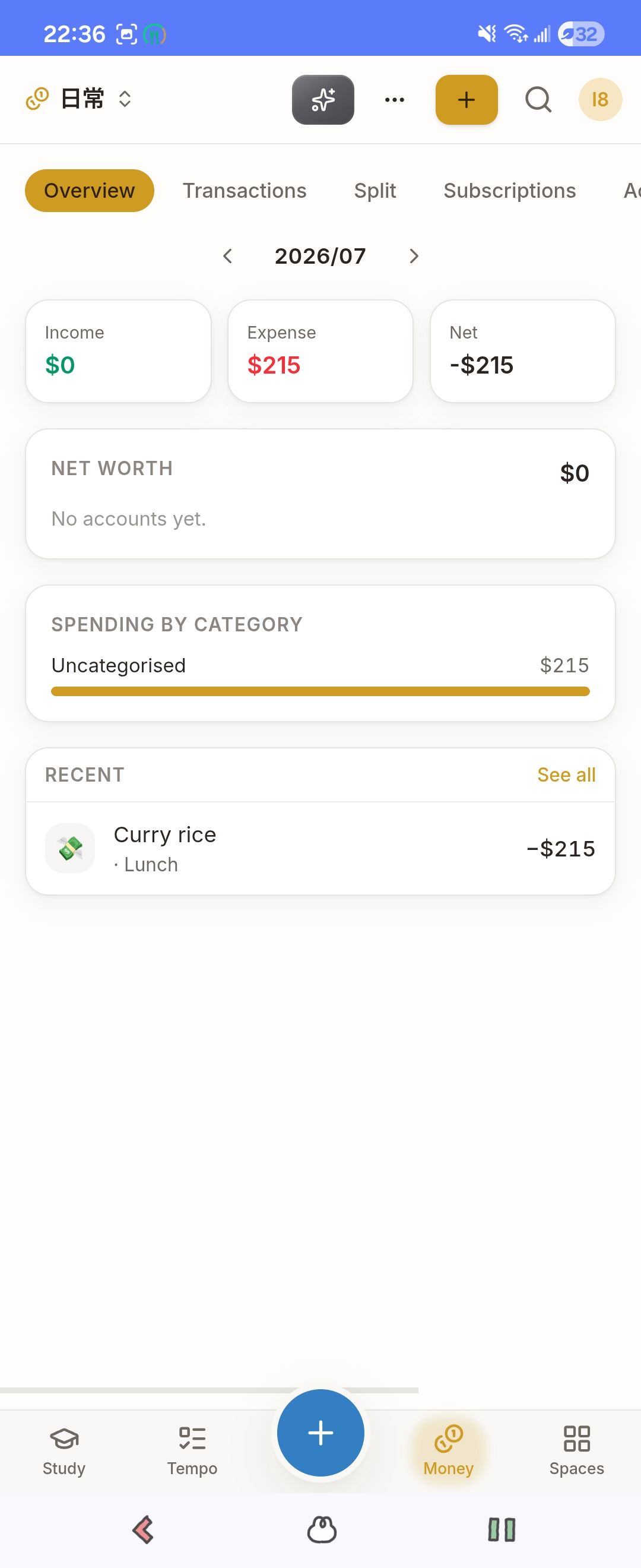
The cross-Space result card after a voice command (Money).
-
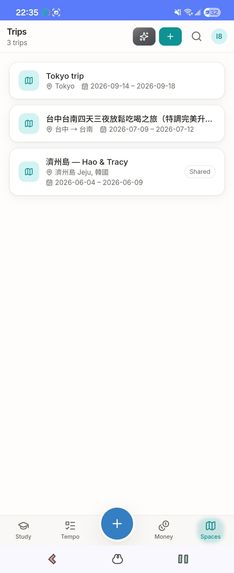
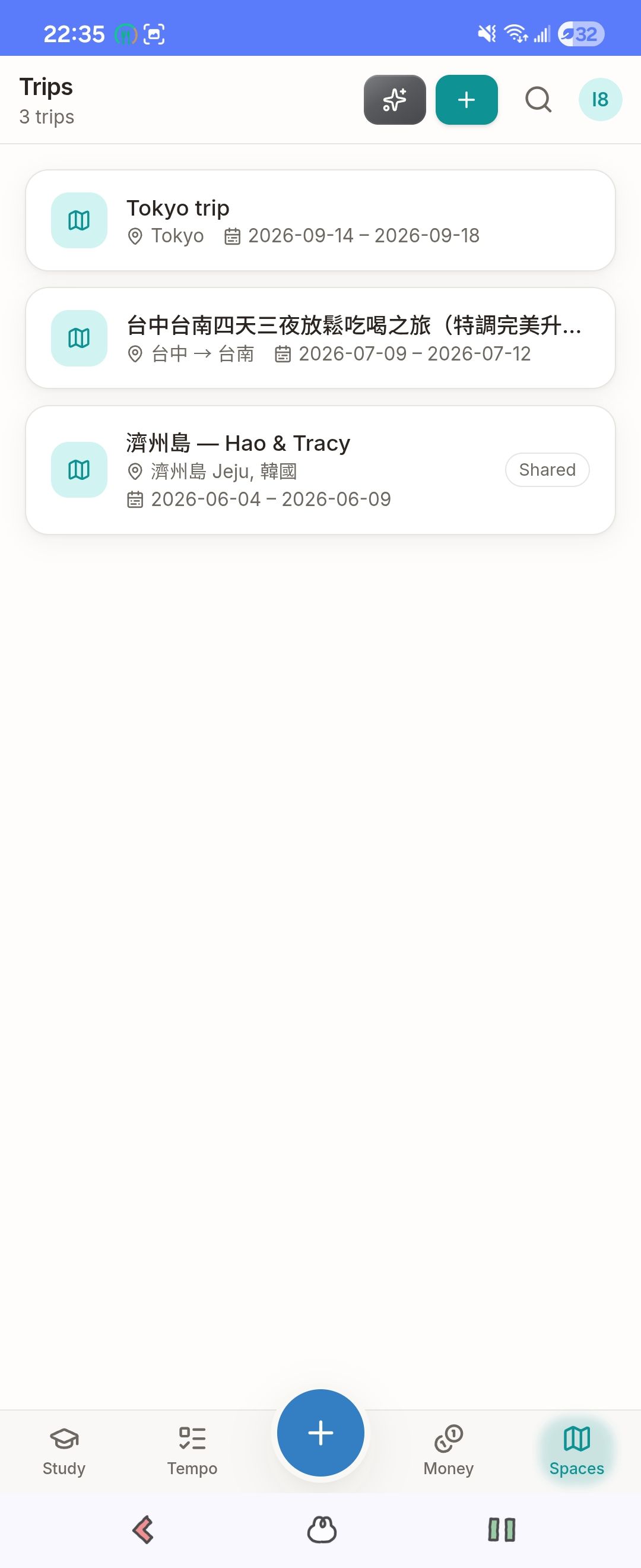
The cross-Space result card after a voice command (Travel).
-
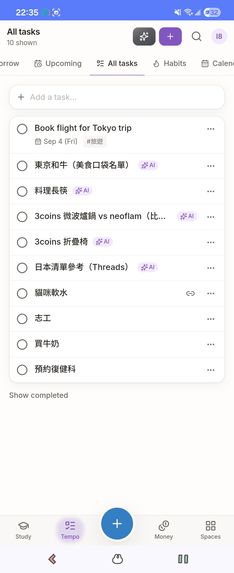
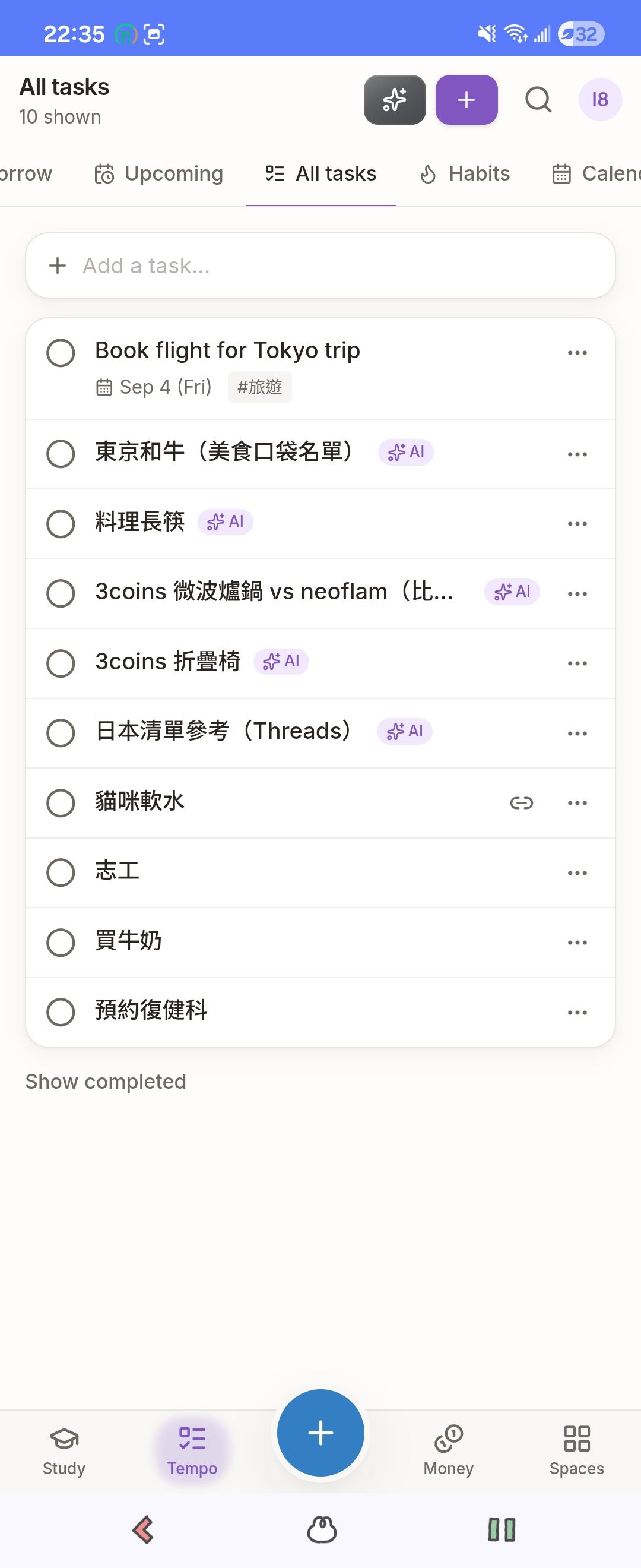
The cross-Space result card after a voice command (Tempo).
-
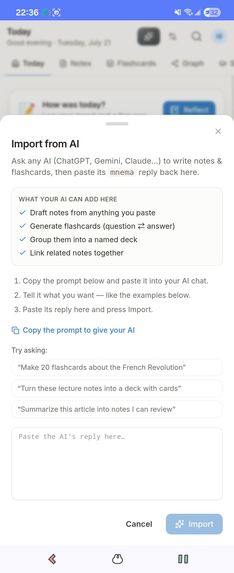
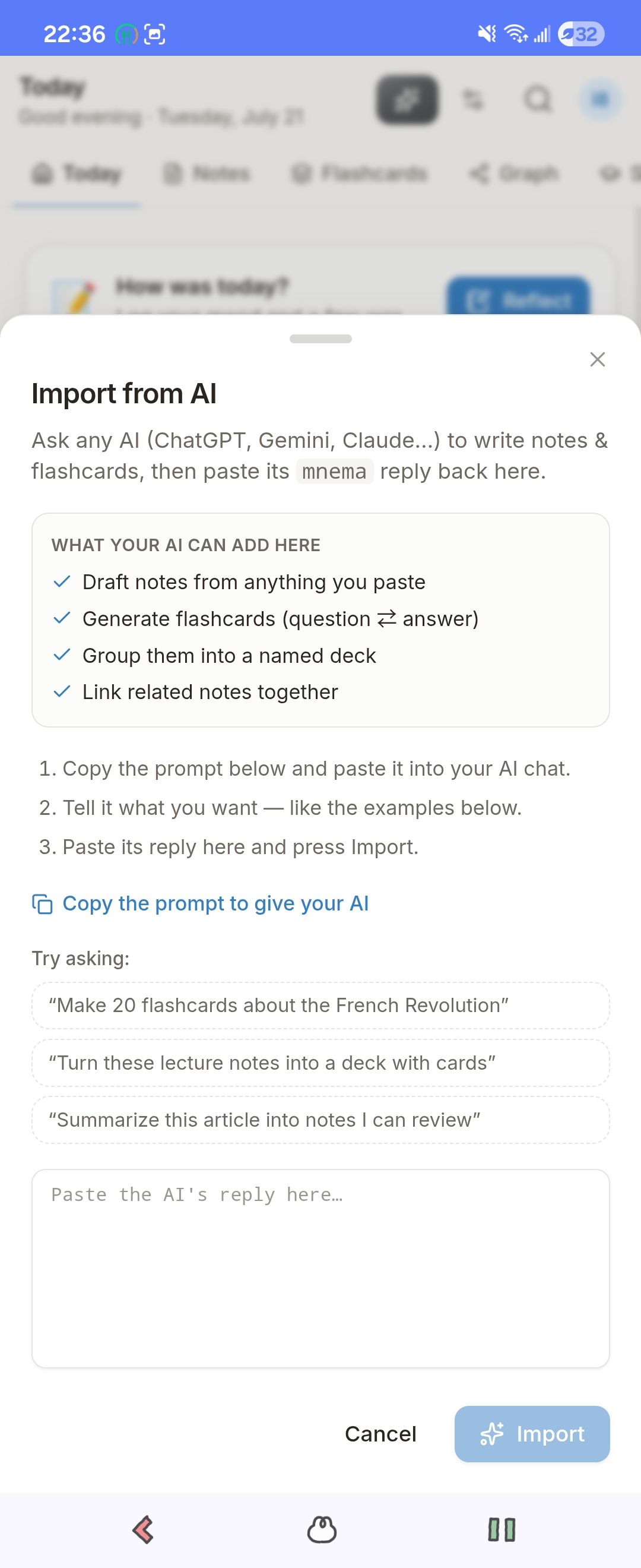
The landing "Bring your own AI" screen.
# Mnema — talk to your life OS 🎙️

Mnema is a bilingual (English / 繁中) "life OS": one app where your study notes,
trips, tasks, money, health, and kitchen all live in structured Spaces. The twist
is that Mnema ships no chatbot of its own — it lets whatever AI you already use put
things into those Spaces for you. For OpenAI Build Week we added the most natural
way in yet: you just talk to it, and GPT-5.6 (wired in with Codex) files what you
said into the right place.

## Inspiration

We all spend hours talking to AI now — planning a trip, turning a lecture into
flashcards, sketching out a budget — and then nothing. The good stuff is stranded
in a chat log you'll never scroll back to. The tools that *do* let you keep it
usually assume you're a developer: stand up an MCP server, mint an API key, wire up
endpoints. Most people are never going to do that.

So we started from the other end: give AI output an actual home, and make putting
it there something anyone can do. A trip should become a trip you can open, not a
paragraph. A study session should become real review cards. And it shouldn't matter
which AI you used to get there.

## What it does

Mnema gives your life a light frame — Spaces for Study, Travel, Tempo (tasks &
habits), Money, Health, and Kitchen — with structure where you want it and
free-form blocks where you don't. Then it opens three doors into that frame, from
zero-setup to power-user:

- **Copy-paste, for everyone.** Mnema hands you a ready-made prompt. Paste it into
  whatever chatbot you already use, paste the answer back, and it turns into real
  cards or a real trip — no key, no setup, nothing technical. This is the on-ramp
  for the millions of people who talk to AI every day and keep none of it.
- **Connect your own AI.** If you're more technical, Mnema is also an MCP server +
  REST API, so your agent or your own scripts can write to it directly.
- **Just talk to it (new — Build Week).** Tap the mic, say one messy sentence, and
  GPT-5.6 turns it into the right actions across your Spaces.

The part we care about most: whichever door you come through, the result is the
same. A note your AI adds is the same row, written by the same code, as one you
typed by hand — there's no "AI section" fenced off to the side. It's just your data,
however it got there.

Say this out loud:

> "Add a Tokyo trip Sept 14–18, remind me to book flights 10 days before, and log
> that I spent 250 on curry rice for lunch."

GPT-5.6 pulls it into three real writes: a trip in Travel, a reminder in Tempo (it
figured out "10 days before" on its own), and a 250 expense in your Money ledger.
One sentence, three Spaces, no forms.

## How we built it (with Codex + GPT-5.6)

Under the hood, a Cloudflare Worker already exposed the whole app as **160 tools**
(over MCP and REST), each one going through the same Postgres `SECURITY DEFINER`
function. That single write path is the reason any AI's writes come out identical
to hand-typed ones.

We opened Codex, pointed it at the repo, and let it read the architecture. Its best
move was one we didn't plan: the Worker already converts every tool's Zod schema to
JSON Schema for its OpenAPI doc — which is exactly the shape OpenAI function-calling
wants. So instead of writing new endpoints, Codex reused that conversion to hand all
160 tools to GPT-5.6 as function calls. No new database code, no second copy of
anything.

At runtime it's a short loop: your mic becomes text (Web Speech API), we POST it to
a new `/assistant` endpoint, GPT-5.6 picks tools, we run them through the same RPC
the UI uses and feed the results back until it's done — then the app shows a small
card of what changed, grouped by Space.

## Challenges we ran into

- GPT-5.6 won't touch function tools on `chat/completions` unless you set
  `reasoning_effort: 'none'`. That cost us an afternoon of "why is it calling
  nothing."
- OpenAI caps a request at 128 tools; we have 160. We send only the 120 that
  *write* (voice is for doing, not reading), which conveniently also cut the noise.
- Logging money was the fiddly one. `create_transaction` needs a real ledger id,
  but we deliberately don't give the model any read tools, and it must never invent
  an id. So we look up the user's default ledger ourselves, server-side, and drop
  that id into the prompt — now "250 on curry rice" becomes a real expense instead
  of getting mislabeled as a meal.
- Staying honest to "bring your own AI." The voice uses our OpenAI key, so we kept
  it as an *input method* onto the same public write path — not a chatbot bolted
  inside the app.

## What we learned

One well-typed tool registry goes a long way: the same Zod schemas now drive the UI,
MCP, REST, and GPT-5.6, and none of them can quietly drift apart. And putting the
trust boundary at the database function — not the API key — is what makes it safe to
let any AI, or any person, write through the same door.

## What's next

A life OS should bend to *your* life, so the biggest thing on our list is letting
people shape their own Spaces — keep the blocks you use, drop the ones you don't,
and spin up new corners like a **pet's health log** or a **collections** space for
the links and ideas you want to hang onto.

We also want to meet people where they already are. In Taiwan that means a **LINE
bot**: forward it a receipt or a stray thought and it drops the item into the right
Space, auto-categorized, the same way voice does today.

Under the hood: bring-your-own OpenAI key, Whisper in place of Web Speech, the mic
working in the native Android app, and deep-links straight to whatever the AI just
created.
Built With
- capacitor
- cloudflare-workers
- codex
- gpt-5.6
- hono
- javascript
- model-context-protocol
- openai
- postgresql
- pwa
- react
- rest-api
- supabase
- tailwindcss
- tanstack-query
- tanstack-router
- typescript
- vite
- web-speech-api
- wrangler
- zod
- zod-to-json-schema

Log in or sign up for Devpost to join the conversation.