-
-
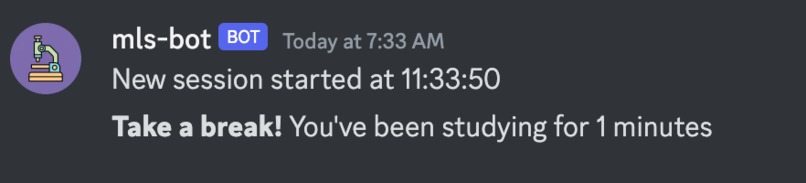
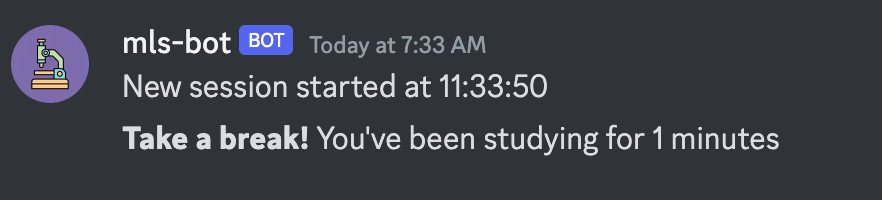
Study Break Reminder: After pre-determined break is set, the bot will prompt user to take a break once they've reached the limit.
-

Joke Command: Retrieves a joke from public API domain

Inspiration
After attending the "API Fundamentals" webinar at Technica, I learned the many applications of APIs in code as well as the fact that it is applied to discord bots. I run a server called "Hunter College MLS" and wanted to build a discord bot that will serve all functions that users desire instead of constantly inviting public discord bots into the server for different functions.
What it does
The bot is capable of saying hello, creating study sessions, and retrieving jokes from a public API domain.
How we built it
Using Python, I followed a tutorial on how to get started with creating a Discord bot. Following this, I understood how to make a command prompt for the bot and created a "joke" command prompt where the bot will retrieve a joke from the public API domain provided during the "API Fundamentals" webinar and paste the joke into the channel server. NOTE: The code that creates the study sessions is not my line of code, as I was following a tutorial.
Challenges we ran into
Unable to fix the time presented when study sessions start and end to showcase the correct time zone (EST) as well as making it easy to read
Accomplishments that we're proud of
- Applying what I have learned from the Technica event to my project
- Starting my first draft of the discord bot that I will be applying to my server
What we learned
- How to apply a public API into a line of code, particularly for a discord bot
- How to set up a virtual environment to create a discord bot
What's next for MLS Discord Bot
I would like to change how the time is showcased by the bot to be user-friendly. Additionally, I would like to add a public API that will retrieve questions from the NYS Clinical Laboratory Technologist Exam to aid fellow students with their studying for licensure. Finally, I would like to figure out how to host the discord bot 24/7 as it can only run through my line of code at the moment.
References
- Public API: https://github.com/sameerkumar18/geek-joke-api
- Documentation: https://discordpy.readthedocs.io/en/stable/
- Tutorial: https://github.com/pixegami/simple-discord-bot
Built With
- discord
- python

Log in or sign up for Devpost to join the conversation.