
Inspiration
The MLH Global Hack Week Weather API App was developed with the goal of providing users with real-time weather information for a given city. This project was inspired by the need for a simple and user-friendly weather application that could be easily accessed and utilized during the MLH Global Hack Week.
What it does
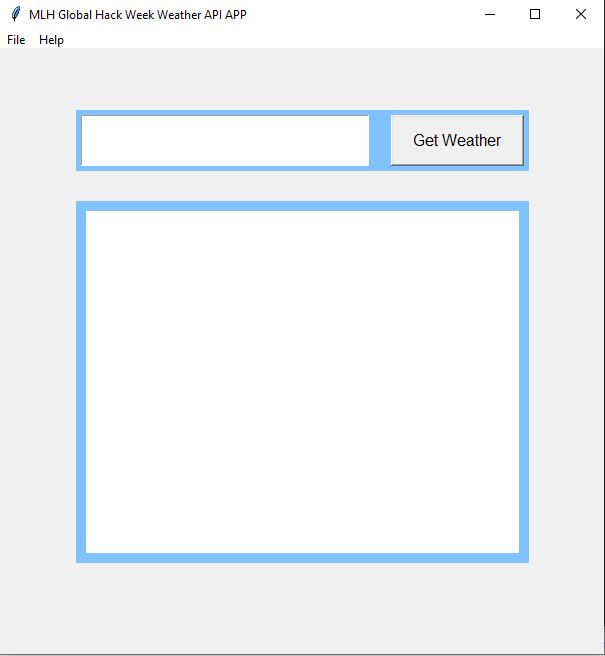
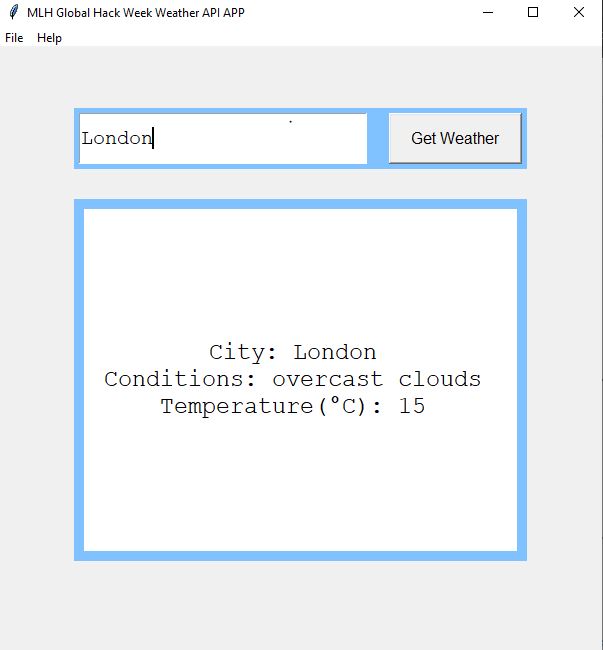
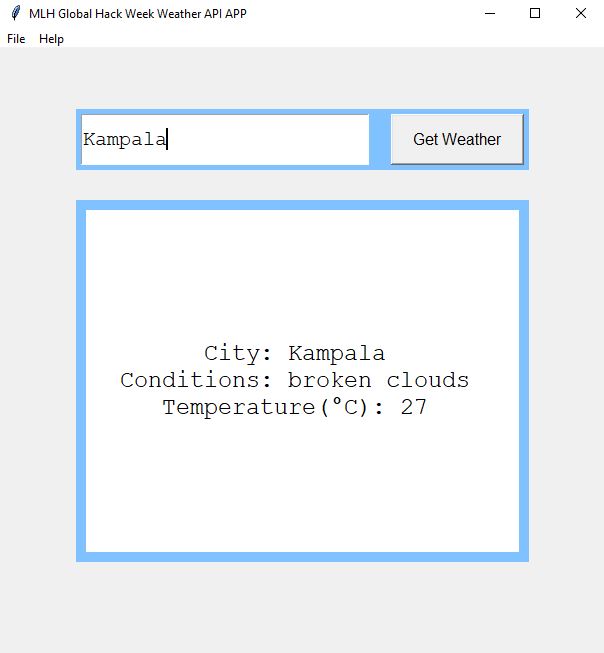
The MLH Global Hack Week Weather API App allows users to enter the name of a city and retrieve the current weather conditions for that location. The application uses the OpenWeatherMap API to fetch weather data, including the city name, weather description, and temperature in Celsius. It then formats and displays this information to the user in a clear and concise manner.
How I built it
The MLH Global Hack Week Weather API App was built using the Python programming language and the Tkinter library for creating the graphical user interface (GUI). The application utilizes the requests library to make HTTP requests to the OpenWeatherMap API and retrieve weather data. The retrieved data is processed and formatted using various functions before being displayed to the user.
Challenges I ran into
During the development of the MLH Global Hack Week Weather API App, I encountered a few challenges. One of the main challenges was handling errors when the entered city could not be found in the OpenWeatherMap API. I implemented error handling to provide appropriate feedback to the user in such cases. Additionally, integrating the GUI components and ensuring smooth user interaction required careful consideration and debugging.
Accomplishments that I'm proud of
I am proud of successfully implementing the MLH Global Hack Week Weather API App with a functional and visually appealing user interface. The application effectively fetches weather data from the OpenWeatherMap API and presents it to the user in a readable format. I am also proud of implementing error handling to gracefully handle situations where the entered city is not found.
What I learned
During the development of the MLH Global Hack Week Weather API App, I gained valuable experience in working with APIs, making HTTP requests, and handling JSON responses. I also improved my skills in GUI development using Tkinter, including creating frames, labels, buttons, and handling user input. Additionally, I learned about error handling and how to provide meaningful feedback to the user in case of errors.
What's next for MLH Weather API App
For the MLH Weather API App, the next steps would involve further enhancing the functionality and user experience. Some potential future improvements could include adding additional weather details such as humidity, wind speed, and forecasted weather. Furthermore, incorporating geolocation services to automatically detect the user's location and display the weather information without requiring manual city input would be a valuable addition. Continuous refinement and optimization of the codebase would also be pursued to ensure the app's reliability and performance.
Made with ♥ by ATUHAIRE- AFRO BOY. MIT License 2024.
Built With
- api
- openweathermap
- python
- tkinter

Log in or sign up for Devpost to join the conversation.