-
-
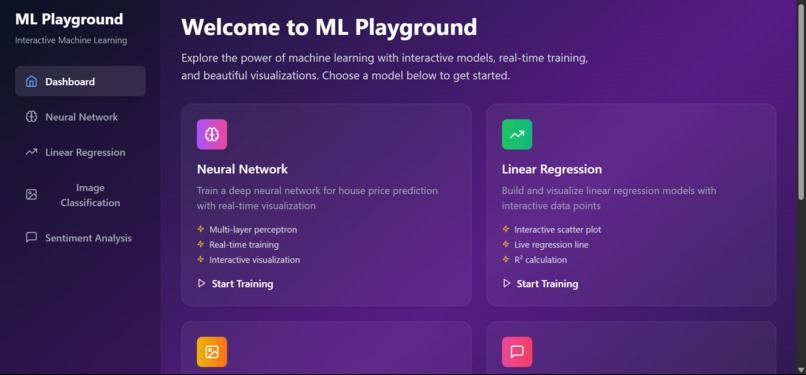
Dashboard Page
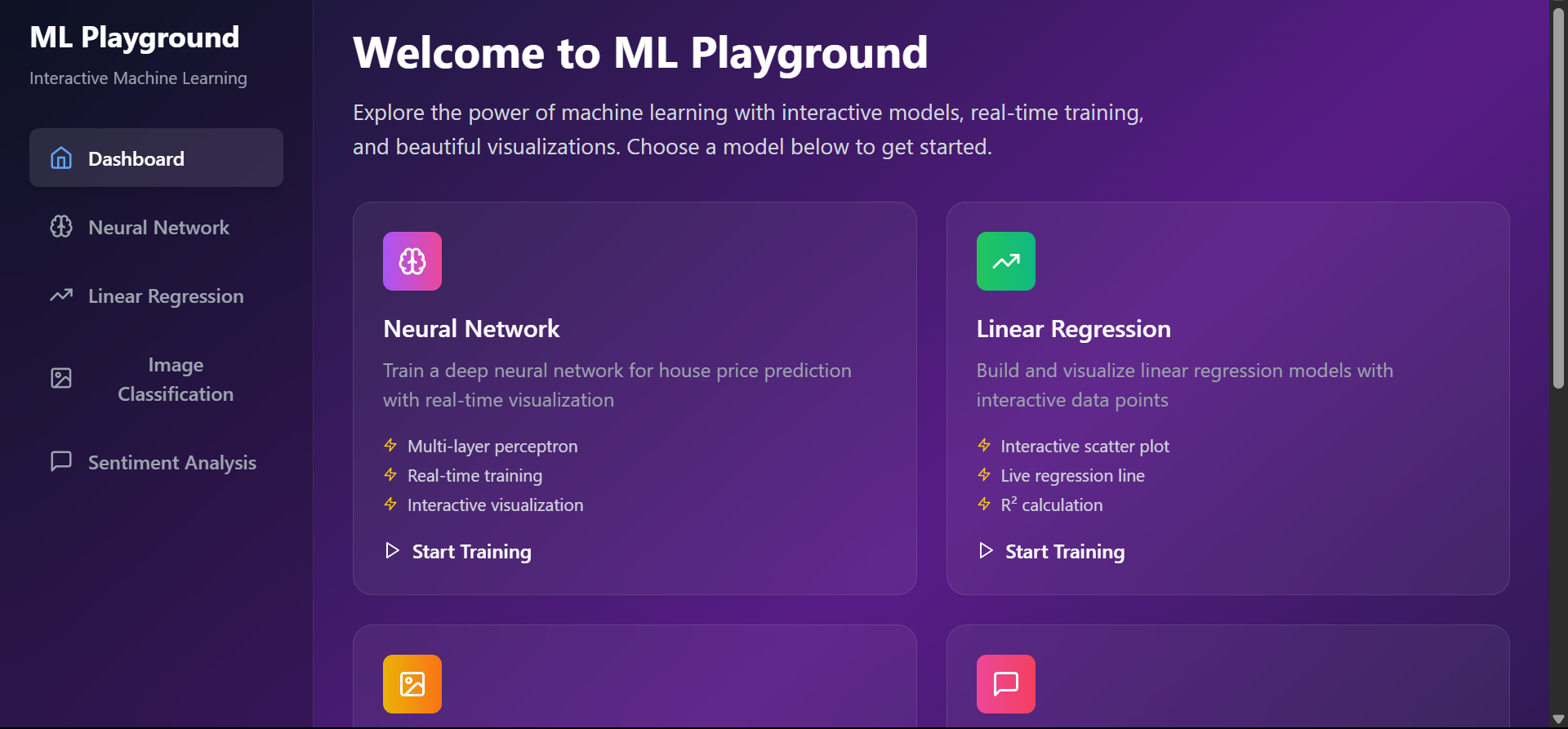
ML Playground is an interactive web application that makes machine learning accessible to everyone through hands-on experimentation in the browser. Built with React, TypeScript, and TensorFlow.js, it provides a beautiful, production-ready interface for exploring different ML concepts without any setup or installation requirements.
What Inspired Me The inspiration came from observing how intimidating machine learning can be for newcomers. Most ML tutorials require complex environment setups, command-line tools, and extensive coding knowledge. I wanted to create something that would let anyone - from curious students to experienced developers - experiment with ML concepts through an intuitive, visual interface.
The goal was to bridge the gap between theoretical ML knowledge and practical understanding by providing immediate visual feedback and interactive controls.
What I Learned Building this project taught me several valuable lessons:
Technical Insights Browser-based ML: Working with TensorFlow.js showed me the power and limitations of running ML models directly in browsers Real-time Visualization: Implementing live training charts and interactive data manipulation required careful state management and performance optimization Cross-Origin Challenges: Dealing with CORS issues when loading pre-trained models taught me about proxy configurations and security considerations Design Philosophy Progressive Disclosure: Complex ML concepts need to be introduced gradually with clear visual hierarchies Immediate Feedback: Users learn best when they can see results instantly, so every interaction provides immediate visual response Accessibility: Making advanced concepts approachable through thoughtful UI/UX design How I Built It Architecture Decisions The project uses a modular React architecture with TypeScript for type safety:
src/ ├── components/ # Individual ML model components │ ├── Dashboard.tsx # Landing page with model selection │ ├── NeuralNetwork.tsx # House price prediction with neural nets │ ├── LinearRegression.tsx # Interactive scatter plot regression │ ├── ImageClassification.tsx # Drag-and-drop image analysis │ └── SentimentAnalysis.tsx # Text emotion analysis ├── App.tsx # Main application router └── main.tsx # Application entry point Key Technologies React + TypeScript: For component-based architecture with type safety TensorFlow.js: For running ML models directly in the browser Chart.js: For real-time training visualizations Tailwind CSS: For responsive, modern styling Lucide React: For consistent iconography Implementation Highlights Neural Network Training
const trainModel = async () => { const history = await model.fit(data.features, data.labels, { epochs: 100, callbacks: { onEpochEnd: (epochNum, logs) => { setEpoch(epochNum + 1); setLoss(prev => [...prev, logs?.loss || 0]); } } }); }; Interactive Data Visualization Real-time chart updates during training provide immediate feedback on model performance, helping users understand concepts like overfitting and convergence.
Challenges Faced
- CORS and Model Loading Challenge: Loading pre-trained models from TensorFlow Hub was blocked by CORS policies.
Solution: Implemented a Vite proxy configuration to route requests through the development server:
server: { proxy: { '/tfhub-proxy': { target: 'https://tfhub.dev', changeOrigin: true, rewrite: (path) => path.replace(/^\/tfhub-proxy/, ''), }, }, }
- Performance Optimization Challenge: Real-time chart updates during training caused performance issues.
Solution: Implemented efficient state management with React hooks and optimized chart rendering to handle hundreds of data points smoothly.
- Educational Balance Challenge: Making complex ML concepts accessible without oversimplifying them.
Solution: Created multiple complexity levels - from simple linear regression to neural networks - with clear explanations and visual feedback at each step.
- Mobile Responsiveness Challenge: Ensuring complex visualizations work well on mobile devices.
Solution: Implemented responsive grid layouts and touch-friendly interactions using Tailwind's responsive utilities.
Impact and Future Vision The project successfully demonstrates that machine learning can be made accessible through thoughtful design and modern web technologies. Users can:
Experiment with different model architectures Visualize training processes in real-time Understand concepts through interactive manipulation Learn without any setup or installation barriers Future Enhancements More Model Types: Adding clustering, decision trees, and reinforcement learning Dataset Upload: Allowing users to train on their own data Model Export: Enabling users to download trained models Collaborative Features: Sharing experiments and results with others This project proves that complex technical concepts can be made approachable through beautiful, interactive design - making machine learning education more engaging and effective for learners at all levels.

Log in or sign up for Devpost to join the conversation.