-
-
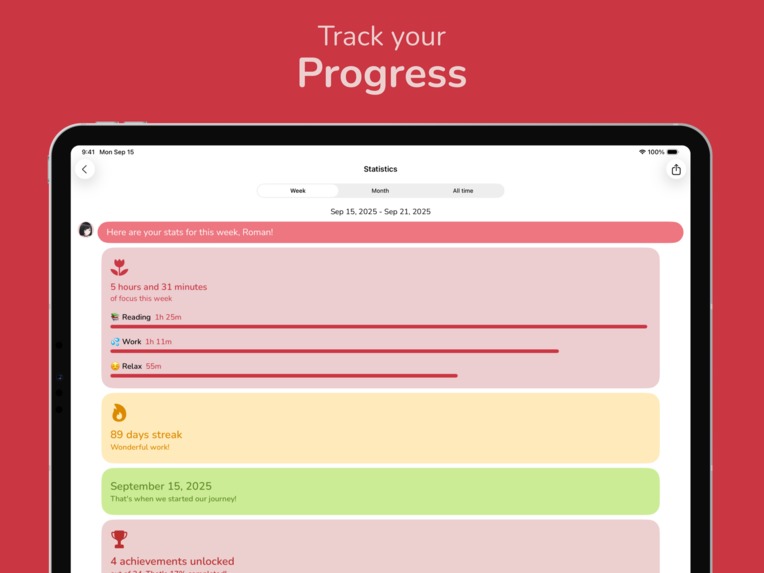
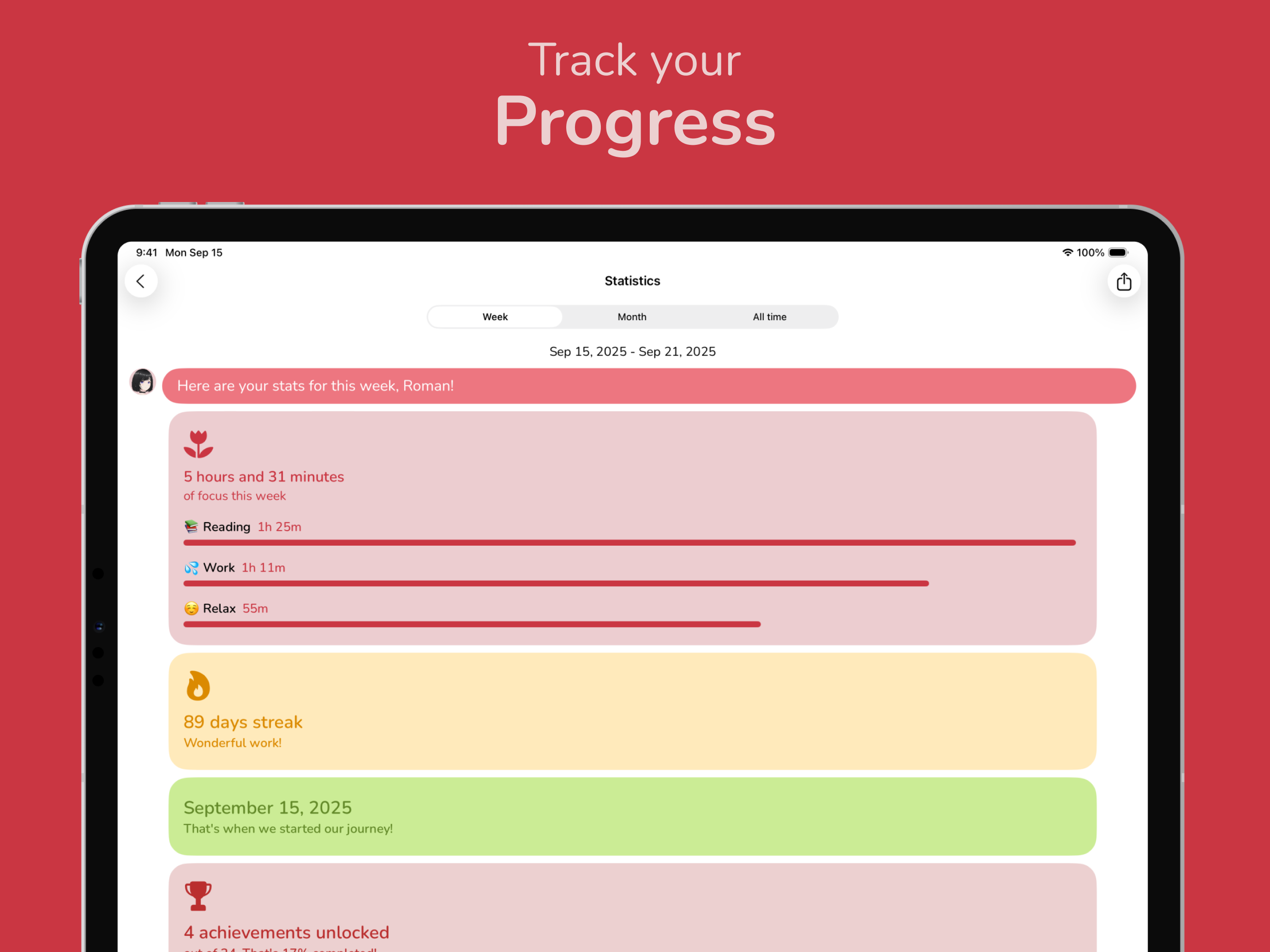
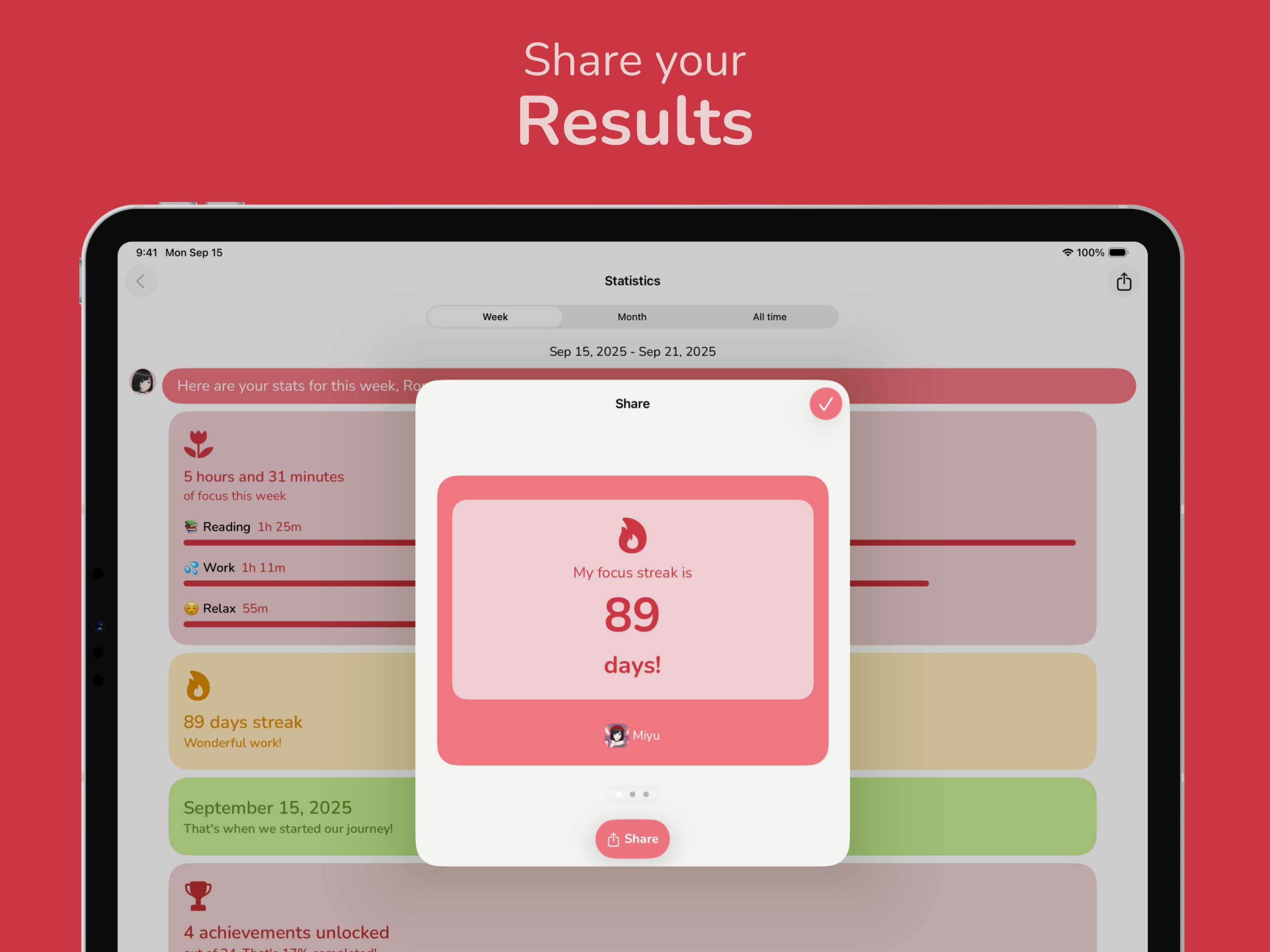
Stats screen
-
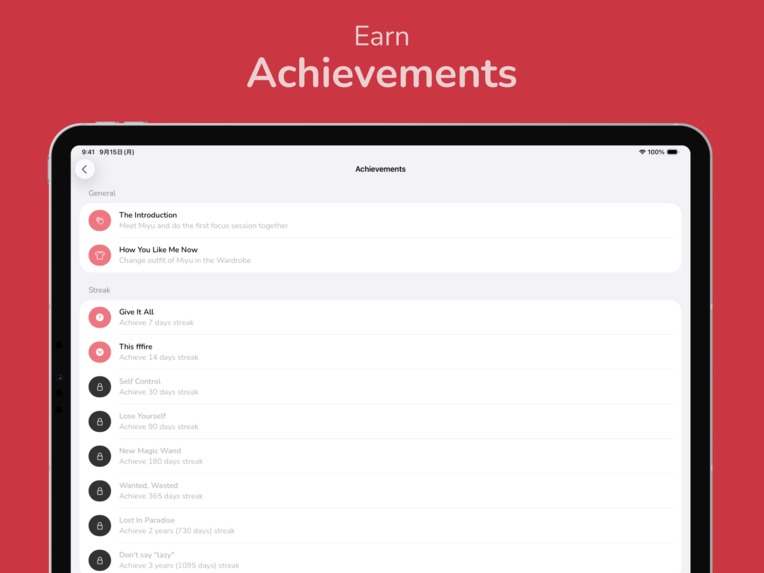
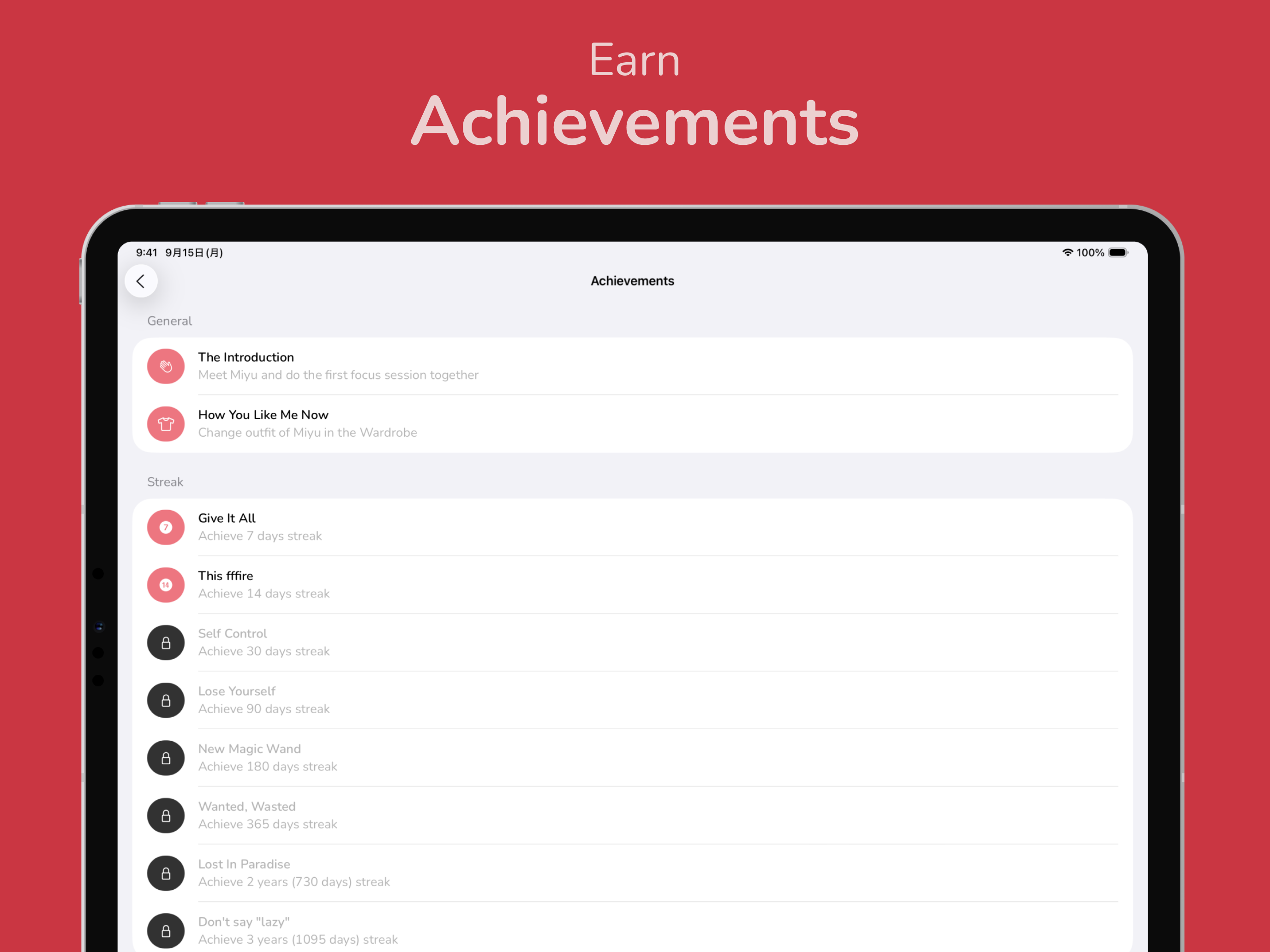
Achievements screen
-
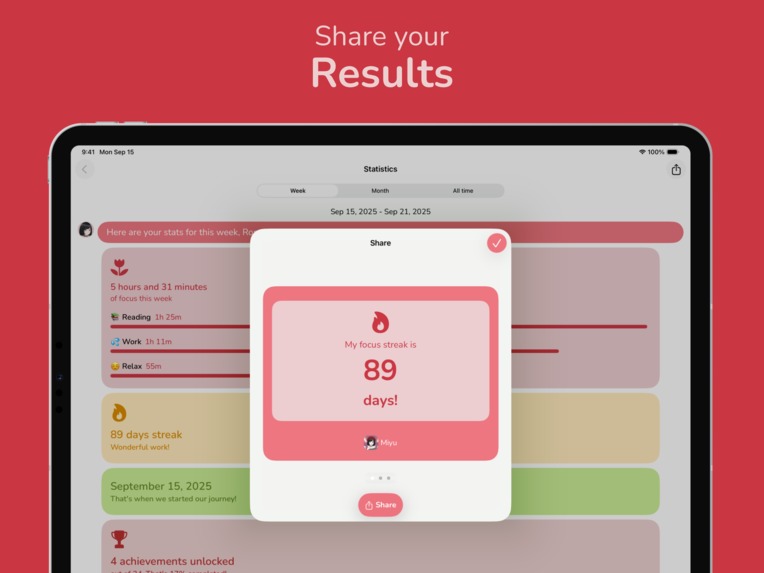
Possibility to share your results with friends
-
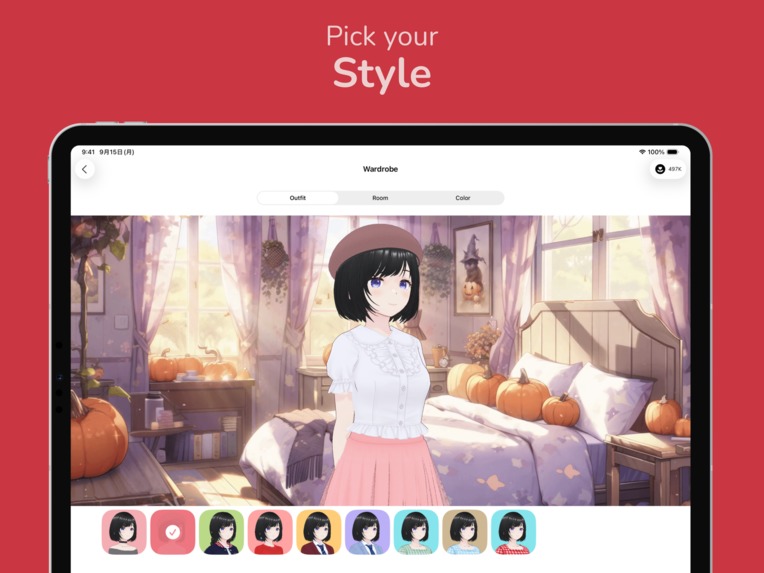
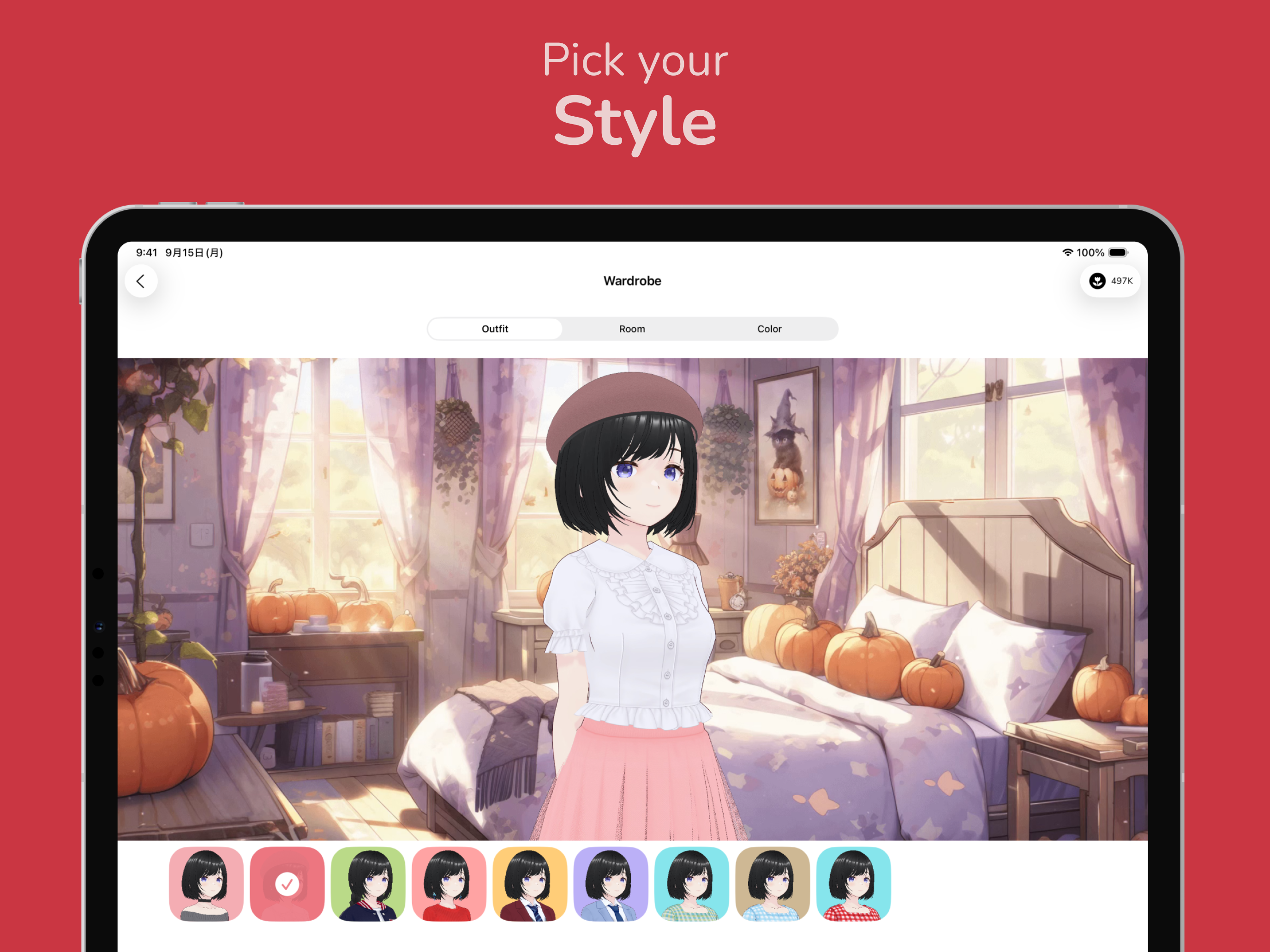
Wardrobe to switch outfits, rooms, and the app color
-
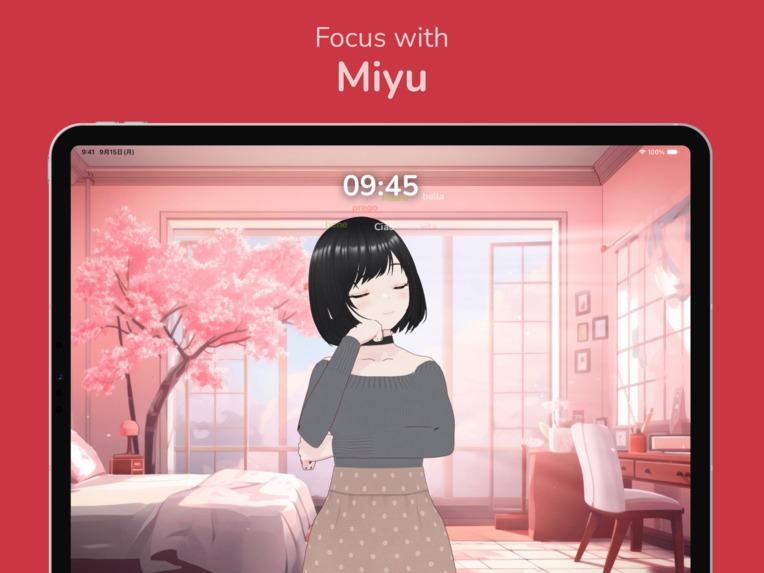
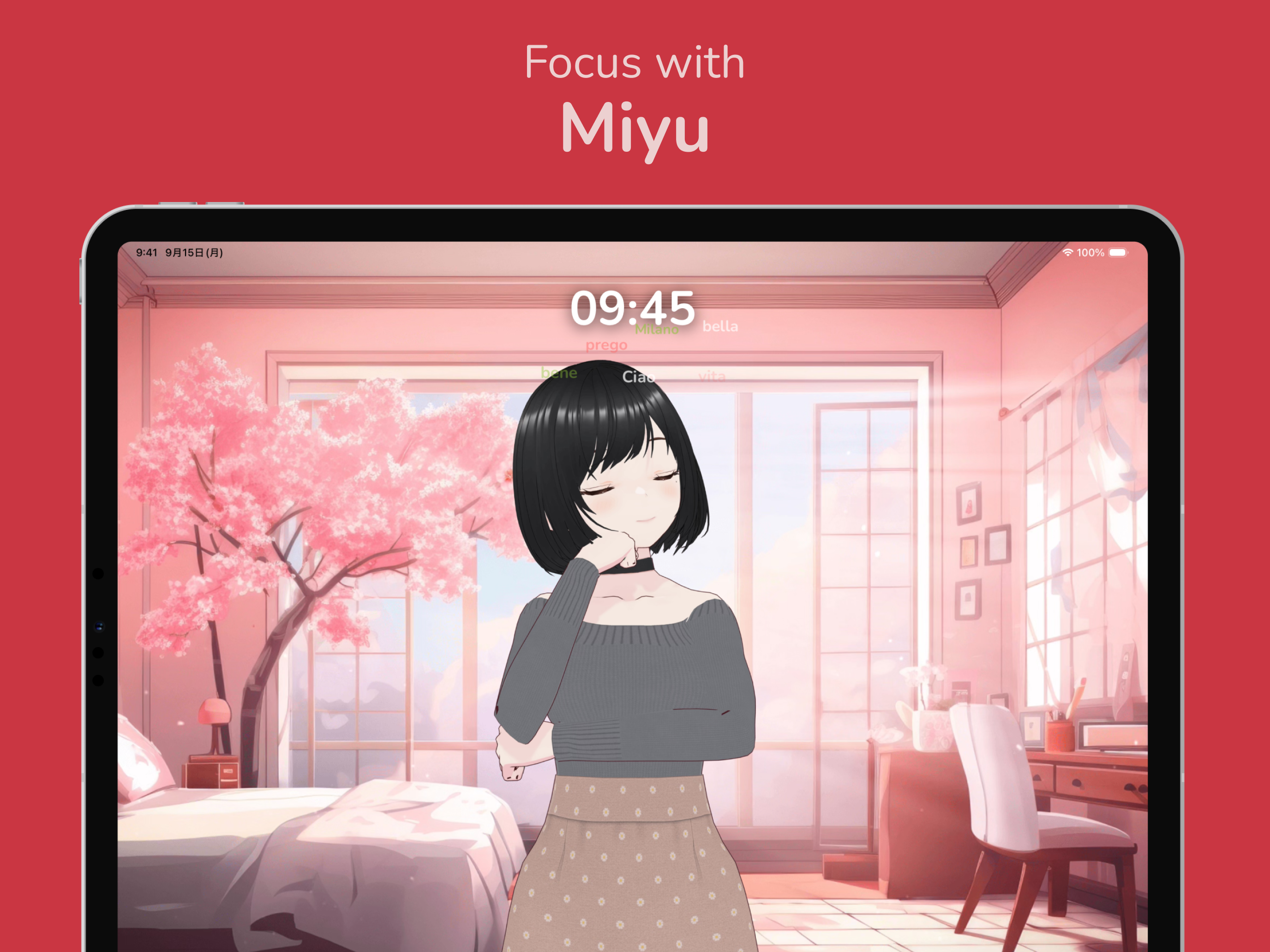
Main interface
-
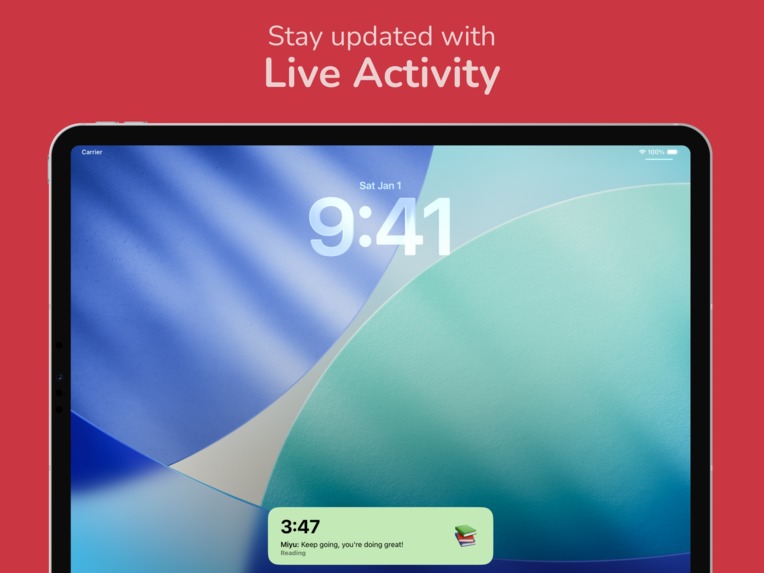
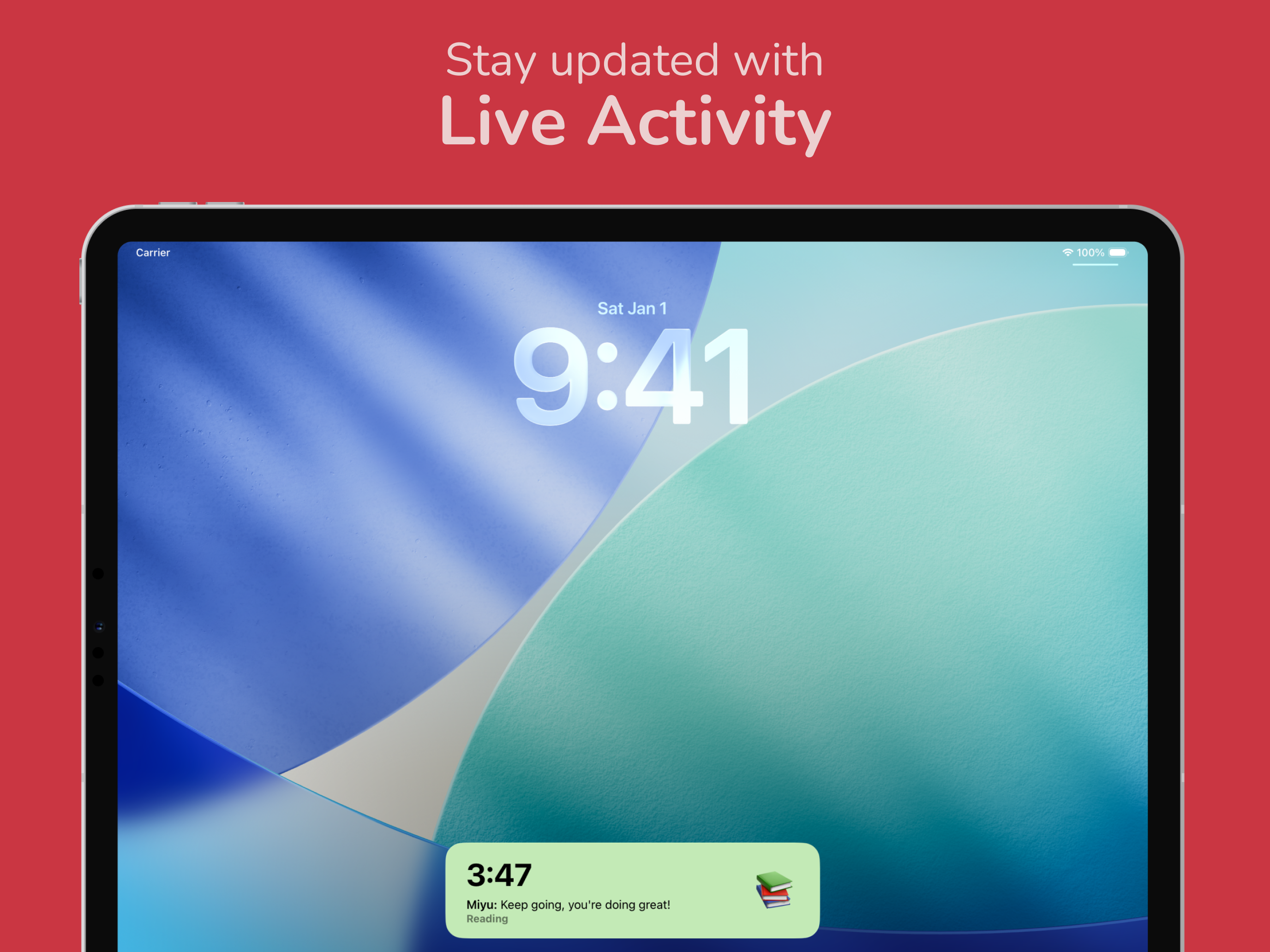
Live Activity to stay updated outside of the app
Inspiration
My inspiration for this app came from different sources.
My first source of inspiration was lofi girl. I listened to the lo-fi beats during COVID, when everyone was in isolation, and thought that it would be cool if I could actually talk to her and interact with her, not just watch an animation on repeat. I also liked "Study With Me" videos and live streams, like this one: https://www.youtube.com/watch?v=uuk0FbpOO7E
Games like Doki Doki, Va-11 Hall-A, and visual novels in general also inspired me. I love narrative-based games (DDLC, The Last of Us, Bioshock, etc.), and I see that most apps lack a narrative or have a very basic story/explanation without going deep into character/characters. I understand that it’s done to appeal to the wider audience, but for me, it certainly lacks character. Many apps, like focus timers in this case, can benefit from having a very strong character.
Finally, my last source of inspiration is virtual YouTubers! Especially Ironmouse (https://www.twitch.tv/ironmouse) and Kiara Takanashi(https://www.youtube.com/@TakanashiKiara). I loved the concept of a virtual persona interacting with an audience instead of just using the camera and real identity. They also have very interesting backstories that are a mix of fantasy and memories of real people behind these models. Virtual YouTubers blend that line between reality and anime, and that’s what I hoped to achieve with my app as well.
What it does
It’s a focus timer. You open the “Focus Room”, start the timer, and put your iPhone or iPad next to you while you are working on something. Of course, you can use your device or lock it, in which case the Live Activity will be shown.
Miyu also saves records of each session, including ones that you give up on.
The app is heavily gamified. In addition to regular streaks, achievements, goals, and in-game currency that you can use to purchase outfits and rooms, you also have a chance to talk with Miyu and get to know her better as a reward for focusing.
How I built it
I used Swift and SwiftUI, plus some additional libraries and services like RevenueCat, OneSignal, and Vortex (https://github.com/twostraws/Vortex).
I tested everything on my iPhone 13 Pro, iPhone 12 mini, iPhone SE 2nd gen, and iPad mini 7.
Building the app was very fun! I had the idea on my mind for a long time, but then one day I just had enough of postponing it and came up with a 30-day challenge for myself. I created a small Telegram channel with my close friends circle, and said that I will work on the app every single day for the next 30 days, and post about it daily to that channel. The pressure to make progress daily was... exciting! I was happy to share progress, especially at the beginning, when you make big steps and build many new features.
In addition to this, I also used sprints a lot during the first few months of the app development. I would decide on features I want to implement or improve on Sunday, and then work on them during the week until next Sunday. I reported results of my weekly sprints after the 30-day challenge to friends as well, to get some of their feedback quickly.
Then I ran several TestFlight tests with friends, and had a chance to meet interesting people from the Ukrainian game industry that gave me lots of feedback on building a gamified app (and keep giving me it till this day).
Challenges I ran into
Many! Many, many challenges. But here are the top 3:
- Finding a good artist. I looked for an artist for a long time, but then I decided to use a software called VRoid. It allowed me to create a cute 3D model, and then I purchased outfits for it online. It helped me to create better designs by iterating through different versions quickly, and I have more outfits in version 1.0 than I initially planned.
- Live Activity. Oh boy, local live activities are sooo limited compared to server-side activities. Since my app can be used offline, I couldn’t rely on OneSignal's server-side live activities, so I had to spend some time getting the local activity to work just right. I am happy with the end result, but it took me much longer to understand what I can and can’t do with it than I expected. That was an interesting experience coming from the Android development world, where you have a lot more freedom with background tasks and notifications. But now I know that no one can perfectly sync timer in Live Activity and inside the app, even Apple! (Check Apple Music app, and you would see that track time is 1-2 seconds different from Live Activity).
- Making sure that the progress is resumed if the app is killed by iOS. At first, my app would just close, and nothing would be saved. But I implemented a feature that will continue the timer based on the start date saved to UserDefaults, even if the app was killed in the background or force closed by a user. The challenge was to make sure that the app starts from a different SwiftUI view (the Focus Room in this case), and then, after finishing the session, that the user returns to the Home Screen correctly. I ended up using WindowGroup and inside switch screens based on the UserDefault value.
Accomplishments that we're proud of
- The timer in Miyu starts from 0 and goes, pretty much, to infinity. You can focus for as long as you want, with a minimum goal of 10 minutes (can be changed in settings). I like this because it gives me extra time to finish the task. With the classic pomodoro I felt stressed whenever I saw timer coming close to 00:00, and I was still far from finishing. So I chose this alternative count-up method. However, that left me with a problem. What if the user leaves the app in the background or locks the screen and just forgets about it? Hmmm, not good…. Solution? Send them a reminder! If the person is running the app in the background for 40-50 minutes, Miyu will send a reminder asking them to come back within next 10-15 minutes, or she will stop the timer otherwise. If the user ignores, another notification from Miyu will come 10-15 minutes later, stating that she has finished the session. This is a gentle reminder for a user to make sure they still focus on what they are doing, in case they end up just watching reels on Instagram or chatting with a friend instead.
- Design of the app. I tried to keep it super simple, and I had different design variants before, but I stopped on the “Home Screen”/ “Focus Room” design. Very clear split between two views. Home is where I can see all my data and progress, and Focus Room is like an actual separate room where focus is at the center of everything. This separation helps me get into the focus state of mind quickly and separate one side of the app from its central purpose.
- Design of Miyu herself. It’s been almost a year since I finalized Miyu's character design, and I still love it a lot (which is rare for me). There are areas that can be improved, of course. But given previous options that I went through, this character design looks really nice to me, and I really want to create more outfits for her that I will add in future updates (both free and premium).
What I learned
Well... a lot!
- iOS development! I did some simple iOS development for contests and personal use before, but shipping an actual app for this wonderful platform? It’s the first time. I was surprised by how good Xcode is, how quick simulators are, and how amazing Swift and SwiftUI are. I learned a lot about both, and also how to use SwiftData, how to add libraries, and more.
- Character design. I learned how to use VRoid to design my character, and also tools like VRM Posing to later export my character as sprites to use in my app.
- UI design. I did UI design in Figma before for mobile apps, but this one was a lot more fun since it was for iOS, a new platform for me. It also happened that Liquid Glass got revealed during the development of my app, and it was exciting to learn a new design language by implementing it in my own app.
- Japanese. Yeah, I even got to improve my Japanese since I used Miyu while studying it, plus I had an amazing experience meeting iOS developers in Tokyo and talking about iOS development and my app with them in Japanese. よかったね!
- Implementation of a subscription-based monetization. Previously, I monetized my Android apps using a one-time in-app purchase, so I was a bit worried about adding a subscription to my app. But using RevenueCat, it was a pretty simple task, and a valuable lesson I can apply in my future apps and games.
What's next for Miyu: Your Focus Buddy
Conquer the world! Miyu in every iPhone and Pixel! WUHHAHAHAHAHAH!
No, but seriously, I plan to focus on these things now:
- Localization. Localize Miyu to Japanese, Korean, Chinese, and other languages to target more markets. I prioritize Japan, Korea, and China because anime and games are extremely popular here, and I believe that Miyu has a great target audience in those countries.
- Limited-time events. I plan to have regular events in which users with an active subscription can participate and get a new outfit that is ONLY available during that short time period. Missed the challenge? Well, the chance to get that outfit is gone, too. Better luck with the next one! These kinds of events are great for improving retention.
- Add more features. Right now, on top of my list are widgets and blocking other apps while the timer is running. And then 50 other features that I hope to implement with further updates.
- Do a lot of marketing everywhere I can, including making content on social media by myself, showing how I use Miyu, for example.
- After the iOS version settles down a bit and I improve things based on users' feedback, I would love to create a version for Android as well. I already have a very basic version for Android built with Kotlin and JetPack Compose, but I am working on it slowly to be ready to make changes based on the course of the iOS version.
Built With
- aptabase
- onesignal
- revenuecat
- swift
- swiftui

Log in or sign up for Devpost to join the conversation.