-
-
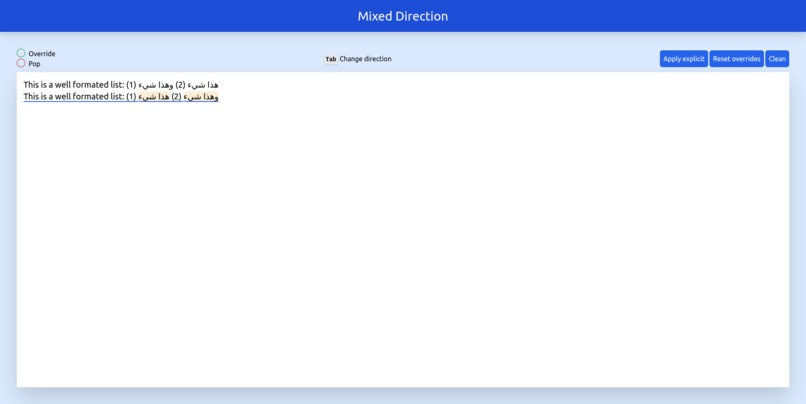
Comparing broken formatting with proper formatting, made easy with the help of the site.
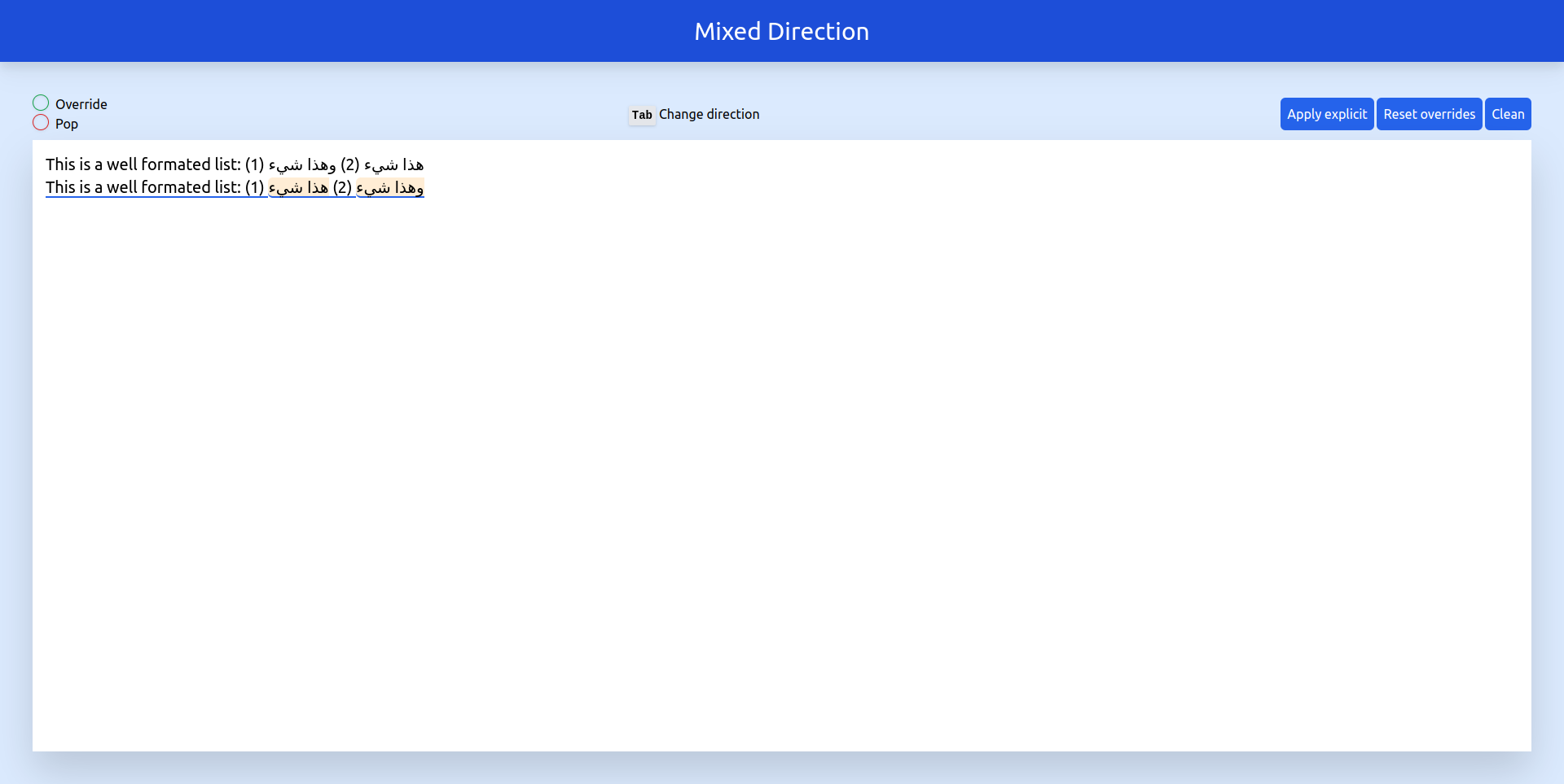
Try it live here: https://amrojjeh.github.io/mixed-direction/
Inspiration
Lots of infuriating experiences trying to format text just right. I'd often have to paste override characters, which I can't see, and figure which text is being affected by it, which is hard to tell, and then manage to navigate all of that using the arrow keys, which is pretty annoying.
What it does
The website fixes those issues mentioned above by highlighting the affected text and displaying indicators whenever there's a POP or an RTL/LTR override character near the caret. It also makes inserting POP and overrides easy and effortless, in contrast to having to either search an invisible Unicode rune to copy and paste or remembering the alt code for it. In addition, it provides helpful tools such as reset, clean, and explicit, which make formatting even easier than what I imagined.
How I built it
Lots of Javascript with some HTML and CSS (which is applied via Tailwind utilities). The highlighting was done by having an invisible textarea on top of a div. Whenever the user modifies the text, the div gets updated with the corresponding colors. This lets me leverage the browser's default implementation (which is crucial for easy selection and navigation) while adding powerful "syntax" highlighting.
In regards to the actual formatting bit, it's mostly basic text insertion. Pressing tab without selecting text inserts the RTL override unless there's already one before which has not been popped. If there's already an RTL override, it inserts a POP. If some text is selected, then it inserts both an RTL and a POP in their appropriate places. If the selected text already contains these characters somewhere in the text, the program just deletes these characters and doesn't insert anything.
The algorithm technically supports dominantly RTL sentences as the tab switches to inserting LTR if it's in an RTL sentence. I've not tested that portion of the program, however, as I realized it would take a lot of time to gracefully convert a text that's been annotated with RTL overrides into text that's dominantly RTL (but it would not be difficult!).
Challenges I ran into
The challenges were quite unexpected. As you may have noticed in the video, the indicators are not always up to date. That's because they currently only respond to arrow keys and insertions, and oh boy did that take a while to implement. It took me too long to realize that different events can have different values for the selection. For example, the input event is always up to date as to where the caret is, but the keydown event is called before the target's selection is updated. As with the RTL thing, it's not difficult to add support for more events, but I lowered its priority as I realized it'd take time and it wouldn't hinder the proof of concept.
A very related challenge which I was not able to look into was that Firefox handles bi-directional text VERY differently than Chrome, which I did not expect. The text is still formatted the same which is great, but the indicators completely break.
Speaking of things breaking, I suspect I've encountered a few browser bugs. For example, in a sentence such as [LTR OVERRIDE] Some English [POP] and some text, when the user places their caret at the POP, even though there's no change in direction, Chrome places the caret at the end of the sentence, and then back at the word "and" once they're past the POP. Strange behavior.
Firefox seems to have way more bugs, or perhaps their API is just different (though it's hard to imagine since selectionStart and selectionEnd are standard to my knowledge). In any case, I cannot say for sure since I've not tested Firefox well.
Enough with the caret; there were other challenges as well. I've constantly had to update the syntax highlighting to get it work (my first attempt was ridiculously inefficient), and then I re-wrote it completely to get the explicit highlighting to work. Prior to that, it only used booleans. When the program encountered a POP or an RTL, it would push the last line into a buffer with the corresponding classes and then start a new one. That had to completely change when overrides could now overlap with each other, as explicit mode does (in memory it looks like [LTR OVERRIDE] Some text [RTL OVERRIDE] Some Arabic [POP] [POP]). This meant that I had to highlight text in two different ways to demonstrate that two overrides are making an effect (to have more than two affecting text at once is such a bad idea that I did not consider that feature for a second). So instead of a boolean switcheroo, I opted for a stack based system so that I can keep track of what each POP is corresponding to to figure out which highlighting should end and which should keep going. I can already tell you where some optimizations can be made, but I wrote the code already, and it works, so alas, it'll stay like that until I pick up the project again.
Accomplishments that I'm proud of
The site works and is actually somewhat fully featured and I'd totally use it. Yes, it's missing the ability to switch from LTR to RTL, but for my use cases, when I'm taking Arabic notes, it's always within an LTR document, so I don't see that as a problem. I was also able to demonstrate what my website provides in ~2 minutes, which really shows its potential. I'm sure it could be used in domains I've not thought about either.
What I learned
I learned a lot about Unicode. Highlighting the text the way I did, I was able to see patterns which I didn't see before, and I hope others can learn about bi-directional Unicode through this site as well. I also learned about how painful selections are. I'm really hoping selectionChange gets adopted more widely. I also learned about new browser bugs (though I seem to see these in every web project I work on, I suppose I'm niche like that).
What's next for Mixed Direction
Thankfully, not much! It's already mostly done. The only thing I'd like to add is a way to invert text so that it can gracefully convert LTR text to RTL. Other than that, fix some bugs and quirks, and maybe write an extension or an Obsidian plugin? It's a web component, so it should be really easy to embed into other sites.
Built With
- css3
- html5
- javascript
- tailwind


Log in or sign up for Devpost to join the conversation.