-
-
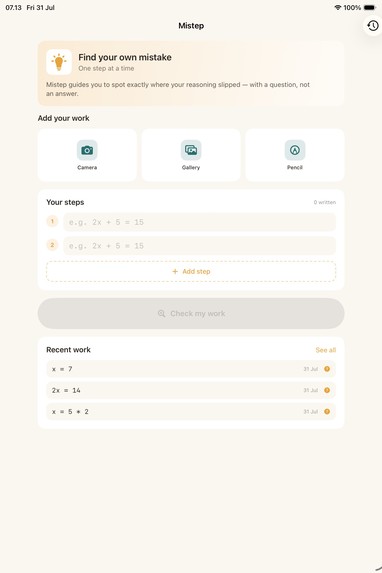
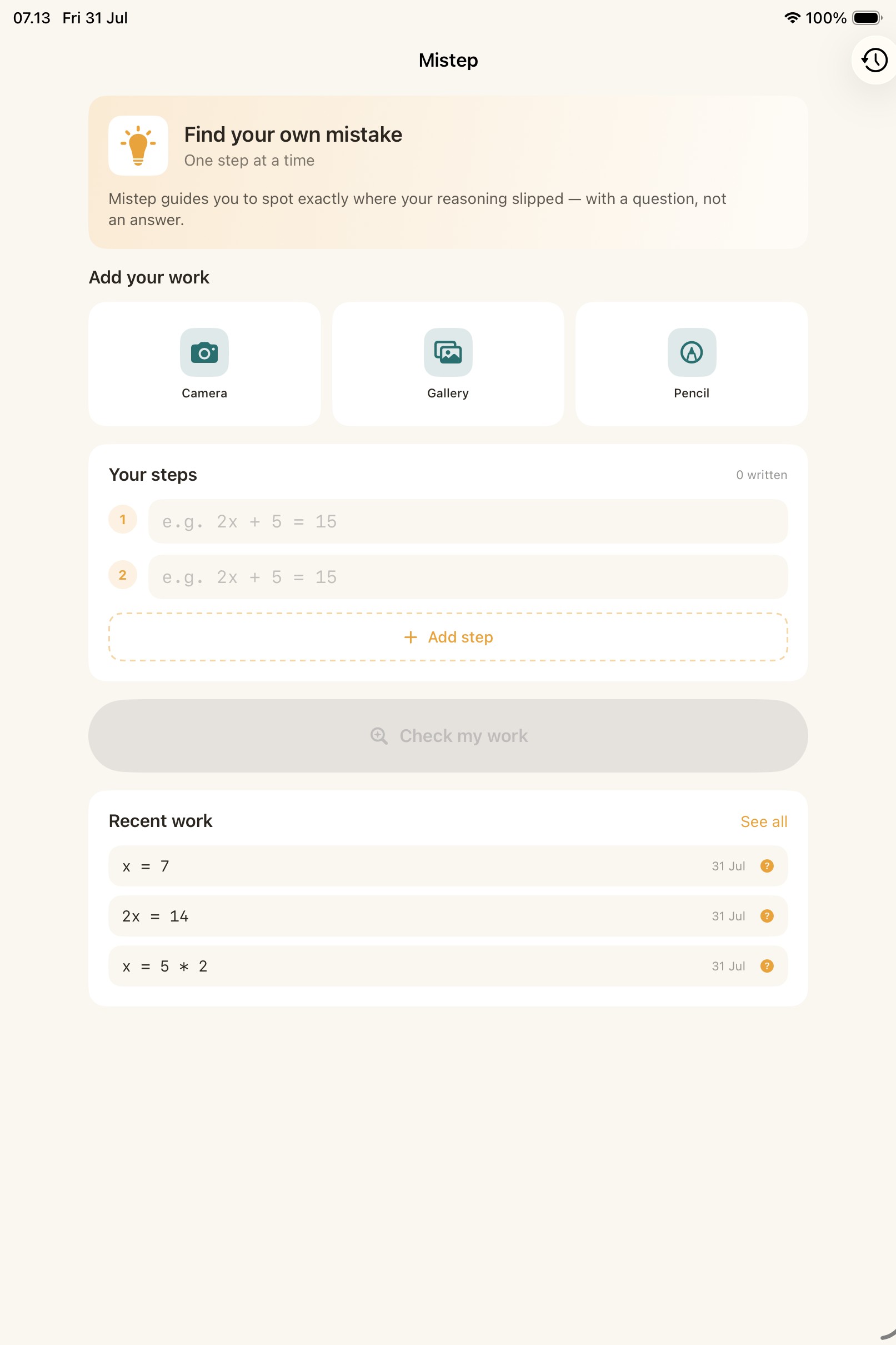
Home — Type Your Steps
-
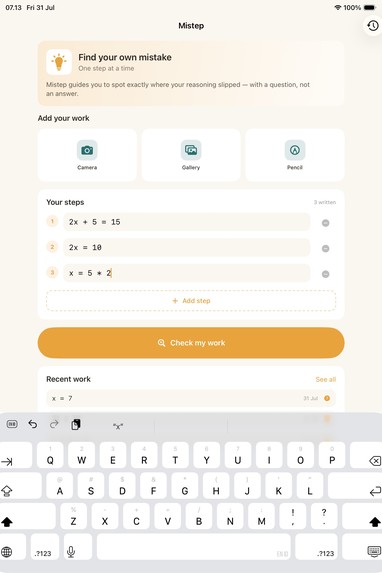
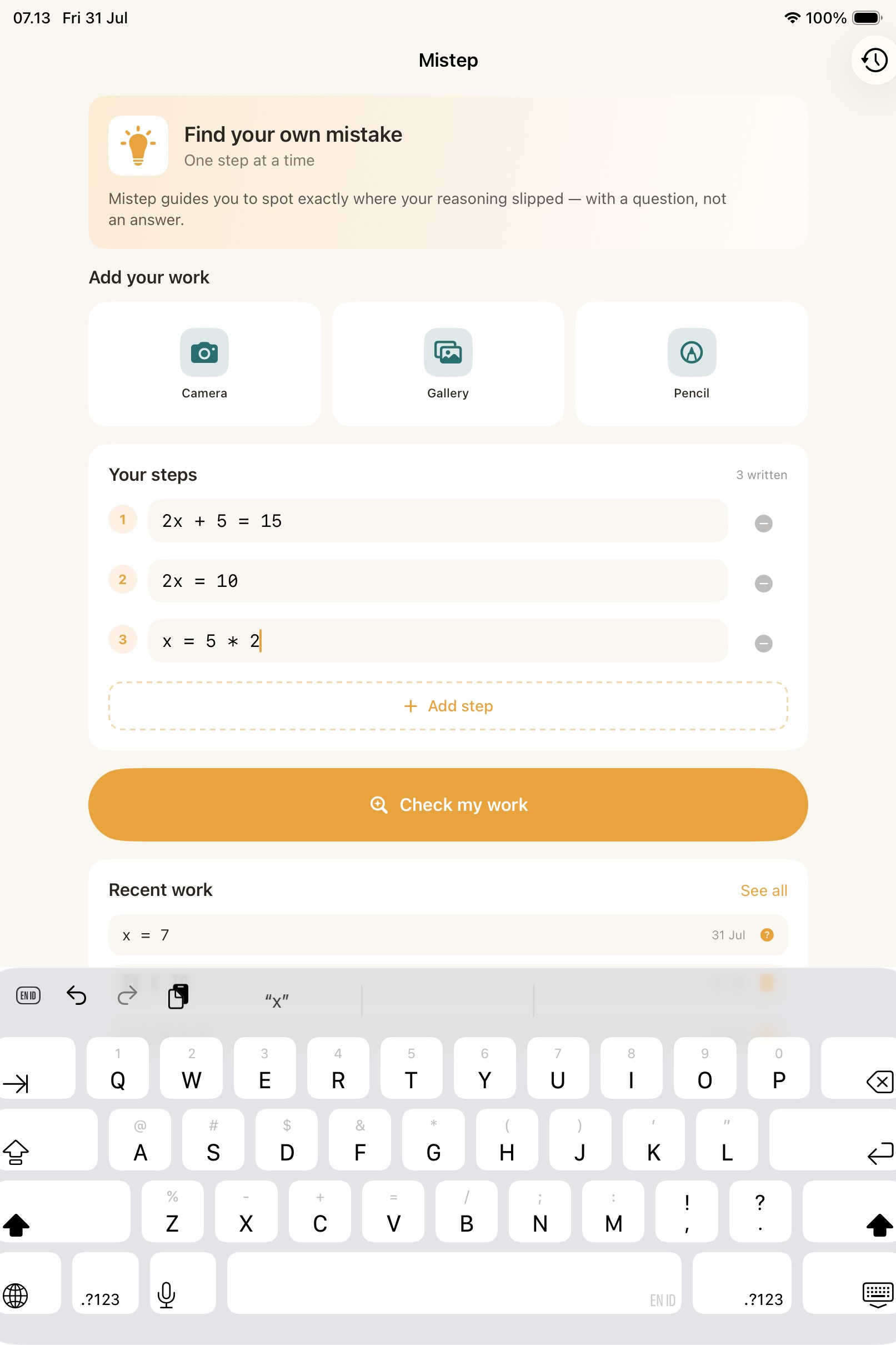
Home — Problem Entered
-
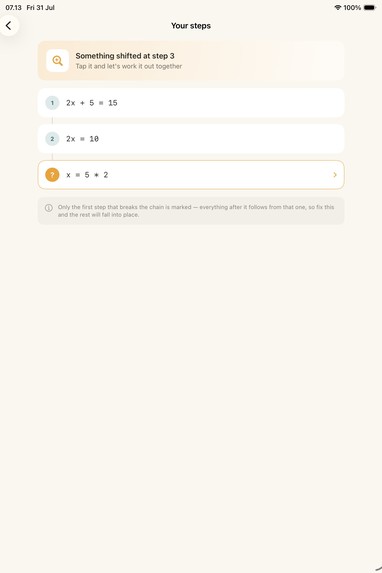
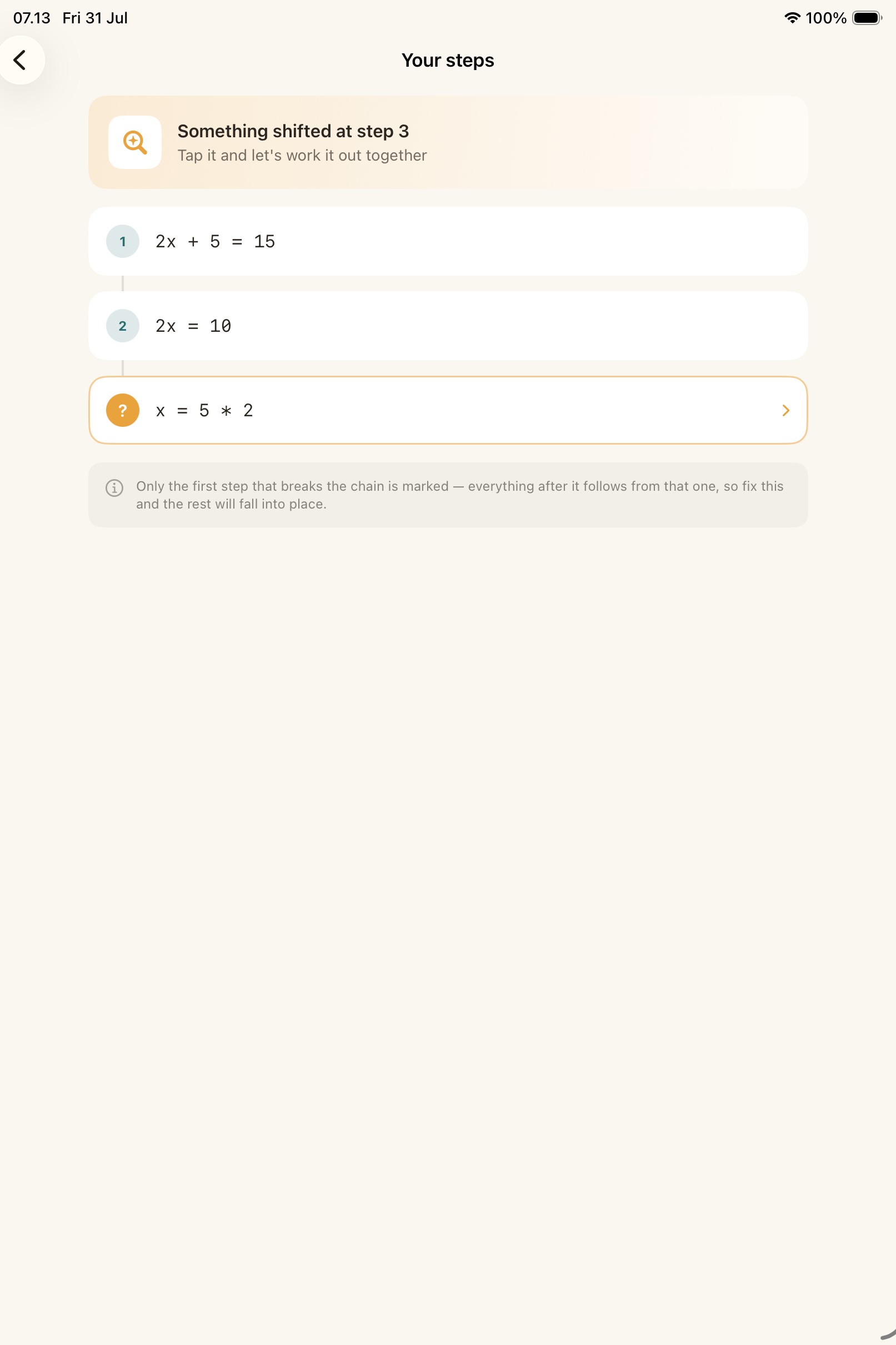
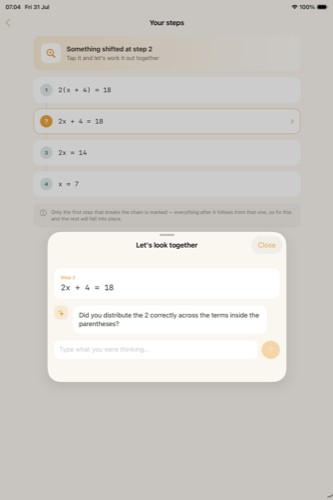
Step Trail — Deviation Flagged
-
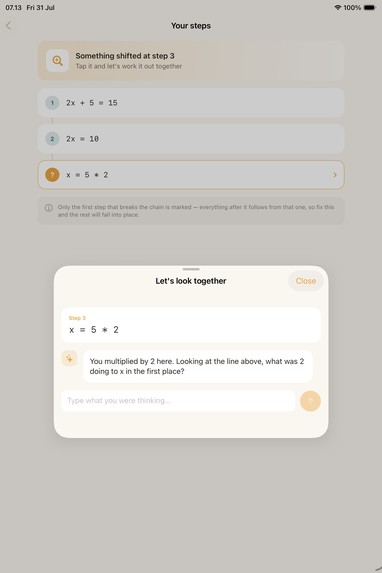
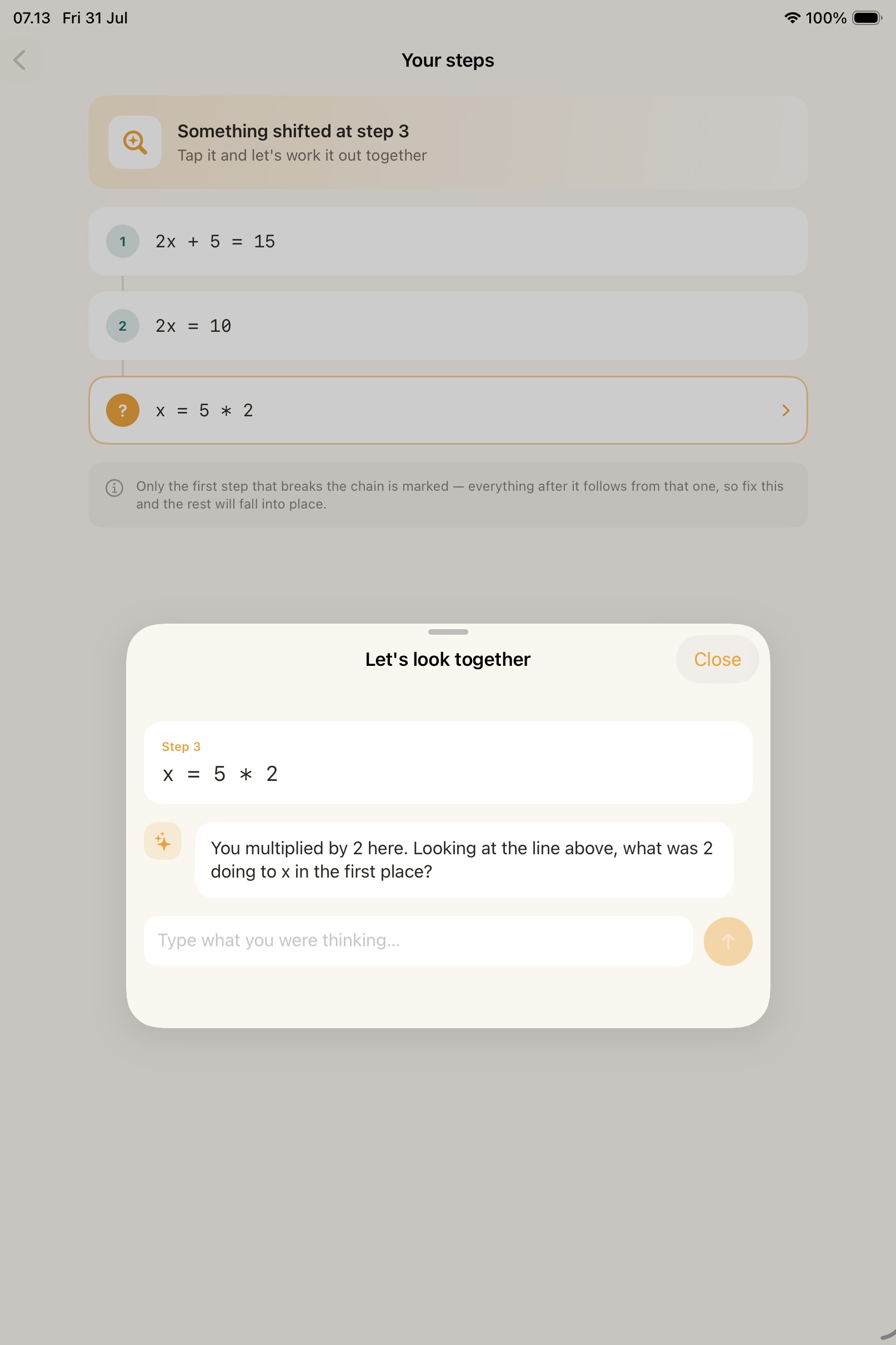
Socratic Dialogue — Guiding Question
-
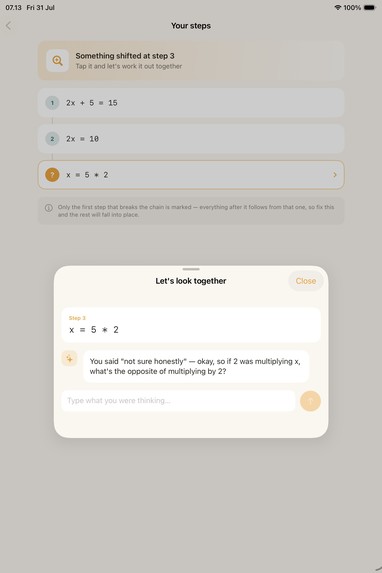
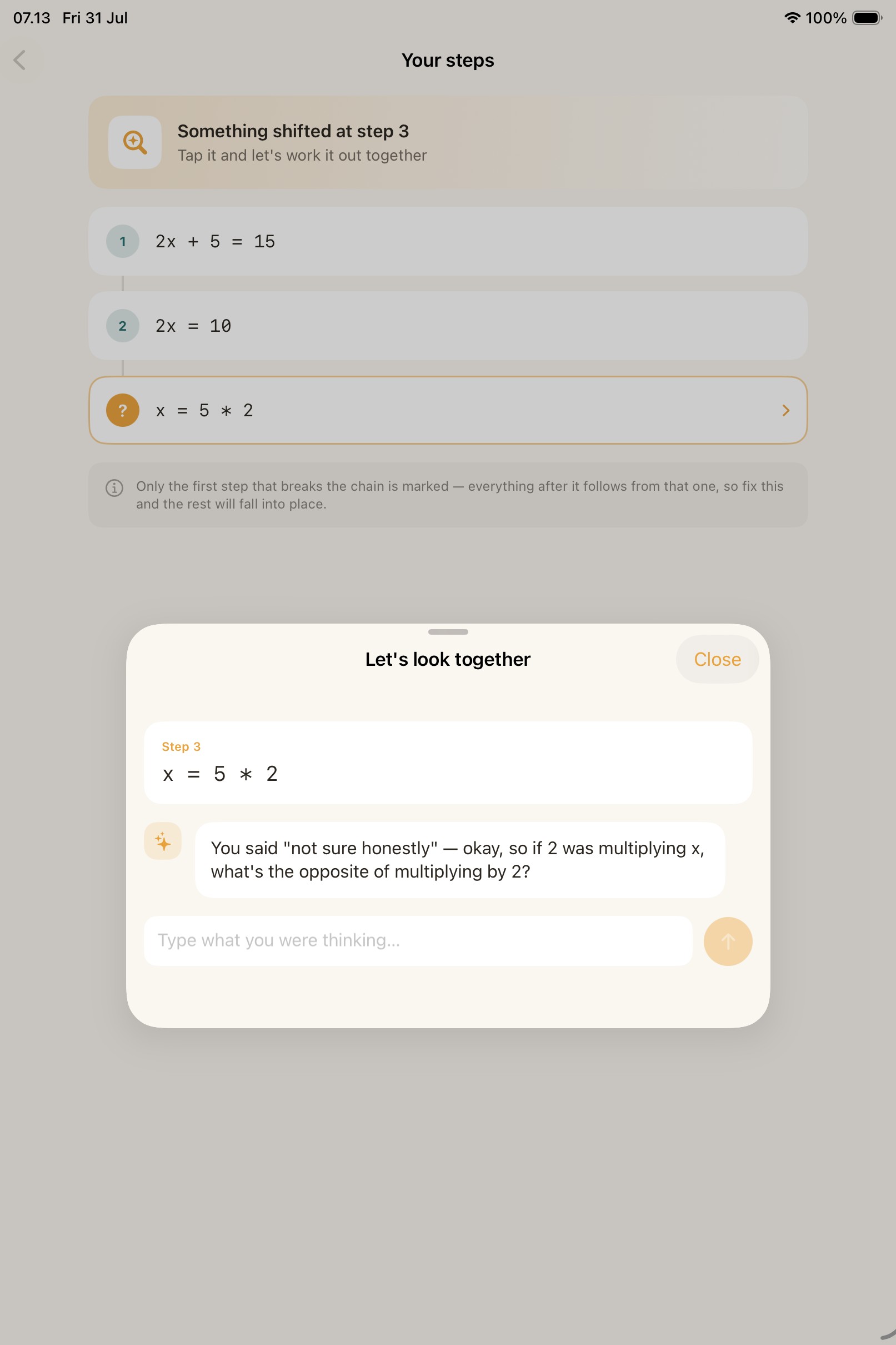
Socratic Dialogue — Follow-Up Question
-
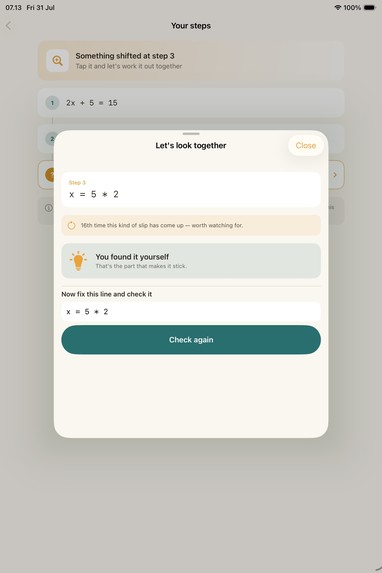
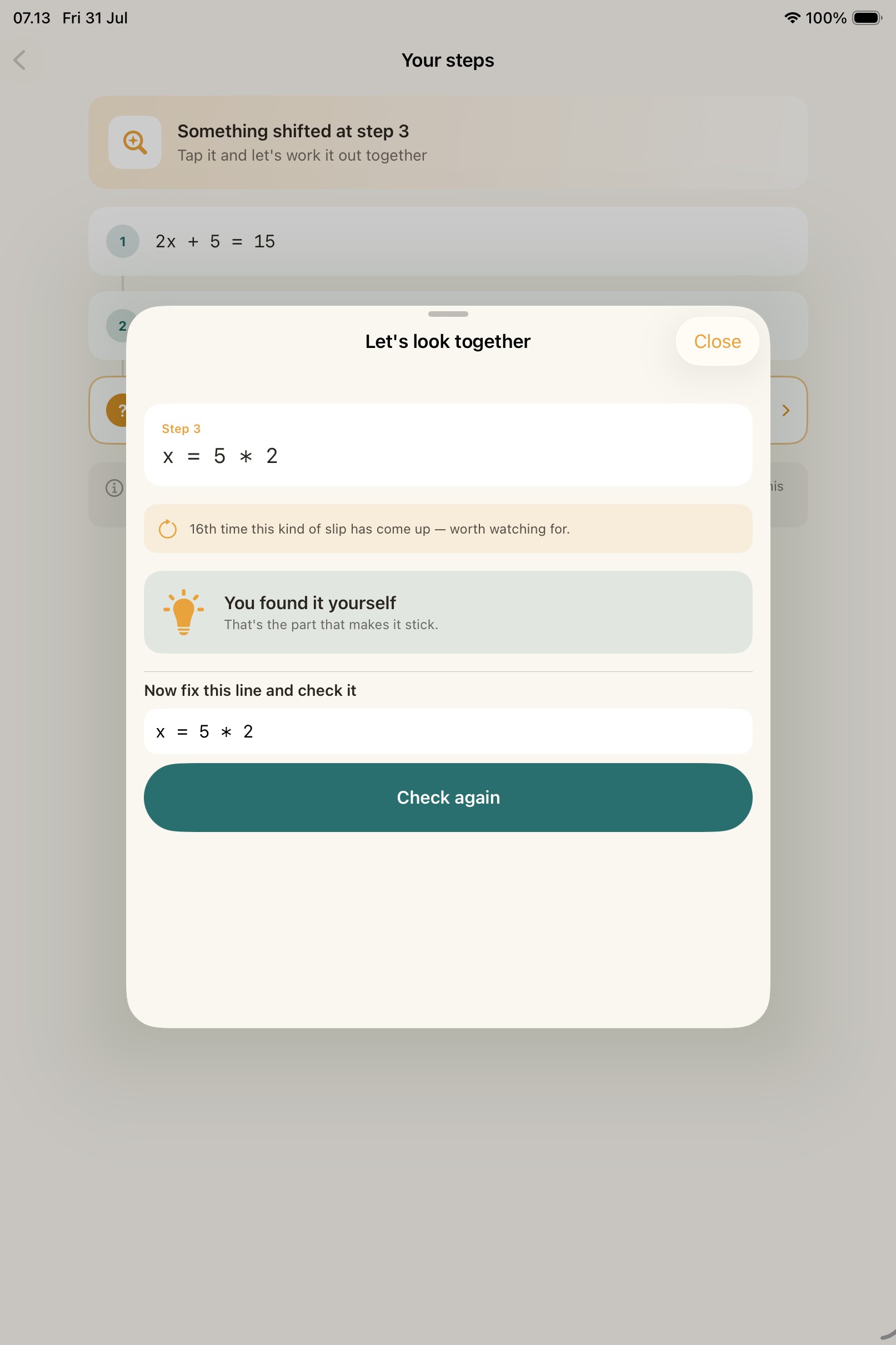
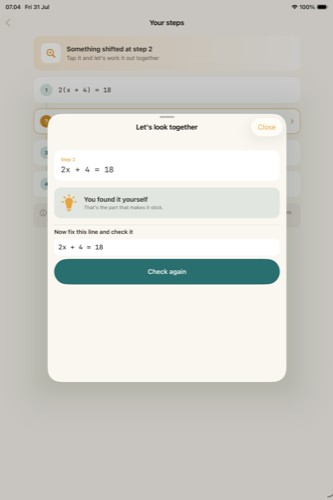
Step Fixed — Every Step Holds Up
-
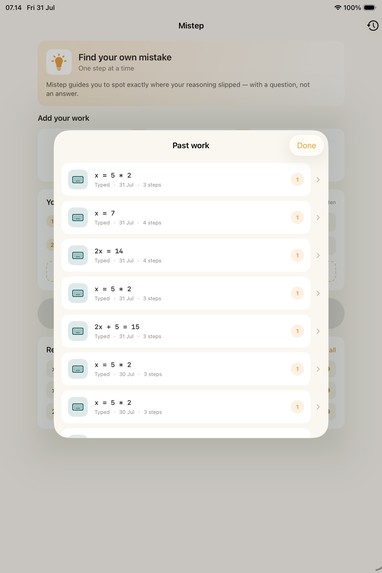
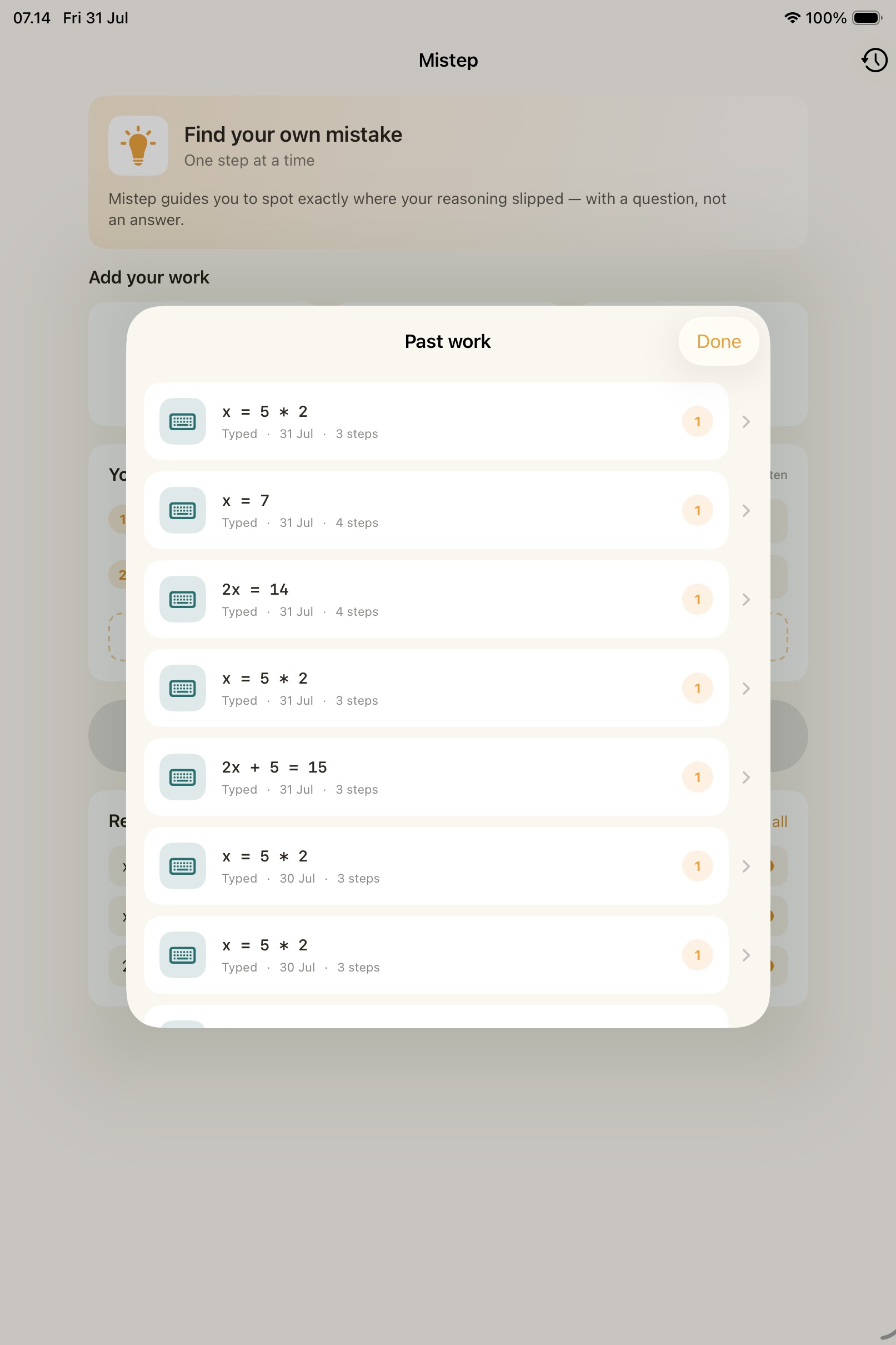
History — Past Problems
-
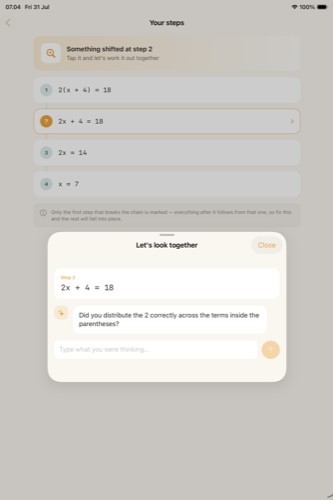
Real AI Reasoning — Live Question
-
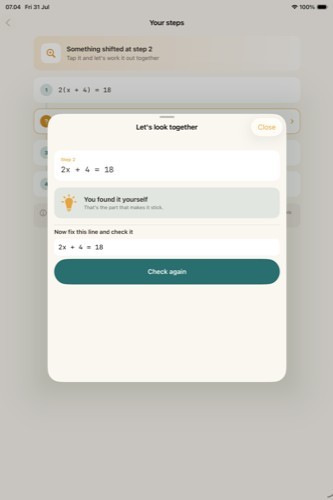
Real AI Reasoning — Resolved
Inspiration
Indonesia's PISA 2022 math score is 366, against an OECD average of 472, ranking 69th out of 80 countries. That's not a small gap, and part of it isn't about "not knowing the material." When a student gets a wrong answer, they're almost never told which line their reasoning broke, only that the final result is wrong. They redo the whole problem instead of fixing the one step that actually failed.
We also kept coming back to one finding from learning science: Bloom's 2 Sigma Problem (1984) showed that 1-on-1 tutoring produces a 2-standard-deviation improvement over classroom learning, but it doesn't scale. And the ICAP framework (Chi & Wylie, 2014) is blunt about why most "AI tutor" apps don't actually help: a student who is handed an answer learns less than one who is guided to construct it themselves. Being told is Passive. Discovering it is Constructive.
That's the gap Mistep tries to close: an AI that can answer anything, deliberately choosing not to, because the moment it holds back and asks instead, that's the moment real learning happens.
What it does
Mistep is an iOS app that helps students find their own mistakes in step-by-step algebra, instead of just being handed the answer.
- Capture your work, type it, photograph it, or write it with Apple Pencil.
- Mistep flags only the first line where the logic breaks, everything after it follows from that one, so later lines aren't independently (and confusingly) marked wrong too.
- Instead of explaining the mistake immediately, it asks one guiding question built from that specific line. If the answer doesn't show understanding, it asks a second, different follow-up, generated from what the student actually said, not a canned line. Only after two tries does it explain in full.
- The student can then edit the line and check it again, and watch the trail actually update the flow doesn't dead-end at "you found it."
- Recurring mistake types are tracked across sessions, so patterns ("this is the 4th sign error this week") surface over time instead of disappearing after one session.
How we built it
- SwiftUI, iOS 26+, targeting devices with Apple Intelligence.
- Apple Foundation Models framework as the primary reasoning engine, on-device, private, free, using
@Generablefor structured output (the guiding question, the confidence score, the deviation flag all come back as typed Swift values, not parsed JSON strings). - Groq as a cost-aware cloud fallback, only called when on-device confidence is low or the model is unavailable, never as the default path.
- Featherless.ai (this hackathon's sponsor) wired in as an optional "explain it differently" path, called only on explicit user request.
- Vision framework for OCR (photo and Apple Pencil input both funnel through the same recognition pipeline), cross-checked by a Natural Language framework sanity pass, since OCR confidence and actual correctness turned out to be two different things (more on that below).
- SwiftData for local persistence (
Problem → Step → DialogueTurn / MisconceptionRecord), with API keys never hardcoded, they seed into the Keychain once via a dedicatedSecretsStore, and that's the only thing read at runtime. - Every AI provider, on-device, Groq, Featherless, conforms to one
ReasoningRoutingprotocol, so the routing logic and the dialogue state machine can be fully unit-tested against a mock, without needing a device or a network connection for every test run.
Challenges we ran into
- Foundation Models doesn't generate on the iOS Simulator. Every screenshot we needed for UI verification during development would have been impossible without live AI, so we built a
DemoReasoningRouter, compiled out of Release builds, that only activates behind an explicit-MistepDemoModelaunch argument. It let us verify real UI states (flagged step, dialogue, celebration) deterministically before ever touching a physical device. - A pre-existing, silent test infrastructure bug. After renaming the app target,
TEST_HOSTin the Xcode project still pointed at the old binary name, every unit test was silently failing to even launch. It took reading the actualxcodebuilderror (not just "tests didn't run") to catch it. - OCR confidence lied to us. We ran Vision's
VNRecognizeTextRequestdirectly on real rendered images (not simulator screenshots) before ever touching a physical device, and found two real things: Vision misread a lowercasexas×(the multiplication sign) in one pass, and its confidence score stayed at 1.0 even when spacing was clearly wrong. That's what justified adding a second, independent sanity check (a Natural Language–based structural check) rather than trusting OCR confidence alone. - UI bugs that only a real screenshot caught. Wrapping valid (unflagged) steps in a disabled
Buttonmade them visually dim, correct work looked inactive, not settled. And on iPad, the "Check again" button in the fix-and-recheck flow was clipped at the sheet's rounded edge at the.largepresentation detent. Neither was visible from reading the code; both were only obvious once we actually rendered and looked. - A Groq account got restricted by an anti-fraud system immediately after signup, a reminder that building against a free-tier AI API under a hackathon deadline means planning for account-level friction, not just code-level bugs. Because Groq is architected as an optional fallback (not the primary reasoning path), the app kept working fully on-device regardless.
Accomplishments that we're proud of
- 19 automated tests, 11 unit tests locking down the business rules the product actually depends on (only the first deviating step gets flagged; the AI never skips straight to the answer; it always resolves within two guiding turns; a total AI-provider failure is surfaced, never silently treated as "all correct"), plus UI tests that drive the entire capture → flag → dialogue → resolution flow and capture a screenshot of every screen.
- A "close the loop" fix: instead of the flow dead-ending at "you found it," students can edit the line and re-run the same check, reusing the already-tested flagging logic instead of a second, parallel implementation.
- An app icon designed around the product's own core screen (the step trail with one highlighted step) instead of a generic lightbulb, verified through an actual
actoolasset-catalog build, not just eyeballed. - Never silently pretending an unchecked problem is a correct one, if every AI provider is unreachable, the app says so.
What we learned
- Bloom's 2 Sigma Problem and the ICAP framework aren't just nice citations for a pitch, they directly shaped a concrete product decision: capping guiding questions at two turns before falling back to a full explanation (so scaffolding never turns into stalling), and generating that second question from the student's actual (wrong) answer instead of a repeated template.
- Cost-aware AI routing (try on-device first, escalate to cloud only when needed) is both a privacy story and a genuinely useful architecture pattern beyond this hackathon.
- Screenshot-driven verification catches real bugs that reading SwiftUI code does not, dimmed buttons and clipped sheets were both invisible in the source and obvious in a render.
What's next for Mistep
- Extend the step-checking mechanism beyond linear algebra to other domains with clear step-by-step structure (physics problems, chemistry stoichiometry).
- A teacher-facing view aggregating recurring misconception categories across a class, without exposing individual students.
- Deeper on-device personalization using the
MisconceptionRecordhistory that's already being collected but not yet surfaced proactively

Log in or sign up for Devpost to join the conversation.