Inspiration
Students who make mistakes on problem sets often just move on without really reinforcing the concept. We wanted a lightweight way to turn a single wrong answer into a small cycle of understanding and extra practice — the "mistake notebook" (错题本) that many students already keep by hand, but automated with AI.
What it does
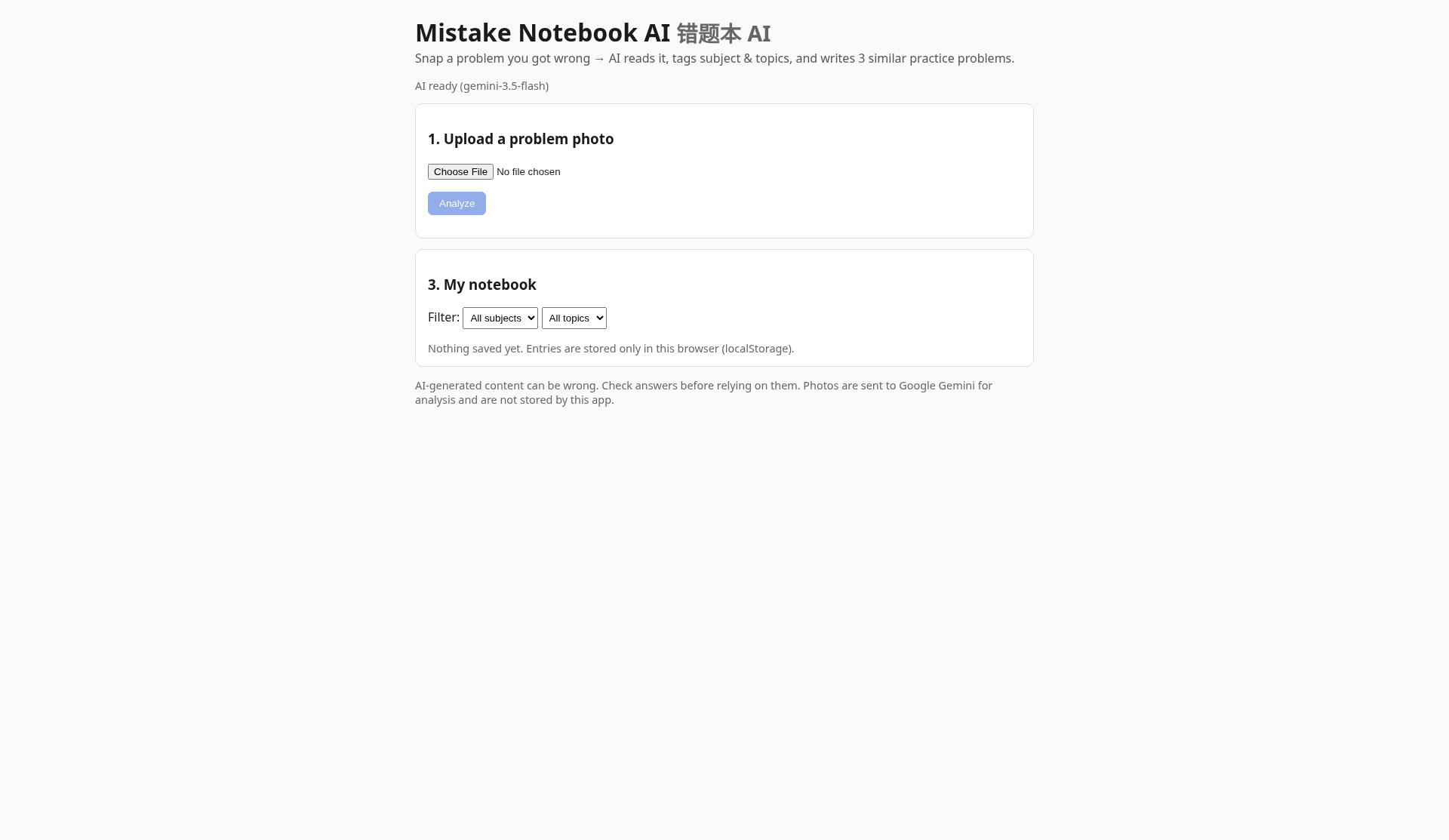
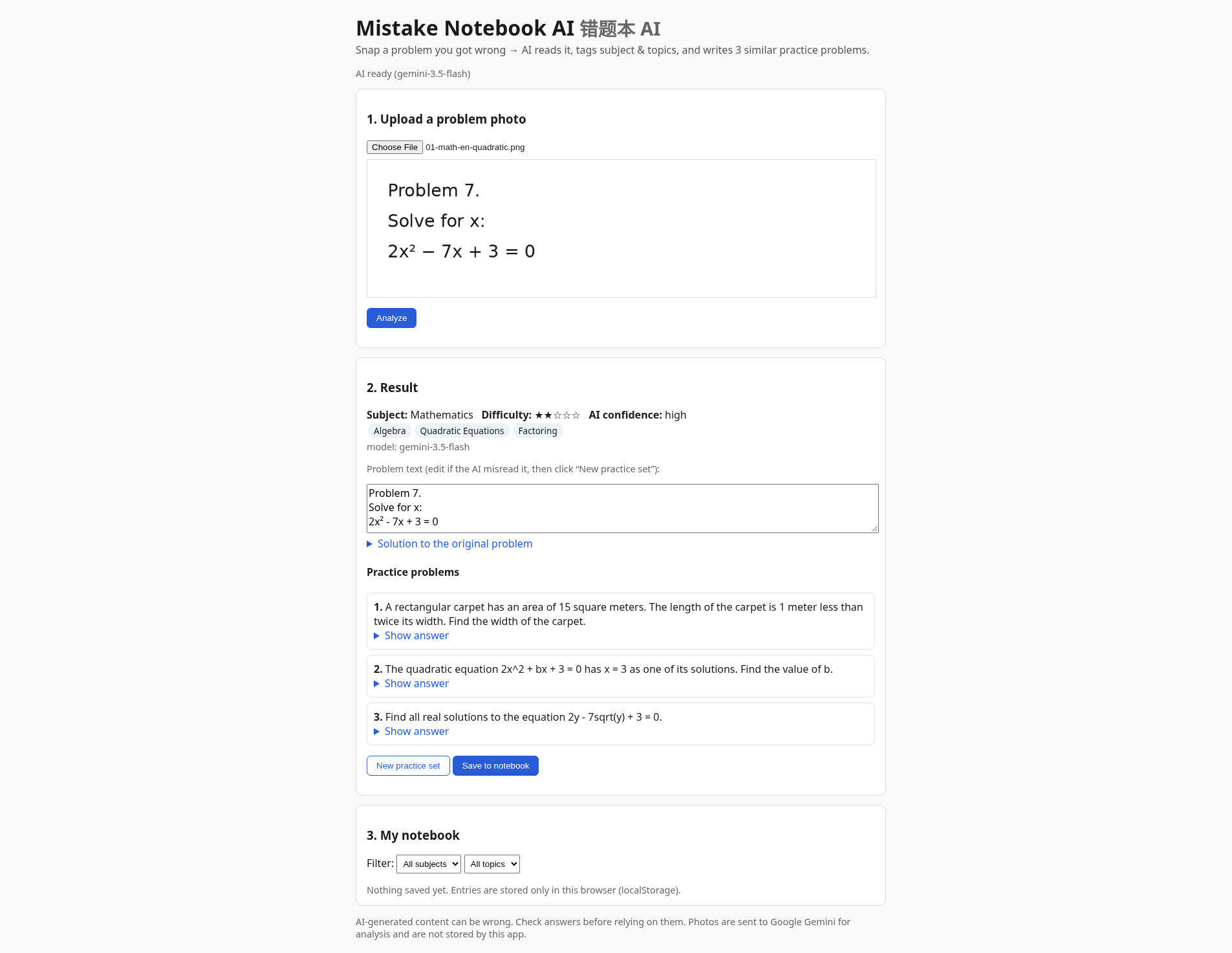
Mistake Notebook AI lets a user upload a photo of a problem they got wrong. The app sends the image to Gemini, which returns:
- A transcription of the problem
- The subject and topic tags
- A difficulty rating (1–5 stars) with a stated reason
- A confidence score
- A short explanation of the problem
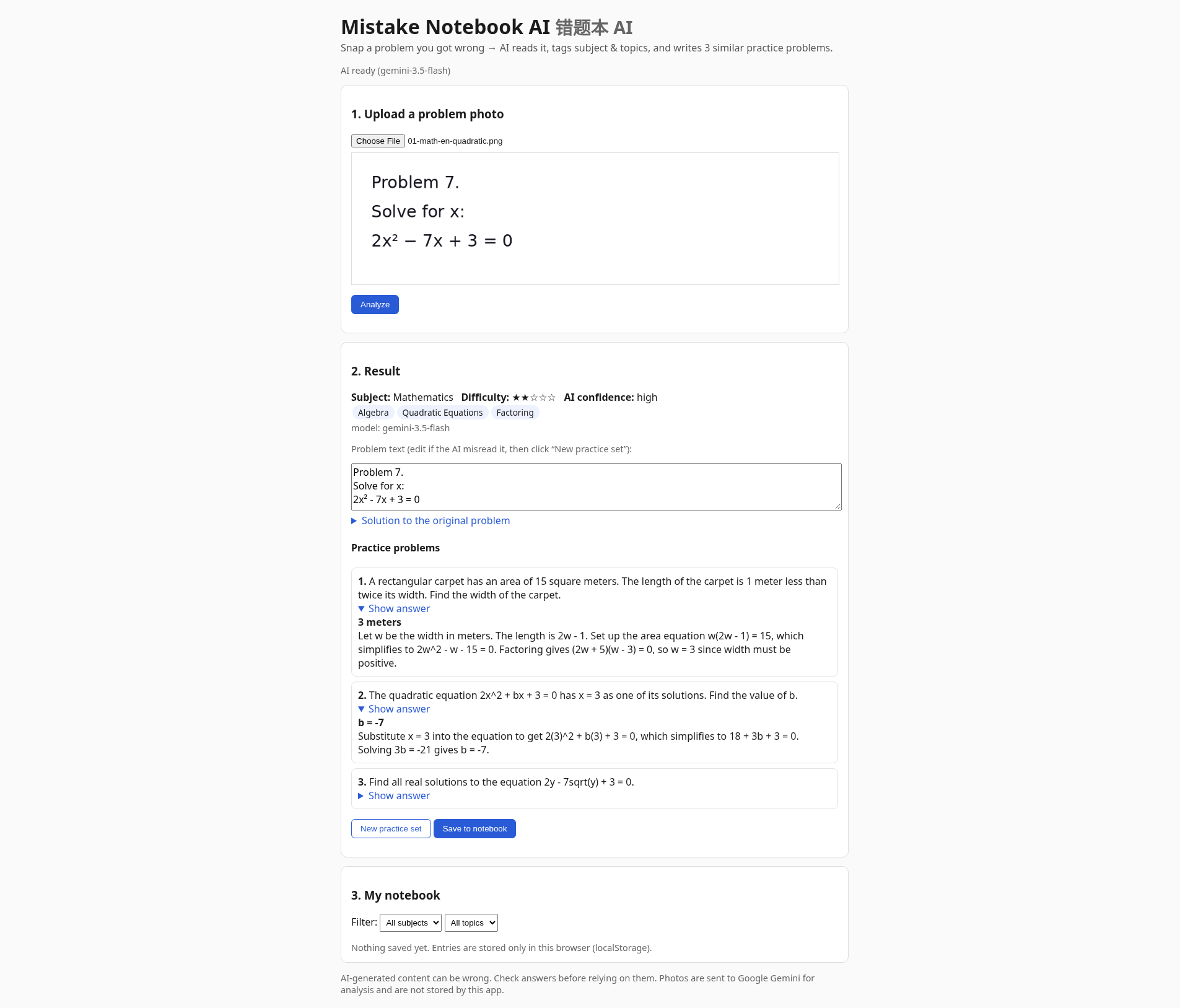
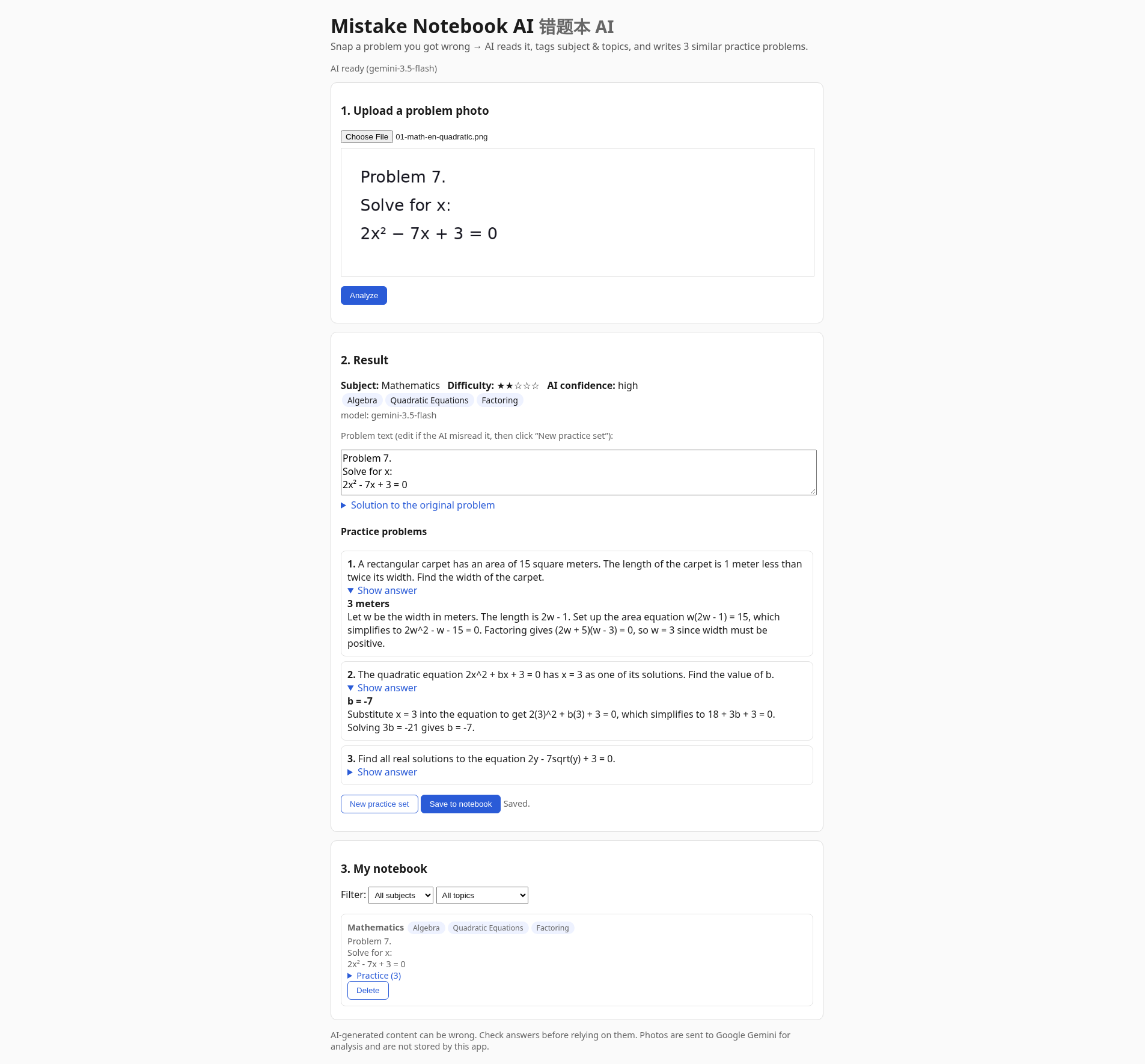
From there, it generates three variant practice problems: one in a new context, one with the question reversed, and one with an added extra step. Users can edit the AI's recognized text if it's not quite right, and click "New practice set" to generate a fresh batch of variants. Everything is saved locally in the browser's localStorage as a running notebook of past mistakes. The UI warns that AI-generated content can be wrong and flags low-confidence reads.
How we built it
- The backend is a Node 20 app using the native
httpmodule — no web framework. - The frontend has no npm dependencies.
- Gemini API calls use structured JSON output (
responseJsonSchema), retries with backoff on 429/500/503, and model fallback (GEMINI_MODEL, thenGEMINI_FALLBACK_MODELS) so a busy primary model can still return a result. - The notebook itself lives entirely in browser localStorage, so no database is needed.
- Hosted on Render's free tier.
Challenges we ran into
- Gemini sometimes returns 503 UNAVAILABLE under high demand; retries and model fallback help, but demos can still stall at peak times.
- Render's free tier can cold-start after idle (the UI notes the first request after idle may take longer).
- The similarity filter used to keep the three practice variants meaningfully different from each other and from the original can sometimes drop candidates, occasionally yielding fewer than 3 variants.
- An earlier prompt version occasionally leaked the model's drafting notes into the practice question text; we added prompt rules and a post-filter for that.
Accomplishments that we're proud of
- Built the whole app with a native Node http server and zero frontend npm dependencies, keeping the stack minimal.
- Wired up a full pipeline from photo upload → structured AI analysis → generated practice variants → persistent local notebook.
- Wrote 14 unit tests and included our own self-made sample problem images (documented in SOURCES.md) for testing.
- Spot-checked generated practice answers by hand on several samples and shipped a working, publicly deployed, open-source (MIT) project.
What we learned
- Structured JSON schemas plus explicit rubrics (for difficulty) make LLM outputs much easier to validate in code.
- Deduplicating/filtering generated content (like our similarity filter for practice variants) is harder to tune than it looks — being too strict trades off against guaranteeing a fixed number of outputs.
- Free Gemini quota and peak 503s are a real constraint for a live demo; fallback models and honest UI messaging matter.
What's next for Mistake Notebook AI
- Improve the similarity filter so it more reliably returns exactly three distinct practice variants without an extra API call.
- Investigate more resilient model routing / quota handling to reduce failed analyzes during peak usage.
- Expand the sample/test image set beyond our current self-made samples.
Built With
- css3
- gemini-api
- html5
- javascript
- localstorage
- node.js
- render
