-
-
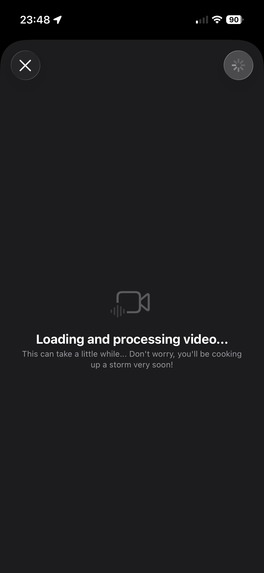
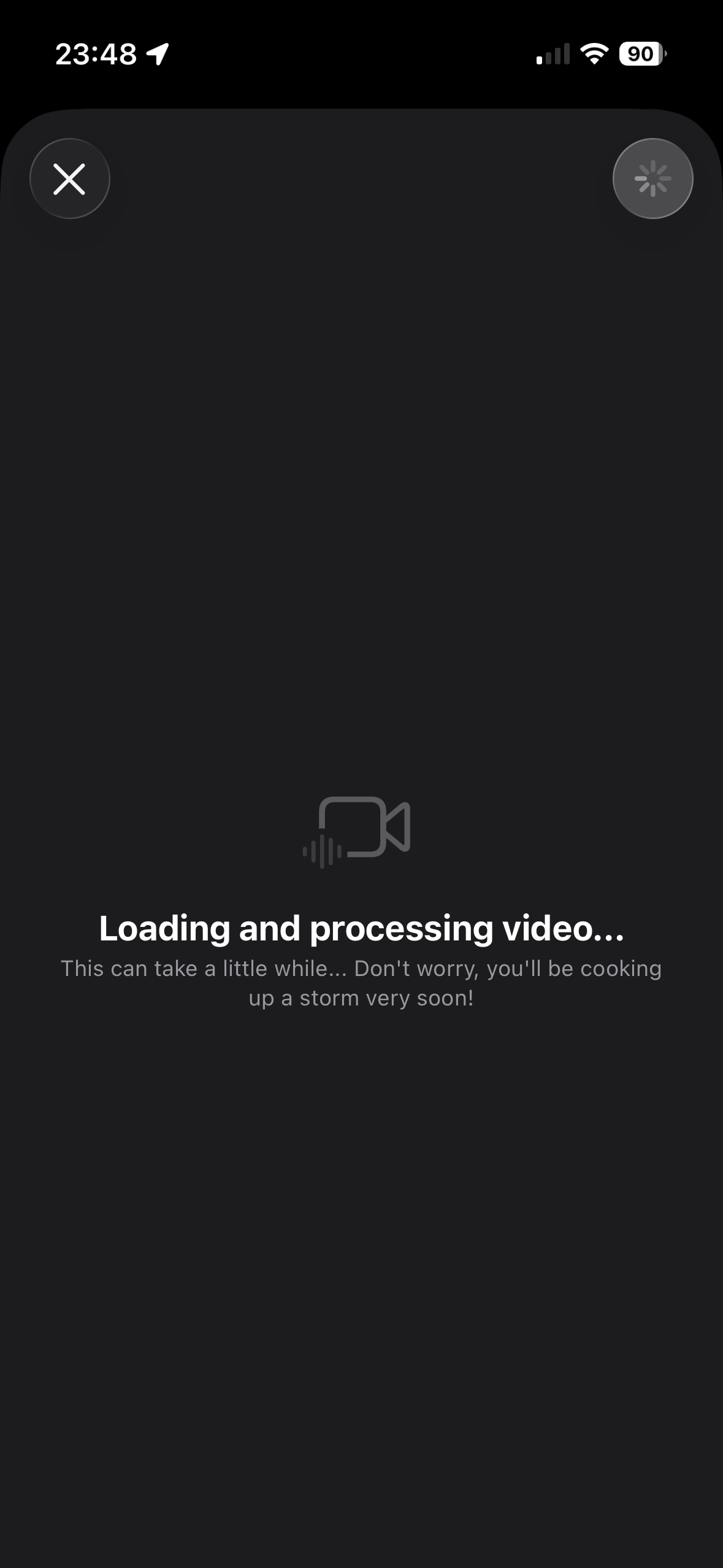
Mise can extract recipe details, ingredients and instructions from YouTube videos
-
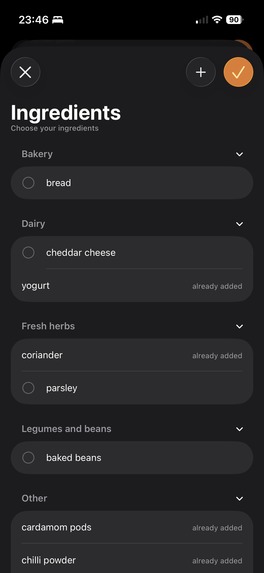
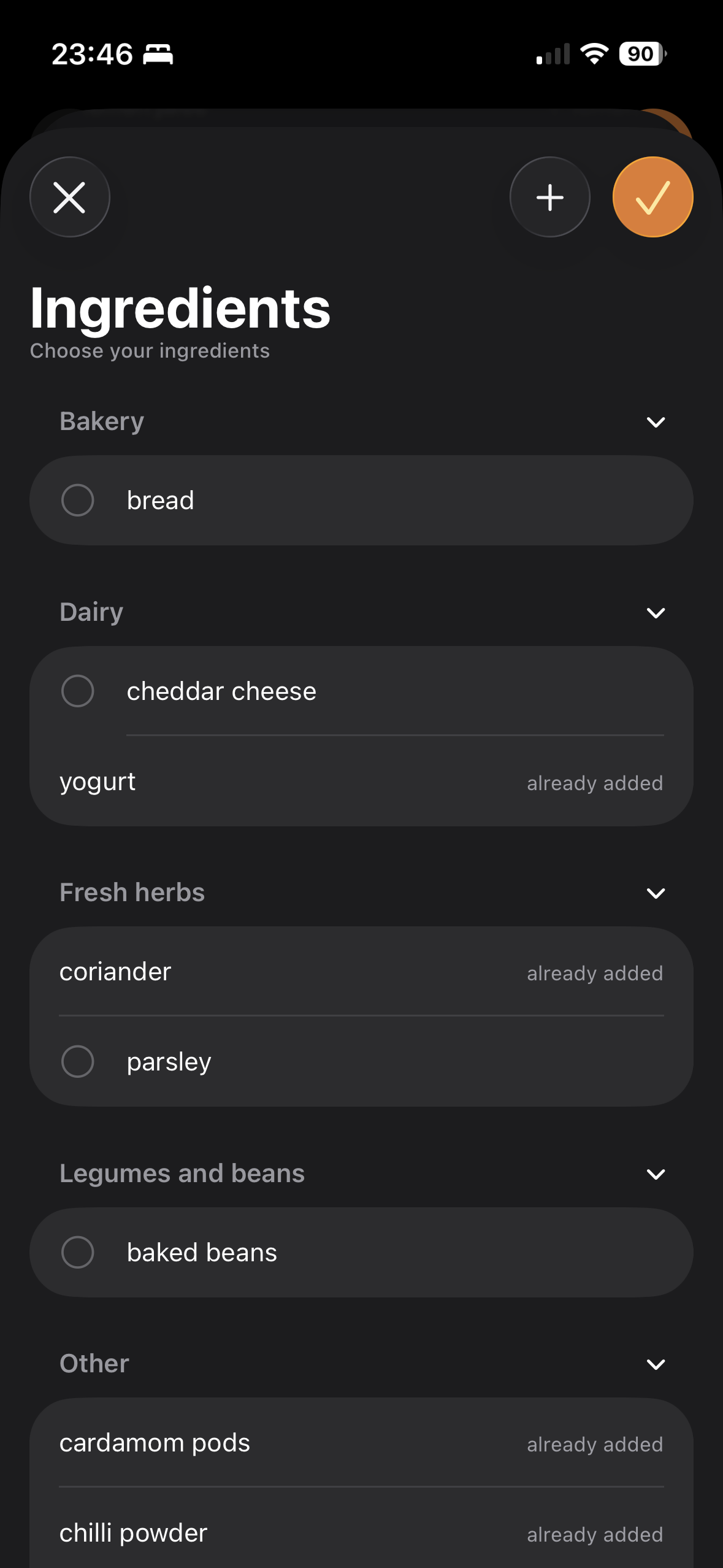
Build up a list of categorised ingredients that you can use to add to recipes
-
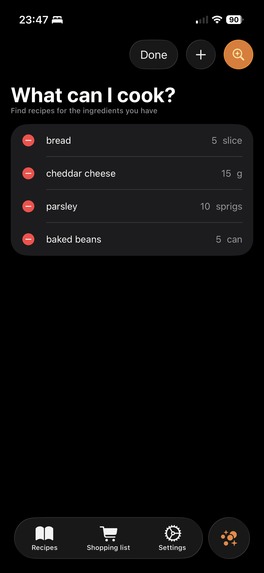
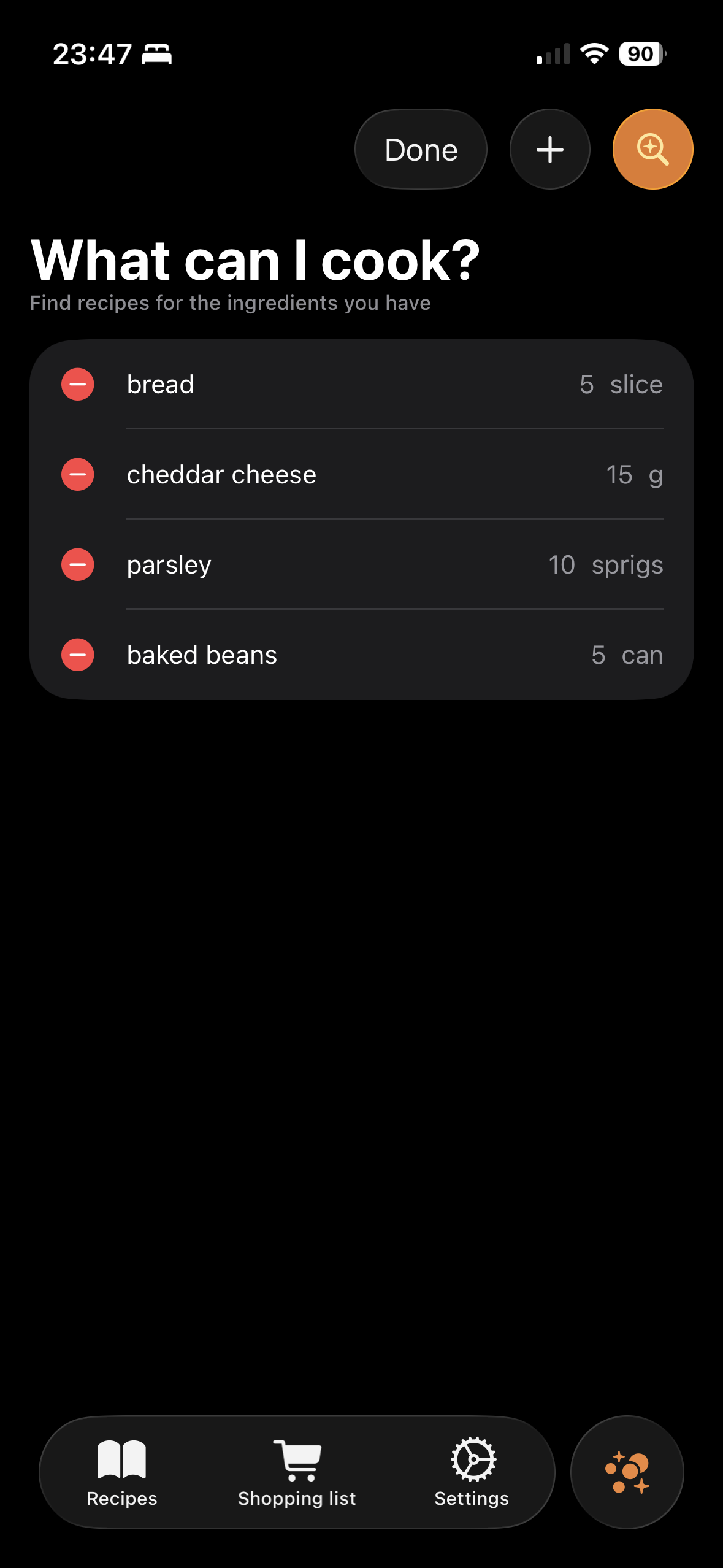
List the ingredients you have to hand and Mise will suggest which of your saved recipes you can cook
-
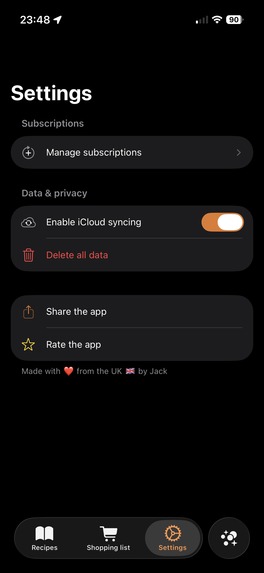
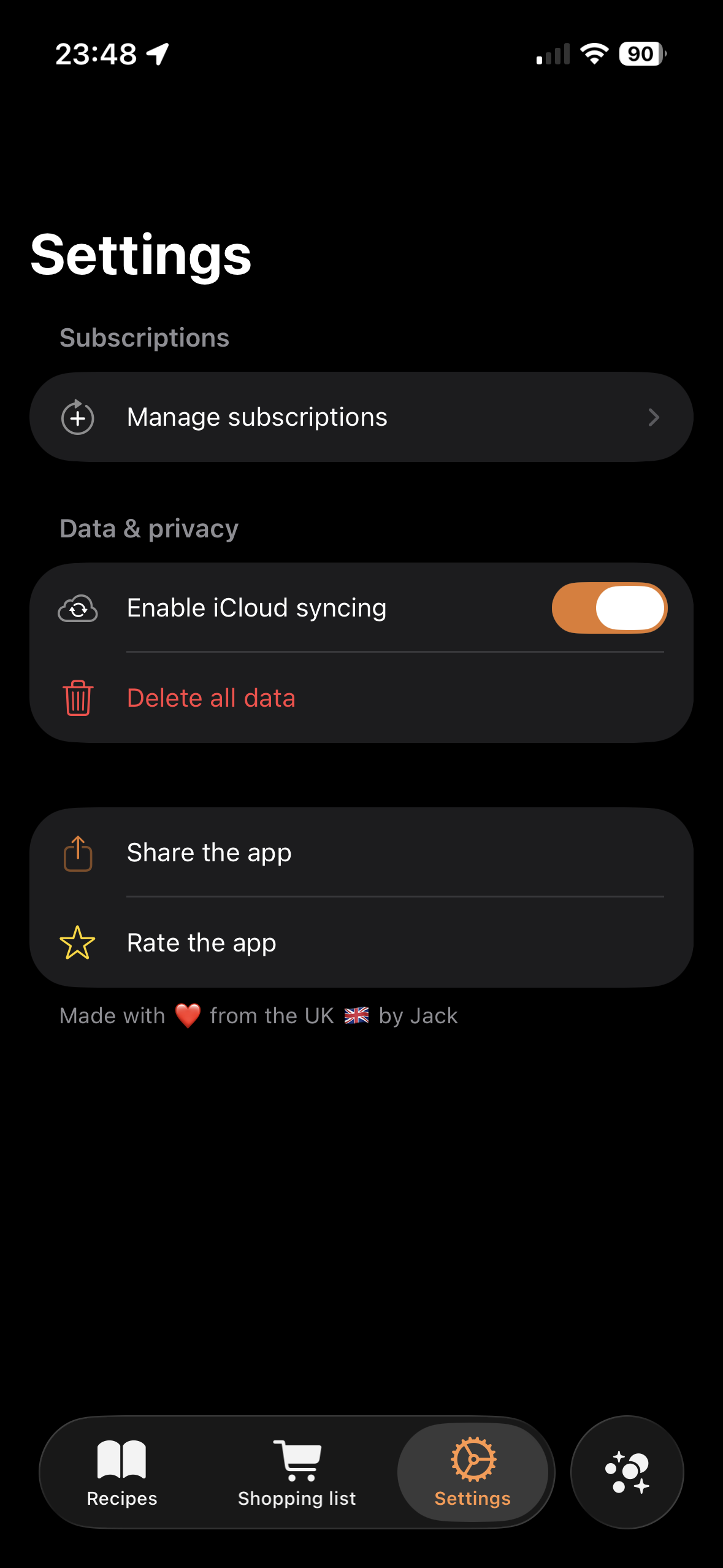
Manage subscriptions, iCloud syncing and your data from settings
-
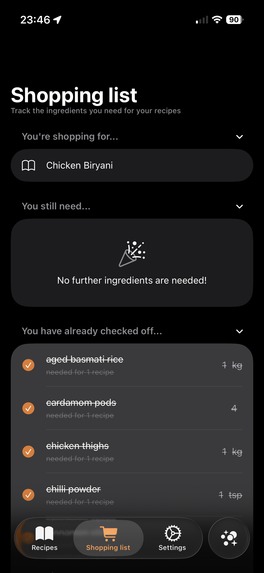
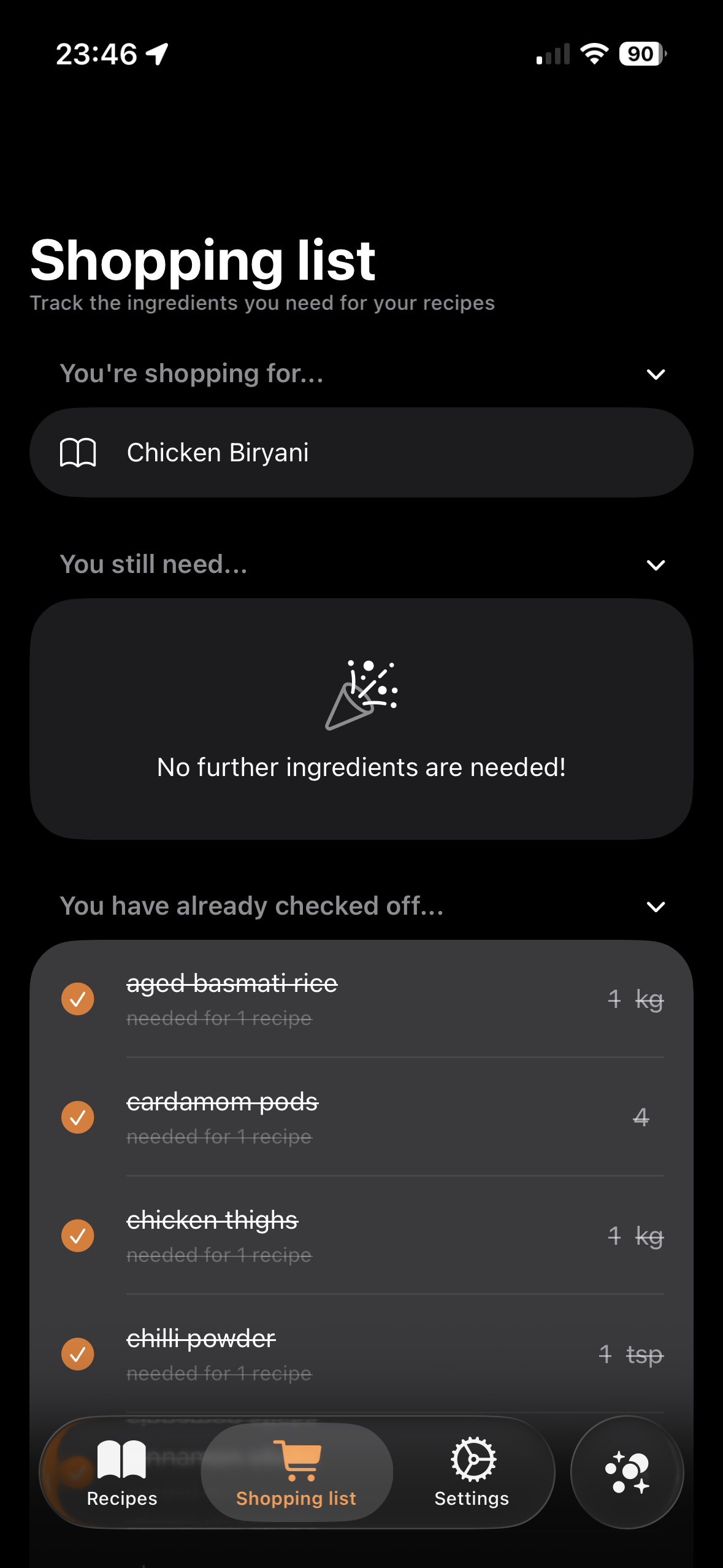
Easily add the necessary ingredients for recipes to your shopping list, and check off items as you find them in the shop
-
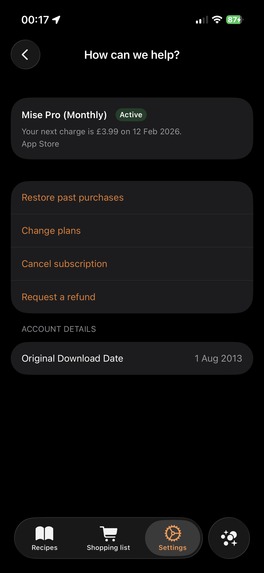
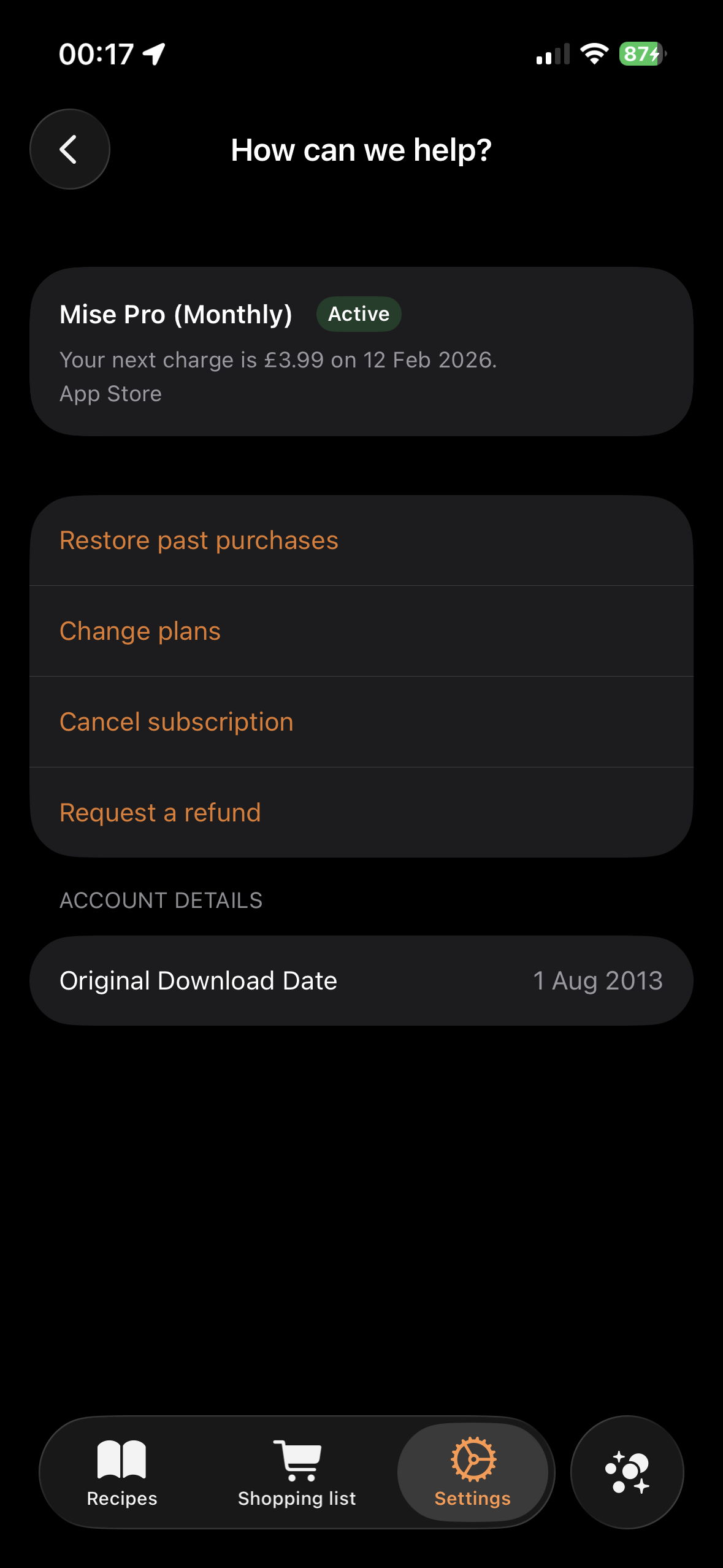
Manage your subscription in-app
-
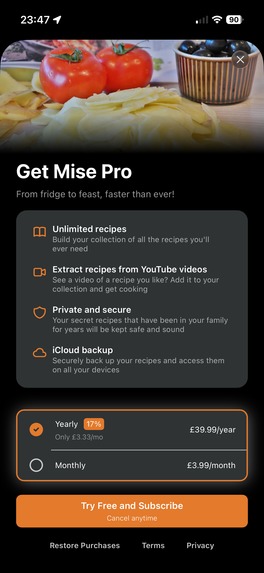
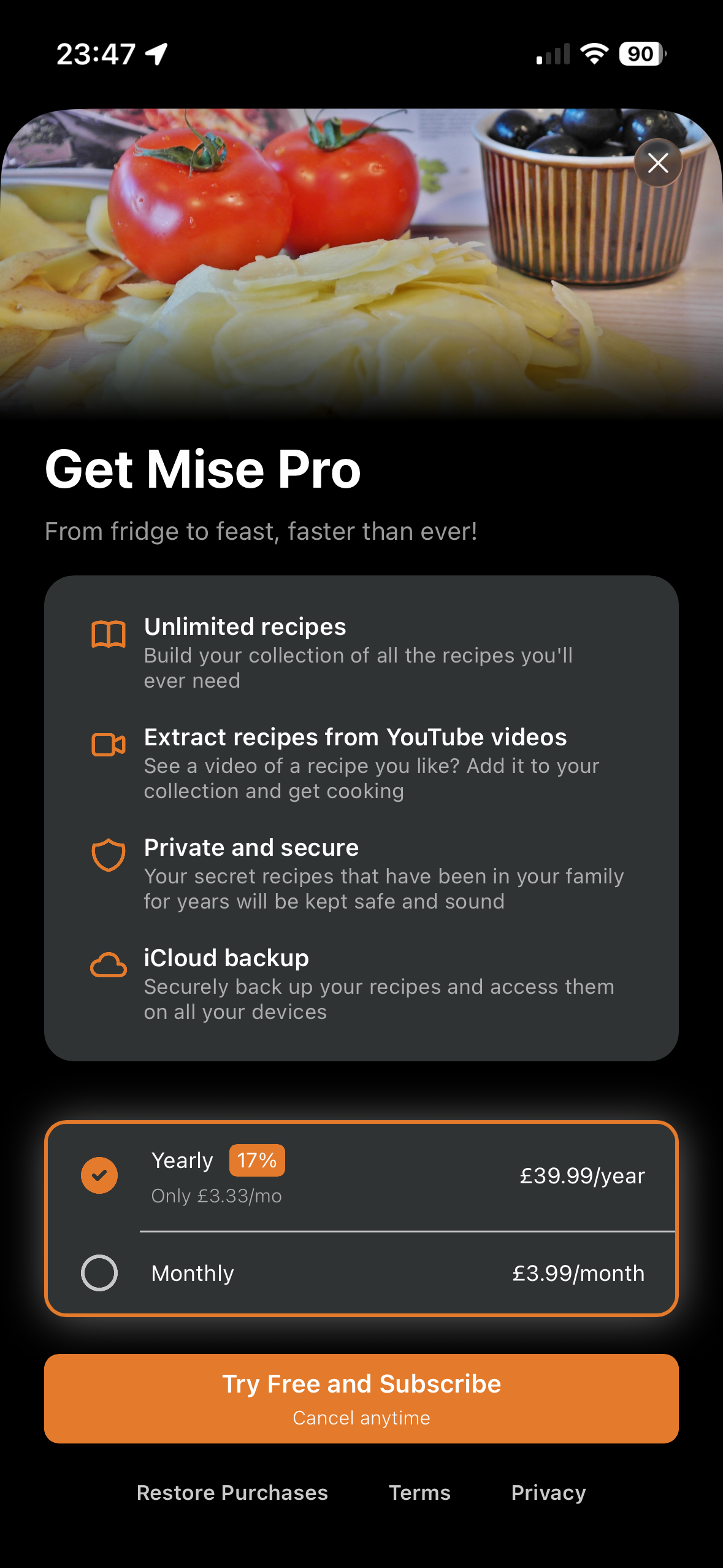
Subscribe to Mise pro for premium features
-
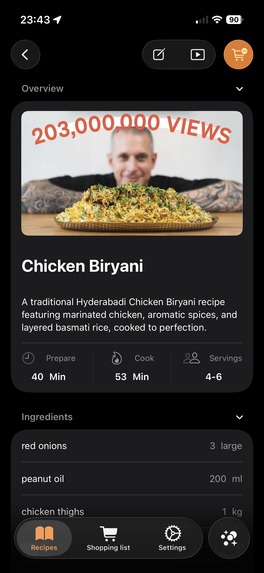
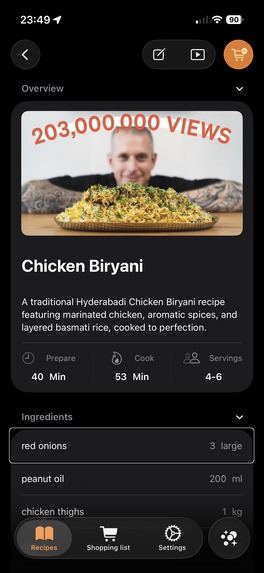
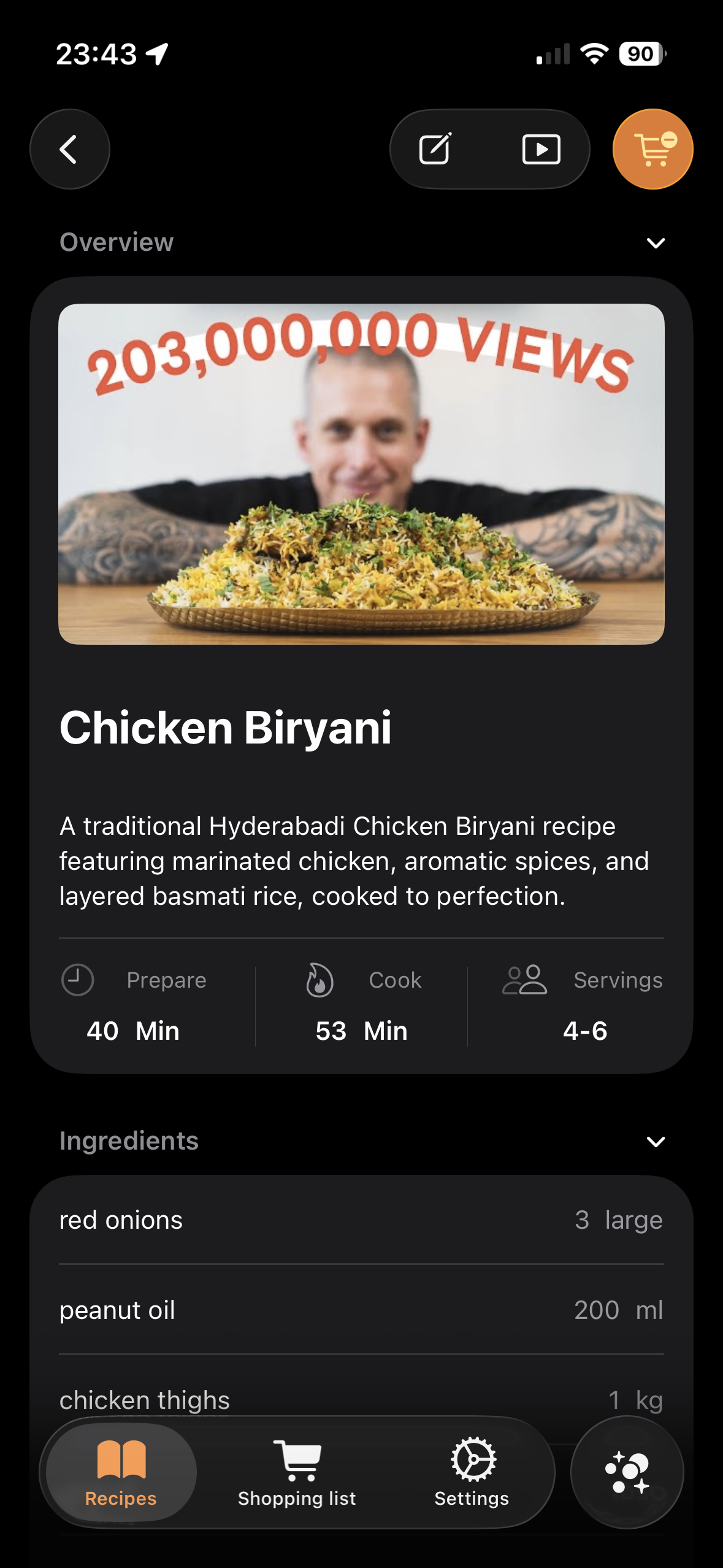
Drill down to the recipe details, providing an overview of the recipe, the required ingredients and a list of step-by-step instructions
-
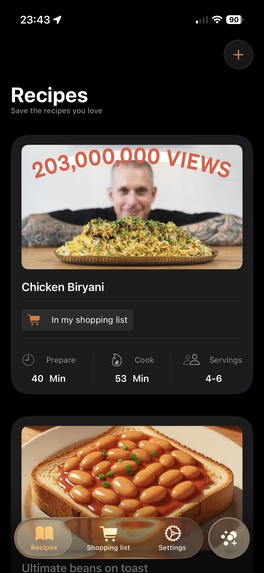
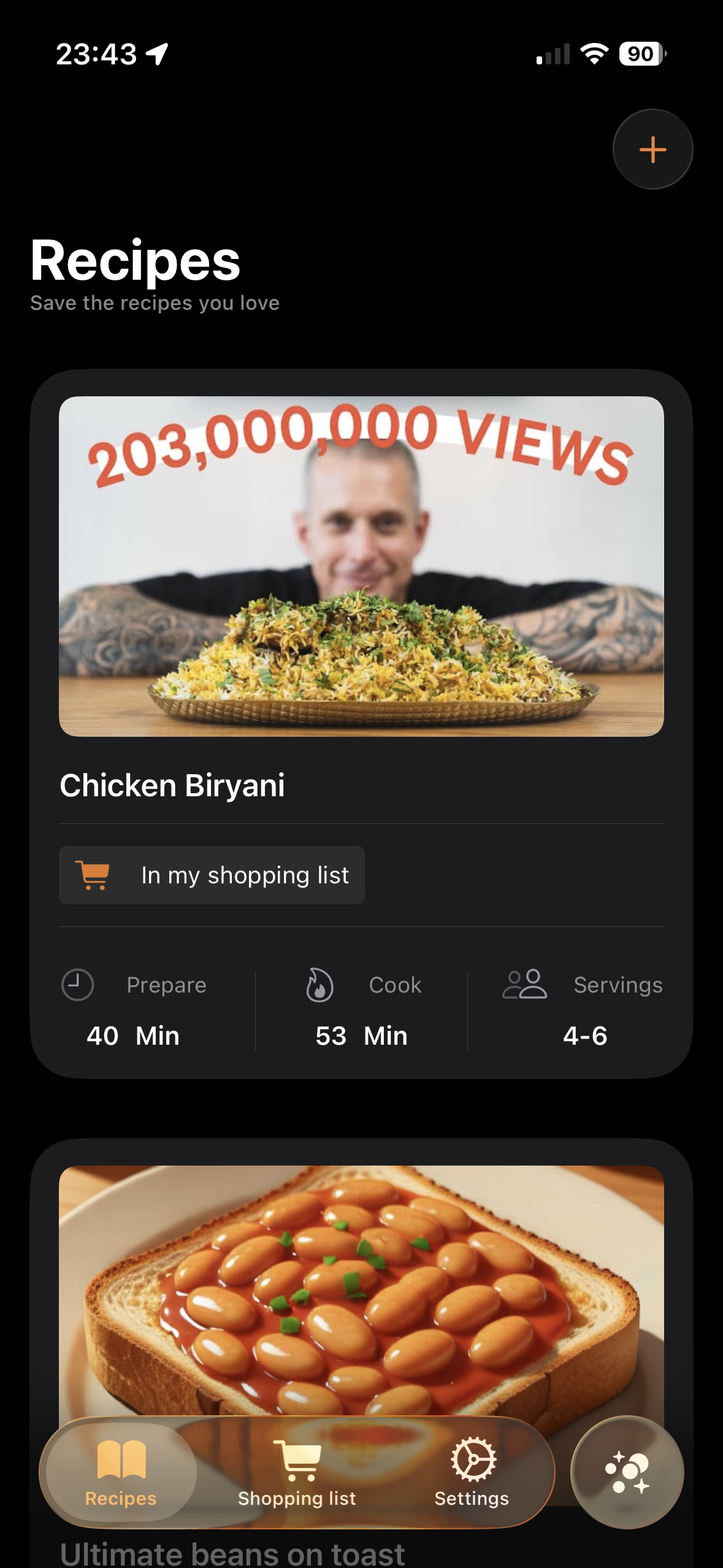
A list of your saved recipes that you can scroll through
-
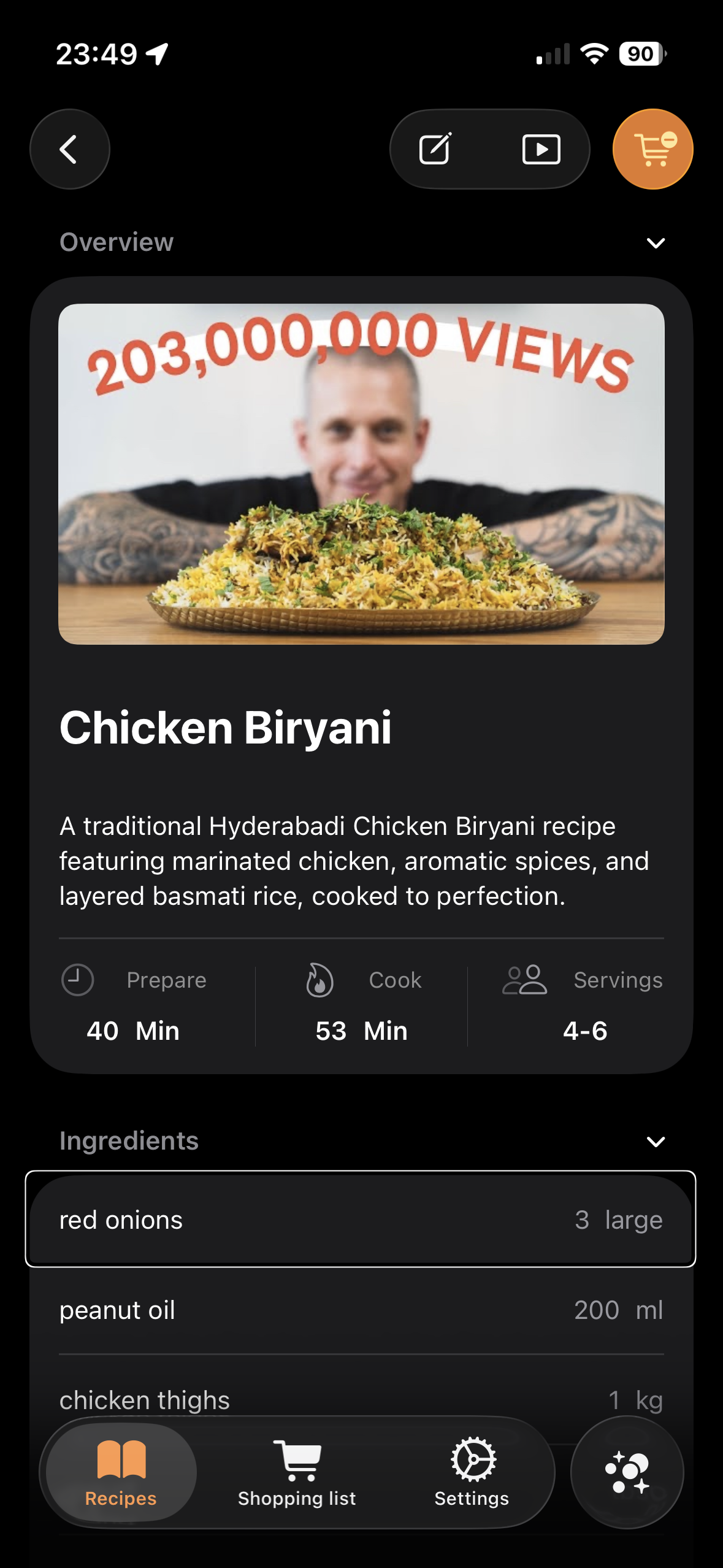
Mise was built with accessibility in mind, and has good VoiceOver support
Mise: From Fridge to Feast
About The Project
Inspiration
The idea for Mise came from a frustration we see everywhere: people have great recipes they want to cook, but the friction between "finding a recipe" and "actually cooking it" is exhausting.
I noticed that food waste and meal planning struggles often stem from the same problems: recipes live scattered across YouTube videos, bookmarks, notes apps, and screenshots. When you finally decide to cook, you're either re-watching videos to find ingredients or manually transcribing lists.
Meanwhile, users often have ingredients at home they forget about, leading to waste and repeated takeaway orders because "I don't know what to make with what I have."
Mise was born from one simple question: What if we could collapse all those steps (save recipe, extract ingredients, build a shopping list, figure out what you can cook) into one focused, beautiful app?
In this way, Eitan's brief truly resonated with me and allowed me to attempt to explore how an app might solve these issues.
Target audience
Mise's target audience is for 20-40 year olds who are already somewhat competent in the kitchen, and are keen to expand and improve their cooking abilities. They want to be able to find new exciting recipes and follow them to make amazing dishes.
What It Does
Mise: From Fridge to Feast is a smart recipe companion that solves the "recipe to dinner" problem in four key ways:
1. Save & Organise Recipes
Users can manually add their own recipes with ingredients and step-by-step instructions, or extract recipes directly from YouTube video links using AI.
2. Smart Shopping Lists
Add ingredients from any recipe to a checkable shopping list with a single tap. The list groups ingredients intelligently so users don't double-buy and can check items off as they shop.
3. Ingredient-Based Cooking Discovery
Tell Mise what ingredients you have on hand, and the app shows you which of your saved recipes you can cook right now; reducing food waste and sparking dinner ideas from what's already at home.
4. Clean, Focused Interface
Everything is designed for one job: getting from "I found a recipe" to "I'm cooking it" as quickly and smoothly as possible. I wanted to leverage a minimalist and clean experience that iOS users would feel at home with, that is accessible and adheres to Apple's Human Interface Guidelines.
How I Built It
Tech Stack
Mise was build as a native iOS app, leveraging a hyper-modular architecture backed by Tuist and built using Point-free's Composable Architecture stack.
I wanted to lean into liquid glass design patterns too, so am targeting the latest iOS 26.2 release.
The aim was to keep things as simple and privacy-focused as possible, so I opted for a local SQLite database (using SQLiteData) with iCloud sync support, in order to ensure the user's data remains private.
Development Approach
MVP-First Mentality
- I tried my best to launch with core features only (manual recipes, YouTube extraction, shopping lists, ingredient-based discovery)
- I deliberately excluded features like expense tracking, meal planning and environmental insights as these can be saved for future iterations
- My aim was to try and focus on implementing the core functionality well rather than spreading myself too thin and leaving much to be desired
AI Integration Strategy
- Opted for OpenRouter API for accessing models for recipe extraction rather than building custom ML models, in an attempt to balance speed-to-market with quality
- Built transparent AI disclaimers into the UX because we wanted users to understand the technology is not without its flaws, and to prompt users to review extracted recipes before cooking
Accessible By Default
- I aimed to build all features with accessibility in mind, so as to not exclude any users from being able to use the app
- Dark mode is supported
- VoiceOver and Switch Control
- Dynamic type
Monetisation Strategy
I wanted for Mise to strike a balance between driving user acquisition with a free tier, and providing more engaging premium features for paid users. With this in mind, premium users will have access to:
- Unlimited recipes, rather than the limited number of recipes that users will be able to add manually on the free tier, before being prompted by a paywall.
- Extracting recipes from YouTube videos, since the AI model inference costs need to be offset. A free trial is offered only for yearly subscribers with this in mind.
- iCloud sync to ensure recipes can be shared across devices.
The combination of premium features hopes to appeal to a wide range of users and entice conversion from free to paid customers.
Challenges I Ran Into
1. AI Recipe Extraction Accuracy
Extracting recipes from YouTube videos proved more challenging than expected. Videos use inconsistent pacing, unclear measurements, and informal language. Our early prototypes had high error rates on ingredient quantities. Some OpenRouter models performed better than others and I had to manage context windows adequately; especially for longer videos!
Solution: Implemented transparent AI disclaimers and selected models with larger context windows available.
2. Shopping List UI Complexity
Initial designs tried to do too much; auto-grouping by aisle, ingredient substitution suggestions, price comparisons. This overwhelmed users and made the app feel cluttered.
Solution: I stripped things back to essentials: a simple list with ingredients ordered by their categories, checkboxes, a native iOS feel and accessibility support.
3. Ingredient Matching for "What Can I Cook?"
There are so many directions to go with this feature and it was tricky to know where to start and where to stop.
Solution: Used an algorithm for ingredient matching and quantity aggregation. Initially, this only returns exact matches, but future iterations will introduce some tolerance (ie. x ingredients needed).
Accomplishments I’m Proud Of
1. MVP Recipe Extraction from YouTube videos
It's a nice feeling, being able to get a clean, usable recipe from a YouTube link and see it appear in the app. I tried to make the UX feel as simple as possible, and made sure to still give users the ability to edit and make changes.
2. Transparent AI Messaging
Instead of hiding AI limitations, I put them front-and-centre. I wanted to be up-front and honest about the potential problems, but still embrace the benefits that they provide. This helps users, even if it just provides a starting point.
3. Ingredient-Matching Intelligence
The "What can I cook?" feature functions well for an MVP. If users add enough ingredients to their recipe's collection, it becomes genuinely useful to surface ideas that they might not have considered.
4. Clean, Focused MVP
I tried to resist the urge to ship loads of features and tried to limit the iterations I made to ensure the core MVP was functional. My aim was to get the app doing 4 things well instead of 10 things mediocrely.
What I Learned
1. Simplicity in Mobile UX Is Non-Negotiable
Every feature I added initially made the app feel worse and led to me wanting to dive in and continuously improve every aspect of each feature. The best iterations came from me stripping back, removing things, and focussing on striving for a simple, native UX.
2. YouTube API Integration Is Surprisingly Difficult
I initially thought I could use YouTube's official API for extraction. I learned quickly that there were limitations with this and there were more complexities involved than first thought. I was able to pivot to some 3rd party libraries for extracting core video data and transcripts that I could then feed to the extraction AI model.
3. Continuous Testing Changes Everything
Rather than simply building and moving on to the next feature, I found that properly testing as I went along paid dividends in terms of catching simple mistakes and amending some questionable UX choices. It was good to constantly put myself in the shoes of a user throughout the process and keep their core requirements in mind.
4. AI Model Cost Decisions
In order to power the AI extraction of recipes from YouTube videos, I decided to start with free models from OpenRouter for MVP. While this includes rate limiting and longer inference time, I thought it was better to get up and running with an MVP that I could then pivot to more performant models as determined by user adoption in the future.
5. Ingredient Data Is Messier Than Expected
Normalising ingredient data and quantity units is a non-trivial problem that benefits a lot of refinement. Baking this into the prompts for video extraction was one thing, but there is still a way to go to improve the experience, avoid duplicates, handle relative quantities etc.
What's Next for Mise: From Fridge to Feast
As I was just focusing on getting the MVP out the door initially, there are lots of areas that I want to dedicate more time to refine and perfect, as well as some new and exciting features that I'd like to add.
Improvements
- Add sort and filter functionality to recipes list to allow users to see eg. their most-recent first, or only recipes that are in their shopping list etc.
- Add search functionality throughout the app, allowing the user to search for recipes, ingredients, units etc. to make the adding/editing tasks feel smoother.
- Further refine the AI models that are used for YouTube video extraction, and ensure that the ratio of performance to cost-effectiveness remains paramount.
- Extend the "what can I cook?" functionality to be more flexible and allow users to filter by the amount of missing ingredients (eg. only <3 new ingredients required to make this dish).
- Bake quantity unit comparability into the app so that we can aggregate shopping list amounts smarter (eg. when the same ingredient requires different quantities across recipes).
New Features
- Rather than having to enter a video URL into the app to extract the recipe, I want to add an extension that will allow users to share the URL and open the app from the share screen. That will reduce friction and potential frustration from users.
- Be able to extract recipes from more than just YouTube videos. Expand to YouTube shorts, Instagram, TikTok, recipe websites, photos etc.
- Add ingredient expiry tracking as a premium feature, that will allow users to enter expiry information and receive reminders when expiry dates are approaching. Likewise, the "what can I cook?" functionality could prioritise ingredients with closer expiry dates in the results that are returned.
- Add nutrition and dietary insights as a premium feature, that estimates calories, macros, micronutrients etc per recipe.
- Add meal planning functionality, so users can plan which meal they would like for which day, and have relative shopping list.
- Add ability for users to scan bar codes of ingredients and automatically pull ingredient and quantity information into the app.
- Add ability for users to snap a picture of their fridge and list the ingredients they have.

Log in or sign up for Devpost to join the conversation.