Misconception Mentor
One-liner
A math practice app that diagnoses why I got an answer wrong (top 3 misconceptions), shows evidence from my thinking, and gives a targeted follow up question—without giving away answers for typos.
Built by
Krivan Mirok (13).
Inspiration
When I practice math, I don’t just want to know “wrong.” I want to know what mistake I made in my thinking—because the same wrong pattern shows up again and again (like adding the top and bottom of fractions).
Most tools either reveal the answer or just say “try again.” I wanted a coach that tells me what misconception caused my mistake and then gives me a follow up question that fixes that specific mistake.
What it does
Misconception Mentor is a Learn → Practice → Feedback loop for Grades 6–8 math.
When I answer a question, the app can:
- Detect review errors (typos / format slips) like malformed fractions (e.g.,
5/) before using AI.- It warns me to re-check, and does not reveal the correct answer.
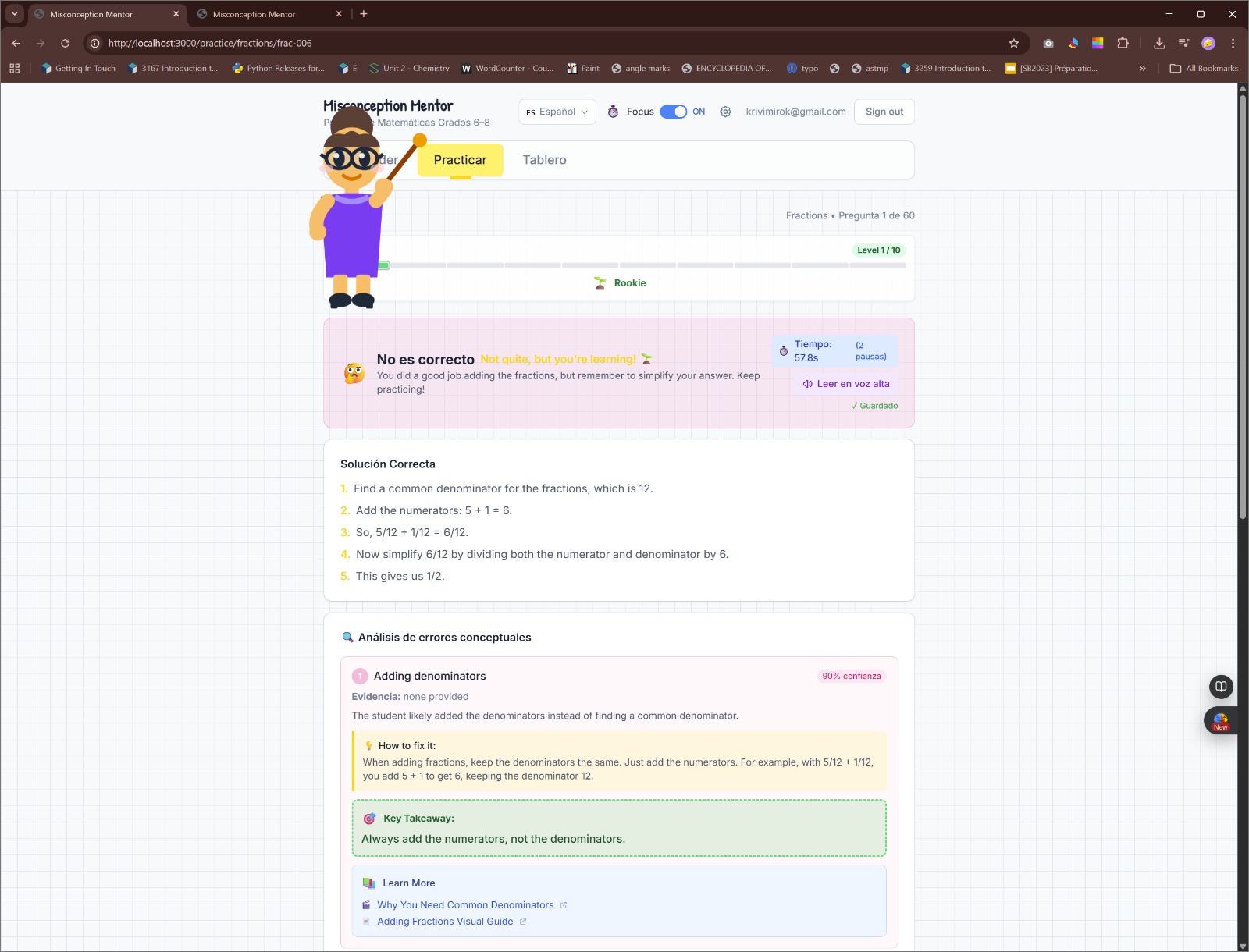
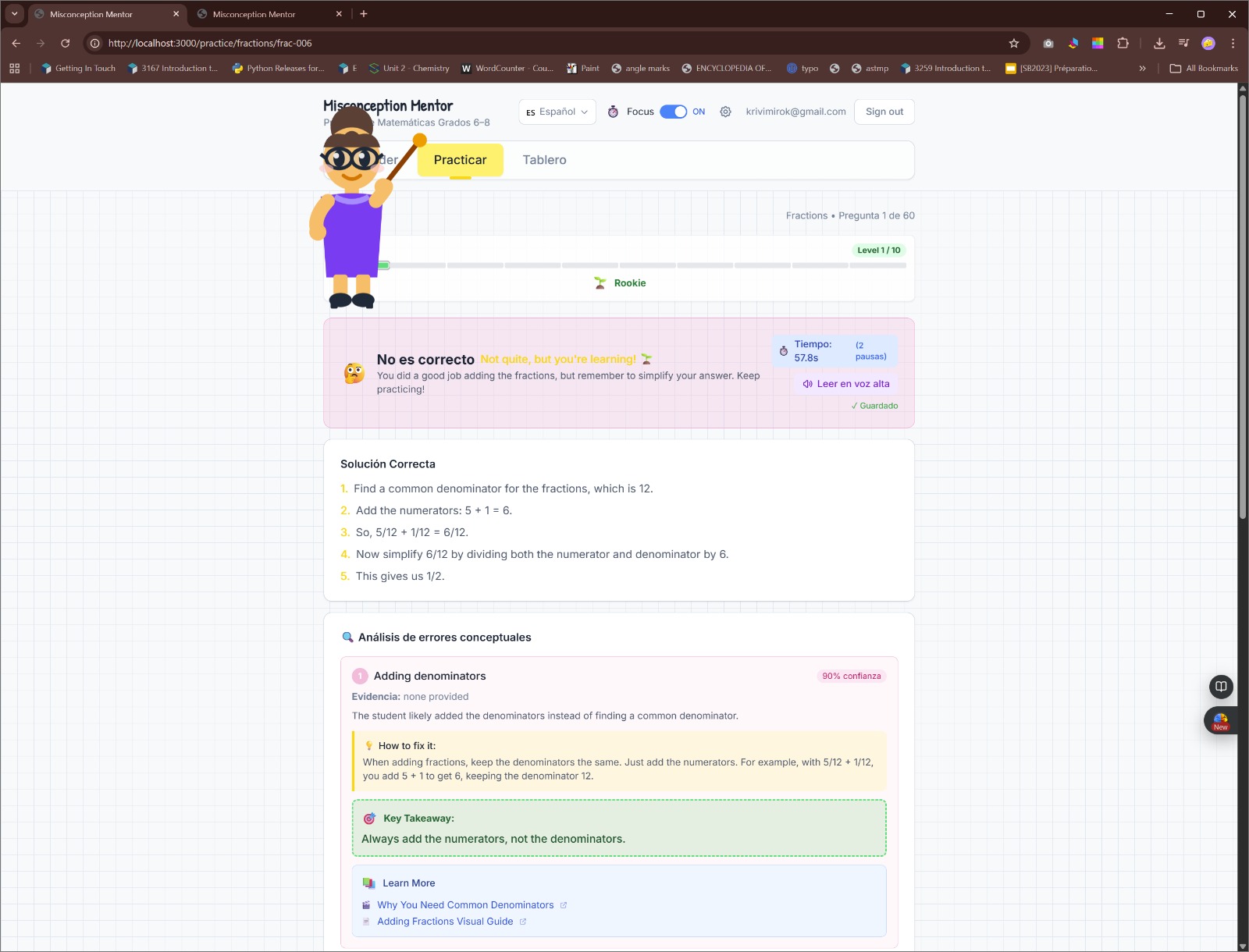
- If it’s not a typo, it runs a Misconception Engine that:
- predicts the top 3 likely misconceptions
- shows a confidence score
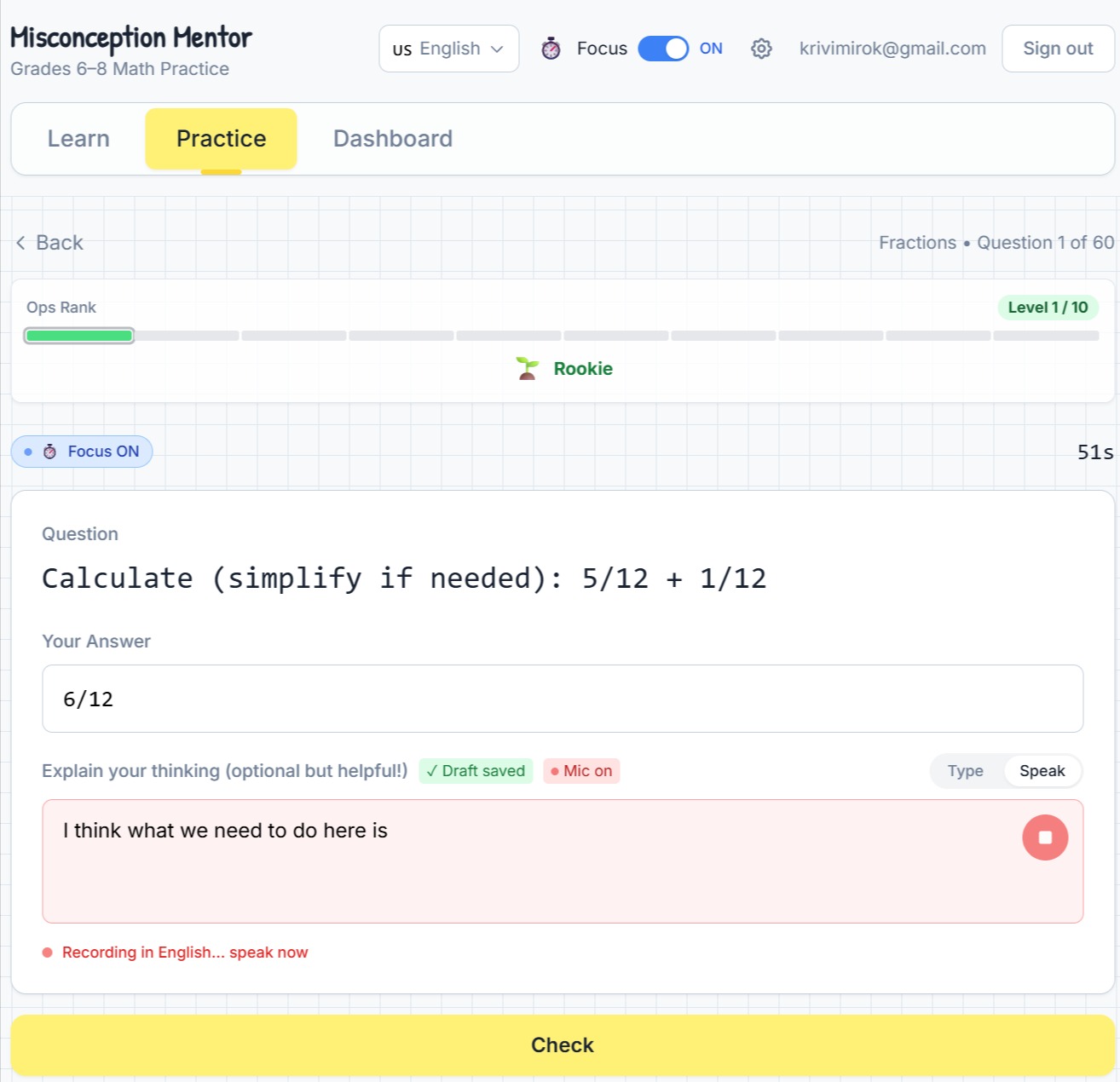
- highlights evidence based on what I typed or said in “Explain your thinking”
- Shows a short Key Takeaway, solution steps, and curated “Learn More” resources.
- Generates a targeted follow up question and a “teach-back” prompt so I can practice the exact thing I misunderstood.
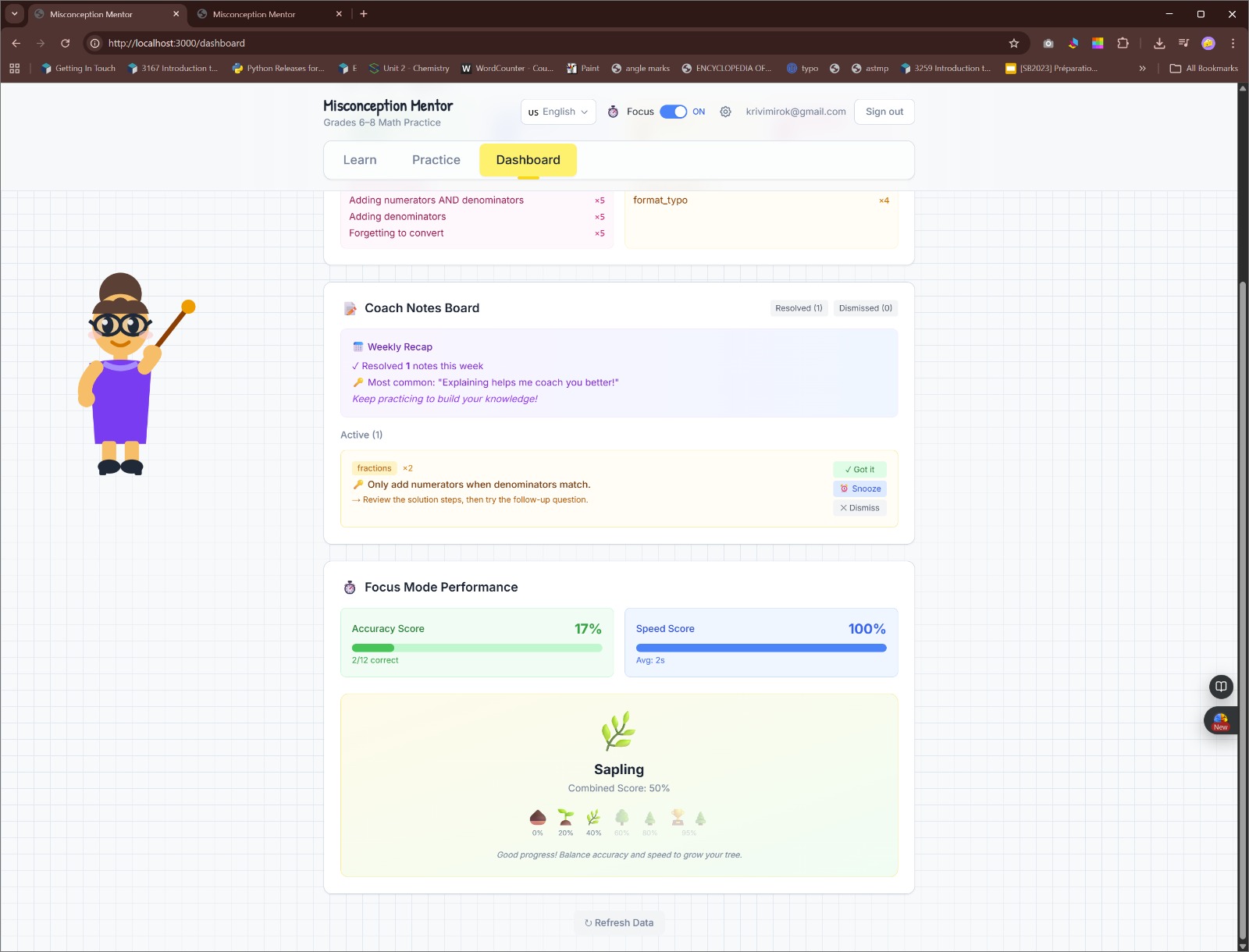
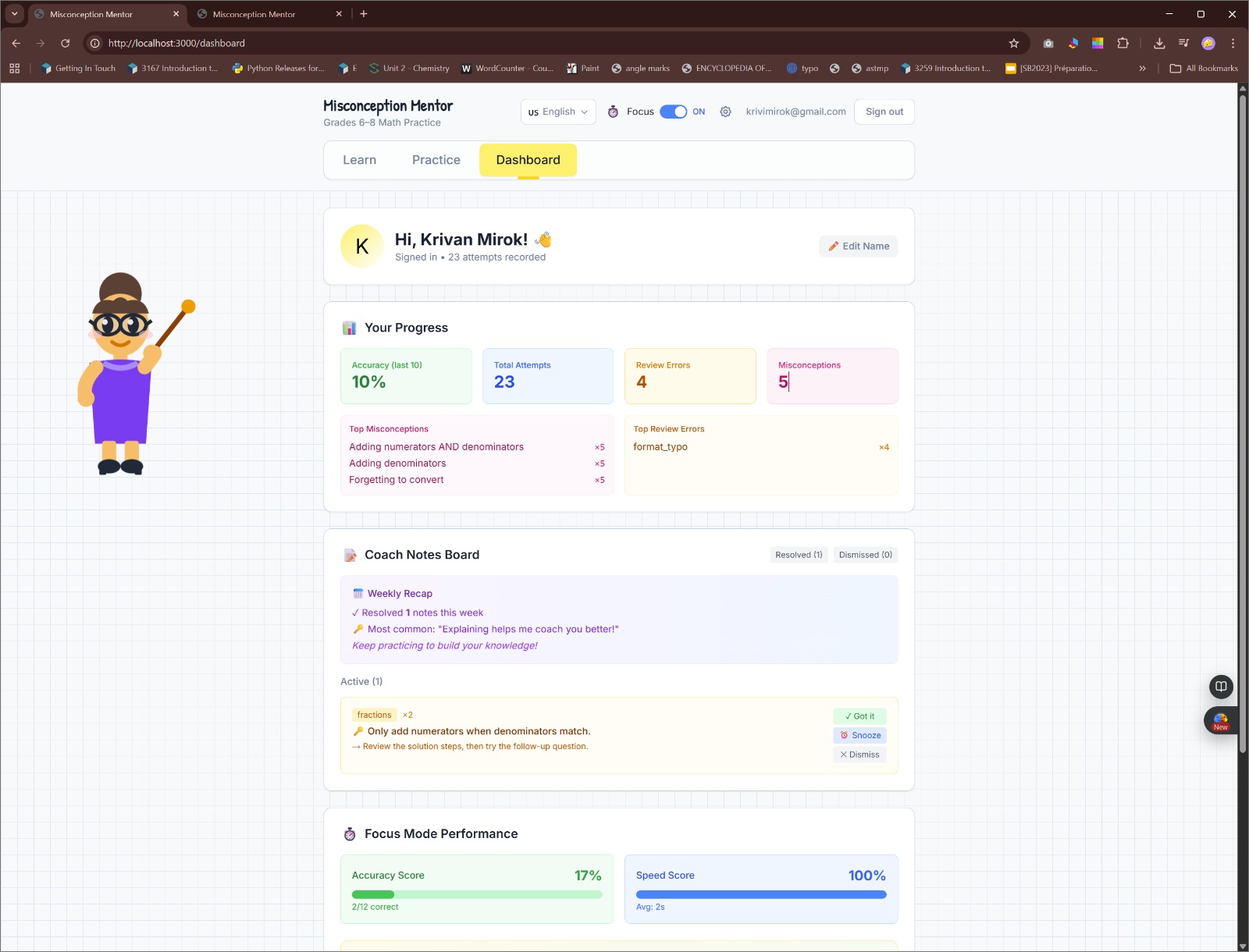
- Tracks my progress in a Dashboard (mastery by topic + coach notes).
Extra features (for real classroom use):
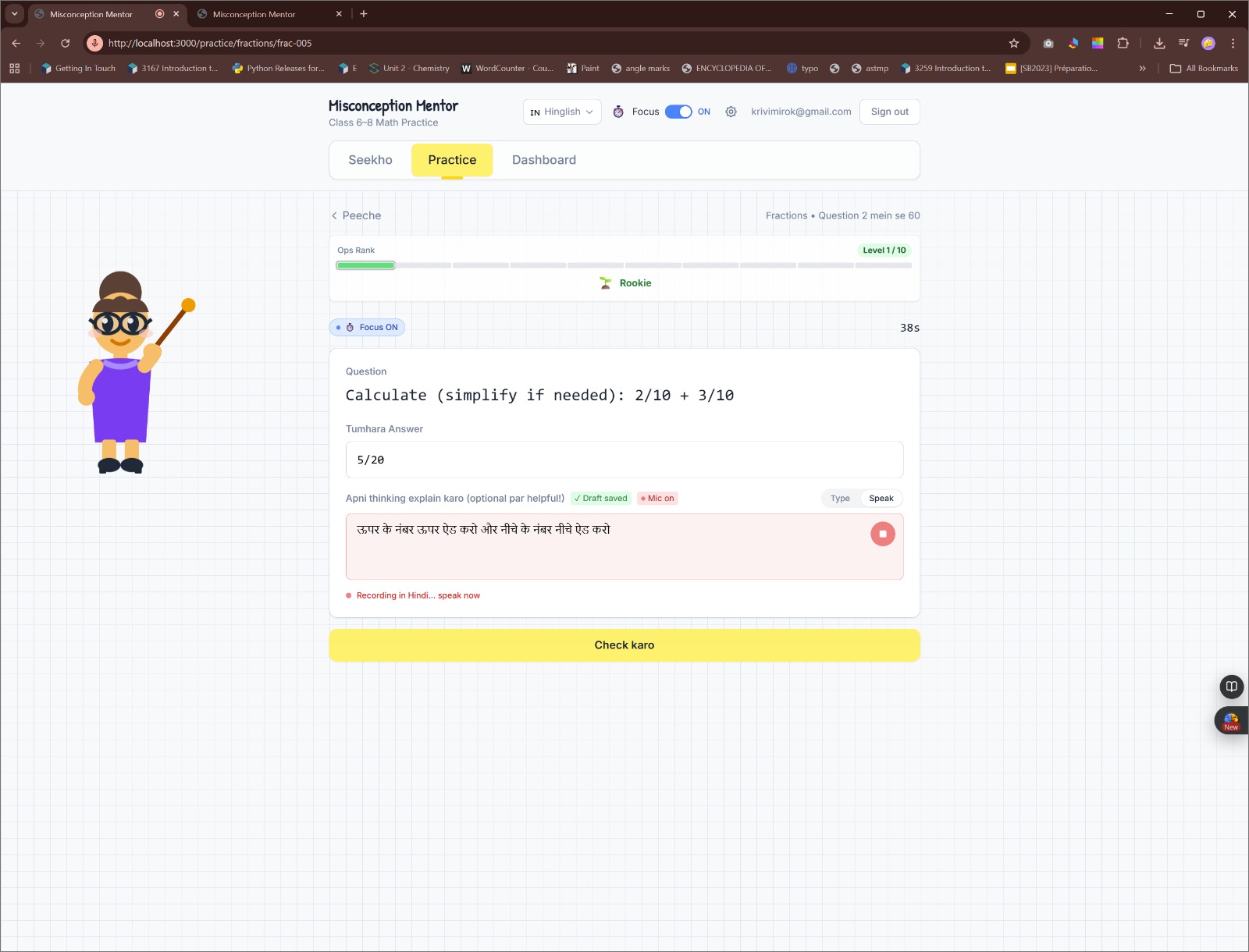
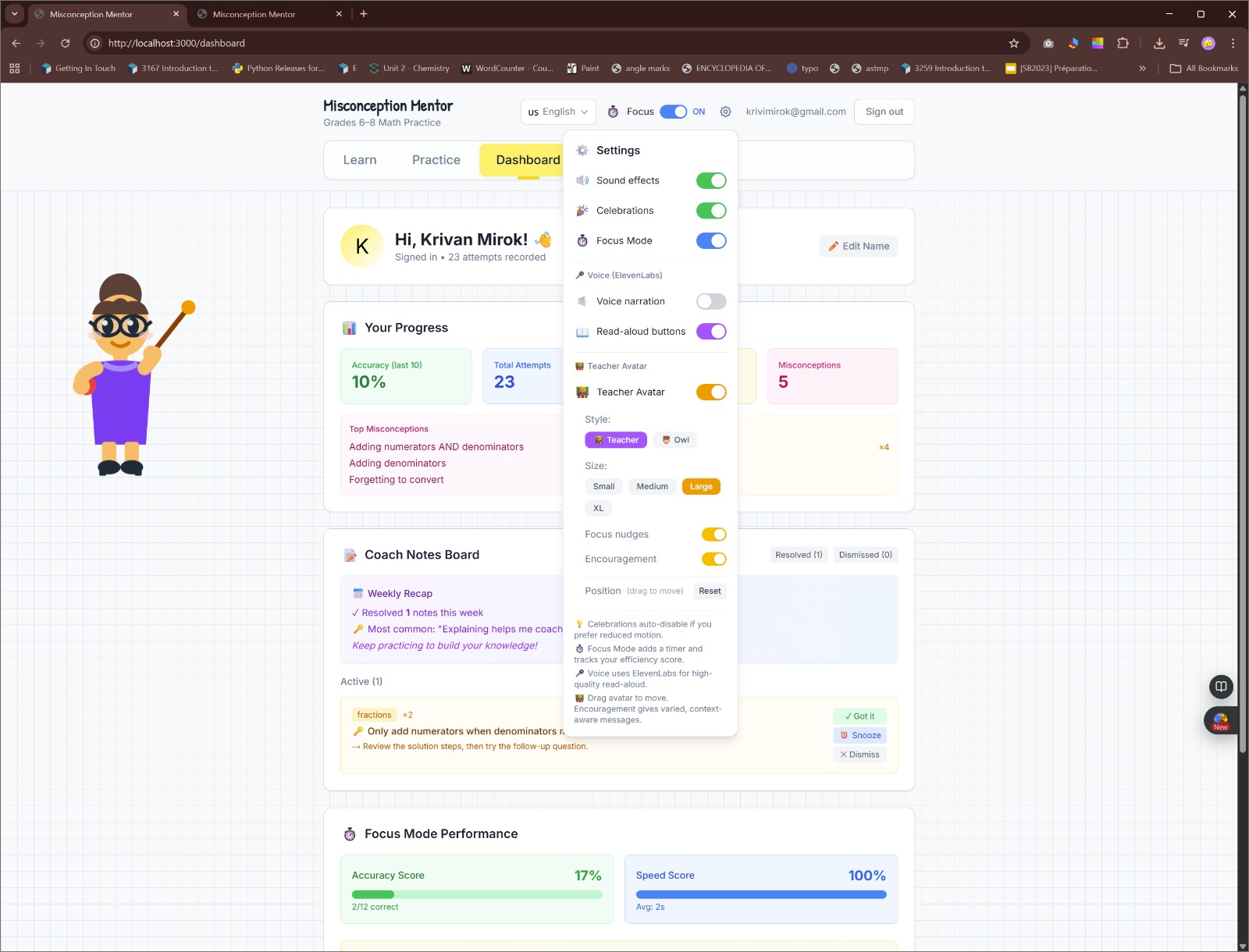
- Voice input (Speech-to-Text) for my explanation (browser SpeechRecognition)
- Read-aloud narration (Text-to-Speech) via ElevenLabs, with multilingual support + fallback
- A friendly Teacher Avatar that can move/anchor to content and is draggable
- A built-in /debug page to test all endpoints and verify data writes (super useful while vibe-coding)
How I built it
- Next.js + TypeScript + Tailwind for the UI
- Supabase for authentication + storing attempts, stats, and coach notes
- OpenAI for two core endpoints:
/api/evaluate: correctness + review-error classification + coach notes/api/diagnose: top 3 misconception diagnosis + remediation + follow-up question
- Zod + strict JSON schemas so AI responses don’t break the app
- ElevenLabs for text to speech “Read aloud” (and browser speechSynthesis fallback)
- Web Speech API for speech-to-text explanations
- LocalStorage autosave so typed/spoken thinking isn’t lost if I move on
Languages:
- UI supports 5 languages (English, Hinglish, Spanish, French, Simplified Chinese)
- AI feedback can be generated in the selected language
- Read aloud supports multilingual narration (TTS)
Challenges I ran into
- Preventing “answer leaks” when the mistake is just a typo.
- I solved this by classifying review errors deterministically before AI runs.
- Keeping AI output stable (especially with multilingual output).
- I used strict JSON schemas + validation + safe fallback responses.
- Debugging during vibe coding
- As the project grew, debugging became painful, so I built an in app
/debugconsole to test endpoints and verify responses without digging through logs.
- As the project grew, debugging became painful, so I built an in app
Accomplishments I’m proud of
- Review errors vs misconceptions are treated differently (and safely).
- The top 3 misconception ranking makes feedback feel “teacher-like,” not generic.
- Follow up questions turn feedback into a real learning loop.
- The /debug page made me faster at fixing issues and safer during demos.
- Multilingual support (UI + AI + voice) makes the app more accessible.
What I learned
- How to combine deterministic logic with AI so it’s reliable.
- Why strict schemas and validation matter when using AI in real apps.
- How much presentation (demo flow + clarity) matters for a hackathon.
What’s next
If I keep building this:
- More topics (decimals, geometry, ratios)
- Better misconception coverage per topic
- Spaced repetition so I practice what I’m weakest at
- A teacher/parent dashboard for multiple students
- Improved Hinglish voice behavior (Roman vs Devanagari)
Built With
- api
- elevenlabs
- next.js
- openai
- speech
- supabase
- tailwind
- typescript
- web
- zod

Log in or sign up for Devpost to join the conversation.