MirrorXR Suite: The Ultimate Android Utility for Horizon OS Independent Developer: qiye Competition Track: Best Lifestyle Experience Targeted Special Award: Best Android Utility App
Component Apps:
MirrorXR Phone to XR: The bridge connecting headset and phone
Extended Applications: XRControl: Acts as a controller for the headset
Inspiration When we enter immersive VR, we are forced to leave our most critical device—our phone—behind. This creates a "digital disconnect." We miss important work messages, notifications from loved ones, or food delivery alerts. This not only breaks immersion but also forces users to choose between the virtual world and the real world. MirrorXR: Phone to XR is the bridge that ends this compromise. Instead, it can leverage the phone to enhance the virtual reality experience (using the phone for big-screen gaming, operating smart devices, obtaining information), ensuring users are not completely cut off from real-life information.
What it does (Our Solution) MirrorXR: Phone to XR transforms your Android phone from a disconnected "black brick" into a seamless, fully-integrated component of Meta Horizon OS. It is a complete productivity and lifestyle suite that:
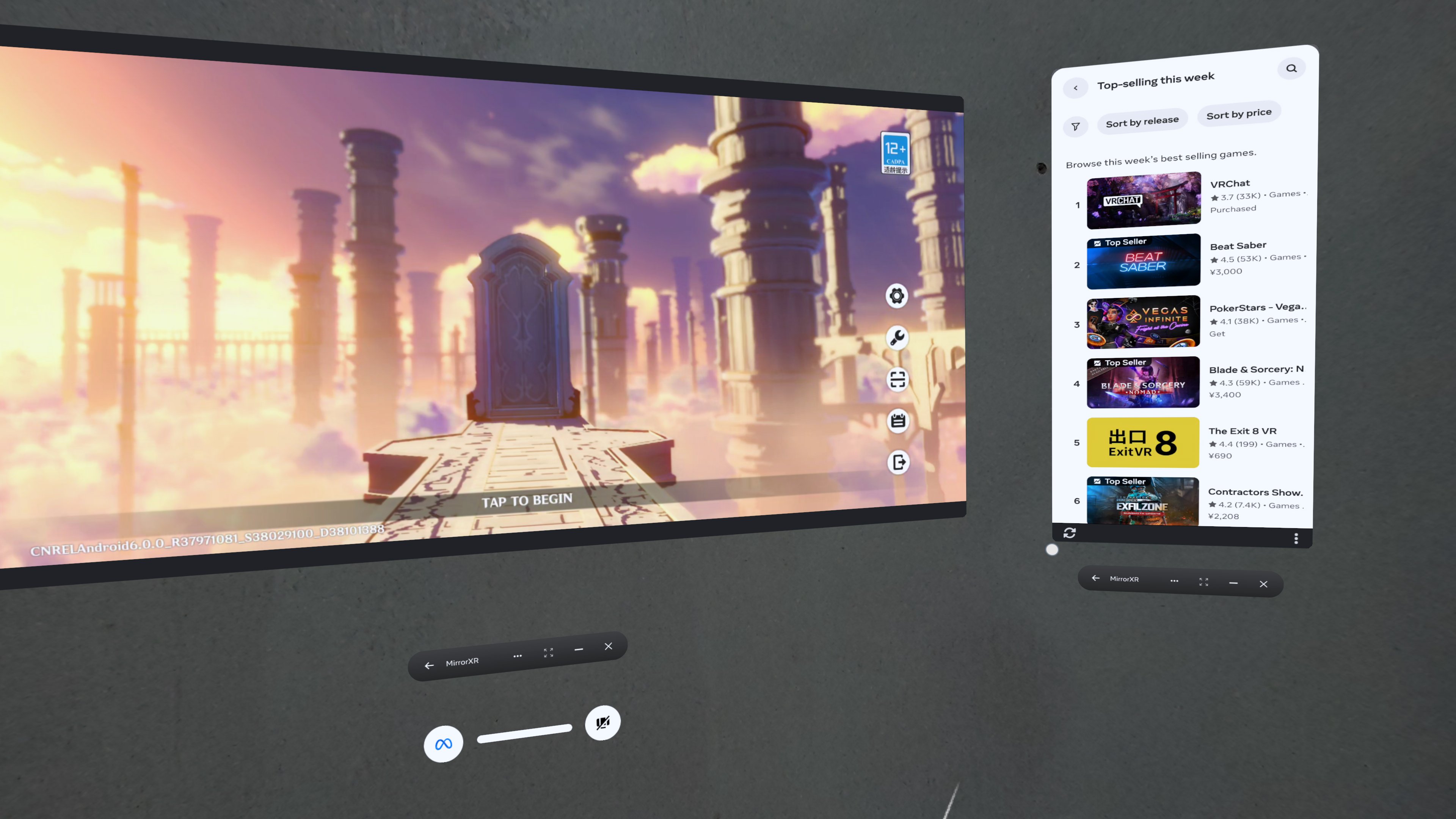
Connects Your Entire Digital Life: Mirrors your phone's screen with ultra-low latency, allowing you to run any mobile application—from social media to gaming apps—inside any Quest experience.
Enables True Spatial Multitasking: Leverages Meta's multi-window capabilities to run multiple phone apps in separate, resizable windows. You can be in a VR game while responding to a message and browsing a webpage in your peripheral vision.
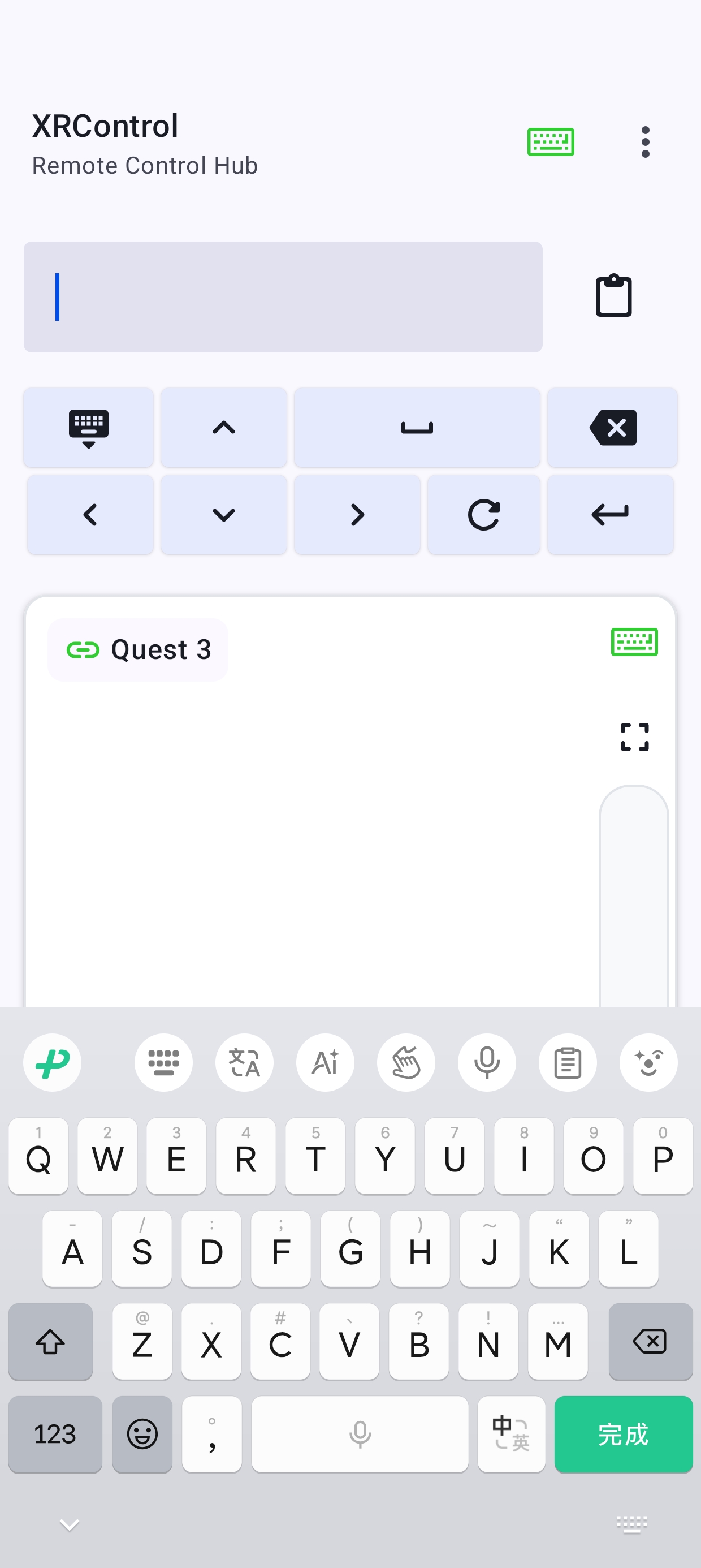
Solves VR's "Input Problem" with XRControl: Our integrated module, XRControl, transforms your phone (which you're already mirroring) into a high-precision, low-latency Bluetooth mouse and keyboard. This solves the pain point of using clunky controllers for text entry and productivity, creating a truly seamless "spatial-mobile" ecosystem.
How We Accelerate the Meta Horizon OS Vision Platform Strategic Fit: We built MirrorXR with the vision of it being the universal compatibility layer that solves the platform's "chicken-and-egg" strategic dilemma. Today, we bring the entire Android app ecosystem to Horizon OS, without developers needing to re-port their apps.
Strategic SDK Implementation: We are already using the Meta Spatial SDK to build our next-generation features: upgrading from screen mirroring to individual application streaming, enabling each mobile app to become an independent, native-like spatial window, and exploring even more possibilities.
Core Features & Key Accomplishments We have built a powerful, market-tested application. This is the first application connecting phones and headsets to be launched on Meta Horizon.
Frictionless Onboarding: We solved the #1 usability hurdle by designing a "one-click" wired/wireless pairing process, eliminating the need for complex ADB commands or pairing codes.
High-Performance: Ultra-low latency streaming with high-resolution passthrough.
What's Next: The Future of Spatial-Mobile Computing We are just getting started. My roadmap, which I am actively developing, focuses on actively learning and adopting new technologies to optimize my applications and make the phone the best accessory for the headset:
Integrated multi-window app functionality, allowing multiple phone app windows to be opened in the app, fully leveraging the phone's performance and the headset's freedom, enhancing the phone's capabilities, and giving it the opportunity to become a new work platform computing machine.
Developed XRControl as an enhancement to the interaction between the phone and headset. If MirrorXR enhances the phone's performance and possibilities through the headset, then XRControl is the phone enhancing the headset's possibilities. It can act as a mouse and keyboard, and in the future, can be expanded to include gaming functions and interact with MirrorXR, making the phone the headset's strongest accessory instead of an isolated platform.
Related Links: MirrorXR Meta Quest Store Link: https://www.meta.com/en-gb/experiences/mirrorxrphone-to-xr/8365066416943985
XRControl (Suite Input Module) Closed Beta: Google Group (Testers):: https://groups.google.com/g/xrcontrol App on Play Store:https://play.google.com/store/apps/details?id=com.qiye.xrcontrol.gplay Web link:https://play.google.com/apps/testing/com.qiye.xrcontrol.gplay
Demo Video (Showing the Full Suite):(https://www.youtube.com/watch?v=RQUFR2u_jEk)


Log in or sign up for Devpost to join the conversation.